2013 CHEVROLET MALIBU wheel
[x] Cancel search: wheelPage 110 of 436
Black plate (2,1)Chevrolet Malibu Owner Manual - 2013 - CRC - 6/6/12
5-2 Instruments and Controls
Service Vehicle Messages . . . 5-32
Starting the VehicleMessages . . . . . . . . . . . . . . . . . . 5-33
Tire Messages . . . . . . . . . . . . . . . 5-33
Transmission Messages . . . . . 5-34
Vehicle Reminder Messages . . . . . . . . . . . . . . . . . . 5-34
Washer Fluid Messages . . . . . 5-34
Window Messages . . . . . . . . . . . 5-34
Vehicle Personalization
Vehicle Personalization . . . . . . 5-35
Universal Remote System
Universal Remote System . . . 5-40
Universal Remote System Programming . . . . . . . . . . . . . . . 5-40
Universal Remote System Operation . . . . . . . . . . . . . . . . . . 5-43
Controls
Steering Wheel
Adjustment
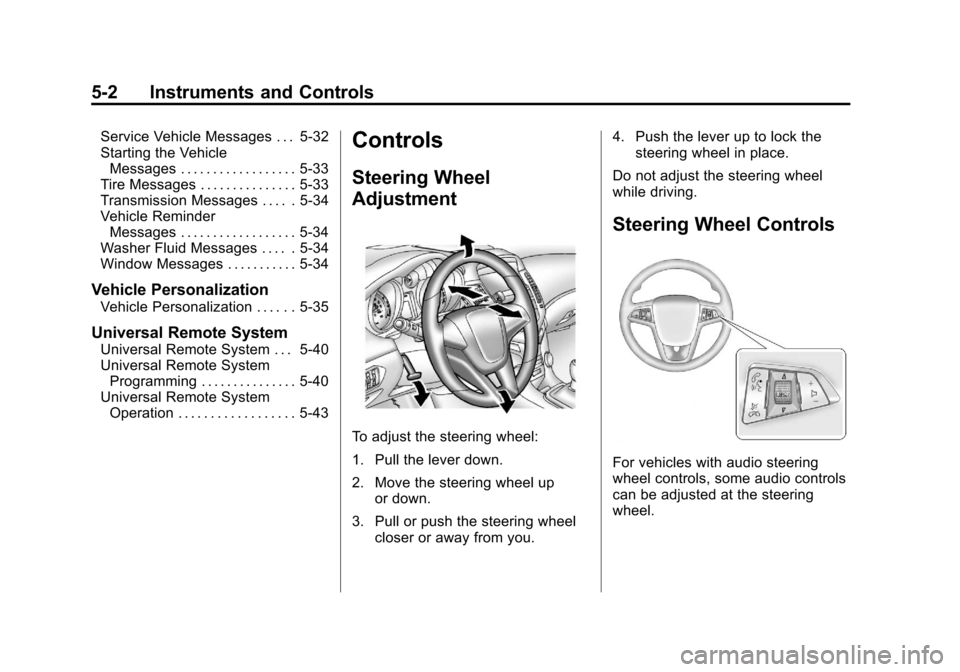
To adjust the steering wheel:
1. Pull the lever down.
2. Move the steering wheel up
or down.
3. Pull or push the steering wheel closer or away from you. 4. Push the lever up to lock the
steering wheel in place.
Do not adjust the steering wheel
while driving.
Steering Wheel Controls
For vehicles with audio steering
wheel controls, some audio controls
can be adjusted at the steering
wheel.
Page 111 of 436
Black plate (3,1)Chevrolet Malibu Owner Manual - 2013 - CRC - 6/6/12
Instruments and Controls 5-3
b/g(Push to Talk):For vehicles
with an OnStar, Bluetooth,
or navigation system, press to
interact with those systems. See
Bluetooth (Overview) on page 7‑35
or Bluetooth (Voice Recognition) on
page 7‑40 orBluetooth
(Infotainment Controls) on
page 7‑36 andOnStar Overview on
page 14‑1.
$/i(Mute/End Call): Press to
silence the vehicle speakers only.
Press again to turn the sound on.
For vehicles with OnStar or
Bluetooth systems, press to reject
an incoming call, or to end a
current call.
_SRC^(Thumbwheel Control):
Use this control to select a radio
band or audio source.
Use
_or^to select the next or
previous favorite radio station, CD
track, DVD track/chapter, or MP3
track.
Press SRC to change between
radio and CD or DVD. Press and hold SRC to interact with
the navigation system, if equipped.
+
x−
(Volume): Press + to
increase the volume; press −to
decrease the volume.
Horn
Pressaon the steering wheel pad
to sound the horn.
Windshield Wiper/Washer
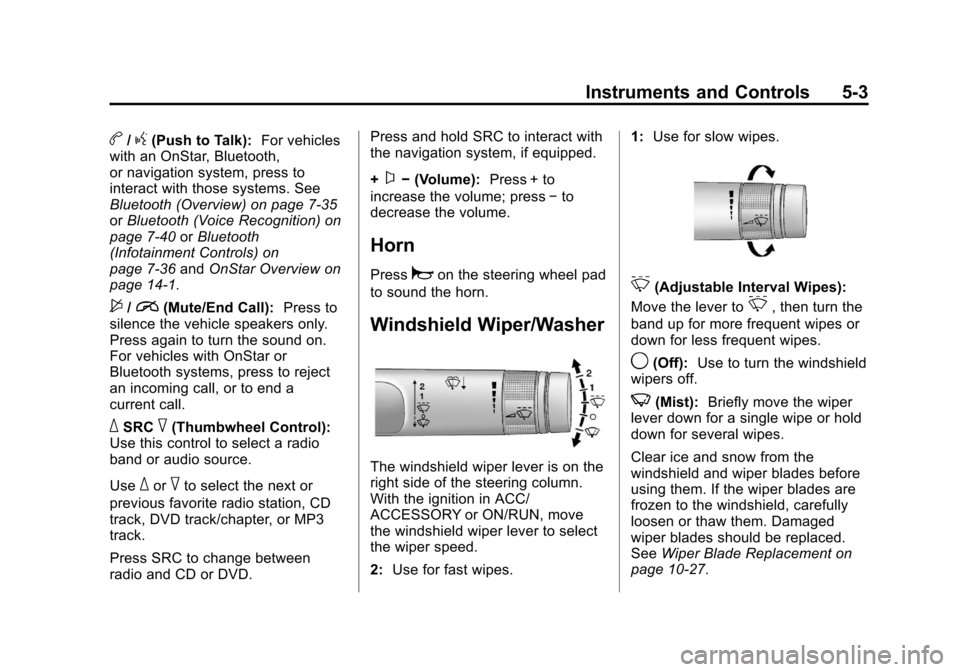
The windshield wiper lever is on the
right side of the steering column.
With the ignition in ACC/
ACCESSORY or ON/RUN, move
the windshield wiper lever to select
the wiper speed.
2: Use for fast wipes. 1:
Use for slow wipes.
3(Adjustable Interval Wipes):
Move the lever to
3, then turn the
band up for more frequent wipes or
down for less frequent wipes.
9(Off): Use to turn the windshield
wipers off.
3(Mist): Briefly move the wiper
lever down for a single wipe or hold
down for several wipes.
Clear ice and snow from the
windshield and wiper blades before
using them. If the wiper blades are
frozen to the windshield, carefully
loosen or thaw them. Damaged
wiper blades should be replaced.
See Wiper Blade Replacement on
page 10‑27.
Page 124 of 436
Black plate (16,1)Chevrolet Malibu Owner Manual - 2013 - CRC - 6/6/12
5-16 Instruments and Controls
.Check that good quality fuel is
used. Poor fuel quality causes
the engine not to run as
efficiently as designed and may
cause stalling after start-up,
stalling when the vehicle is
changed into gear, misfiring,
hesitation on acceleration,
or stumbling on acceleration.
These conditions might go away
once the engine is warmed up.
If one or more of these conditions
occurs, change the fuel brand used.
It may require at least one full tank
of the proper fuel to turn the light off.
See Recommended Fuel on
page 9‑45.
If none of the above have made the
light turn off, your dealer can check
the vehicle. The dealer has the
proper test equipment and
diagnostic tools to fix any
mechanical or electrical problems
that might have developed.Emissions Inspection and
Maintenance Programs
Depending on where you live, your
vehicle may be required to
participate in an emission control
system inspection and maintenance
program. For the inspection, the
emission system test equipment will
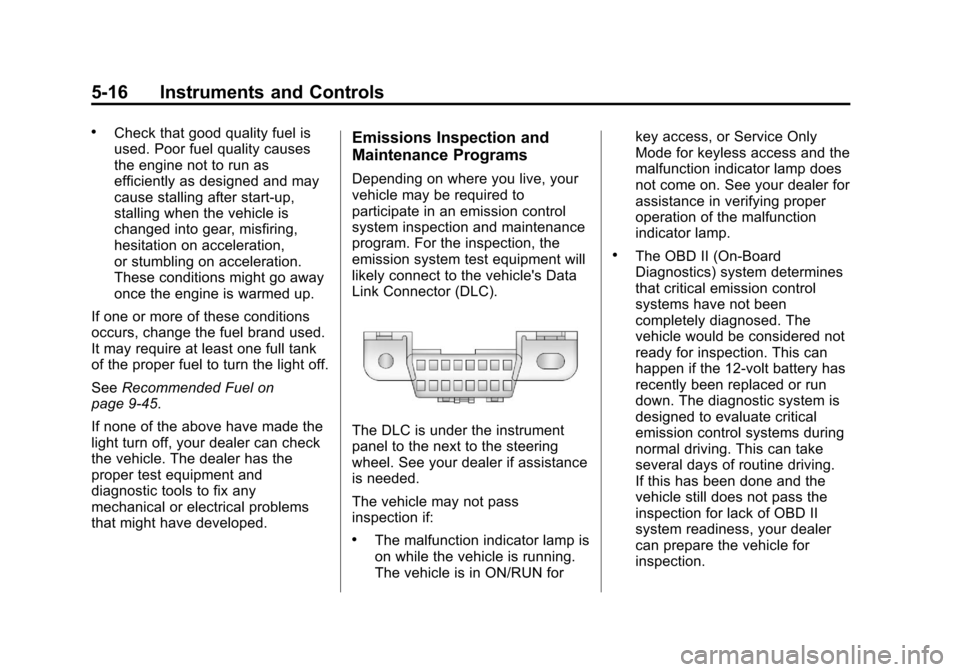
likely connect to the vehicle's Data
Link Connector (DLC).
The DLC is under the instrument
panel to the next to the steering
wheel. See your dealer if assistance
is needed.
The vehicle may not pass
inspection if:
.The malfunction indicator lamp is
on while the vehicle is running.
The vehicle is in ON/RUN for key access, or Service Only
Mode for keyless access and the
malfunction indicator lamp does
not come on. See your dealer for
assistance in verifying proper
operation of the malfunction
indicator lamp.
.The OBD II (On-Board
Diagnostics) system determines
that critical emission control
systems have not been
completely diagnosed. The
vehicle would be considered not
ready for inspection. This can
happen if the 12-volt battery has
recently been replaced or run
down. The diagnostic system is
designed to evaluate critical
emission control systems during
normal driving. This can take
several days of routine driving.
If this has been done and the
vehicle still does not pass the
inspection for lack of OBD II
system readiness, your dealer
can prepare the vehicle for
inspection.
Page 127 of 436
Black plate (19,1)Chevrolet Malibu Owner Manual - 2013 - CRC - 6/6/12
Instruments and Controls 5-19
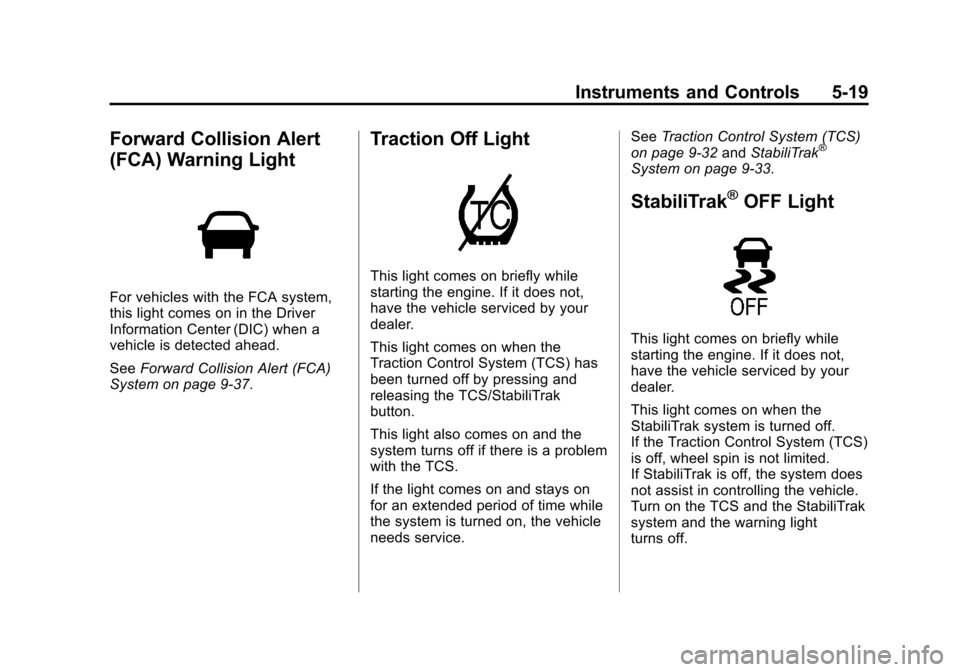
Forward Collision Alert
(FCA) Warning Light
For vehicles with the FCA system,
this light comes on in the Driver
Information Center (DIC) when a
vehicle is detected ahead.
SeeForward Collision Alert (FCA)
System on page 9‑37.
Traction Off Light
This light comes on briefly while
starting the engine. If it does not,
have the vehicle serviced by your
dealer.
This light comes on when the
Traction Control System (TCS) has
been turned off by pressing and
releasing the TCS/StabiliTrak
button.
This light also comes on and the
system turns off if there is a problem
with the TCS.
If the light comes on and stays on
for an extended period of time while
the system is turned on, the vehicle
needs service. See
Traction Control System (TCS)
on page 9‑32 andStabiliTrak
®
System on page 9‑33.
StabiliTrak®OFF Light
This light comes on briefly while
starting the engine. If it does not,
have the vehicle serviced by your
dealer.
This light comes on when the
StabiliTrak system is turned off.
If the Traction Control System (TCS)
is off, wheel spin is not limited.
If StabiliTrak is off, the system does
not assist in controlling the vehicle.
Turn on the TCS and the StabiliTrak
system and the warning light
turns off.
Page 128 of 436
Black plate (20,1)Chevrolet Malibu Owner Manual - 2013 - CRC - 6/6/12
5-20 Instruments and Controls
SeeTraction Control System (TCS)
on page 9‑32 andStabiliTrak®
System on page 9‑33 for more
information.
Traction Control System
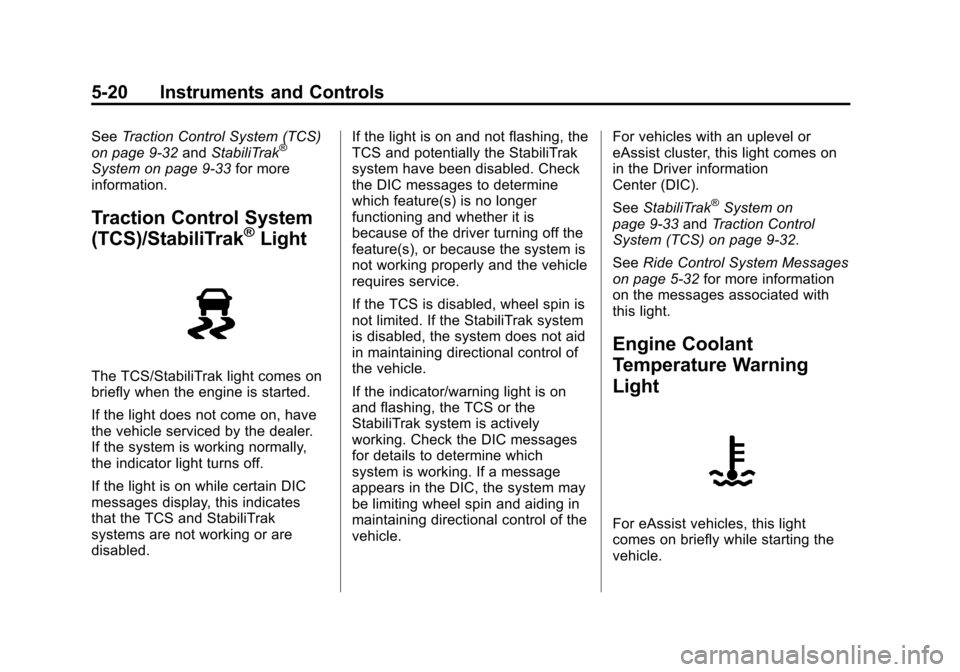
(TCS)/StabiliTrak®Light
The TCS/StabiliTrak light comes on
briefly when the engine is started.
If the light does not come on, have
the vehicle serviced by the dealer.
If the system is working normally,
the indicator light turns off.
If the light is on while certain DIC
messages display, this indicates
that the TCS and StabiliTrak
systems are not working or are
disabled. If the light is on and not flashing, the
TCS and potentially the StabiliTrak
system have been disabled. Check
the DIC messages to determine
which feature(s) is no longer
functioning and whether it is
because of the driver turning off the
feature(s), or because the system is
not working properly and the vehicle
requires service.
If the TCS is disabled, wheel spin is
not limited. If the StabiliTrak system
is disabled, the system does not aid
in maintaining directional control of
the vehicle.
If the indicator/warning light is on
and flashing, the TCS or the
StabiliTrak system is actively
working. Check the DIC messages
for details to determine which
system is working. If a message
appears in the DIC, the system may
be limiting wheel spin and aiding in
maintaining directional control of the
vehicle.
For vehicles with an uplevel or
eAssist cluster, this light comes on
in the Driver information
Center (DIC).
See
StabiliTrak
®System on
page 9‑33 andTraction Control
System (TCS) on page 9‑32.
See Ride Control System Messages
on page 5‑32 for more information
on the messages associated with
this light.
Engine Coolant
Temperature Warning
Light
For eAssist vehicles, this light
comes on briefly while starting the
vehicle.
Page 132 of 436
Black plate (24,1)Chevrolet Malibu Owner Manual - 2013 - CRC - 6/6/12
5-24 Instruments and Controls
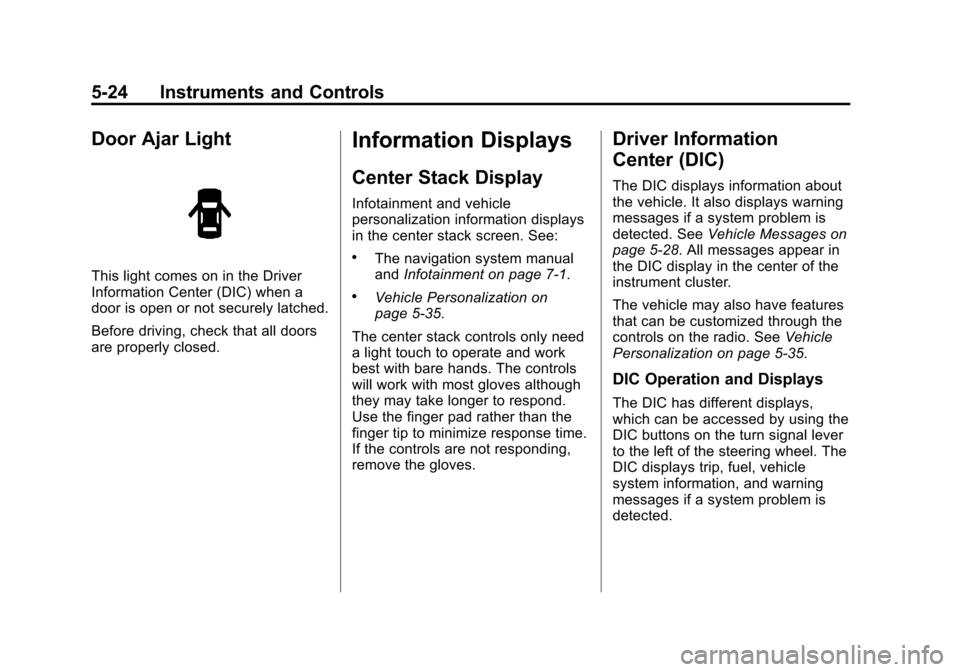
Door Ajar Light
This light comes on in the Driver
Information Center (DIC) when a
door is open or not securely latched.
Before driving, check that all doors
are properly closed.
Information Displays
Center Stack Display
Infotainment and vehicle
personalization information displays
in the center stack screen. See:
.The navigation system manual
andInfotainment on page 7‑1.
.Vehicle Personalization on
page 5‑35.
The center stack controls only need
a light touch to operate and work
best with bare hands. The controls
will work with most gloves although
they may take longer to respond.
Use the finger pad rather than the
finger tip to minimize response time.
If the controls are not responding,
remove the gloves.
Driver Information
Center (DIC)
The DIC displays information about
the vehicle. It also displays warning
messages if a system problem is
detected. See Vehicle Messages on
page 5‑28. All messages appear in
the DIC display in the center of the
instrument cluster.
The vehicle may also have features
that can be customized through the
controls on the radio. See Vehicle
Personalization on page 5‑35.
DIC Operation and Displays
The DIC has different displays,
which can be accessed by using the
DIC buttons on the turn signal lever
to the left of the steering wheel. The
DIC displays trip, fuel, vehicle
system information, and warning
messages if a system problem is
detected.
Page 133 of 436
Black plate (25,1)Chevrolet Malibu Owner Manual - 2013 - CRC - 6/6/12
Instruments and Controls 5-25
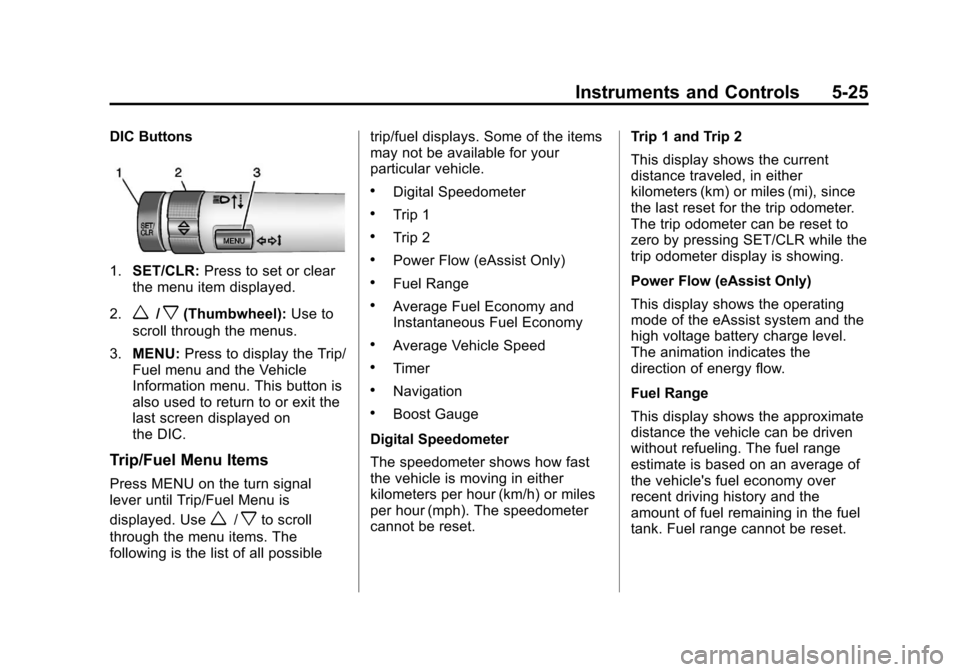
DIC Buttons
1.SET/CLR: Press to set or clear
the menu item displayed.
2.
w/x(Thumbwheel): Use to
scroll through the menus.
3. MENU: Press to display the Trip/
Fuel menu and the Vehicle
Information menu. This button is
also used to return to or exit the
last screen displayed on
the DIC.
Trip/Fuel Menu Items
Press MENU on the turn signal
lever until Trip/Fuel Menu is
displayed. Use
w/xto scroll
through the menu items. The
following is the list of all possible trip/fuel displays. Some of the items
may not be available for your
particular vehicle.
.Digital Speedometer
.Trip 1
.Trip 2
.Power Flow (eAssist Only)
.Fuel Range
.Average Fuel Economy and
Instantaneous Fuel Economy
.Average Vehicle Speed
.Timer
.Navigation
.Boost Gauge
Digital Speedometer
The speedometer shows how fast
the vehicle is moving in either
kilometers per hour (km/h) or miles
per hour (mph). The speedometer
cannot be reset. Trip 1 and Trip 2
This display shows the current
distance traveled, in either
kilometers (km) or miles (mi), since
the last reset for the trip odometer.
The trip odometer can be reset to
zero by pressing SET/CLR while the
trip odometer display is showing.
Power Flow (eAssist Only)
This display shows the operating
mode of the eAssist system and the
high voltage battery charge level.
The animation indicates the
direction of energy flow.
Fuel Range
This display shows the approximate
distance the vehicle can be driven
without refueling. The fuel range
estimate is based on an average of
the vehicle's fuel economy over
recent driving history and the
amount of fuel remaining in the fuel
tank. Fuel range cannot be reset.
Page 140 of 436
Black plate (32,1)Chevrolet Malibu Owner Manual - 2013 - CRC - 6/6/12
5-32 Instruments and Controls
SERVICE LANE DEPARTURE
WARNING
This message may appear to
indicate that LDW is not working
properly. If this message remains on
after continued driving, the system
needs service. Take your vehicle to
your dealer.
SERVICE PARK ASSIST
This message displays if there is a
problem with the Ultrasonic Rear
Parking Assist (URPA) system. Do
not use this system to help you
park. SeeUltrasonic Parking Assist
on page 9‑39 for more information.
See your dealer for service.
Ride Control System
Messages
SERVICE TRACTION
CONTROL
This message displays when there
is a problem with the Traction
Control System (TCS). When this
message is displayed, the system will not limit wheel spin. Adjust your
driving accordingly. See your dealer
for service.
SERVICE STABILITRAK
This message displays if there is a
problem with the StabiliTrak system.
If this message appears, try to reset
the system. Stop; turn off the engine
for at least 15 seconds; then start
the engine again. If this message
still comes on, it means there is a
problem. See your dealer for
service. The vehicle is safe to drive;
however, you do not have the
benefit of StabiliTrak, so reduce
your speed and drive accordingly.
Security Messages
THEFT ATTEMPTED
This message displays if the vehicle
detects a tamper condition.
Service Vehicle Messages
SERVICE AC SYSTEM
This message displays if there is a
problem with the air conditioning
system. Take the vehicle to your
dealer for service.
SERVICE POWER STEERING
This message displays if there is a
problem with the power steering
system. Take the vehicle to your
dealer for service.
SERVICE VEHICLE SOON
This message displays if there is a
problem with the vehicle. Take the
vehicle to your dealer for service.