2013 CHEVROLET IMPALA phone
[x] Cancel search: phonePage 318 of 350
Black plate (4,1)Chevrolet Impala Owner Manual - 2013 - crc - 8/27/12
13-4 Customer Information
Canada
General Motors of Canada Limited
Customer Care Centre, Mail Code:
CA1-163-005
1908 Colonel Sam Drive
Oshawa, Ontario L1H 8P7
www.gm.ca
1-800-263-3777 (English)
1-800-263-7854 (French)
1-800-263-3830 (For Text
Telephone devices (TTYs))
Roadside Assistance:
1-800-268-6800
Overseas
Please contact the local General
Motors Business Unit.
Customer Assistance for
Text Telephone (TTY)
Users
To assist customers who are deaf,
hard of hearing, or speech-impaired
and who use Text Telephones
(TTYs), Chevrolet has TTY
equipment available at its CustomerAssistance Center. Any TTY user in
the U.S. can communicate with
Chevrolet by dialing:
1-800-833-2438. TTY users in
Canada can dial 1-800-263-3830.
Online Owner Center
Online Owner Experience
(U.S.) my.chevrolet.com
The Chevrolet online owner
experience is a one-stop resource
that allows interaction with
Chevrolet and keeps important
vehicle-specific information in one
place.
Membership Benefits
E(Vehicle Information):
Download owner manuals and view
vehicle-specific how-to videos.
G(Maintenance Information):
View maintenance schedules,
required alerts, OnStar onboard
vehicle diagnostic information, and
schedule service appointments.
I(Service History): View
printable dealer-recorded service
records and self-recorded service
records.
D(Preferred Dealer
Information): Select a preferred
dealer and view dealer location,
maps, phone numbers, and hours.
J(Warranty Tracking
Information): Track the vehicle’s
warranty information.
J(Recall Information): View
active recalls or search by Vehicle
Identification Number (VIN). See
Vehicle Identification Number (VIN)
on page 12‑1.
H(Other Account Information):
View GM Card, SiriusXM Satellite
radio, and OnStar account
information.
F(Live Chat Support): Chat live
with online help representatives.
Visit my.chevrolet.com to register
your vehicle.
Page 319 of 350
Black plate (5,1)Chevrolet Impala Owner Manual - 2013 - crc - 8/27/12
Customer Information 13-5
Chevrolet Owner Centre
(Canada) chevroletowner.ca
Take a trip to the Chevrolet Owner
Centre:
.Chat live with online help
representatives.
.Use the Vehicle Tools section.
.Access third party enthusiast
sites and social media networks.
.Locate owner resources such as
lease-end, financing, and
warranty information.
.Retrieve your favorite articles,
quizzes, tips, and multimedia
galleries organized into the
Features and Auto Care
Sections.
.Download the owner manual for
your vehicle, quickly and easily.
.Find the
Chevrolet-recommended
maintenance services for your
vehicle.
GM Mobility
Reimbursement Program
This program is available to
qualified applicants for cost
reimbursement of eligible
aftermarket adaptive equipment
required for the vehicle, such as
hand controls or a wheelchair/
scooter lift for the vehicle.
For more information on the limited
offer, visit www.gmmobility.com or
call the GM Mobility Assistance
Center at 1-800-323-9935. Text
Telephone (TTY) users, call
1-800-833-9935.General Motors of Canada also has
a Mobility Program. Call
1-800-GM-DRIVE (463-7483) for
details. TTY users call
1-800-263-3830.
Roadside Assistance
Program
For U.S.-purchased vehicles, call
1-800-243-8872; (Text Telephone
(TTY): 1-888-889-2438).
For Canadian-purchased vehicles,
call 1-800-268-6800.
Service is available 24 hours a day,
365 days a year.
Calling for Assistance
When calling Roadside Assistance,
have the following information
ready:
.Your name, home address, and
home telephone number.
.Telephone number of your
location.
.Location of the vehicle.
Page 324 of 350
Black plate (10,1)Chevrolet Impala Owner Manual - 2013 - crc - 8/27/12
13-10 Customer Information
Many insurance policies provide
reduced protection to the GM
vehicle by limiting compensation for
damage repairs by using
aftermarket collision parts. Some
insurance companies will not
specify aftermarket collision parts.
When purchasing insurance, we
recommend that you ensure that the
vehicle will be repaired with GM
original equipment collision parts.
If such insurance coverage is not
available from your current
insurance carrier, consider switching
to another insurance carrier.
If the vehicle is leased, the leasing
company may require you to have
insurance that ensures repairs with
Genuine GM Original Equipment
Manufacturer (OEM) parts or
Genuine Manufacturer replacement
parts. Read the lease carefully, as
you may be charged at the end of
the lease for poor quality repairs.If a Crash Occurs
If there has been an injury, call
emergency services for help. Do not
leave the scene of a crash until all
matters have been taken care of.
Move the vehicle only if its position
puts you in danger, or you are
instructed to move it by a police
officer.
Give only the necessary information
to police and other parties involved
in the crash.
For emergency towing see
Roadside Assistance Program on
page 13‑5.
Gather the following information:
.Driver name, address, and
telephone number.
.Driver license number.
.Owner name, address, and
telephone number.
.Vehicle license plate number.
.Vehicle make, model, and
model year.
.Vehicle Identification
Number (VIN).
.Insurance company and policy
number.
.General description of the
damage to the other vehicle.
Choose a reputable repair facility
that uses quality replacement parts.
See “Collision Parts” earlier in this
section.
If the airbag has inflated, see What
Will You See after an Airbag
Inflates? on page 3‑23.
Managing the Vehicle Damage
Repair Process
In the event that the vehicle requires
damage repairs, GM recommends
that you take an active role in its
repair. If you have a pre-determined
repair facility of choice, take the
vehicle there, or have it towed there.
Specify to the facility that any
required replacement collision parts
be original equipment parts, either
new Genuine GM parts or recycled
Page 333 of 350
Black plate (3,1)Chevrolet Impala Owner Manual - 2013 - crc - 8/27/12
OnStar 14-3
Using Voice Commands
During a Planned Route
Cancel Route
1. Press
=. System responds:
“OnStar ready,” then a tone. Say
“Cancel route.” System
responds: “Do you want to
cancel directions?”
2. Say “Yes.”System responds:
“OK, request completed, thank
you, goodbye.”
Route Preview
1. Press
=. System responds:
“OnStar ready,” then a tone.
2. Say “Route preview.” System
responds with the next three
maneuvers.
3. Say “Goodbye.” Exits voice
commands.
Repeat
1. Press
=. System responds:
“OnStar ready,” then a tone. 2. Say
“Repeat.” System responds
with the last direction given, then
responds with “OnStar ready,”
then a tone.
3. Say “Goodbye.” Exits voice
commands.
Get My Destination
1. Press
=. System responds:
“OnStar ready,” then a tone.
2. Say “Get my destination.”
System responds with address
and the distance to the
destination, then responds with
“OnStar ready,” then a tone.
3. Say “Goodbye.” Exits voice
commands.
Other Navigation Services
Available from OnStar
OnStar eNav: Allows subscribers
to send destinations from
MapQuest.com to their Turn-by-Turn
Navigation or screen-based
navigation system. When ready, the
directions will be downloaded to the
vehicle. Destination Download:
Press
Q,
then request the Advisor to
download directions to the
navigation system in the vehicle.
After the call ends, press the “Go”
button on the navigation screen to
begin driving directions.
Destinations can also be
downloaded on the go. For
information about eNav, Destination
Download, and coverage maps visit
www.onstar.com.
Connections
OnStar Hands-Free Calling allows
calls to be made and received from
the vehicle. The vehicle can also be
controlled from a cell phone through
the OnStar RemoteLink mobile app.
See www.onstar.com for
coverage maps.
Hands-Free Calling
1. Press=. System responds:
“OnStar ready.”
Page 334 of 350
Black plate (4,1)Chevrolet Impala Owner Manual - 2013 - crc - 8/27/12
14-4 OnStar
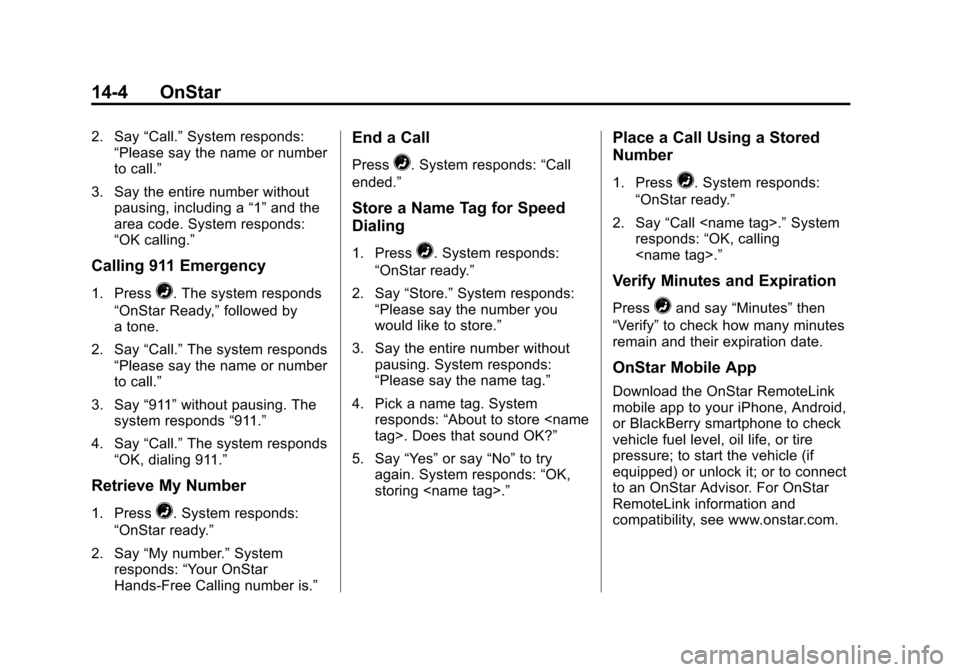
2. Say“Call.”System responds:
“Please say the name or number
to call.”
3. Say the entire number without pausing, including a “1”and the
area code. System responds:
“OK calling.”
Calling 911 Emergency
1. Press=. The system responds
“OnStar Ready,” followed by
a tone.
2. Say “Call.”The system responds
“Please say the name or number
to call.”
3. Say “911”without pausing. The
system responds “911.”
4. Say “Call.”The system responds
“OK, dialing 911.”
Retrieve My Number
1. Press=. System responds:
“OnStar ready.”
2. Say “My number.” System
responds: “Your OnStar
Hands-Free Calling number is.”
End a Call
Press=. System responds: “Call
ended.”
Store a Name Tag for Speed
Dialing
1. Press=. System responds:
“OnStar ready.”
2. Say “Store.” System responds:
“Please say the number you
would like to store.”
3. Say the entire number without pausing. System responds:
“Please say the name tag.”
4. Pick a name tag. System responds: “About to store
5. Say “Yes”or say “No”to try
again. System responds: “OK,
storing
Place a Call Using a Stored
Number
1. Press=. System responds:
“OnStar ready.”
2. Say “Call
responds: “OK, calling
Verify Minutes and Expiration
Press=and say “Minutes” then
“Verify” to check how many minutes
remain and their expiration date.
OnStar Mobile App
Download the OnStar RemoteLink
mobile app to your iPhone, Android,
or BlackBerry smartphone to check
vehicle fuel level, oil life, or tire
pressure; to start the vehicle (if
equipped) or unlock it; or to connect
to an OnStar Advisor. For OnStar
RemoteLink information and
compatibility, see www.onstar.com.
Page 336 of 350
Black plate (6,1)Chevrolet Impala Owner Manual - 2013 - crc - 8/27/12
14-6 OnStar
network capacity, reception, and
technology compatible with OnStar
service. Service involving location
information about the vehicle cannot
work unless GPS signals are
available, unobstructed, and
compatible with the OnStar
hardware. OnStar service may not
work if the OnStar equipment is not
properly installed or it has not been
properly maintained. If equipment or
software is added, connected,
or modified, OnStar service may not
work. Other problems beyond the
control of OnStar may prevent
service such as hills, tall buildings,
tunnels, weather, electrical system
design and architecture of the
vehicle, damage to the vehicle in a
crash, or wireless phone network
congestion or jamming.
SeeRadio Frequency Statement on
page 13‑15 for information
regarding Part 15 of the Federal
Communications Commission (FCC)
rules and Industry Canada
Standards RSS-GEN/210/220/310.Services for People with
Disabilities
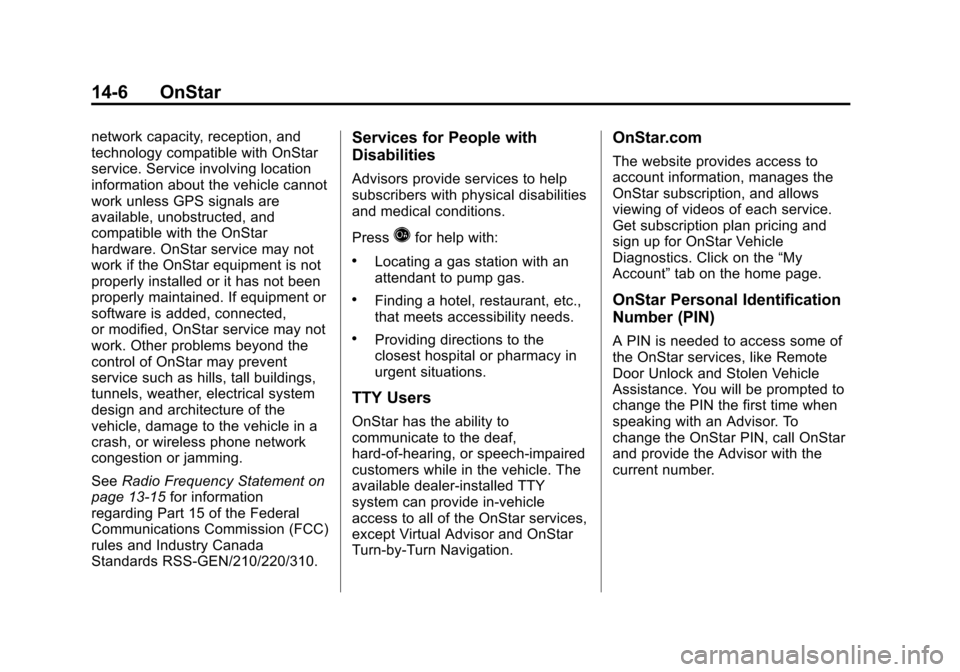
Advisors provide services to help
subscribers with physical disabilities
and medical conditions.
Press
Qfor help with:
.Locating a gas station with an
attendant to pump gas.
.Finding a hotel, restaurant, etc.,
that meets accessibility needs.
.Providing directions to the
closest hospital or pharmacy in
urgent situations.
TTY Users
OnStar has the ability to
communicate to the deaf,
hard-of-hearing, or speech-impaired
customers while in the vehicle. The
available dealer-installed TTY
system can provide in-vehicle
access to all of the OnStar services,
except Virtual Advisor and OnStar
Turn-by-Turn Navigation.
OnStar.com
The website provides access to
account information, manages the
OnStar subscription, and allows
viewing of videos of each service.
Get subscription plan pricing and
sign up for OnStar Vehicle
Diagnostics. Click on the “My
Account” tab on the home page.
OnStar Personal Identification
Number (PIN)
A PIN is needed to access some of
the OnStar services, like Remote
Door Unlock and Stolen Vehicle
Assistance. You will be prompted to
change the PIN the first time when
speaking with an Advisor. To
change the OnStar PIN, call OnStar
and provide the Advisor with the
current number.
Page 341 of 350

Black plate (3,1)Chevrolet Impala Owner Manual - 2013 - crc - 8/27/12
INDEX i-3
Climate Control Systems . . . . . . . 8-1Air Conditioning . . . . . . . . . . . . . . . 8-1
Heating . . . . . . . . . . . . . . . . . . . . . . . . 8-1
Clock . . . . . . . . . . . . . . . . . . . . . . . . . . . 5-6
Cluster, Instrument . . . . . . . . . . . . . 5-9
Collision Damage Repair . . . . . . 13-9
Compact Spare Tire . . . . . . . . . . 10-60
Compass . . . . . . . . . . . . . . . . . . . . . . . 5-4
Connections OnStar
®. . . . . . . . . . . . . . . . . . . . . . 14-3
Control of a Vehicle . . . . . . . . . . . . . 9-3
Convenience Net . . . . . . . . . . . . . . . 4-2
Convex Mirrors . . . . . . . . . . . . . . . . 2-13
Coolant
Engine . . . . . . . . . . . . . . . . . . . . . . .10-11
Engine TemperatureGauge . . . . . . . . . . . . . . . . . . . . . . 5-11
Engine Temperature Warning Light . . . . . . . . . . . . . . . 5-19
Cooling System . . . . . . . . . . . . . . . 10-11 Engine Messages . . . . . . . . . . . . 5-27
Courtesy Lamps . . . . . . . . . . . . . . . . 6-5
Courtesy Transportation Program . . . . . . . . . . . . . . . . . . . . . . 13-7
Cruise Control . . . . . . . . . . . . . . . . . 9-28
Light . . . . . . . . . . . . . . . . . . . . . . . . . . 5-21 Cupholders . . . . . . . . . . . . . . . . . . . . . 4-1
Customer Assistance . . . . . . . . . . 13-4
Offices . . . . . . . . . . . . . . . . . . . . . . . . 13-3
Text Telephone (TTY)Users . . . . . . . . . . . . . . . . . . . . . . . 13-4
Customer Information Service Publications
Ordering Information . . . . . . .13-11
Customer Satisfaction Procedure . . . . . . . . . . . . . . . . . . . . 13-1
D
Damage Repair, Collision . . . . . . 13-9
Danger, Warnings, andCautions . . . . . . . . . . . . . . . . . . . . . . . . iv
Data Recorders, Event . . . . . . . 13-14
Daytime Running Lamps/ Automatic Headlamp
System . . . . . . . . . . . . . . . . . . . . . . . . 6-2
Defensive Driving . . . . . . . . . . . . . . . 9-2
Delayed Entry Lighting . . . . . . . . . 6-6
Delayed Exit Lighting . . . . . . . . . . . 6-7
Delayed Locking . . . . . . . . . . . . . . . . 2-7
Devices Auxiliary . . . . . . . . . . . . . . . . . . . . . . 7-18 Diagnostics
OnStar
®. . . . . . . . . . . . . . . . . . . . . . 14-5
Distracted Driving . . . . . . . . . . . . . . . 9-2
Dome Lamps . . . . . . . . . . . . . . . . . . . 6-5
Door Ajar Messages . . . . . . . . . . . . . . . 5-26
Delayed Locking . . . . . . . . . . . . . . . 2-7
Locks . . . . . . . . . . . . . . . . . . . . . . . . . . 2-6
Power Locks . . . . . . . . . . . . . . . . . . . 2-7
Drive Belt Routing, Engine . . . . . 12-4
Driver Information Center (DIC) . . . . . . . . . . . . . . . . . 5-22
Driving Characteristics andTowing Tips . . . . . . . . . . . . . . . . . 9-36
Defensive . . . . . . . . . . . . . . . . . . . . . . 9-2
Drunk . . . . . . . . . . . . . . . . . . . . . . . . . . 9-3
For Better Fuel Economy . . . . . 1-18
Highway Hypnosis . . . . . . . . . . . . . 9-6
Hill and Mountain Roads . . . . . . . 9-6
If the Vehicle is Stuck . . . . . . . . . . 9-8
Loss of Control . . . . . . . . . . . . . . . . 9-4
Off-Road Recovery . . . . . . . . . . . . 9-4
Vehicle Load Limits . . . . . . . . . . . . 9-9
Wet Roads . . . . . . . . . . . . . . . . . . . . 9-5
Winter . . . . . . . . . . . . . . . . . . . . . . . . . 9-7
Page 346 of 350

Black plate (8,1)Chevrolet Impala Owner Manual - 2013 - crc - 8/27/12
i-8 INDEX
OutletsPower . . . . . . . . . . . . . . . . . . . . . . . . . 5-7
Overheated Engine Protection
Operating Mode . . . . . . . . . . . . . 10-15
Overheating, Engine . . . . . . . . . . 10-14
P
Parade Dimming . . . . . . . . . . . . . . . . 6-7
Park Shifting Into . . . . . . . . . . . . . . . . . . . 9-17
Shifting Out of . . . . . . . . . . . . . . . . 9-18
Parking
Brake . . . . . . . . . . . . . . . . . . . . . . . . . 9-24
Brake and P (Park)Mechanism Check . . . . . . . . 10-21
Over Things That Burn . . . . . . . 9-19
Passenger Airbag Status
Indicator . . . . . . . . . . . . . . . . . . . . . 5-13
Passenger Compartment Air Filter . . . . . . . . . . . . . . . . . . . . . . . . . . 8-5
Passenger Sensing System . . . 3-25 Perchlorate Materials
Requirements, California . . . . . 10-3
Personalization Vehicle . . . . . . . . . . . . . . . . . . . . . . . 5-33
Phone Bluetooth . . . . . . . . . . . . . . . . . . . . . 7-19
Power
Door Locks . . . . . . . . . . . . . . . . . . . . 2-7
Mirrors . . . . . . . . . . . . . . . . . . . . . . . . 2-13
Outlets . . . . . . . . . . . . . . . . . . . . . . . . 5-7
Protection, Battery . . . . . . . . . . . . . 6-8
Retained Accessory (RAP) . . . 9-17
Seat Adjustment . . . . . . . . . . . . . . . 3-4
Steering Fluid . . . . . . . . . . . . . . . 10-15
Windows . . . . . . . . . . . . . . . . . . . . . 2-15
Pregnancy, Using Safety
Belts . . . . . . . . . . . . . . . . . . . . . . . . . 3-15
Privacy Radio FrequencyIdentification (RFID) . . . . . . . 13-15
Program
Courtesy Transportation . . . . . . 13-7
Proposition 65 Warning, California . . . . . . . . . . . . . . . . . . . . . 10-2
R
Radio FrequencyIdentification (RFID) . . . . . . . . 13-15
Statement . . . . . . . . . . . . . . . . . . 13-15
Radios AM-FM Radio . . . . . . . . . . . . . . . . . . 7-6
Reception . . . . . . . . . . . . . . . . . . . . 7-11
Satellite . . . . . . . . . . . . . . . . . . . . . . . . 7-8
Reading Lamps . . . . . . . . . . . . . . . . . 6-6
Rear Seats . . . . . . . . . . . . . . . . . . . . . 3-7
Rear Storage . . . . . . . . . . . . . . . . . . . 4-1
Rearview Mirrors . . . . . . . . . . . . . . 2-14 Automatic Dimming . . . . . . . . . . . 2-14
Reclining Seatbacks . . . . . . . . . . . . 3-5
Recommended Fuel . . . . . . . . . . . . . . . . . . . . . . . . . . 9-31
Recommended Fluids and Lubricants . . . . . . . . . . . . . . . . . . . 11-12
Records Maintenance . . . . . . . . . . . . . . . . .11-14
Recreational Vehicle Towing . . . . . . . . . . . . . . . . . . . . . . 10-63
Reimbursement Program, GM Mobility . . . . . . . . . . . . . . . . . . 13-5