2013 CHEVROLET CORVETTE change wheel
[x] Cancel search: change wheelPage 171 of 414
Black plate (1,1)Chevrolet Corvette Owner Manual - 2013 - crc2 - 11/8/12
Lighting 6-1
Lighting
Exterior Lighting
Exterior Lamp Controls . . . . . . . . 6-1
Exterior Lamps OffReminder . . . . . . . . . . . . . . . . . . . . 6-2
Headlamp High/Low-Beam Changer . . . . . . . . . . . . . . . . . . . . . 6-2
Flash-to-Pass . . . . . . . . . . . . . . . . . 6-2
Daytime Running Lamps (DRL) . . . . . . . . . . . . . . . . 6-2
Twilight Sentinel . . . . . . . . . . . . . . 6-3
Hazard Warning Flashers . . . . . 6-4
Turn and Lane-Change Signals . . . . . . . . . . . . . . . . . . . . . . 6-4
Fog Lamps . . . . . . . . . . . . . . . . . . . . 6-5
Interior Lighting
Instrument Panel Illumination Control . . . . . . . . . . . . . . . . . . . . . . 6-6
Courtesy Lamps . . . . . . . . . . . . . . 6-6
Reading Lamps . . . . . . . . . . . . . . . 6-6
Lighting Features
Entry/Exit Lighting . . . . . . . . . . . . . 6-6
Battery Power Protection . . . . . . 6-7
Exterior Lighting Battery Saver . . . . . . . . . . . . . . . . . . . . . . . . 6-7
Exterior Lighting
Exterior Lamp Controls
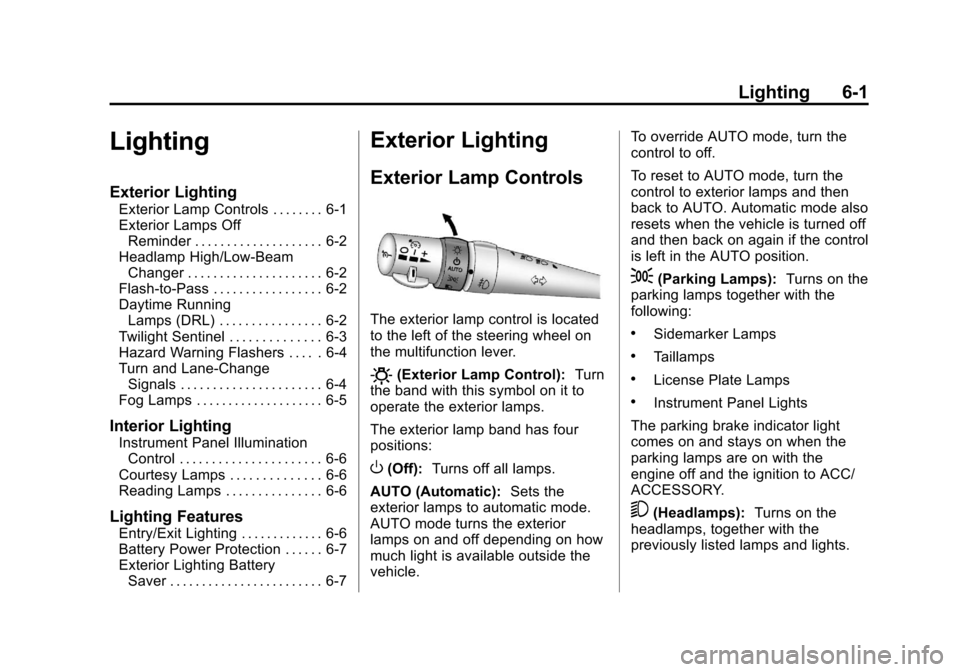
The exterior lamp control is located
to the left of the steering wheel on
the multifunction lever.
O(Exterior Lamp Control): Turn
the band with this symbol on it to
operate the exterior lamps.
The exterior lamp band has four
positions:
O(Off): Turns off all lamps.
AUTO (Automatic): Sets the
exterior lamps to automatic mode.
AUTO mode turns the exterior
lamps on and off depending on how
much light is available outside the
vehicle. To override AUTO mode, turn the
control to off.
To reset to AUTO mode, turn the
control to exterior lamps and then
back to AUTO. Automatic mode also
resets when the vehicle is turned off
and then back on again if the control
is left in the AUTO position.
;(Parking Lamps):
Turns on the
parking lamps together with the
following:
.Sidemarker Lamps
.Taillamps
.License Plate Lamps
.Instrument Panel Lights
The parking brake indicator light
comes on and stays on when the
parking lamps are on with the
engine off and the ignition to ACC/
ACCESSORY.
5(Headlamps): Turns on the
headlamps, together with the
previously listed lamps and lights.
Page 196 of 414

Black plate (18,1)Chevrolet Corvette Owner Manual - 2013 - crc2 - 11/8/12
7-18 Infotainment System
.Pair cell phone(s) to the vehicle.
The system may not work with
all cell phones. See“Pairing”in
this section for more information.
.If the cell phone has voice
dialing capability, learn to use
that feature to access the
address book or contact list. See
“Voice Pass-Thru” in this section
for more information.
.See “Storing and Deleting Phone
Numbers” in this section for
more information.
{WARNING
When using a cell phone, it can
be distracting to look too long or
too often at the screen of the
phone or the infotainment
(navigation) system. Taking your
eyes off the road too long or too
often could cause a crash
resulting in injury or death. Focus
your attention on driving. A Bluetooth system can use a
Bluetooth-capable cell phone with a
Hands-Free Profile to make and
receive phone calls. The system
can be used while the key is in the
ON/RUN or ACC/ACCESSORY
position. The range of the Bluetooth
system can be up to 9.1 m (30 ft).
Not all phones support all functions,
and not all phones work with the
in-vehicle Bluetooth system. See
www.gm.com/bluetooth for more
information on compatible phones.
Voice Recognition
The Bluetooth system uses voice
recognition to interpret voice
commands to dial phone numbers
and name tags.
For additional information, say
“Help”
while you are in a voice
recognition menu.
Noise: Keep interior noise levels to
a minimum. The system may not
recognize voice commands if there
is too much background noise. When to Speak:
A short tone
sounds after the system responds
indicating when it is waiting for a
voice command. Wait until the tone
and then speak.
How to Speak: Speak clearly in a
calm and natural voice.
Audio System
When using the in-vehicle Bluetooth
system, sound comes through the
vehicle's front audio system
speakers and overrides the audio
system. Use the audio system
volume knob, during a call, to
change the volume level. The
adjusted volume level remains in
memory for later calls. To prevent
missed calls, a minimum volume
level is used if the volume is turned
down too low.
Bluetooth Controls
Use the buttons located on the
steering wheel to operate the
in-vehicle Bluetooth system. See
Steering Wheel Controls on
page 5‑3 for more information.
Page 217 of 414
Black plate (5,1)Chevrolet Corvette Owner Manual - 2013 - crc2 - 11/8/12
Driving and Operating 9-5
Off-Road Recovery
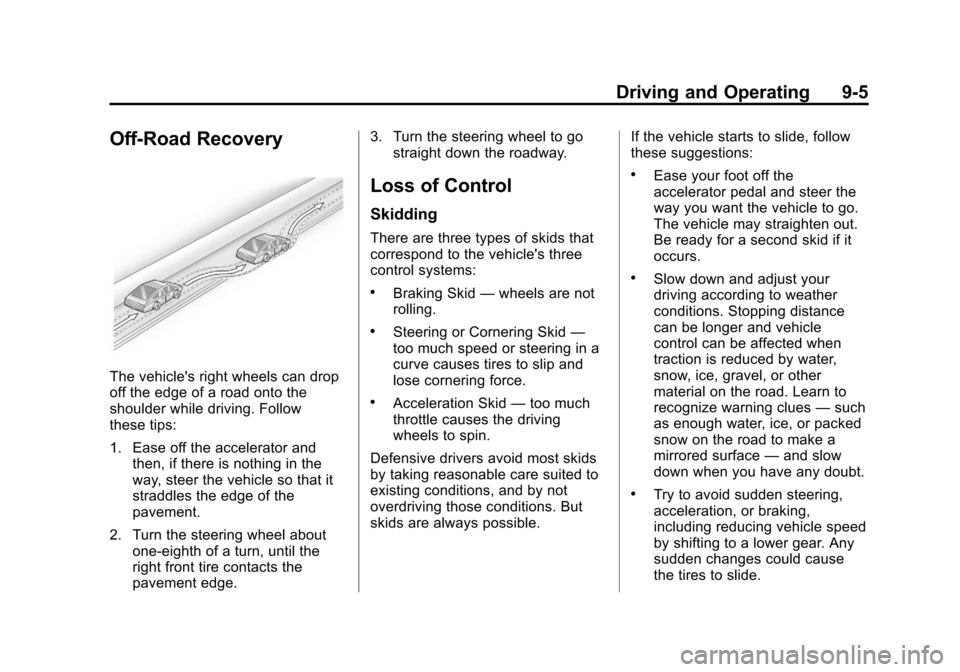
The vehicle's right wheels can drop
off the edge of a road onto the
shoulder while driving. Follow
these tips:
1. Ease off the accelerator andthen, if there is nothing in the
way, steer the vehicle so that it
straddles the edge of the
pavement.
2. Turn the steering wheel about one-eighth of a turn, until the
right front tire contacts the
pavement edge. 3. Turn the steering wheel to go
straight down the roadway.
Loss of Control
Skidding
There are three types of skids that
correspond to the vehicle's three
control systems:
.Braking Skid —wheels are not
rolling.
.Steering or Cornering Skid —
too much speed or steering in a
curve causes tires to slip and
lose cornering force.
.Acceleration Skid —too much
throttle causes the driving
wheels to spin.
Defensive drivers avoid most skids
by taking reasonable care suited to
existing conditions, and by not
overdriving those conditions. But
skids are always possible. If the vehicle starts to slide, follow
these suggestions:
.Ease your foot off the
accelerator pedal and steer the
way you want the vehicle to go.
The vehicle may straighten out.
Be ready for a second skid if it
occurs.
.Slow down and adjust your
driving according to weather
conditions. Stopping distance
can be longer and vehicle
control can be affected when
traction is reduced by water,
snow, ice, gravel, or other
material on the road. Learn to
recognize warning clues
—such
as enough water, ice, or packed
snow on the road to make a
mirrored surface —and slow
down when you have any doubt.
.Try to avoid sudden steering,
acceleration, or braking,
including reducing vehicle speed
by shifting to a lower gear. Any
sudden changes could cause
the tires to slide.
Page 244 of 414
Black plate (32,1)Chevrolet Corvette Owner Manual - 2013 - crc2 - 11/8/12
9-32 Driving and Operating
Be careful when shifting from
1 (First) to 2 (Second) or
downshifting from 6 (Sixth) to
5 (Fifth). The spring will try to pull
the shift lever toward 4 (Fourth) and
3 (Third). Make sure you move the
lever into 2 (Second) or 5 (Fifth).
If you let the shift lever move in the
direction of the pulling, you may end
up shifting from 1 (First) to 4 (Fourth)
or from 6 (Sixth) to 3 (Third).
If the driver does not upshift as the
engine speed approaches fuel shut
off RPM, the engine speed will be
limited to protect the engine. See
Tachometer on page 5‑12for more
information.Brakes
Antilock Brake
System (ABS)
This vehicle has the Antilock Brake
System (ABS), an advanced
electronic braking system that helps
prevent a braking skid.
When the vehicle begins to drive
away, ABS checks itself.
A momentary motor or clicking noise
might be heard while this test is
going on, and it might even be
noticed that the brake pedal moves
a little. This is normal.
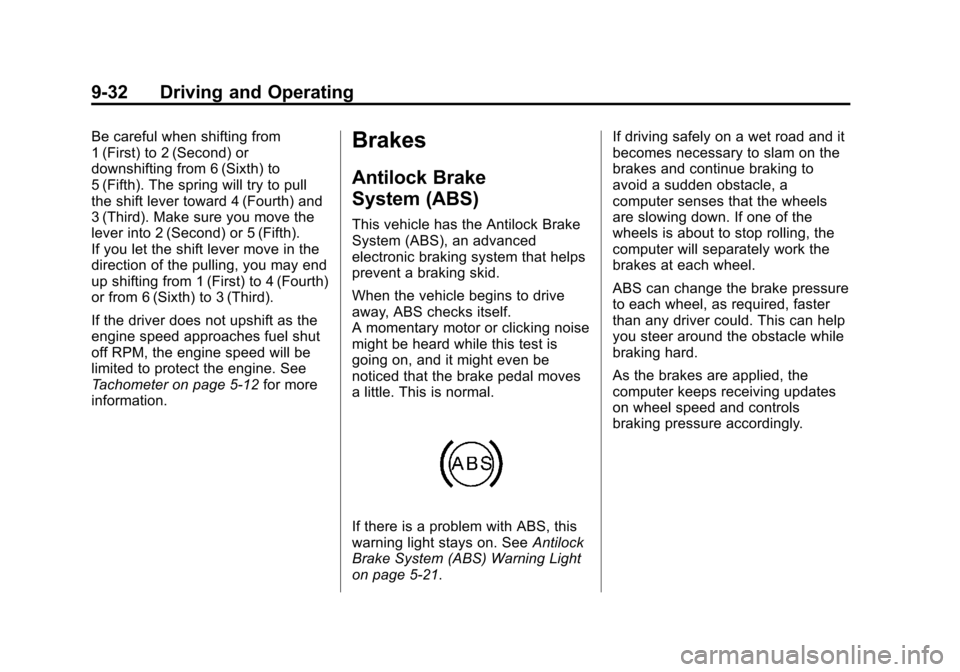
If there is a problem with ABS, this
warning light stays on. See Antilock
Brake System (ABS) Warning Light
on page 5‑21. If driving safely on a wet road and it
becomes necessary to slam on the
brakes and continue braking to
avoid a sudden obstacle, a
computer senses that the wheels
are slowing down. If one of the
wheels is about to stop rolling, the
computer will separately work the
brakes at each wheel.
ABS can change the brake pressure
to each wheel, as required, faster
than any driver could. This can help
you steer around the obstacle while
braking hard.
As the brakes are applied, the
computer keeps receiving updates
on wheel speed and controls
braking pressure accordingly.
Page 252 of 414
Black plate (40,1)Chevrolet Corvette Owner Manual - 2013 - crc2 - 11/8/12
9-40 Driving and Operating
Competitive Driving Mode,
Performance Traction Management,
and Launch Control are systems
designed for a closed course race
track and not intended for use on
public roads. The systems are not
intended to compensate for lack of
driver experience or familiarity with
the race track.
Limited-Slip Rear Axle
Vehicles with a limited-slip rear axle
can give more traction on snow,
mud, ice, sand or gravel. It works
like a standard axle most of the
time, but when traction is low, this
feature allows the drive wheel with
the most traction to move the
vehicle.
Selective Ride Control
The vehicle may have a ride control
system called magnetic Selective
Ride Control. The system provides
the following performance benefits:
.Reduced Impact Harshness
.Improved Road Isolation
.Improved High-Speed Stability
.Improved Handling Response
.Better Control of Body Ride
Motions
Except Z06 with magnetic
Selective Ride Control or ZR1
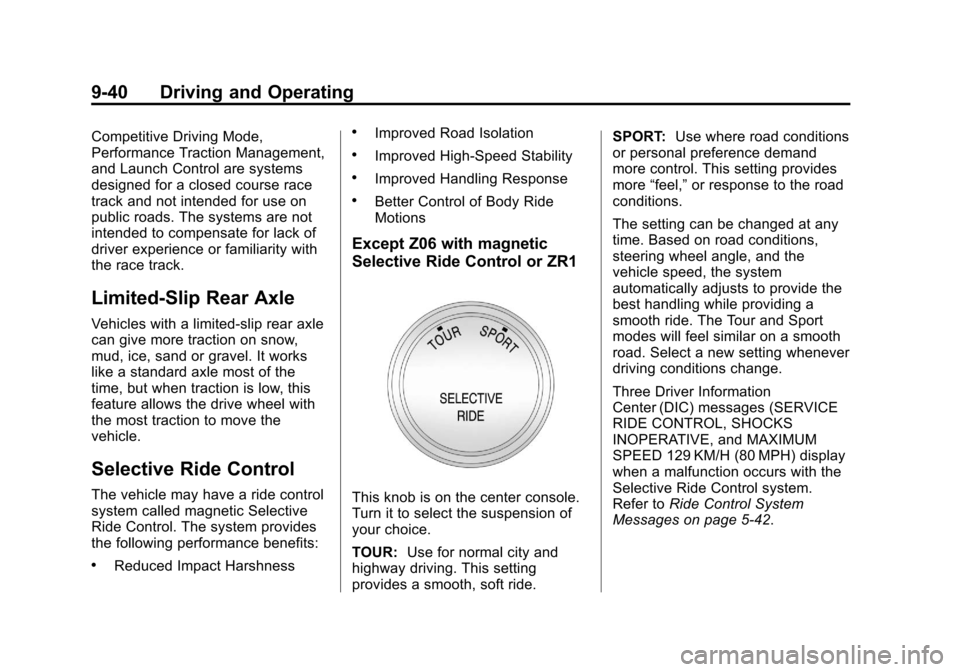
This knob is on the center console.
Turn it to select the suspension of
your choice.
TOUR:Use for normal city and
highway driving. This setting
provides a smooth, soft ride. SPORT:
Use where road conditions
or personal preference demand
more control. This setting provides
more “feel,” or response to the road
conditions.
The setting can be changed at any
time. Based on road conditions,
steering wheel angle, and the
vehicle speed, the system
automatically adjusts to provide the
best handling while providing a
smooth ride. The Tour and Sport
modes will feel similar on a smooth
road. Select a new setting whenever
driving conditions change.
Three Driver Information
Center (DIC) messages (SERVICE
RIDE CONTROL, SHOCKS
INOPERATIVE, and MAXIMUM
SPEED 129 KM/H (80 MPH) display
when a malfunction occurs with the
Selective Ride Control system.
Refer to Ride Control System
Messages on page 5‑42.
Page 253 of 414
Black plate (41,1)Chevrolet Corvette Owner Manual - 2013 - crc2 - 11/8/12
Driving and Operating 9-41
Z06 with magnetic Selective
Ride Control with PTM or ZR1
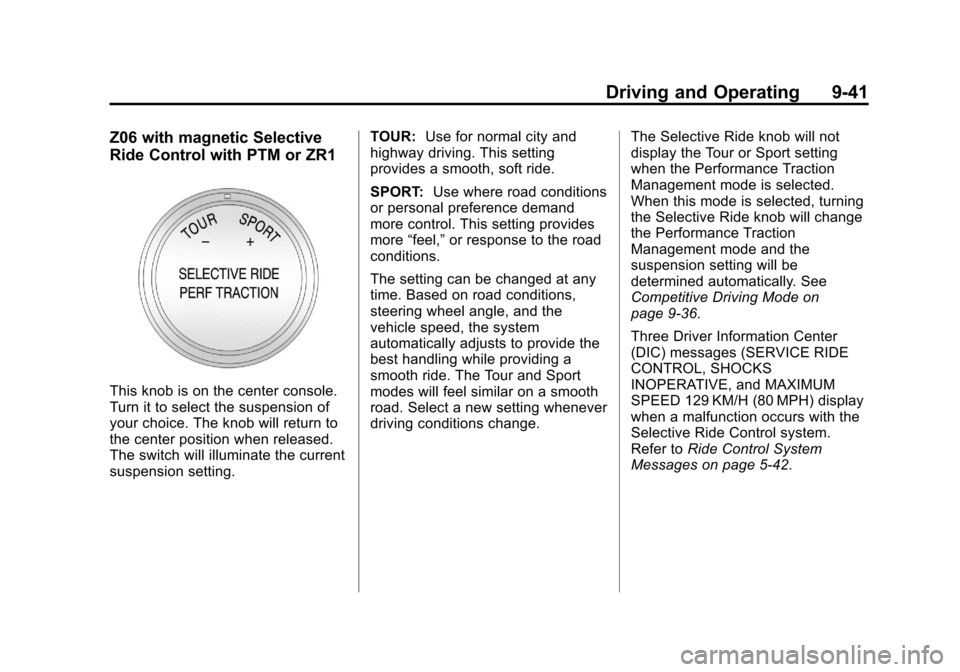
This knob is on the center console.
Turn it to select the suspension of
your choice. The knob will return to
the center position when released.
The switch will illuminate the current
suspension setting.TOUR:
Use for normal city and
highway driving. This setting
provides a smooth, soft ride.
SPORT: Use where road conditions
or personal preference demand
more control. This setting provides
more “feel,” or response to the road
conditions.
The setting can be changed at any
time. Based on road conditions,
steering wheel angle, and the
vehicle speed, the system
automatically adjusts to provide the
best handling while providing a
smooth ride. The Tour and Sport
modes will feel similar on a smooth
road. Select a new setting whenever
driving conditions change. The Selective Ride knob will not
display the Tour or Sport setting
when the Performance Traction
Management mode is selected.
When this mode is selected, turning
the Selective Ride knob will change
the Performance Traction
Management mode and the
suspension setting will be
determined automatically. See
Competitive Driving Mode on
page 9‑36.
Three Driver Information Center
(DIC) messages (SERVICE RIDE
CONTROL, SHOCKS
INOPERATIVE, and MAXIMUM
SPEED 129 KM/H (80 MPH) display
when a malfunction occurs with the
Selective Ride Control system.
Refer to
Ride Control System
Messages on page 5‑42.
Page 254 of 414
Black plate (42,1)Chevrolet Corvette Owner Manual - 2013 - crc2 - 11/8/12
9-42 Driving and Operating
Cruise Control
With cruise control, a speed of
about 40 km/h (25 mph) or more can
be maintained without keeping your
foot on the accelerator. Cruise
control does not work at speeds
below about 40 km/h (25 mph).
Cruise control will not work if the
parking brake is set, or if the master
cylinder brake fluid level is low.
{WARNING
Cruise control can be dangerous
where you cannot drive safely at
a steady speed. So, do not use
the cruise control on winding
roads or in heavy traffic.
Cruise control can be dangerous
on slippery roads. On such roads,
fast changes in tire traction can
cause excessive wheel slip, and
you could lose control. Do not use
cruise control on slippery roads.If the vehicle is in cruise control,
and has the Traction Control
System (TCS), and it begins to limit
wheel spin, the cruise control
automatically disengages. See
Traction Control System (TCS) on
page 9‑34. When road conditions
allow the cruise control to be safely
used again, it can be turned
back on.
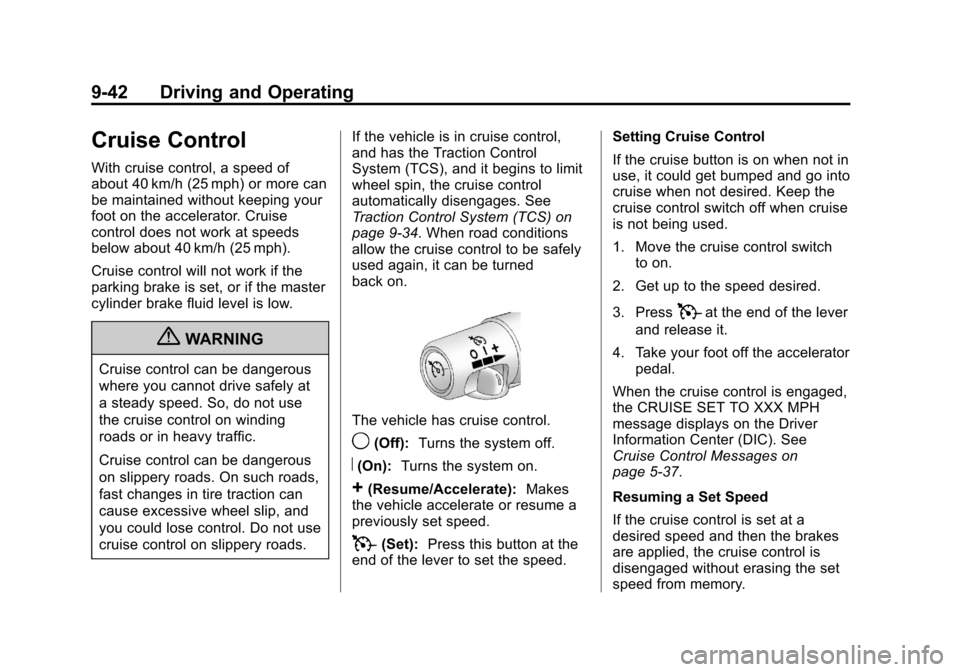
The vehicle has cruise control.
9(Off):
Turns the system off.
R(On):Turns the system on.
+(Resume/Accelerate): Makes
the vehicle accelerate or resume a
previously set speed.
T(Set): Press this button at the
end of the lever to set the speed. Setting Cruise Control
If the cruise button is on when not in
use, it could get bumped and go into
cruise when not desired. Keep the
cruise control switch off when cruise
is not being used.
1. Move the cruise control switch
to on.
2. Get up to the speed desired.
3. Press
Tat the end of the lever
and release it.
4. Take your foot off the accelerator pedal.
When the cruise control is engaged,
the CRUISE SET TO XXX MPH
message displays on the Driver
Information Center (DIC). See
Cruise Control Messages on
page 5‑37.
Resuming a Set Speed
If the cruise control is set at a
desired speed and then the brakes
are applied, the cruise control is
disengaged without erasing the set
speed from memory.
Page 296 of 414
Black plate (34,1)Chevrolet Corvette Owner Manual - 2013 - crc2 - 11/8/12
10-34 Vehicle Care
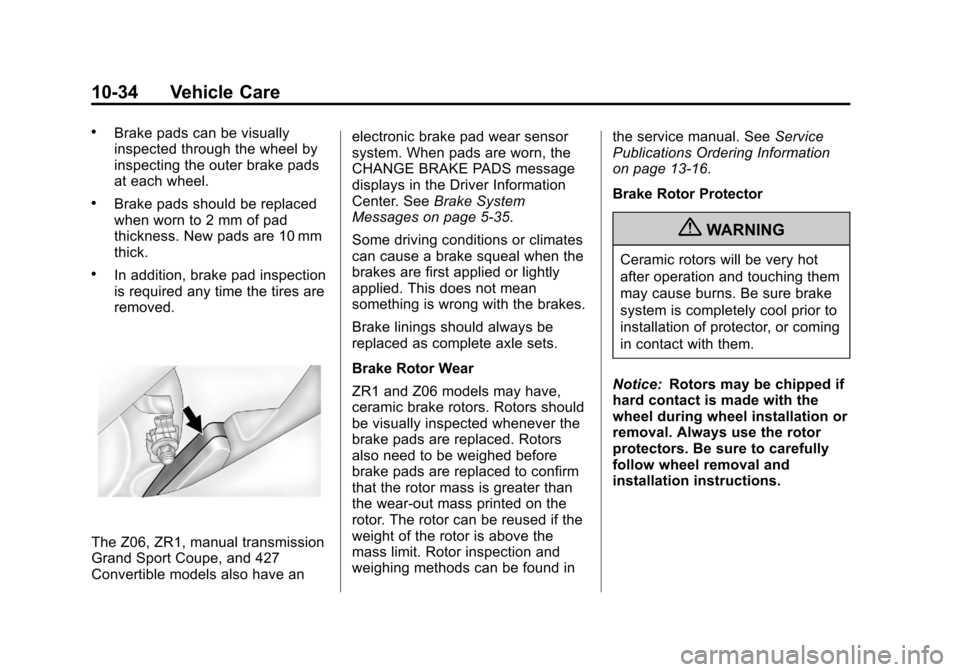
.Brake pads can be visually
inspected through the wheel by
inspecting the outer brake pads
at each wheel.
.Brake pads should be replaced
when worn to 2 mm of pad
thickness. New pads are 10 mm
thick.
.In addition, brake pad inspection
is required any time the tires are
removed.
The Z06, ZR1, manual transmission
Grand Sport Coupe, and 427
Convertible models also have anelectronic brake pad wear sensor
system. When pads are worn, the
CHANGE BRAKE PADS message
displays in the Driver Information
Center. See
Brake System
Messages on page 5‑35.
Some driving conditions or climates
can cause a brake squeal when the
brakes are first applied or lightly
applied. This does not mean
something is wrong with the brakes.
Brake linings should always be
replaced as complete axle sets.
Brake Rotor Wear
ZR1 and Z06 models may have,
ceramic brake rotors. Rotors should
be visually inspected whenever the
brake pads are replaced. Rotors
also need to be weighed before
brake pads are replaced to confirm
that the rotor mass is greater than
the wear-out mass printed on the
rotor. The rotor can be reused if the
weight of the rotor is above the
mass limit. Rotor inspection and
weighing methods can be found in the service manual. See
Service
Publications Ordering Information
on page 13‑16.
Brake Rotor Protector
{WARNING
Ceramic rotors will be very hot
after operation and touching them
may cause burns. Be sure brake
system is completely cool prior to
installation of protector, or coming
in contact with them.
Notice: Rotors may be chipped if
hard contact is made with the
wheel during wheel installation or
removal. Always use the rotor
protectors. Be sure to carefully
follow wheel removal and
installation instructions.