2013 CHEVROLET CORVETTE display
[x] Cancel search: displayPage 251 of 414
Black plate (39,1)Chevrolet Corvette Owner Manual - 2013 - crc2 - 11/8/12
Driving and Operating 9-39
PERF TRAC 5–RACE ACTIVE
HANDLING OFF
.For use by experienced drivers
who are familiar with the track
.Dry conditions only
.Requires more driving skill than
in other modes
.Active Handling is off and engine
power is available for maximum
cornering speed
Press and release the Active
Handling button to turn off
Performance Traction Management
and return to the Active Handling
and Traction Control Systems. The
TRACTION SYSTEM AND ACTIVE
HANDLING-ON message displays
briefly in the DIC and a chime is
heard.
Launch Control
A Launch Control feature is
available, within Competitive Driving
Mode (except Z06 with magnetic
Selective Ride Control or ZR1) or
Performance Traction Management (Z06 with magnetic Selective Ride
Control or ZR1), on vehicles with a
manual transmission to allow the
driver to achieve high levels of
vehicle acceleration in a straight
line. Launch Control is a form of
traction control that manages tire
spin while launching the vehicle.
This feature is intended for use
during closed course race events
where consistent zero to sixty
and quarter mile times are
desirable.
Launch Control is only available
when the following criteria are met:
.Competitive Driving Mode is
selected (except Z06 with
magnetic Selective Ride Control
or ZR1) or any of the
Performance Traction
Management modes are
selected (Z06 with magnetic
Selective Ride Control or ZR1).
The TCS light comes on the
instrument panel and the
appropriate DIC message
displays.
.The vehicle is not moving.
.The steering wheel is pointing
straight.
.The clutch is pressed and the
vehicle is in first gear.
.The accelerator pedal is rapidly
applied to wide open throttle.
The Launch Control feature will
initially limit engine speed as the
driver rapidly applies the accelerator
pedal to wide open throttle.
A smooth, quick release of the
clutch, while maintaining the fully
pressed accelerator pedal, will
manage wheel slip. Complete shifts
as described in Manual
Transmission on page 9‑29.
After the vehicle is launched, the
system continues in Competitive
Mode (except Z06 with magnetic
Selective Ride Control or ZR1) or
Performance Traction Management
(Z06 with magnetic Selective Ride
Control or ZR1).
Page 252 of 414
Black plate (40,1)Chevrolet Corvette Owner Manual - 2013 - crc2 - 11/8/12
9-40 Driving and Operating
Competitive Driving Mode,
Performance Traction Management,
and Launch Control are systems
designed for a closed course race
track and not intended for use on
public roads. The systems are not
intended to compensate for lack of
driver experience or familiarity with
the race track.
Limited-Slip Rear Axle
Vehicles with a limited-slip rear axle
can give more traction on snow,
mud, ice, sand or gravel. It works
like a standard axle most of the
time, but when traction is low, this
feature allows the drive wheel with
the most traction to move the
vehicle.
Selective Ride Control
The vehicle may have a ride control
system called magnetic Selective
Ride Control. The system provides
the following performance benefits:
.Reduced Impact Harshness
.Improved Road Isolation
.Improved High-Speed Stability
.Improved Handling Response
.Better Control of Body Ride
Motions
Except Z06 with magnetic
Selective Ride Control or ZR1
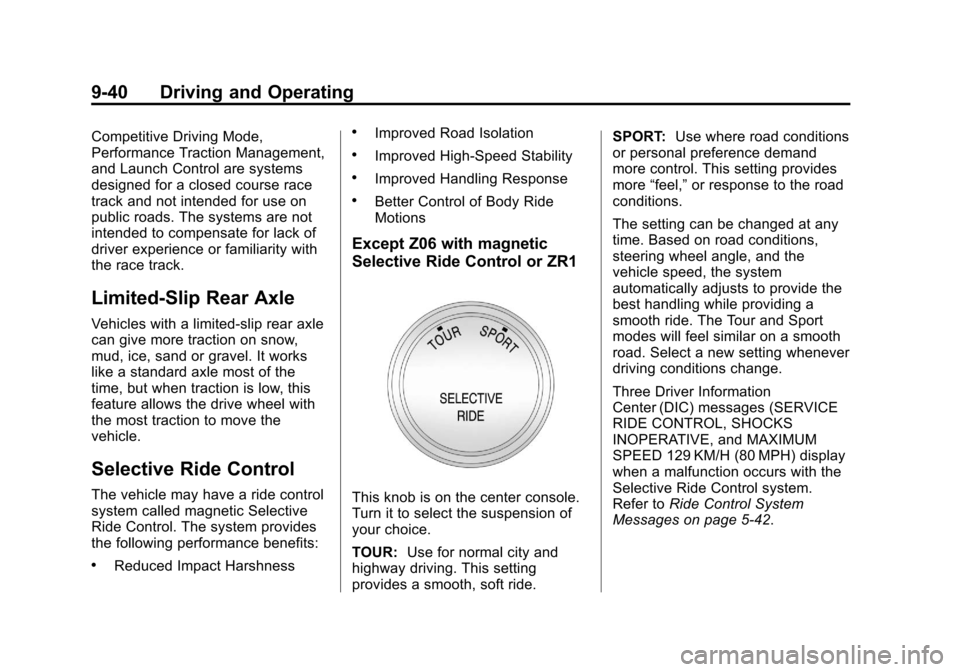
This knob is on the center console.
Turn it to select the suspension of
your choice.
TOUR:Use for normal city and
highway driving. This setting
provides a smooth, soft ride. SPORT:
Use where road conditions
or personal preference demand
more control. This setting provides
more “feel,” or response to the road
conditions.
The setting can be changed at any
time. Based on road conditions,
steering wheel angle, and the
vehicle speed, the system
automatically adjusts to provide the
best handling while providing a
smooth ride. The Tour and Sport
modes will feel similar on a smooth
road. Select a new setting whenever
driving conditions change.
Three Driver Information
Center (DIC) messages (SERVICE
RIDE CONTROL, SHOCKS
INOPERATIVE, and MAXIMUM
SPEED 129 KM/H (80 MPH) display
when a malfunction occurs with the
Selective Ride Control system.
Refer to Ride Control System
Messages on page 5‑42.
Page 253 of 414
Black plate (41,1)Chevrolet Corvette Owner Manual - 2013 - crc2 - 11/8/12
Driving and Operating 9-41
Z06 with magnetic Selective
Ride Control with PTM or ZR1
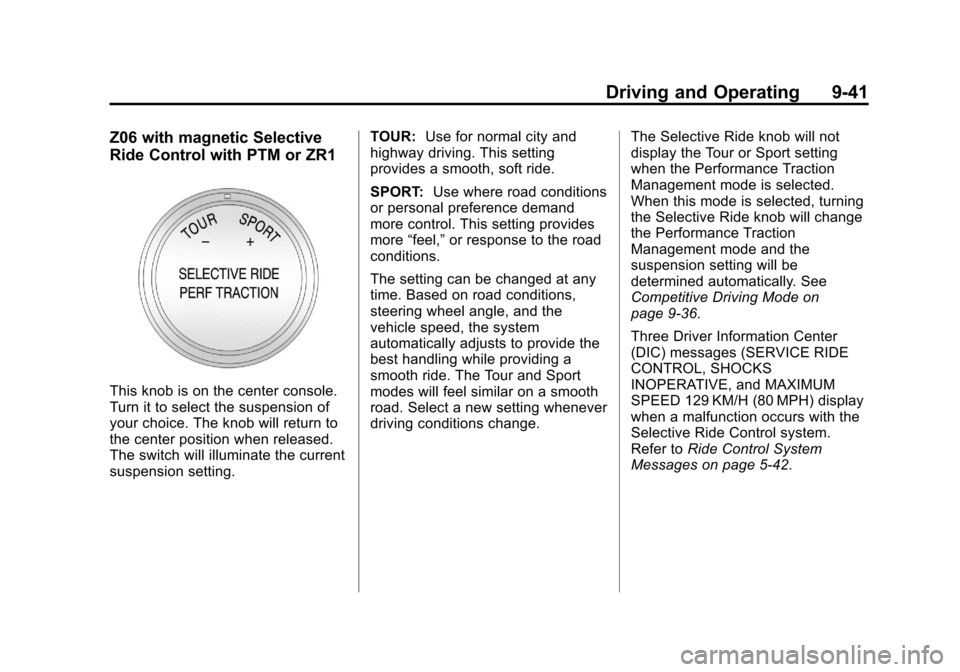
This knob is on the center console.
Turn it to select the suspension of
your choice. The knob will return to
the center position when released.
The switch will illuminate the current
suspension setting.TOUR:
Use for normal city and
highway driving. This setting
provides a smooth, soft ride.
SPORT: Use where road conditions
or personal preference demand
more control. This setting provides
more “feel,” or response to the road
conditions.
The setting can be changed at any
time. Based on road conditions,
steering wheel angle, and the
vehicle speed, the system
automatically adjusts to provide the
best handling while providing a
smooth ride. The Tour and Sport
modes will feel similar on a smooth
road. Select a new setting whenever
driving conditions change. The Selective Ride knob will not
display the Tour or Sport setting
when the Performance Traction
Management mode is selected.
When this mode is selected, turning
the Selective Ride knob will change
the Performance Traction
Management mode and the
suspension setting will be
determined automatically. See
Competitive Driving Mode on
page 9‑36.
Three Driver Information Center
(DIC) messages (SERVICE RIDE
CONTROL, SHOCKS
INOPERATIVE, and MAXIMUM
SPEED 129 KM/H (80 MPH) display
when a malfunction occurs with the
Selective Ride Control system.
Refer to
Ride Control System
Messages on page 5‑42.
Page 254 of 414
Black plate (42,1)Chevrolet Corvette Owner Manual - 2013 - crc2 - 11/8/12
9-42 Driving and Operating
Cruise Control
With cruise control, a speed of
about 40 km/h (25 mph) or more can
be maintained without keeping your
foot on the accelerator. Cruise
control does not work at speeds
below about 40 km/h (25 mph).
Cruise control will not work if the
parking brake is set, or if the master
cylinder brake fluid level is low.
{WARNING
Cruise control can be dangerous
where you cannot drive safely at
a steady speed. So, do not use
the cruise control on winding
roads or in heavy traffic.
Cruise control can be dangerous
on slippery roads. On such roads,
fast changes in tire traction can
cause excessive wheel slip, and
you could lose control. Do not use
cruise control on slippery roads.If the vehicle is in cruise control,
and has the Traction Control
System (TCS), and it begins to limit
wheel spin, the cruise control
automatically disengages. See
Traction Control System (TCS) on
page 9‑34. When road conditions
allow the cruise control to be safely
used again, it can be turned
back on.
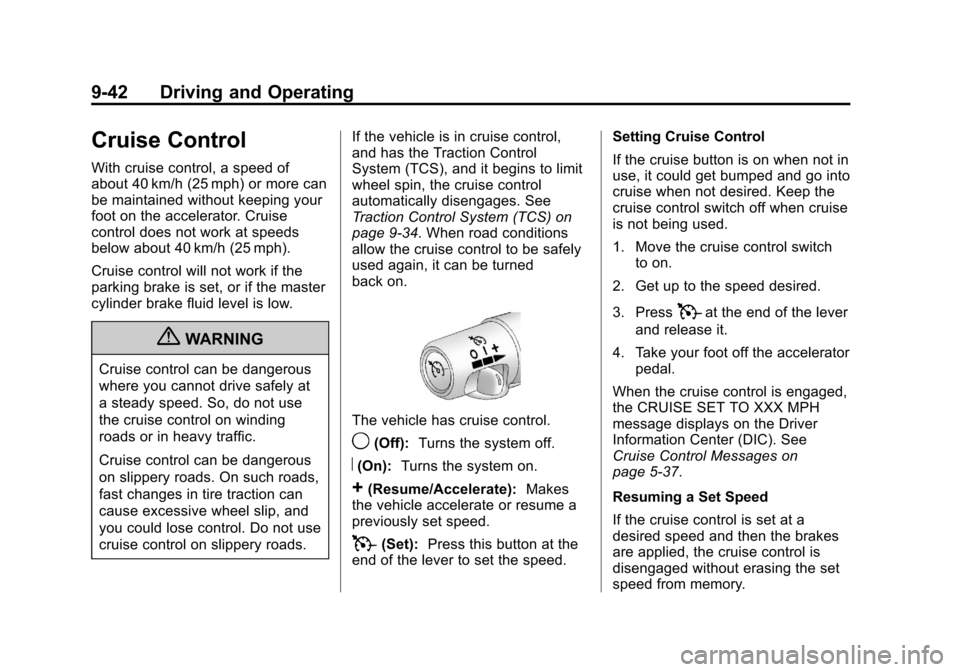
The vehicle has cruise control.
9(Off):
Turns the system off.
R(On):Turns the system on.
+(Resume/Accelerate): Makes
the vehicle accelerate or resume a
previously set speed.
T(Set): Press this button at the
end of the lever to set the speed. Setting Cruise Control
If the cruise button is on when not in
use, it could get bumped and go into
cruise when not desired. Keep the
cruise control switch off when cruise
is not being used.
1. Move the cruise control switch
to on.
2. Get up to the speed desired.
3. Press
Tat the end of the lever
and release it.
4. Take your foot off the accelerator pedal.
When the cruise control is engaged,
the CRUISE SET TO XXX MPH
message displays on the Driver
Information Center (DIC). See
Cruise Control Messages on
page 5‑37.
Resuming a Set Speed
If the cruise control is set at a
desired speed and then the brakes
are applied, the cruise control is
disengaged without erasing the set
speed from memory.
Page 256 of 414
Black plate (44,1)Chevrolet Corvette Owner Manual - 2013 - crc2 - 11/8/12
9-44 Driving and Operating
Cruise Control in Sport and
Manual Paddle Shift Gear
Selection
When the vehicle is in S (Sport) and
the manual paddle shift controls are
not being used, cruise control
operates in the same manner as
D (Drive).
When the vehicle is in S (Sport) and
the manual paddle shift controls are
being used, cruise control operates
as follows:
.If cruise control is active and a
gear is selected with the manual
paddle shift controls, the vehicle
speed is maintained in the driver
selected gear and will not
automatically up-shift or
down-shift the transmission
while the driver’s gear selection
is active.
.If driving in hilly terrain, cruise
control may not be able to
maintain vehicle speed if an
up-shift or down-shift is not
selected by the driver. While
driving on hilly terrain and cruise
control is active with a manual
paddle shift gear selection, the
driver must select the proper
gear for the terrain or select
D (Drive) on the gear range
selector for full automatic
transmission operation.
Ending Cruise Control
.To disengage cruise control,
step lightly on the brake pedal.
If the vehicle has a manual
transmission, lightly tap the
clutch to end the cruise control
session.
.To turn off the cruise control
system, move the cruise control
switch to
9. When cruise control is disengaged,
the CRUISE DISENGAGED
message displays on the Driver
Information Center (DIC). See
Cruise Control Messages on
page 5‑37.
Erasing Speed Memory
The cruise control set speed is
erased from memory by moving the
switch to
9or if the ignition is
turned off.
Page 261 of 414
Black plate (49,1)Chevrolet Corvette Owner Manual - 2013 - crc2 - 11/8/12
Driving and Operating 9-49
nozzle. Clean fuel from painted
surfaces as soon as possible. See
Exterior Care on page 10‑79.
When replacing the fuel cap, turn it
clockwise until it clicks. Make sure
the cap is fully installed. The
diagnostic system can determine if
the fuel cap has been left off or
improperly installed. This would
allow fuel to evaporate into the
atmosphere. SeeMalfunction
Indicator Lamp on page 5‑18.
The CHECK GAS CAP message
displays on the Driver Information
Center (DIC) if the fuel cap is not
properly installed. See Fuel System
Messages on page 5‑40 for more
information.
{WARNING
If a fire starts while you are
refueling, do not remove the
nozzle. Shut off the flow of fuel by
shutting off the pump or by
notifying the station attendant.
Leave the area immediately. Notice:
If you need a new fuel
cap, be sure to get the right type.
Your dealer can get one for you.
If you get the wrong type, it may
not fit properly. This may cause
the malfunction indicator lamp to
light and may damage the fuel
tank and emissions system. See
Malfunction Indicator Lamp on
page 5‑18.
Filling a Portable Fuel
Container
{WARNING
Filling a portable fuel container
while it is in the vehicle can cause
fuel vapors that can ignite either
by static electricity or other
means. You or others could be
badly burned and the vehicle
could be damaged. Always:
.Use approved fuel
containers.
(Continued)
WARNING (Continued)
.Remove the container from
the vehicle, trunk, or pickup
bed before filling.
.Place the container on the
ground.
.Place the nozzle inside the fill
opening of the container
before dispensing fuel, and
keep it in contact with the fill
opening until filling is
complete.
.Fill the container no more
than 95% full to allow for
expansion.
.Do not smoke, light matches,
or use lighters while
pumping fuel.
.Avoid using cell phones or
other electronic devices.
Page 276 of 414
Black plate (14,1)Chevrolet Corvette Owner Manual - 2013 - crc2 - 11/8/12
10-14 Vehicle Care
Checking Engine Oil (Except
Z06, ZR1, manual transmission
Grand Sport Coupe, and 427
Convertible)
If the CHECK OIL LEVEL message
displays on the Driver Information
Center (DIC), check the engine oil
level right away. For more
information, seeEngine Oil
Messages on page 5‑39. Check the
engine oil level regularly; this is an
added reminder.
It is a good idea to check the engine
oil level at each fuel fill. In order to
get an accurate reading, the vehicle
must be on level ground. The
engine oil dipstick handle is a loop.
See Engine Compartment Overview
on page 10‑8 for the location of the
engine oil dipstick. Obtaining an accurate oil level
reading is essential:
1. If the engine has been running
recently, turn off the engine and
allow several minutes for the oil
to drain back into the oil pan.
Checking the oil level too soon
after engine shutoff will not
provide an accurate oil level
reading.
{WARNING
The engine oil dipstick handle
may be hot; it could burn you.
Use a towel or glove to touch the
dipstick handle.
2. Pull the dipstick and clean it with a paper towel or cloth, then push
it back in all the way. Remove it
again, keeping the tip down, and
check the level.
When to Add Engine Oil
(Except Z06, ZR1, manual
transmission Grand Sport
Coupe, and 427 Convertible)
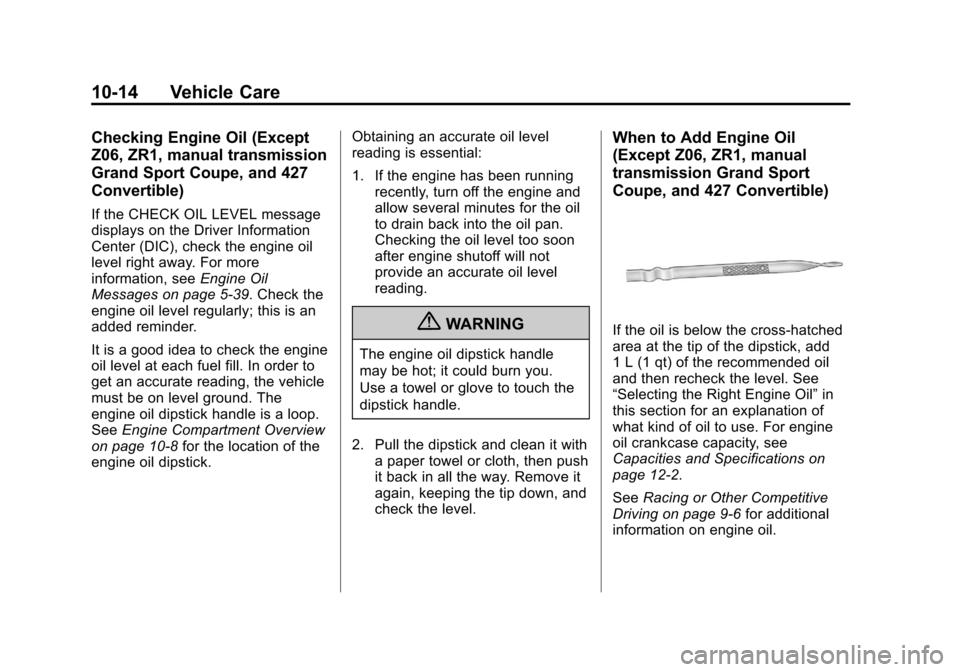
If the oil is below the cross-hatched
area at the tip of the dipstick, add
1 L (1 qt) of the recommended oil
and then recheck the level. See
“Selecting the Right Engine Oil” in
this section for an explanation of
what kind of oil to use. For engine
oil crankcase capacity, see
Capacities and Specifications on
page 12‑2.
See Racing or Other Competitive
Driving on page 9‑6 for additional
information on engine oil.
Page 281 of 414
Black plate (19,1)Chevrolet Corvette Owner Manual - 2013 - crc2 - 11/8/12
Vehicle Care 10-19
of the appropriate viscosity grade,
always select an oil of the correct
specification. See“Specification”
earlier in this section for more
information.
Engine Oil Additives/Engine
Oil Flushes
Do not add anything to the oil. The
recommended oils with the dexos
specification and displaying the
dexos certification mark are all that
is needed for good performance and
engine protection.
Engine oil system flushes are not
recommended and could cause
engine damage not covered by the
vehicle warranty.
What to Do with Used Oil
Used engine oil contains certain
elements that can be unhealthy for
your skin and could even cause
cancer. Do not let used oil stay on
your skin for very long. Clean your
skin and nails with soap and water,
or a good hand cleaner. Wash or
properly dispose of clothing or rags containing used engine oil. See the
manufacturer's warnings about the
use and disposal of oil products.
Used oil can be a threat to the
environment. If you change your
own oil, be sure to drain all the oil
from the filter before disposal. Never
dispose of oil by putting it in the
trash or pouring it on the ground,
into sewers, or into streams or
bodies of water. Recycle it by taking
it to a place that collects used oil.
Engine Oil Life System
When to Change Engine Oil
This vehicle has a computer that
indicates when to change the
engine oil and filter. This is based
on a combination of factors which
include engine revolutions, engine
temperature, and miles driven.
Based on driving conditions, the
mileage at which an oil change is
indicated can vary considerably. For
the oil life system to work properly,
the system must be reset every time
the oil is changed.Z06, ZR1, manual transmission
Grand Sport Coupe, and 427
Convertible models have a
racetrack-ready dry sump engine
lubrication system. This
high-performance system operates
differently than a standard engine
lubrication system and requires a
special procedure when changing
the engine oil and filter. See
Engine
Oil on page 10‑13.
When the system has calculated
that oil life has been diminished, it
indicates that an oil change is
necessary. A CHANGE ENGINE
OIL message comes on. Change
the oil as soon as possible within
the next 1 000 km (600 mi). It is
possible that, if driving under the
best conditions, the oil life system
might indicate that an oil change is
not necessary for up to a year. The
engine oil and filter must be
changed at least once a year and,
at this time, the system must be
reset. Your dealer has trained
service people who will perform this
work and reset the system. It is also