2013 CHEVROLET CAPTIVA SPORT maintenance reset
[x] Cancel search: maintenance resetPage 24 of 374
Black plate (20,1)Chevrolet Captiva Sport Owner Manual - 2013 - crc - 11/12/12
1-20 In Brief
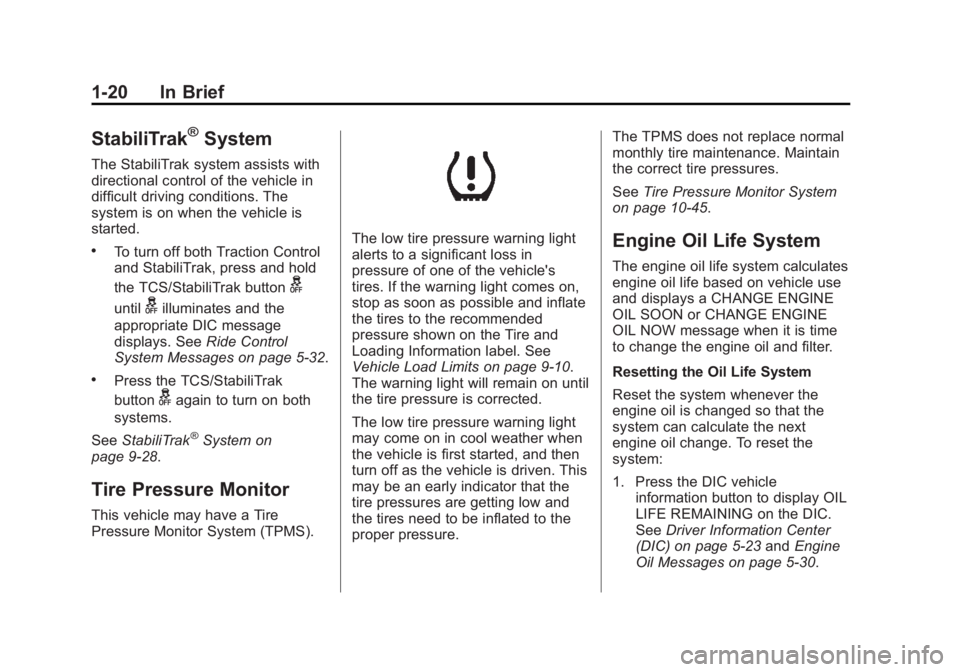
StabiliTrak ®
SystemThe StabiliTrak system assists with
directional control of the vehicle in
difficult driving conditions. The
system is on when the vehicle is
started. .
To turn off both Traction Control
and StabiliTrak, press and hold
the TCS/StabiliTrak button
guntil
g illuminates and the
appropriate DIC message
displays. See Ride Control
System Messages on page 5 ‑ 32 ..
Press the TCS/StabiliTrak
button
g again to turn on both
systems.
See StabiliTrak ®
System on
page 9 ‑ 28 .
Tire Pressure Monitor This vehicle may have a Tire
Pressure Monitor System (TPMS). The low tire pressure warning light
alerts to a significant loss in
pressure of one of the vehicle's
tires. If the warning light comes on,
stop as soon as possible and inflate
the tires to the recommended
pressure shown on the Tire and
Loading Information label. See
Vehicle Load Limits on page 9 ‑ 10 .
The warning light will remain on until
the tire pressure is corrected.
The low tire pressure warning light
may come on in cool weather when
the vehicle is first started, and then
turn off as the vehicle is driven. This
may be an early indicator that the
tire pressures are getting low and
the tires need to be inflated to the
proper pressure. The TPMS does not replace normal
monthly tire maintenance. Maintain
the correct tire pressures.
See Tire Pressure Monitor System
on page 10 ‑ 45 .
Engine Oil Life System The engine oil life system calculates
engine oil life based on vehicle use
and displays a CHANGE ENGINE
OIL SOON or CHANGE ENGINE
OIL NOW message when it is time
to change the engine oil and filter.
Resetting the Oil Life System
Reset the system whenever the
engine oil is changed so that the
system can calculate the next
engine oil change. To reset the
system:
1. Press the DIC vehicle
information button to display OIL
LIFE REMAINING on the DIC.
See Driver Information Center
(DIC) on page 5 ‑ 23 and Engine
Oil Messages on page 5 ‑ 30 .
Page 25 of 374
Black plate (21,1)Chevrolet Captiva Sport Owner Manual - 2013 - crc - 11/12/12
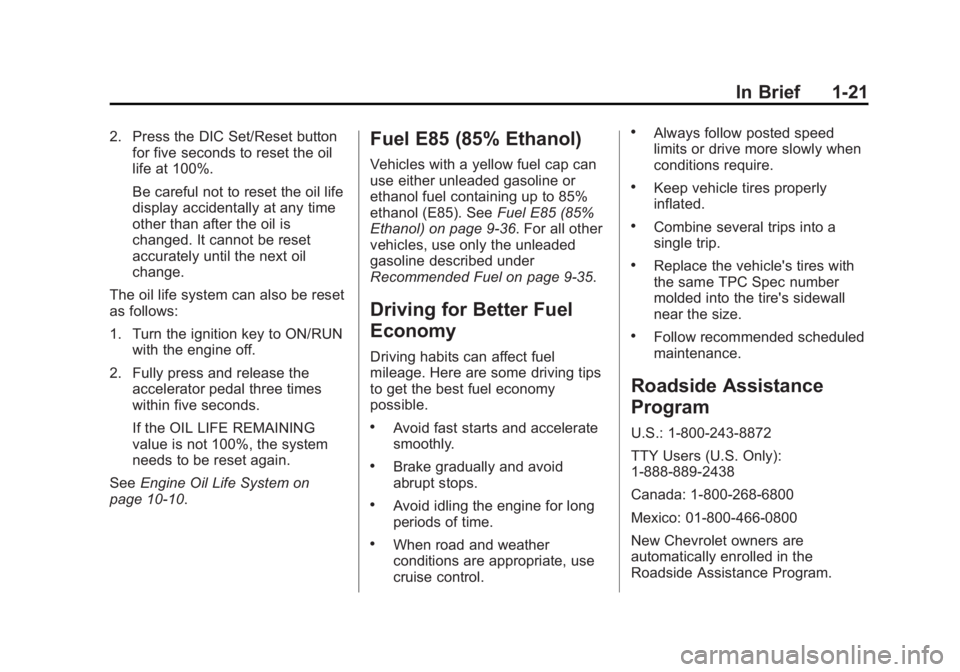
In Brief 1-212. Press the DIC Set/Reset button
for five seconds to reset the oil
life at 100%.
Be careful not to reset the oil life
display accidentally at any time
other than after the oil is
changed. It cannot be reset
accurately until the next oil
change.
The oil life system can also be reset
as follows:
1. Turn the ignition key to ON/RUN
with the engine off.
2. Fully press and release the
accelerator pedal three times
within five seconds.
If the OIL LIFE REMAINING
value is not 100%, the system
needs to be reset again.
See Engine Oil Life System on
page 10 ‑ 10 . Fuel E85 (85% Ethanol) Vehicles with a yellow fuel cap can
use either unleaded gasoline or
ethanol fuel containing up to 85%
ethanol (E85). See Fuel E85 (85%
Ethanol) on page 9 ‑ 36 . For all other
vehicles, use only the unleaded
gasoline described under
Recommended Fuel on page 9 ‑ 35 .
Driving for Better Fuel
Economy Driving habits can affect fuel
mileage. Here are some driving tips
to get the best fuel economy
possible. .
Avoid fast starts and accelerate
smoothly. .
Brake gradually and avoid
abrupt stops. .
Avoid idling the engine for long
periods of time. .
When road and weather
conditions are appropriate, use
cruise control. .
Always follow posted speed
limits or drive more slowly when
conditions require. .
Keep vehicle tires properly
inflated. .
Combine several trips into a
single trip. .
Replace the vehicle's tires with
the same TPC Spec number
molded into the tire's sidewall
near the size. .
Follow recommended scheduled
maintenance.
Roadside Assistance
Program U.S.: 1-800-243-8872
TTY Users (U.S. Only):
1-888-889-2438
Canada: 1-800-268-6800
Mexico: 01-800-466-0800
New Chevrolet owners are
automatically enrolled in the
Roadside Assistance Program.
Page 122 of 374
Black plate (26,1)Chevrolet Captiva Sport Owner Manual - 2013 - crc - 11/12/12
5-26 Instruments and Controls Instantaneous Fuel Economy
If the vehicle has this display,
press
3 until INSTANT FUEL
ECONOMY displays. This display
shows the current fuel economy at a
particular moment and will change
frequently as driving conditions
change. This display shows the
instantaneous fuel economy in liters
per 100 kilometers (L/100 km) or
miles per gallon (mpg). Unlike
average fuel economy, this display
cannot be reset.
Blank Display
This display shows no information.
Vehicle Information Menu
Items
T (Vehicle Information): Press
this button to scroll through the
following menu items:
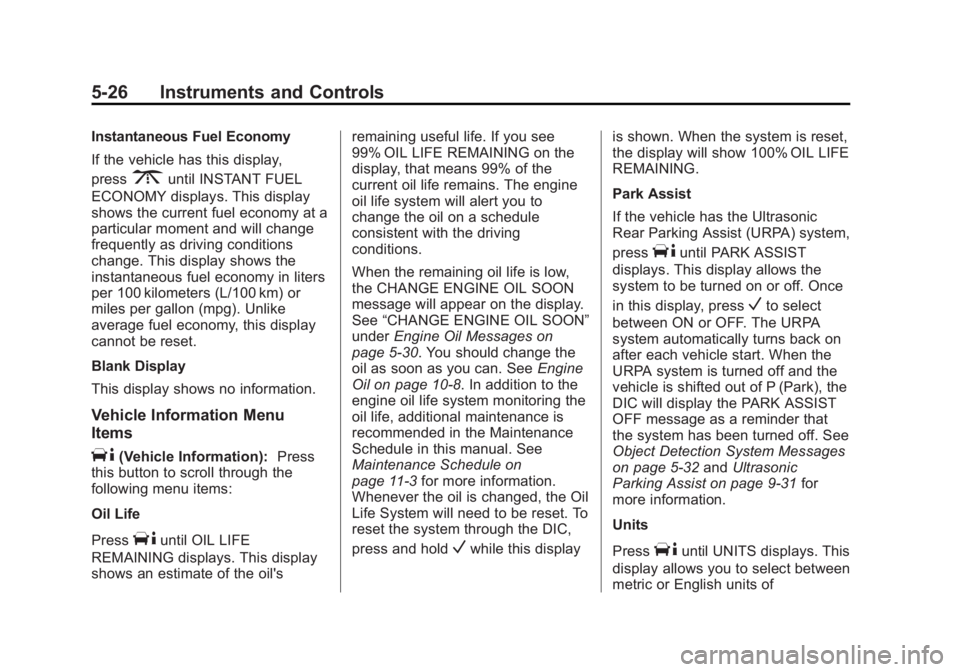
Oil Life
Press
T until OIL LIFE
REMAINING displays. This display
shows an estimate of the oil's remaining useful life. If you see
99% OIL LIFE REMAINING on the
display, that means 99% of the
current oil life remains. The engine
oil life system will alert you to
change the oil on a schedule
consistent with the driving
conditions.
When the remaining oil life is low,
the CHANGE ENGINE OIL SOON
message will appear on the display.
See “ CHANGE ENGINE OIL SOON ”
under Engine Oil Messages on
page 5 ‑ 30 . You should change the
oil as soon as you can. See Engine
Oil on page 10 ‑ 8 . In addition to the
engine oil life system monitoring the
oil life, additional maintenance is
recommended in the Maintenance
Schedule in this manual. See
Maintenance Schedule on
page 11 ‑ 3 for more information.
Whenever the oil is changed, the Oil
Life System will need to be reset. To
reset the system through the DIC,
press and hold
V while this display is shown. When the system is reset,
the display will show 100% OIL LIFE
REMAINING.
Park Assist
If the vehicle has the Ultrasonic
Rear Parking Assist (URPA) system,
press
T until PARK ASSIST
displays. This display allows the
system to be turned on or off. Once
in this display, press
V to select
between ON or OFF. The URPA
system automatically turns back on
after each vehicle start. When the
URPA system is turned off and the
vehicle is shifted out of P (Park), the
DIC will display the PARK ASSIST
OFF message as a reminder that
the system has been turned off. See
Object Detection System Messages
on page 5 ‑ 32 and Ultrasonic
Parking Assist on page 9 ‑ 31 for
more information.
Units
Press
T until UNITS displays. This
display allows you to select between
metric or English units of
Page 126 of 374
Black plate (30,1)Chevrolet Captiva Sport Owner Manual - 2013 - crc - 11/12/12
5-30 Instruments and Controls
Engine Cooling System
Messages ENGINE HOT A/C (Air
Conditioning) OFF This message displays when the
engine coolant becomes hotter than
the normal operating temperature.
To avoid added strain on a hot
engine, the air conditioning
compressor is automatically turned
off. When the coolant temperature
returns to normal, the A/C operation
automatically resumes. You can
continue to drive the vehicle.
ENGINE OVERHEATED IDLE
ENGINE Notice: If you drive the vehicle
while the engine is overheating,
severe engine damage may
occur. If an overheat warning
appears on the instrument cluster
and/or DIC, stop the vehicle as
soon as possible. Do not increase
the engine speed above normal idling speed. See Engine
Overheating on page 10 ‑ 18 for
more information.
This message displays when the
engine coolant temperature is too
hot. Stop and allow the vehicle to
idle until it cools down.
ENGINE OVERHEATED STOP
ENGINE Notice: If you drive the vehicle
while the engine is overheating,
severe engine damage may
occur. If an overheat warning
appears on the instrument cluster
and/or DIC, stop the vehicle as
soon as possible. Do not increase
the engine speed above normal
idling speed. See Engine
Overheating on page 10 ‑ 18 for
more information.
This message displays along with a
continuous chime when the engine
has overheated. Stop and turn the
engine off immediately to avoid
severe engine damage. See Engine
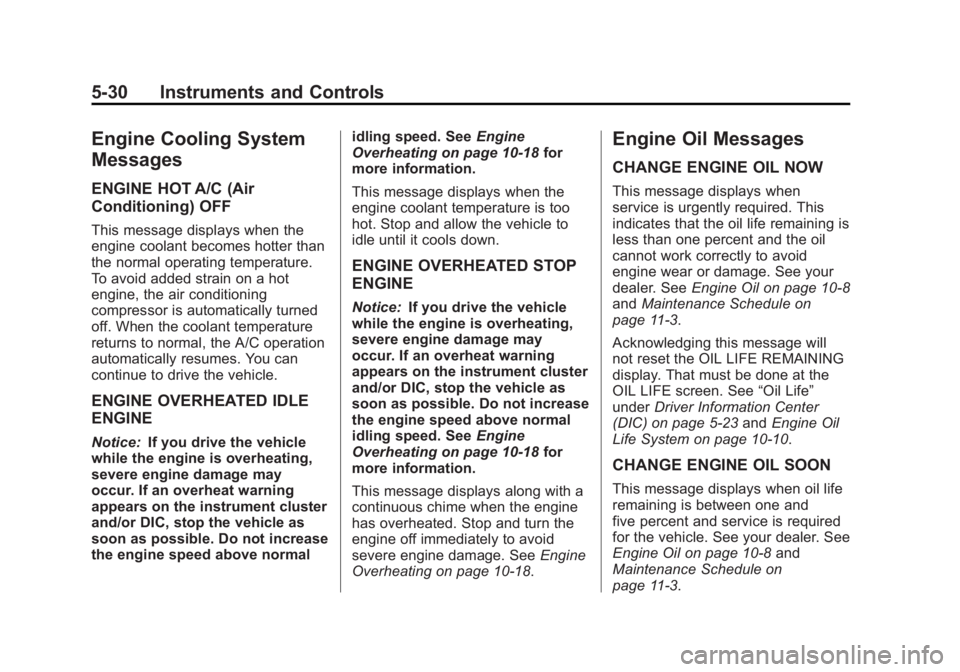
Overheating on page 10 ‑ 18 .Engine Oil Messages CHANGE ENGINE OIL NOW This message displays when
service is urgently required. This
indicates that the oil life remaining is
less than one percent and the oil
cannot work correctly to avoid
engine wear or damage. See your
dealer. See Engine Oil on page 10 ‑ 8
and Maintenance Schedule on
page 11 ‑ 3 .
Acknowledging this message will
not reset the OIL LIFE REMAINING
display. That must be done at the
OIL LIFE screen. See “ Oil Life ”
under Driver Information Center
(DIC) on page 5 ‑ 23 and Engine Oil
Life System on page 10 ‑ 10 .
CHANGE ENGINE OIL SOON
This message displays when oil life
remaining is between one and
five percent and service is required
for the vehicle. See your dealer. See
Engine Oil on page 10 ‑ 8 and
Maintenance Schedule on
page 11 ‑ 3 .
Page 245 of 374
Black plate (11,1)Chevrolet Captiva Sport Owner Manual - 2013 - crc - 11/12/12
Vehicle Care 10-11since the last oil change.
Remember to reset the oil life
system whenever the oil is changed.
How to Reset the Engine Oil
Life System Reset the system whenever the
engine oil is changed so that the
system can calculate the next
engine oil change. To reset the
system:
1. Press the DIC vehicle
information button to display OIL
LIFE REMAINING on the DIC.
See Driver Information Center
(DIC) on page 5 ‑ 23 and Engine
Oil Messages on page 5 ‑ 30 .
2. Press the DIC Set/Reset button
for five seconds to reset the oil
life at 100%.
Be careful not to reset the oil life
display accidentally at any time
other than after the oil is
changed. It cannot be reset
accurately until the next oil
change. The oil life system can also be reset
as follows:
1. Turn the ignition key to ON/RUN
with the engine off.
2. Fully press and release the
accelerator pedal three times
within five seconds.
If the OIL LIFE REMAINING value is
not 100%, the system needs to be
reset again.
Automatic Transmission
Fluid It is not necessary to check the
transmission fluid level.
A transmission fluid leak is the only
reason for fluid loss. If a leak
occurs, take the vehicle to the
dealer and have it repaired as soon
as possible.
Change the fluid and filter at the
intervals listed in Maintenance
Schedule on page 11 ‑ 3 , and be sure
to use the transmission fluid listed in
Recommended Fluids and
Lubricants on page 11 ‑ 12 . Notice: Use of the incorrect
automatic transmission fluid may
damage the vehicle, and the
damages may not be covered by
the vehicle warranty. Always use
the automatic transmission fluid
listed in Recommended Fluids
and Lubricants on page 11 ‑ 12 .
For the 2.4L L4 and 3.0L
V6 engines, the transmission fluid
will not reach the end of the dipstick
unless the transmission is at
operating temperature. If you need
to check the transmission fluid level,
please take the vehicle to your
dealer.
Engine Air Cleaner/Filter See Engine Compartment Overview
on page 10 ‑ 4 for the location of the
engine air cleaner/filter.
Page 284 of 374
Black plate (50,1)Chevrolet Captiva Sport Owner Manual - 2013 - crc - 11/12/12
10-50 Vehicle Care Loading Information label after
the tires have been rotated. See
Tire Pressure on page 10 ‑ 43
and Vehicle Load Limits on
page 9 ‑ 10 .
Reset the Tire Pressure Monitor
System. See Tire Pressure
Monitor Operation on
page 10 ‑ 46 .
Check that all wheel nuts are
properly tightened. See “ Wheel
Nut Torque ” under Capacities
and Specifications on
page 12 ‑ 2 .
{ WARNING
Rust or dirt on a wheel, or on the
parts to which it is fastened, can
make wheel nuts become loose
after time. The wheel could come
off and cause an accident. When
changing a wheel, remove any
rust or dirt from places where the
(Continued) WARNING (Continued) wheel attaches to the vehicle. In
an emergency, a cloth or a paper
towel can be used; however, use
a scraper or wire brush later to
remove all rust or dirt.
Lightly coat the center of the
wheel hub with wheel bearing
grease after a wheel change or
tire rotation to prevent corrosion
or rust build-up. Do not get
grease on the flat wheel
mounting surface or on the
wheel nuts or bolts.
When It Is Time for New
Tires Factors such as maintenance,
temperatures, driving speeds,
vehicle loading, and road conditions
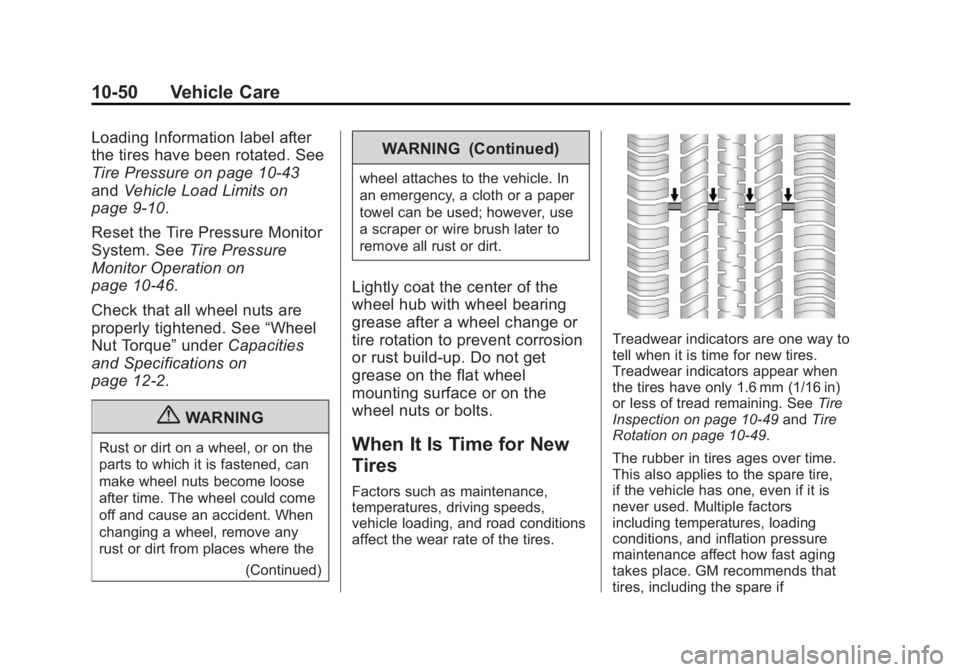
affect the wear rate of the tires. Treadwear indicators are one way to
tell when it is time for new tires.
Treadwear indicators appear when
the tires have only 1.6 mm (1/16 in)
or less of tread remaining. See Tire
Inspection on page 10 ‑ 49 and Tire
Rotation on page 10 ‑ 49 .
The rubber in tires ages over time.
This also applies to the spare tire,
if the vehicle has one, even if it is
never used. Multiple factors
including temperatures, loading
conditions, and inflation pressure
maintenance affect how fast aging
takes place. GM recommends that
tires, including the spare if
Page 317 of 374

Black plate (3,1)Chevrolet Captiva Sport Owner Manual - 2013 - crc - 11/12/12
Service and Maintenance 11-3
Maintenance
Schedule Owner Checks and Services At Each Fuel Stop .
Check the engine oil level. See
Engine Oil on page 10 ‑ 8 .
Once a Month .
Check the tire inflation
pressures. See Tire Pressure on
page 10 ‑ 43 ..
Inspect the tires for wear. See
Tire Inspection on page 10 ‑ 49 ..
Check the windshield washer
fluid level. See Washer Fluid on
page 10 ‑ 20 . Engine Oil Change When the CHANGE ENGINE OIL
SOON message displays, have the
engine oil and filter changed within
the next 1 000 km/600 mi. When the
CHANGE ENGINE OIL NOW
message displays, have the engine
oil and filter changed as soon as
possible. If driven under the best
conditions, the engine oil life system
might not indicate the need for
vehicle service for more than a year.
The engine oil and filter must be
changed at least once a year and
the oil life system must be reset.
Your trained dealer technician can
perform this work. If the engine oil
life system is reset accidentally,
service the vehicle within 5 000 km/
3,000 mi since the last service.
Reset the oil life system when the
oil is changed. See Engine Oil Life
System on page 10 ‑ 10 . Tire Rotation and Required
Services Every 12 000 km/
7,500 mi Rotate the tires, if recommended for
the vehicle, and perform the
following services. See Tire
Rotation on page 10 ‑ 49 . .
Check engine oil level and oil
life percentage. If needed,
change engine oil and filter, and
reset oil life system. See Engine
Oil on page 10 ‑ 8 and Engine Oil
Life System on page 10 ‑ 10 . .
Check engine coolant level. See
Engine Coolant on page 10 ‑ 14 . .
Check windshield washer fluid
level. See Washer Fluid on
page 10 ‑ 20 . .
Visually inspect windshield wiper
blades for wear, cracking,
or contamination. See Exterior
Care on page 10 ‑ 72 . Replace
worn or damaged wiper blades.
See Wiper Blade Replacement
on page 10 ‑ 25 .