2013 AUDI A4 SEDAN instrument cluster
[x] Cancel search: instrument clusterPage 92 of 294

90 Transmi ssion
You can a lso shift the gears manually using
tiptron ic, if you like ¢page 93.
Selector lever positions
Appl ies to vehicles: with S tro nic t ransmission
F ig . 89 Display : Selector lever posit io ns
The inst rument cluster display shows the cur
rent selector lever position and current gear .
P-Park
The wheels are mechanically locked in this po
sition . You can only sh ift into Park when the
vehicle is
stationary ¢,&. .
To shift in and out of P, press the inter lock
button in the selector lever
while pressing the
brake pedal.
R - Re verse
Only shift into reverse gear when the vehicle is
stationary and the engine is running at idle
speed ¢.&. .
To select R, press the interlock button
while
pressing the brake pedal. The back-up lights
switch on in the R posit ion if the ignition is
switched on.
N -N eutral
The transmission is in id le in this position.
0 /5 -Normal position for driving forward
In t he D/S position, the transmiss io n can be
ope rated e ither in the normal D mode or i n
the S sport mode . To select the S sport mode,
pu ll the se lector lever back brief ly . Pulling the
l ever back again will select the normal D
mode. The instrument cluster disp lay shows
the selected driving mode. In the
n
o rmal mode D, the transmission auto
matically selects the best gear ratio.
It de
pends on engine load, vehicle speed and the
dynamic contro l program (DRP).
Se lect the
s port m ode S for sporty driving.
T he vehicle makes full use of the engine's
power . Shift ing is more noticeable when accel
erating.
When the vehicle is stationary or at speeds below 3 mph (5 km/h), you must always app ly
the foot brake before and while moving the l ever to D/S out of N.
In certain circumstances it may be advanta
geous to temporari ly switch to the manua l
shift program to manua lly select gear ratios
to match specific driving conditions
¢ page 93.
A WARNING
-- Never select R or P whi le driving .
- Power is still transmitted to the wheels
when the engine is runn ing at idle . To
prevent the vehicle from "creeping", you
m ust keep your foot on the brake in a ll
selecto r lever posit ions (except P) whe n
the eng ine is ru nning. Do not inadver
t en tly press the a ccelera tor pedal when
the vehicle is s topped if a gear is engag
ed . Otherwise the vehicle will start to
move immediate ly . This could happen
even if the park ing brake is act ivated.
- Before opening the hood and working on
a running engine, select P w ith the selec
tor lever and activate the parking brake. Always read and follow the applicable
war nings
c>page 208, Engine compart
ment.
@ Tips
- On vehicles with Audi dr ive select* , yo u
can adjust the sporty shift character istics
in the
Dynami c driving mode.Swill ap-
pear in the ins trument cluster display in-
stead of D. ..,.
Page 93 of 294

-If you accidentally select N while driving,
take your foot off the accelerator pedal immediately and wait for the engine to
slow down to idle before selecting D/S.
- If there is a power failure, the selector
lever will not move out of the P position.
The emergency release can be used if
this happens¢page
95.
Selector lever lock
App lies to vehicles: with S tro nic transmiss ion
The selector lever lock prevents you from se
lecting a gear accidentally, causing the vehi
cle to roll .
I
Fig. 90 Selecto r leve r lock
To release the selector lever lock:
.,.. Switch the ignition on .
.,.. Press the brake pedal
while pressing the in-
terlock button .
Automatic shift lock (ASL)
The selector lever is locked in the P and N po
sitions when the ignition is turned on. You must press the brake pedal and the interlock
button to select another position . As a re
minder to the driver, the following warning
appears in the instrument cluster display
when the selector is in P and N :
When stationary apply brake pedal while se
lecting gear
The selector lever lock only functions when
the vehicle is stationary and at speeds up to 3 mph (5 km/h) . At higher speeds, the lock is
automatically deactivated in the N position .
The selector lever is not locked when shifting
qu ickly through N, for example from R to 0/5.
Transmission 91
This makes it possible to free the vehicle when
it is stuck by "rocking" it. The selector lever
lock engages if the lever stays in N longer
than 1 second when the brake pedal is not
pressed.
Interlock button
The interlock button in the selector lever han
dle prevents you from moving the selector
lever inadvertently while in some selector lev
er positions . Pressing the interlock button re
leases the selector lever lock. The positions
that require the interlock button to be press
ed are marked in color in the illustration
¢fig . 90.
Ignition key safety interlock
You can only remove the key after switching
the ignition off if the selector lever is in the P
position . The selector lever will be locked in
the P posit ion as long as the key is not in the
ignition.
Driving information
App lies to vehicl es: wi th S tronic tra nsmi ssio n
The transmission shifts up and down auto
matically when in the driving gears .
Fig. 91 Section of the center console: Selector lever
w ith in terlock button
.., N
N
N
"' .. ID
You can only start the engine when the selec
tor lever is in the P or N position .
Starting from a stop
.,.. Press and hold the brake pedal.
.,.. Press and hold the interlock button (in the
selector lever handle), move the selector
lever to the desired position such as D/S
~ page 90 and release the interlock button. IIJ,,
Page 96 of 294

94 Transmi ssion
When acce lerating, the transmiss ion will au
tomatically shift into the next gear before the
engine reaches its maximum RPM.
I f you apply a ligh t throttle when accelerat
ing, tiptronic will automatically shift from 1st
to 2nd gear to save fuel. If you app ly a heavy
thrott le, the transmission will stay in 1st gear
unti l near maximum RPM is reached, or unt il
the dr iver shifts into 2nd gear.
If you take your foot off the accelerator peda l
when dr iving down a steep incline, tiptronic
will downshift from the selected gear into the next lower gear until it reaches 1st gear,
based on road speed and eng ine RPM . Auto
mat ic downshifti ng is interrupted as soon as
you apply the th rottle aga in .
(D} Tips
- When you sh ift into the next lower gear,
the transmiss ion will downshift only
when there is no possibility of over-rev
v ing the engine.
- When the kick-down comes on, the
transmission will sh ift down to a lower
gear, depending on vehicle and engine
speeds.
- Tiptronic is inope rat ive when the t rans
mission is in the fail-sa fe mode.
Kick-down
A pp lies to vehicles: with S tro nic tr ansmiss ion
Kick-down enables maximum acceleration.
When you press the acce lerator pedal down
beyond the resistance po int, the automatic
transmission downshifts into a lower gear, de
pending on vehicle speed and engine RP M.
It
shifts up into the next h igher ge ar once the
max imum specified engine RPM is reached.
& WARNING
Please note that the wheels could spin on
slick or slippery roads when kick-down is
active.
Launch Control Program
App lies to vehicles : wit h S tronic tra nsmi ssio n
The Launch Control Program provides the
best acceleration possible when starting from
a stop .
Requirement: The engine must be at operat
ing temperature and the steering wheel must
not be t urned .
.. Press the
I~ OF F! button c::;, page 186 while
the engine is running. The
fl ind icator light
illuminates in the instrument cluster and
Traction control (ASR ): Off . Warning! Re
stricted stability
appea rs in the driver infor
mat io n system display .
.. Move the se lector lever to the D/S posit ion
or select the
d ynamic dr iv ing mode in Audi
drive select*
c::;, page 112 .
.. Press the brake peda l strongly with your left
foot and ho ld it down for at least one sec
ond.
.. At the same time, press the accelerator
pedal down complete ly w ith your r ight foot
until t he e ngine reaches and mainta ins a
h igh RP M.
.. Remove yo ur foot from the brake pedal
w ith in S seconds
c::;, A, .
& WARNING
-Always adapt your driving to the traffic
f low .
- On ly use the Launch Cont ro l Program
when road and traffic conditions a llow it
and other drivers w ill not be endangered
or annoyed by your driving and the vehi
cle's acceleration.
- Please note that the d riving wheels can
spin and the vehicle can break away
when ASR is switched off , especially
when the road is slippery .
- Once you have accelerated, you shou ld
sw itch the ASR back on by pressing the
lfl O FF ! button . .__ _____________ _J ...
Page 102 of 294

100 Audi adaptive cruise control and braking guard
Switching on and off
Applies to vehicles: with Audi adaptive cruise co ntrol
Fig. 100 Selec tor lever: switching o n/off
Fig. 101 Instrument clus te r: adap tive cru ise control
You can set any speed between 20 mph and
95 mph (30 and 150 km/h).
Indicator lamps and messages in the instru
ment cluster display inform you about the cur
r ent system status and settings.
Switching adaptive cruise control on
.. Pull the lever toward you into posit ion @
-:>fig . 100 . ACC standby appears in the in
strument cluster d isplay .
Setting the speed and activating
regulation
.. To set the current speed , press the ISET !
button ¢ page 11 , fig. 4. The set speed is shown in the tachometer
@and is also
shown briefly in the display@r:::>fig.
101.
Switching adaptive cruise control off
.. Push the lever away from you into positio n
@ until it clicks into place. The message
ACC off appears.
@ Indicator lights
II-Adaptive cruise control is switched on. No
vehicles are detected up ahead. The stored
speed is maintained.
I -A moving vehicle is detected up ahead .
T he adaptive cru ise control system regulates
the speed and distance to the moving vehicle
ahead and accelerates/brakes automatically.
I -When automatic braking is not able to
keep e nough d istance to a prev iously detected
moving veh icle up ahead, you must take con
trol and brake ~
page 103, Request for driver
intervention.
© Display
If adapt ive cru ise control is not shown in the
display, you can call it up w ith the
I RESET I
button ¢ page 24.
Based on the symbols in the display, you can
determine if the system is maintain ing a d is
tance to the vehicle ahead and what that dis
tance is.
No vehicle -No vehicle ahead was de tected .
White vehicle -A vehicle ahead was detected .
Red vehicle -Prompt for the driver to take ac
tion
~ page 103.
Both arrows on the scale© indicate the dis
tance to the vehicle ahead. No arrow appears
when the vehicle is on an open road and there
is no object ahead. If an object is detected
ahead, the arrow moves on the scale .
T he green zone on the scale shows the stored
distance. For information on changing the
stored distance, refer to~
page 102 . If the
distance se lected is too close or may soon be
com e too close , the arrows move into the re d
z one on the sca le.
Page 104 of 294

102 Audi adapti ve cruise control and br aking guard
Setting the distance
App lies to vehicles: with Audi adaptive cruise control
Fig. 104 Selector lever: setting the distance
~ Tap the switch to display the current set dis
tance¢
fig. 104.
~ To increase or reduce the distance by incre
ments, tap the switch again to the left or
right. The distance between the two veh icles
will change in the instrument cluster d is
play.
When approaching a moving vehicle up ahead,
the adaptive cru ise cont rol system brakes to
matc h that object's speed and then maintains
the stored d istance. If the veh icle ahead ac
celerates, adaptive cruise control will also ac
celerate up to the stored speed .
The highe r the speed, the greater the distance
in yards (meters)¢ ,&.. T he
Di stanc e 3 setting
is recommended .
The distances p rov ided are spec ified values.
Depending on the d riving situation and the
how the vehicle ahead is dr iving, the actual
distance may be more or less than these tar
get distances .
The various symbols fo r the time increments
appear briefly in the in fo rmation line @
¢
page 100, fig. 101 when you change the
settings.
c::::::,_c::::::, ___ Dist ance 1: This setting co rre-
sponds to a distance of 92 feet/28 meters
when traveling at 62 mph (100 km/h), or a
time interva l of 1 second.
c::::::, __ c::::::, __ Dista nce 2 : This sett ing corre
sponds to a distance of 118 feet/36 meters
when traveling at 62 mph (100 km/h), or a
time interva l of 1.3 seconds .
c::::::, ___ c::::::, _ Dista nce 3 : This setting corre-
sponds to a distance of 164 feet/SO meters
when traveling at 62 mph (1 00 km/h), or a
time interval of 1.8 seconds.
c::::::, ____ c::::::, Dist ance 4 : This setting corre-
sponds to a distance of 210 feet/64 meters
when traveling at 62 mph (100 km/h), or a
t ime interval of 2.3 seconds.
A WARNING
Following other vehicles too closely in
creases the risk of collis ions and ser ious
personal injury.
- Sett ing short distances to the traffic
ahead reduces the time and distance
availab le to bring your vehicle to a safe
stop and makes it even more necessary
to pay close attention to traffic.
-
- Always obey applicable t raffic laws, use
good judgment, and select a safe follow
ing d istance for the t raff ic, road and
weather conditions .
0) Tips
-Distan ce 3 is set automatically each time
you switch the ignition on.
- Your standard settings are automatically
stored and ass igned to the remote con
tro l key be ing used.
Setting the driving program
Applies to vehicles: with Audi adaptive cruise control
Depend ing on the selected driving program
and distance, driving behavior when accelerat
ing will vary from dynamic to comfortable .
Setting the dri ving program for vehicles
without Aud i d riv e se le ct*
~ In the radio/MM!*, select : ICARlfunction
button
> Ad apti ve crui se cont rol > D rivi ng
p rog.
> comfort, sta nd ard or dyn amic . Or
~ Select: !CAR ! function button> C ar sys
tem s*
control button > Driver a ssist > Adap
ti ve c ruis e c ontr ol
> D rivi ng program * >
Comfort, Standard or Dynam ic .
Page 112 of 294
110 Audi side assist
-Side assist is not active while you are
making the adjustment.
- Your settings are automatically stored
and assigned to the remote control key
being used.
Driver messages
App lies to vehicles: with side assist
If side assist switches off by itself, the LED in
the button turns off and a message will ap
pear in the instrument cluster display:
Audi side assist unavailable: Sensors blocked
The radar sensors' vision is affected. Do not
cover the area in front of the sensors with bike
wheels, stickers, dirt or other objects. Clean
the area in front of the sensors, if necessary
c:::;,page 108, fig. 110.
Audi side assist: Currently unavailable
Side assist cannot be switched on temporarily
because there is a malfunction (for example,
the battery charge level may be too low).
Audi side assist: System fault!
The system cannot guarantee that it will de
tect vehicles correctly and it is switched off .
The sensors have been displaced or are faulty .
Have the system checked by an authorized
Audi dealer or authorized Audi Service Facility
soon .
Audi side assist: Unavailable when towing
Side assist switches off automatically when a
factory-installed trailer hitch is connected to
the electrical connector on the trailer . There is
no guarantee the system will switch off when
using a retrofitted trailer hitch. Do not use
side assist when towing a trailer.
Page 114 of 294

112 Audi drive select
-For vehicles with an automatic transmis
sio n*, se lecting the
Dynamic mode re
su lts in sporty shifting characteristics .
The S gear position engages automati
cally.
- In vehicles that have dynamic steering*,
operating noise is heard when starting or
stopping the eng ine . This does not ind i
cate a problem .
Selecting the driving mode
Applies to vehicles: w ith drive se lect
You can choose between Comfort, Auto, Dy
namic
and Individual * modes.
Fig. 112 Center console: Control for Au di dri ve select
Fig. 113 MMI•: Aud i drive select
Adjusting the Individual mode
Applies to vehicles: with MMI a nd drive se lect
.,. To set the mode, press the f:l:-.i button
~ fig. 112 multiple times until the desired
mode is displayed in the instrument cluster .
Or
.,. In the MMI*, select: ICARlfunction button>
Comfort, Auto, Dynamic or Individual *.
In vehicles without the MMI*, the~:/;,~ button
is found underneath the shift/selector lever.
You can change the driving mode when the ve
hicle is stationary or wh ile driving . If traffic
permits, after changing modes, br iefly take
your foot off the accelerator pedal so that the recently selected mode is also activated for
the engine and transm ission .
Comfort -provides a comfort-oriented vehicle
setup and is suited for long drives on h igh
ways .
Auto -provides an overall comfortable yet dy
namic driving feel and is suited for every day
use.
Dynamic -gives the vehicle a sporty driving
feel and is suited to a sporty driving style.
Individual * -¢page 112.
& WARNING
Pay atte ntion to traffic when operating
Audi drive select to prevent potential risk
of an accident.
You can personally specify the vehicle setup in the MMI* .
.,. Select the ICAR I f unc tion button > Set indi
vidual
control button. Once you select the
menu, you will automatically drive in the
in·
dividual
mode.
Systems Comfort
Engine/Transmission
balanced
Steering comfortable T
he equipment in your vehicle will determine
wh ich sett ings you can adjust. The following
table provides an overview of the characteris
tics of each driving mode .
Auto Dynamic
balanced sporty
balanced sporty
Page 138 of 294
136 Safety belts
Safety belts
General notes
Always wear safety belts!
Wearing safety belts correctly saves lives!
This chapter explains why safety be lts are nec
essary, how they work and how to adjust and
wear them correctly .
.. Read a ll the information that fo llows and
heed all of the instruct ions and WARNINGS.
A WARNING
Not wearing safety belts or wearing them
improperly increases the risk of ser ious
personal in jury and death .
- Safety belts are the sing le most effective
means avai lab le to reduce the risk of se
r ious injury and dea th in a utomob ile acci
dents. For your protection and that of
yo ur passenge rs, always co rrectly wear
safety belts when the vehicle is moving.
- P regnant women, injured, or physically
im paired perso ns mu st also use safety
bel ts. Lik e all veh icle occup ants, they are
more like ly to be ser iously injured if they
do not wea r safety be lts . The best way to
protect a fetus is to protect the mother -
throughout the entire pregnancy.
Number of seats
Your Audi has a total of five seating positions: two in the front and three in the rear. Each
seating position has a safety belt.
A WARNING
Not wea ring safety belts or weari ng them
improp erly increases th e risk of ser ious
pe rsonal i njury and dea th.
- N ever st rap more than one pe rson, in
cl uding small ch ild ren, into any belt.
It is
e speci ally dange rous to pla ce a safety
belt over a child s itting on yo ur lap.
- N ever le t mo re people ride in the ve hicl e
than there are s afe ty be lts avail able. -
Be s ure everyone riding in the vehicle is
properly restrained w ith a separate safe
ty belt or child restra int.
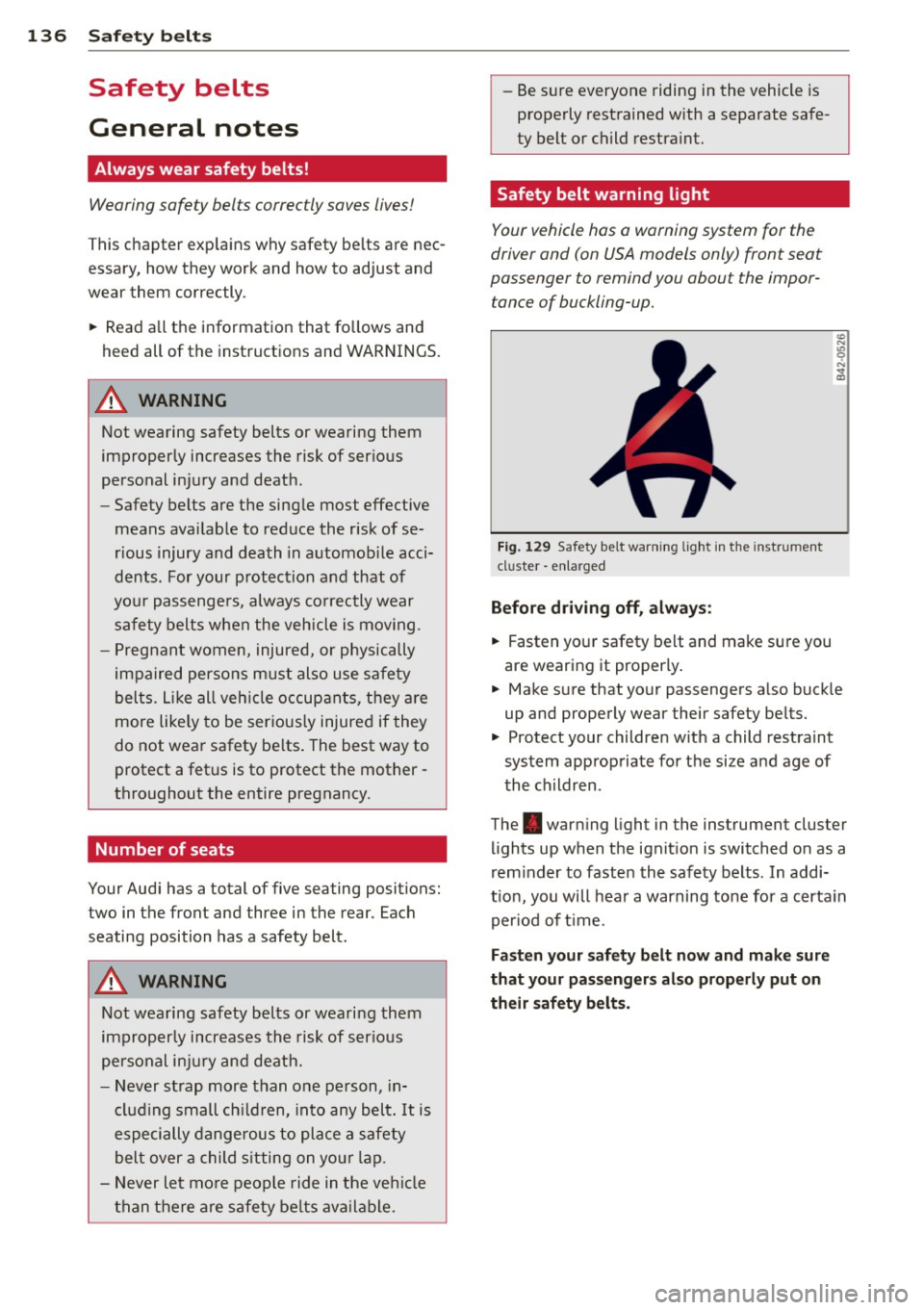
Safety belt warning light
Your vehicle hos o warning system for the
driver and (on USA models only) front seat
passenger to remind you about the impor
tance of buckling-up .
Fi g. 129 Safety belt warni ng lig ht in the instrument
cluster -e nl arge d
Before driving off, always :
.. Fasten you r safety belt and make sure you
are wearing it properly .
.. Make s ure that yo ur passengers a lso buck le
up and properly wear their safety be lts.
.. Protect your children w ith a child rest raint
system approp riate fo r the size and age of
t he children.
The . war ning light in the instrument cluster
lights up when the ignit ion is switched on as a
rem inder to faste n the safety belts. In addi
t ion, you will hea r a warning tone for a certa in
per iod of t ime.
Fasten your safety b elt now and make sure
that your pas sengers also properly put on
their safety belts.