Page 303 of 400
301
The system is protected in such a way that it will only
operate in your vehicle.
eMyWay
01 First steps - Control panel
For safety reasons, the driver must only carry out
operations which require prolonged attention while
the vehicle is stationary.
When the engine is switched off and to prevent
discharging of the battery, the system switches off
following the activation of the energy economy mode.
CONTENTS
02 Steering mounted controls
03 General operation
04 Navigation - Guidance
05 Traffic information
06 Using the telephone
07 Radio
08 Music media players
09 Audio settings
10 Configuration
11 Screen menu map
Frequently asked questions p.
p.
p.
p.
p.
p.
p.
p.
p.
p.
p.
p.
304
306
307
309
322
325
335
339
345
346
347
351
SATELLITE NAVIGATION SYSTEM
MULTIMEDIA BLUETOOTH
TELEPHONE AUDIO SYSTEM
Page 324 of 400
05 TRAFFIC INFORMATION
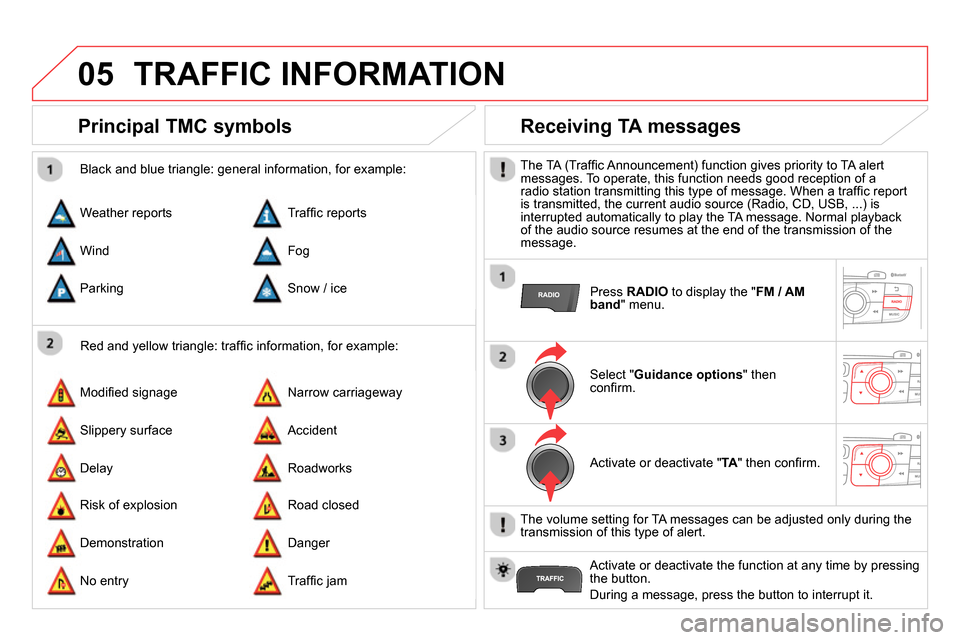
Principal TMC symbols
Red and yellow triangle: traffi c information, for example:
Black and blue triangle: general information, for example:
Weather reports
Modifi ed signage
Risk of explosion Traffi c reports
Narrow carriageway
Road closed Wind
Slippery surface
Demonstration Fog
Accident
Danger Parking
Delay
No entry Snow / ice
Roadworks
Traffi c jam
Receiving TA messages
The TA (Traffi c Announcement) function gives priority to TA alert
messages. To operate, this function needs good reception of a
radio station transmitting this type of message. When a traffi c report
is transmitted, the current audio source (Radio, CD, USB, ...) is
interrupted automatically to play the TA message. Normal playback
of the audio source resumes at the end of the transmission of the
message.
Press RADIO
to display the " FM / AM
band
" menu.
Select " Guidance options
" then
confi rm.
Activate or deactivate " TA
" then confi rm.
The volume setting for TA messages can be adjusted only during the
transmission of this type of alert.
Activate or deactivate the function at any time by pressing
the button.
During a message, press the button to interrupt it.
Page 325 of 400
06
323
USING THE TELEPHONE
Access to the "Telephone" menu
" Telephone
"
" Dial
"
" Directory of contacts
"
"Contacts management
"
" Phone functions
"
" Bluetooth functions
"
" Hang up
"
Go from the list to the menu (left/right).
or
List of recent calls sent and
received with the telephone
connected to the system.
Press PHONE
.
To make a call, select a number in the list and confi rm " OK
"
to start the call.
Connecting a different telephone deletes the list of
recent calls. No telephone connected.
Telephone connected.
Incoming call.
Outgoing call.
Synchronisation of
address book in progress.
Telephone call in
progress.
In the top bar of the permanent
display
Page 326 of 400
06
Pairing a Bluetooth telephone
First connection
For reasons of safety and because they require prolonged attention
on the part of the driver, the operations for pairing the Bluetooth
mobile telephone to the hands-free system of the audio unit must be
carried out with the vehicle stationary
.
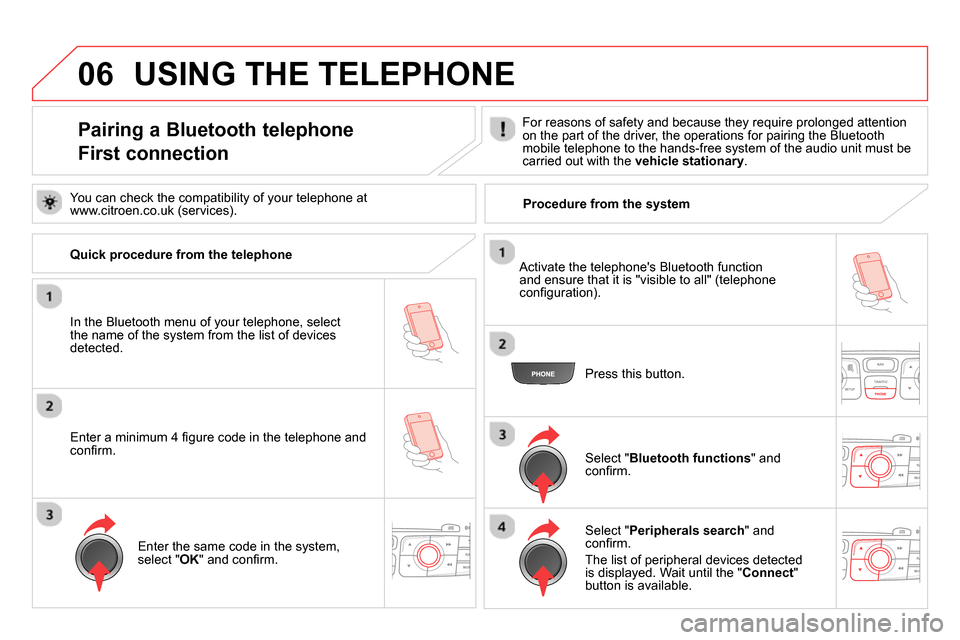
In the Bluetooth menu of your telephone, select
the name of the system from the list of devices
detected.
Press this button.
Select " Bluetooth functions
" and
confi rm.
Select " Peripherals search
" and
confi rm.
The list of peripheral devices detected
is displayed. Wait until the " Connect
"
button is available.
USING THE TELEPHONE
You can check the compatibility of your telephone at
www.citroen.co.uk (services).
Activate the telephone's Bluetooth function
and ensure that it is "visible to all" (telephone
confi guration).
Quick procedure from the telephone
Enter a minimum 4 fi gure code in the telephone and
confi rm.
Enter the same code in the system,
select " OK
" and confi rm.
Procedure from the system
Page 327 of 400

06
325
Select " Connect
" and confi rm.
The system offers to connect the
telephone:
- in " Hands-free mode
" (telephone
only),
- in " Audio
" mode (streaming: playing
music fi les on the telephone),
- or " All
" (for selection of both
modes).
Select " OK
" and confi rm.
Then accept automatic connection on the telephone to allow the
telephone to reconnect automatically every time the vehicle is
started.
The ability of the system to connect in only one mode depends on
the telephone. The two modes may both connect by default.
USING THE TELEPHONE
The " Hands-free mode
" should be used in preference if
"Streaming" is not desired.
The services available depend on the network, the SIM card and the compatibility of the Bluetooth telephone used. Check the telephone
manual and with your network provider for details of the services available to you.
Depending on the type of telephone, the system will ask you to
accept or not the transfer of your contacts.
On return to the vehicle, the last telephone connected
automatically reconnects, within around 30 seconds after
switching on the ignition (Bluetooth activated and visible).
To modify the automatic connection mode, remove the pairing
and pair the telephone again with the desired mode.
Enter a minimum 4 fi gure code in the telephone
and confi rm.
Enter the same code in the system,
select " OK
" and confi rm.
Select the name of the desired
peripheral from the list of devices
detected then confi rm
Page 329 of 400
06
327
Editing, importing or deleting a contact
Press PHONE
then select " Directory of
contacts
" and confi rm.
Select the desired contact and confi rm.
Select " Import
" to copy a contact from
the telephone to the system.
Select " Delete
" to delete a contact
recorded in the system.
Select OK
or press the back button to exit
this menu.
Once the contact has been imported, the Bluetooth symbol
disappears, replaced by the telephone symbol which shows that the
contact has been saved in the system.
USING THE TELEPHONE
It is not possible to modify or delete contacts in the telephone or the
SIM card via the Bluetooth connection.
Select " Open
" to view a contact on the
telephone or modify a contact saved in
the system.
In the " Directory of contacts
" menu, the import and deletion of
contacts is done one by one.
Page 334 of 400
06
Press PHONE
twice.
Select " List of the paired peripherals
"
and confi rm.
It is possible to:
- " Connect
" or " Disconnect
" the
selected telephone,
- delete the pairing of the selected
telephone.
It is also possible to select all pairings.
USING THE TELEPHONE
Managing paired telephones
Changing the ringtone
Press PHONE
twice.
Select " Phone functions
" and confi rm.
Select " Ring options
" and confi rm.
You can adjust the volume and the type
of ringtone.
Select " Bluetooth functions
".
Select " OK
" and confi rm to save the
changes.
Page 343 of 400
08
341
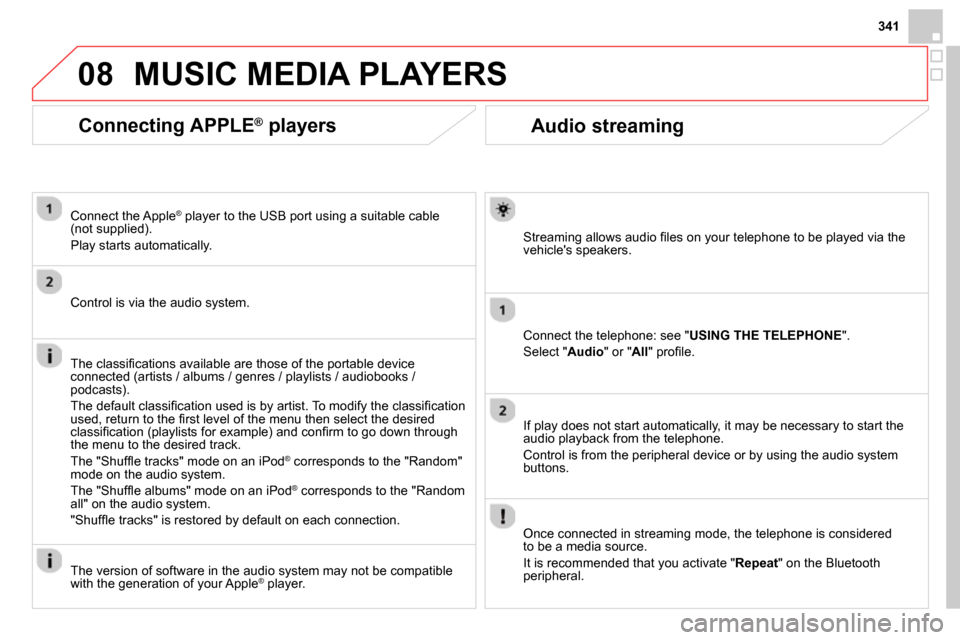
Audio streaming
Streaming allows audio fi les on your telephone to be played via the
vehicle's speakers.
Connect the telephone: see " USING THE TELEPHONE
".
Select " Audio
" or " All
" profi le.
If play does not start automatically, it may be necessary to start the
audio playback from the telephone.
Control is from the peripheral device or by using the audio system
buttons.
Once connected in streaming mode, the telephone is considered
to be a media source.
It is recommended that you activate " Repeat
" on the Bluetooth
peripheral.
MUSIC MEDIA PLAYERS
Connecting APPLE ®
players
Connect the Apple ®
player to the USB port using a suitable cable
(not supplied).
Play starts automatically.
Control is via the audio system.
The classifi cations available are those of the portable device
connected (artists / albums / genres / playlists / audiobooks /
podcasts).
The default classifi cation used is by artist. To modify the classifi cation
used, return to the fi rst level of the menu then select the desired
classifi cation (playlists for example) and confi rm to go down through
the menu to the desired track.
The "Shuffl e tracks" mode on an iPod
®
corresponds to the "Random"
mode on the audio system.
The "Shuffl e albums" mode on an iPod
®
corresponds to the "Random
all" on the audio system.
"Shuffl e tracks" is restored by default on each connection.
The version of software in the audio system may not be compatible
with the generation of your Apple
® player.


