2012 VOLKSWAGEN GOLF transmission
[x] Cancel search: transmissionPage 270 of 516
Shifting
Introduction
this section find information about:
Warning
and i ndicator ... .. . .
Pedals
............. ........... .
Manual transmission: Gearshift lever
172
173
174
Automat ic transm ission :
lever.... 175
Sh ifting with nptro nic ® . . . . . . . . . . . . . . . . . . 176
Driving with automatic transmiss ion 177
Automat ic transmission malfunction . . . . . . . . 178
Explanatory
notes in this sec tion regarding
Direct
The backup lights come on.
Climatronic switches to air culation mode.
The rear window wiper switches on when the
windshield wipers are switched on.
More information:
Braking , stoppi ng and parking 179
Climate control
Engine control and emission control system
Emergency
Rapid acceleration can cause skidding and loss of traction , especially on slippery roads,
re sulting in a loss of vehicle control, sions, and seriou s personal injury.
use the kick-down feature or fast cele ration if visibility, weather, road, and
Constant braking causes the brakes to and se rious personal injury.
the brakes or apply the brake
pedal too often or too long.
substantially reduce braking performance, increase stopping
the brakes by keeping your foot on the brake pedal when you do not want to brake . Thi s make the brakes wear faster.
gine braking and reduce the load on the brakes. Otherwise , the brake system could overheat and even
Page 271 of 516
Warning and indica tor lights
on page 171.
L
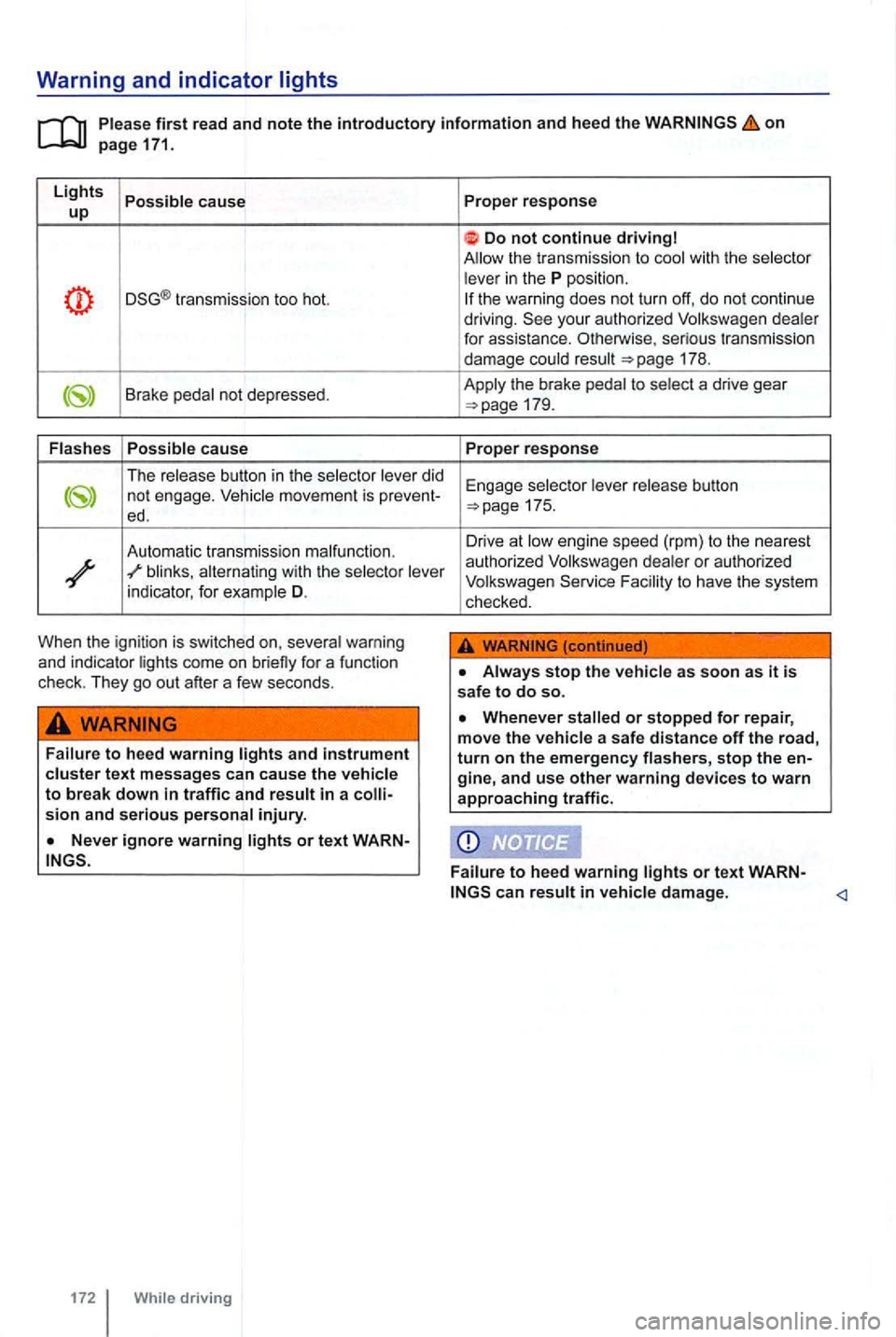
ights Possible cause up
transmission too hot.
Brake pedal not depressed.
Flash es Possible
cause
The release button in the selector lever did not engage.
blinks, alternating with the selector lever
indicator , for example D.
When the ignition is switched on, several warning
and indicator lights come on briefly for a funct ion
check . They go out after a few seconds .
Failure to heed warning text messages can cause the vehicle to break down in traffic and result in a injury.
or t ext WARN
172 While driving Proper
response
Do not continue driving
the warni ng does not turn off, do not continue
driving.
175.
Drive at low en gine speed (rpm) to th e nearest
autho rized Vol kswagen dealer or authorized
Volkswagen F acility to have th e system
checked .
Always stop the vehicle as soon as it is safe to do so.
damage.
Page 273 of 516
Manual transmission: Gearshift lever
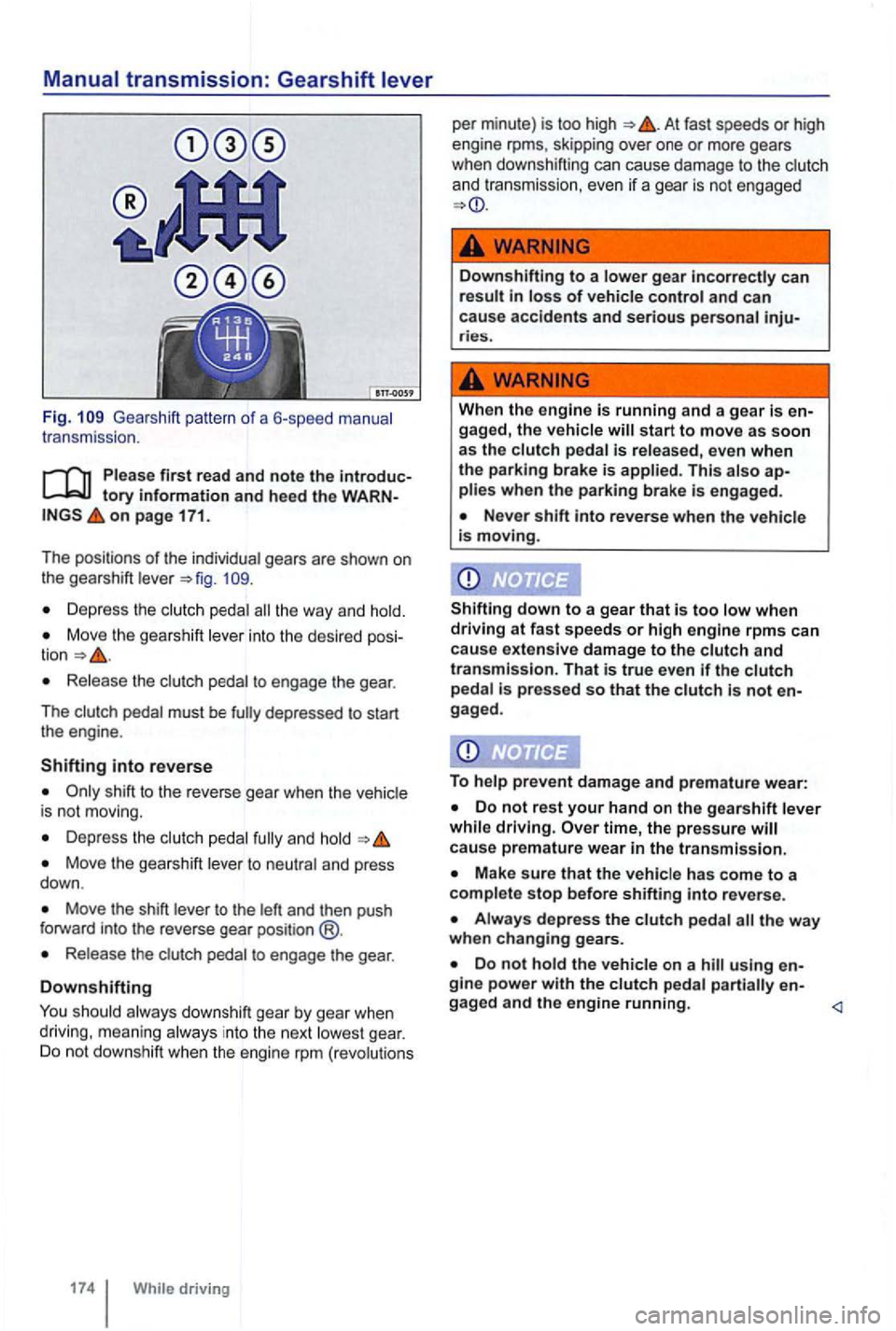
Fig. Gea rshift pattern of a 6-speed manual
t r ansmission .
Please first read and note the introductory information and heed the o n page 171.
The positions of the
individua l gea rs are shown on
t he gearshift leve r
Depress the clutch pedal the way and hold.
Move the gearshift lever into the desired
Release the clutc h pedal to engage the gear.
T he c
lutch pedal must be
shift to the reverse gear when the vehic le
is not moving.
Depr ess the and hold
Move the gearshift lever to neutral and press
down .
Move the shift lever to the left and then push
f orward into the reverse gear position @.
Release the clut ch pedal to engage the gear .
Downshifting
You should always downshift gear by gear when
driving , meaning always in to the next lowes t gear. Do not downshift when the engine rpm (revo lutions
At fast speeds or high
engine rpms, skipping over one or more gears
when downshifting can cause damage to the clutch
and transmission, even
if a gear is not engaged
... -
Down shifting to a lowe r gear incorrectly can result in loss of vehicle control and can
cause accidents and serious personal inju-ries.
When the engine is running and a gear is en-
gaged, the vehic le will start to move as soon
as the c lutch pedal is released, even when
th e parking brake is applied. This a lso ap-plies when the parking brake is engaged.
Never shift into reverse when the vehicle
is moving.
Shifting
down to a gear that is too low when driving at fa st spee ds or high engine rpms can
cause extensive damage to the clutch and
transmission. That is true even if the clutch pedal is pressed so that the clutch is not
To help prevent damage and premature wear:
Do not rest your hand on the gearshift leve r
while driving. time, the pressure ca use premature wear in the transmission.
Make sure that the vehicle has come to a
comple te stop before shifti ng into reve rse.
Do not hold the vehicle on a hill using
Page 274 of 516
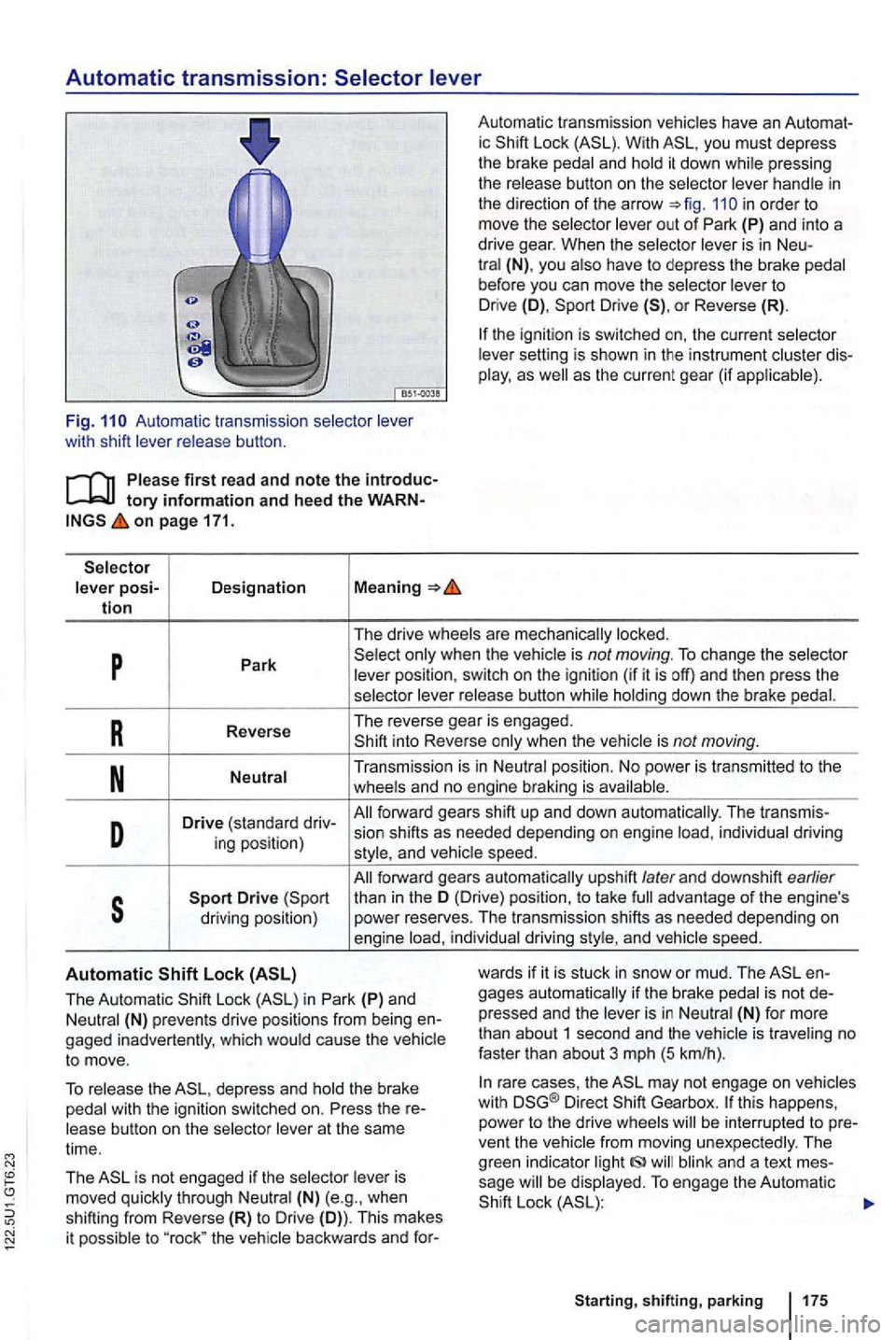
Automatic transmission:
Auto mati c transmissio n wit h sh ift
first re ad and note the tory information and heed the on page 171.
posi-Designation Meaning tion
Automa tic tra nsm issio n ic With you must depress
th e brake and pres sing
th e
in order to
move the
is in Neu-(N) , yo u before you can move the to Drive (D), Drive or Reverse (R).
sett ing is sho wn in the ins trument as the current gear (if
p Park is not moving. To change the
button
R Reverse The
re ver se gea r is en gage d. into Reverse when the
Transmis sion is in
D Drive (sta ndard dri v-fo rwa rd gears shift up and down auto m atica lly. The transmi s-
ing pos ition) sion
shifts as needed depending on engine individual driving and
forward gears automa tica lly upshift later and dow nshift earlier
s than in th e (Dri ve) position , to take advan ta ge of the engin e's
driving position) p
ower reserves. The tran smi ssion shift s as needed dependi ng on
e ng ine in divid ual driving and speed.
Automatic
The Automati c Lock in Park (P) and (N) prevents drive posit ions fro m b eing g aged inadvertentl y, w hich ca use the to move.
wards if it is stuc k in sno w or mud. The gages automa tically if th e brake pr esse d and the is in is traveling no
fast er than abo ut 3 mph (5 km/h ).
To the depress and the brake wit h th e ign ition switched on. Press the
(N) (e.g ., when shifting from Reverse (R) to Drive (D)). Th is mak es
i t possib le to "roc k" the
ra re cases , th e m ay not eng age on vehicles
w ith Direct Gea rbox. this happens,
power to th e drive ven t th e and a tex t sage Lock
sh ift ing , parking 175
Page 275 of 516
Moving the selector lever to the wrong posi-tion can cause loss of vehicle control, a co sion, and serious personal injury.
Unintended vehicle movement can cause se-rious personal injury.
you must leave your vehicle while the engine is running, al-ways set the parking brake and shift the transmission into Park (P).
Shifting with Tiptronic®
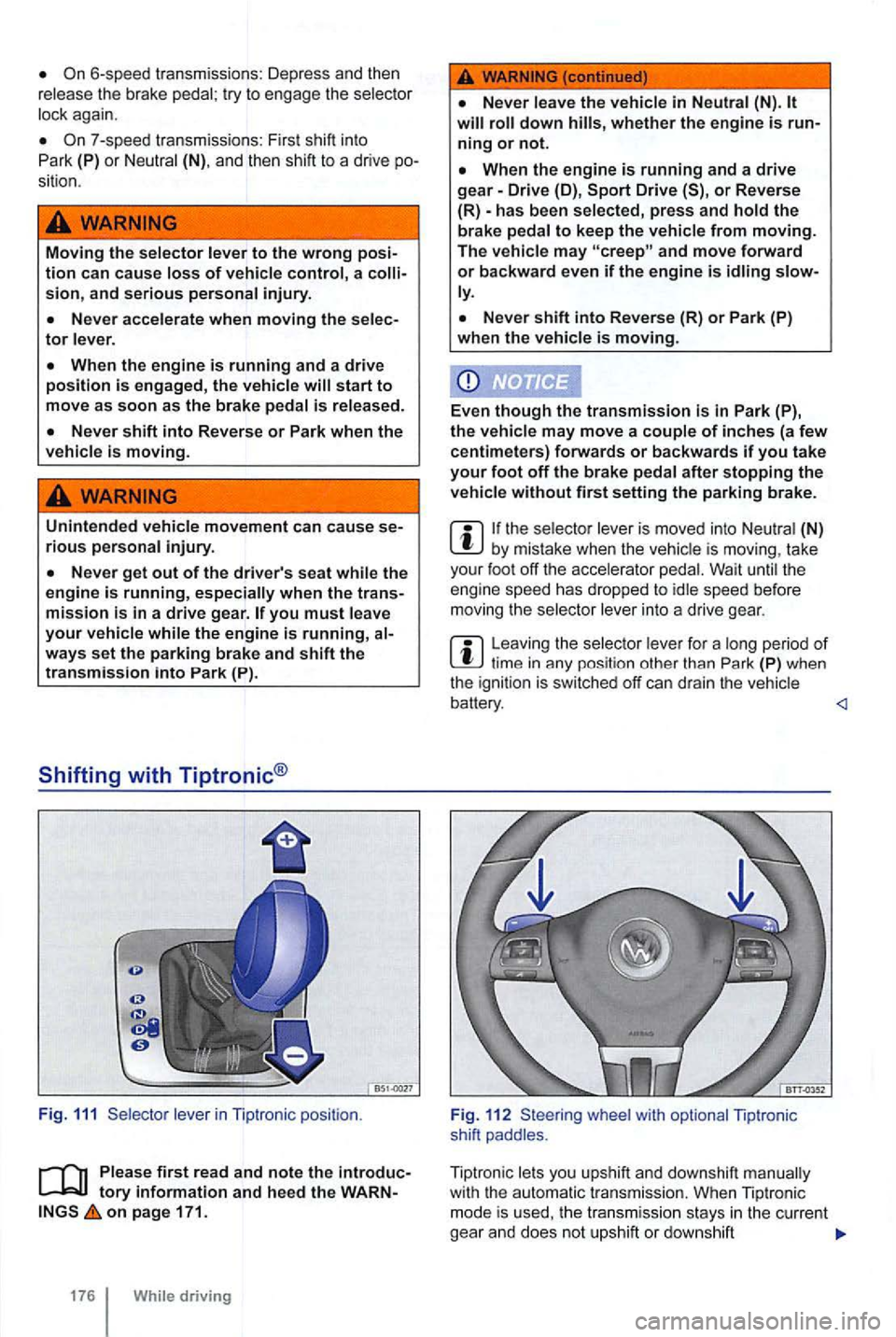
Fig . 111 lever in Tiptronic position.
Please first read and note the introduc
on page 171.
176 While driving
WARNING (continued )
will roll down hills, whether the engine is
When the engine is running and a drive gear-Drive (D), or Reverse
(R) -has been selected, press and hold the
brake pedal to keep the vehicle from moving.
The vehicle may and move forward or backward even if the engine is idling ly.
the selec tor lever is moved into Neutral (N) by mistake when the vehicle is moving , take
your foot off the accelerator pedal. Wait until the
engine speed has dropped to idle speed before
mov ing the selector lever into a drive gear.
Leaving the selector le ver for a long period of
whe el with optional Tiptronic
shift paddles .
Tiptronic lets yo u upshift and downshift manually
with
the a utomatic transm ission. When Tiptronic
mode is used, the transmi ssio n stays in the curren t
gea r and does not upshift or dow nshift
Page 276 of 516
unless the transmission senses a sit
uation where upshifting or downshifting is necessary to keep the engine from over-or under-revving.
Using Tiptronic with the selector lever
Push the selector lever sideways to the right
from Drive (D) position into the Tiptronic position
in Automatic transmission :
Briefly push the selector lever forward to up
shift into a higher gear or backward to down
shift into a lower gear 111.
Using Tiptronic with the shift paddles behind the steering wheel
Th e paddles 112 (arrows) work when the
selector lever is in the Tiptronic position or when the selector lever is in Drive (D) or
To upshift, on the right to
ward you.
Driving with automatic transmission
on page 171.
in
Neutral (N).
Reduce speed.
Downshift by the selector l ever back
briefly(-).
Downshift using the paddles on the steer
ing wheel
you should use Hold 195 as long as the engine is running .
To downshift , on the left to
ward you.
To switch off Tiptronic mode,
switch off
shift automatically into the next higher gear be
fore reaching maximum engine speed (rpm).
you use Tiptronic to shift into a lower gear, the transmission not over-rev the engine.
The kick-down feature permits maximum tion when the selector lever is in the Drive (D ), or Tiptronic mode.
you push the accelerator automatica lly downshift , depe nding on
vehicle speed and engine speed (rpm). This
With kick-down actuated, the transmission
Regulation 179.
Depress and
Move the selector lever into Driv e or Tiptronic position.
With your rig ht foot, depress the accelerator
peda l until the engine reaches about rpm.
shifting, parking
Page 277 of 516
Remove your left foot from the brake => The accelera te from a stop at the maximum
rate .
you have accelerated , swi tch
weather, road, and traffic conditions permit and other drivers not be gered by your driving and the vehicle's
tory on page 171.
Emergency shift program
selec to r ment
of the forward gears.
some cases, vehicles with a Direct
is then impossible to drive
the vehicle backwards .
any event , have the automatic transmission
checked by an authorized
Overheating of Direct automatic transmission
The automa tic transmission may overheat ,
for example , due to frequent starts , extended o r stop-and-go traffic. Overheating is and, if by a text message in the in strument ditional warning chime may sound. and let the
tr ansmission coo l down =>
is switched off, when the road is slippery.
you have accelerated, switch back on again.
with the
wards. This can cause the automatic sion to overheat and be damaged.
in Neutral (N), not be lubricat-ed and be damaged .
the vehicle does not move in the desired tion , the system may not have engaged the drive
position Press the brake pedal and select the drive position again.
does not move in the desired rection , there is a system malfunctio n.
ther park the vehicle in a safe place or drive faster than 12 mph km/h) .
the tex t message and acoustic warning seconds or so, you must park the vehicle in a safe place as soon as you can safely do so and stop the engine .
L et the transmission cool down.
To help prevent damage to the sion, do not drive the vehicl e agai n until the
acoustic warning has s topped. As long as the
e ngine is overheated, avoid stop and start driv-ing and avoid low speed s pace") .
Page 281 of 516
Failure to heed warning lights or t ex t WARN-can result in vehicle damage .
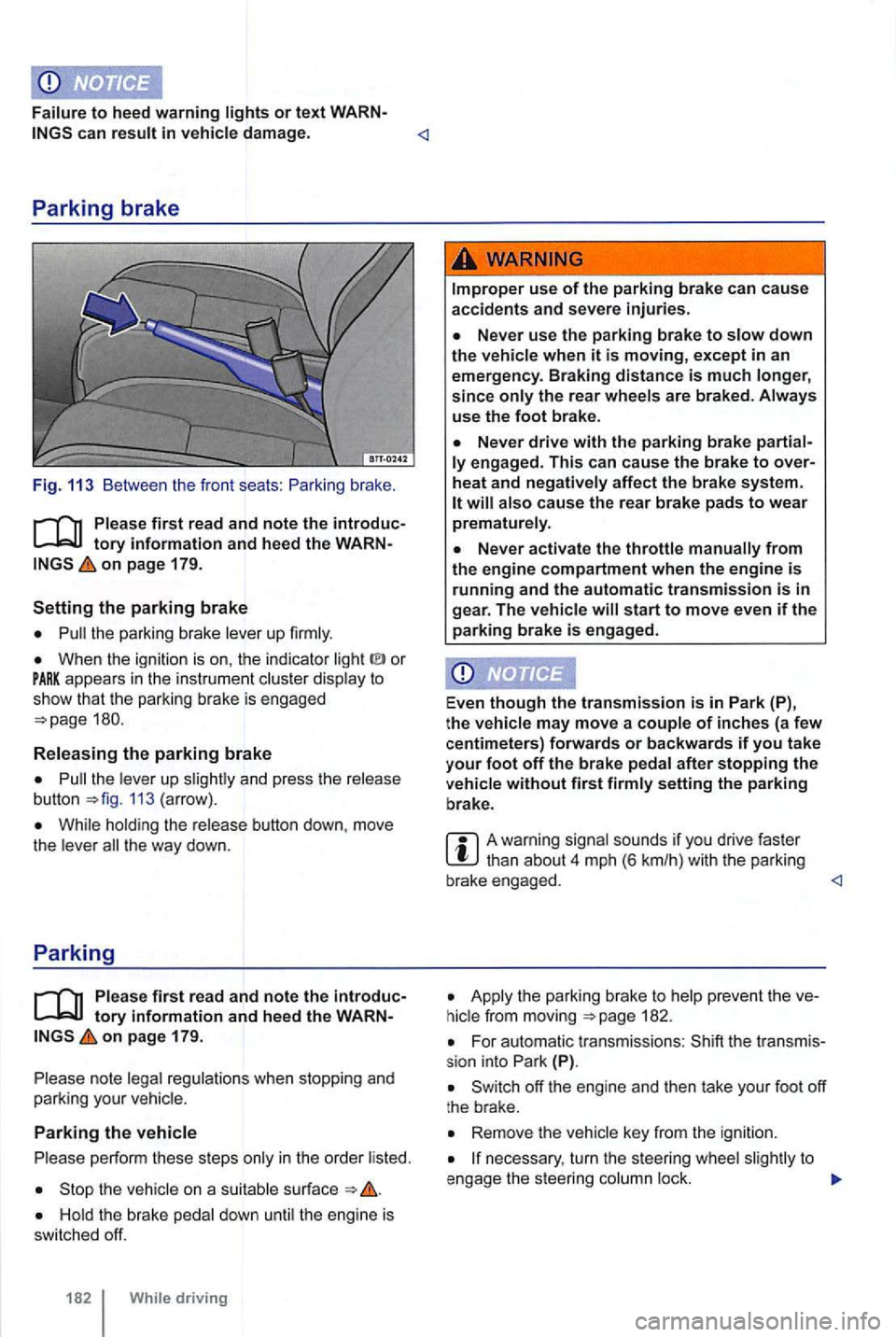
Fig. 113 Between the front seats :
on page 179.
the parking brake lever up firmly.
When the ignition is on , the indicator or appears in the instrume nt c luster display to show th at the park ing brake is engaged
the leve r up 113 (arrow) .
While hold ing the release button down, move
t h e lever t he way down.
Parking
Ple ase firs t r ea d and note the introductory info rm ation and heed the WARNon pa ge 179.
note legal regulations when stopping and
parking your vehicle.
Parking the vehicle
p erform these steps only in the order listed.
the vehicle on a suitab le surface
the rear wheels are braked . Always
use the foot bra ke.
engag ed. This c an cause the brak e to over
heat and neg ati vely affec t the b rak e sys te m .
start to move even if the parking brake is e ngag ed .
Even
though the tra nsmission is in P ark (P),
t h e vehi cle may move a couple of inche s (a fe w
c entimeters) forwards or backwards if you take
your f oot off the brake pedal after stopping the
ve hicl e without fir s t firmly setting the parking
b rake .
A warning signal sounds if you drive faster
Apply t he parking brake to 182.
For automatic transmissions : (P).
Remove the vehicle key from the igni tion.
necessary , turn the steer ing whee l to
e ngage the steer ing column lock.