Page 117 of 516
Instrument cluster
Introduction
this section find information about:
overview . . . . . . . . . . . . . . . . . . . . . 18
Displays . . . . . . . . . . . . . . . . . . . . . . . . . . .
. . . 19
Compass . . . . . . . . . . . . . . . . . . . . . . . . . . . . . .
21 Service reminder display . . . . . . . . . . . . . . . . . 22
More information:
Warning and indicator
Display of the selected gears (automatic transmiss ion ) 171
Service reminder inform ation Warranty and Maintenance.
overview
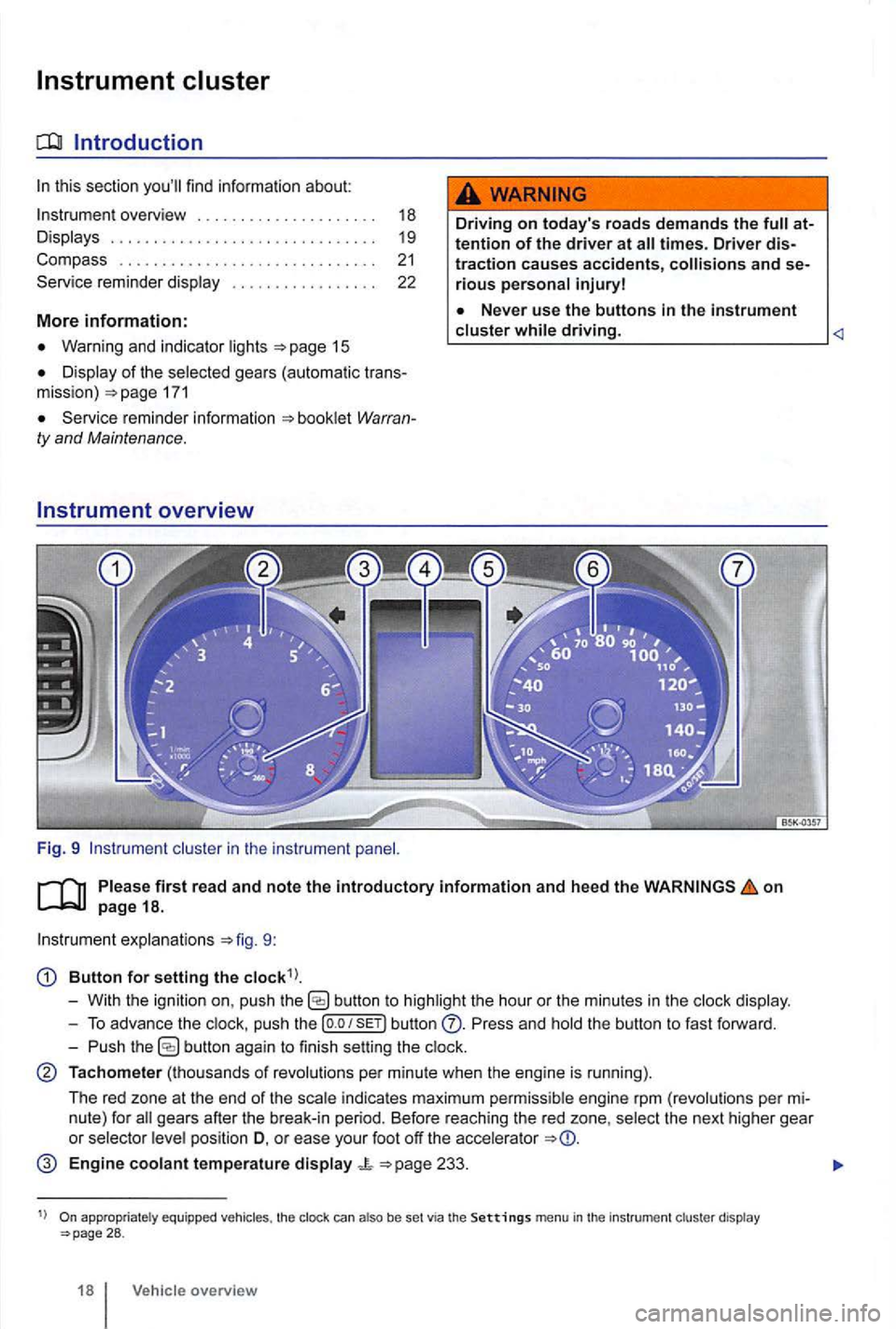
Fig. 9 cluster in the instrument
Driving on today 's roads demands the attention of the driver at
driving.
on
explanations 9:
Button for setting the
butto n to highlight the hour or the minutes in the
push the button Press and the button to fast forward.
- Push
button again to finish setting the
Tachometer (thousands of revolutions per minute when the engine is running).
The red zone at the end of the
indi cates maximum pe rmi ssibl e engi ne rpm (revolution s pe r
pos ition D, o r ease your foot off the accele rator
Engine coolant temperature display 233.
appropriate ly equ ippe d vehicles , the clock can also be set via the Settings menu in the instrumen t cl uster display 28 .
18 Vehicle overview
Page 123 of 516
sectio n find informat ion about:
Menu structure-overv iew .......... .
U sing
menus in the instrument
..
Settings menu ................ .
Convenience sub-menu
Lights & Vision sub-menu ............ . convenience settings .. .
24
25 26
27
28
29
different types of information in the instrument ter. The menu options vary depending on whether you h ave a Basic or Premium version of th e
you can
operate the menus for Basic instrument The Premium version has con tro l buttons on the right side of the
An authorized to add or modify functio ns depending on you r vehicle's
equ ipment.
on page 24.
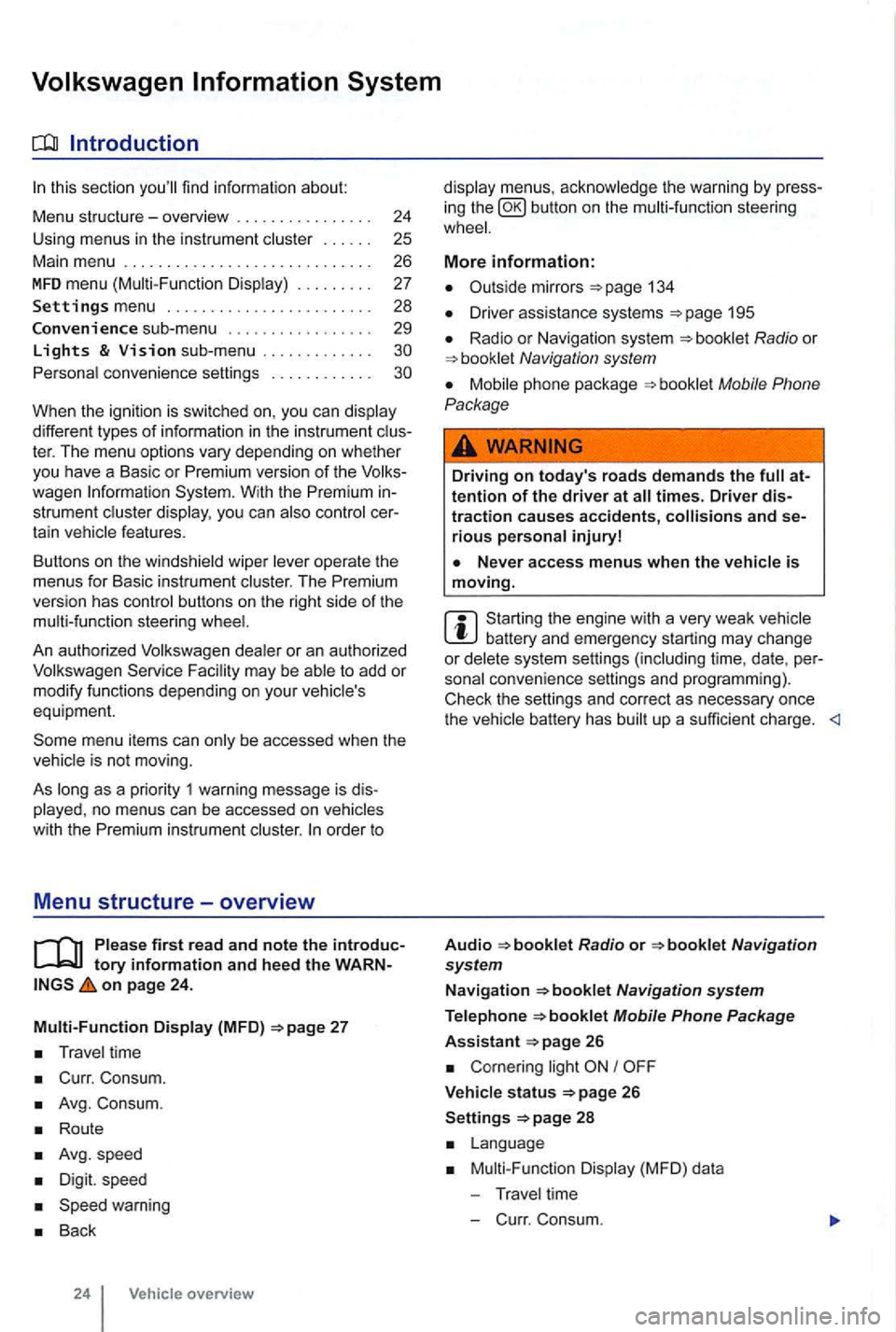
Multi-Function Display (MFD)
Travel time
Curr. Consum.
Avg. Consum.
Route
Avg.speed
Digit. speed
Back
24 Vehicle overview
menus, the warning by press
in g the button on the steeri ng
134
D river assistance systems 195
Radio or Navigation system
Mobile Phone
Package
Driving on today's roads demands the attention of the driver at times. Driver distraction causes accidents, and serious persona l injuryl
is moving.
Start ing the engine with a very weak battery and emergency starting may change or delete system settings (including time, date , per
sonal convenience settings and programming) .
Check the settings and correct as necessary once the
Radio or
26
Corn ering light I
V ehicle s tatus 26
Settings 2 8
Mult i-Functi on Displa y (MFD) da ta
T ravel time
- C urr. Consum.
Page 124 of 516
Avg. Consu m.
Route
Avg . speed
Dig it. speed
warning
Back
Compass
Convenience
ATAconfirm
Dooropen
Manual
(All doors , door, Veh . si de,
Automa tic (Auto Lock, Auto Unlock)
Mirror adjust
Factory
Lights & Vision
Background lighting
Footwell ligh ting
L n. Chg.
F actory setting
Ti me
Units
Alternative speed display
Reset
Factory setting
Using menus in the instrument cluster
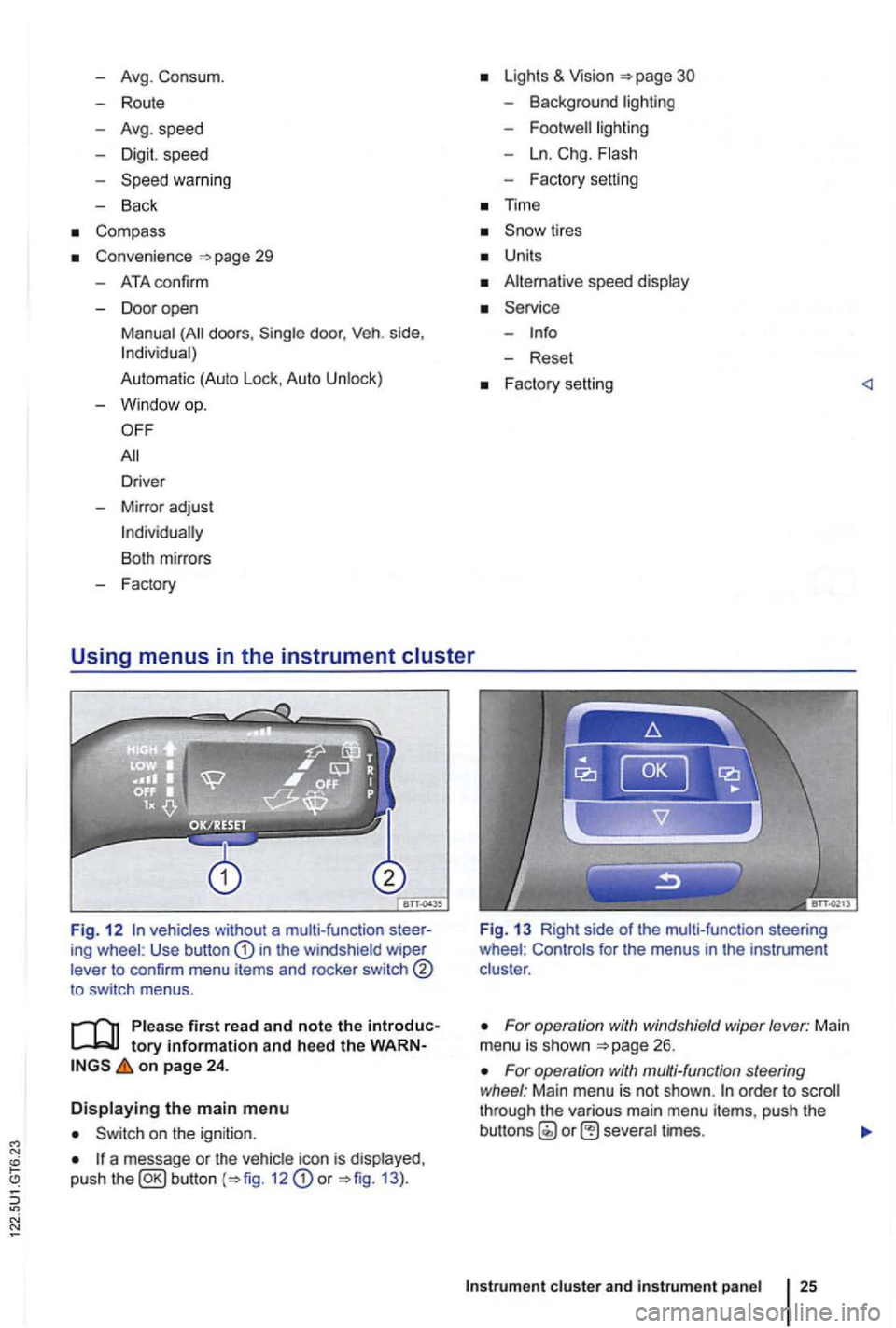
Fig. 1 2 vehicles without a multi-function ing wheel : Use button in the windshield wiper
lever to confirm menu items and rocker switch
to sw itch menus .
tory information and heed the on page 24 .
Displaying the main menu
on the ignition .
a message or the vehi cle icon is displayed ,
push the 12 or 13 ).
Fig. 13 Right side of the mult i-func tion steering
wheel : Controls for the menus in the instrumen t
clus ter .
For operation with windshield wiper lever: Main
menu is shown
For operation with multi-function steering
wheel : Main menu is not shown . order to through the various main menu items, push the
cluster and instr um ent pan el
Page 125 of 516
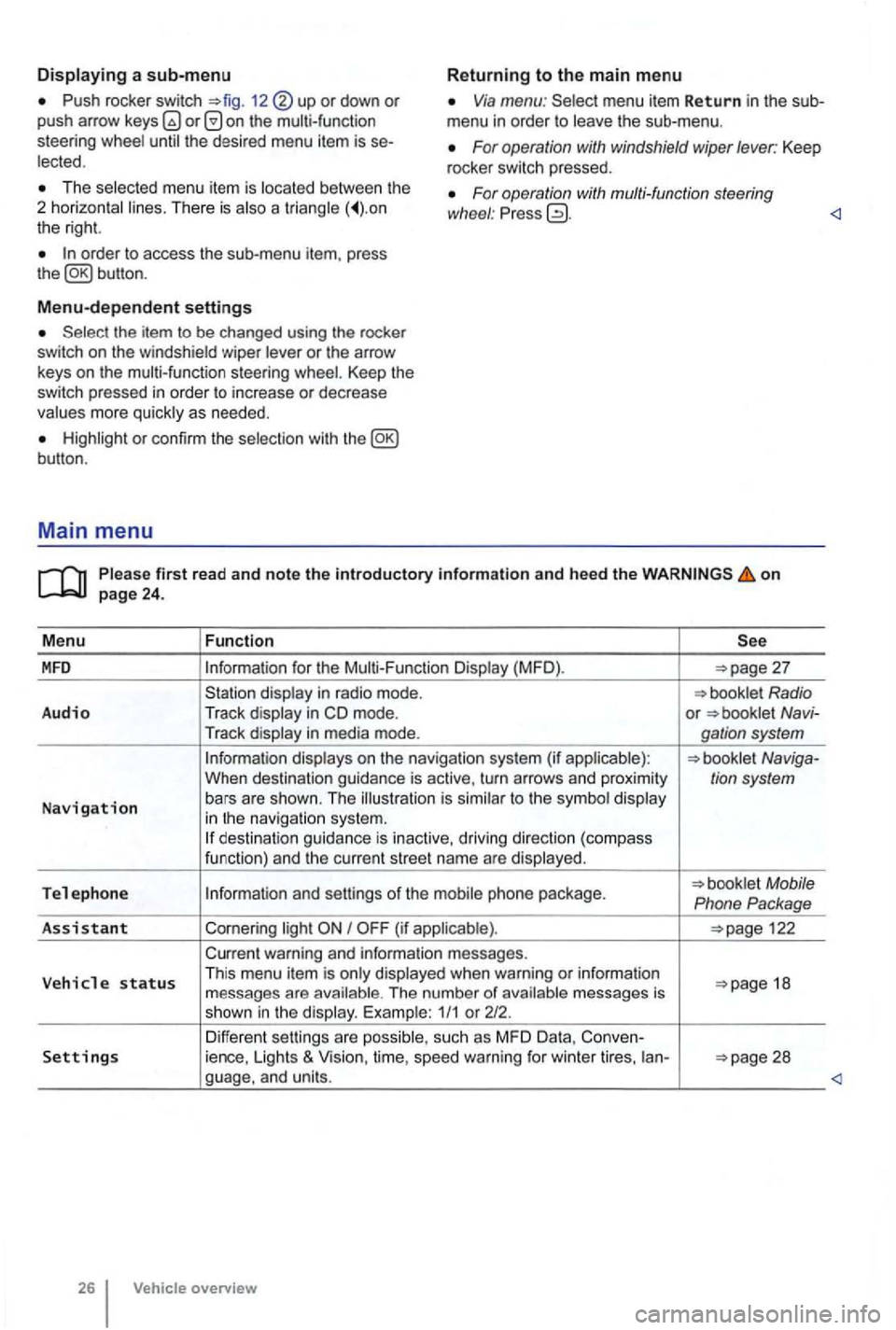
Push rocker switch 12 or down or push arrow on the multi-function
steering Via menu: menu item Return in the sub
menu in order to
For operation with windshield wiper lever: Keep
rocker switch pressed. The menu item is There is a the right.
For operation with multi-function steering
wl1eel : Pr ess
Menu-dependent settings
or the arrow
keys on the multi-function steering Keep the switch pressed in order to increase or decrease
or con firm the
first read and note the introductory information and heed the on
for the (MFD ).
in m ode. or Navi-
Tr ack
to the in navigat io n system. des tination guida nce is inactive, driving direction (compass
funct ion) and th e cur ren t street name are
Tel e ph one Mobile
Phone Package
As sis
tant Cornering I
warning and information messages.
V eh
icle status Th is menu item is when warning or information 18
messages are The number of 1/1 or 212.
Differen t sett ings are Settings ience, Lights & Vision, time, speed warning for winter tires, ian-
overview
Page 127 of 516
erasing memory 1 or 2
Press button for about 2 seconds.
and
Please firs t r ead and note t he i ntrodu ctory infor ma tion an d heed th e o n page 24 .
M enu
Function
language
unde r the MFD menu in the instru-
ment cluste r display
Calibrate the compass on vehicles without a factory-installed navigation system. To calibrate ,
Convenience function settings
30.
Time hours and minutes for the and navigation sys-
tern. The time can be displayed in 12 or 24 hour format. applicab le, an Sin the
top of the disp lay indicates daylight savings time.
S
now tires t han top vehicle speed.
Units units in which tempera ture , consumption and distances should be dis-
p layed (for example , whet her to show distance driven in miles or kilomete rs).
Alt. s p ee d d sp. Activate or deactiva te speed display (mph or km/h).
Service Display service messages or reset service reminder display.
Factory set . Resets the functions in the Se tting s menu back to the factory settings.
Vehicle overv ie w
Page 129 of 516
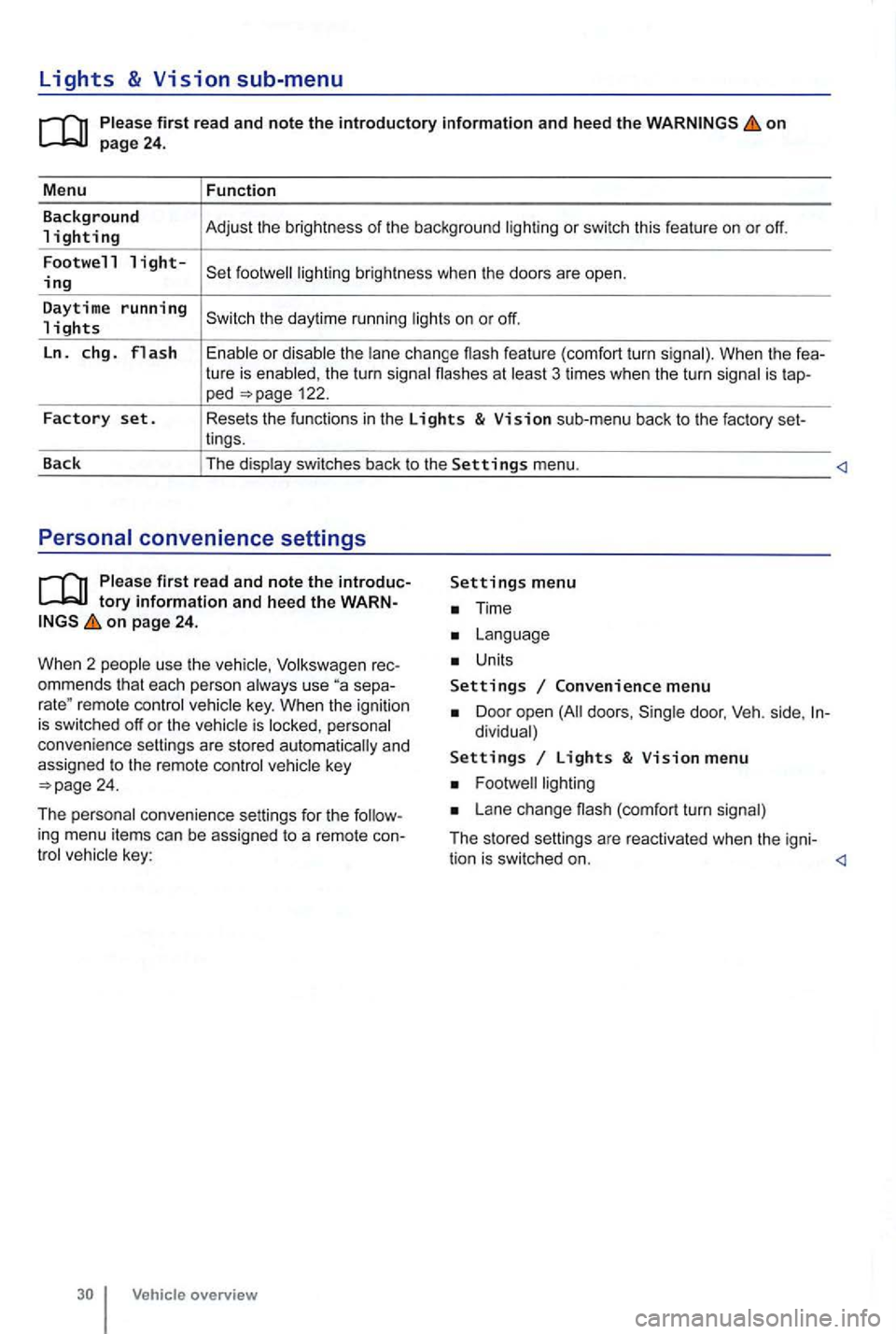
Lights & Vision sub-menu
on
the turn signa l flashes at 3 times when the turn signal is tap-ped 122.
Factory set. Resets the functions in the Lights & Vision sub-menu back to the factory set-
lings.
Back The display switches back to the
Settings menu.
tory information and heed the WARNon page 24.
W hen 2 people use th e
Volksw agen rec
ommends that each person always use separemote control veh icle key. When the ignition is switched off or the vehicle is personal
convenience settings are stored automatically and
assigned
to the remote control
Time
Units
Settings Convenience menu
Door open doors , dividual)
Settings Lights & Vision menu
Lane change (com fort turn signal)
The stored settings are reac tivated when the igni-
The personal convenience settings for the ing menu items can be assigned to a remote convehicle key:
tion is switched on.
Vehicle overview
Page 130 of 516
Before driving
this sectio n yo u'll find infor ma tion about
Gett ing ready and driving safely . . . . . . . . . . . 3 1
Driving in other countr ies . . . . . . . . . . . . . . . 32
Driving through
water on ro ads . . . . . . . . . . 33
More information:
S tarting , shift ing, pa rking 1 65
189
Consumer information
Driving under the influence of alcohol,
on
the following points be fore and during every drive for you r own safe ty, the safety of passengers
and other s
Check proper functio n of lights and turn signa ls .
Check tire pressu re
258) and fuel 214) .
Make su re that win dows are .
137 .
Always make sure tha t nothing keeps th e pedals from moving freely .
Make sure that children are properly sec
ured by a rest raint sys tem appropriate for their size and
weigh t .
Proper ly ad just front seats , head restraints and mirrors to the correct height
give your feet a good grip, and that give you a feel for the peda ls .
M ake sure that the floormat on the drive r side is properly fastened and canno t interfere with the
peda ls .
Assume a prope r sea ti
ng posi tion before the vehicle starts to move and keep this positio n whil e
driving. Make sure that passe ngers do the same 58 .
P roper ly fasten your safe ty bel t before
driving the vehic le and wear you r safety belt properly at times while driving. Make sure that passe ngers do the same
or
Som e basics 31
Page 137 of 516
21 or the power locking buttons 22 are pushed repeatedly in quick succes
sion , the power locking system is switched off for a
br i
ef period to help keep it from being overloaded.
Mechanical key
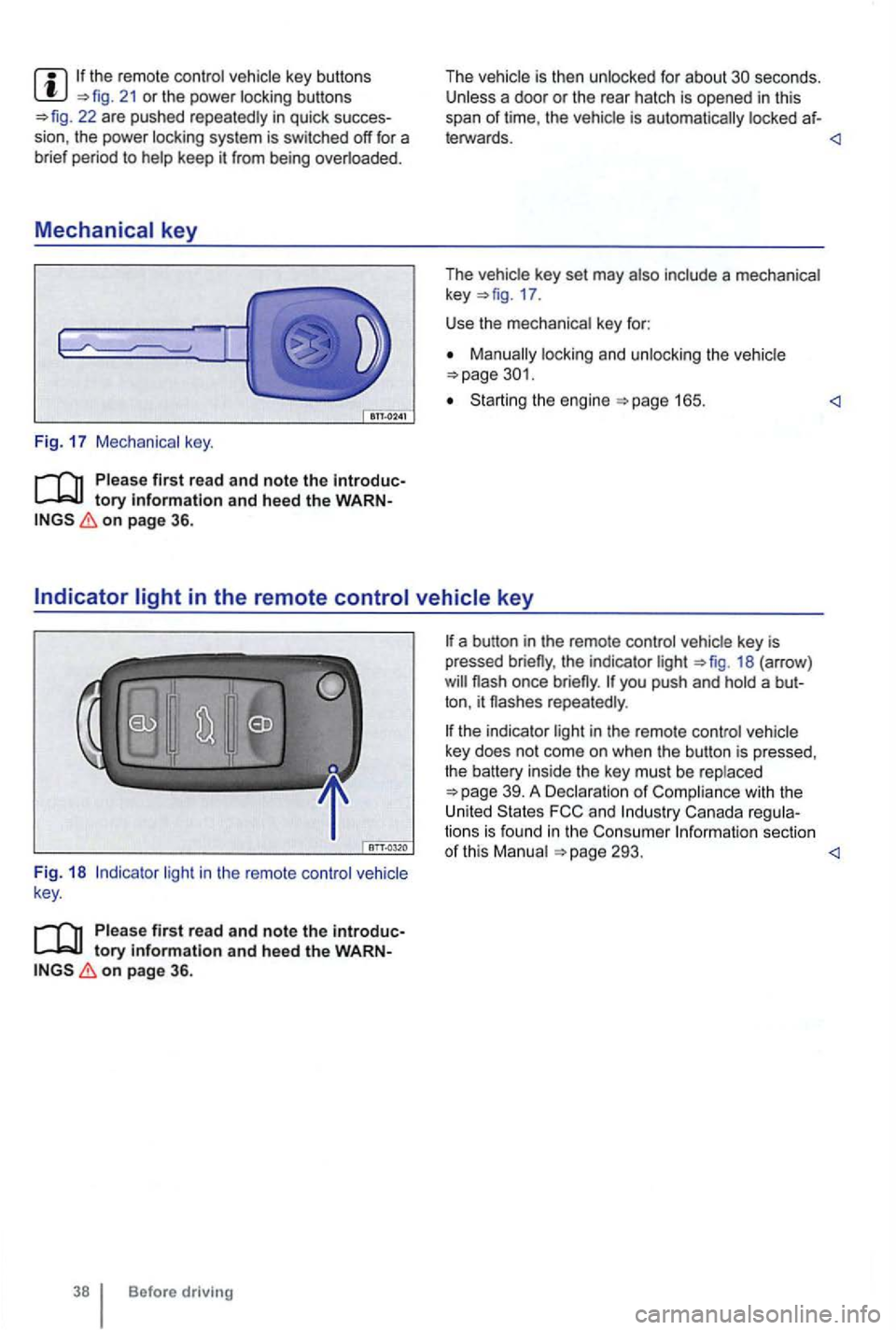
Fig. 17 Mechanical key.
tory information and heed the WARNon page 36.
The vehicle is then unlocked for about secon ds. Unless a door or the rear hatch is opened in this
span of lime , th e vehicle is automatically locked af-
leiWards.
The vehicle key set may also include a mechanical
key 17 .
Use the mechanical key for:
locking and unlocking the vehicle
Starting the engine
light in the remote control vehicle
key .
Please first read and note the introductory information and heed the WARNon page 36.
Before driving
the indicator light 18 (arrow )
repeatedly .
the indicator light in the remote control vehicle
key does not come on whe n the button is pressed,
t he battery inside
the key mus t be rep laced
293.