Page 141 of 516
Automatic locking (Auto Lock)
The vehicle locks au tomatically when it reaches a
speed of about 10 mph (15 km/h) . When the vehi
cle is locked , the indicator light comes on in the
power lock ing button
a door once.
-
a door once.
- Lock the vehicle with the remote control vehicle key.
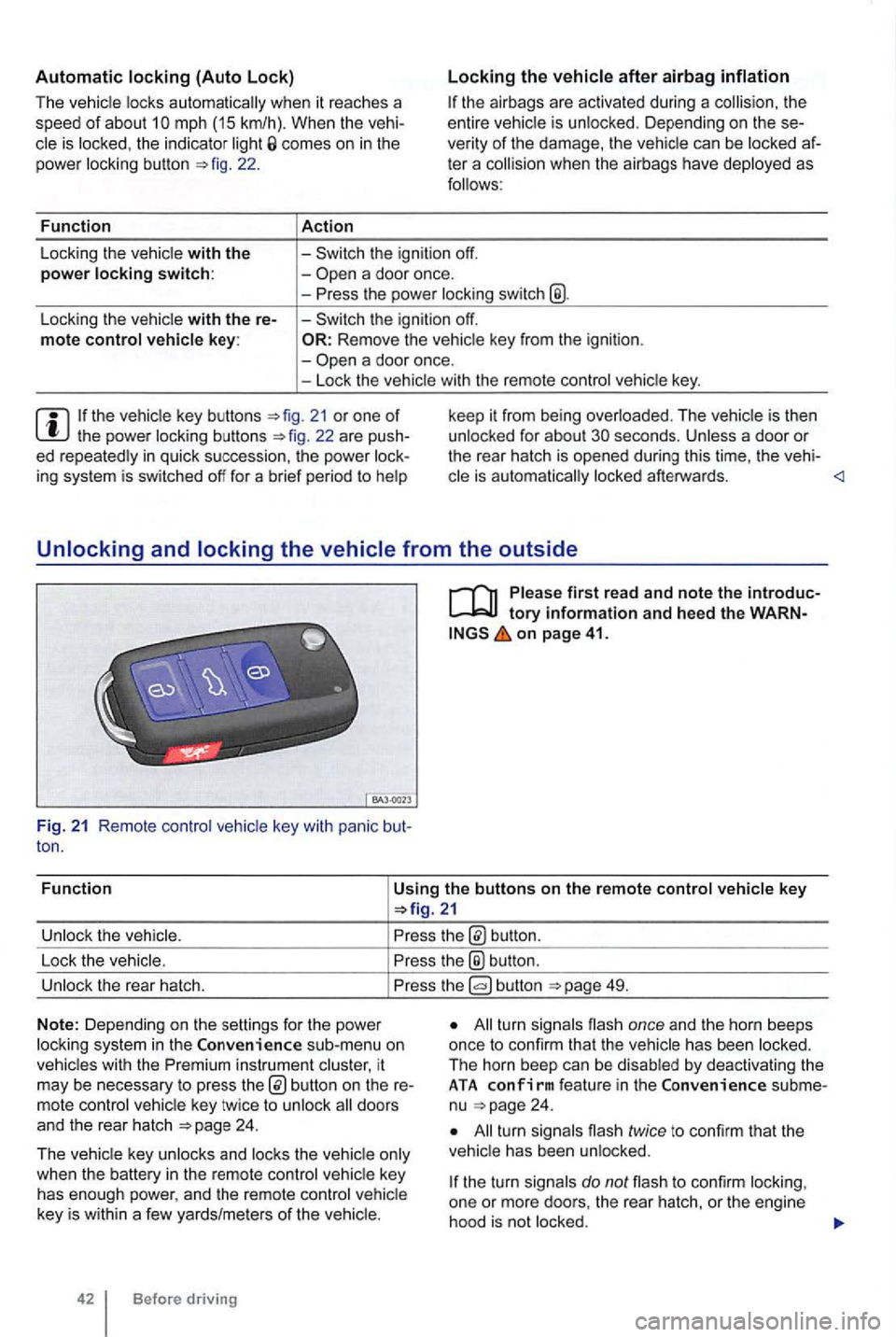
21 or one of th e power locking buttons
on page 41.
Fun c
tion
Using the buttons on the remote control vehicle key
button.
Lock the vehic le.
the® button .
Unlock the rear hatch. button 49.
N o
te: Depending on the settin gs for the power
l ock ing system in the sub-menu on
vehicles with the instrument cluster, it
may be necessary to press
24 .
T he vehicle key unlocks and locks the vehicle only
when the battery
in the remote control vehicle key
has enough power, and the remote control vehicle
key is wi
thin a few yards/me ters of the vehicle.
42 Before driving
All turn signals flash once and the horn beeps
once to confirm that the vehic le has been locked.
The horn beep can be disabled
by deactivating the ATA co nfirm feat ure in the subme
nu 24 .
All turn signals flash twice to confirm that the
vehicle has been unlocked.
the turn signals do not flash to confirm lock ing,
one or mor e doors , the rear hatch, or the engine
hood is not
locked.
Page 142 of 516
the driver door is open , th e vehicle cannot be with the remote contro l vehicle key.
Unlocking and locking the vehicle from the inside
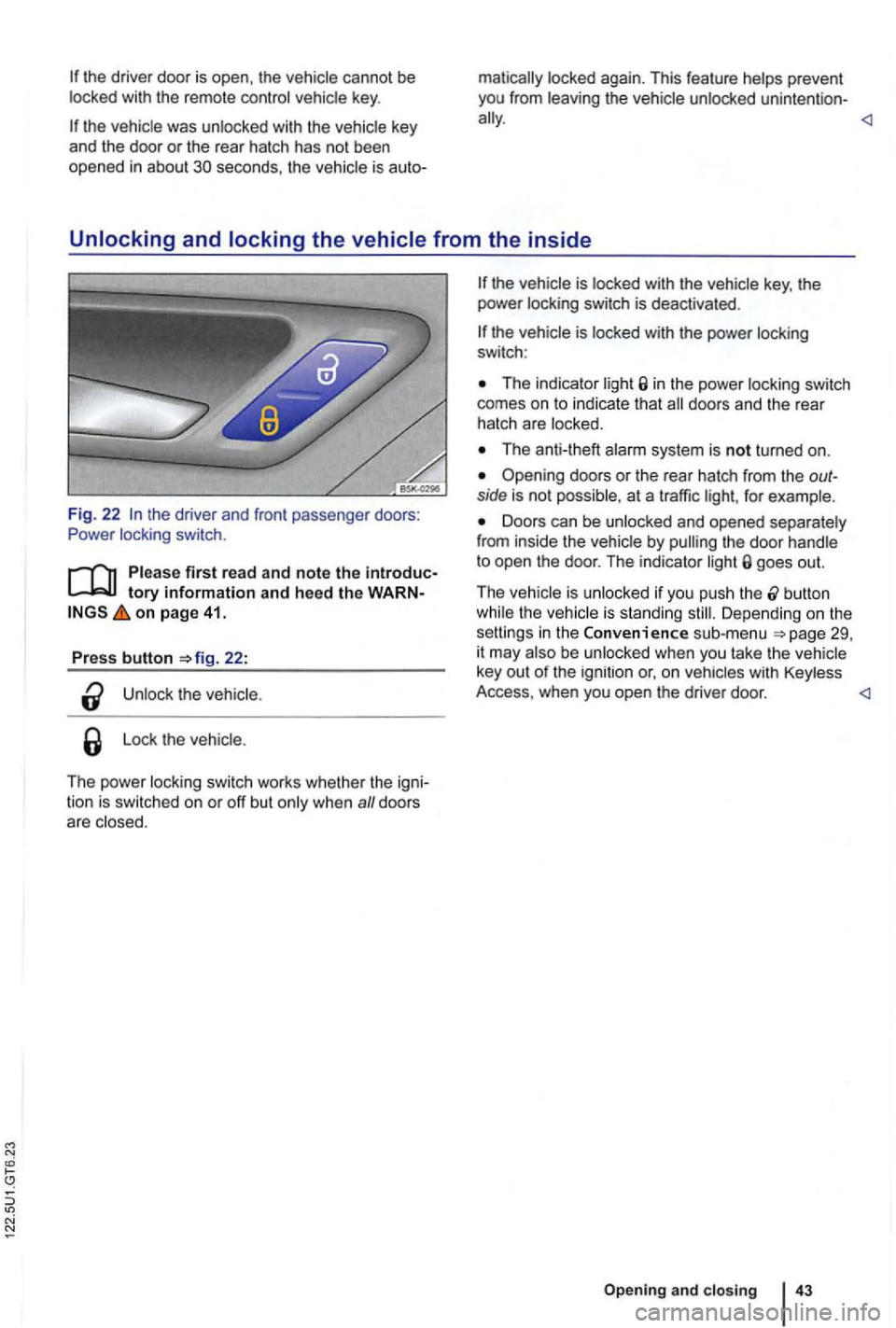
Fig. 22 the driver and front passenger doors:
Power locking switch.
tory information and heed the WARN on page 41.
Press button 22:
the
Lo ck the vehicle .
The power locking switch works whethe r th e igni
tion is switched on or off but
The indicator in the power locking switch
comes on to indicate that
The anti-theft
Opening doors or the rea r hatch from the outside is not possible, at a traffic for example.
Doors can be unlocked and opened separately
from inside the vehicle by goes out.
T he vehicle is unlocked if you push the
button the vehicle is standing Depending o n the
setti ngs in the Convenience sub-menu be unlocked when you take th e vehicle
key out of the ignition or, o n
Opening and closing
Page 143 of 516
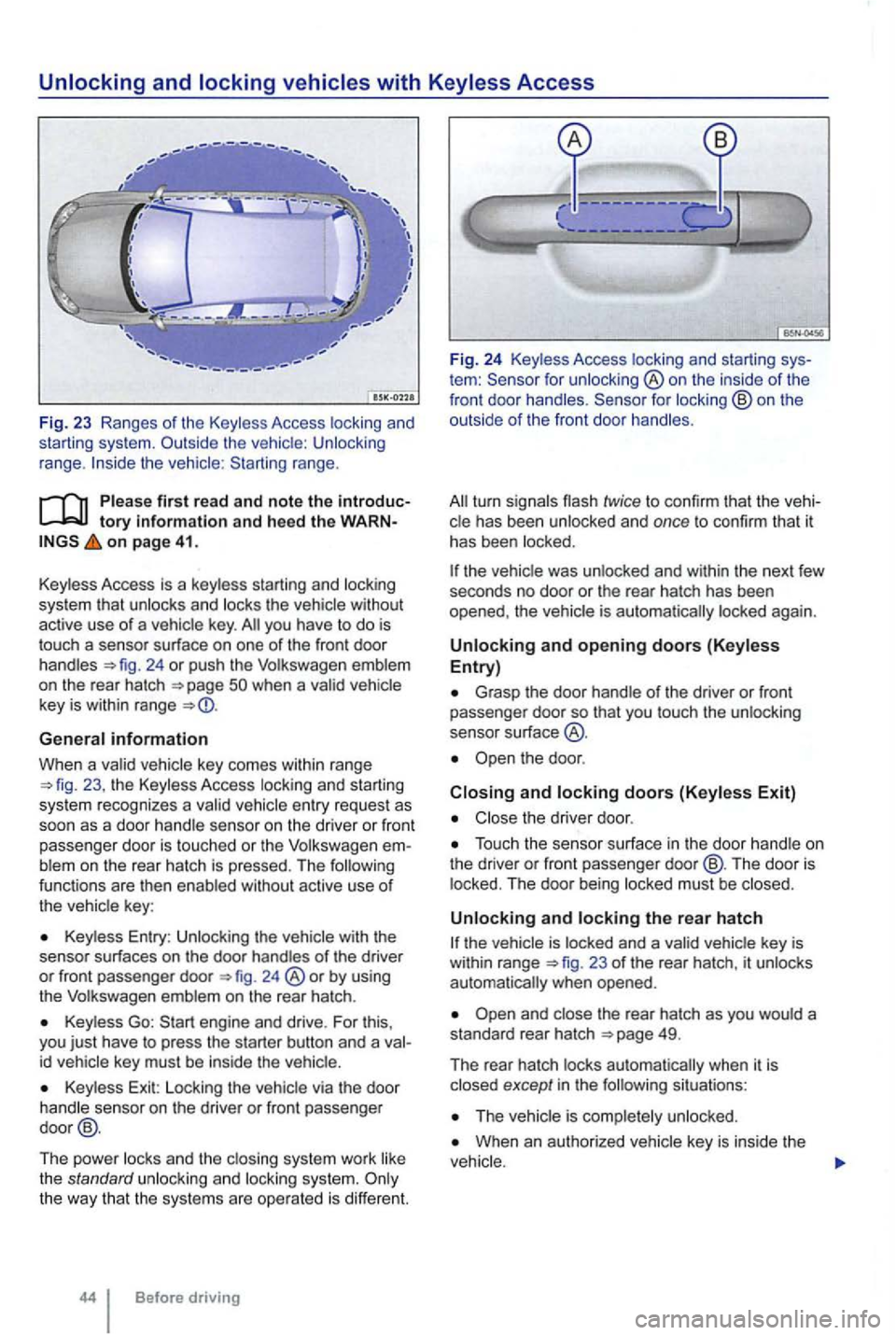
range.
tory information and heed th e o n page 41.
Key less Access is a key less starting and locking
system that
unlocks and locks the vehicle without
active use of a vehicle key. you have to do is
touch a sensor surface on one of the front door
handles 24 or push the Volkswagen emblem
on the rear hatch
General information
When a va lid ve hicl e key comes within range 23 , the Keyless Access locking an d starting
sys tem recognizes a va lid vehicle entry reques t as
soon as a doo r hand le se nso r on the driver or front
passenger door
is touched or the Volkswage n blem on the rear hatch is pressed. The functions are then enab led without active use of
the vehic le key :
Keyless Entry : Unlocking the with the
senso r surf aces on the door handles of the driver or front passenger door 24 ®or by using
the Volkswagen emblem on the rear hatch .
Keyless Go:
id vehicle key must be inside the vehic le.
Key less Exit: Locking the vehicle via the door
handle sensor on the driver or front passenger
door @.
The power locks and th e clos ing system work like
the standard unlocki
ng and locking system.
tem : for unlocking ®on the inside of the
front door handles .
the vehic le was unlocked and within the next few
seco nds no door or the rear hatch has been
opened , the vehic le is aut oma tically locked again.
Unlocking and opening doors (Keyless Entry)
Grasp the door handle o f the driver or fron t passe nger door so that you touch the unlocking
sensor su rface
the door .
Closing and locking doors (Keyless Exit)
Close the driver door .
Touch the sensor surface in the door handle on
the dri ver or front passenger door@ . The door is
locked . The door being locked must be closed .
Unlocking and locking the rear hatch
23 of the rear hatch, it unlocks
automatically when opened.
situations :
When an authorized vehicle key is inside the
Page 148 of 516
Rear hatch
this section find information about:
Warning
. . . . . . . . . . . . . . . . . .
the rear hatc h . . . . . . . . . . . . . . . . . . .
Exterior views
Power locking system
Transporting
Emergency closing and open ing
Accidents and severe personal injuries can if you unlock, open, or
the rear hatch if no one is in the way.
the rear hatch by pushing on
the rear window with your hand. The rear window
make sure that it is properly closed and locked so that it cannot open suddenly when the vehi
and loaded. for example, there are bicycles on a carrier on the rear
to open automatically. An open rear hatch may
when the rear hatch is open. A into the vehicle and
vehicle can become very hot or very
children or anyone who cannot
and closing
Page 150 of 516
N
with the Volkswagen emblem
Unlock the vehicle or rear hatch , or open a
door.
Using your thumb , press the top of the 28 and move the emblem
down . Grasp the bottom part of the emblem and
pull to lift the rear hatch .
or unsupervised unlocking or ing of the rear hatch can cause severe
a bicycle or luggage rack is installed on the rear hatch, it may be hard to see that the rear hatch is unlatched. An unlatched rear
hatch may open suddenly when the vehicle is moving.
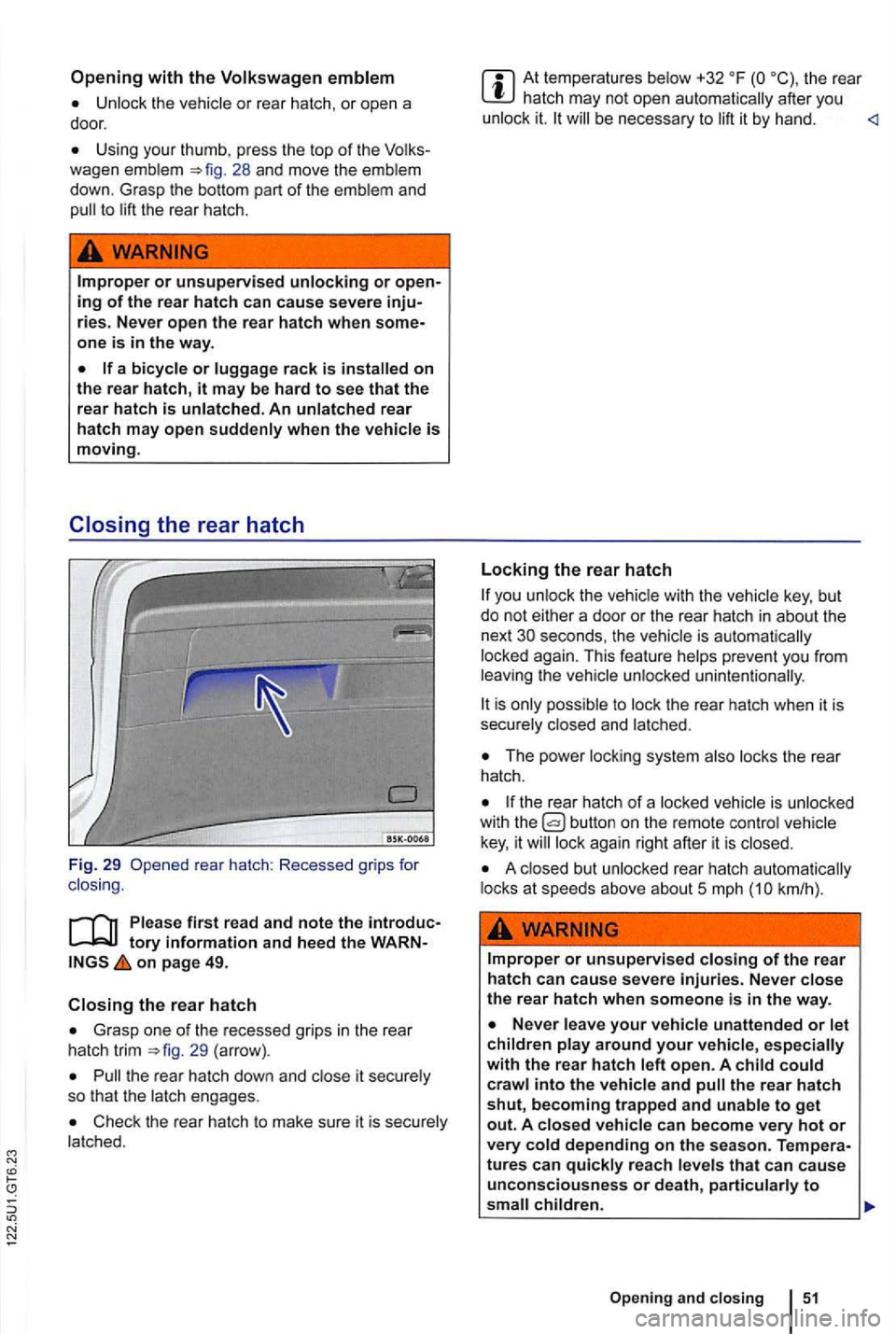
Closing the rear hatch
Fig. 29 rear hatch : Recessed grips for
clos ing .
on page 49.
the rear hatch
Grasp one of the recessed grips in the rear
hatch trim 29 (arrow).
Pull the rear hatch down and close it securely
so that the latch engages.
Check the rear hatch to make sure it is securely
la tched.
At temperatures below +32 the rear hatch may not open automatically after you
unlock it. will be necessary to lift it by hand.
Locking the rear hatch
you unlock the vehicle with the vehicle key, but
do not either a door or the rear hatch in about the
next
The power locking system also locks the rear
hatch.
the rear hatch of a locked vehicle is unlocked
with the
lock again right after it is closed.
A closed but unlocked rear hatch automatically
locks at speeds above about 5 mph
or unsupervised closing of the rear
hatch can cause severe injuries. Never close the rear hatch when someone is in the way .
Page 152 of 516
Power windows
Volkswagen
Power locking and closi ng system
.
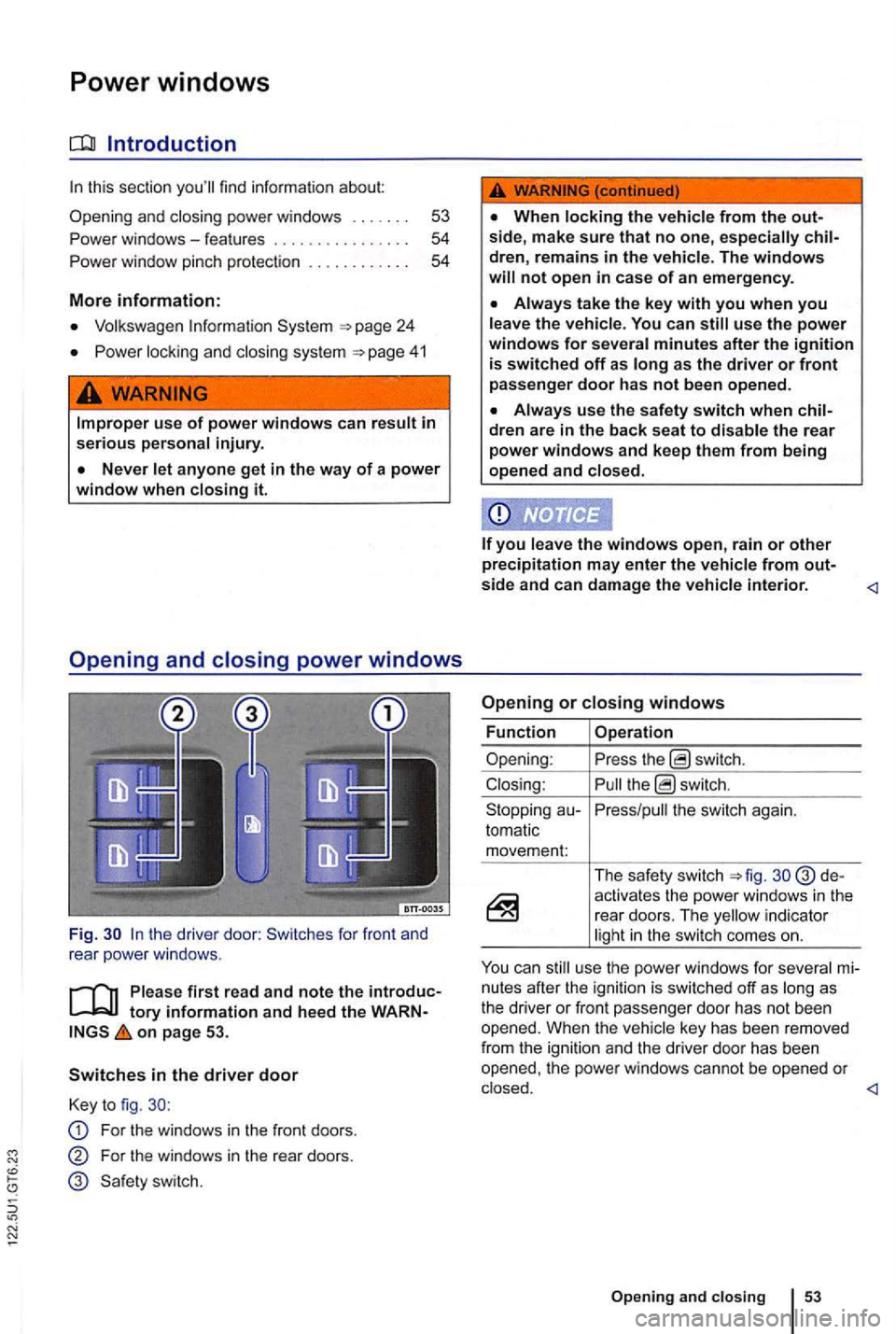
the driver door: Switches for front and
rear powe r windows .
first read and note the introduc
on page 53.
Switches in the driver door
Key to fig.
For the windows in the front doors.
For the windows in the rear doors.
not open in case of an emergency .
the vehicle. You can use the power windows for several minutes after the ignition is switched off as as the driver or front passenger door has not b een opened.
dren are in the back seat to disable the rear power windows and keep them from being
opened and closed.
the switch again.
tomatic movem en
t:
The safety switch d e
activates the power windows in the rear doors. The indicator
mi
nutes after the ignit ion is sw itched off as
Page 155 of 516
Power
protection for the power sunroof
More information:
Volkswagen 24
locking and closi ng system
Emergency closing and opening
56
57
57
cess to the vehicle key. Unsupervised use of the remote control vehicle key makes it sible to lock the vehicle, start the engine, turn on the ignition and operate the sliding and tilting roof.
Remove leaves and other objects from the sunroof guiderails regularly either by hand or
using a vacuum cleaner.
the powe r sunroof malfunctions, pinch tection may not function properly . an
Opening and
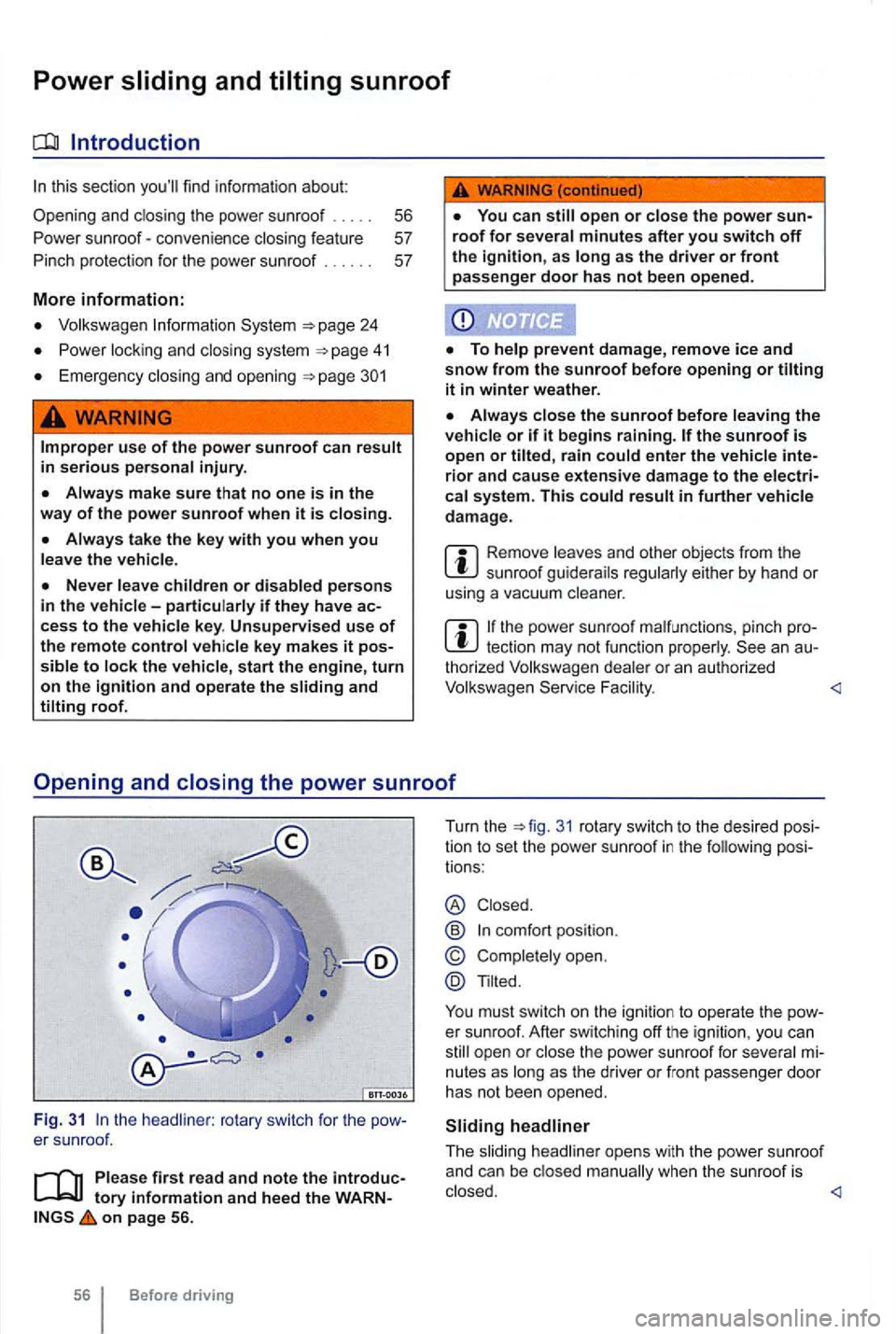
the headliner : rotary switch for the
on page 56.
56 Before driving Turn
the
31 rotary switch to the desi red pos i
tio n to set the power sunroof in the following posi
tions :
® Closed .
@
Tilted.
You must switch on the ignition to operate the
Page 173 of 516
Checklist (continued)
Never modify , disassemble or try to repair safety belts and safety belt anchorages .
Always fasten your safety belt prope rly befo re d rivi ng and keep it fastened whenever the vehicle is
mov ing.
Twisted safety belt
may be twis ted inside th e side tr im
because the belt ret rac ted too quickly when it was tak en off.
Hold the safety safety belt the way out.
Untwist the safety belt and slowly return the
belt by hand.
you cannot untwist the safety belt, wear it way. Make sure th at the saf e ty is twisted in a
spot where it does not come in direct contact with you r body. Have th e safety belt untw isted
t horized Volkswagen F ac ility.
Lockable safety b elt
T he retractors for the rear seat safety belts and the
front passenger safety
The switchable lock ing featu re lets
you lock the so th at a c hil d restraint can be
proper ly a nd, for examp le, so that it can't
tip to the side when the
ne r
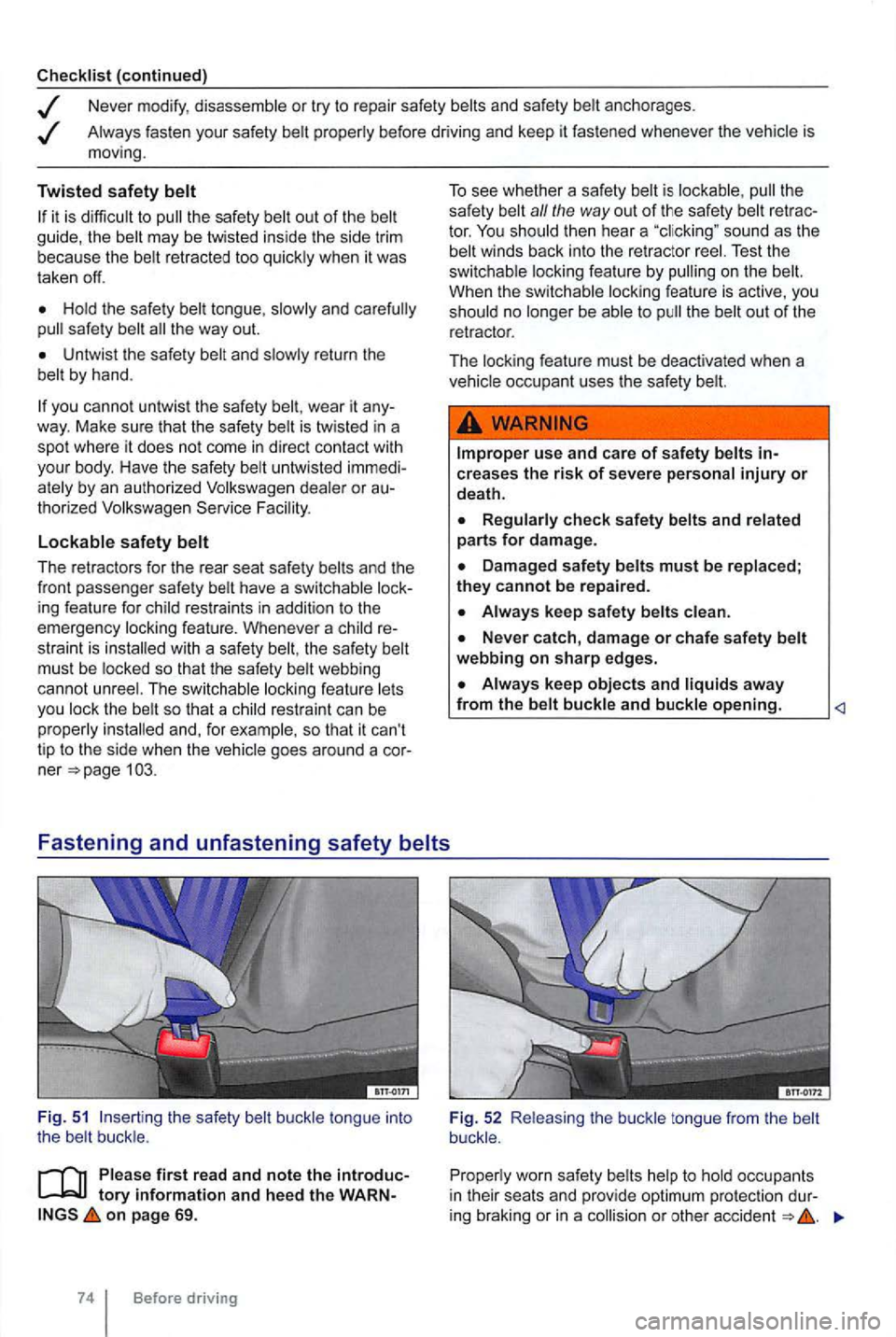
Fig. 51 th e safety belt buckl e tongu e int o the belt buckle .
Please first r ea d and note the introduc
on pag e 69 .
Before driving T
o see whether a safety belt is lockab le ,
the
safety bel t a// the way out of the safety belt tor. Test the
switchable locking feature by
u se and care of safety belts
R egularly check safety belt s and relat ed parts fo r d amage.
Always kee p sa fety b elts clea n.
Never c atch, d amage or chafe sa fety b elt
webbing on sharp edges.
Always kee p objects and liquids away from the belt buckle and buckle opening.
Fig . 52 R eleas ing the buckle tongue from the belt
buck le .
Proper ly worn safety belts help to hold occupan ts
i n their seats and provide optim um protect ion dur-
i
ng braking or in a