Page 285 of 532
285
3-2. Using the audio system
3
Interior features
URBAN CRUISER_EE (OM52C21E)
Optimal use of the audio system
Using the AUDIO CONTROL function
Changing sound quality modes
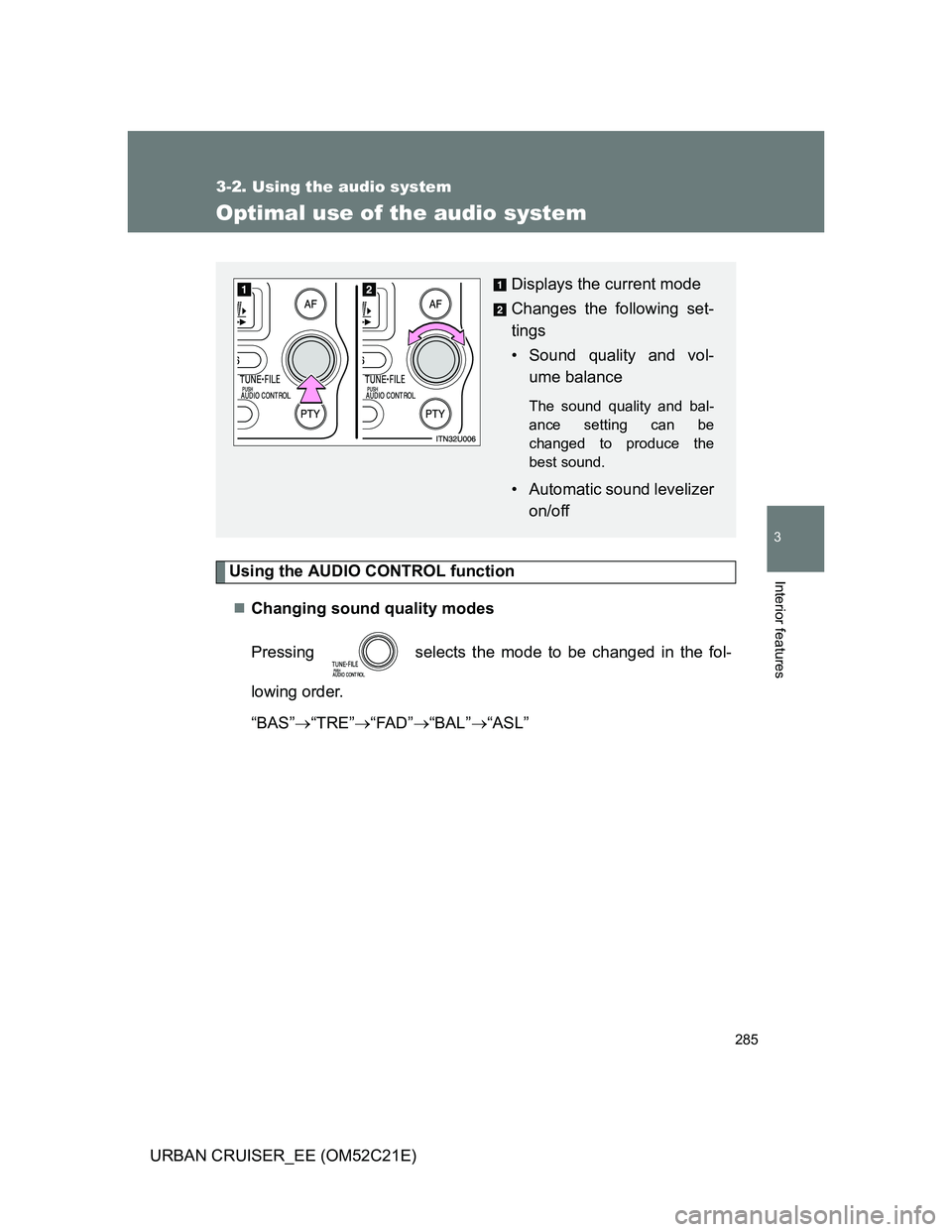
Pressing selects the mode to be changed in the fol-
lowing order.
“BAS”“TRE”“FAD”“BAL”“ASL”
Displays the current mode
Changes the following set-
tings
• Sound quality and vol-
ume balance
The sound quality and bal-
ance setting can be
changed to produce the
best sound.
• Automatic sound levelizer
on/off
Page 286 of 532
286 3-2. Using the audio system
URBAN CRUISER_EE (OM52C21E)Adjusting sound quality
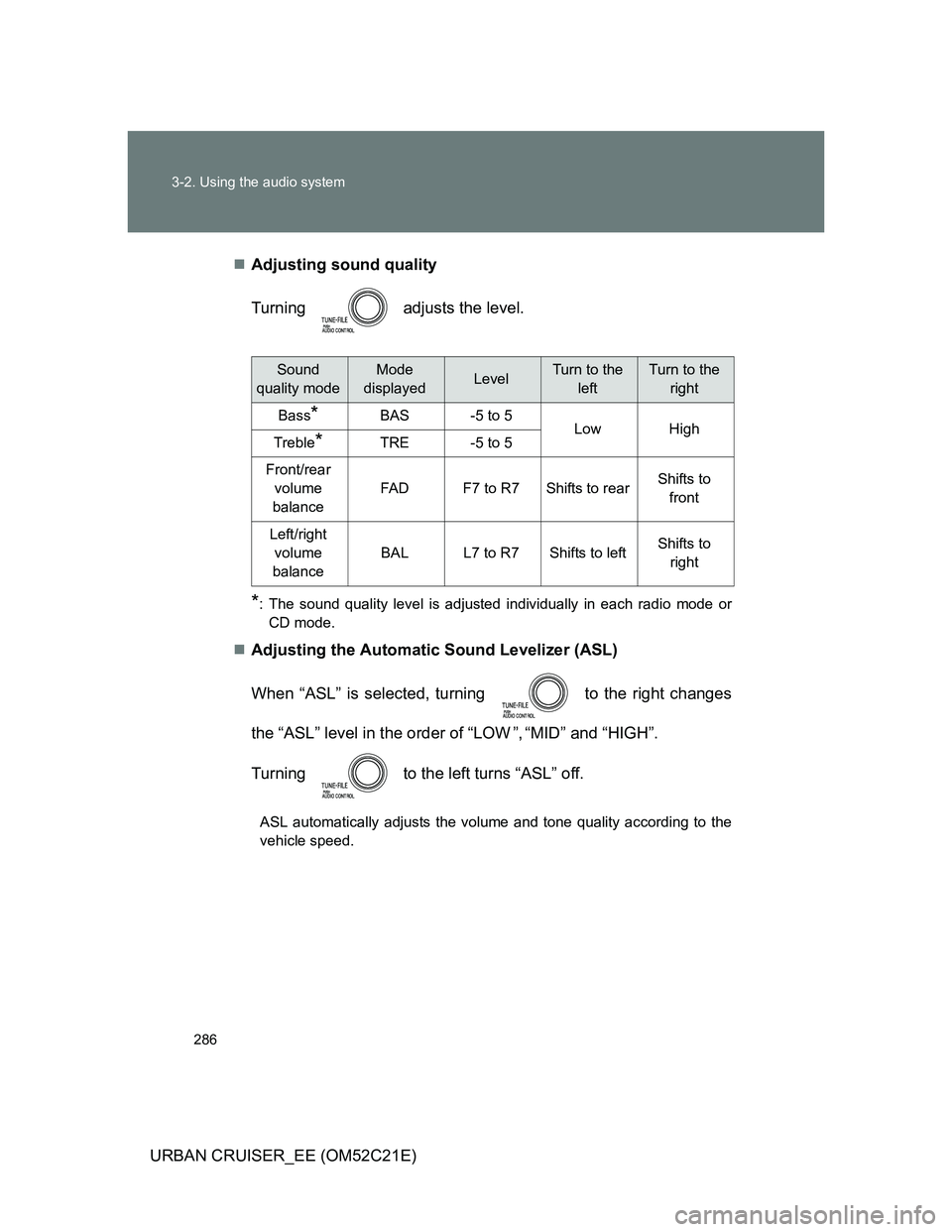
Turning adjusts the level.
*: The sound quality level is adjusted individually in each radio mode or
CD mode.
Adjusting the Automatic Sound Levelizer (ASL)
When “ASL” is selected, turning to the right changes
the “ASL” level in the order of “LOW ”, “MID” and “HIGH”.
Turning to the left turns “ASL” off.
ASL automatically adjusts the volume and tone quality according to the
vehicle speed.
Sound
quality modeMode
displayedLevelTurn to the
leftTurn to the
right
Bass*BAS-5 to 5LowHighTreble*TRE-5 to 5
Front/rear
volume
balance
FA DF7 to R7Shifts to rearShifts to
front
Left/right
volume
balance
BALL7 to R7Shifts to leftShifts to
right
Page 287 of 532
287 3-2. Using the audio system
3
Interior features
URBAN CRUISER_EE (OM52C21E)
Trademark owned by SRS Labs, Inc.
The audio systems utilize SRS FOCUS
and SRS TruBass audio
enhancement technologies, under license from SRS Labs, Inc., in all mode
except AM radio mode.
FOCUS, TruBass, SRS and
symbols are trademarks of SRS Labs,
Inc.
FOCUS and TruBass technologies are incorporated under license from
SRS Labs, Inc.R
Page 288 of 532
288
3-2. Using the audio system
URBAN CRUISER_EE (OM52C21E)
Using the AUX por t
: If equipped
Operating portable audio devices connected to the audio system
The volume can be adjusted using the vehicle’s audio controls. All other
adjustments must be made on the portable audio device itself.
When using a portable audio device connected to the power outlet
Noise may occur during playback. Use the power source of the portable
audio device.
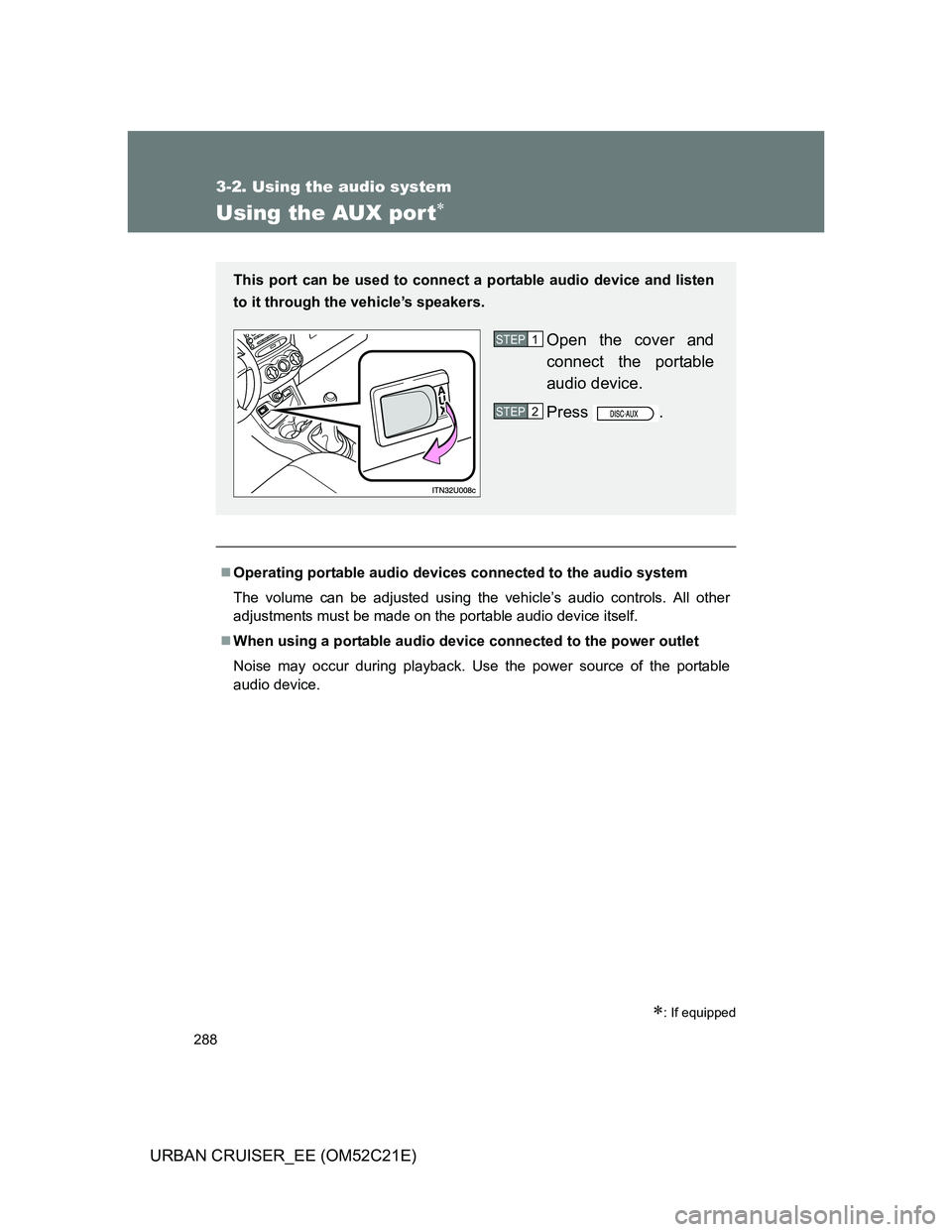
This port can be used to connect a portable audio device and listen
to it through the vehicle’s speakers.
Open the cover and
connect the portable
audio device.
Press .STEP1
STEP2
Page 289 of 532
289
3-2. Using the audio system
3
Interior features
URBAN CRUISER_EE (OM52C21E)
Using the steering switches
Turning on the power
Press when the audio system is turned off.
The audio system can be turned off by holding the switch down until you
hear a beep.
Changing the audio source
Press when the audio system is turned on. The audio source
changes as follows each time the button is pressed. If a CD is not
inserted, that mode will be skipped.
FM (1, 2, 3)CD playerAUXMWDAB (if equipped)
: If equipped
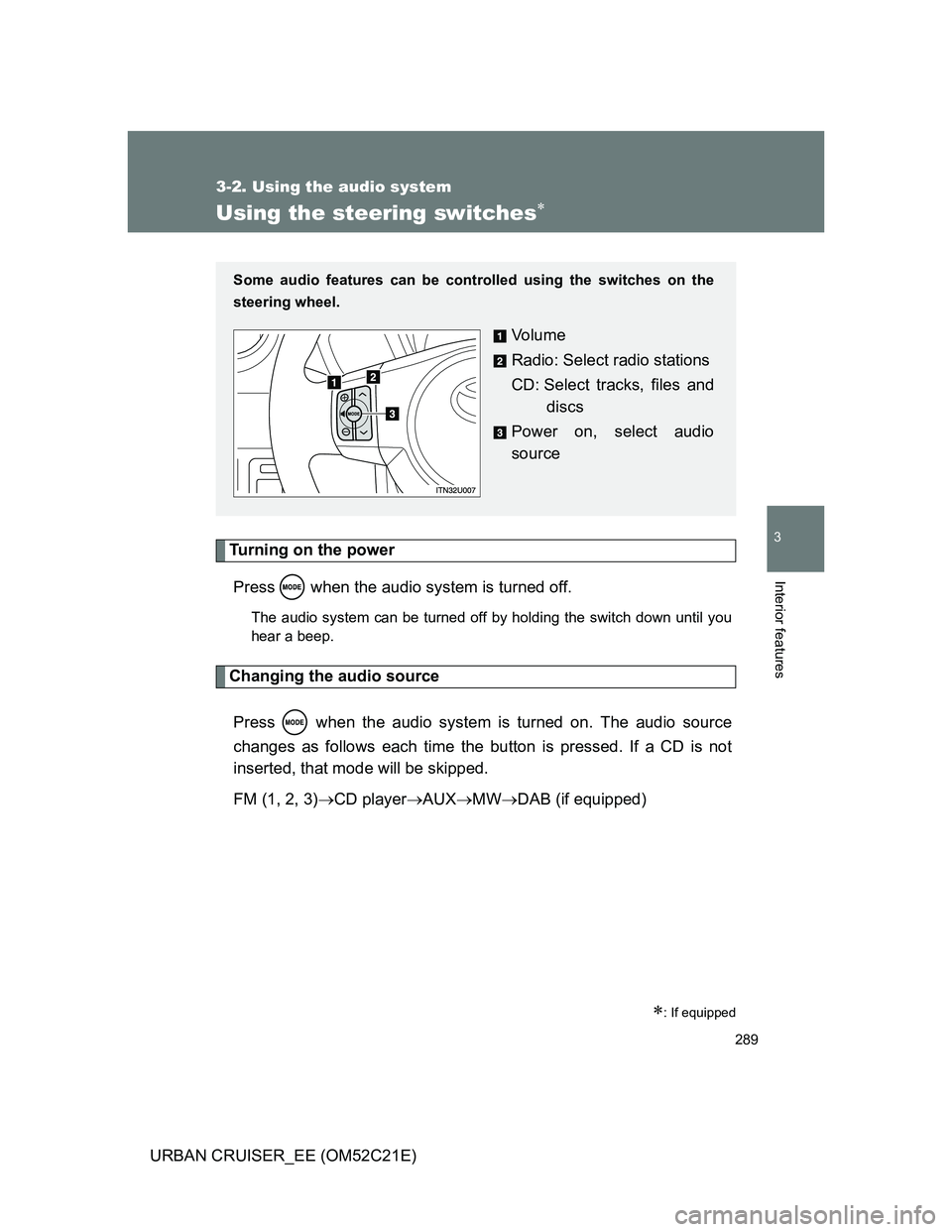
Some audio features can be controlled using the switches on the
steering wheel.
Vo l u m e
Radio: Select radio stations
CD: Select tracks, files and
discs
Power on, select audio
source
Page 290 of 532
290 3-2. Using the audio system
URBAN CRUISER_EE (OM52C21E)
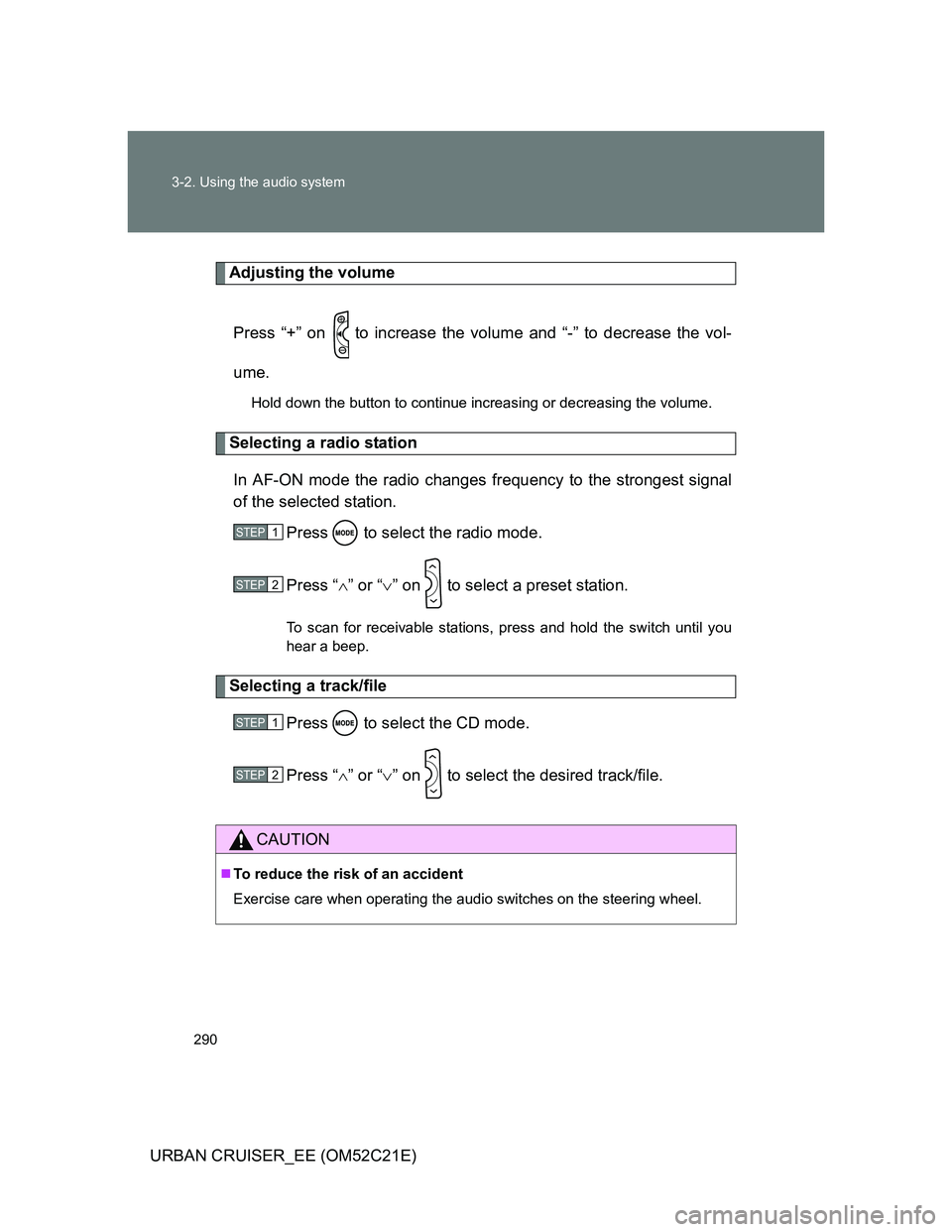
Adjusting the volume
Press “+” on to increase the volume and “-” to decrease the vol-
ume.
Hold down the button to continue increasing or decreasing the volume.
Selecting a radio station
In AF-ON mode the radio changes frequency to the strongest signal
of the selected station.
Press to select the radio mode.
Press “” or “” on to select a preset station.
To scan for receivable stations, press and hold the switch until you
hear a beep.
Selecting a track/file
Press to select the CD mode.
Press “” or “” on to select the desired track/file.
CAUTION
To reduce the risk of an accident
Exercise care when operating the audio switches on the steering wheel.
STEP1
STEP2
STEP1
STEP2
Page 298 of 532
298
3-3. Using the hands-free system (for cellular phone)
URBAN CRUISER_EE (OM52C21E)
Using the hands-free system
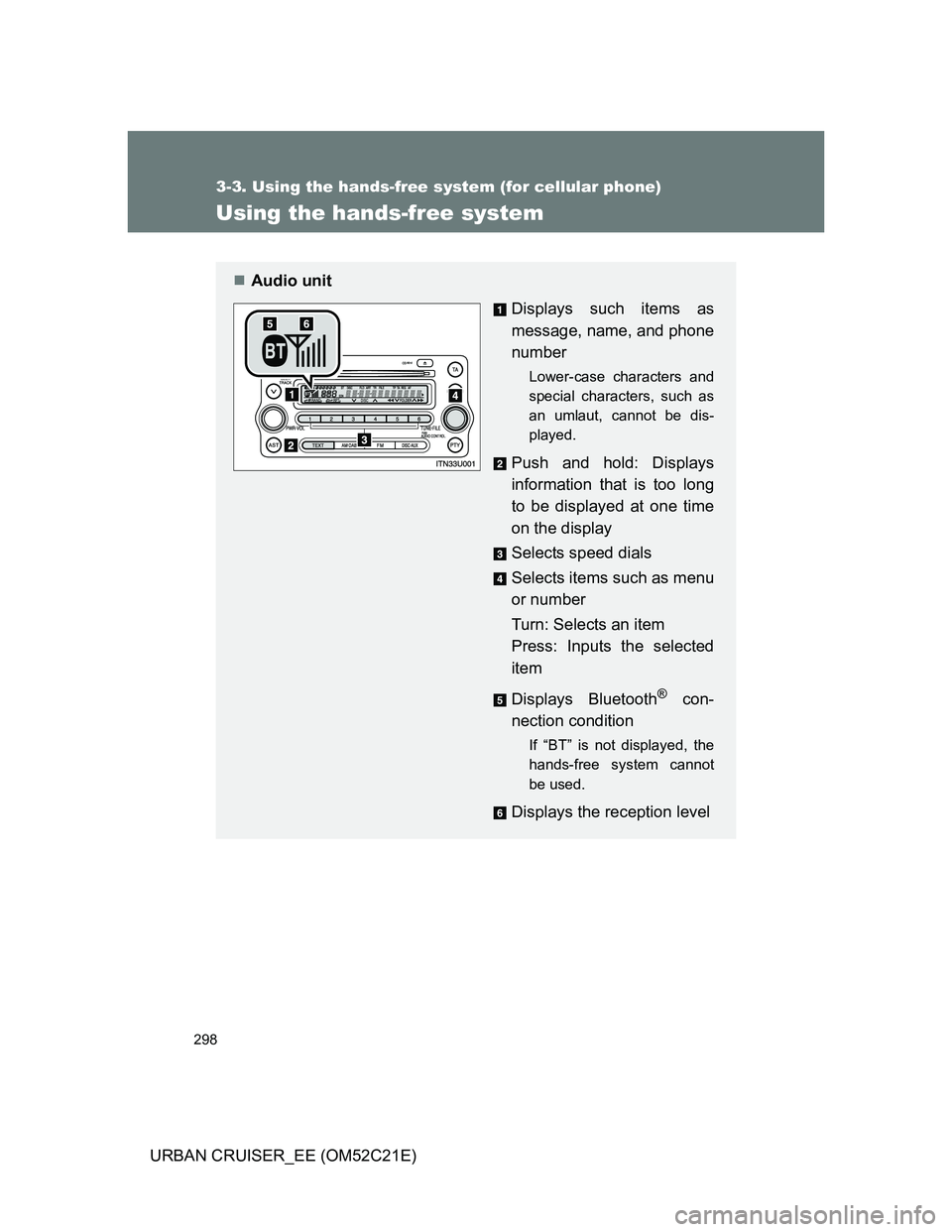
Audio unit
Displays such items as
message, name, and phone
number
Lower-case characters and
special characters, such as
an umlaut, cannot be dis-
played.
Push and hold: Displays
information that is too long
to be displayed at one time
on the display
Selects speed dials
Selects items such as menu
or number
Turn: Selects an item
Press: Inputs the selected
item
Displays Bluetooth
® con-
nection condition
If “BT” is not displayed, the
hands-free system cannot
be used.
Displays the reception level
Page 346 of 532
346 4-1. Maintenance and care
URBAN CRUISER_EE (OM52C21E)
NOTICE
Cleaning detergents
Do not use the following types of detergent, as they may discolor the vehi-
cle interior or cause streaks or damage to painted surfaces:
• Non-seat portions: Organic substances such as benzene or gasoline,
alkaline or acidic solutions, dye, and bleach
• Seats: Alkaline or acidic solutions, such as thinner, benzene, and alco-
hol
Do not use polish wax or polish cleaner. The instrument panel’s or other
interior part’s painted surface may be damaged.
Preventing damage to leather surfaces
Observe the following precautions to avoid damage to and deterioration of
leather surfaces.
Remove any dust or dirt on leather surfaces immediately.
Do not expose the vehicle to direct sunlight for extended periods of time.
Park the vehicle in the shade, especially during summer.
Do not place items made of vinyl, plastic, or that contain wax on the uphol-
stery, as they may stick to the leather surface if the vehicle interior heats
up significantly.
Water on the floor
Do not wash the vehicle floor with water.
Vehicle systems such as the audio system may be damaged if water comes
into contact with electrical components such as the audio system above or
under the floor of the vehicle. Water may also cause the body to rust.
Cleaning the inside of the rear window
Do not use glass cleaner to clean the rear window, as this may cause
damage to the rear window defogger heater wires. Use a cloth dampened
with lukewarm water to gently wipe the window clean. Wipe the window in
strokes running parallel to the heater wires.
Be careful not to scratch or damage the heater wires.