Page 4 of 860

TABLE OF CONTENTSIndex
4
SIENNA_U (OM45477U)
3-1. Using the air conditioningsystem a nd defogger
Front manual air conditioning system.......... 380
Front automatic air conditioning system.......... 388
Rear manual air conditioning system.......... 398
Rear automatic air conditioning system.......... 401
Rear window and outside rear view mirror
defoggers, and windshield
wiper de-icer..................... 405
3-2. Using the audio system Audio system type .............. 407
Using the radio ................... 412
Using the CD player ........... 422
Playing MP3 and WMA discs ................................. 431
Operating an iPod .............. 442
Operating a USB memory ............................ 449
Optimal use of the audio system .............................. 457
Using the AUX port ............ 462
Using the steering switches ........................... 463
Detachable pole antenna .................... 467 3-3. Using the Bluetooth
®
audio s
ystem
Bluetooth
® audio system .... 470
Using the Bluetooth®
audio system .................... 474
Operating a Bluetooth
®
enabled portable player .... 480
Setting up a Bluetooth
®
enabled portable player .... 482
Bluetooth
® audio system
setup ................................. 487
3-4. Using the rear audio system Rear seat entertainment system features ................ 488
Using the DVD player (DVD video) ...................... 499
Using the DVD player (video CD) ........................ 509
Using the DVD player (audio CD/CD text) ........... 513
Using the DVD player (WMA/MP3 discs) ............. 514
Using the video mode ......... 516
Changing the DVD initial setting ............................... 518
3Interior features
Page 21 of 860
SIENNA_U (OM45477U)
21
E
Type A
Type B
: If equipped
Power outlet (12 V) P. 594AUX port
USB port
P. 462
P. 449
Power outlet
(12 V)
P. 594
Seat heater switches P. 598
Multi-information display switches
P. 253
Cup holders
P. 579
DVD player
Auxiliary box
P. 488
P. 585
Power outlet (12 V) P. 594AUX port P. 462
Power outlet
(12 V)
P. 594
Auxiliary box P. 585
Auxiliary box
P. 585
Multi-information display switches
P. 253
Cup holders
P. 579
Page 378 of 860
378
SIENNA_U (OM45477U)
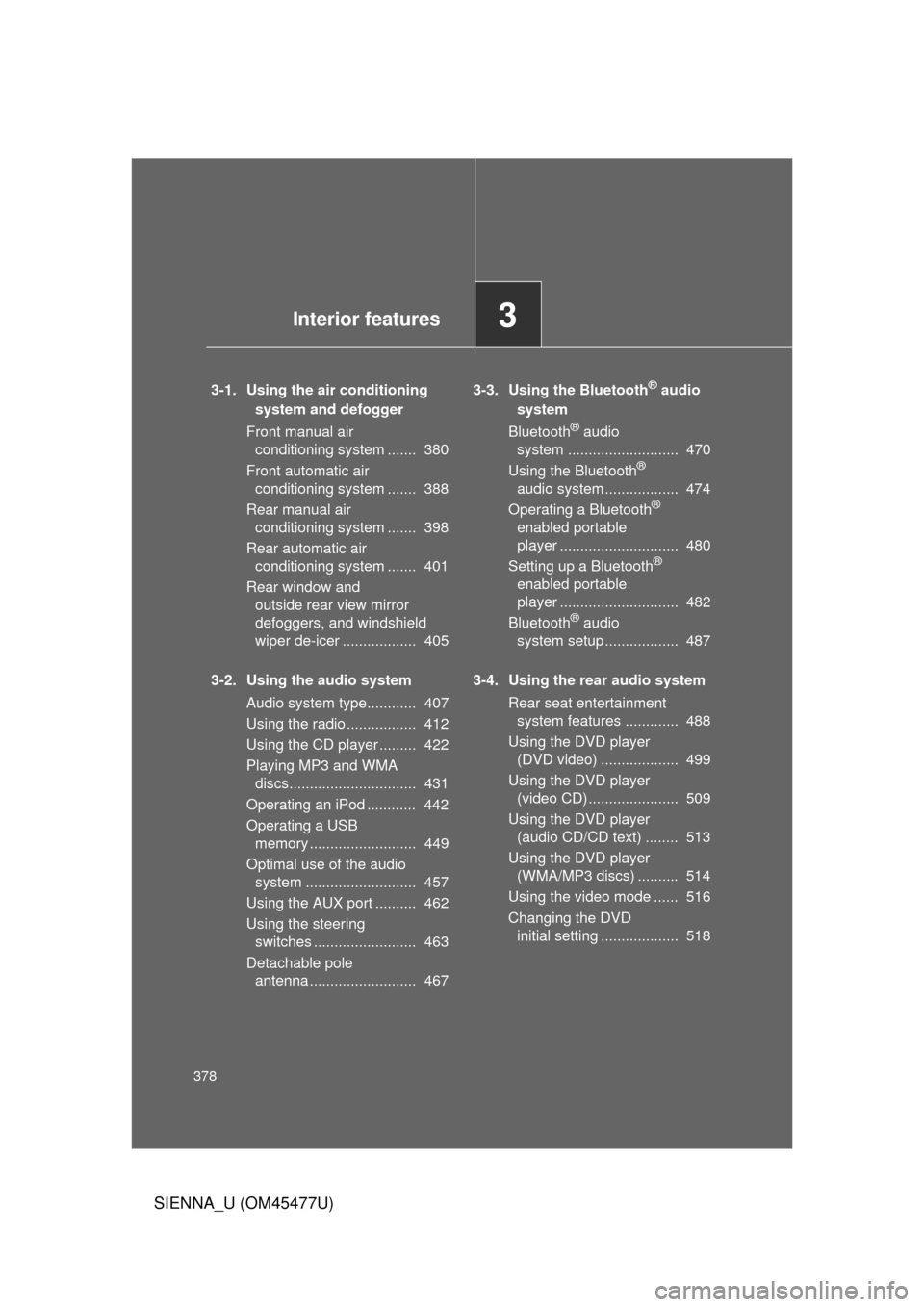
3-1. Using the air conditioning system and defogger
Front manual air conditioning system ....... 380
Front automatic air conditioning system ....... 388
Rear manual air conditioning system ....... 398
Rear automatic air conditioning system ....... 401
Rear window and outside rear view mirror
defoggers, and windshield
wiper de-icer .................. 405
3-2. Using the audio system Audio system type............ 407
Using the radio ................. 412
Using the CD player ......... 422
Playing MP3 and WMA discs............................... 431
Operating an iPod ............ 442
Operating a USB memory .......................... 449
Optimal use of the audio system ........................... 457
Using the AUX port .......... 462
Using the steering switches ......................... 463
Detachable pole antenna .......................... 467 3-3. Using the Bluetooth® audio
system
Bluetooth
® audio
system ........................... 470
Using the Bluetooth
®
audio system .................. 474
Operating a Bluetooth
®
enabled portable
player ............................. 480
Setting up a Bluetooth
®
enabled portable
player ............................. 482
Bluetooth
® audio
system setup .................. 487
3-4. Using the rear audio system Rear seat entertainment system features ............. 488
Using the DVD player (DVD video) ................... 499
Using the DVD player (video CD) ...................... 509
Using the DVD player (audio CD/CD text) ........ 513
Using the DVD player (WMA/MP3 discs) .......... 514
Using the video mode ...... 516
Changing the DVD initial setting ................... 518
3Interior features
Page 409 of 860
409
3-2. Using the audio system
3
Interior features
SIENNA_U (OM45477U)
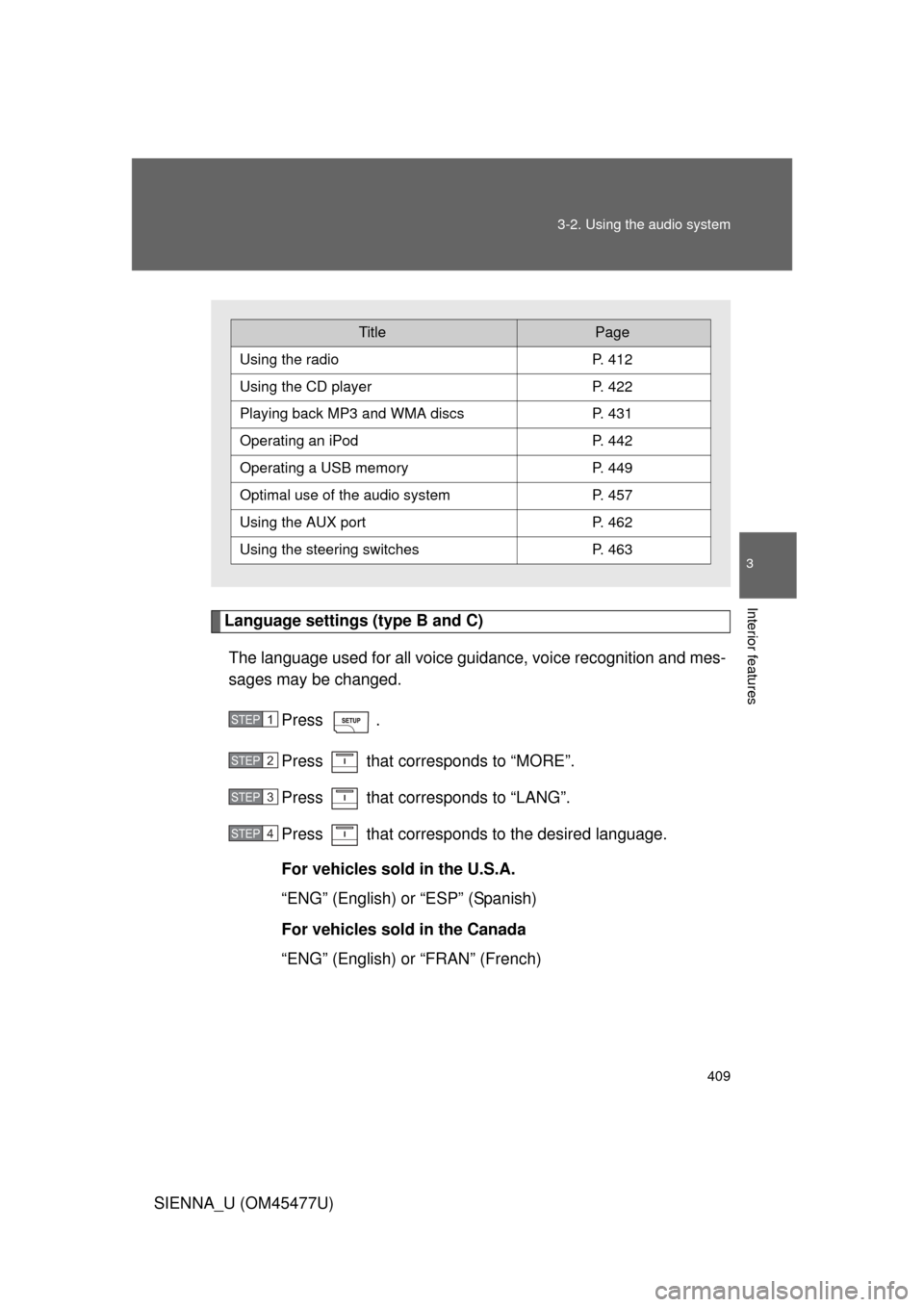
Language settings (type B and C)
The language used for all voice guidance, voice recognition and mes-
sages may be changed.
Press .
Press that corresponds to “MORE”.
Press that corresponds to “LANG”.
Press that corresponds to the desired language.
For vehicles sold in the U.S.A.
“ENG” (English) or “ESP” (Spanish)
For vehicles sold in the Canada
“ENG” (English) or “FRAN” (French)
TitlePage
Using the radioP. 412
Using the CD playerP. 422
Playing back MP3 and WMA discs P. 431
Operating an iPodP. 442
Operating a USB memoryP. 449
Optimal use of the audio systemP. 457
Using the AUX port P. 462
Using the steering switchesP. 463
STEP1
STEP2
STEP3
STEP4
Page 446 of 860
446 3-2. Using the audio system
SIENNA_U (OM45477U)
Switching the displayPress .
Each time the button is pressed, the display changes in the following
order: Track title Track title/Artist name Track title/Album name
Track title/Elapsed
■ About iPod
● Apple is not responsible for the operation of this device or its compliance
with safety and regulatory standards.
● iPod is a trademark of Apple Inc., registered in the U.S. and other coun-
tries.
■ iPod functions
● When an iPod is connected and the audio source is changed to iPod
mode, the iPod will resume play from the same point in which it was last
used.
● Depending on the iPod that is connected to the system, certain functions
may not be available. Disconnecting the device and reconnecting it once
again may resolve some malfunctions.
■ iPod problems
To resolve most problems encountered when using your iPod, disconnect
your iPod from the vehicle iPod connection and reset it.
For instructions on how to reset your iPod, refer to your iPod Owner’s Man-
ual.
■ Error messages
“iPod ERROR”: This indicates a problem in the iPod, inside the USB ECU
in the vehicle or the connection between them.
“NO SONGS”: This indicates that there is no music data in the iPod.
“UPDATE YOUR iPod”: This indicates that the version of the iPod is not compatible.
Page 449 of 860
449
3-2. Using the audio system
3
Interior features
SIENNA_U (OM45477U)
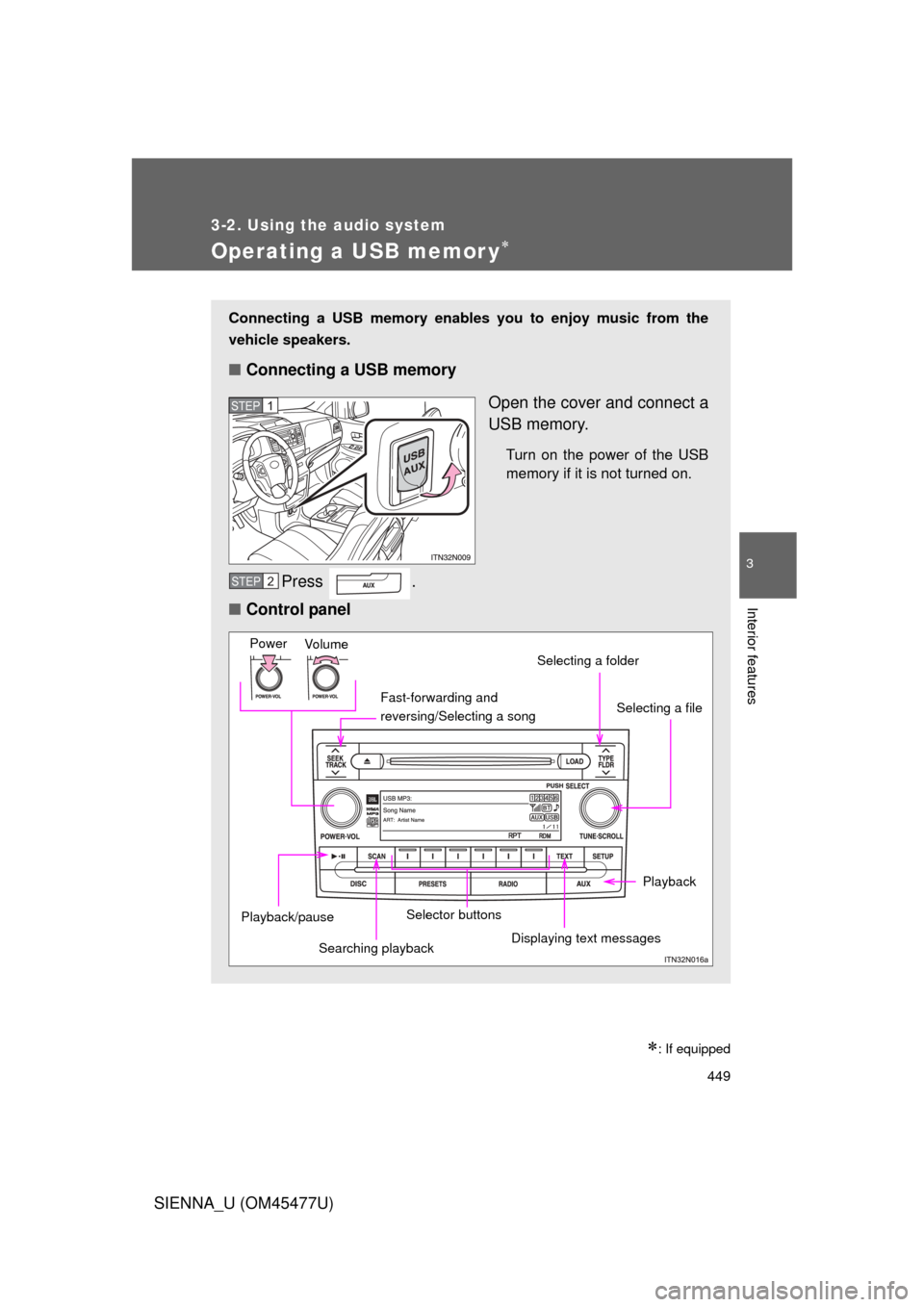
Operating a USB memor y
: If equipped
Connecting a USB memory enables you to enjoy music from the
vehicle speakers.
■Connecting a USB memory
Open the cover and connect a
USB memory.
Turn on the power of the USB
memory if it is not turned on.
Press .
■ Control panel
STEP1
STEP2
Fast-forwarding and
reversing/Selecting a song
Vo lu m e
PowerSelecting a file
Displaying text messages
Selecting a folder
Selector buttons
Playback/pause
Playback
Searching playback
Page 452 of 860
452 3-2. Using the audio system
SIENNA_U (OM45477U)
Random playback■ Playing files from a folder in random order
Press that corresponds to “RDM”.
To cancel, press the button twice.
■Playing all the files from a USB memory in random order
Press that corresponds to “RDM” twice.
To cancel, press the button again.
Repeat play
■ Repeating a file
Press that corresponds to “RPT”.
To cancel, press the button twice.
■Repeating all the files in a folder
Press that corresponds to “RPT” twice.
To cancel, press the button again.
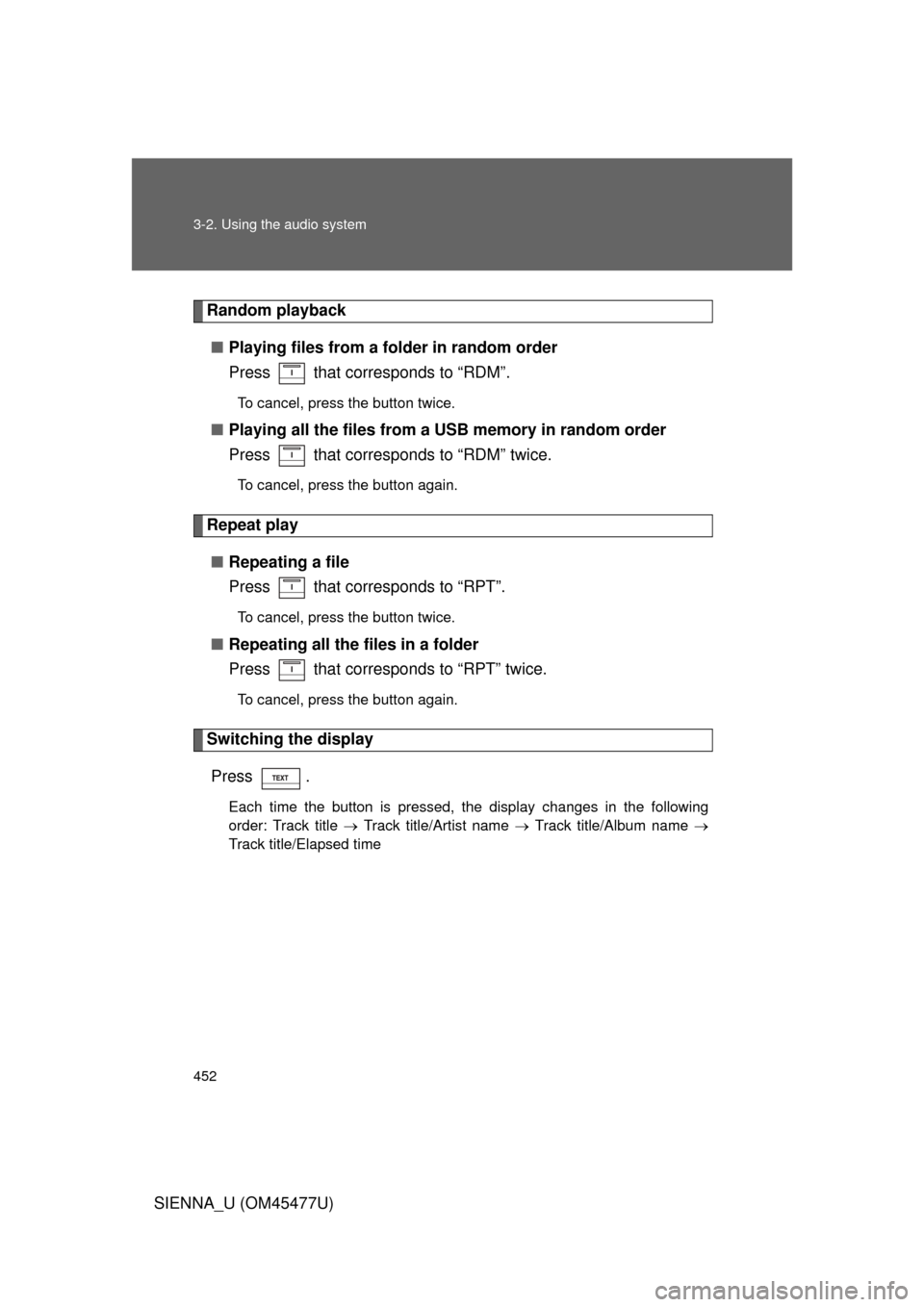
Switching the display
Press .
Each time the button is pressed, the display changes in the following
order: Track title Track title/Artist name Track title/Album name
Track title/Elapsed time
Page 453 of 860
453
3-2. Using the audio system
3
Interior features
SIENNA_U (OM45477U)
■
USB memory functions
Depending on the USB memory that is connected to the system, certain
functions may not be available. Disconnecting the device and reconnecting it
once again may resolve some malfunctions.
■ Error messages
“USB ERROR”: This indicates a problem in the USB memory or its connec-
tion.
“NO SUPPORT”: This indicates that no MP3/WMA files are included in the USB memory player.
■ USB memory
● Compatible devices
USB memory that can be used for MP3 and WMA playback
Depending on the type of USB device, playback may not be possible.
● Compatible device formats
The following device formats can be used:
• USB communication formats: USB2.0 FS (12mbps)
• File formats: FAT16/32 (Windows)
• Correspondence class: Mass storage class
MP3 and WMA files written in any format other than those listed above
may not play correctly, and their file names and folder names may not be
displayed correctly.
Items related to standards and limitations are as follows:
• Maximum directory hierarchy: 8 levels
• Maximum number of folders in a device: 999 (including the root)
• Maximum number of files in a device: 65025
• Maximum number of files per folder: 255