Page 383 of 860
383
3-1. Using the air conditioning system
and defogger
3
Interior features
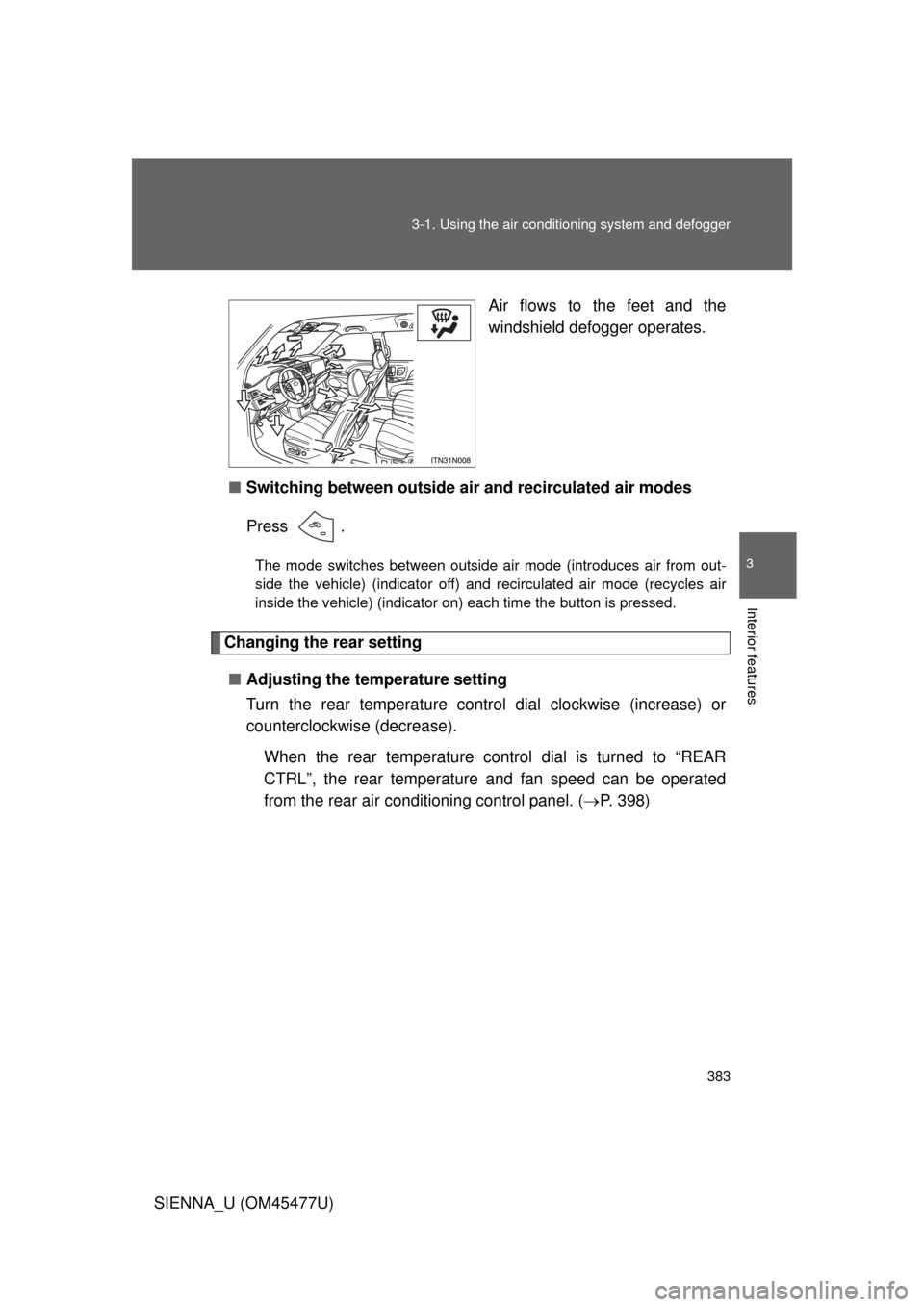
SIENNA_U (OM45477U) Air flows to the feet and the
windshield defogger operates.
■ Switching between outside air and recirculated air modes
Press .
The mode switches between outside air mode (introduces air from out-
side the vehicle) (indicator off) and recirculated air mode (recycles air
inside the vehicle) (indicator on) each time the button is pressed.
Changing the rear setting
■ Adjusting the temperature setting
Turn the rear temperature control dial clockwise (increase) or
counterclockwise (decrease).
When the rear temperature control dial is turned to “REAR
CTRL”, the rear temperature and fan speed can be operated
from the rear air conditioning control panel. ( P. 398)
Page 389 of 860
389
3-1. Using the air conditioning system
and defogger
3
Interior features
SIENNA_U (OM45477U)
Using the automatic mode
Press .
The air conditioning system will begin to operate. In outside air or
recirculated air mode, air outlets, fan speed and air conditioning on/
off are automatically adjusted according to the temperature setting.
“AUTO” will be displayed on the multi-information display.
Turn the temperature control dial clockwise (warm) or coun-
terclockwise (cool).
The temperature for the driver and passenger seat can be set sepa-
rately.
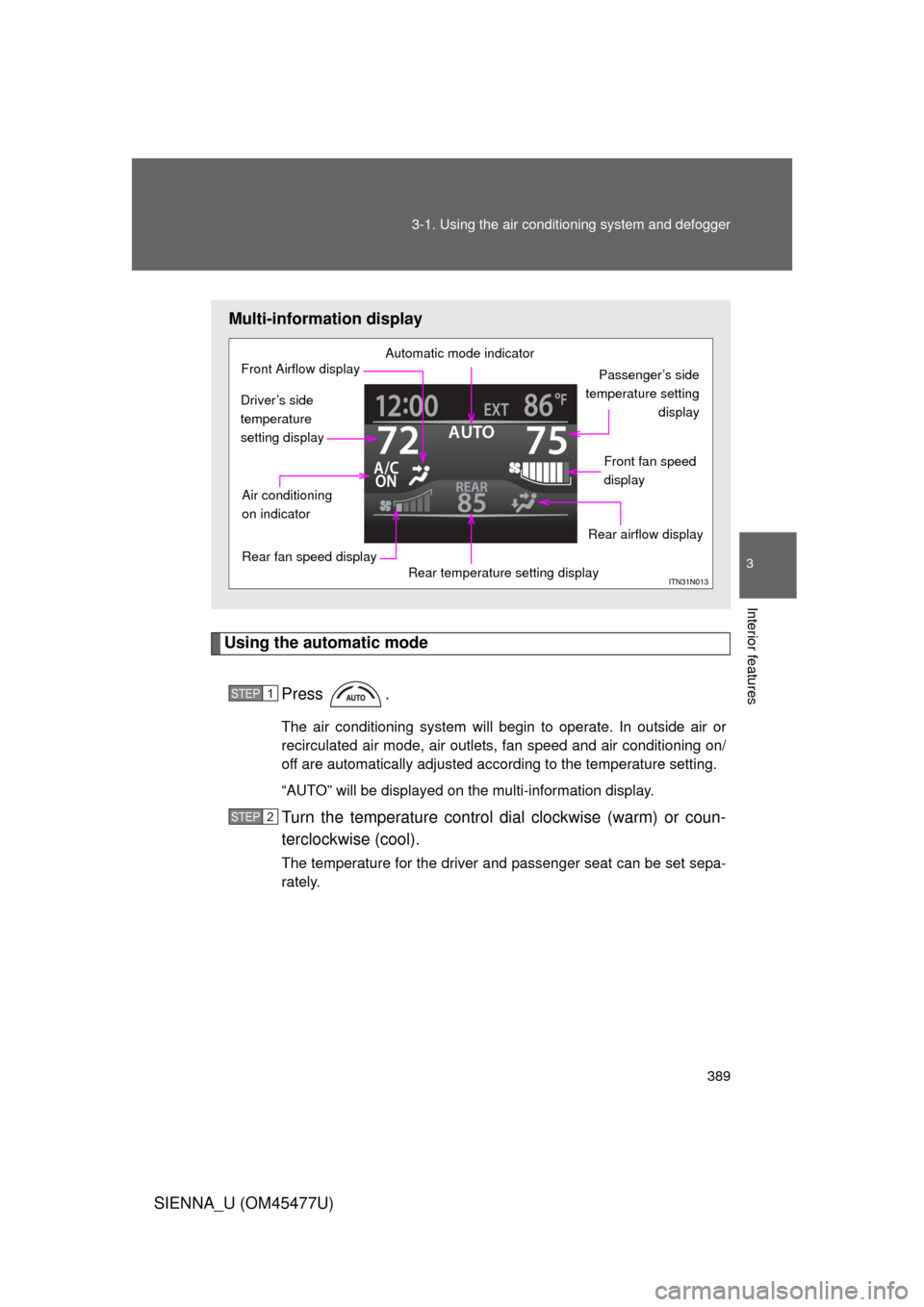
Multi-information display
Automatic mode indicator
Passenger’s side
temperature setting display
Front fan speed
display
Rear airflow display
Rear temperature setting display
Rear fan speed display
Air conditioning
on indicator
Front Airflow display
Driver’s side
temperature
setting display
STEP1
STEP2
Page 390 of 860
390 3-1. Using the air conditioning system and defogger
SIENNA_U (OM45477U)
Adjusting the settings
■ Adjusting the temperature setting
Turn the temperature control dial clockwise (warm) or counter-
clockwise (cool).
The air conditioning system switch es between individual and simulta-
neous modes each time is pressed.
Individual mode: The temperature for the driver’s, passenger’s and rear seats can be set separately. Operating the passenger’s
side or rear temperature control will enter individual
mode.
Simultaneous mode: Only the temperature control dial (driver’s side) can be used to adjust the temperature for all seats.
■Adjusting the fan speed
Press “ ” (increase) or “ ” (decrease) on .
The fan speed is shown on the display. (7 levels)
Press to turn the fan off.
Page 391 of 860
391
3-1. Using the air conditioning system
and defogger
3
Interior features
SIENNA_U (OM45477U)
Adjusting the settings manually
■ Basic setting
To turn on the air conditioning system and adjust the fan
speed, press “ ” on to increase the fan speed and “ ” to
decrease the fan speed.
Press to turn the fan off.
To adjust the temperature setting, turn the temperature control
dial (driver’s side) clockwise to increase the temperature and
turn the temperature control dial (driver’s side) counterclock-
wise to decrease the temperature.
When is pressed or the passenger’s side temperature
control is pressed, the temper ature for the driver and passen-
ger seats can be adjusted separately.
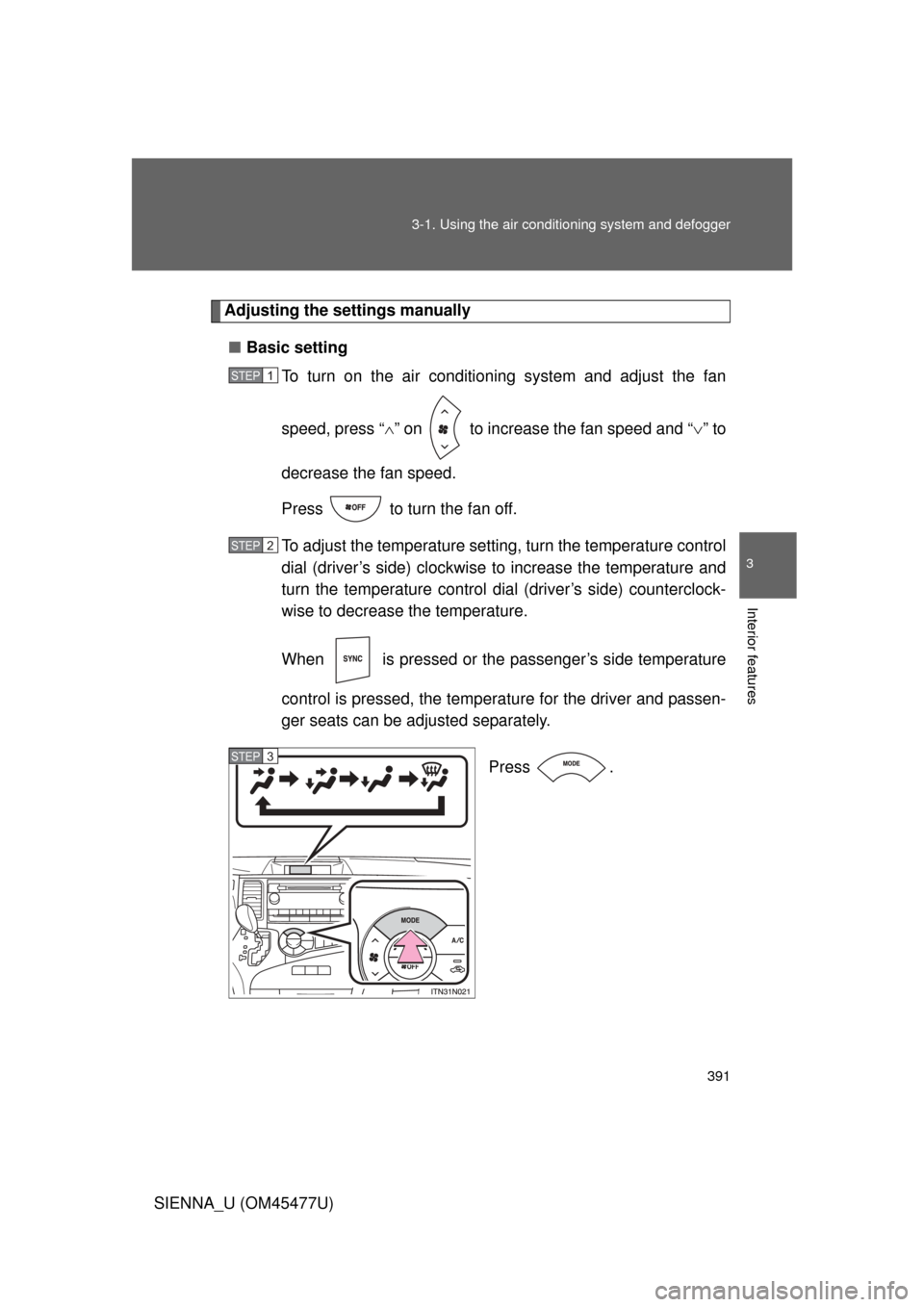
Press .
STEP1
STEP2
STEP3
Page 398 of 860
398
3-1. Using the air conditioning system and defogger
SIENNA_U (OM45477U)
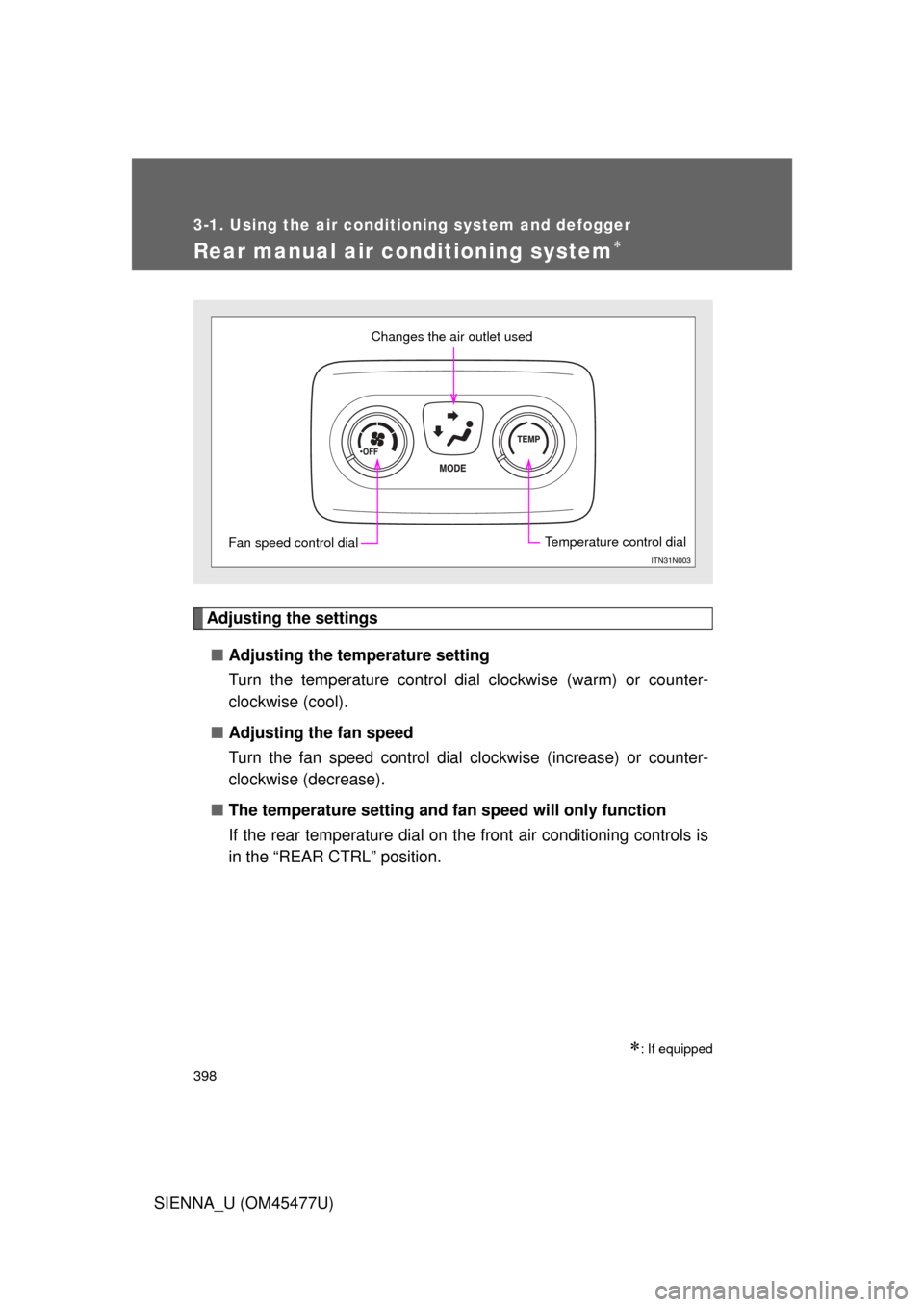
Rear manual air conditioning system
Adjusting the settings■ Adjusting the temperature setting
Turn the temperature control dial clockwise (warm) or counter-
clockwise (cool).
■ Adjusting the fan speed
Turn the fan speed control dial clockwise (increase) or counter-
clockwise (decrease).
■ The temperature setting and fa n speed will only function
If the rear temperature dial on the front air conditioning controls is
in the “REAR CTRL” position.
: If equipped
Changes the air outlet used
Fan speed control dialTemperature control dial
Page 418 of 860
418 3-2. Using the audio system
SIENNA_U (OM45477U)
Silencing the sound (type B and C)Press .
Press the button again to turn the system back on.
■ When the battery is disconnected (type A only)
All preset stations are erased.
■ Radio antenna type
● Detachable antenna (type A and B)
To remove a detachable antenna, carefully turn it counterclockwise.
● Wire antenna (type C)
The radio antenna is mounted inside the rear quarter window.
■ Reception sensitivity
● Type B and C Cargo loaded on the roof luggage carrier, especially
metal objects, may adversely affect the reception of XM
® Satellite Radio.
● Maintaining perfect radio reception at all times is difficult due to the con-
tinually changing position of the antenna, differences in signal strength
and surrounding objects, such as trains, transmitters, etc.
● Type C The radio antenna is mounted inside the rear quarter window.
To maintain clear radio reception, do not attach metallic window tinting or
other metallic objects to the antenna wire mounted inside the rear quarter
window.
Page 494 of 860
494 3-4. Using the rear audio system
SIENNA_U (OM45477U)
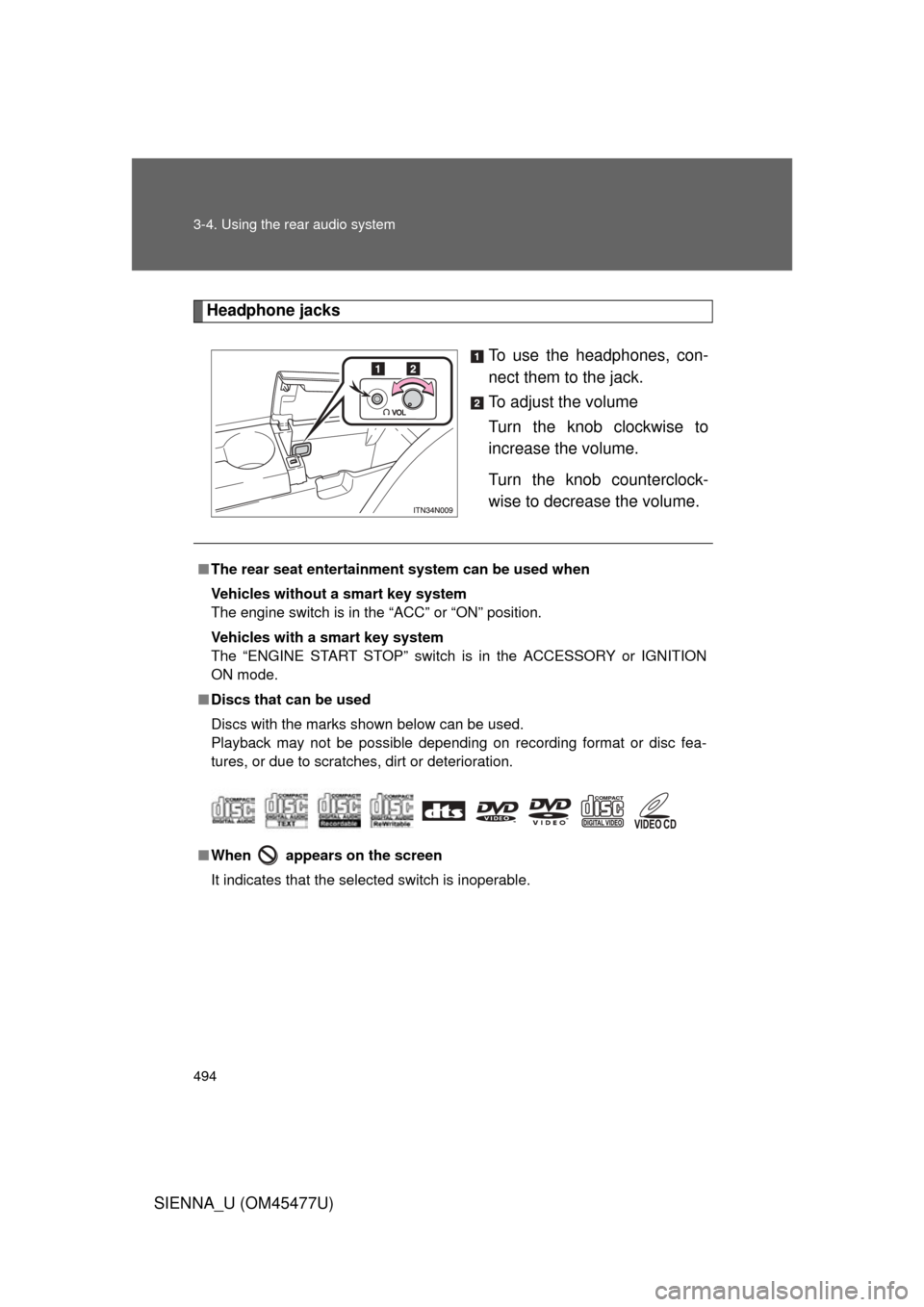
Headphone jacksTo use the headphones, con-
nect them to the jack.
To adjust the volume
Turn the knob clockwise to
increase the volume.
Turn the knob counterclock-
wise to decrease the volume.
■The rear seat entertainmen t system can be used when
Vehicles without a smart key system
The engine switch is in the “ACC” or “ON” position.
Vehicles with a smart key system
The “ENGINE START STOP” switch is in the ACCESSORY or IGNITION
ON mode.
■ Discs that can be used
Discs with the marks shown below can be used.
Playback may not be possible depending on recording format or disc fea-
tures, or due to scratches, dirt or deterioration.
■ When appears on the screen
It indicates that the selected switch is inoperable.
Page 555 of 860
555
3-5. Using the hand
s-free phone system (for cellular phone)
3
Interior features
SIENNA_U (OM45477U)
Locking or unlocking the phone book
Select “Phonebook Lock (Phb k Lock)” or “Phonebook unlock
(Phbk Unlock)” using a voice command or .
Input the PIN by either of the following methods and select
“Confirm” using a voice command or :
a. Press the talk switch and say the registered PIN.
b. Input a registered PIN using .
Setting voice guidance volume
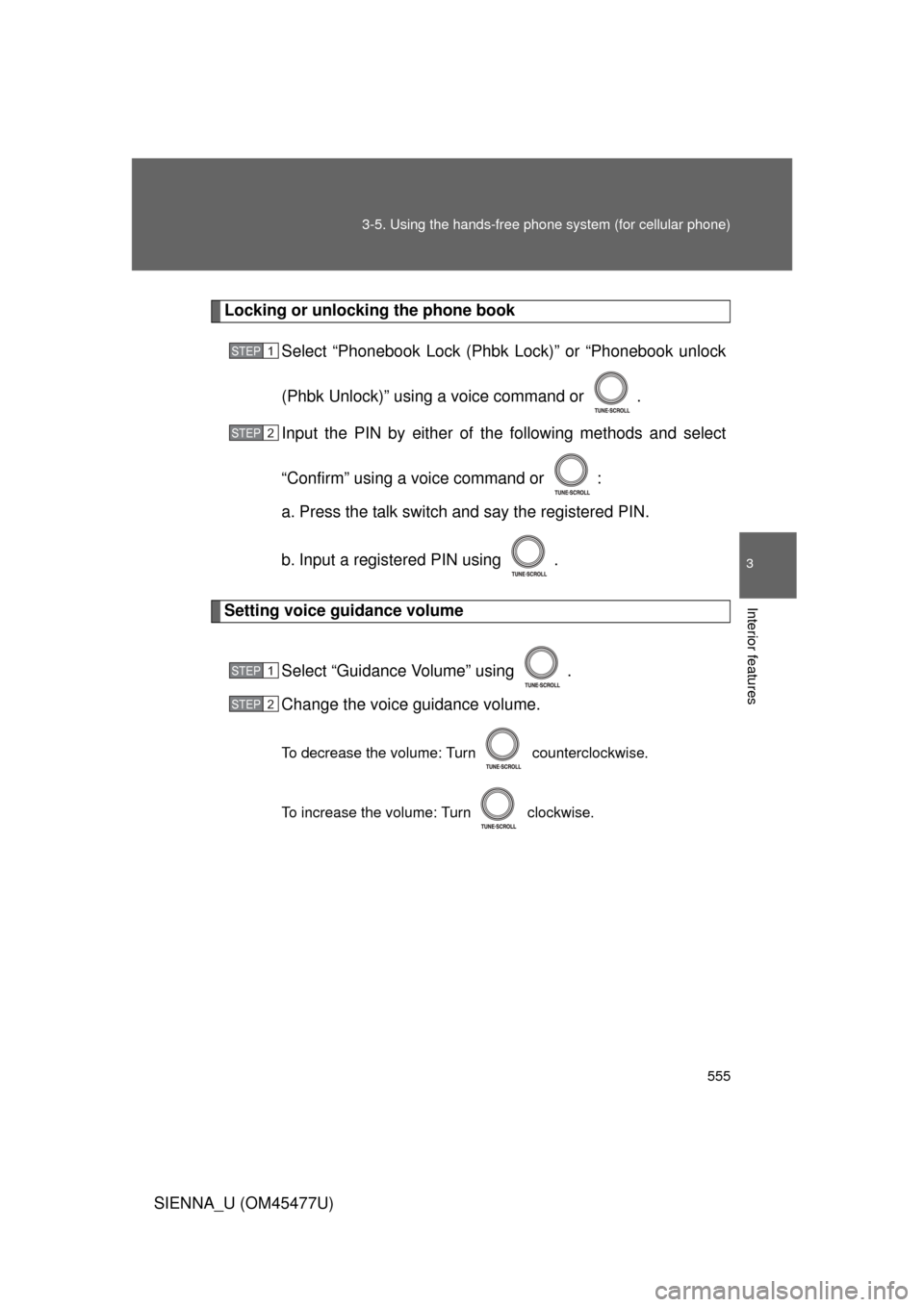
Select “Guidance Volume” using .
Change the voice guidance volume.
To decrease the volume: Turn counterclockwise.
To increase the volume: Turn clockwise.
STEP1
STEP2
STEP1
STEP2