Page 598 of 860
598
3-8. Other interior features
SIENNA_U (OM45477U)
Seat heaters
: If equipped
■The seat heaters can be used when
Vehicles without a smart key system
The engine switch is in the “ON” position.
Vehicles with a smart key system
The “ENGINE START STOP” switch is in IGNITION ON mode.
■ When not in use
Move the dial fully downward. The indicator light turns off.
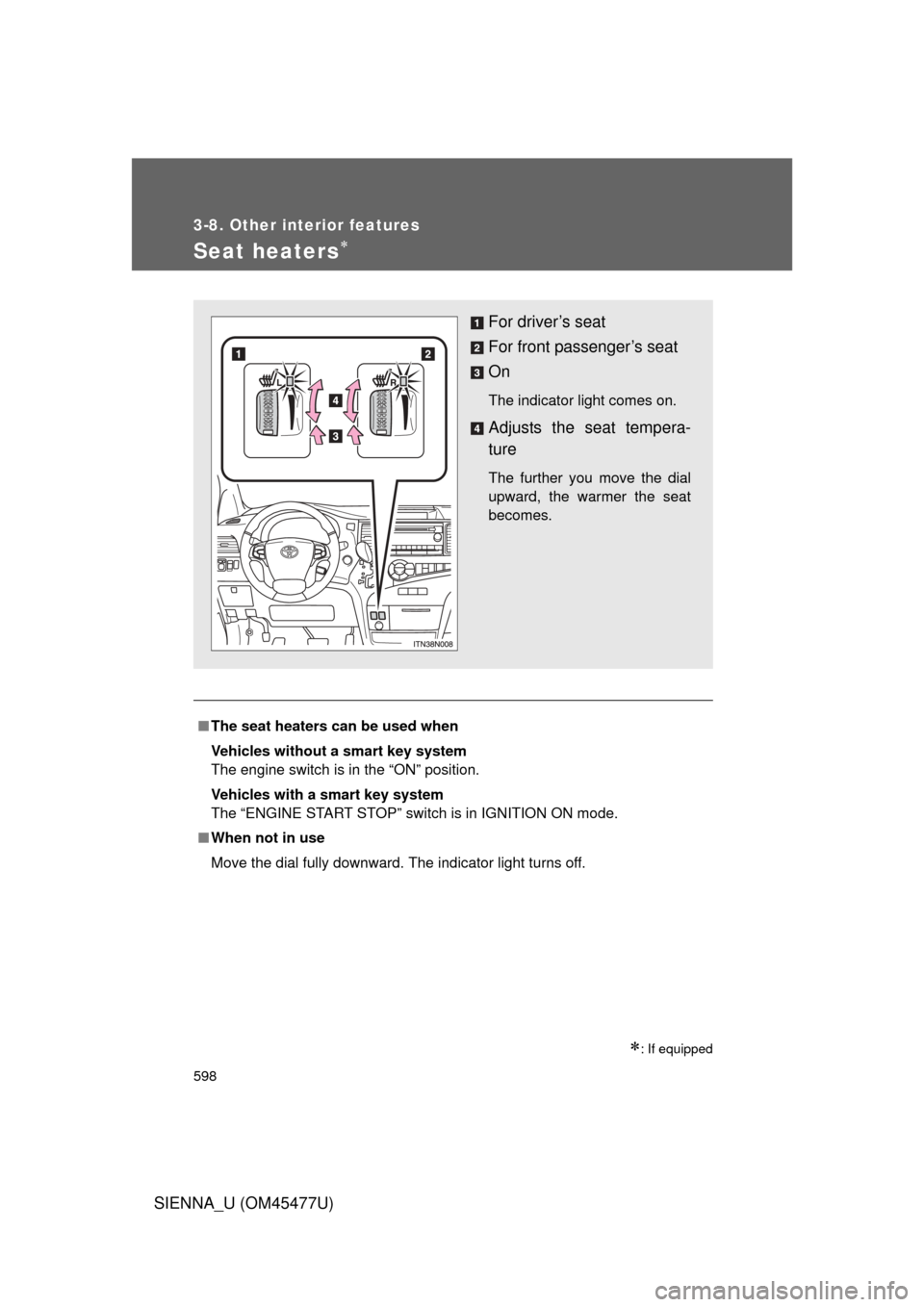
For driver’s seat
For front passenger’s seat
On
The indicator light comes on.
Adjusts the seat tempera-
ture
The further you move the dial
upward, the warmer the seat
becomes.
Page 602 of 860
602
3-8. Other interior features
SIENNA_U (OM45477U)
Rear side sunshades
: If equipped
NOTICE
■To ensure normal operation of the sunshade
Observe the following precautions.
● Do not place anything where it may hinder the opening/closing of the sun-
shade.
● Do not place anything on the sunshade.
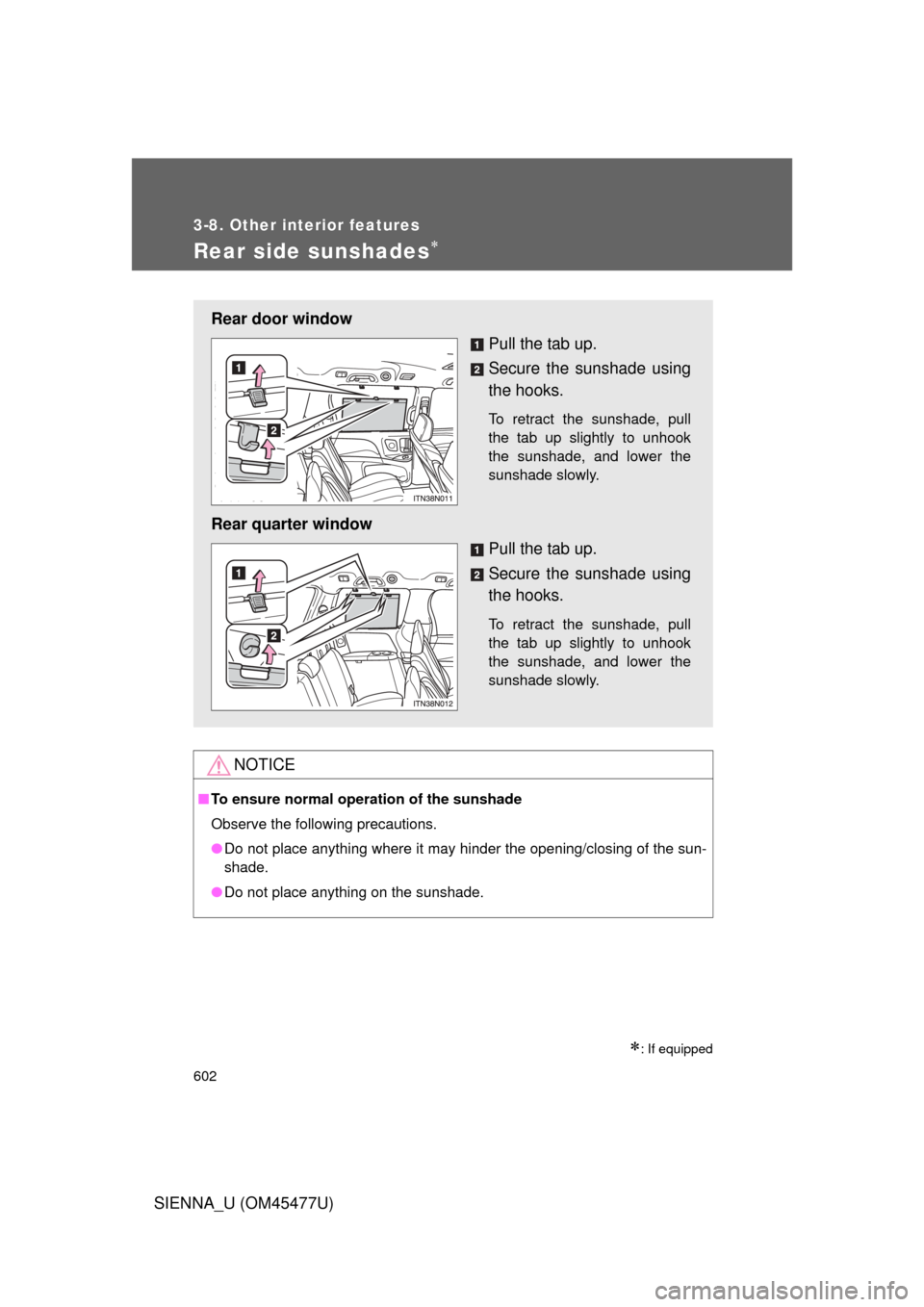
Rear door window
Pull the tab up.
Secure the sunshade using
the hooks.
To retract the sunshade, pull
the tab up slightly to unhook
the sunshade, and lower the
sunshade slowly.
Rear quarter windowPull the tab up.
Secure the sunshade using
the hooks.
To retract the sunshade, pull
the tab up slightly to unhook
the sunshade, and lower the
sunshade slowly.
Page 609 of 860
609
3-8. Other interior features
3
Interior features
SIENNA_U (OM45477U)
Garage door opener
The garage door opener (HomeLink® Universal Transceiver) is manufac-
tured under license from HomeLink®.
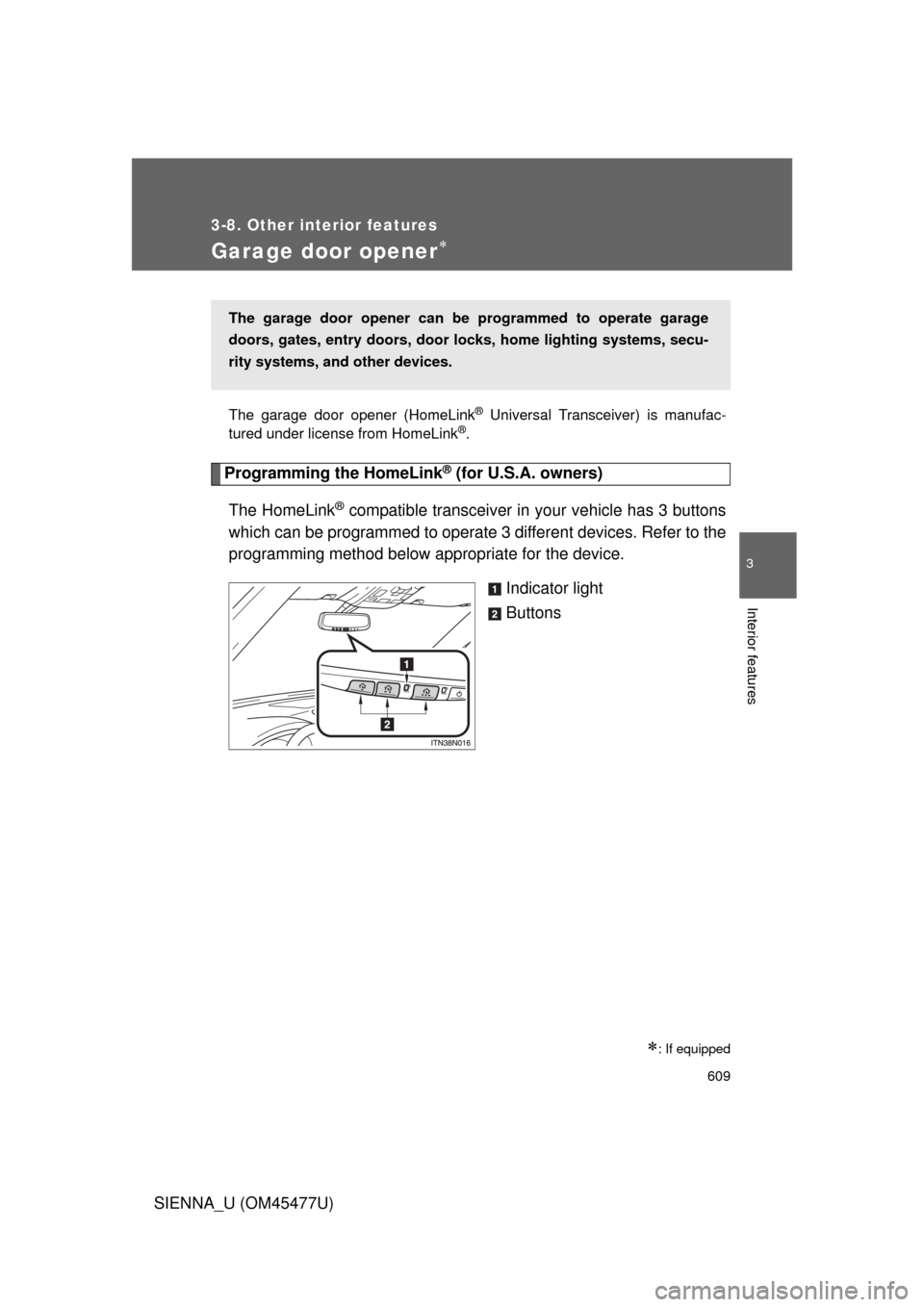
Programming the HomeLink® (for U.S.A. owners)
The HomeLink
® compatible transceiver in your vehicle has 3 buttons
which can be programmed to operate 3 different devices. Refer to the
programming method below appropriate for the device.
Indicator light
Buttons
: If equipped
The garage door opener can be programmed to operate garage
doors, gates, entry doors, door locks, hom e lighting systems, secu-
rity systems, and other devices.
Page 610 of 860
610 3-8. Other interior features
SIENNA_U (OM45477U)■
Programming the HomeLink
®
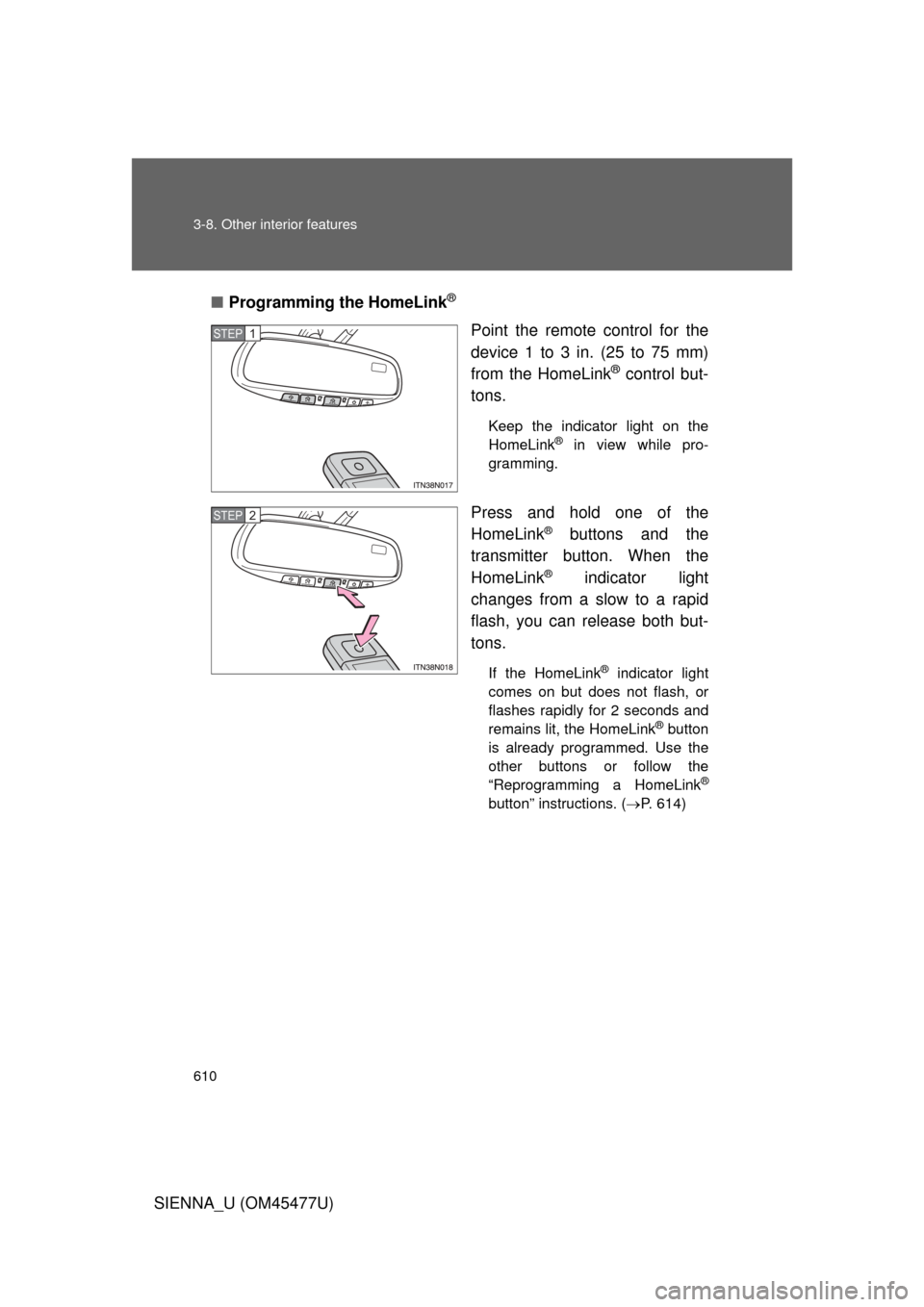
Point the remote control for the
device 1 to 3 in. (25 to 75 mm)
from the HomeLink
® control but-
tons.
Keep the indicator light on the
HomeLink® in view while pro-
gramming.
Press and hold one of the
HomeLink
® buttons and the
transmitter button. When the
HomeLink
® indicator light
changes from a slow to a rapid
flash, you can release both but-
tons.
If the HomeLink® indicator light
comes on but does not flash, or
flashes rapidly for 2 seconds and
remains lit, the HomeLink
® button
is already programmed. Use the
other buttons or follow the
“Reprogramming a HomeLink
®
button” instructions. ( P. 614)
STEP1
STEP2
Page 611 of 860
611
3-8. Other interior features
3
Interior features
SIENNA_U (OM45477U)
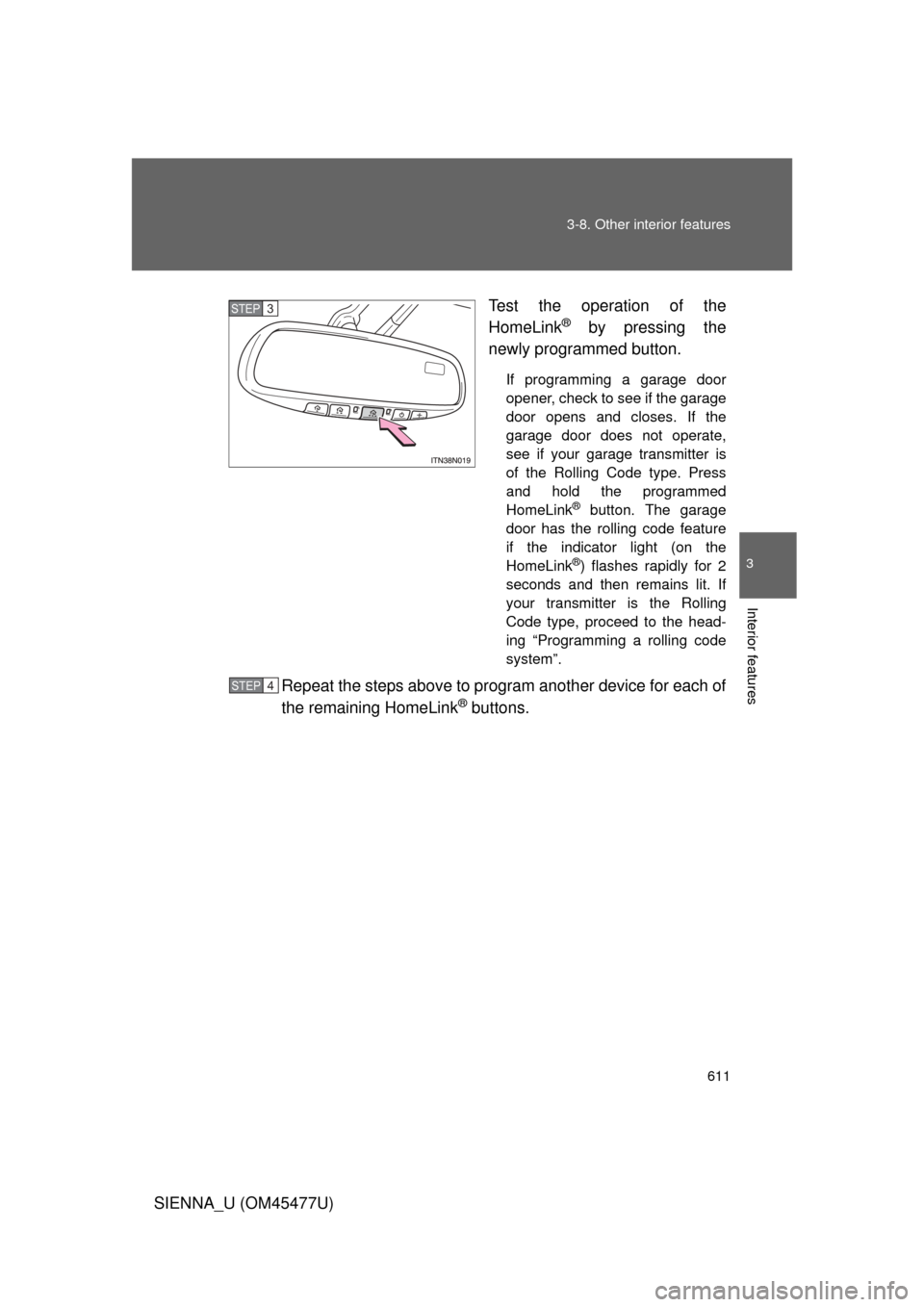
Test the operation of the
HomeLink
® by pressing the
newly programmed button.
If programming a garage door
opener, check to see if the garage
door opens and closes. If the
garage door does not operate,
see if your garage transmitter is
of the Rolling Code type. Press
and hold the programmed
HomeLink
® button. The garage
door has the rolling code feature
if the indicator light (on the
HomeLink
®) flashes rapidly for 2
seconds and then remains lit. If
your transmitter is the Rolling
Code type, proceed to the head-
ing “Programming a rolling code
system”.
Repeat the steps above to program another device for each of
the remaining HomeLink
® buttons.
STEP3
STEP4
Page 613 of 860
613
3-8. Other interior features
3
Interior features
SIENNA_U (OM45477U)
■
Programming an entry gate (f or U.S.A. owners)/Programming
all devices in the Canadian market
Place your transmitter 1 to 3 in. (25 to 75 mm) away from the
surface of the HomeLink
®.
Keep the indicator light on the HomeLink® in view while programming.
Press and hold the selected HomeLink® button.
Repeatedly press and releas e (cycle) the device’s remote
control button for two seconds each until step 4 is complete.
When the indicator light on the HomeLink
® compatible trans-
ceiver starts to flashing ra pidly, release the buttons.
Test the operation of the HomeLink
® by pressing the newly
programmed button. Check to see if the gate/device operates
correctly.
Repeat the steps above to program another device for each of
the remaining HomeLink
® buttons.
■ Programming other devices
To program other devices such as home security systems, home
door locks or lighting, contact your authorized Toyota dealer for
assistance.
■ Reprogramming a button
The individual HomeLink
® buttons cannot be erased but can be
reprogrammed. To reprogram a button, follow the programming
instructions.
STEP1
STEP2
STEP3
STEP4
STEP5
STEP6
Page 614 of 860
614 3-8. Other interior features
SIENNA_U (OM45477U)
Operating the HomeLink®
Press the appropriate HomeLink® button. The HomeLink® indicator
light on the HomeLink
® transceiver should turn on.
The HomeLink® continues to send a signal for up to 20 seconds as long
as the button is pressed.
Reprogramming a HomeLink® button
Press and hold the desired HomeLink
® button. After 20 seconds, the
HomeLink
® indicator light will start flas hing slowly. Keep pressing the
HomeLink
® button and press and hold the transmitter button until the
HomeLink
® indicator light changes from a slow to a rapid flash.
Release the buttons.
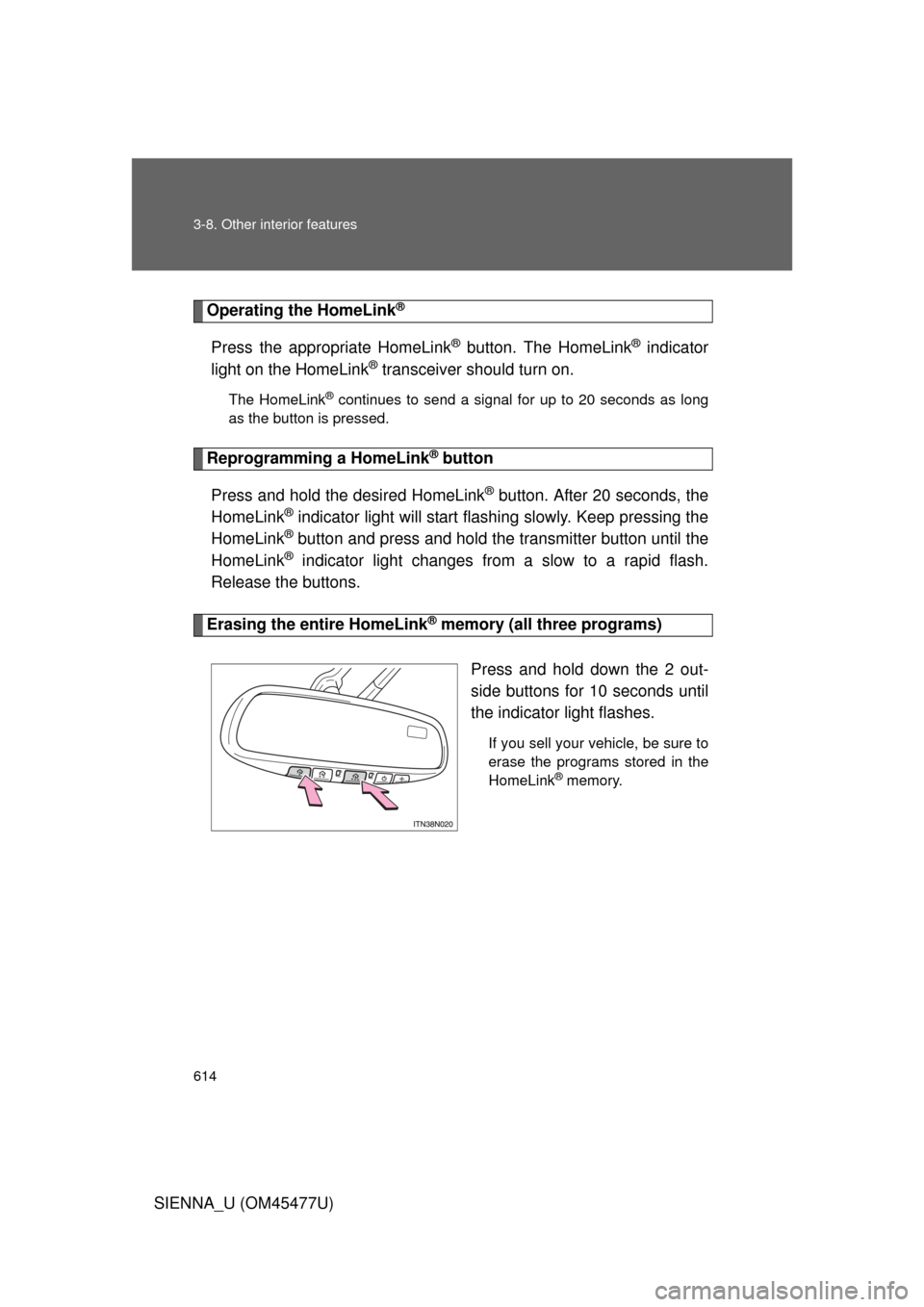
Erasing the entire HomeLink® memory (all three programs)
Press and hold down the 2 out-
side buttons for 10 seconds until
the indicator light flashes.
If you sell your vehicle, be sure to
erase the programs stored in the
HomeLink
® memory.
Page 622 of 860
622
3-8. Other interior features
SIENNA_U (OM45477U)
Safety Connect
: If equipped
Safety Connect is a subscription-based telematics service that uses
Global Positioning System (GPS) data and embedded cellular tech-
nology to provide safety and security features to subscribers. Safety
Connect is supported by Toyota ’s designated response center,
which operates 24 hours per day, 7 days per week.
Safety Connect service is available by subscription on select,
telematics hardware-equipped vehicles.
By using the Safety Connect servi ce, you are agreeing to be bound
by the Telematics Subscription Serv ice Agreement and its Terms and
Conditions, as in effect and amende d from time to time, a current
copy of which is available at Toyota.com. All use of the Safety Con-
nect service is subject to such then-applicable Terms and Condi-
tions.
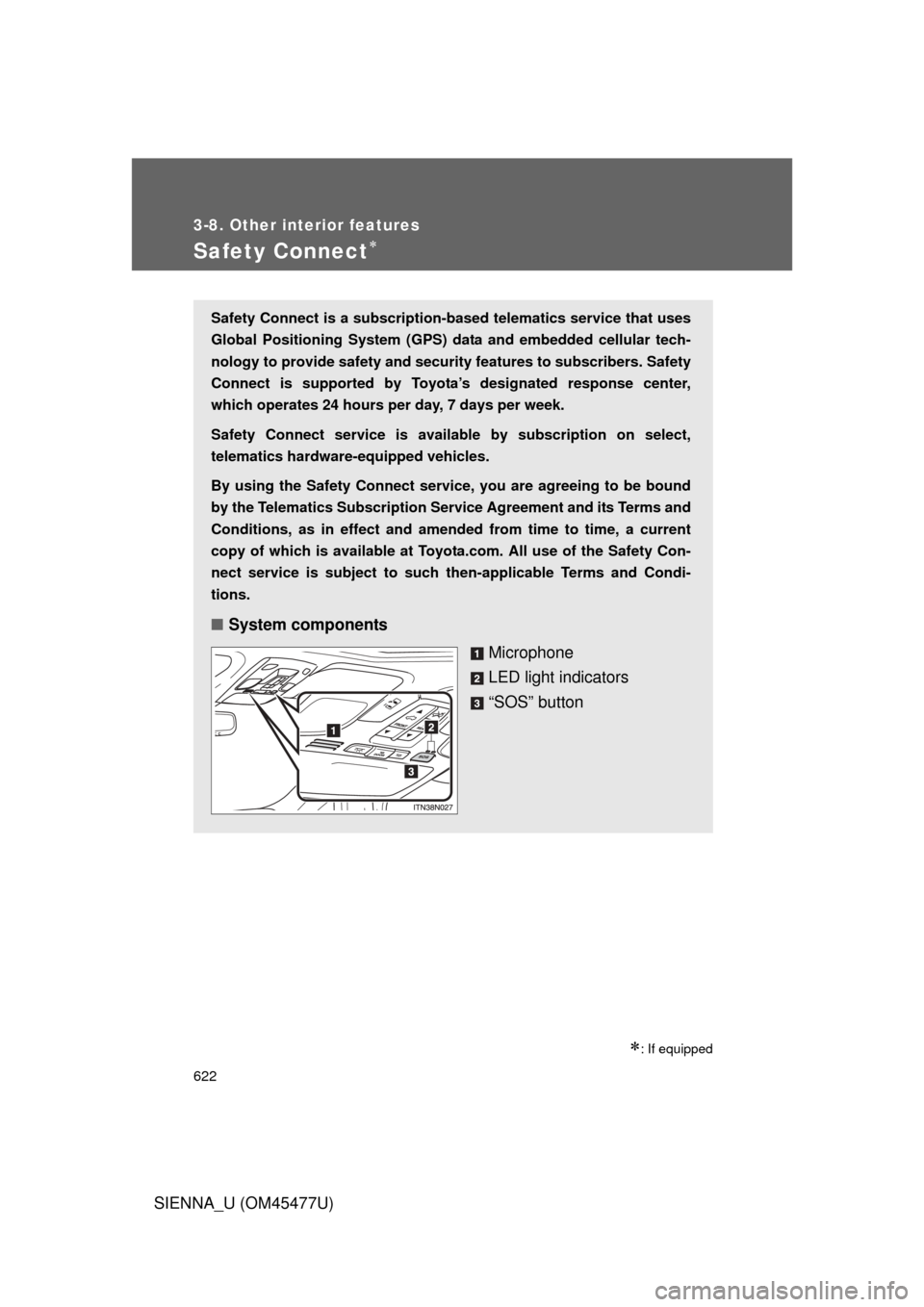
■ System components
Microphone
LED light indicators
“SOS” button