Page 268 of 684
268 2-2. Instrument cluster
PRIUS PHV_OM_OM47818U_(U)
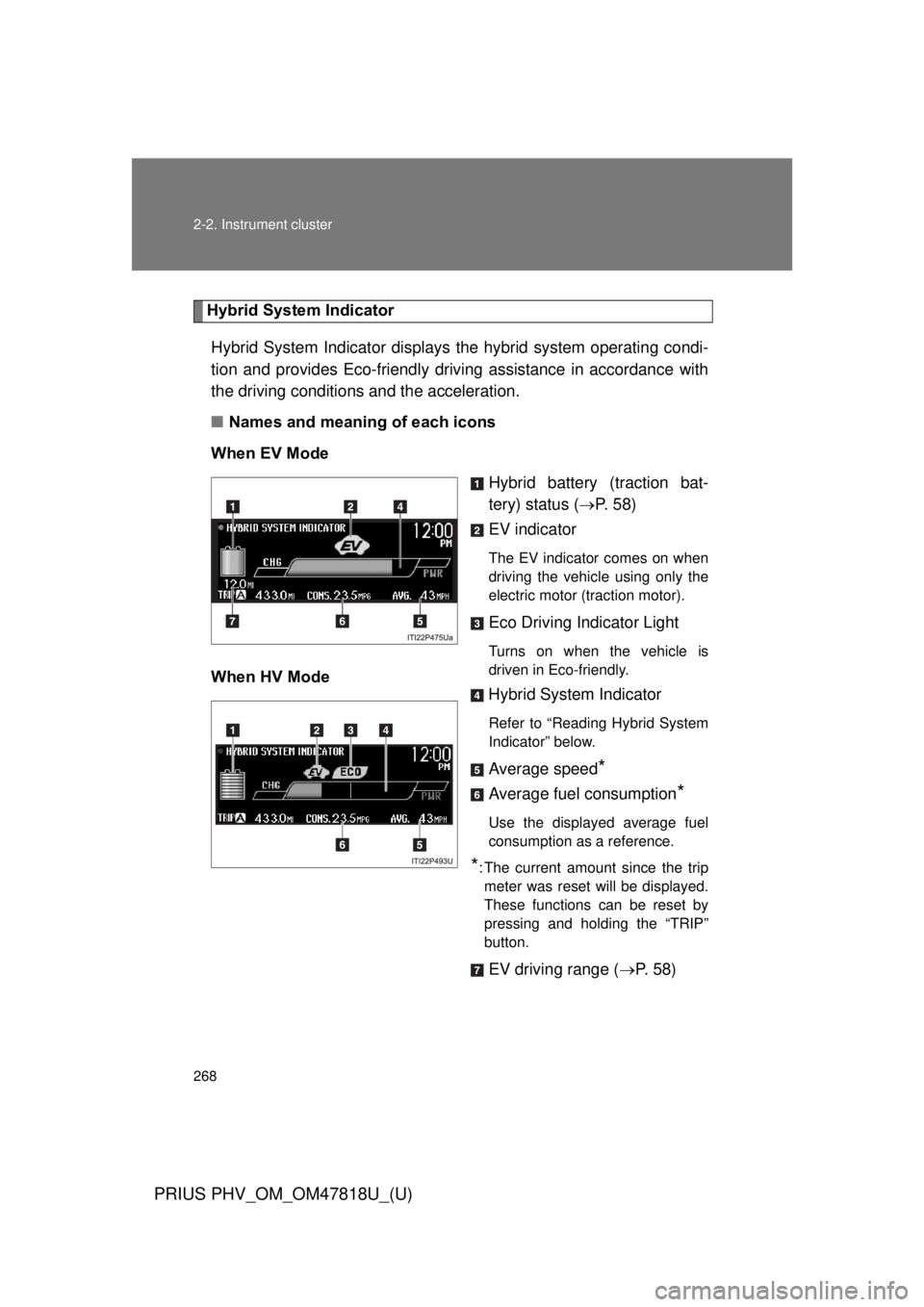
Hybrid System IndicatorHybrid System Indicator displays the hybrid system operating condi-
tion and provides Eco-friendly driving assistance in accordance with
the driving conditions and the acceleration.
■ Names and meaning of each icons
When EV Mode Hybrid battery (traction bat-
tery) status (P. 5 8 )
EV indicator
The EV indicator comes on when
driving the vehicle using only the
electric motor (traction motor).
Eco Driving Indicator Light
Turns on when the vehicle is
driven in Eco-friendly.
When HV Mode Hybrid System Indicator
Refer to “Reading Hybrid System
Indicator” below.
Average speed*
Average fuel consumption*
Use the displayed average fuel
consumption as a reference.
*: The current amount since the trip
meter was reset will be displayed.
These functions can be reset by
pressing and holding the “TRIP”
button.
EV driving range ( P. 58)
Page 269 of 684
269
2-2. Instrument cluster
PRIUS PHV_OM_OM47818U_(U)
2
When driving
■
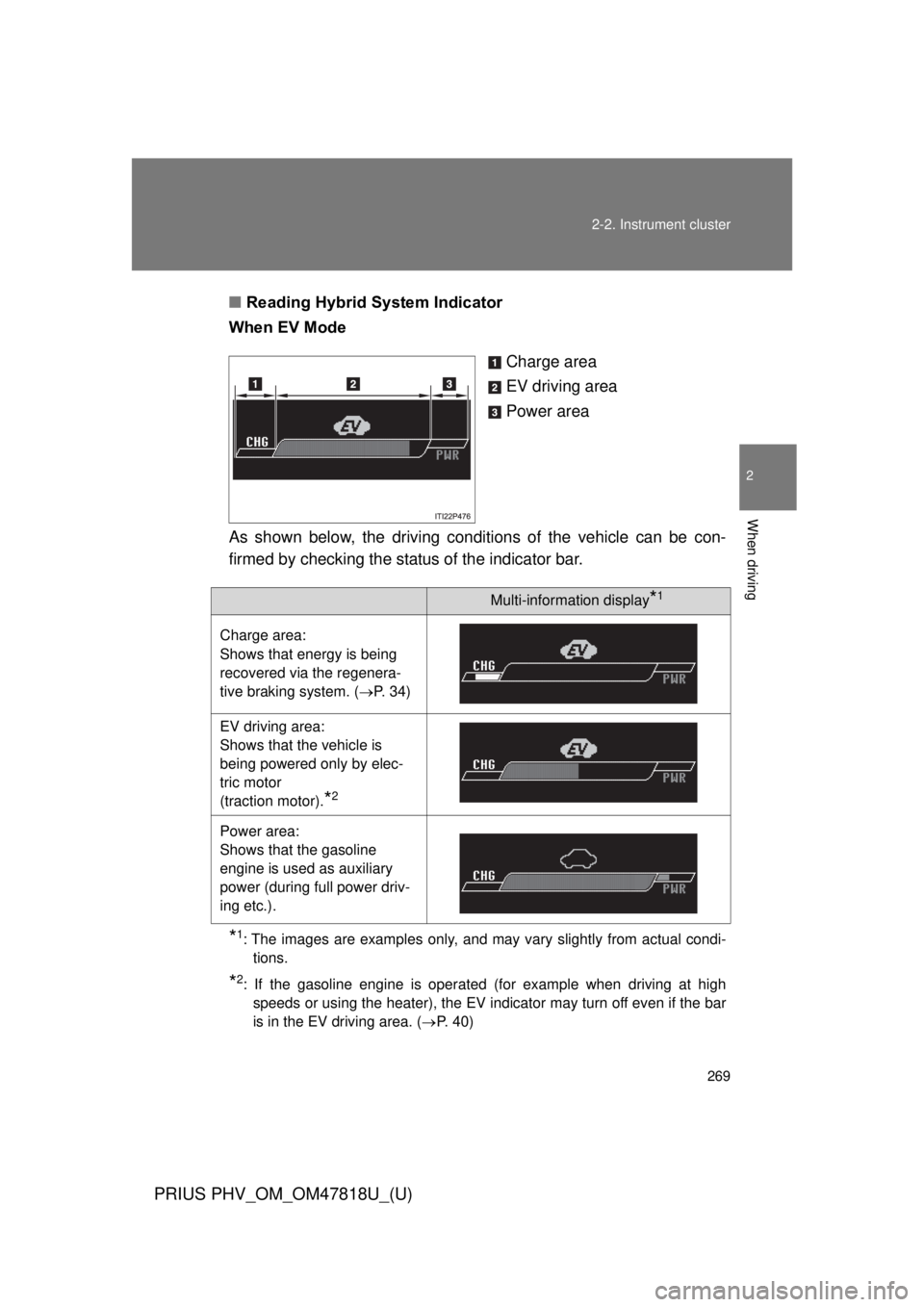
Reading Hybrid System Indicator
When EV Mode
Charge area
EV driving area
Power area
As shown below, the driving conditions of the vehicle can be con-
firmed by checking the status of the indicator bar.
*1: The images are examples only, and may vary slightly from actual condi- tions.
*2: If the gasoline engine is operated (for example when driving at highspeeds or using the heater), the EV indicator may turn off even if the bar
is in the EV driving area. ( P. 40)
Multi-information display*1
Charge area:
Shows that energy is being
recovered via the regenera-
tive braking system. ( P. 34)
EV driving area:
Shows that the vehicle is
being powered only by elec-
tric motor
(traction motor).
*2
Power area:
Shows that the gasoline
engine is used as auxiliary
power (during full power driv-
ing etc.).
Page 271 of 684
271
2-2. Instrument cluster
PRIUS PHV_OM_OM47818U_(U)
2
When driving
EV driving ratio indicator
The ratio of the distance driven using only power charged from an
external power source against other driving conditions is displayed
on the EV driving ratio screen. Two separate EV driving ratios can be
used: EV driving ratio (1) and EV driving ratio (2).
Calculation can be started or finished at any time via the reset operation.
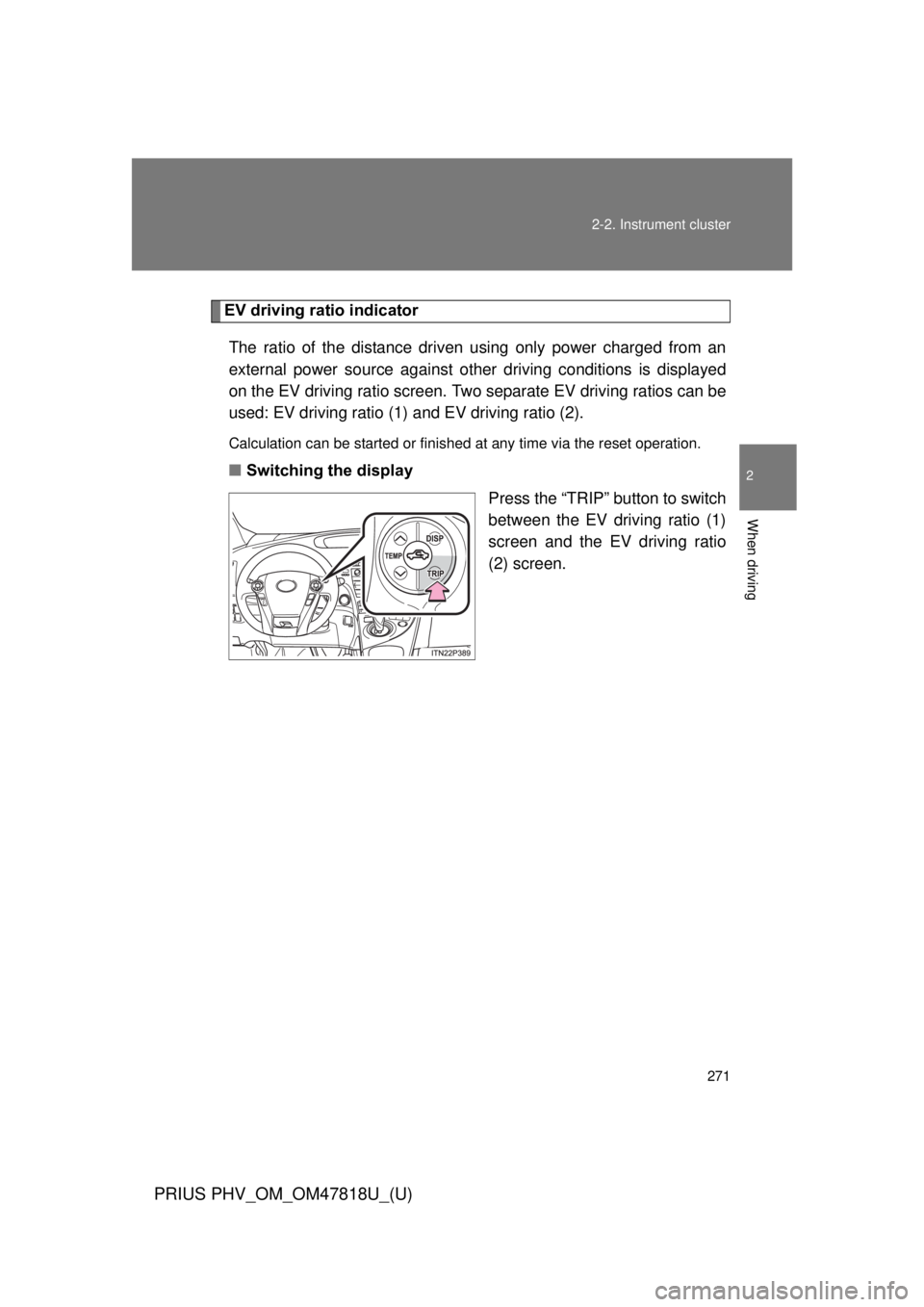
■ Switching the display
Press the “TRIP” button to switch
between the EV driving ratio (1)
screen and the EV driving ratio
(2) screen.
Page 273 of 684
273
2-2. Instrument cluster
PRIUS PHV_OM_OM47818U_(U)
2
When driving
■
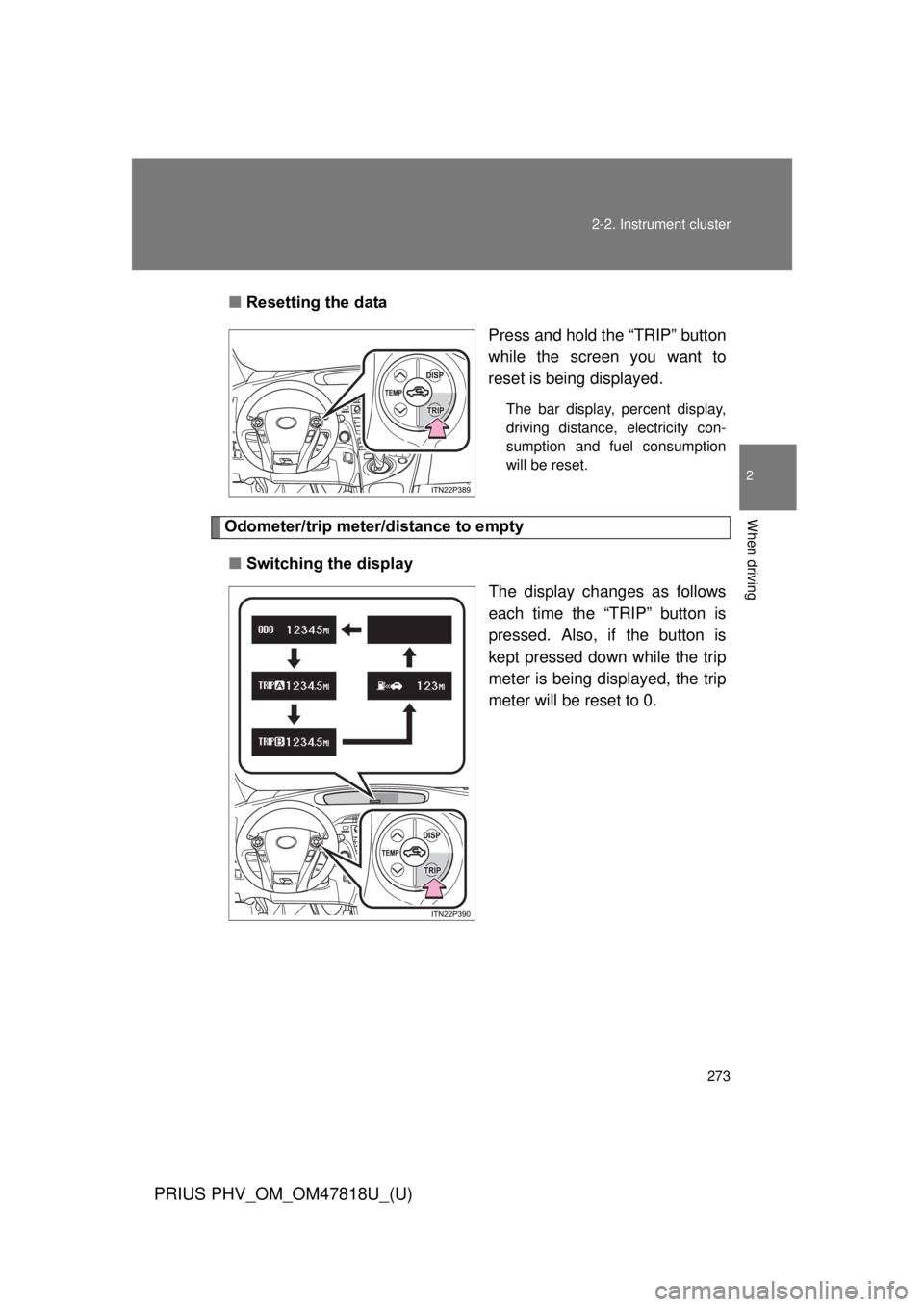
Resetting the data
Press and hold the “TRIP” button
while the screen you want to
reset is being displayed.
The bar display, percent display,
driving distance, electricity con-
sumption and fuel consumption
will be reset.
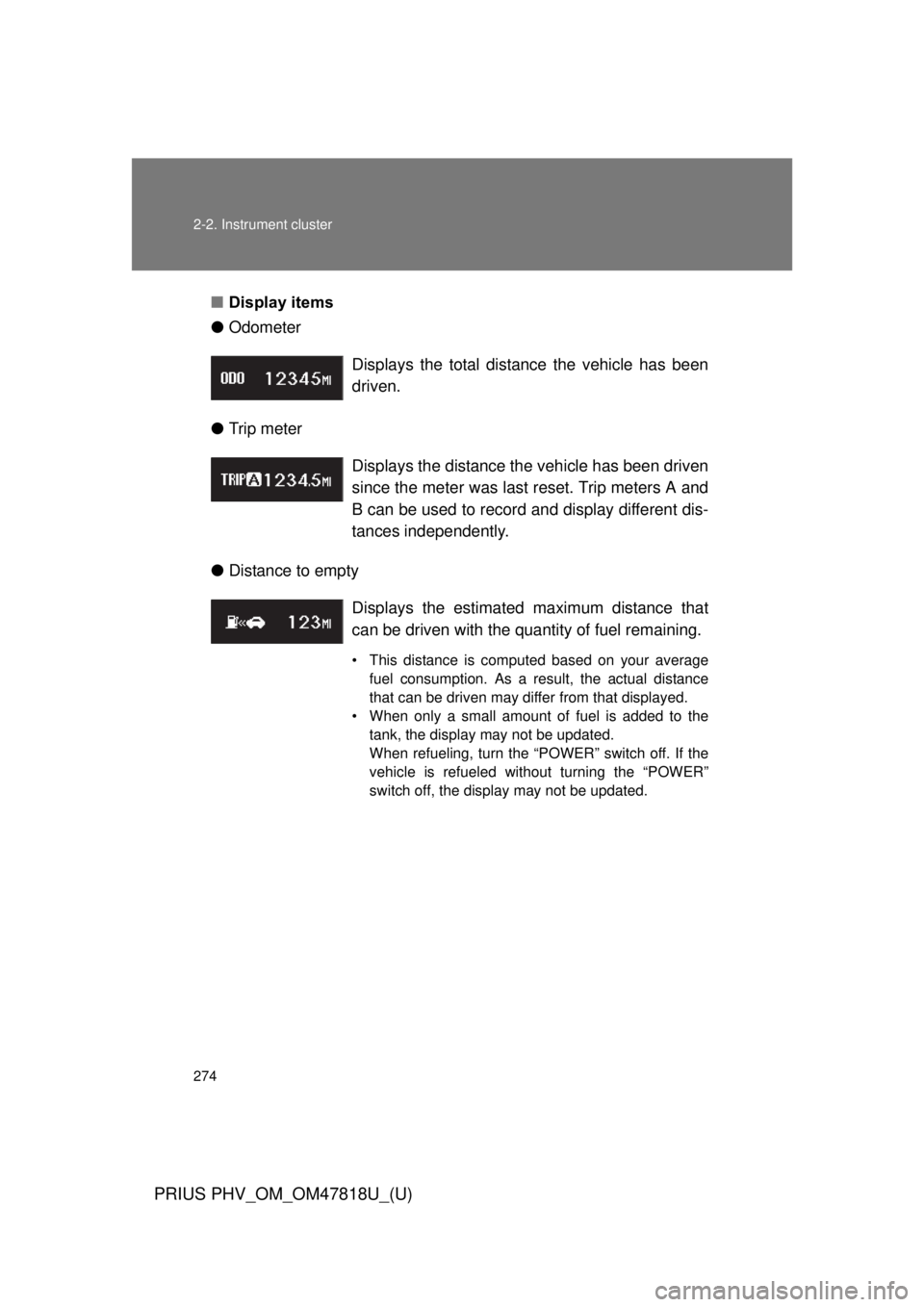
Odometer/trip meter/distance to empty
■ Switching the display
The display changes as follows
each time the “TRIP” button is
pressed. Also, if the button is
kept pressed down while the trip
meter is being displayed, the trip
meter will be reset to 0.
Page 274 of 684
274 2-2. Instrument cluster
PRIUS PHV_OM_OM47818U_(U)
■Display items
● Odometer
● Trip meter
● Distance to empty Displays the total distance the vehicle has been
driven.
Displays the distance the vehicle has been driven
since the meter was last reset. Trip meters A and
B can be used to record and display different dis-
tances independently.
Displays the estimate
d maximum distance that
can be driven with the quantity of fuel remaining.
• This distance is computed based on your average fuel consumption. As a result, the actual distance
that can be driven may differ from that displayed.
• When only a small amount of fuel is added to the tank, the display may not be updated.
When refueling, turn the “POWER” switch off. If the
vehicle is refueled without turning the “POWER”
switch off, the display may not be updated.
Page 275 of 684
275
2-2. Instrument cluster
PRIUS PHV_OM_OM47818U_(U)
2
When driving
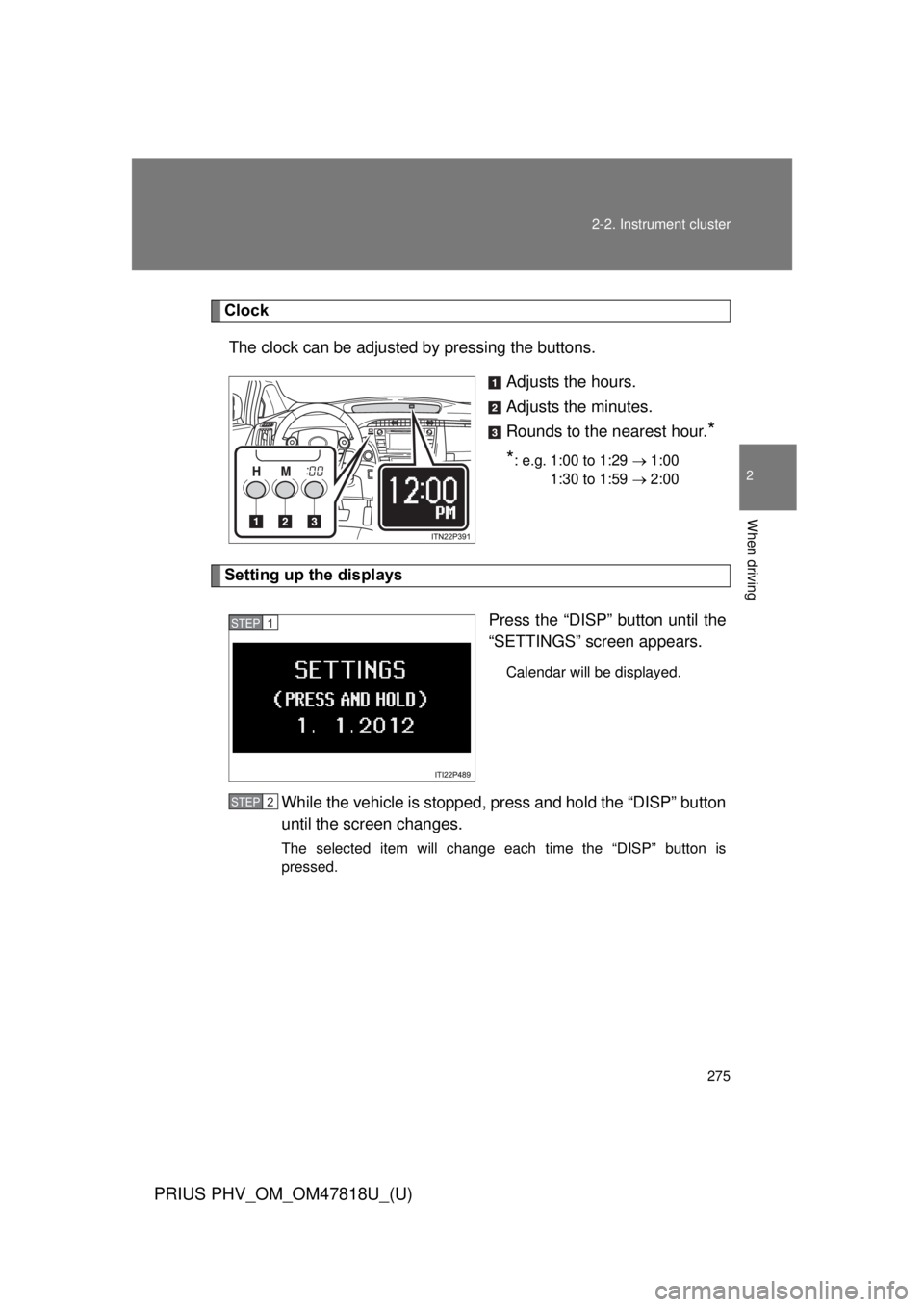
Clock
The clock can be adjusted by pressing the buttons. Adjusts the hours.
Adjusts the minutes.
Rounds to the nearest hour.
*
*
: e.g. 1:00 to 1:29 1:00
1:30 to 1:59 2:00
Setting up the displays
Press the “DISP” button until the
“SETTINGS” screen appears.
Calendar will be displayed.
While the vehicle is stopped, press and hold the “DISP” button
until the screen changes.
The selected item will change each time the “DISP” button is
pressed.
STEP 1
STEP 2
Page 276 of 684
276 2-2. Instrument cluster
PRIUS PHV_OM_OM47818U_(U)
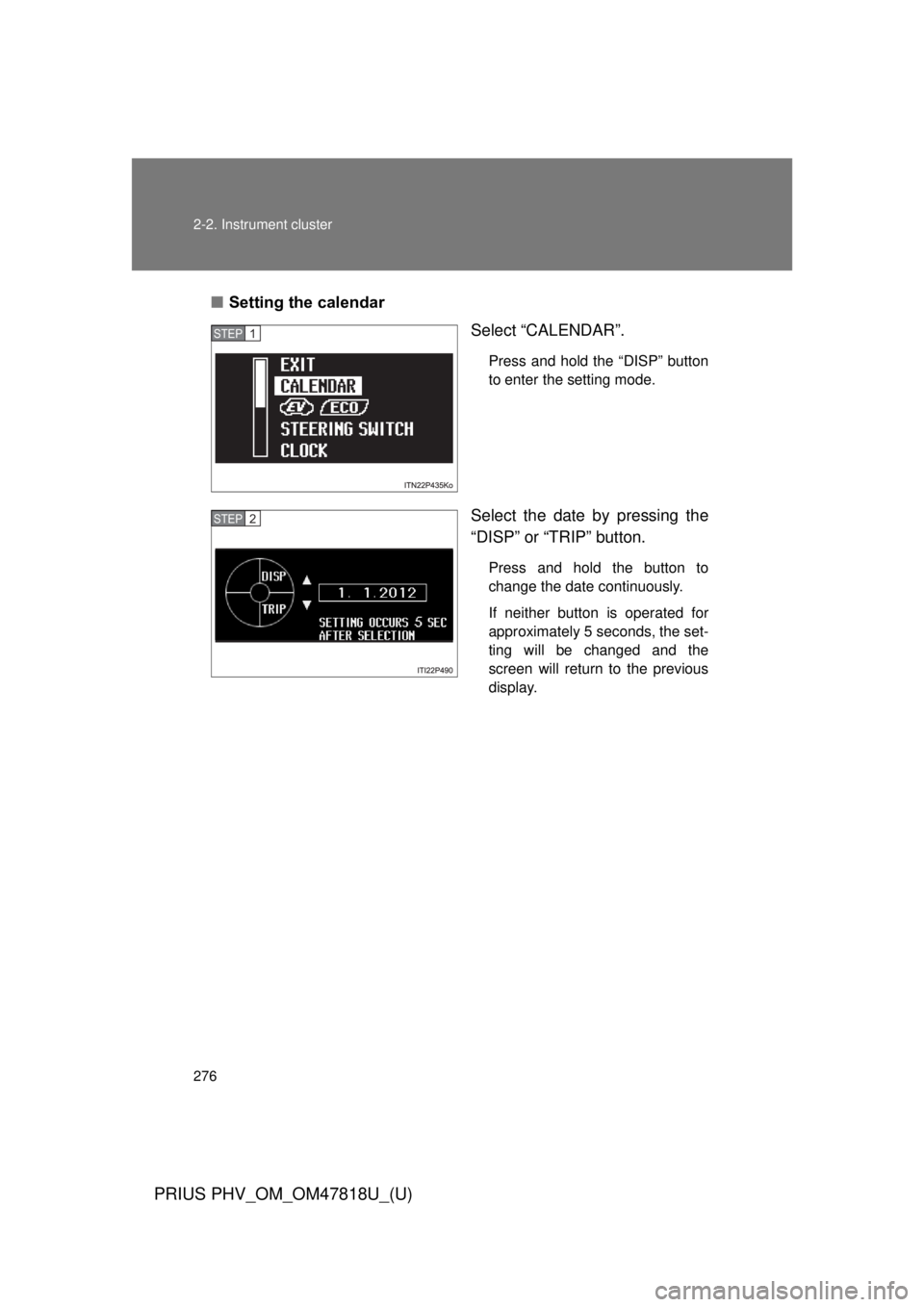
■Setting the calendar
Select “CALENDAR”.
Press and hold the “DISP” button
to enter the setting mode.
Select the date by pressing the
“DISP” or “TRIP” button.
Press and hold the button to
change the date continuously.
If neither button is operated for
approximately 5 seconds, the set-
ting will be changed and the
screen will return to the previous
display.
STEP 1
STEP 2
Page 278 of 684
278 2-2. Instrument cluster
PRIUS PHV_OM_OM47818U_(U)
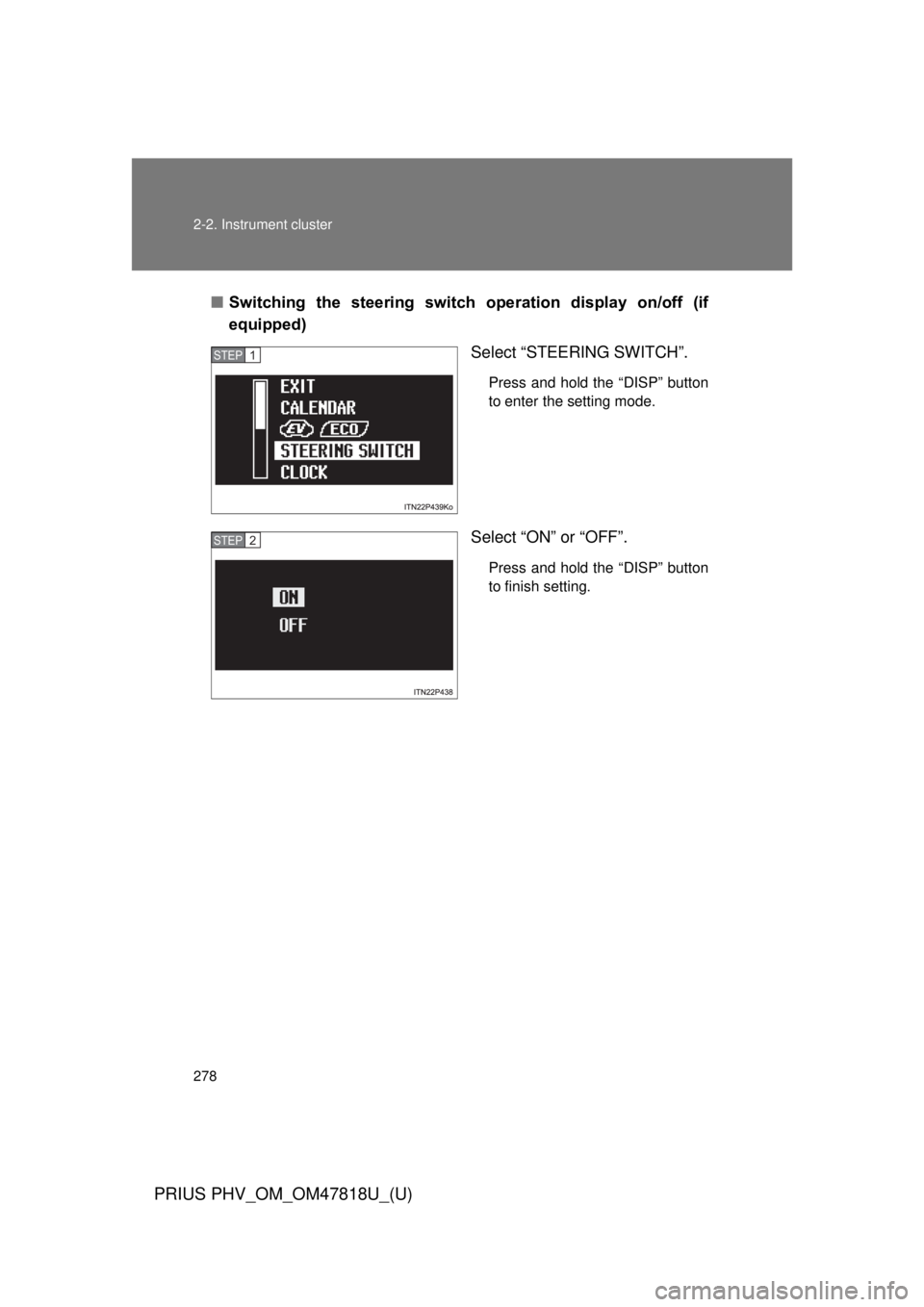
■Switching the steering switch operation display on/off (if
equipped)
Select “STEERING SWITCH”.
Press and hold the “DISP” button
to enter the setting mode.
Select “ON” or “OFF”.
Press and hold the “DISP” button
to finish setting.
STEP 1
STEP 2