Page 357 of 684
Interior features3
357
PRIUS PHV_OM_OM47818U_(U)
3-1.Using the air conditioning
system
and defogger
Air conditioning system .... 358
Using the steering wheel climate remote control
switches ......................... 369
Remote Air Conditioning System ........................... 371
Rear window and outside rear view mirror defoggers
switch ............................. 375
3-2. Using the audio system Audio system types .......... 376
Using the AUX port/USB port................................. 381
3-3. Using the interior lights Interior lights list ............... 382
• Front interior lights ......... 383
• Personal lights ............... 383
• Rear interior light ........... 384 3-4. Using the storage features
List of storage features .... 385
• Glove boxes ................... 386
• Console box ................... 387
• Cup holders ................... 388
• Bottle holders ................. 390
• Auxiliary boxes ............... 391
3-5. Other interior features Sun visors ........................ 392
Vanity mirrors ................... 393
Outside temperature display............................ 394
Power outlets ................... 395
Seat heaters..................... 397
Armrest ............................ 399
Assist grips....................... 400
Floor mats ........................ 401
Luggage compartment features .......................... 403
Garage door opener......... 407
Safety Connect ................ 415
Page 358 of 684
358
PRIUS PHV_OM_OM47818U_(U)
3-1. Using the air conditioning system and defogger
Air conditioning system
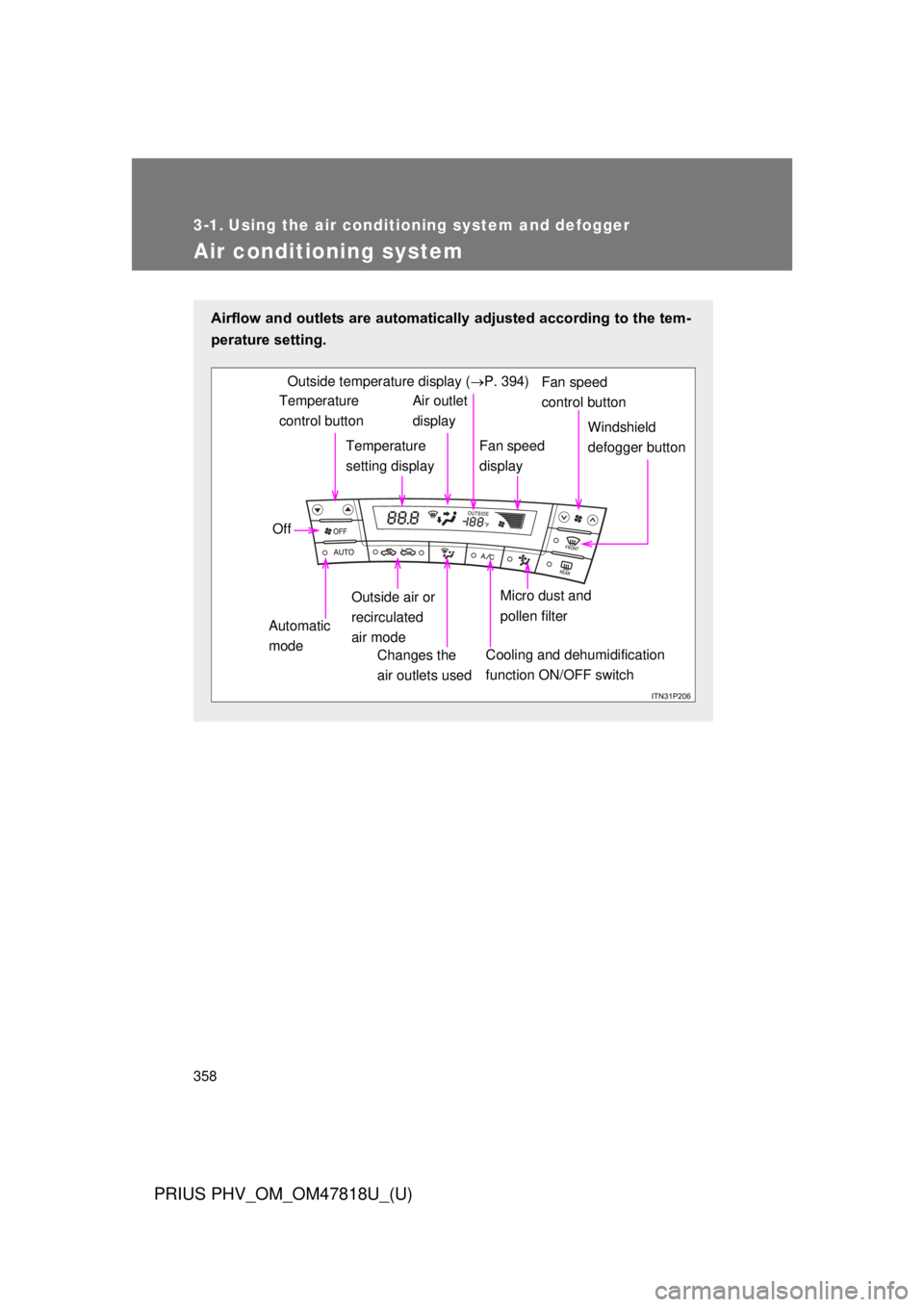
Airflow and outlets are automatically adjusted according to the tem-
perature setting.
Temperature
control buttonTemperature
setting displayAir outlet
display
Fan speed
display Windshield
defogger button
Off
Automatic
mode Outside air or
recirculated
air mode
Changes the
air outlets used
Fan speed
control buttonOutside temperature display ( P. 394)
Micro dust and
pollen filter
Cooling and dehumidification
function ON/OFF switch
Page 359 of 684
359
3-1. Using the air conditioning system
and defogger
PRIUS PHV_OM_OM47818U_(U)
3
Interior features
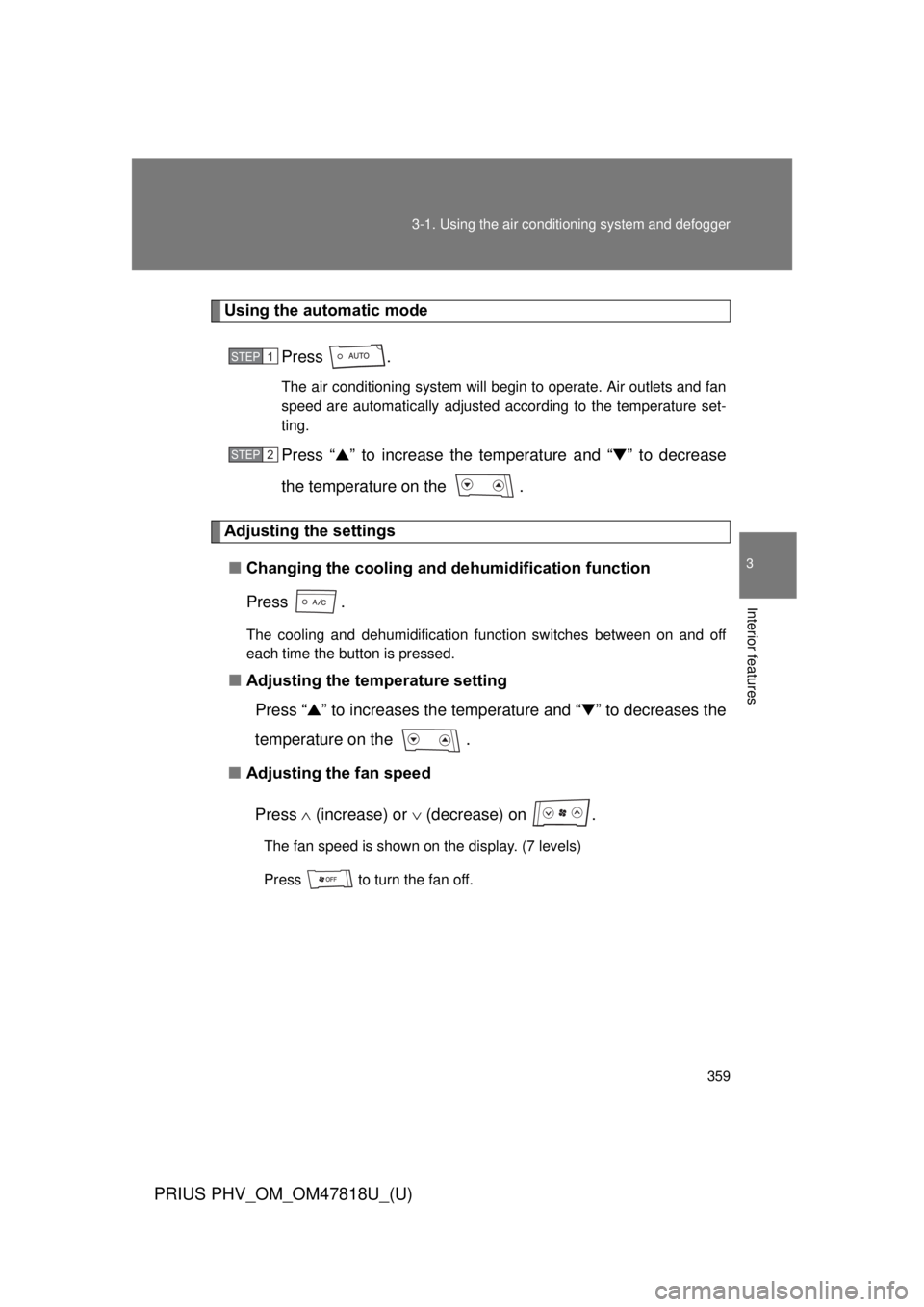
Using the automatic mode
Press .
The air conditioning system will begin to operate. Air outlets and fan
speed are automatically adjusted according to the temperature set-
ting.
Press “▲” to increase the temperature and “ ▼” to decrease
the temperature on the .
Adjusting the settings
■ Changing the cooling and dehumidification function
Press .
The cooling and dehumidification function switches between on and off
each time the button is pressed.
■Adjusting the temperature setting
Press “ ▲” to increases the temperature and “ ▼” to decreases the
temperature on the .
■ Adjusting the fan speed
Press (increase) or (decrease) on .
The fan speed is shown on the display. (7 levels)
Press to turn the fan off.
STEP 1
STEP 2
Page 370 of 684
370 3-1. Using the air conditioning system and defogger
PRIUS PHV_OM_OM47818U_(U)
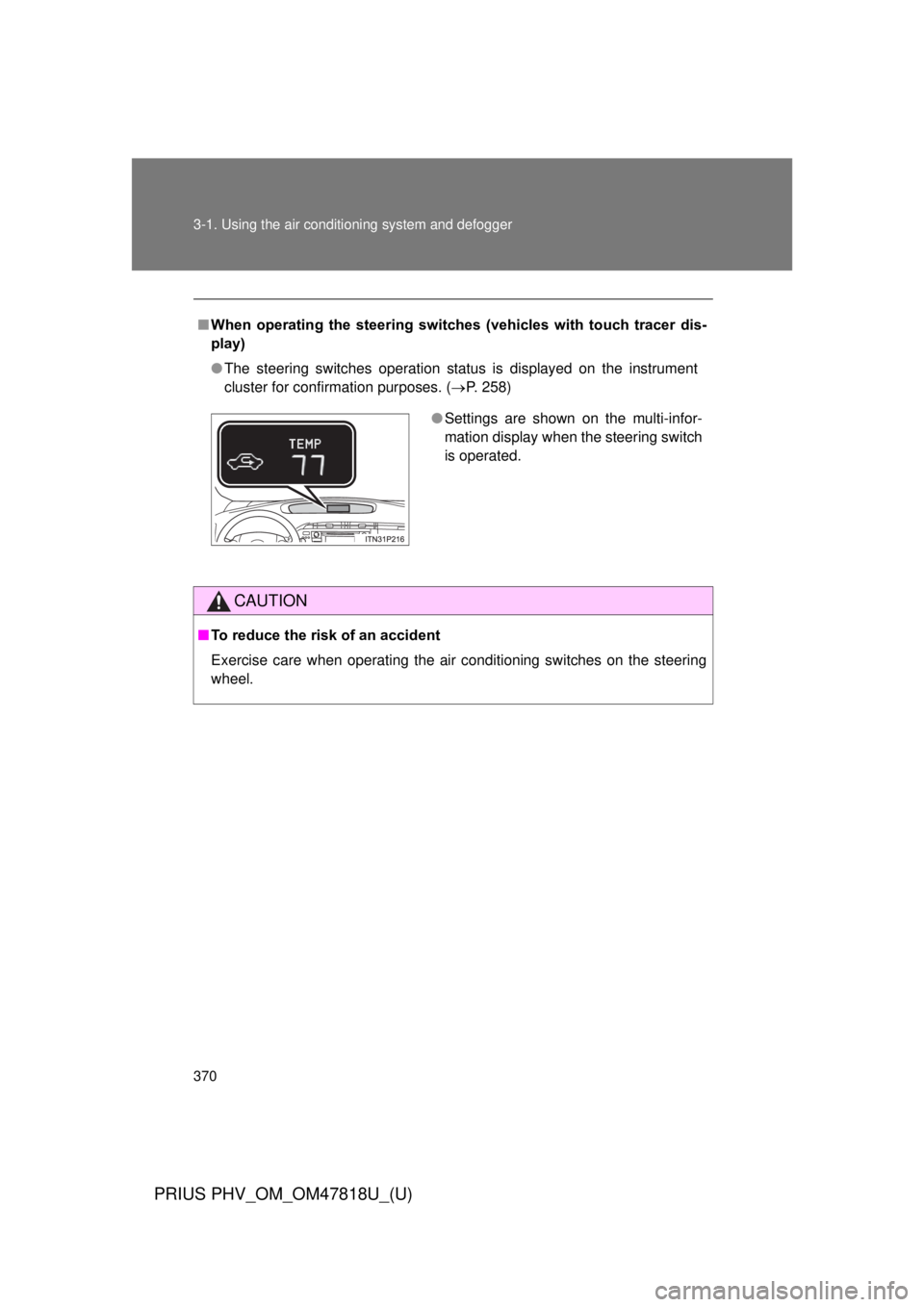
■When operating the steering switches (vehicles with touch tracer dis-
play)
● The steering switches operation status is displayed on the instrument
cluster for confirmation purposes. ( P. 258)
CAUTION
■To reduce the risk of an accident
Exercise care when operating the air conditioning switches on the steering
wheel.
● Settings are shown on the multi-infor-
mation display when the steering switch
is operated.
Page 373 of 684
373
3-1. Using the air conditioning system
and defogger
PRIUS PHV_OM_OM47818U_(U)
3
Interior features
■Security feature
Any unlocked doors will be automatically locked when the system is operat-
ing. The buzzer will beep and the emergency flashers flash when the doors
have been locked or the system has been turned off.
(The doors locked: Once; The system turned off: Twice)
■ Conditions aff ecting operation
P. 1 1 9
■ When using the Remote Air Conditioning System
A charging message will be displayed on the multi-information display. Dif-
ferent messages will be displayed depending on when the Remote Air Con-
ditioning System was started (after charging or during charging).
( P. 562)
■ While the Remote Air Conditio ning System is operating
● Depending on the operating condition of the Remote Air Conditioning
System, the electric fan may spin and an operating noise may be heard.
However, this does not indicate a malfunction.
● The Remote Air Conditioning System may stop operating temporarily if
other features that use electricity (for example, the seat heater, lights,
windshield wipers) are in operation or if the charge level of the 12-volt
battery becomes low.
■ Electronic key battery depletion
P. 123
■ When the electronic key battery is fully depleted
P. 123
■ Customization
Setting (e.g. Operation using the on the wireless remote control) can
be changed.
(Customizable features P. 645)
Page 376 of 684
376
PRIUS PHV_OM_OM47818U_(U)
3-2. Using the audio system
Audio system types
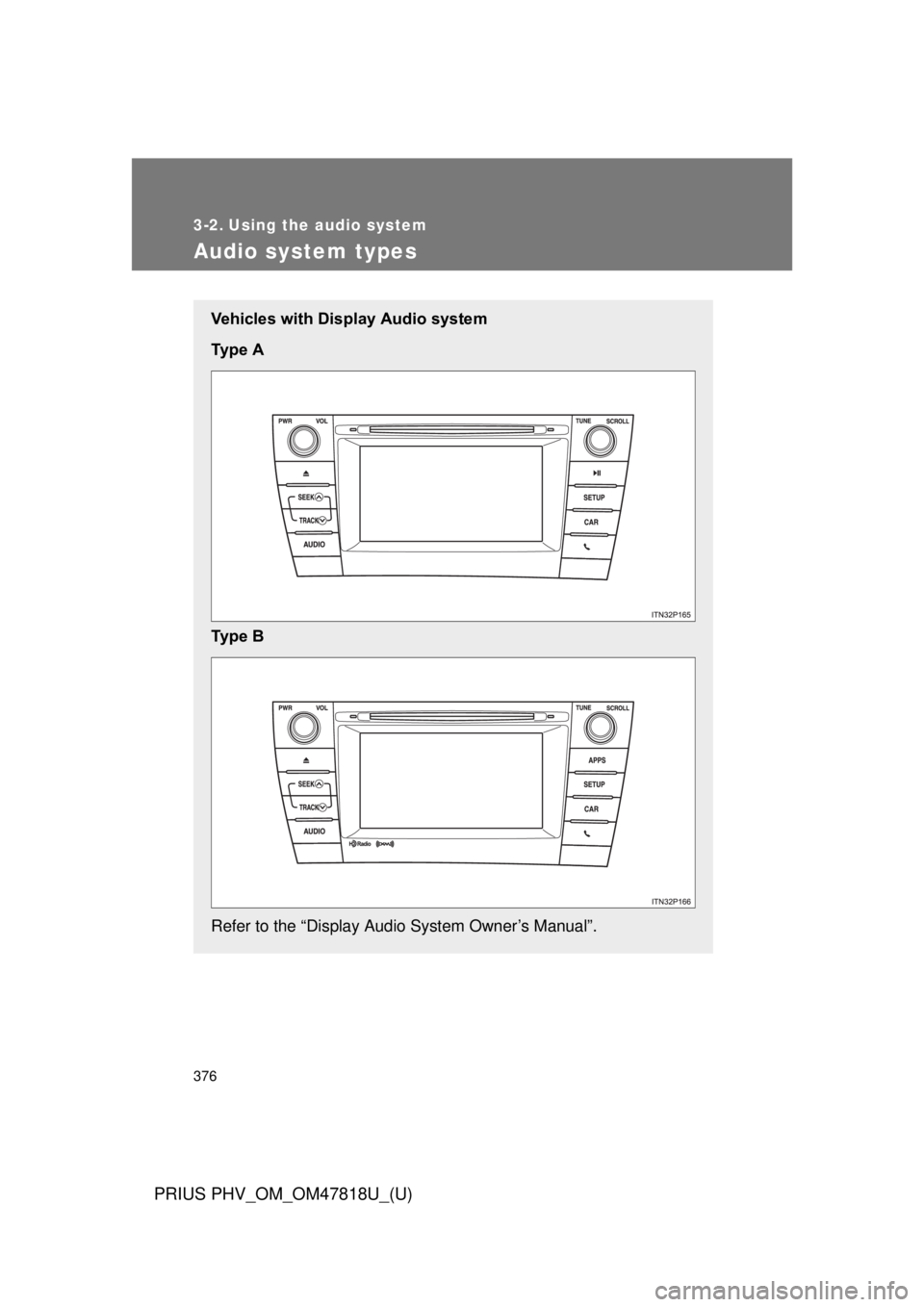
Vehicles with Display Audio system
Ty p e A
Ty p e B
Refer to the “Display Audio System Owner’s Manual”.
Page 377 of 684
377
3-2. Using the audio system
PRIUS PHV_OM_OM47818U_(U)
3
Interior features
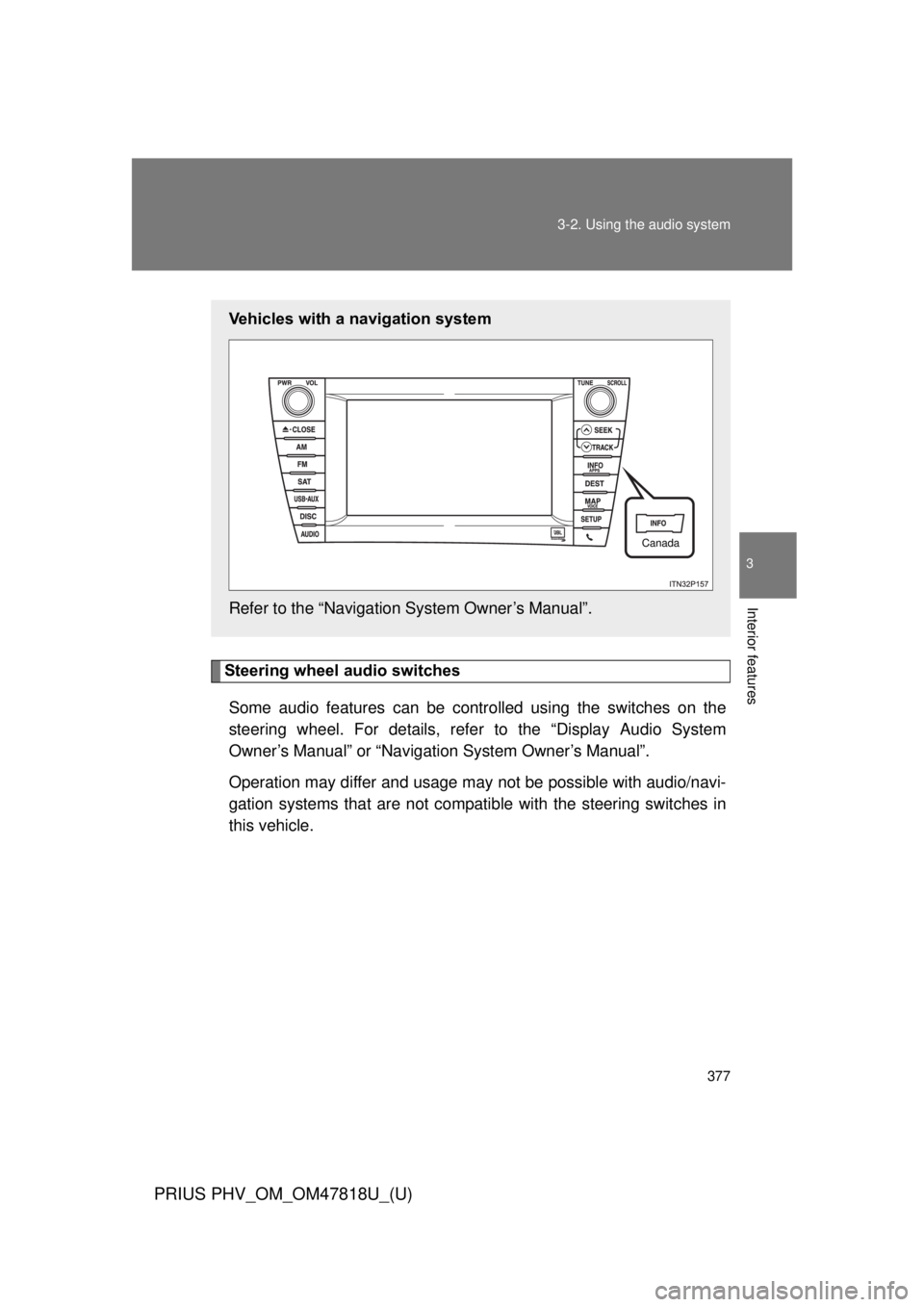
Steering wheel audio switches
Some audio features can be contro lled using the switches on the
steering wheel. For details, refe r to the “Display Audio System
Owner’s Manual” or “Navigation System Owner’s Manual”.
Operation may differ and usage may not be possible with audio/navi-
gation systems that are not compatib le with the steering switches in
this vehicle.
Vehicles with a navigation system
Refer to the “Navigation System Owner’s Manual”.
Canada
Page 378 of 684
378 3-2. Using the audio system
PRIUS PHV_OM_OM47818U_(U)
■About Bluetooth® (vehicles with Display Audio system)
CAUTION
■Certification for the Display Audio system
FCC ID: ACJ932CQ-US70G0
● Part 15 of the FCC Rules
FCC Warning:
Any unauthorized changes or modifications to this equipment will void the
user’s authority to operate this device.
● Laser products
• Do not take this unit apart or attempt to make any changes by yourself.
This is an intricate unit that uses a laser pickup to retrieve information
from the surface of compact discs. The laser is carefully shielded so
that its rays remain inside the cabinet. Therefore, never try to disas-
semble the player or alter any of its parts since you may be exposed to
laser rays and dangerous voltages.
• This product utilizes a laser. Use of controls or adjustments or performance of procedures other
than those specified herein may result in hazardous radiation expo-
sure.
Bluetooth is a registered trade mark of
Bluetooth SIG. Inc.
The Bluetooth word mark and logos are
owned by the Bluetooth SIG, Inc. and any
use of such marks by Panasonic Corpo-
ration is under license.
Other trademarks and trade names are
those of their respective owners.