542 5-2. Steps to take in an emergency
Changing “POWER” switch modes and starting the hybrid
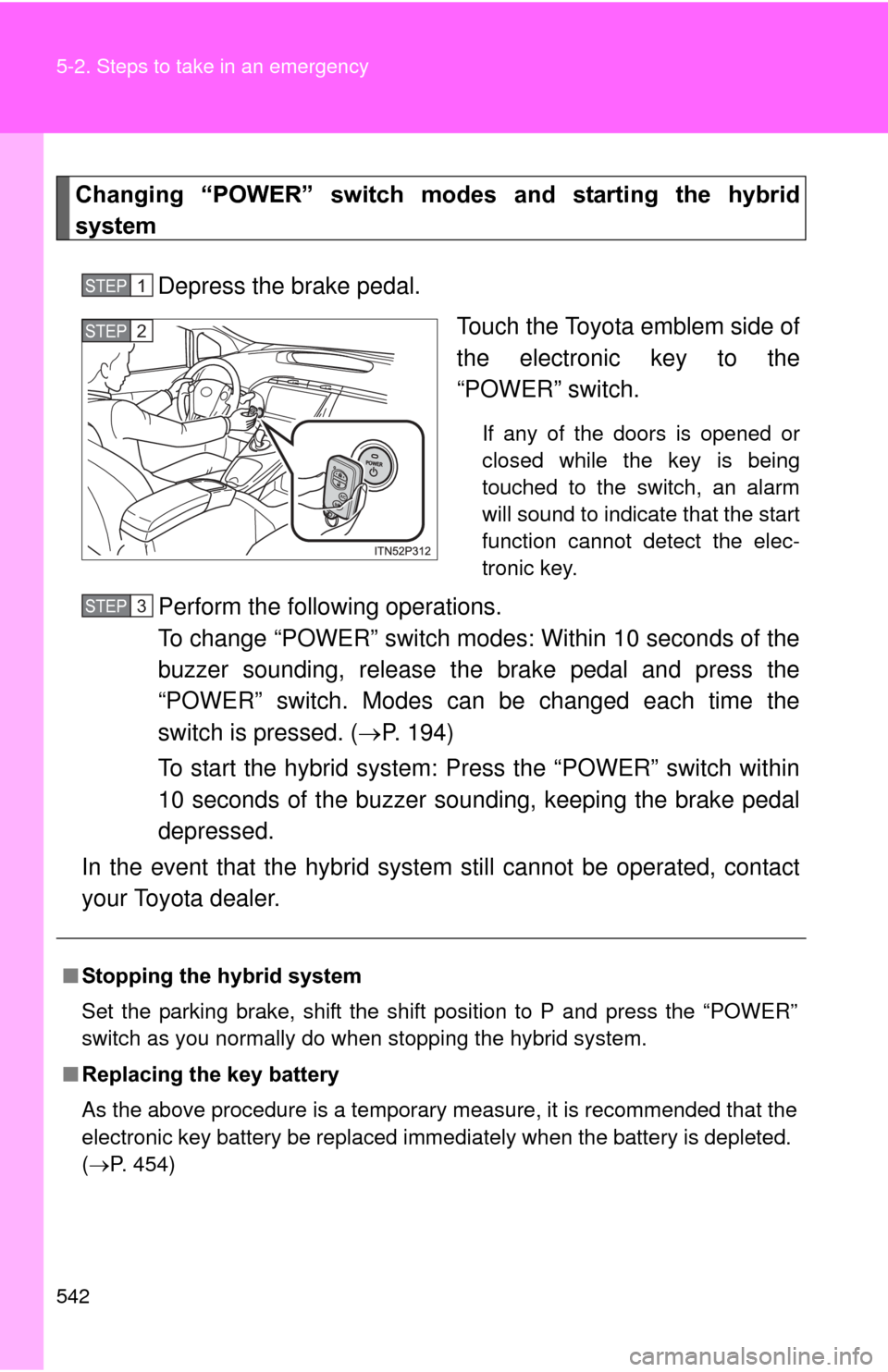
systemDepress the brake pedal. Touch the Toyota emblem side of
the electronic key to the
“POWER” switch.
If any of the doors is opened or
closed while the key is being
touched to the switch, an alarm
will sound to indicate that the start
function cannot detect the elec-
tronic key.
Perform the following operations.
To change “POWER” switch modes: Within 10 seconds of the
buzzer sounding, release the brake pedal and press the
“POWER” switch. Modes can be changed each time the
switch is pressed. ( P. 194)
To start the hybrid system: Press the “POWER” switch within
10 seconds of the buzzer soun ding, keeping the brake pedal
depressed.
In the event that the hybrid system still cannot be operated, contact
your Toyota dealer.
STEP 1
STEP 2
■ Stopping the hybrid system
Set the parking brake, shift the shift position to P and press the “POWER”
switch as you normally do when stopping the hybrid system.
■ Replacing the key battery
As the above procedure is a temporary measure, it is recommended that the
electronic key battery be replaced immediately when the battery is depleted.
(P. 454)
STEP 3
594 6-2. Customization
*: When the customized settings are changed using the navigation system,these functions will be changed between ON and OFF simultaneously.
ItemFunctionDefault set- tingCustom-ized
setting
Power
windows
( P. 123) The one-touch
closing operation
except for
driver’s seat
ON OFF – – O
Illumination
( P. 353) Time elapsed
before lights turn
off
15 secondsOFF
–OO
7.5
seconds
30 seconds
Operation when
the doors are
unlocked
*
ON OFF – O O
Operation after
the “POWER”
switch turned
OFF
*
ON OFF – O O
Operation when
you approach
the vehicle with
the electric key
on your person
(When the per-
sonal/interior
light main switch
is door position)
*
ON OFF – O O
Foot lights ON OFF – – O
Foot lights oper-
ation when the
vehicle is run-
ning ON OFF – – O