Page 58 of 552

58 1-3. Opening, closing and locking the doors
■Electronic key battery depletion
●The standard battery life is 1 to 2 years.
● If the battery becomes low, an alarm will sound in the cabin when the
hybrid system stops. (P. 449)
● As the electronic key always receives radio waves, the battery will
become depleted even if the electronic key is not used. The following
symptoms indicate that the electronic key battery may be depleted.
Replace the battery when necessary. ( P. 397)
• The smart key system or the wireless remote control does not operate.
• The detection area becomes smaller.
• The LED indicator on the key surface does not turn on.
● To avoid serious deterioration, do not leave the electronic key within 3 ft.
(1 m) of the following electrical appliances that produce a magnetic field:
•TVs
• Personal computers
• Cellular phones, cordless phones and battery chargers
• Recharging cellular phones or cordless phones
• Glass top ranges
• Table lamps
■ When the electronic key battery is fully depleted
P. 397
■ If the smart key system has been d eactivated in a customized setting
● Locking and unlocking the doors: Use the wireless remote control or
mechanical key. ( P. 61, 473)
● Starting the hybrid system and changing “POWER” switch modes:
P. 474
● Stopping the hybrid system: P. 474
■ Customization that can be co nfigured at Toyota dealer
Settings (e. g. operation signals) can be changed.
(Customizable features: P. 516)
Page 99 of 552

99
1-5. Opening and closing the windows and moon roof
1
Before driving
■
The power windows can be operated when
Vehicles without a smart key system
The engine switch is in the “ON” position.
Vehicles with a smart key system
The “POWER” switch is in ON mode.
■ Operating the power windows afte r turning the hybrid system off
Vehicles without a smart key system
The power windows can be operated for approximately 45 seconds even
after the engine switch is turned to the “ACC” or “LOCK” position. They can-
not, however, be operated once either front door is opened.
Vehicles with a smart key system
The power windows can be operated for approximately 45 seconds even
after the “POWER” switch is turned to ACCESSORY mode or turned off.
They cannot, however, be operated once either front door is opened.
■ Jam protection function (driver’s window only)
If an object becomes caught between the window and the window frame,
window travel is stopped and the window is opened slightly.
■ When the power window does not close normally (driver’s window
only)
If the jam protection function is operating abnormally and a window cannot
be closed, perform the following operations using the power window switch
on the driver’s door.
● Vehicles without a smart key system: After stopping the vehicle, the win-
dow can be closed by holding the power window switch in the one-touch
closing position while the engine switch is turned to the “ON” position.
● Vehicles with a smart key system: After stopping the vehicle, the window
can be closed by holding the power window switch in the one-touch clos-
ing position while the “POWER” switch is turned to ON mode.
● If the window still cannot be closed even by carrying out the operation
explained above, initialize the function by performing the following proce-
dure.
Page 102 of 552
102 1-5. Opening and closing the windows and moon roof
■The moon roof can be operated when
The “POWER” switch is in ON mode.
■ Operating the moon roof after turning the hybrid system off
The moon roof can be operated for approximately 45 seconds after the
“POWER” switch is turned to ACCESSORY mode or turned off. It cannot,
however, be operated once either front door is opened.
■ Jam protection function
If an object is detected between the moon roof and the frame while the moon
roof is closing or tilting down, travel is stopped and the moon roof opens
slightly.
■ Sunshade
The sunshade can be opened and closed manually. However, the sunshade
will open automatically when the moon roof is opened.
Page 110 of 552
110
1-7. Theft deterrent system
Immobilizer system
: If equipped
The vehicle’s keys have built-in transponder chips that prevent the
hybrid system from starting if a key has not been previously regis-
tered in the vehicle’s on-board computer.
Never leave the keys inside the vehicle when you leave the vehicle.
Vehicles without a smart
key system
The indicator light flashes after
the key has been removed
from the engine switch to indi-
cate that the system is operat-
ing.
The indicator light stops flash-
ing after the registered key
has been inserted into the
engine switch to indicate that
the system has been can-
celed.
Vehicles with a smart key
system
The indicator light flashes after
the “POWER” switch has been
turned off to indicate that the
system is operating.
The indicator light stops flash-
ing after the “POWER” switch
has been turned to ACCES-
SORY or ON mode to indicate
that the system has been can-
celed.
Page 111 of 552

111
1-7. Theft deterrent system
1
Before driving
■
System maintenance
The vehicle has a maintenance-free type immobilizer system.
■ Conditions affecting operation
Depending on the surrounding environment and conditions, the immobilizer
system may not operate properly. This may prevent the hybrid system from
starting. ( P. 55)
■ Certifications for the immobilizer system
U.S.A.
FCC ID: NI4TMIMB-3
FCC ID: MOZRI-33BTY
This device complies with Part 15 of the FCC Rules. Operation is subject to
the following two conditions: (1) this device may not cause harmful interfer-
ence, and (2) this device must accept any interference received, including
interference that may cause undesired operation.
Changes or modifications not expressly approved by the party responsible
for compliance could void the user’s authority to operate the equipment.
Canada
Operation is subject to the following two conditions: (1) this device may not
cause interference, and (2) this device must accept any interference, includ-
ing interference that may cause undesired operation of the device.
CAUTION
■Certifications for the immobilizer system
Changes or modifications not expressly approved by the party responsible
for compliance could void the user’s authority to operate the equipment.
NOTICE
■To ensure the system operates correctly
Do not modify or remove the system. If modified or removed, the proper
operation of the system cannot be guaranteed.
Page 147 of 552

When driving2
147
2-1. Driving proceduresDriving the vehicle............ 148
Engine (ignition) switch .... 158
Power (ignition) switch ..... 162
EV drive mode ................. 170
Hybrid transmission ......... 173
Turn signal lever .............. 176
Parking brake ................... 177
Horn ................................. 178
2-2. Instrument cluster Gauges and meters ......... 179
Indicators and warning lights .............................. 182
Multi-information display............................ 185
2-3. Operating the lights and wipers
Headlight switch ............... 202
Fog light switch ................ 206
Windshield wipers and washer ........................... 208
Rear window wiper and washer ........................... 212 2-4. Using other driving
systems
Cruise control ................... 215
Driving assist systems ..... 219
Hill-start assist control ...... 222
2-5. Driving information Cargo and luggage .......... 224
Vehicle load limits ............ 228
Winter driving tips ............ 229
Trailer towing ................... 233
Dinghy towing .................. 234
Page 148 of 552
148
2-1. Driving procedures
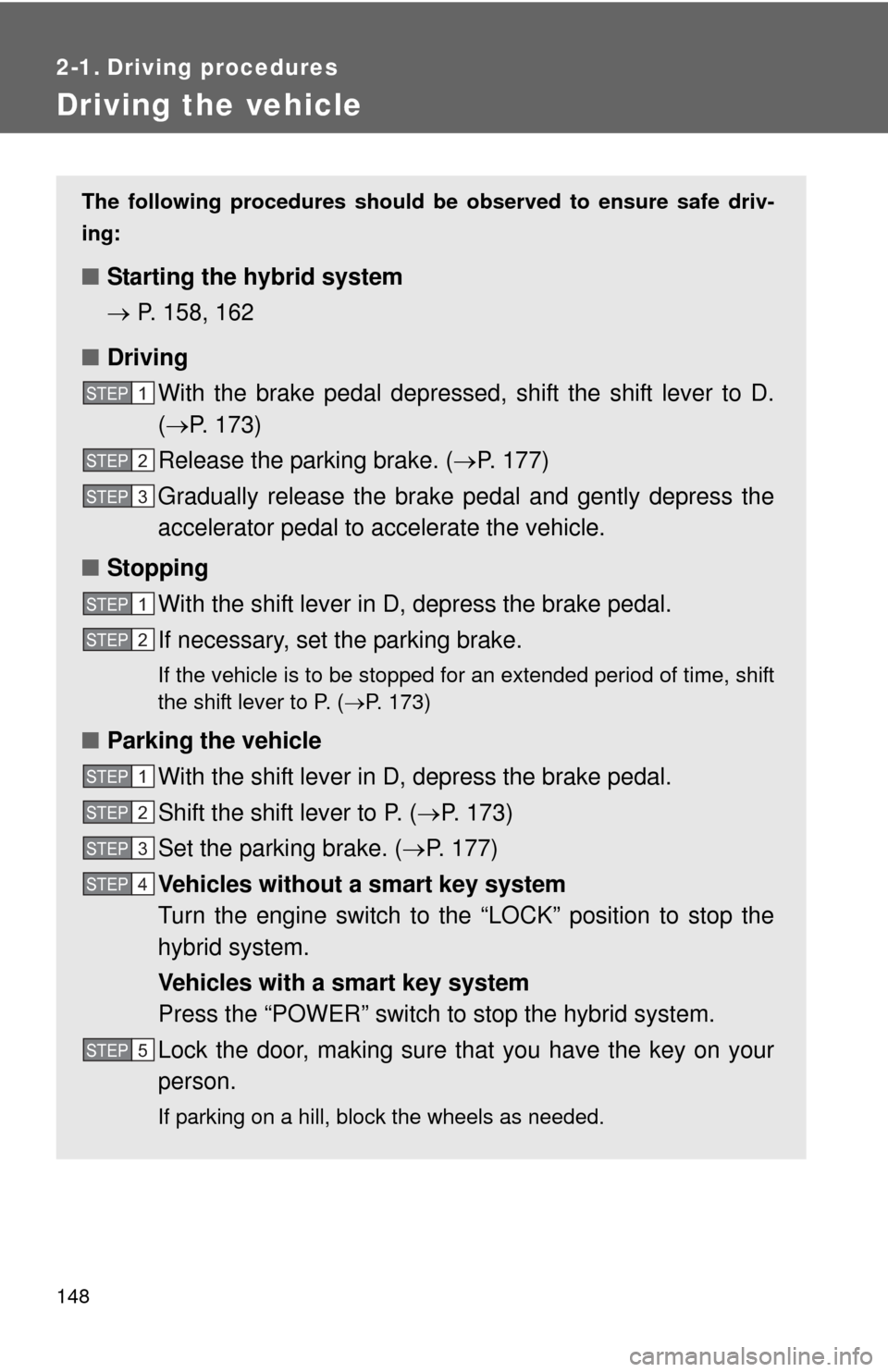
Driving the vehicle
The following procedures should be observed to ensure safe driv-
ing:
■ Starting the hybrid system
P. 158, 162
■ Driving
With the brake pedal depressed, shift the shift lever to D.
( P. 173)
Release the parking brake. ( P. 177)
Gradually release the brake pedal and gently depress the
accelerator pedal to accelerate the vehicle.
■ Stopping
With the shift lever in D, depress the brake pedal.
If necessary, set the parking brake.
If the vehicle is to be stopped for an extended period of time, shift
the shift lever to P. ( P. 173)
■Parking the vehicle
With the shift lever in D, depress the brake pedal.
Shift the shift lever to P. ( P. 173)
Set the parking brake. ( P. 177)
Vehicles without a smart key system
Turn the engine switch to the “LOCK” position to stop the
hybrid system.
Vehicles with a smart key system
Press the “POWER” switch to stop the hybrid system.
Lock the door, making sure that you have the key on your
person.
If parking on a hill, block the wheels as needed.
STEP1
STEP2
STEP3
STEP1
STEP2
STEP1
STEP2
STEP3
STEP4
STEP5
Page 150 of 552

150 2-1. Driving procedures
■Operating your vehicle in a foreign country
Comply with the relevant vehicle registration laws and confirm the availability
of the correct fuel. ( P. 492)
■ For efficient use
●Shift the shift lever to D when driving.
In the N position, the gasoline engine operates but electricity cannot be
generated. The hybrid battery (traction battery) will discharge, requiring
unnecessary engine power to recharge.
● Drive your vehicle smoothly.
Avoid abrupt acceleration and deceleration. Gradual acceleration and
deceleration will make more effective use of the electric motor (traction
motor) without having to use gasoline engine power.
● Avoid repeated acceleration.
Repeated acceleration consumes hybrid battery (traction battery) power,
resulting in poor acceleration. Battery power can be restored by driving
with the accelerator pedal slightly released.
● Shift the shift lever to P when parking.
In the N position, the hybrid battery (traction battery) does not recharge.
Leaving the shift lever in the N position for an extended period of time
may discharge the hybrid battery. The vehicle cannot run if the hybrid
battery is discharged.

