Page 5 of 692
1
2
3
4
5
6
5
L/C200_EE (OM60G38E)
3-5. Using the interior lights
Interior lights list .................. 448
• Interior lights ..................... 449
• Personal lights .................. 450
3-6. Using the storage features
List of storage features ....... 452
• Glove box ......................... 453
• Console box...................... 454
• Overhead console ............ 455
• Cup holders ...................... 456
• Bottle holders.................... 458
• Card holder ....................... 460
• Auxiliary box ..................... 460
3-7. Other interior features
Cool box.............................. 461
Sun visors ........................... 463
Vanity mirror ....................... 464
Clock ................................... 465
Outside temperature
display .............................. 466
Ashtray................................ 468
Cigarette lighter .................. 470
Power outlet ........................ 471
Heated steering wheel ........ 474
Seat heaters and
ventilators ......................... 476
Armrest ............................... 480
Assist grip ........................... 481
Floor mats ........................... 482
Luggage compartment
features............................. 4844-1. Maintenance and care
Cleaning and protecting
the vehicle exterior ........... 488
Cleaning and protecting
the vehicle interior ............ 491
4-2. Maintenance
Maintenance
requirements .................... 494
4-3. Do-it-yourself maintenance
Do-it-yourself service
precautions ...................... 497
Hood................................... 501
Engine compartment .......... 502
Tires ................................... 518
Tire inflation pressure......... 521
Wheels ............................... 523
Air conditioning filter ........... 525
Electronic key battery ......... 528
Checking and replacing
fuses ................................ 531
Light bulbs .......................... 546
4Maintenance and care
Page 9 of 692
9
L/C200_EE (OM60G38E)
: If equipped
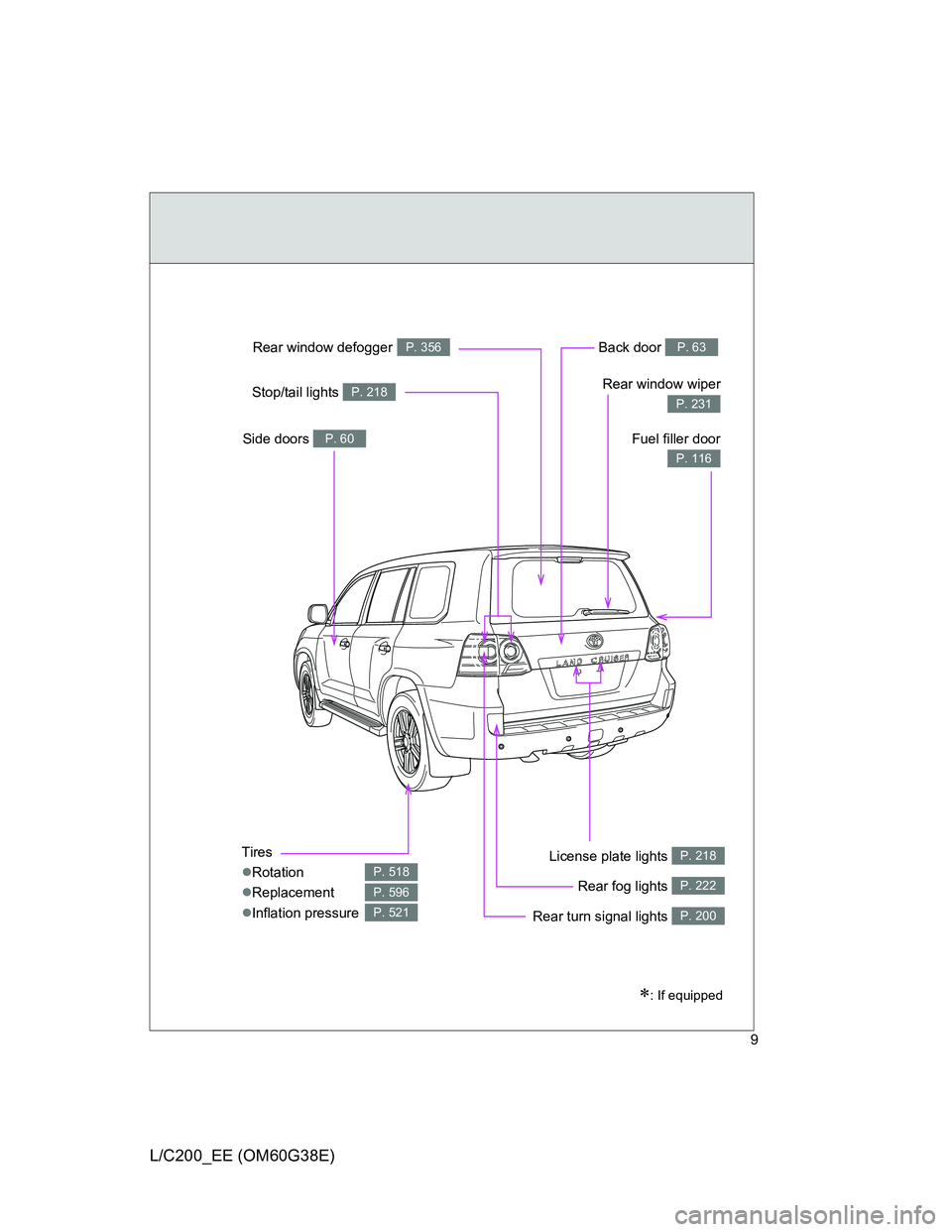
Tires
Rotation
Replacement
Inflation pressure
P. 518
P. 596
P. 521
Back door P. 63
Side doors P. 60Fuel filler door
P. 116
Rear turn signal lights P. 200
Rear window wiper
P. 231
Rear window defoggerP. 356
License plate lights P. 218
Stop/tail lights P. 218
Rear fog lights P. 222
Page 72 of 692
72 1-2. Opening, closing and locking the doors
L/C200_EE (OM60G38E)
CAUTION
Power back door (vehicles with power back door)
Observe the following precautions when operating the power back door.
Failure to do so may cause death or serious injury.
Check the safety of the surrounding area to make sure there are no obsta-
cles or anything that could cause any of your belongings to get caught.
If anyone is in the vicinity, make sure they are safe and let them know that
the back door is about to open or close.
If the power back door main switch is turned off while the back door is
operating during automatic operation, the back door stops operating. Take
extra care when on an incline, as the back door may open or close sud-
denly.
If the operating conditions of the power back door are no longer met, a
buzzer may sound and the back door may stop opening or closing. The
back door then has to be operated manually. Take extra care in this situa-
tion, as the back door may move abruptly.
On an incline, the back door may fall after it opens automatically. Make
sure the back door is fully open and secure.
In the following situations, the power back door may detect an abnormality
and automatic operation may be stopped. In this case, the back door has
to be operated manually. Take extra care in this situation, as the stopped
back door may suddenly fall, causing an accident.
• When the back door contacts an obstacle
• When the battery voltage suddenly drops, such as when the “ENGINE
START STOP” switch is turned to the IGNITION ON mode or the
engine is started during automatic operation
Do not attach any accessories other than genuine Toyota parts to the back
door. The power back door may not operate, causing itself to malfunction,
or the back door may fall closed again it is opened.
In cases such as when replacing tires, make sure to turn off the power
back door main switch. Failure to do so may cause the back door to oper-
ate unintentionally if the power back door switch is accidentally touched,
resulting in hands and fingers being caught and injured.
Page 133 of 692
133 1-6. Theft deterrent system
1
Before driving
L/C200_EE (OM60G38E)
The vehicle is inside an automatic or high-pressure car wash.
The vehicle experiences impacts, such as hail, lightning strikes, and
other kinds of repeated impacts or vibrations.
Tilt sensor detection considerations
The sensor may trigger the alarm in the following situations:
The vehicle is transported by a ferry, trailer, train, etc.
The vehicle is parked in a parking garage.
The vehicle is inside a car wash that moves the vehicle.
Any of the tires loses air pressure.
The vehicle is jacked up.
An earthquake occurs or the road caves in.
Cargo is loaded onto or unloaded from the roof luggage carrier.
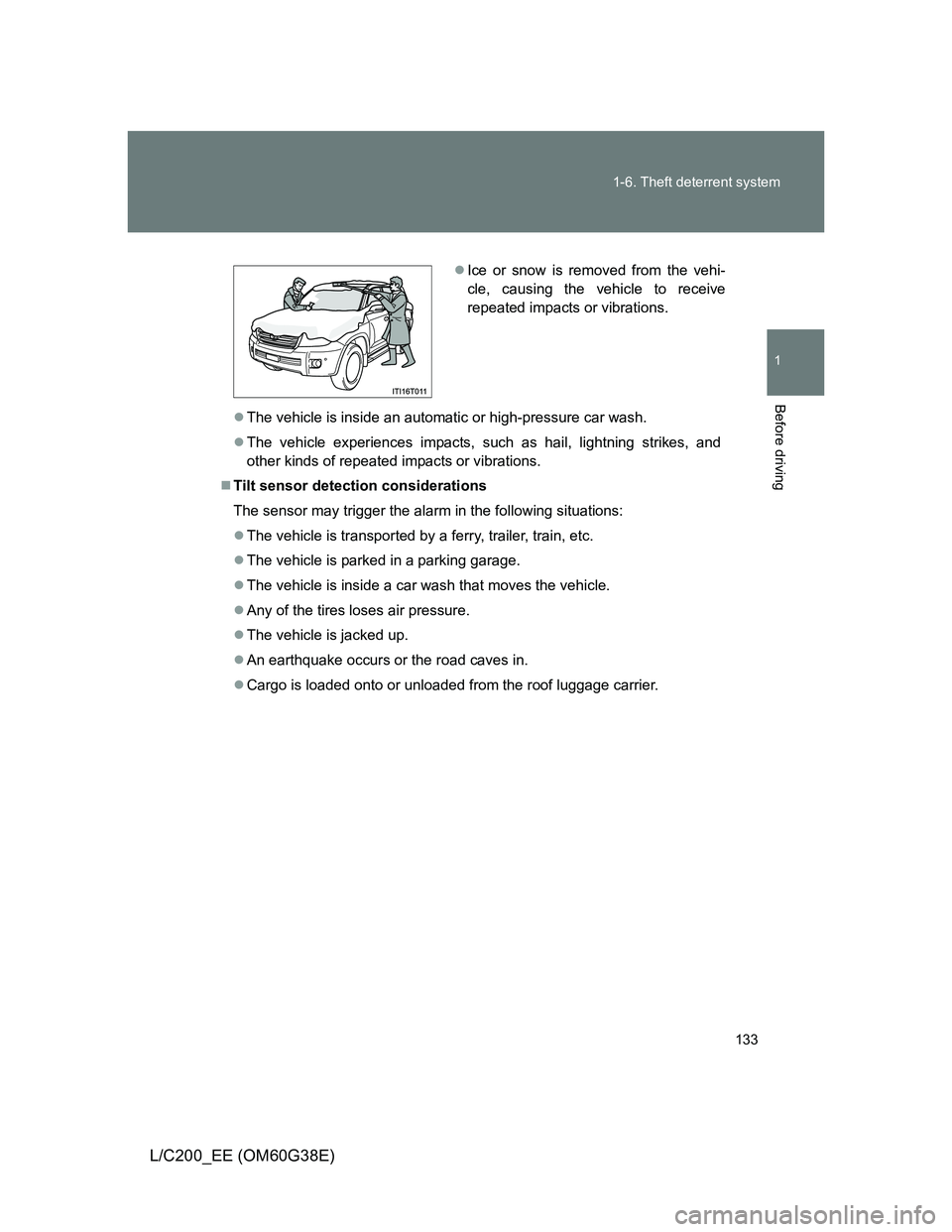
Ice or snow is removed from the vehi-
cle, causing the vehicle to receive
repeated impacts or vibrations.
Page 179 of 692
179 2-1. Driving procedures
2
When driving
L/C200_EE (OM60G38E)
Starting on a steep uphill
Firmly set the parking brake and shift the shift lever to “D”.
Gently depress the accelerator pedal.
Release the parking brake.
Driving in the rain
Drive carefully when it is raining, because visibility will be reduced, the
windows may become fogged-up, and the road will be slippery.
Drive carefully when it starts to rain, because the road surface will be
especially slippery.
Refrain from high speeds when driving on an expressway in the rain,
because there may be a layer of water between the tires and the road
surface, preventing the steering and brakes from operating properly.
Engine speed while driving
In the following conditions, the engine speed may become high while driving.
This is due to automatic up-shifting control or down-shifting implementation
to meet driving conditions. It does not indicate sudden acceleration.
The vehicle is judged to be driving uphill or downhill
When the accelerator pedal is released
Breaking in your new Toyota
To extend the life of the vehicle, the following precautions are recommended
to observe:
For the first 300 km (200 miles):
Avoid sudden stops.
For the first 800 km (500 miles):
Do not tow a trailer.
For the first 1000 km (600 miles):
• Do not drive at extremely high speeds.
• Avoid sudden acceleration.
• Do not drive continuously in the low gears.
• Do not drive at a constant speed for extended periods.
STEP1
STEP2
STEP3
Page 214 of 692
214 2-2. Instrument cluster
L/C200_EE (OM60G38E)
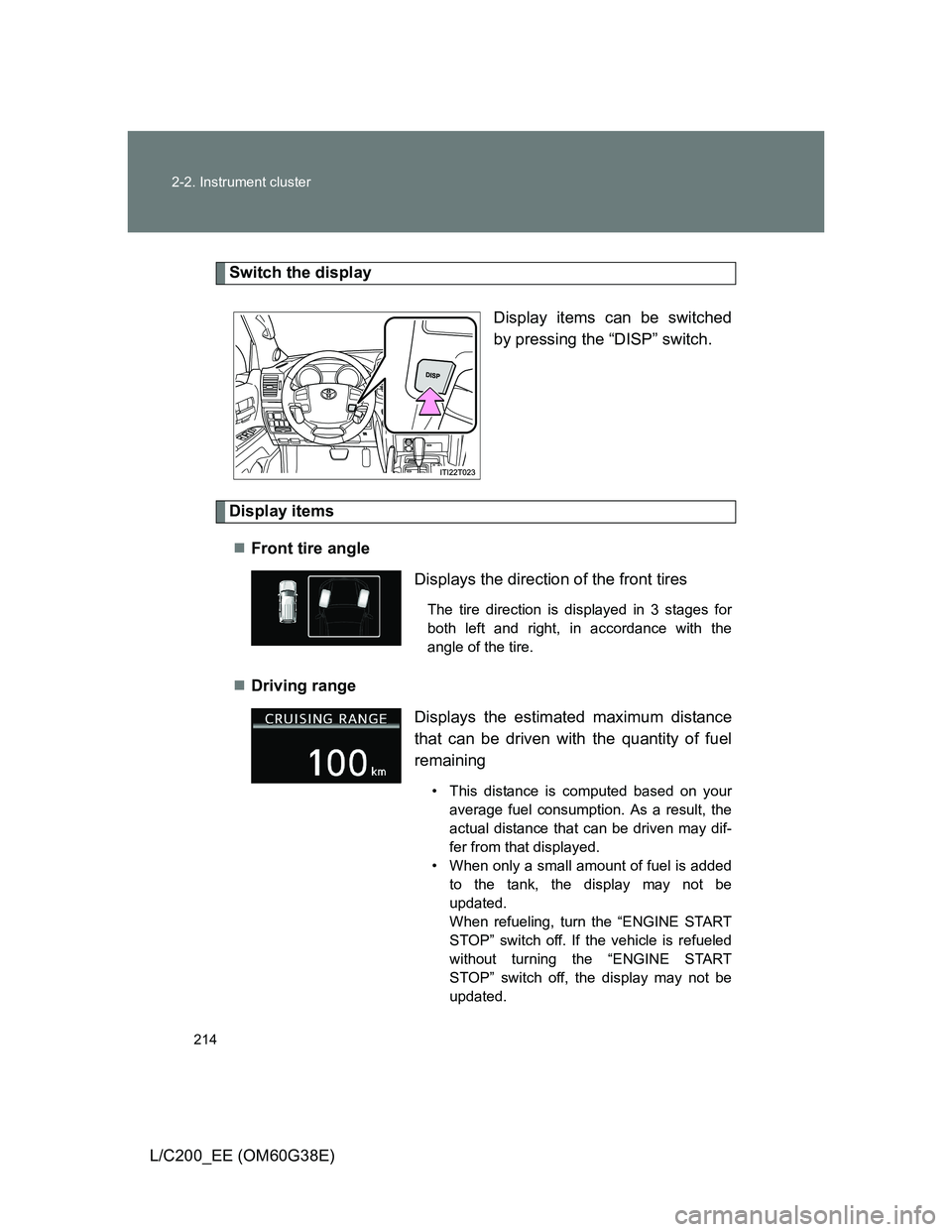
Switch the display
Display items can be switched
by pressing the “DISP” switch.
Display items
Front tire angle
Driving range
Displays the direction of the front tires
The tire direction is displayed in 3 stages for
both left and right, in accordance with the
angle of the tire.
Displays the estimated maximum distance
that can be driven with the quantity of fuel
remaining
• This distance is computed based on your
average fuel consumption. As a result, the
actual distance that can be driven may dif-
fer from that displayed.
• When only a small amount of fuel is added
to the tank, the display may not be
updated.
When refueling, turn the “ENGINE START
STOP” switch off. If the vehicle is refueled
without turning the “ENGINE START
STOP” switch off, the display may not be
updated.
Page 276 of 692
276
2-4. Using other driving systems
L/C200_EE (OM60G38E)
Multi-terrain Monitor
: If equipped
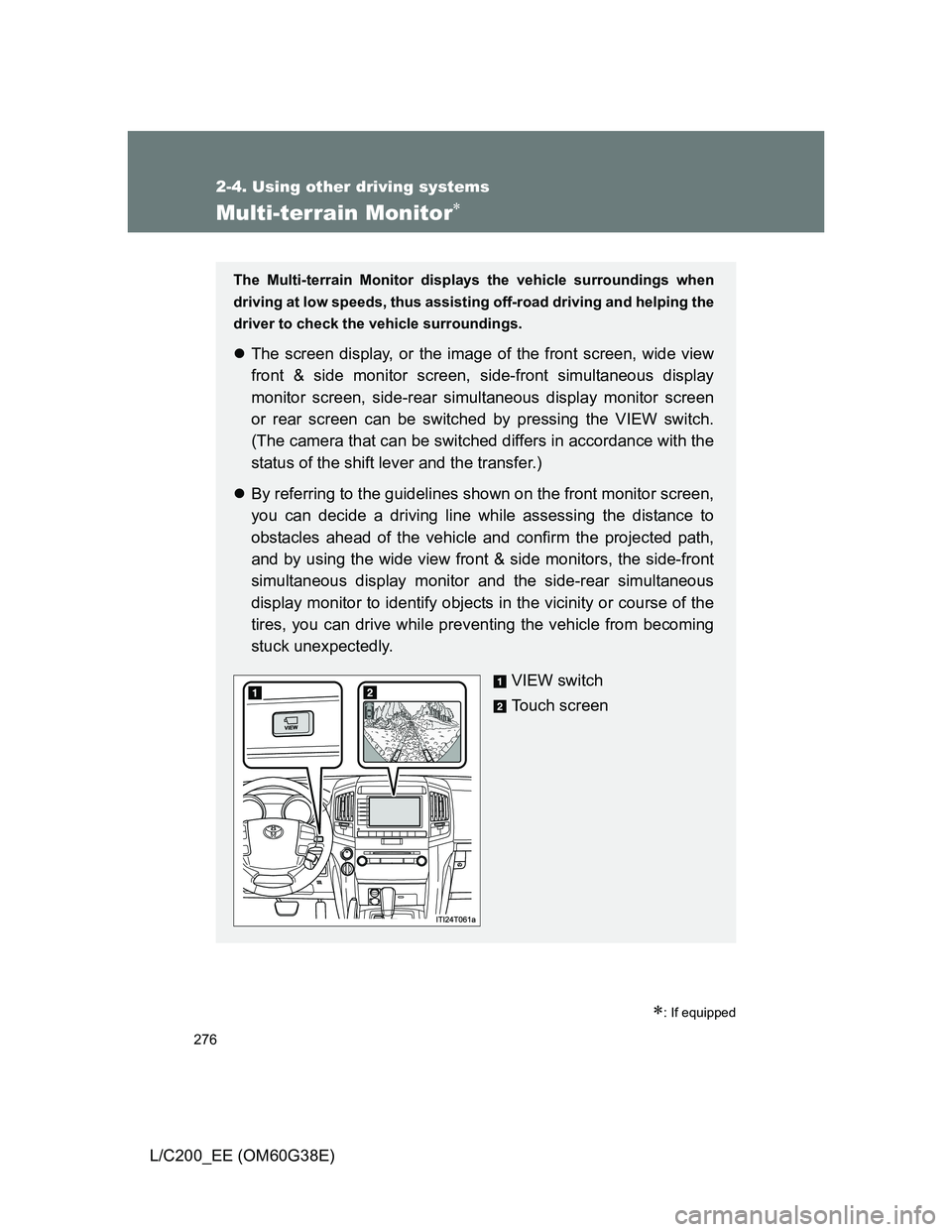
The Multi-terrain Monitor displays the vehicle surroundings when
driving at low speeds, thus assisting off-road driving and helping the
driver to check the vehicle surroundings.
The screen display, or the image of the front screen, wide view
front & side monitor screen, side-front simultaneous display
monitor screen, side-rear simultaneous display monitor screen
or rear screen can be switched by pressing the VIEW switch.
(The camera that can be switched differs in accordance with the
status of the shift lever and the transfer.)
By referring to the guidelines shown on the front monitor screen,
you can decide a driving line while assessing the distance to
obstacles ahead of the vehicle and confirm the projected path,
and by using the wide view front & side monitors, the side-front
simultaneous display monitor and the side-rear simultaneous
display monitor to identify objects in the vicinity or course of the
tires, you can drive while preventing the vehicle from becoming
stuck unexpectedly.
VIEW switch
Touch screen
Page 281 of 692
281 2-4. Using other driving systems
2
When driving
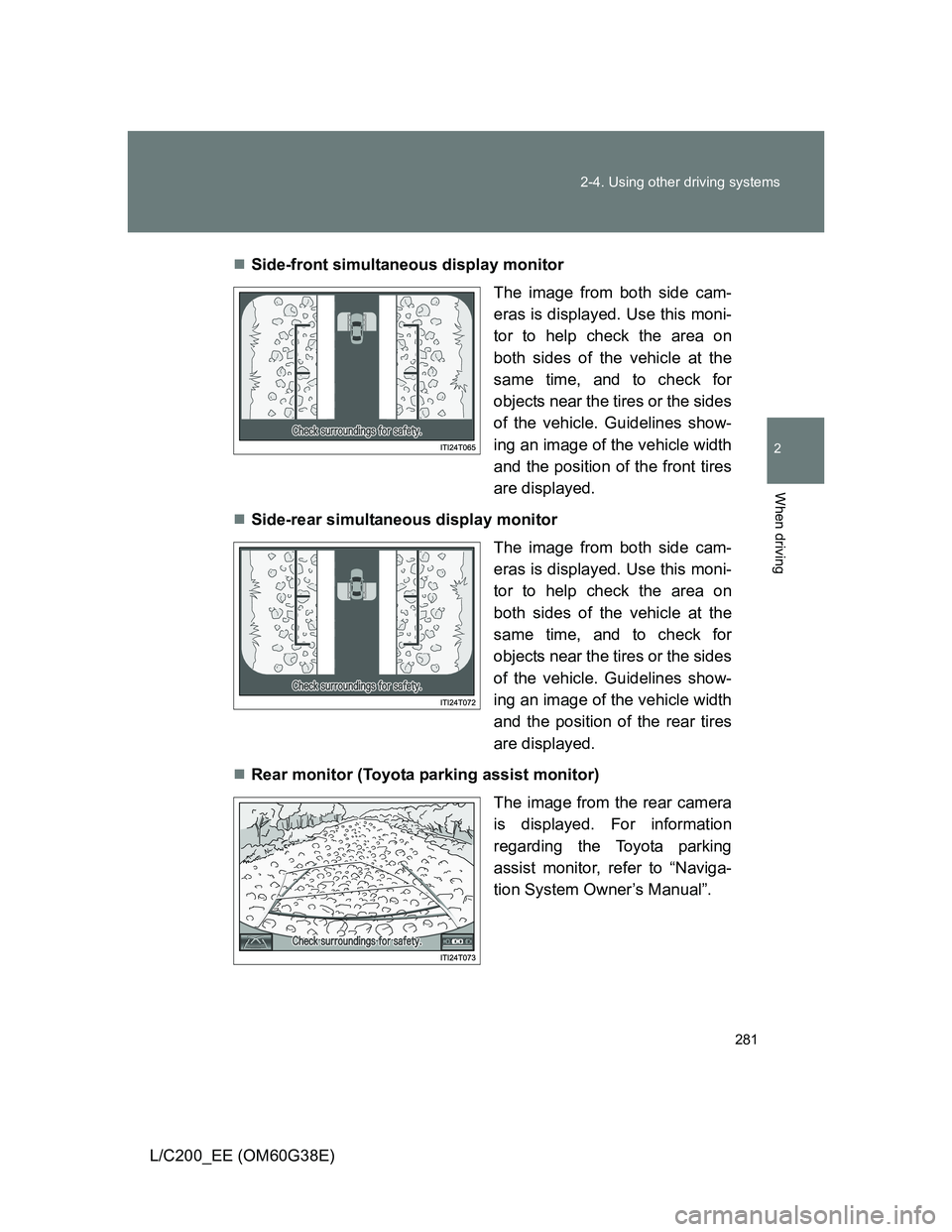
L/C200_EE (OM60G38E)Side-front simultaneous display monitor
The image from both side cam-
eras is displayed. Use this moni-
tor to help check the area on
both sides of the vehicle at the
same time, and to check for
objects near the tires or the sides
of the vehicle. Guidelines show-
ing an image of the vehicle width
and the position of the front tires
are displayed.
Side-rear simultaneous display monitor
The image from both side cam-
eras is displayed. Use this moni-
tor to help check the area on
both sides of the vehicle at the
same time, and to check for
objects near the tires or the sides
of the vehicle. Guidelines show-
ing an image of the vehicle width
and the position of the rear tires
are displayed.
Rear monitor (Toyota parking assist monitor)
The image from the rear camera
is displayed. For information
regarding the Toyota parking
assist monitor, refer to “Naviga-
tion System Owner’s Manual”.