Page 189 of 692
189 2-1. Driving procedures
2
When driving
L/C200_EE (OM60G38E)
NOTICE
If you get a flat tire while driving
A flat or damaged tire may cause the following situations. Hold the steering
wheel firmly and gradually press the brake pedal to slow down the vehicle.
It may be difficult to control your vehicle.
The vehicle will make abnormal sounds.
The vehicle will behave abnormally.
Replace a flat tire with a new one. (P. 601)
When encountering flooded roads
Do not drive on a road that has flooded after heavy rain etc. Doing so may
cause the following serious damage to the vehicle.
Engine stalling
Short in electrical components
Engine damage caused by water immersion
In the event that you drive on a flooded road and the vehicle is flooded, be
sure to have any authorized Toyota dealer or repairer, or another duly quali-
fied and equipped professional check the following.
Brake function
Changes in quantity and quality of oil and fluid used for the engine, trans-
mission, transfer, differentials, etc.
Lubricant condition for the propeller shaft, bearings and suspension joints
(where possible) and the function of all joints, bearings, etc.
Page 190 of 692
190
2-1. Driving procedures
L/C200_EE (OM60G38E)
Engine (ignition) switch
Performing the following operations when carrying the electronic
key on your person starts the engine or changes “ENGINE START
STOP” switch modes.
Starting the engine
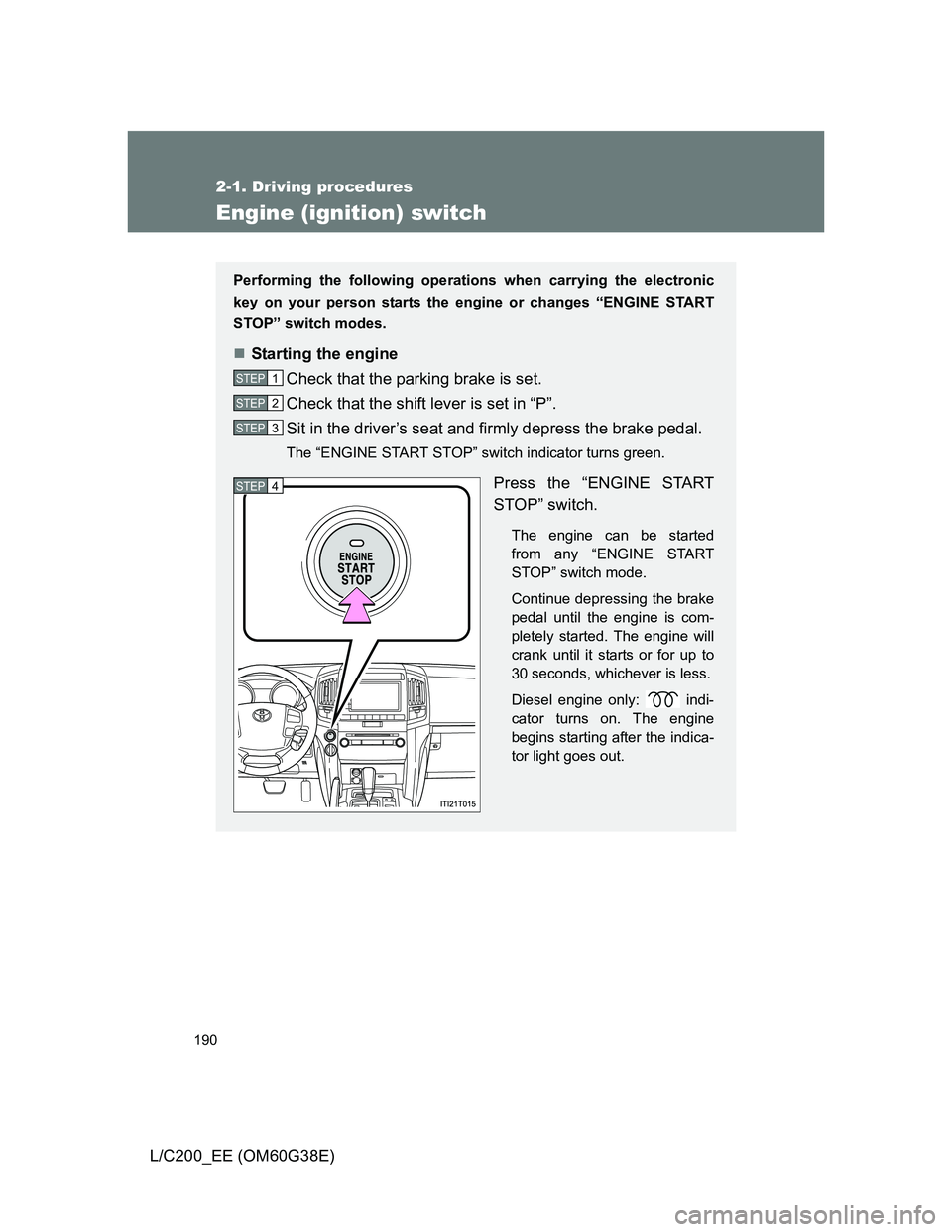
Check that the parking brake is set.
Check that the shift lever is set in “P”.
Sit in the driver’s seat and firmly depress the brake pedal.
The “ENGINE START STOP” switch indicator turns green.
Press the “ENGINE START
STOP” switch.
The engine can be started
from any “ENGINE START
STOP” switch mode.
Continue depressing the brake
pedal until the engine is com-
pletely started. The engine will
crank until it starts or for up to
30 seconds, whichever is less.
Diesel engine only: indi-
cator turns on. The engine
begins starting after the indica-
tor light goes out.
STEP1
STEP2
STEP3
STEP4
Page 193 of 692
193 2-1. Driving procedures
2
When driving
L/C200_EE (OM60G38E)
CAUTION
When starting the engine
Always start the engine while sitting in the driver’s seat. Do not depress the
accelerator pedal while starting the engine under any circumstances.
Doing so may cause an accident resulting in death or serious injury.
Stopping the engine in an emergency
If you want to stop the engine in an emergency while driving the vehicle,
press and hold the “ENGINE START STOP” switch for more than 3 seconds,
or press it briefly 3 times or more in succession. (P. 640)
However, do not touch the “ENGINE START STOP” switch while driving
except in an emergency. Turning the engine off while driving will not cause
loss of steering or braking control, but the power assist to these systems will
be lost. This will make it more difficult to steer and brake, so you should pull
over and stop the vehicle as soon as it is safe to do so.
NOTICE
To prevent battery discharge
Do not leave the “ENGINE START STOP” switch in ACCESSORY or IGNI-
TION ON mode for long periods without the engine running.
When starting the engine
Do not race a cold engine.
If the engine becomes difficult to start or stalls frequently, have your vehi-
cle checked by any authorized Toyota dealer or repairer, or another duly
qualified and equipped professional immediately.
Symptoms indicating a malfunction with the “ENGINE START STOP”
switch
If the “ENGINE START STOP” seems to be operating somewhat differently
than usual, such as the switch sticking slightly, there may be a malfunction.
Contact any authorized Toyota dealer or repairer, or another duly qualified
and equipped professional.
Page 200 of 692
200
2-1. Driving procedures
L/C200_EE (OM60G38E)
Turn signal lever
Turn signals can be operated when
The “ENGINE START STOP” switch is in IGNITION ON mode.
If the indicators flash faster than usual
Check that a light bulb in the front or rear turn signal lights has not burned
out.
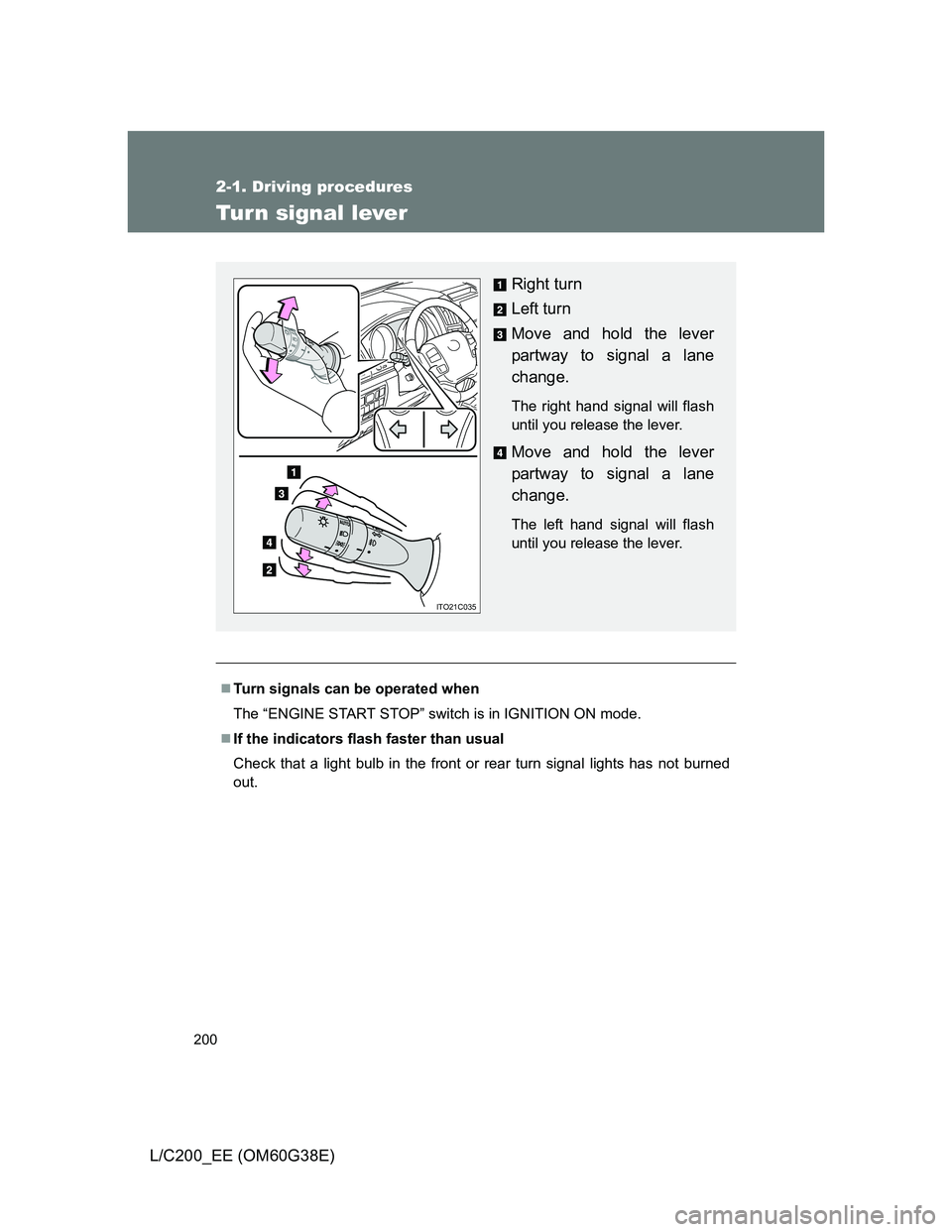
Right turn
Left turn
Move and hold the lever
partway to signal a lane
change.
The right hand signal will flash
until you release the lever.
Move and hold the lever
partway to signal a lane
change.
The left hand signal will flash
until you release the lever.
ITO21C035
Page 206 of 692
206 2-2. Instrument cluster
L/C200_EE (OM60G38E)
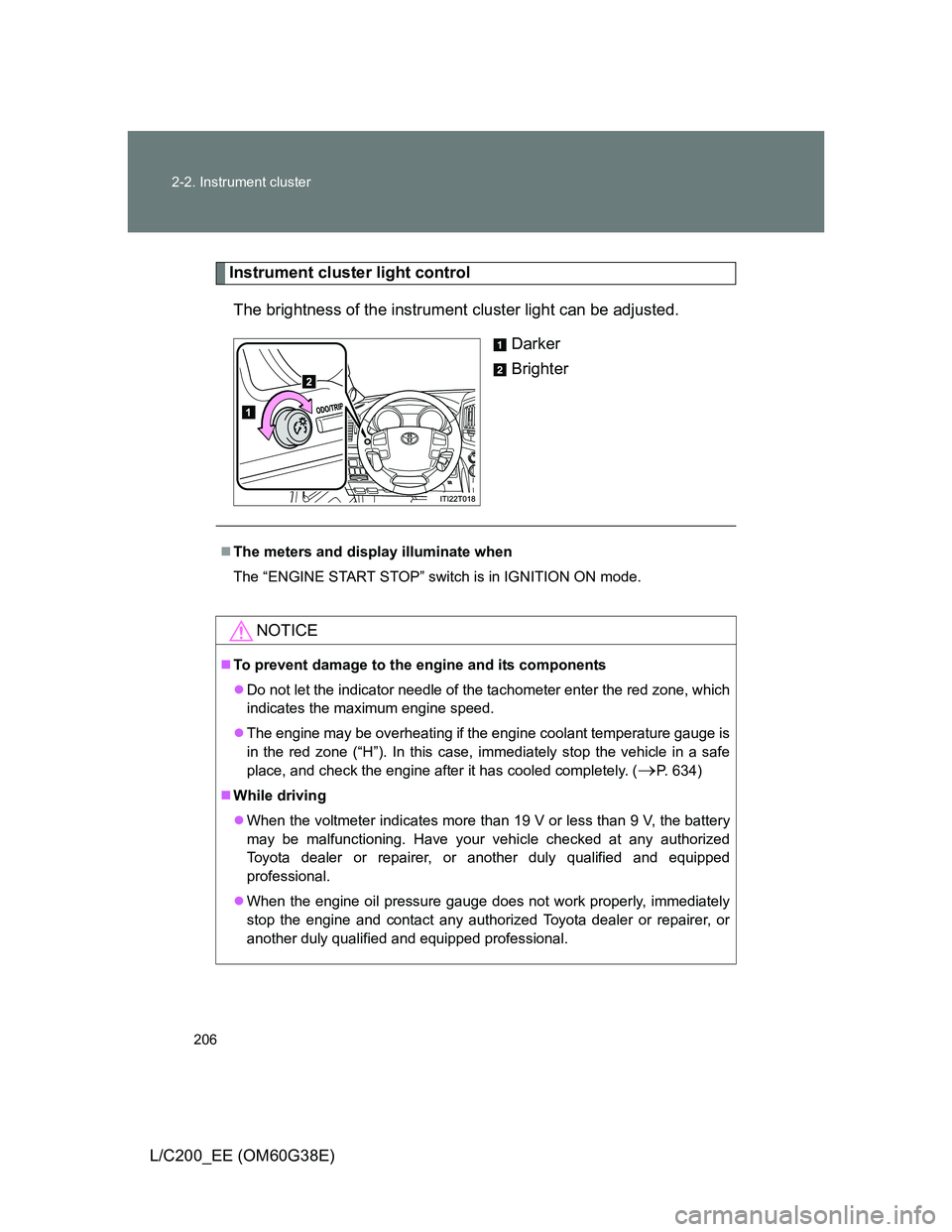
Instrument cluster light control
The brightness of the instrument cluster light can be adjusted.
Darker
Brighter
The meters and display illuminate when
The “ENGINE START STOP” switch is in IGNITION ON mode.
NOTICE
To prevent damage to the engine and its components
Do not let the indicator needle of the tachometer enter the red zone, which
indicates the maximum engine speed.
The engine may be overheating if the engine coolant temperature gauge is
in the red zone (“H”). In this case, immediately stop the vehicle in a safe
place, and check the engine after it has cooled completely. (
P. 634)
While driving
When the voltmeter indicates more than 19 V or less than 9 V, the battery
may be malfunctioning. Have your vehicle checked at any authorized
Toyota dealer or repairer, or another duly qualified and equipped
professional.
When the engine oil pressure gauge does not work properly, immediately
stop the engine and contact any authorized Toyota dealer or repairer, or
another duly qualified and equipped professional.
Page 210 of 692
210 2-2. Instrument cluster
L/C200_EE (OM60G38E)
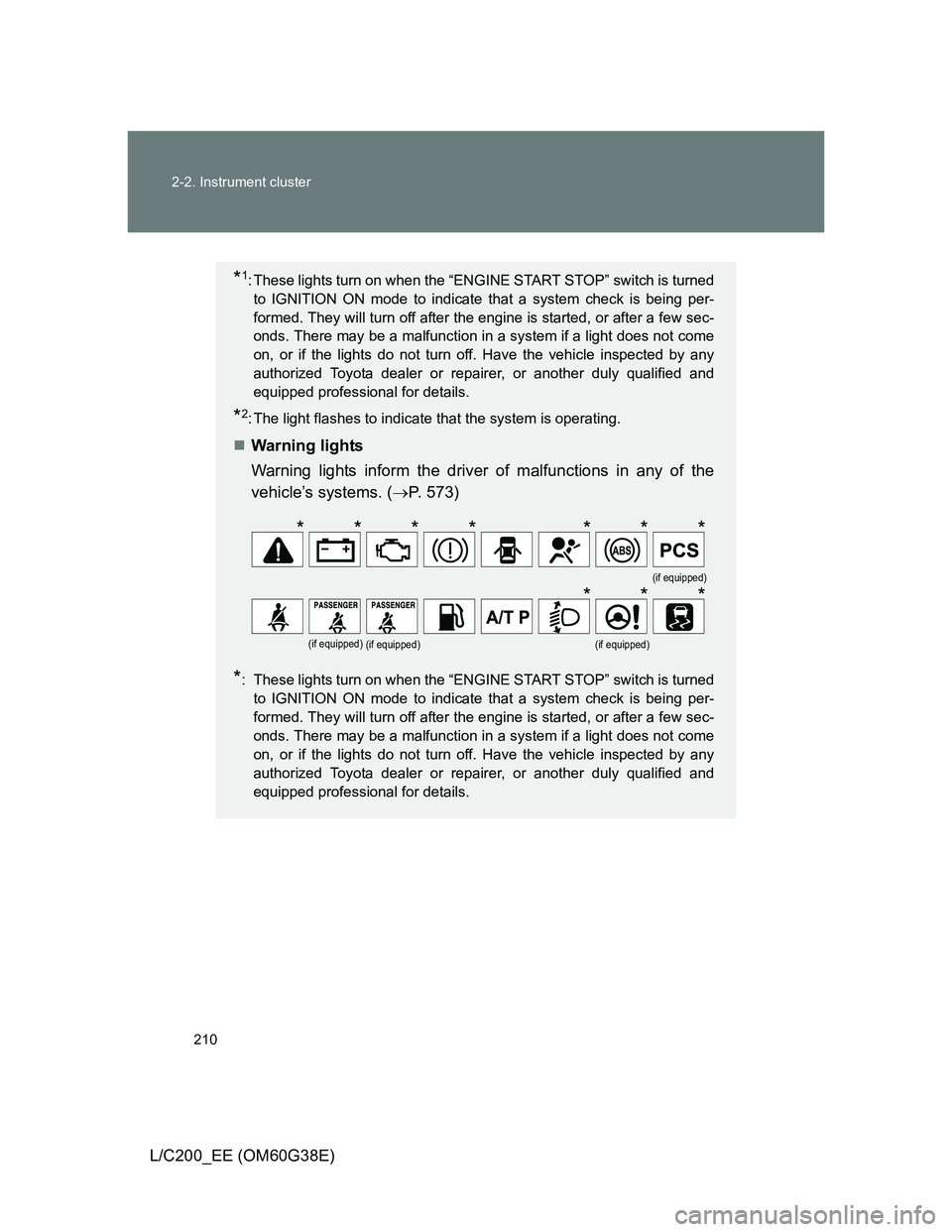
*1: These lights turn on when the “ENGINE START STOP” switch is turned
to IGNITION ON mode to indicate that a system check is being per-
formed. They will turn off after the engine is started, or after a few sec-
onds. There may be a malfunction in a system if a light does not come
on, or if the lights do not turn off. Have the vehicle inspected by any
authorized Toyota dealer or repairer, or another duly qualified and
equipped professional for details.
*2: The light flashes to indicate that the system is operating.
Warning lights
Warning lights inform the driver of malfunctions in any of the
vehicle’s systems. (P. 573)
*: These lights turn on when the “ENGINE START STOP” switch is turned
to IGNITION ON mode to indicate that a system check is being per-
formed. They will turn off after the engine is started, or after a few sec-
onds. There may be a malfunction in a system if a light does not come
on, or if the lights do not turn off. Have the vehicle inspected by any
authorized Toyota dealer or repairer, or another duly qualified and
equipped professional for details.
(if equipped)
(if equipped)(if equipped)(if equipped)
*******
***
Page 216 of 692
216 2-2. Instrument cluster
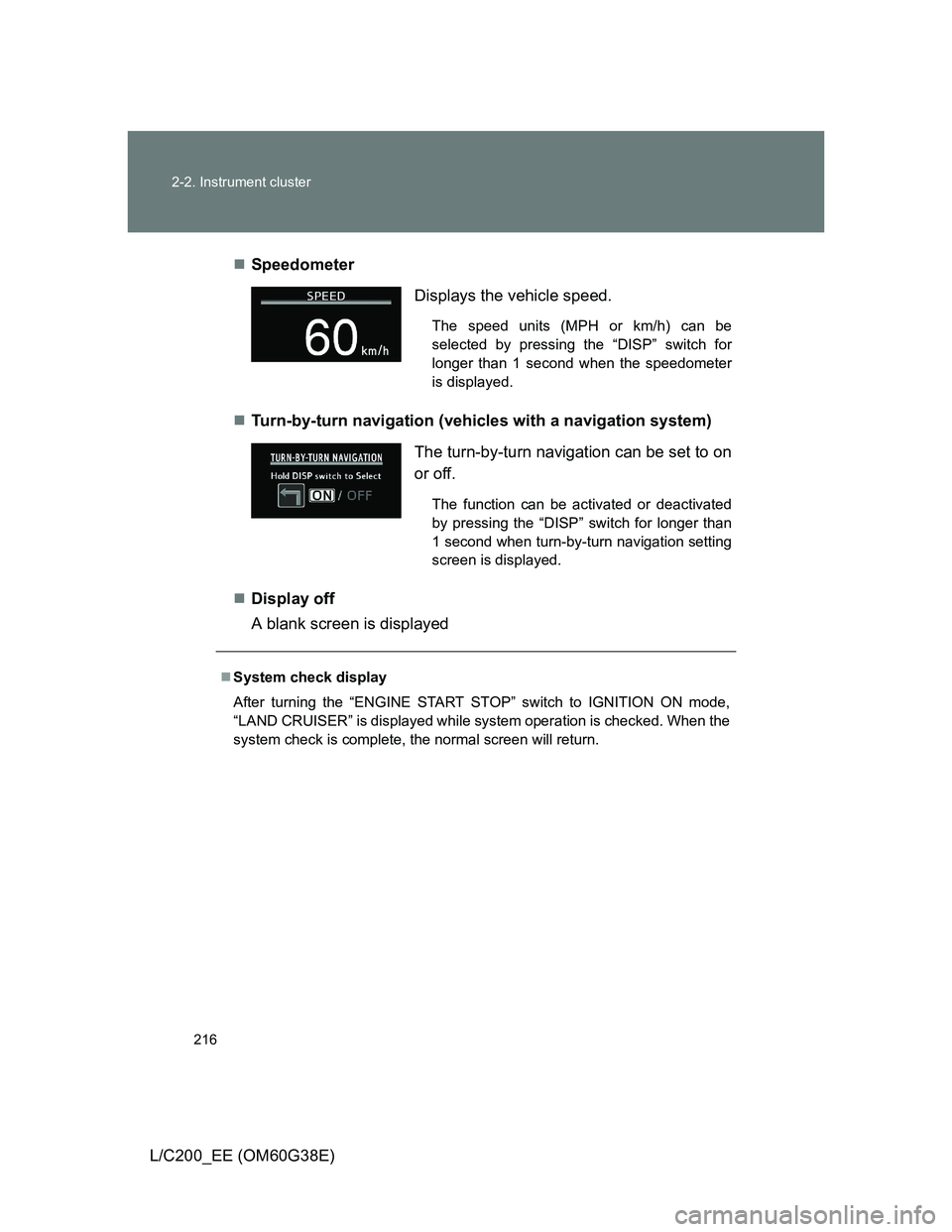
L/C200_EE (OM60G38E)Speedometer
Turn-by-turn navigation (vehicles with a navigation system)
Display off
A blank screen is displayed
Displays the vehicle speed.
The speed units (MPH or km/h) can be
selected by pressing the “DISP” switch for
longer than 1 second when the speedometer
is displayed.
The turn-by-turn navigation can be set to on
or off.
The function can be activated or deactivated
by pressing the “DISP” switch for longer than
1 second when turn-by-turn navigation setting
screen is displayed.
System check display
After turning the “ENGINE START STOP” switch to IGNITION ON mode,
“LAND CRUISER” is displayed while system operation is checked. When the
system check is complete, the normal screen will return.
Page 228 of 692
228 2-3. Operating the lights and wipers
L/C200_EE (OM60G38E)
The windshield wiper and washer can be operated when
The “ENGINE START STOP” switch is in IGNITION ON mode.
Effects of vehicle speed on wiper operation (vehicles equipped with
rain-sensing windshield wipers)
Vehicle speed affects the wiper operation when the washer is being used
(delay until drip prevention wiper sweep occurs) even when the wipers are
not in “AUTO” mode.
With “ ” selected, wiper operation will be switched from low speed to inter-
mittent wiper operation only when the vehicle is stationary.
(However, when the sensor sensitivity is adjusted to the highest level, the
mode cannot be switched.)
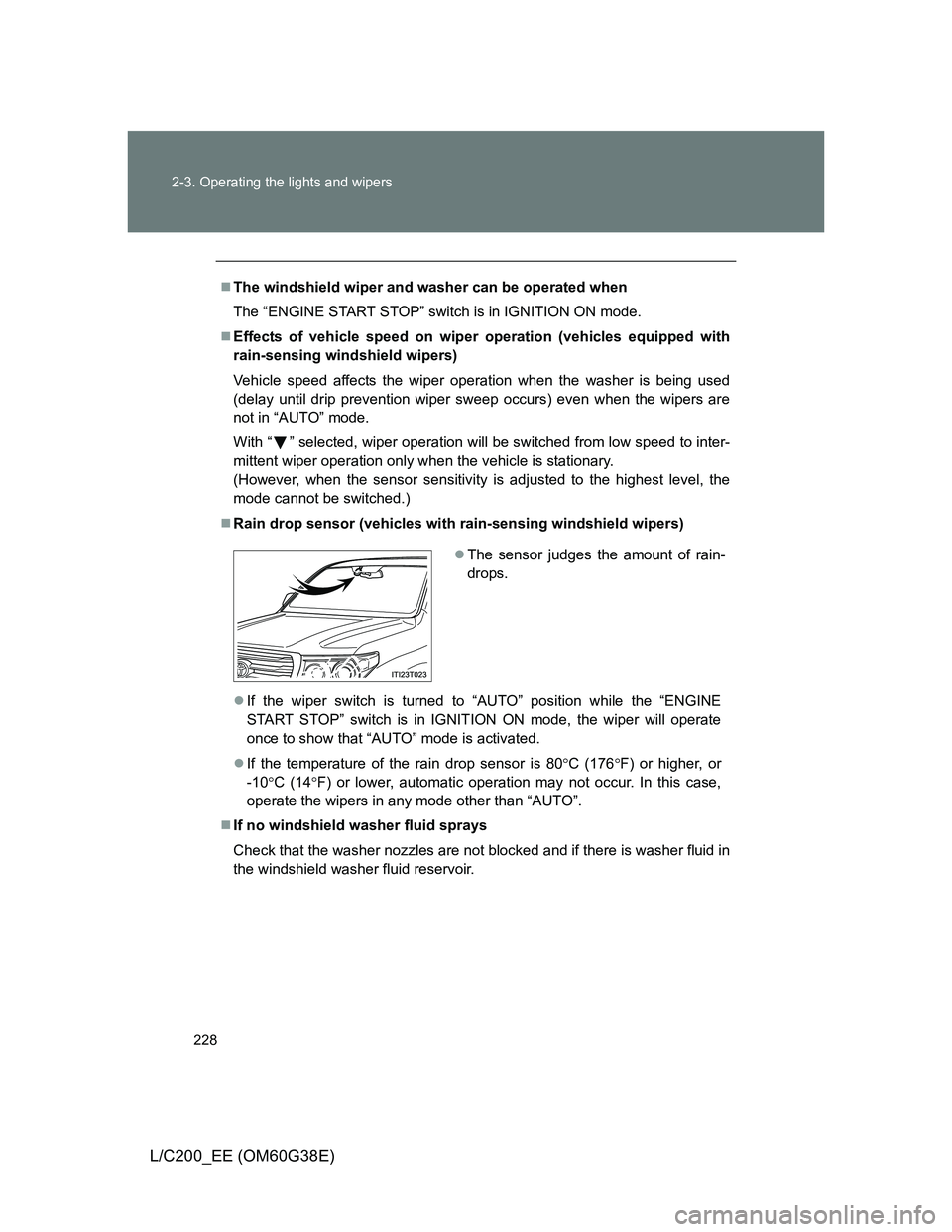
Rain drop sensor (vehicles with rain-sensing windshield wipers)
If the wiper switch is turned to “AUTO” position while the “ENGINE
START STOP” switch is in IGNITION ON mode, the wiper will operate
once to show that “AUTO” mode is activated.
If the temperature of the rain drop sensor is 80C (176F) or higher, or
-10C (14F) or lower, automatic operation may not occur. In this case,
operate the wipers in any mode other than “AUTO”.
If no windshield washer fluid sprays
Check that the washer nozzles are not blocked and if there is washer fluid in
the windshield washer fluid reservoir.
The sensor judges the amount of rain-
drops.