Page 628 of 692
628 5-2. Steps to take in an emergency
L/C200_EE (OM60G38E)
Changing “ENGINE START STOP” switch modes and starting the
engine
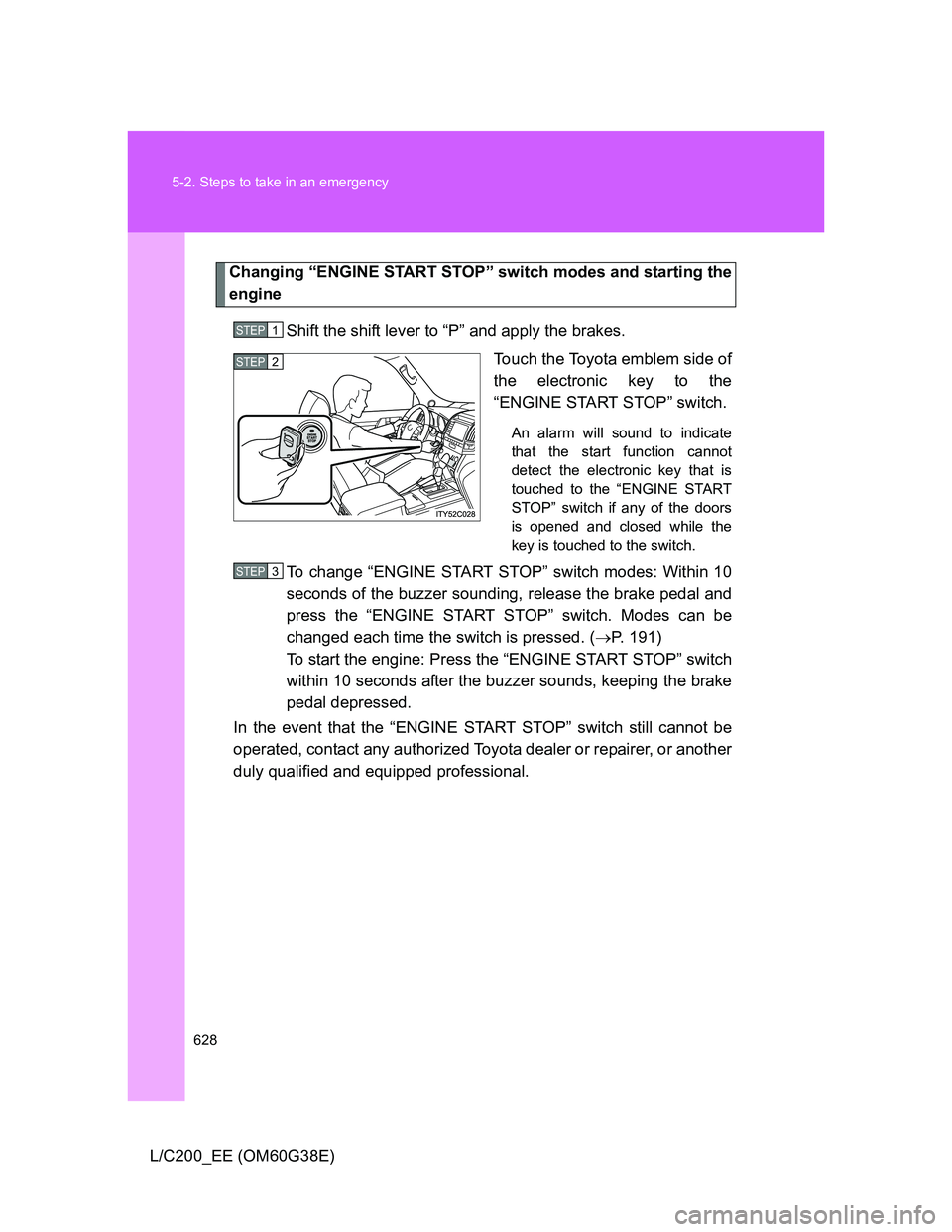
Shift the shift lever to “P” and apply the brakes.
Touch the Toyota emblem side of
the electronic key to the
“ENGINE START STOP” switch.
An alarm will sound to indicate
that the start function cannot
detect the electronic key that is
touched to the “ENGINE START
STOP” switch if any of the doors
is opened and closed while the
key is touched to the switch.
To change “ENGINE START STOP” switch modes: Within 10
seconds of the buzzer sounding, release the brake pedal and
press the “ENGINE START STOP” switch. Modes can be
changed each time the switch is pressed. (P. 191)
To start the engine: Press the “ENGINE START STOP” switch
within 10 seconds after the buzzer sounds, keeping the brake
pedal depressed.
In the event that the “ENGINE START STOP” switch still cannot be
operated, contact any authorized Toyota dealer or repairer, or another
duly qualified and equipped professional.
STEP1
STEP2
STEP3
Page 629 of 692
5
629 5-2. Steps to take in an emergency
When trouble arises
L/C200_EE (OM60G38E)
Stopping the engine
Shift the shift lever to “P” and press the “ENGINE START STOP” switch as
you normally do when stopping the engine.
Replacing the key battery
As this above procedure is a temporary measure, it is recommended that the
electronic key battery be replaced immediately when the battery depletes.
(P. 528)
Alarm
Using the mechanical key to lock the doors will not set the alarm system.
If a door is unlocked using the mechanical key when the alarm system is set,
the alarm may be triggered. (P. 127)
Page 631 of 692
5
631 5-2. Steps to take in an emergency
When trouble arises
L/C200_EE (OM60G38E)
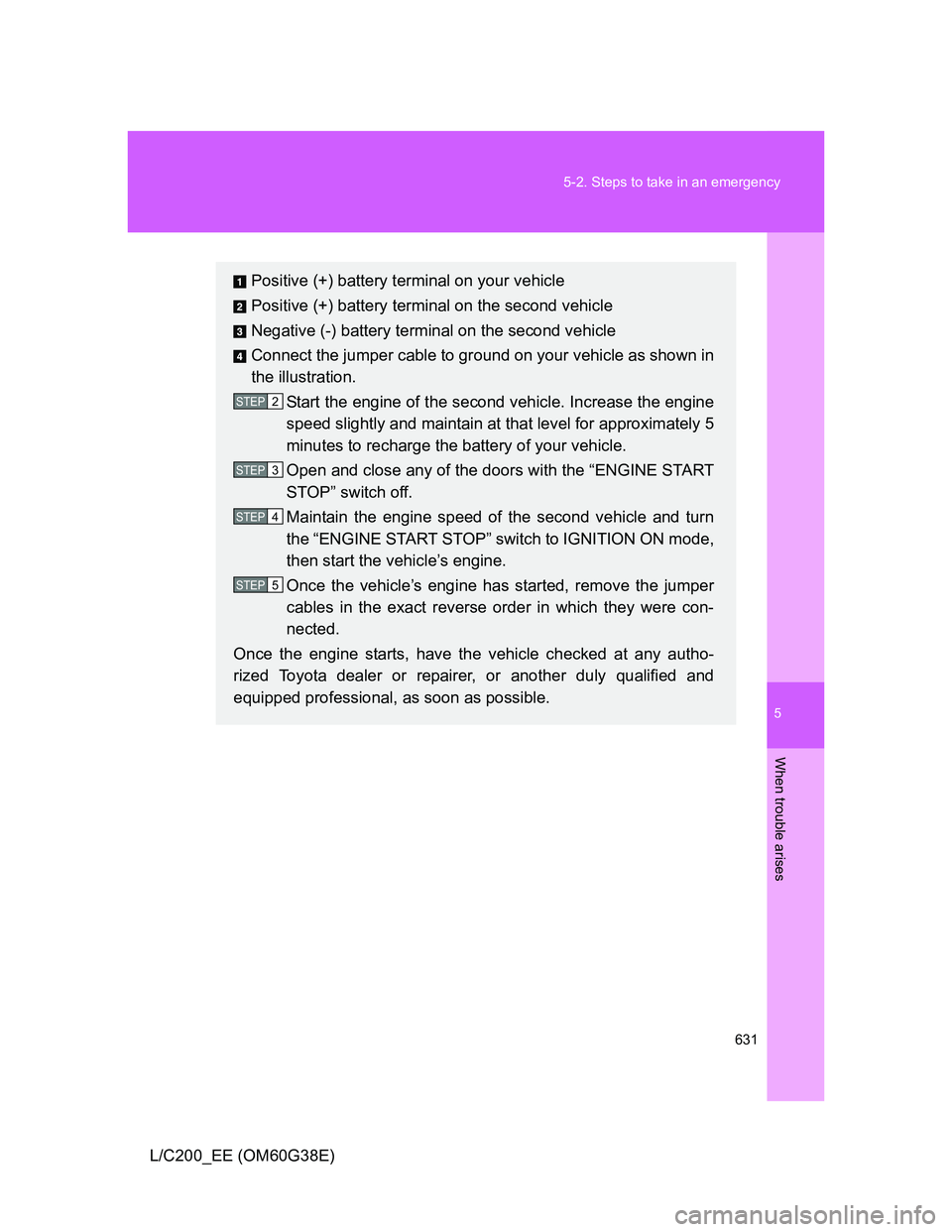
Positive (+) battery terminal on your vehicle
Positive (+) battery terminal on the second vehicle
Negative (-) battery terminal on the second vehicle
Connect the jumper cable to ground on your vehicle as shown in
the illustration.
Start the engine of the second vehicle. Increase the engine
speed slightly and maintain at that level for approximately 5
minutes to recharge the battery of your vehicle.
Open and close any of the doors with the “ENGINE START
STOP” switch off.
Maintain the engine speed of the second vehicle and turn
the “ENGINE START STOP” switch to IGNITION ON mode,
then start the vehicle’s engine.
Once the vehicle’s engine has started, remove the jumper
cables in the exact reverse order in which they were con-
nected.
Once the engine starts, have the vehicle checked at any autho-
rized Toyota dealer or repairer, or another duly qualified and
equipped professional, as soon as possible.
STEP2
STEP3
STEP4
STEP5
Page 634 of 692
634
5-2. Steps to take in an emergency
L/C200_EE (OM60G38E)
If your vehicle overheats
If your engine overheats:
Stop the vehicle in a safe place and turn off the air condi-
tioning system.
Check to see if steam is coming out from under the hood.
If you see steam:
Stop the engine. Carefully lift the hood after the steam
subsides and then restart the engine.
If you do not see steam:
Leave the engine running and carefully lift the hood.
Check to see if the cooling fan is operating.
If the fan is operating:
Wait until the engine coolant temperature gauge begins
to fall and then stop the engine.
If the fan is not operating:
Stop the engine immediately and call any authorized
Toyota dealer or repairer, or another duly qualified and
equipped professional.
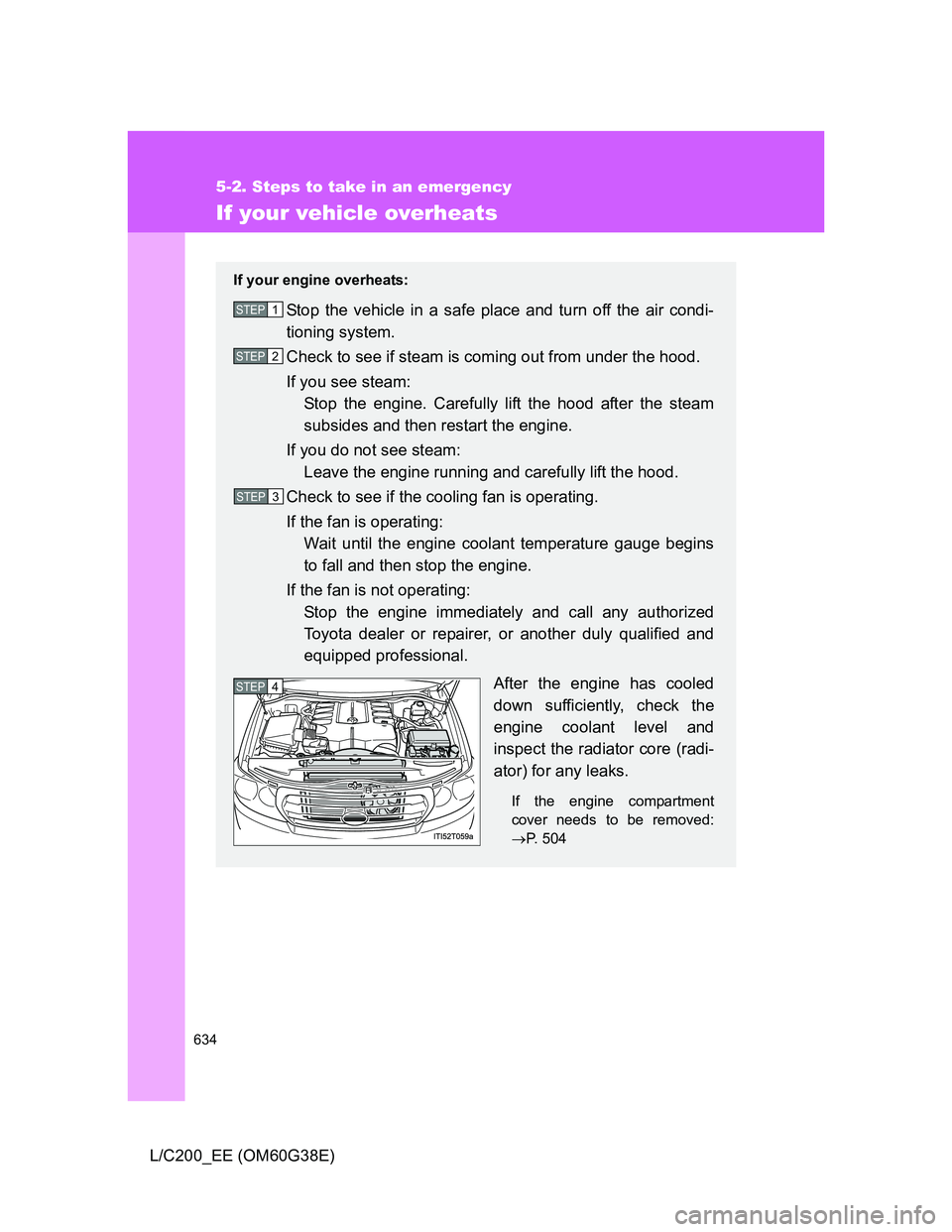
After the engine has cooled
down sufficiently, check the
engine coolant level and
inspect the radiator core (radi-
ator) for any leaks.
If the engine compartment
cover needs to be removed:
P. 504
STEP1
STEP2
STEP3
STEP4
Page 638 of 692
638
5-2. Steps to take in an emergency
L/C200_EE (OM60G38E)
If the vehicle becomes stuck
When it is difficult to free the vehicle
Extra high mode (vehicles with 4-Wheel AHC & AVS)
P. 252
Carry out the following procedures if the tires spin or the vehicle
becomes stuck in mud, dirt, or snow.
Stop the engine. Set the parking brake and put the shift
lever to “P”.
Remove the mud, snow or sand from around the rear
wheels.
Place wood, stones or some other material under the rear
wheels to help provide traction.
Restart the engine.
Shift the shift lever to the “D” or “R” position and release the
parking brake. Then, while exercising caution, depress the
accelerator pedal.STEP1
STEP2
STEP3
STEP4
STEP5
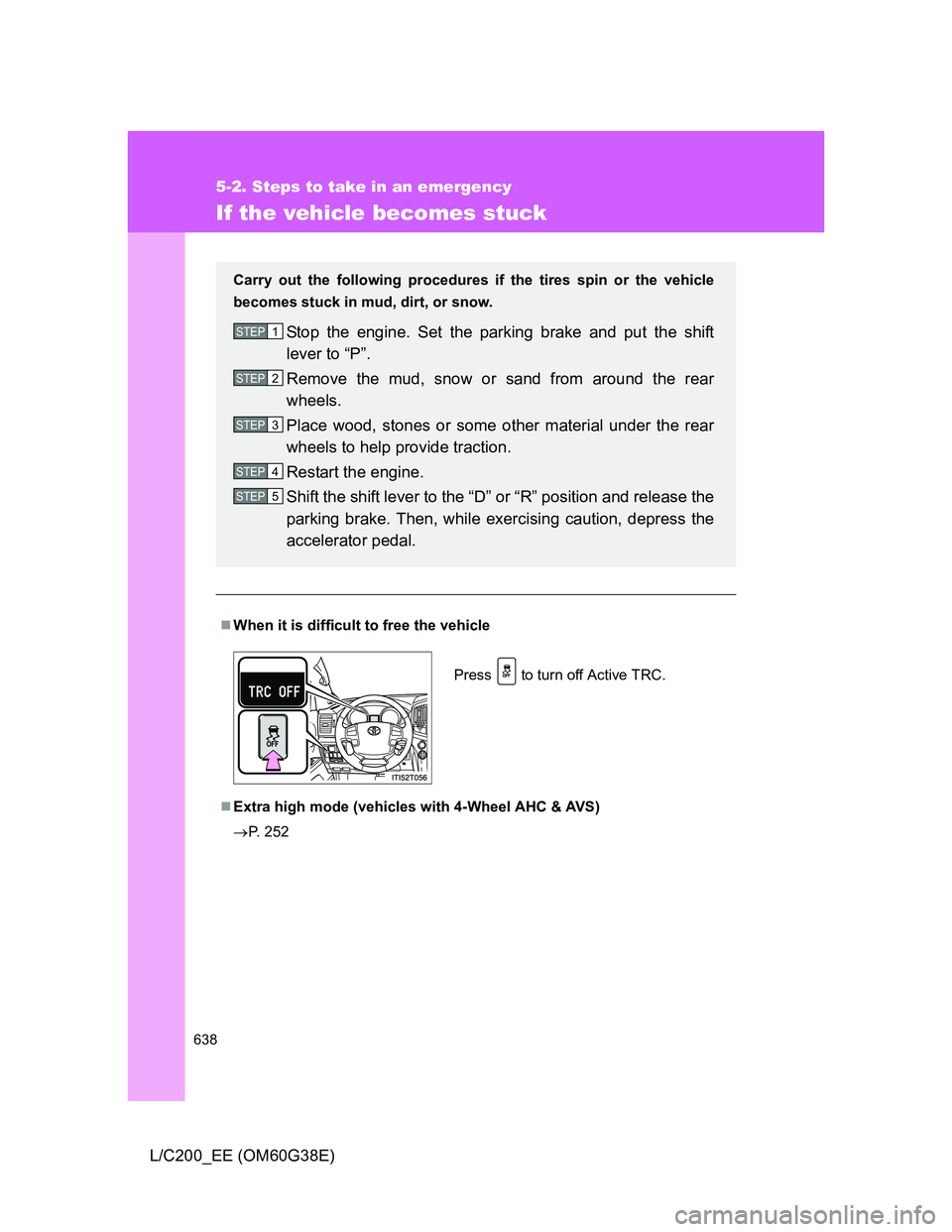
Press to turn off Active TRC.
Page 640 of 692
640
5-2. Steps to take in an emergency
L/C200_EE (OM60G38E)
If your vehicle has to be stopped in an emergency
Only in an emergency, such as if it becomes impossible to stop the
vehicle in the normal way, stop the vehicle using the following pro-
cedure:
Steadily step on the brake pedal with both feet and firmly
depress it.
Do not pump the brake pedal repeatedly as this will increase the
effort required to slow the vehicle.
Shift the shift lever to “N”.
If the shift lever is shifted to “N”
After slowing down, stop the vehicle in a safe place by the
road.
Stop the engine.
If the shift lever cannot be shifted to “N”
Keep depressing the brake pedal with both feet to reduce
vehicle speed as much as possible.
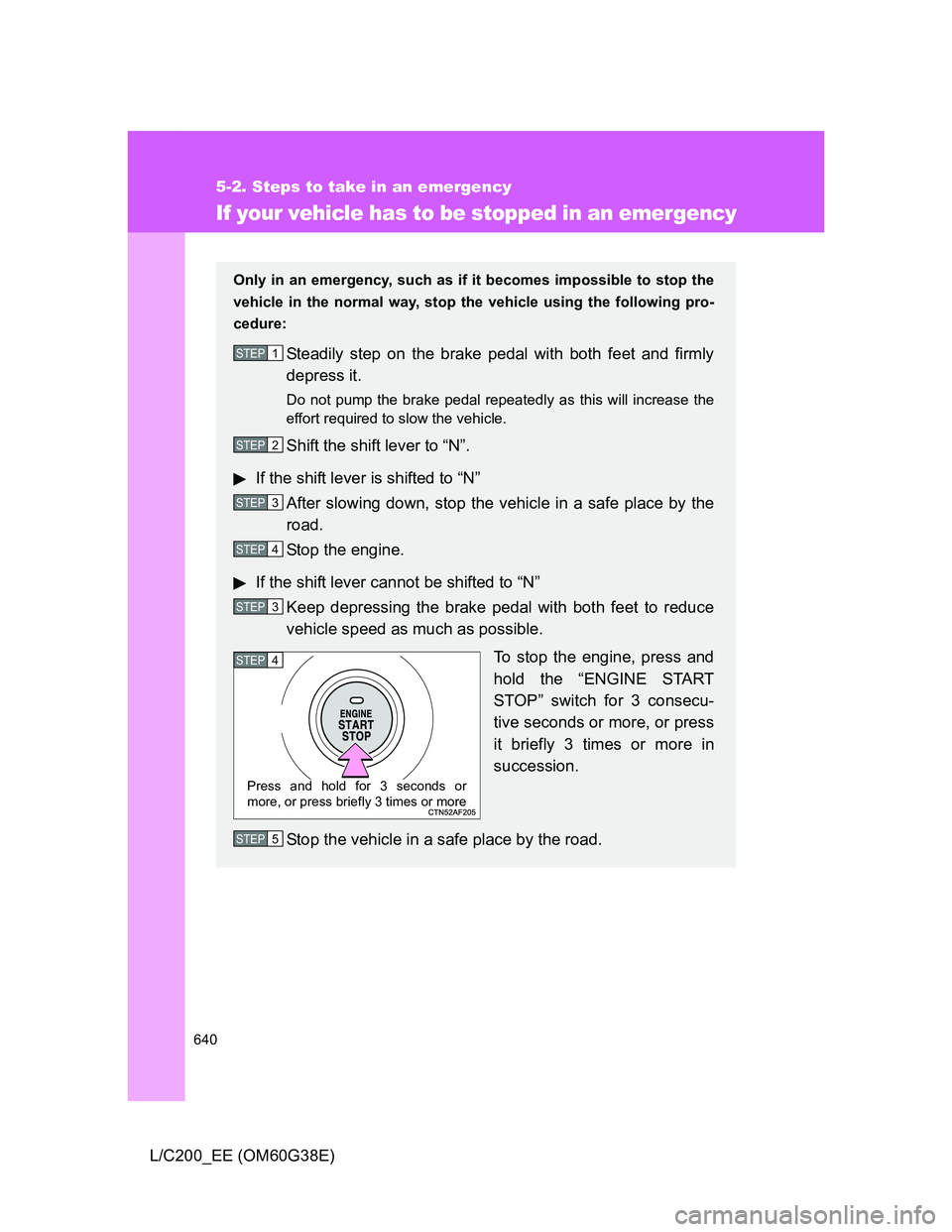
To stop the engine, press and
hold the “ENGINE START
STOP” switch for 3 consecu-
tive seconds or more, or press
it briefly 3 times or more in
succession.
Stop the vehicle in a safe place by the road.
STEP1
STEP2
STEP3
STEP4
STEP3
STEP4
Press and hold for 3 seconds or
more, or press briefly 3 times or more
STEP5
Page 670 of 692
670 6-2. Customization
L/C200_EE (OM60G38E)
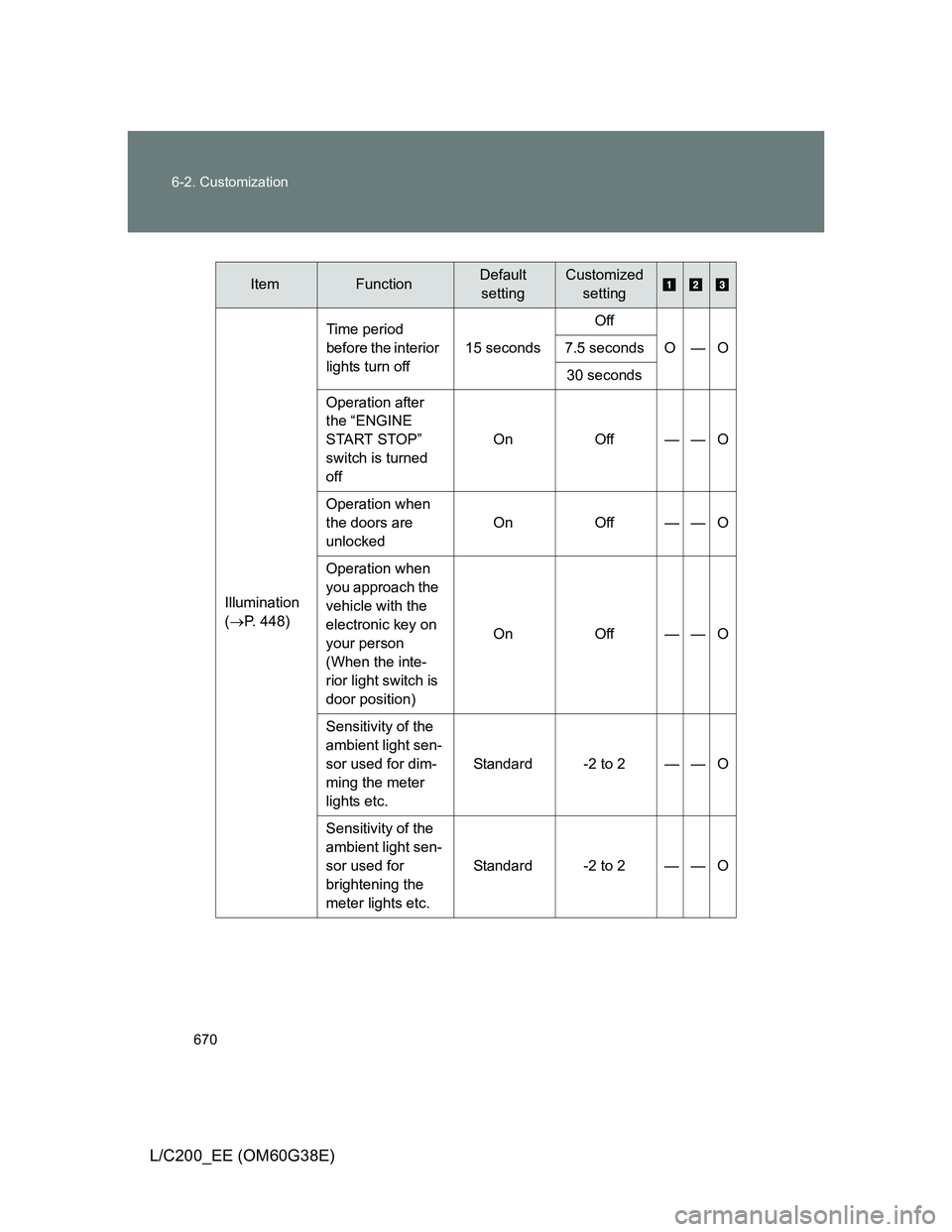
ItemFunctionDefault
settingCustomized
setting
Illumination
(P. 448)Time period
before the interior
lights turn off15 secondsOff
O—O 7.5 seconds
30 seconds
Operation after
the “ENGINE
START STOP”
switch is turned
offOn Off — — O
Operation when
the doors are
unlockedOn Off — — O
Operation when
you approach the
vehicle with the
electronic key on
your person
(When the inte-
rior light switch is
door position)On Off — — O
Sensitivity of the
ambient light sen-
sor used for dim-
ming the meter
lights etc.Standard -2 to 2 — — O
Sensitivity of the
ambient light sen-
sor used for
brightening the
meter lights etc.Standard -2 to 2 — — O
Page 672 of 692
672 6-2. Customization
L/C200_EE (OM60G38E)
Vehicle customization
If the Smart entry & start system is turned “OFF”, unlock door cannot be
selected.
If the doors are not opened after unlocking and are then automatically re-
locked, a signal will be given if “Operation signal (Emergency flashers)” is
set to ON.
When setting using the vehicle switches (vehicles with navigation sys-
tem)
When using the vehicle switches to set an item that can also be set using the
touch screen, the item displayed on the touch screen will not change imme-
diately.
If the “ENGINE START STOP” switch is first turned to OFF, the screen dis-
play will change once the “ENGINE START STOP” switch is turned to IGNI-
TION ON mode again.
When customizing using the touch screen (vehicles with navigation
system)
Stop the vehicle in a safe place, apply the parking brake, and shift the shift
lever to “P”. Also, to prevent battery discharge, leave the engine running
while customizing the features.