Page 303 of 636
303
3-2. Using the audio system
3
Interior features
Contact the XM® Listener Care Center at
1-800-967-2346 (U.S.A.) or 1-877-
438-9677 (Canada).
■ Certifications for the radio tuner
This equipment has been tested and found to comply with the limits for a
class B digital device, pursuant to Part 15 of the FCC Rules. These limits are
designed to provide reasonable protection against harmful interference in a
residential installation. This equipment generates, uses and can radiate
radio frequency energy and, if not installed and used in accordance with the
instructions, may cause harmful interference to radio communications. How-
ever, there is no guarantee that interference will not occur in a particular
installation.
If this equipment does cause harmful interference to radio or television
reception, which can be determined by turning the equipment off and on, the
user is encouraged to try to correct the interference by trying one or more of
the following:
●Reorienting or relocating the receiving antenna.
● Increasing the separation between the equipment and receiver.
● Connecting the equipment into an outlet on a circuit different from that to
which the receiver is connected.
● Consulting the dealer or an experienc ed radio/TV technician for help.
NOTICE
■To prevent damage, remove the antenna in the following cases.
(mast type antenna)
●The antenna will touch the ceiling of a garage.
● A cover will be put on the vehicle.
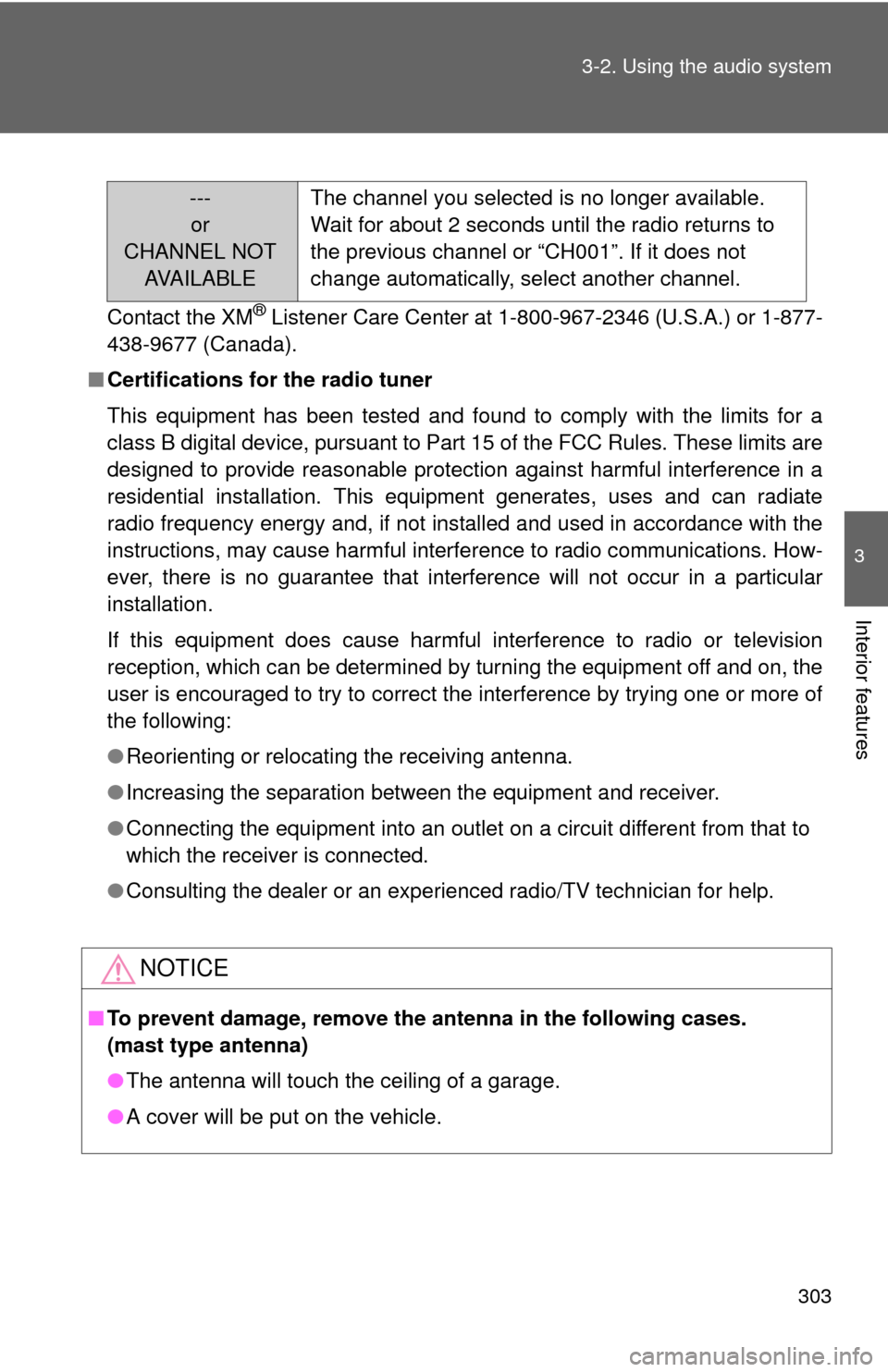
---
or
CHANNEL NOT AVA I L A B L E The channel you selected is no longer available.
Wait for about 2 seconds until the radio returns to
the previous channel or “CH001”. If it does not
change automatically, select another channel.
Page 336 of 636
336 3-2. Using the audio system
Using the audio control function■ Changing sound quality modes
Type A
Pressing selects the mode to be changed in the following
order.
“BAS” “TRE” “FAD” “BAL” “ASL” “RSE”*
*: Vehicles with rear seat entertainment system
Type B and C
Press .
Press the that corresponds to the desired mode.
“BASS”, “MID” (type C only), “TREB”, “FADE”, or “BAL”
■ Adjusting sound quality
Turning or adjusts the level.
Type A
*: The sound quality level is adjusted individually in each radio mode or
CD mode.
STEP1
STEP2
Mode
displayedSound qual- ity modeLevelTurn to the leftTurn to the right
BASBass*-5 to 5LowHighTRETreble*-5 to 5
FA D
Front/rear volume
balance
R7 to F7Shifts to rearShifts to front
BAL
Left/right volume
balance
L7 to R7Shifts to leftShifts to right
Page 341 of 636
341
3-2. Using the audio system
3
Interior features
Using the steering wheel audio switches
Turning on the powerPress when the audio system is turned off.
The audio system can be turned off by holding down until you hear
a beep.
: If equipped
Some audio features can be cont rolled using the switches on the
steering wheel.
Vo l u m e
Radio mode: Selects radio
stations
CD mode: Selects tracks,
files (MP3 and WMA) and
discs (type C only)
iPod mode: Selects songs
USB memory mode: Selects files and fold-
ers
Bluetooth
® audio mode:
Selects tracks and
albums
Turns the power on, selects
audio source
Page 342 of 636
342 3-2. Using the audio system
Changing the audio sourcePress when the audio system is turned on. The audio source
changes as follows each time is pressed.
Type A
FM CD AUX AM
Type B and C
FMSAT CD (type B only) CD changer (with a CD changer)
Bluetooth® Audio AUX USB/iPodAM
Adjusting the volume
Press “+” on to increase the volume and “-” to decrease the
volume.
Press and hold to continue increasing or decreasing the volume.
Selecting a radio station Press to select radio mode.
Press “” or “ ” on to select a preset station.
To scan for receivable stations, press and hold until you hear
a beep.
Selecting a track/file or song
Press to select CD, iPod, USB memory or Bluetooth
®
audio mode.
Press “” or “ ” on to select the desired track/file or
song.
Selecting a folder or album
Press to select CD, USB memory or Bluetooth
® audio
mode.
Press and hold “ ” or “ ” on until you hear a beep.
STEP1
STEP2
STEP1
STEP2
STEP1
STEP2
Page 349 of 636

349
3-3. Using the Bluetooth
® audio system
3
Interior features
CAUTION
■
FCC WARNING
Changes or modifications not expressly approved by the party responsible
for compliance could void the user's authority to operate the equipment.
Radio Frequency Radiation Exposure. This equipment complies with FCC/
IC radiation exposure limits set forth for uncontrolled equipment and meets
the FCC radio frequency (RF) Exposure Guidelines in Supplement C to
OET65 and RSS-102 of the IC radio frequency (RF) Exposure rules. This
equipment has very low levels of RF energy that it deemed to comply with-
out maximum permissive exposure evaluation (MPE). But it is desirable that
it should be installed and operated with at least 7.9 in. (20 cm) and more
between the radiator and person’s body (excluding extremities: hands,
wrists, feet and ankles).
This transmitter must not be co-located or operated in conjunction with any
other antenna or transmitter.
■ Caution while driving
Do not connect portable players or operate the controls.
NOTICE
■To prevent damage to portable players
Do not leave portable players in the vehicle. The temperature inside the
vehicle may become high, resulting in damage to the player.
Page 366 of 636
366 3-4. Using the hands-free phone system (for cellular phone)
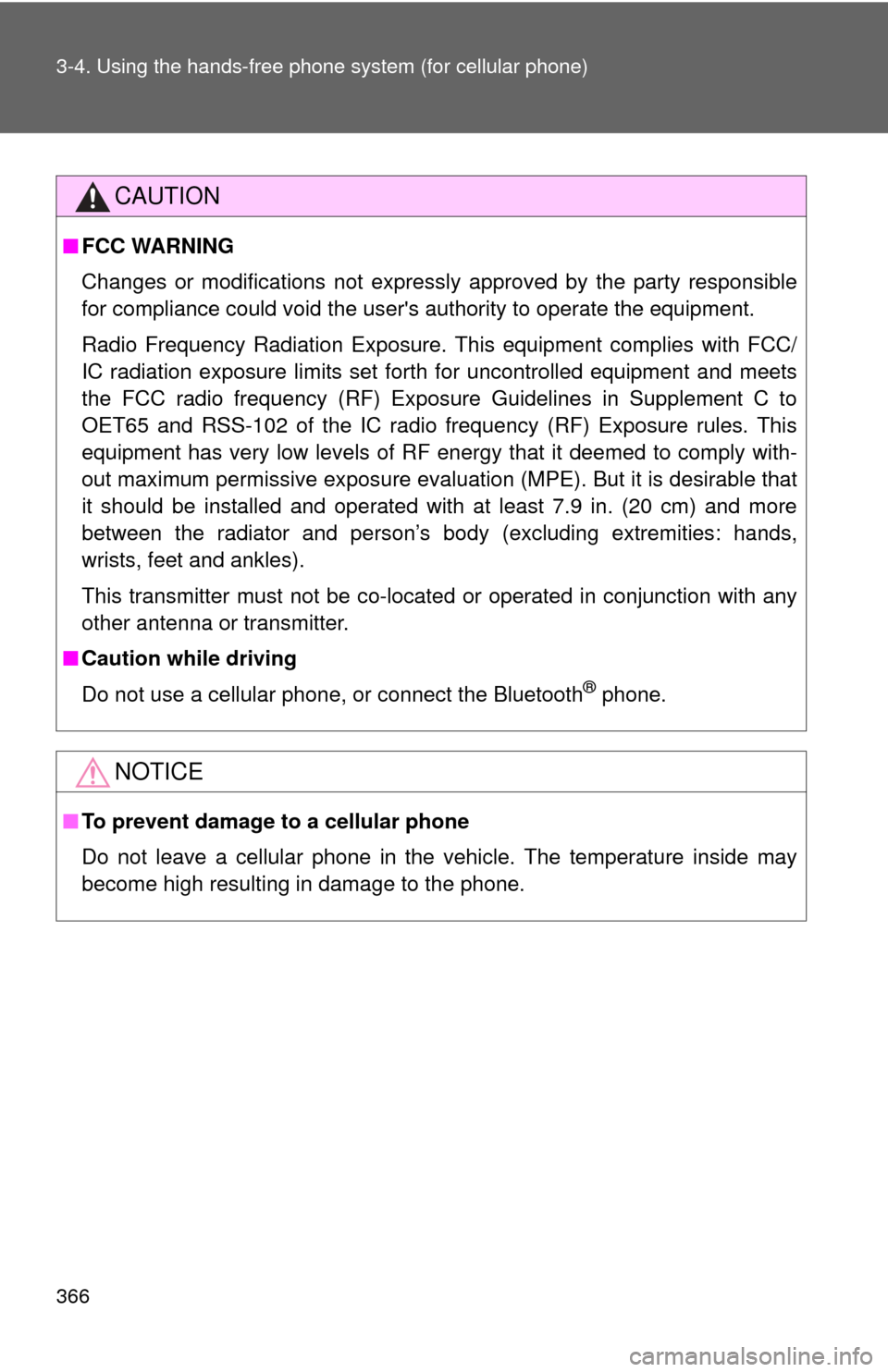
CAUTION
■FCC WARNING
Changes or modifications not expressly approved by the party responsible
for compliance could void the user's authority to operate the equipment.
Radio Frequency Radiation Exposure. This equipment complies with FCC/
IC radiation exposure limits set forth for uncontrolled equipment and meets
the FCC radio frequency (RF) Exposure Guidelines in Supplement C to
OET65 and RSS-102 of the IC radio frequency (RF) Exposure rules. This
equipment has very low levels of RF energy that it deemed to comply with-
out maximum permissive exposure evaluation (MPE). But it is desirable that
it should be installed and operated with at least 7.9 in. (20 cm) and more
between the radiator and person’s body (excluding extremities: hands,
wrists, feet and ankles).
This transmitter must not be co-located or operated in conjunction with any
other antenna or transmitter.
■ Caution while driving
Do not use a cellular phone, or connect the Bluetooth
® phone.
NOTICE
■To prevent damage to a cellular phone
Do not leave a cellular phone in the vehicle. The temperature inside may
become high resulting in damage to the phone.
Page 504 of 636

504 4-3. Do-it-yourself maintenance
23 EPS80 A Electric power steering
24 ST 30 A Starting system
25 CRT 10 ARear seat entertainment system,
audio system
26 RADIO NO.1 20 A Audio system
27 ECU-B NO.1 10 A Steering sensor, gauges and
meters, clock, main body ECU,
wireless remote control, smart key
system, power back door, multi-
information display, front passen-
ger occupant classification system
28 DOME 10 AVanity lights, personal lights, inte-
rior light, gauges and meters,
engine switch light, door courtesy
lights
29 TOWING 30 A Trailer lights
30 STR LOCK 20 A Steering lock system
31 EFI MAIN 25 AMultiport fuel injection system/
sequential multiport fuel injection
system, EFI NO.2, EFI NO.3
32 HAZ 15 A Turn signal lights
33 IG2 25 AINJ NO.1, INJ NO.2, IGN, GAUGE
NO.2
34 AMP 15 A Audio system
35 RR FOG 7.5 A No circuit
36 DEICER 15 A Windshield wiper de-icer
37 G/H 10 AGlass hatch, multiplex communica-
tion system, outer foot lights
38 ALT-S 7.5 A Charging system
39 AM2 7.5 A Multiplex communication system
40 H-LP LH HI 15 A Left-hand headlight (high beam)
FuseAmpereCircuit
Page 508 of 636
508 4-3. Do-it-yourself maintenance
22 GAUGE NO.1 10 AAudio system, back-up lights,
charging system, emergency flash-
ers, traction control system, wind-
shield wiper de-icer, air
conditioning system, charging sys-
tem, rear view monitor system,
trailer lights, multiport fuel injection
system/sequential multiport fuel
injection system
23 FR WIP 30 A Windshield wipers and washer
24 RR WIP 15 A Rear window wiper and washer
25 IGN 10 A Multiport fuel injection system/
sequential multiport fuel injection
system, steering lock system,
smart key system, SRS airbag sys-
tem
26 GAUGE NO.2 7.5 A Gauges and meters, rear view
monitor system
27 ECU-ACC 7.5 A Outside rear view mirrors, shift lock
system, smart key system, multi-
plex communication system
28 ACC SOCK
NO.1 15 A Power outlet
29 ACC SOCK
NO.2 15 A Power outlet
30 RADIO NO.2 7.5 A Audio system, clock, rear seat
entertainment system, interior
lights, personal lights
FuseAmpereCircuit


