2012 TOYOTA COROLLA Interior
[x] Cancel search: InteriorPage 1 of 529

TABLE OF CONTENTS
1
1Before drivingAdjusting and operating features such as door locks,
mirrors, and steering column.
2When drivingDriving, stopping and safe-driving information.
3Interior fea-
turesAir conditioning and audio systems, as well as other in-
terior features for a comfortable driving experience.
4Maintenance
and careCleaning and protecting your vehicle, performing do-it-
yourself maintenance, and maintenance information.
5When trouble
arisesWhat to do if the vehicle needs to be towed, gets a flat
tire, or is involved in an accident.
6Vehicle
specificationsDetailed vehicle information.
7For ownersReporting safety defects for U.S. owners, and seat belt
and SRS airbag instructions for Canadian owners
IndexAlphabetical listing of information contained in this
manual.
Page 3 of 529

1
2
3
4
5
6
7
3
2-4. Using other drivingsystems
Cruise control ...................... 169
Driving assist systems ........ 173
2-5. Driving information Cargo and luggage ............. 177
Vehicle load limits ............... 180
Winter driving tips ............... 181
Trailer towing (2.4 L 4-cylinder
[2AZ-FE] engine) .............. 185
Trailer towing (1.8 L 4-cylinder
[2ZR-FE] engine) .............. 200
Dinghy towing (automatic transmission) .................... 201
Dinghy towing (manual transmission) .................... 202
3-1. Using the air conditioning
system a nd defogger
Automatic air conditioning system .............................. 206
Manual air conditioning system .............................. 212
Rear window and outside rear view
mirror defoggers ............... 219 3-2. Using the audio system
Audio system types ............ 220
Using the radio ................... 232
Using the CD player ........... 236
Playing back MP3 and WMA discs ....................... 243
Operating an iPod .............. 252
Operating a USB memory ............................ 261
Optimal use of the audio system .............................. 269
Using the AUX port............. 273
Using the steering wheel audio switches.................. 275
3-3. Using the Bluetooth
®
audio s ystem
Bluetooth
® audio/phone ..... 279
Using the Bluetooth®
audio/phone ..................... 282
Operating a Bluetooth
®
enabled portable player.... 287
3-4. Using the ha nds-free
phone system
( for cellular phone)
Making a phone call ........... 290
Using the “SET UP” menu (“Bluetooth” menu) ........... 295
Using the “SET UP” menu (“Phone” menu) ................ 3013Interior features
Page 4 of 529

TABLE OF CONTENTSIndex
4
3-5. Using the interior lightsInterior lights list ................. 307
• Interior light ...................... 309
• Personal lights ................. 309
• Personal/interior lights...... 310
3-6. Using the storage features List of storage features....... 311
• Glove box ......................... 312
• Console box ..................... 312
• Cup holders ...................... 314
• Auxiliary boxes ................. 317
• Bottle holders ................... 319
3-7. Other interior features Sun visors .......................... 320
Vanity mirrors ..................... 321
Clock .................................. 322
Ashtray ............................... 323
Cigarette lighter .................. 324
Power outlet ....................... 325
Seat heaters ....................... 326
Floor mat ............................ 328
Compass ............................ 329 4-1. Maintenance and care
Cleaning and protecting the vehicle exterior ........... 334
Cleaning and protecting the vehicle interior ............ 336
4-2. Maintenance Maintenance requirements .................... 339
General maintenance ......... 341
Emission inspection and maintenance (I/M)
programs .......................... 344
4-3. Do-it-yourself
main tenance
Do-it-yourself service precautions ....................... 345
Hood ................................... 349
Positioning a floor jack........ 351
Engine compartment .......... 354
Tires.................................... 368
Tire inflation pressure ......... 376
Wheels................................ 380
Air conditioning filter ........... 383
Key battery ......................... 385
Checking and replacing fuses ................................. 389
Light bulbs .......................... 399
4Maintenance and care
Page 8 of 529
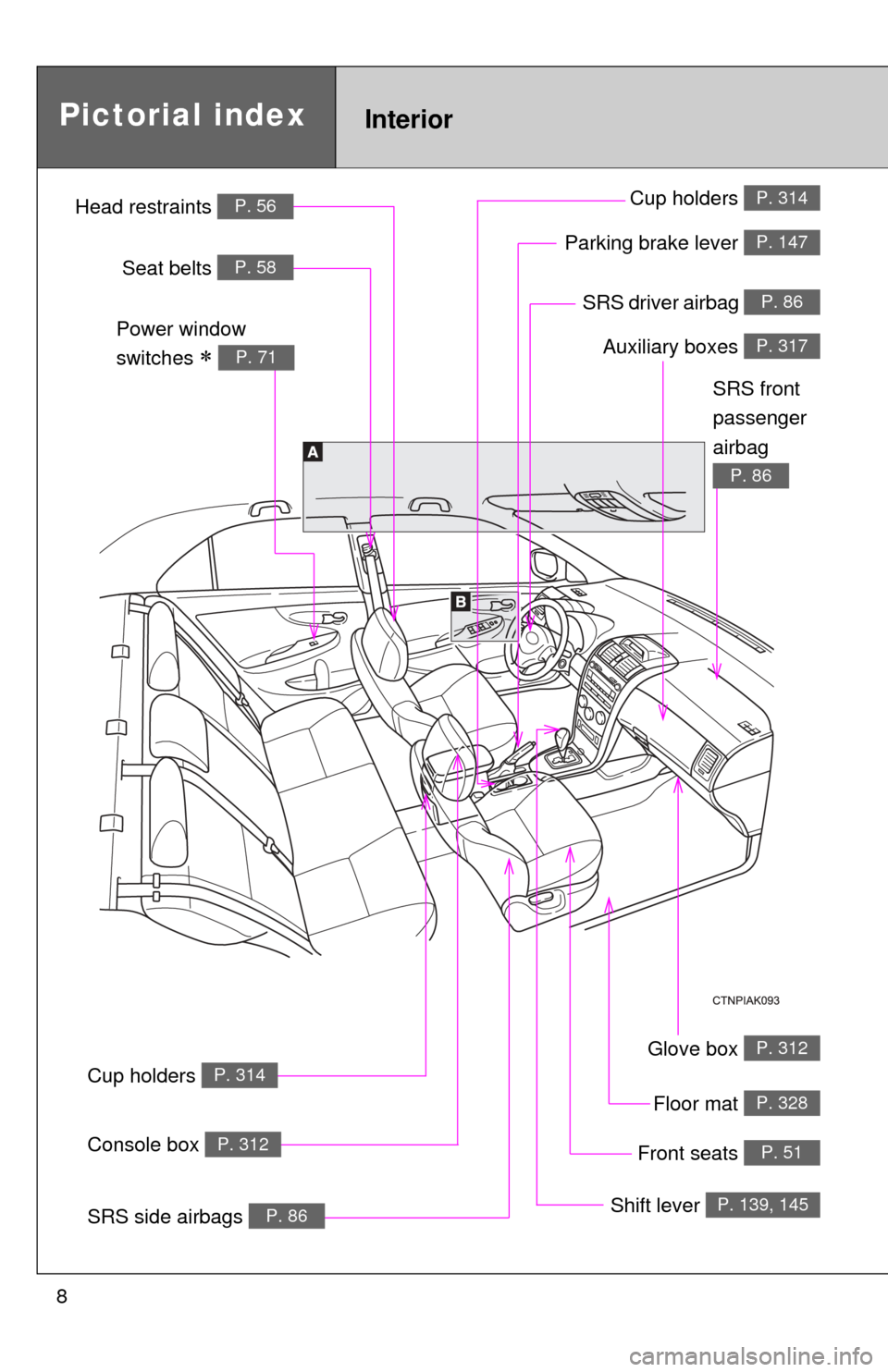
8
Glove box P. 312
SRS driver airbag P. 86
InteriorPictorial index
Floor mat P. 328
Auxiliary boxes P. 317
Parking brake lever P. 147
Shift lever P. 139, 145
Front seats P. 51
Cup holders P. 314
Cup holders P. 314
SRS side airbags P. 86
Console box P. 312
Power window
switches
P. 71
SRS front
passenger
airbag
P. 86
Head restraints P. 56
Seat belts P. 58
Page 9 of 529

9
Anti-glare inside
rear view mirror
P. 67
Personal lights
Personal/interior lights
P. 309
P. 310
SRS curtain shield airbags P. 86
A
Sun visors P. 320
Vanity mirrors P. 321
Auxiliary boxes P. 317
Window lock
switch
P. 71
Power window
switches
P. 71
B
Door lock switch
P. 41
Compass P. 329
Moon roof switch P. 73
Interior light P. 309
Inside door lock button
P. 42
Microphone , *1 P. 283
: If equipped
*1: For vehicles with a Display Audio system, refer to “Display Audio System Owner’s Manual”.
Page 30 of 529
30 1-2. Opening, closing and locking the doors and trunk
■Switching the door unlock function
It is possible to set which doors the entry function unlocks.
Turn the “ENGINE START STOP” switch OFF.
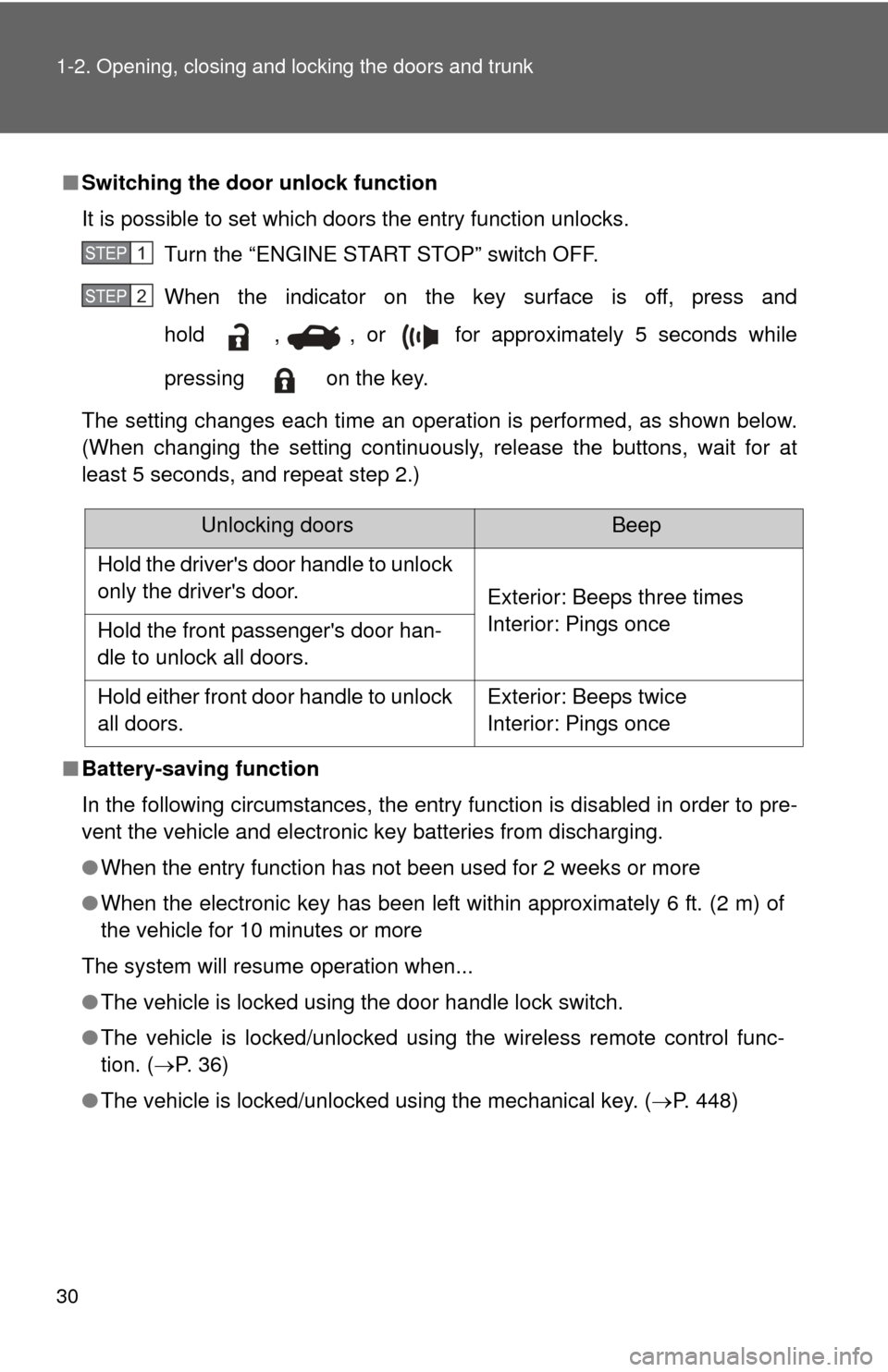
When the indicator on the key surface is off, press and
hold , , or for approximately 5 seconds while
pressing on the key.
The setting changes each time an operation is performed, as shown below.
(When changing the setting continuously, release the buttons, wait for at
least 5 seconds, and repeat step 2.)
■ Battery-saving function
In the following circumstances, the entry function is disabled in order to pre-
vent the vehicle and electronic key batteries from discharging.
●When the entry function has not been used for 2 weeks or more
● When the electronic key has been left within approximately 6 ft. (2 m) of
the vehicle for 10 minutes or more
The system will resume operation when...
● The vehicle is locked using the door handle lock switch.
● The vehicle is locked/unlocked using the wireless remote control func-
tion. ( P. 3 6 )
● The vehicle is locked/unlocked using the mechanical key. ( P. 448)
STEP 1
STEP 2
Unlocking doorsBeep
Hold the driver's door handle to unlock
only the driver's door. Exterior: Beeps three times
Interior: Pings once
Hold the front passenger's door han-
dle to unlock all doors.
Hold either front door handle to unlock
all doors. Exterior: Beeps twice
Interior: Pings once
Page 32 of 529

32 1-2. Opening, closing and locking the doors and trunk
●Do not leave the electronic key on top of the instrument panel or near the
door pockets when exiting the vehicle. Depending on the radio wave
reception conditions, it may be detected by the antenna outside the cabin
and the door will become lockable from the outside, possibly trapping the
electronic key inside the vehicle.
● As long as the electronic key is within the effective range, the doors may
be locked or unlocked by anyone.
● Even if the electronic key is not inside the vehicle, it may be possible to
start the engine if the electronic key is near the window.
● The doors may unlock if a large amount of water splashes on the door
handle, such as in the rain or in a car wash. (The doors will automatically
be locked after approximately 60 seconds if the doors are not opened
and closed.)
● Gripping the door handle when wearing a glove may not unlock the door.
● If the wireless remote control is used to lock the doors when the elec-
tronic key is near the vehicle, there is a possibility that the door may not
be unlocked by the entry function. (Use the wireless remote control to
unlock the doors.)
● A sudden approach to the effective range or door handle may prevent the
doors from being unlocked. In this case, return the door handle to the
original position and check that the doors unlock before pulling the door
handle again.
■ When the vehicle is not driven for extended periods
To prevent theft of the vehicle, do not leave the electronic key within 6 ft. (2
m) of the vehicle.
■ Security feature
If a door is not opened within approximately 60 seconds after the vehicle is
unlocked, the security feature automatically locks the vehicle again.
■ Alarms and warning indicators
A combination of exterior and interior alarms as well as warning lights are
used to reduce the chance of vehicle theft and accidents resulting from erro-
neous operation.
●When any warning lights come on:
Take appropriate measures according to which warning light comes on.
( P. 420)
Page 33 of 529

33
1-2. Opening, closing and locking the doors and trunk
1
Before driving
●
When an alarm sounds:
Take appropriate measures according to the following table.
AlarmSituationCorrection procedure
Exterior alarm
sounds once for
2 seconds Tried to lock the doors
using the entry function
while the electronic key is
still inside the vehicle
Retrieve the elec-
tronic key from the
vehicle and lock the
doors again.
Closed the trunk while the
electronic key is still inside
the trunk and all doors are
locked Retrieve the elec-
tronic key from the
trunk and close the
trunk lid.
Exterior alarm
sounds once for
60 seconds Tried to exit the vehicle
while the shift lever is in P
with the electronic key and
lock the doors using the
entry function without first
turning the “ENGINE
START STOP” switch OFF Turn the “ENGINE
START STOP” switch
OFF and lock the
doors again.
Exterior alarm
sounds once for
10 seconds Tried to lock the vehicle
using the entry function
while a door is open Close all of the doors
and lock the doors
again.
Interior alarm
sounds continu-
ously Tried to open the door and
exit the vehicle without
shifting the shift lever to P
Shift the shift lever to
P.
Interior alarm
beeps repeatedly Turned the “ENGINE
START STOP” switch to
ACCESSORY mode while
the driver's door is open
(Opened the driver's door
when the “ENGINE START
STOP” switch is in
ACCESSORY mode.)
Turn the “ENGINE
START STOP” switch
OFF and close the
driver's door.
Turned the “ENGINE
START STOP” switch OFF
while the driver's door is
open Close the driver's
door.