Page 318 of 532

318 3-5. Other interior features
Press and hold the vehicle’s programmed HomeLink button
for 2 seconds and then releas e it. Repeat this step once
again. The garage door may open.
If the garage door opens, the programming process is complete. If
the door does not open, press and release the button a third time.
This third press and release will complete the programming process
by opening the garage door.
The ceiling mounted garage door opener motor should now recog-
nize the HomeLink
signal and operate the garage door.
Repeat the steps above to prog ram another rolling code sys-
tem for any of the remaining HomeLink buttons.
■ Programming an entry gate (for U.S. owners)/Programming a
device in the Canadian market
Place the remote control transmitter 1 to 3 in. (25 to 75 mm)
away from the HomeLink
buttons.
Keep the HomeLink indicator light in view while programming.
Press and hold the selected HomeLink button.
Repeatedly press and release (cycle) the remote control
transmitter for 2 seconds each until step 4 is completed.
When the HomeLink
indicator light starts to flash rapidly,
release the buttons.
Test the HomeLink
operation by pressing the newly pro-
grammed button. Check to see if the gate/device operates
correctly.
Repeat the steps above to program another device for any of
the remaining HomeLink
buttons.
■ Programming other devices
To program other devices such as home security systems, home
door locks or lighting, contact y our Toyota dealer for assistance.
■ Reprogramming a button
The individual HomeLink
buttons cannot be erased but can be
reprogrammed. To reprogram a button, follow the “Reprogramming
a HomeLink
button” instructions.
STEP3
STEP4
STEP1
STEP2
STEP3
STEP4
STEP5
STEP6
Page 319 of 532
319
3-5. Other interior features
3
Interior features
Operating HomeLink
Press the appropriate HomeLink button. The HomeLink indicator
light should come on.
The HomeLink compatible transceiver in your vehicle continues to send
a signal for up to 20 seconds as long as the button is pressed.
Reprogramming a HomeLink button
Press and hold the desired HomeLink
button. After 20 seconds, the
HomeLink indicator light will start flas hing slowly. Keep pressing the
HomeLink button and press and hold the transmitter button until the
HomeLink indicator light changes from a slow to a rapid flash.
Release the buttons.
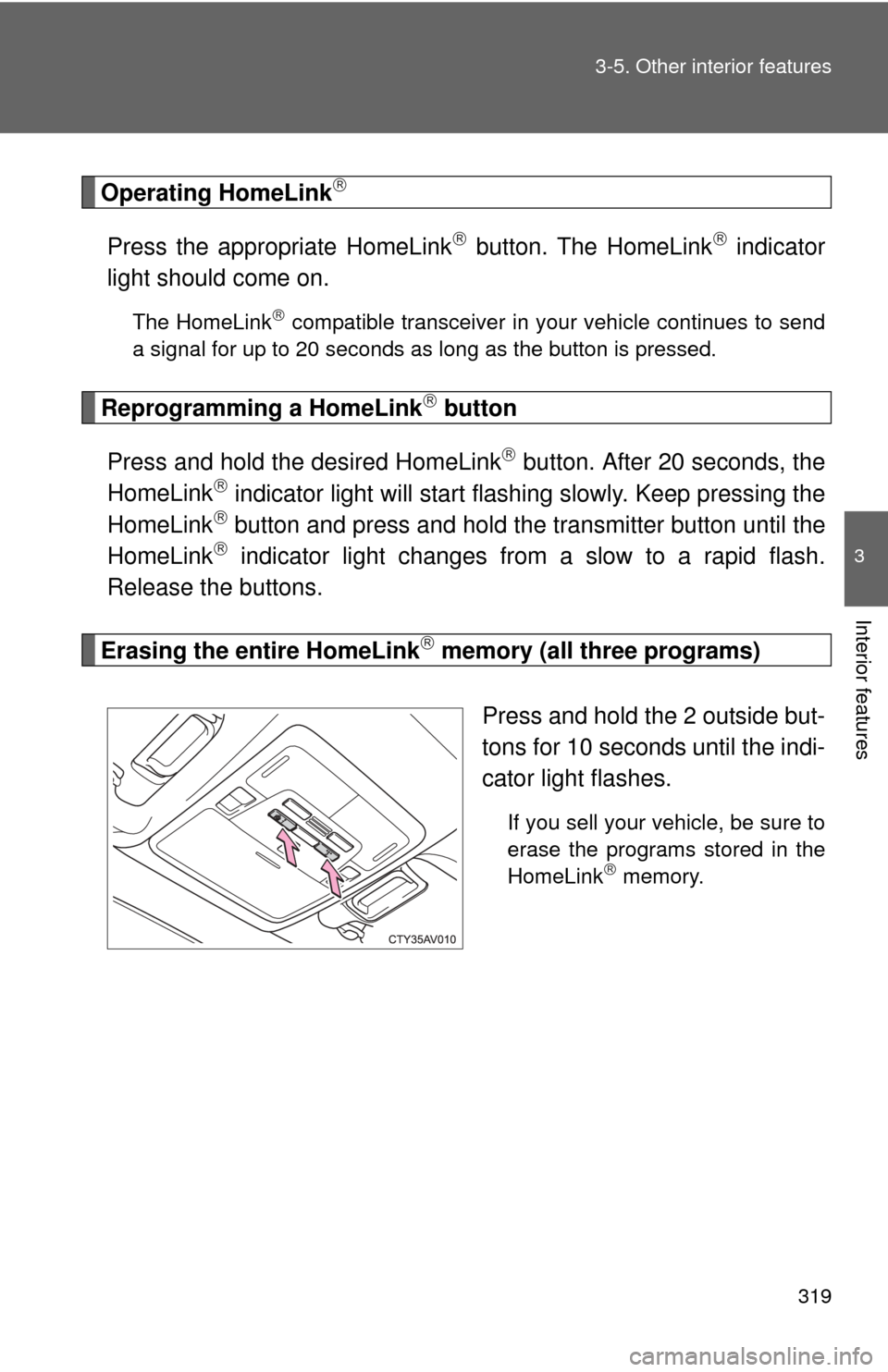
Erasing the entire HomeLink memory (all three programs)
Press and hold the 2 outside but-
tons for 10 seconds until the indi-
cator light flashes.
If you sell your vehicle, be sure to
erase the programs stored in the
HomeLink
memory.
Page 384 of 532
384
4-3. Do-it-yourself maintenance
Wireless remote control/electronic key batter y
: If equipped
Replace the battery with a new one if it is depleted.
■You will need the following items:
●Flathead screwdriver
● Small flathead screwdriver
● Lithium battery CR2016 (vehicles without a smart key sys-
tem), or CR2032 (vehicles with a smart key system)
■ Replacing the battery (vehicles without a smart key system)
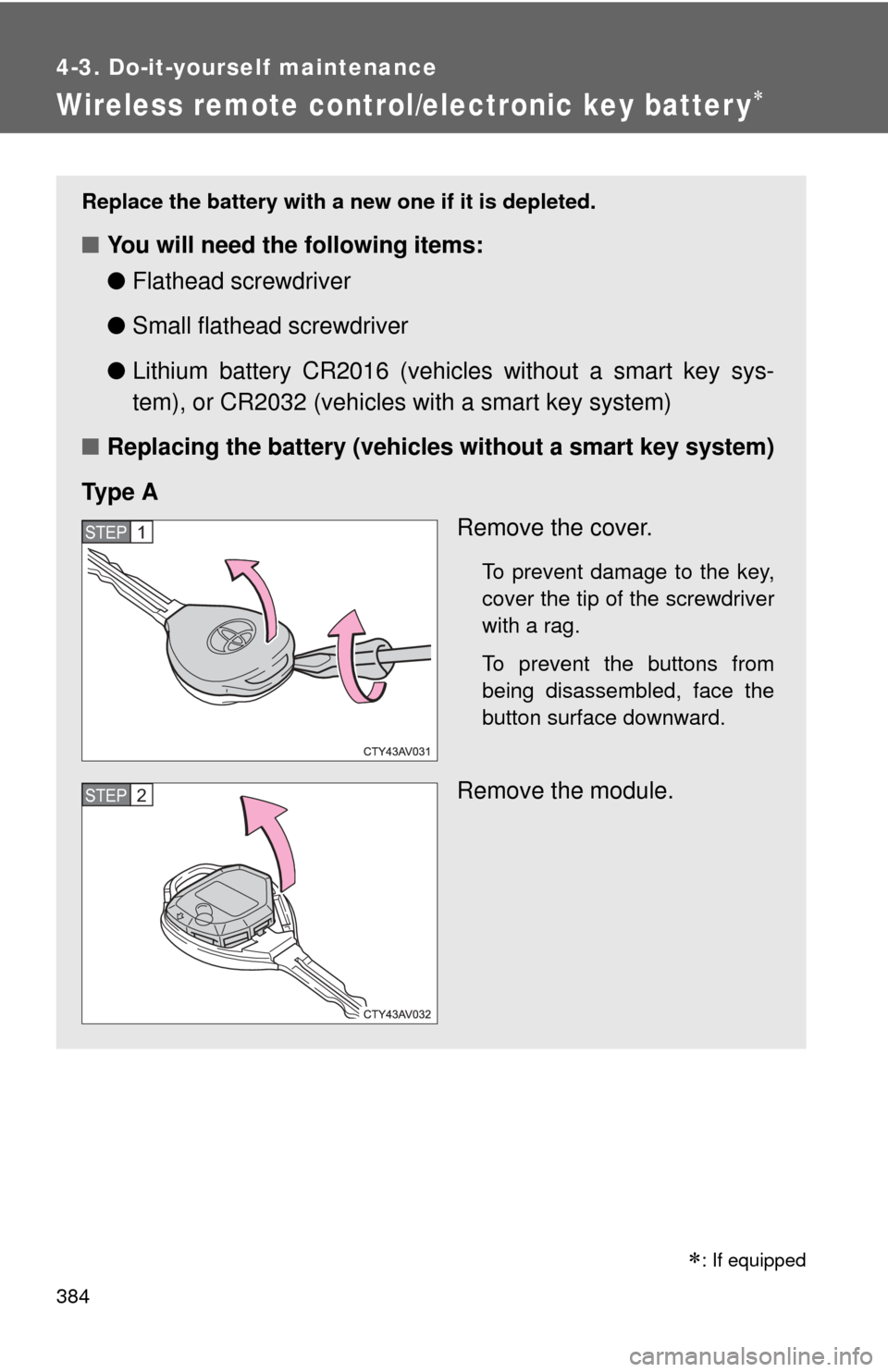
Ty p e A Remove the cover.
To prevent damage to the key,
cover the tip of the screwdriver
with a rag.
To prevent the buttons from
being disassembled, face the
button surface downward.
Remove the module.
STEP1
STEP2
Page 385 of 532
385
4-3. Do-it-yourself maintenance
4
Maintenance and care
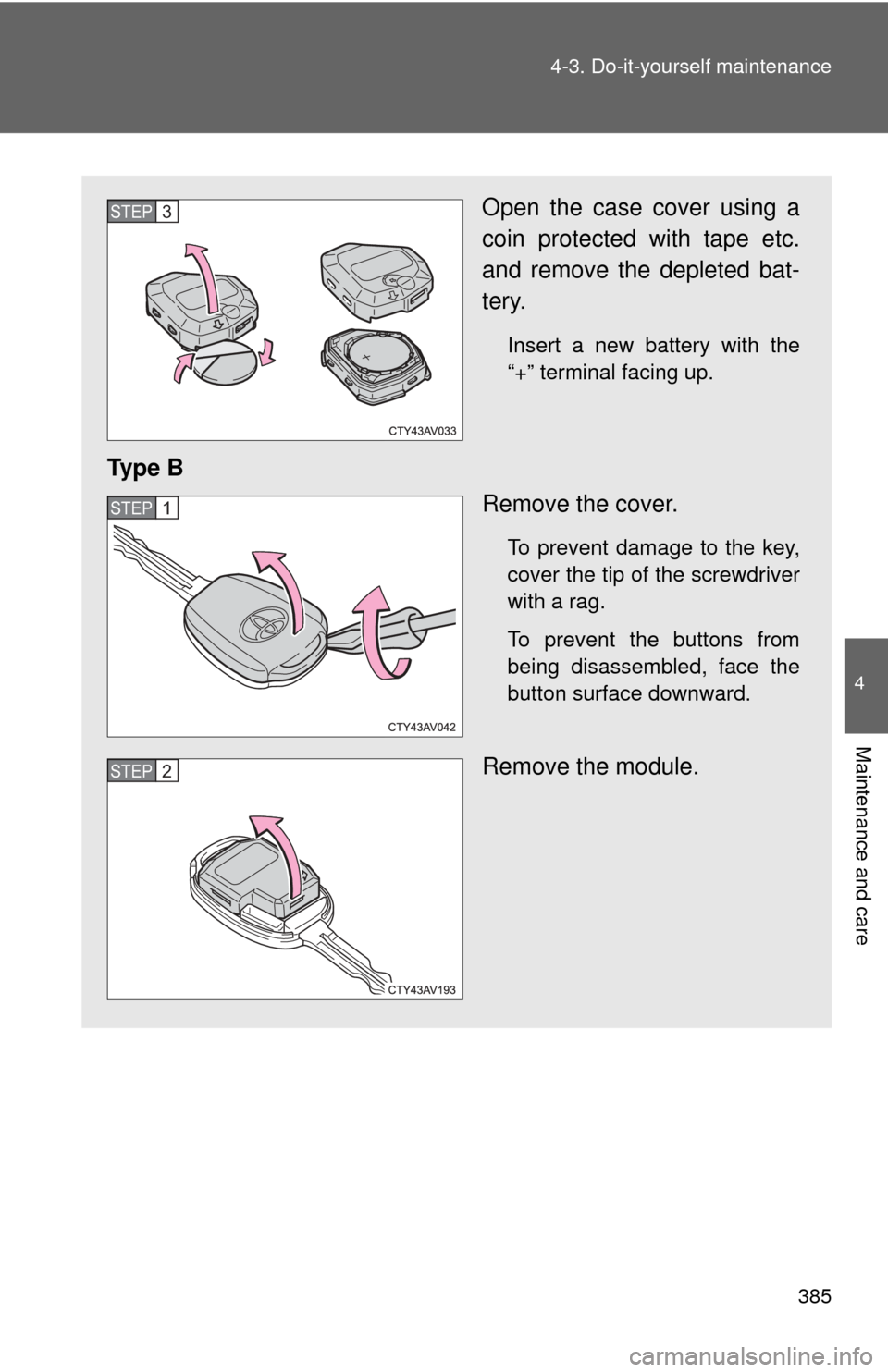
Open the case cover using a
coin protected with tape etc.
and remove the depleted bat-
tery.
Insert a new battery with the
“+” terminal facing up.
Ty p e B
Remove the cover.
To prevent damage to the key,
cover the tip of the screwdriver
with a rag.
To prevent the buttons from
being disassembled, face the
button surface downward.
Remove the module.
STEP3
STEP1
STEP2