Page 93 of 580
93
1-5. Refueling
1
Before driving
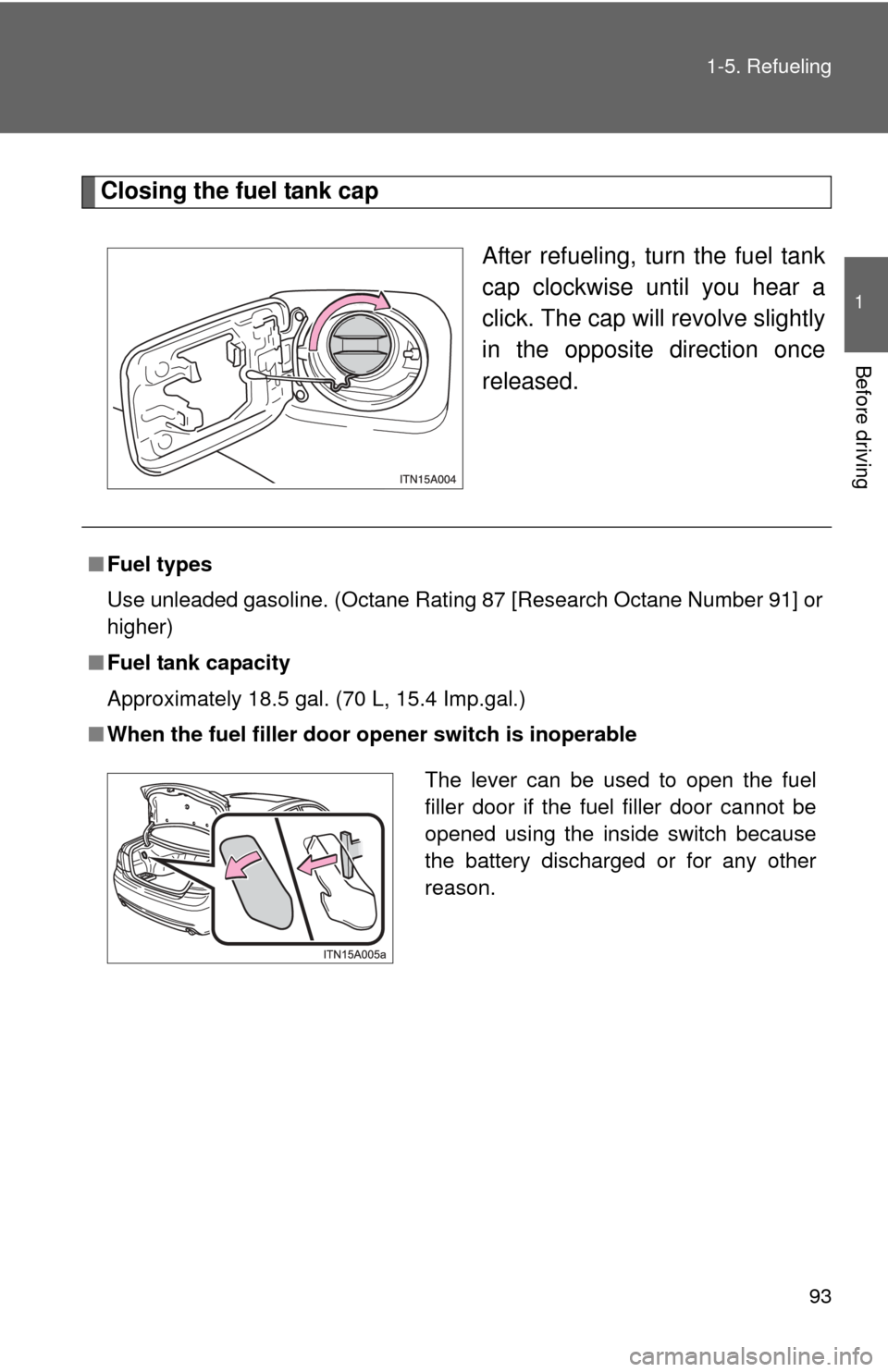
Closing the fuel tank cap
After refueling, turn the fuel tank
cap clockwise until you hear a
click. The cap will revolve slightly
in the opposite direction once
released.
■ Fuel types
Use unleaded gasoline. (Octane Rating 87 [Research Octane Number 91] or
higher)
■ Fuel tank capacity
Approximately 18.5 gal. (70 L, 15.4 Imp.gal.)
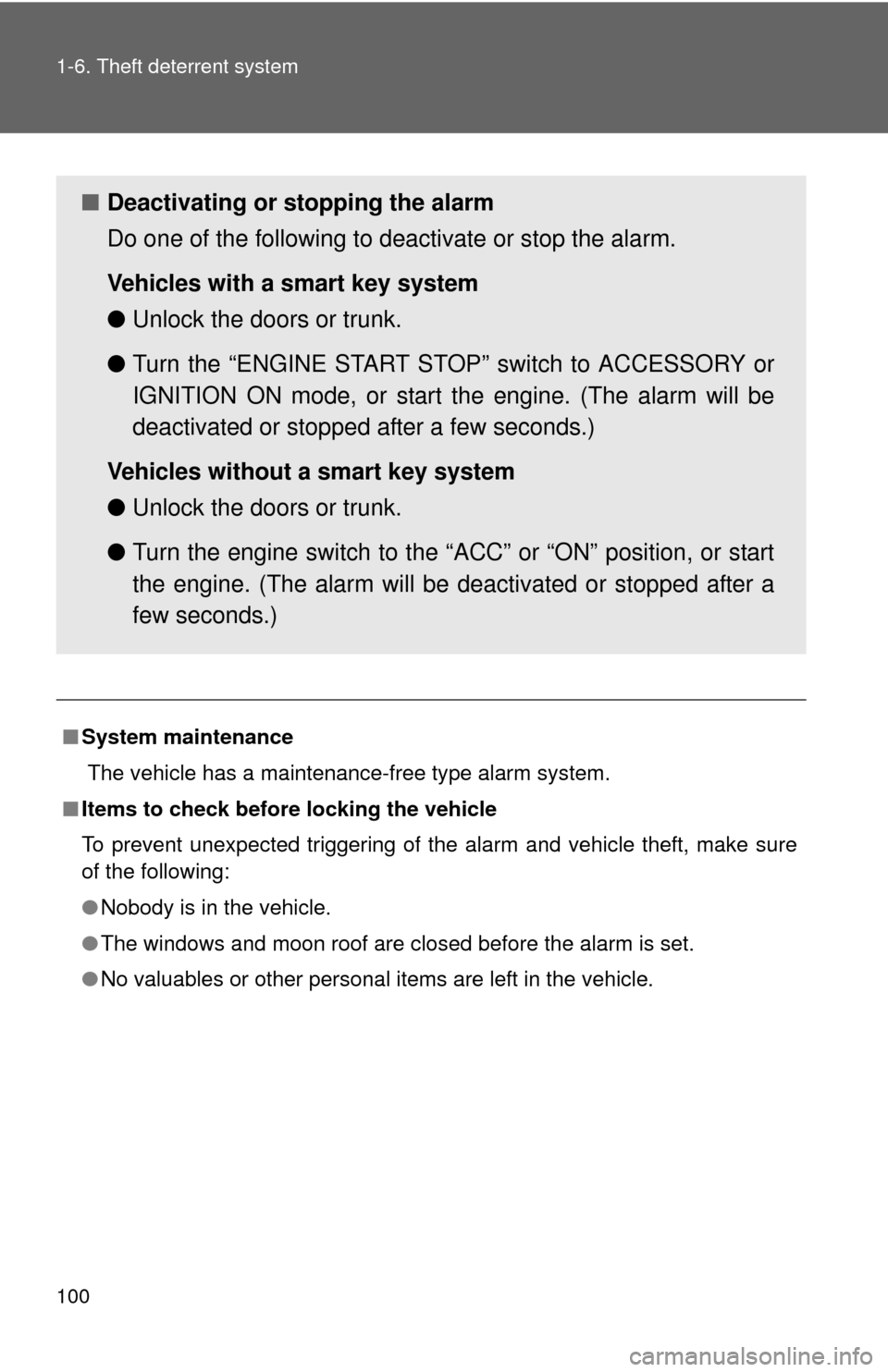
■ When the fuel filler door op ener switch is inoperable
The lever can be used to open the fuel
filler door if the fuel filler door cannot be
opened using the inside switch because
the battery discharged or for any other
reason.
Page 99 of 580
99
1
1-6. Theft deterrent system
Before driving
Alarm
The system sounds the alarm and flashes lights when forcible entry
is detected.
■ Triggering the alarm
The alarm is triggered in the fo llowing situations when the alarm
is set:
● A locked door or trunk is unlocked or opened in any way other
than using the entry function, wi reless remote door lock func-
tion or using the mechanical key. (The doors will lock again
automatically.)
● The hood is opened.
● Vehicles with the glass brea kage sensor: The side windows
are tapped or broken.
■ Setting the alarm system
Close the doors, trunk and
hood, and lock all doors. The
system will be set automati-
cally after 30 seconds.
The indicator light changes
from being on to flashing when
the system is set.
Page 100 of 580
100 1-6. Theft deterrent system
■System maintenance
The vehicle has a maintenance-free type alarm system.
■ Items to check before locking the vehicle
To prevent unexpected triggering of the alarm and vehicle theft, make sure
of the following:
●Nobody is in the vehicle.
● The windows and moon roof are closed before the alarm is set.
● No valuables or other personal items are left in the vehicle.
■ Deactivating or stopping the alarm
Do one of the following to deactivate or stop the alarm.
Vehicles with a smart key system
●Unlock the doors or trunk.
● Turn the “ENGINE START STOP” switch to ACCESSORY or
IGNITION ON mode, or start the engine. (The alarm will be
deactivated or stopped after a few seconds.)
Vehicles without a smart key system
● Unlock the doors or trunk.
● Turn the engine switch to the “ACC” or “ON” position, or start
the engine. (The alarm will be deactivated or stopped after a
few seconds.)
Page 101 of 580
101
1-6. Theft deterrent system
1
Before driving
■
Triggering of the alarm
The alarm may be triggered in the following situations.
(Stopping the alarm deactivates the alarm system.)
■ When the battery is disconnected
Be sure cancel the alarm system.
If the battery is disconnected before canceling the alarm, the system may be
triggered when the battery is reconnected.
■ Alarm-operated door lock
●When the alarm is operating, the door are locked automatically to pre-
vent intruders.
● Do not leave the key inside the vehicle when the alarm is operating, and
make sure the key is not inside the vehicle when recharging or replacing
the battery.
●A person inside the vehicle opens a
door, the trunk or hood.
● The battery is recharged or replaced
when the vehicle is locked.
Page 142 of 580
142
2-1. Driving procedures
Driving the vehicle
The following procedures should be observed to ensure safe driv-
ing.
■ Starting the engine
P. 154, 158
■Driving
With the brake pedal depressed, shift the shift lever to “D”. ( P. 161)
Release the parking brake. ( P. 167)
Gradually release the brake pedal and gently push the
accelerator pedal to accelerate the vehicle.
■ Stopping
With the shift lever in “D”, push the brake pedal.
If necessary, set the parking brake.
When the vehicle is stopped for an extended period of time, shift
the shift lever to “P”. (
P. 161)
■Parking the vehicle
With the shift lever in “D”, push the brake pedal.
Set the parking brake. ( P. 167)
Shift the shift lever to “P”. ( P. 161)
Stop the engine.
Lock the door, making sure that you have the key on your
person.
STEP1
STEP2
STEP3
STEP1
STEP2
STEP1
STEP2
STEP3
STEP4
STEP5
Page 159 of 580
159
2-1. Driving procedures
2
When driving
■
Turning the key from “ACC” to “LOCK”
Shift the shift lever to “P”.
■ When the steering lock cannot be released
■ If the engine does not start
The engine immobilizer system may not have been deactivated. ( P. 96)
■ Key reminder function
A buzzer sounds if the driver’s door is opened, while the engine switch is in
the “ACC” or “LOCK” position to remind you to remove the key\
.
STEP1
Push in the key and turn to the “LOCK”
position.STEP2
When starting the engine, the engine
switch may seem stuck in the “LOCK”
position. To free it, turn the key while turn-
ing the steering wheel slightly in either
direction.
Page 181 of 580

181
2-3. Operating the lights and windshield wipers
2
When driving
■
Automatic light off system
Vehicles with smart key system
The headlights and tail lights turn off 30 seconds after a door is opened or
closed if the “ENGINE START STOP ” switch has been turned to ACCES-
SORY or turned OFF while the headlights are turned on. (The lights turn off
immediately if the button on the key is pressed after all doors are
locked.)
To turn the lights on again, turn the “ENGINE START STOP” switch to IGNI-
TION ON mode, or turn the light switch OFF once and then back to the or position.
Vehicles without smart key system
The headlights and tail lights turn off 30 seconds after a door is opened or
closed if the engine switch has been turned to the “ACC” or “LOCK” position
while the headlights are turned on. (The lights turn off immediately if the
button on the key is pressed after all doors are locked.)
To turn the lights on again, turn the engine switch to the “ON” position, or
turn the light switch OFF once and then back to the or position.
■ Automatic headlight leveling system
The level of the headlights is automatically adjusted according to the number
of passengers and the loading condition of the vehicle to ensure that the
headlights do not interfere with other road users.
■ Customization that can be co nfigured at Toyota dealer
Settings (e.g. light sensor sensitivity) can be changed.
(Customizable features P. 545)
NOTICE
■To prevent battery discharge
Do not leave the lights on longer than necessary if the engine is not running.
Page 227 of 580

Interior features3
227
3-3. Using the Bluetooth® audio
system
Blu etooth
® audio
system ........................... 289
Using the Bluetooth
®
audio system.................. 292
Operating a Bluetooth
®
enabled portable
player ............................. 299
Setting up a Bluetooth
®
enabled portable
player ............................. 301
Bluetooth
® audio system
setup .............................. 307
3-4. Using the hands-free system
(for cellular phone)
Hands-free sys tem
(for cellular phone) ......... 308
Using the hands-free system ........................... 311
Making a phone call ......... 320
Setting a cellular phone ............................. 325
Security and system setup .............................. 332
Using the phone book ...... 337 3-5. Using the interior lights
Interior lights list ............... 346
3-6. Using the storage features List of storage features .... 349
3-7. Other interior features Sun visors ........................ 357
Vanity mirrors ................... 358
Clock ................................ 359
Ashtrays ........................... 360
Power outlets ................... 361
Seat heaters/ventilators ...................... 363
Armrest ............................ 365
Rear sunshade................. 366
Floor mats ........................ 368
Trunk features .................. 370
Garage door opener......... 372
Compass .......................... 380