Page 257 of 750
2554-2. Driving procedures
UK_AURIS/AURIS_HV_EE (OM12E33E)
4
Driving
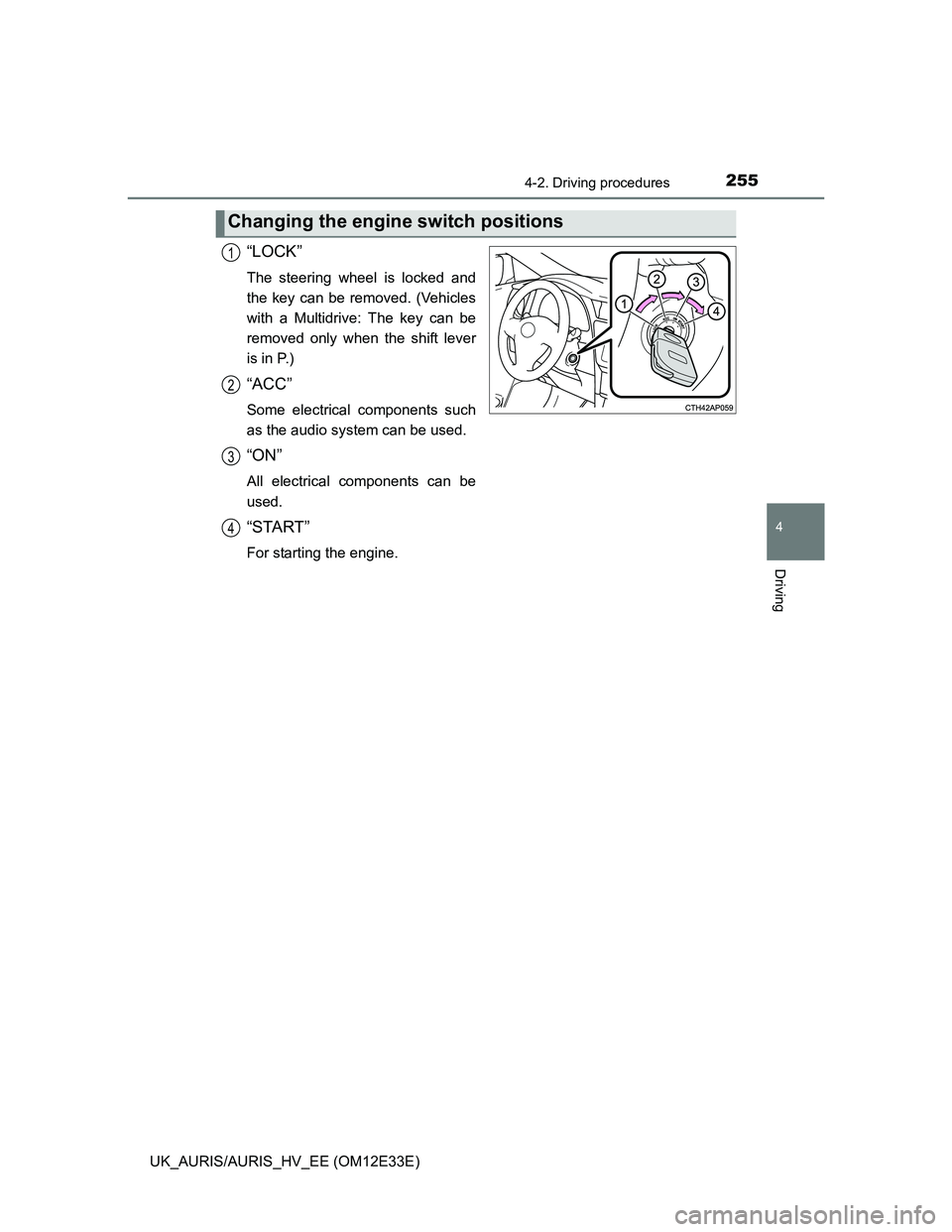
“LOCK”
The steering wheel is locked and
the key can be removed. (Vehicles
with a Multidrive: The key can be
removed only when the shift lever
is in P.)
“ACC”
Some electrical components such
as the audio system can be used.
“ON”
All electrical components can be
used.
“START”
For starting the engine.
Changing the engine switch positions
1
2
3
4
Page 263 of 750
2614-2. Driving procedures
UK_AURIS/AURIS_HV_EE (OM12E33E)
4
Driving
Modes can be changed by pressing the engine switch with brake
pedal (Multidrive and multi-mode manual transmission) or clutch
pedal (manual transmission) released. (The mode changes each time
the switch is pressed.)
Vehicles without a multi-information display
Off
*
The emergency flashers can be
used.
ACCESSORY mode
Some electrical components such
as the audio system can be used.
The smart entry & start system
indicator light (green) flashes
slowly.
IGNITION ON mode
All electrical components can be
used.
The smart entry & start system
indicator light (green) flashes
slowly.
*: If the shift lever is in a position
other than P when turning off the
engine, the engine switch will be
turned to ACCESSORY mode, not
to off. (Multidrive)
Changing engine switch modes
Page 264 of 750
2624-2. Driving procedures
UK_AURIS/AURIS_HV_EE (OM12E33E)
Vehicles with a multi-information display
Off
*
The emergency flashers can be
used.
The multi-information display will
not be displayed.
ACCESSORY mode
Some electrical components such
as the audio system can be used.
“POWER ON” will be displayed on
the multi-information display.
IGNITION ON mode
All electrical components can be
used.
“POWER ON” will be displayed on
the multi-information display.
*: If the shift lever is in a position
other than P when turning off the
engine, the engine switch will be
turned to ACCESSORY mode, not
to off. (Multidrive)
Page 272 of 750
2704-2. Driving procedures
UK_AURIS/AURIS_HV_EE (OM12E33E)
Modes can be changed by pressing the power switch with brake pedal
released. (The mode changes each time the switch is pressed.)
Off
The emergency flashers can be
used.
The multi-information display will
not be displayed.
ACCESSORY mode
Some electrical components such
as the audio system can be used.
“POWER ON” will be displayed on
the multi-information display.
ON mode
All electrical components can be
used.
“POWER ON” will be displayed on
the multi-information display.
Changing power switch modes
Page 355 of 750
3534-5. Using the driving support systems
UK_AURIS/AURIS_HV_EE (OM12E33E)
4
Driving
In the following situations, it may take longer than normal for the Stop & Start
system to activate.
• The 12-volt battery is discharged.
• After the 12-volt battery terminals have been disconnected and recon-
nected after a 12-volt battery replacement, etc.
• The engine coolant temperature is low.
Automatic reactivation of the Stop & Start system
Vehicles without a smart entry & start system: Even if the Stop & Start system
is disabled by the Stop & Start cancel switch, it will be automatically re-
enabled once the engine switch is turned to the “LOCK” position then to the
“START” position.
Vehicles with a smart entry & start system: Even if the Stop & Start system is
disabled by the Stop & Start cancel switch, it will be automatically re-enabled
once the engine switch is turned off then the engine is started.
The Stop & Start system protection feature
Vehicles without a smart entry & start system: When an excessively loud
sound is being projected by the audio system, the audio system may be auto-
matically cut off in order to maintain power for the Stop & Start system func-
tion.
If this occurs, turning the engine switch to the “LOCK” position then to the
“ACC” or “ON” position re-enables the audio system.
Vehicles with a smart entry & start system: When an excessively loud sound
is being projected by the audio system, the audio system may be automati-
cally cut off in order to maintain power for the Stop & Start system function.
If this occurs, turning the engine switch off then to ACCESSORY mode or
IGNITION ON mode re-enables the audio system.
Steering wheel operation
When the engine is stopped by the Stop & Start system, the steering wheel
may become heavier than when driving.
Hood
If the hood is opened while the engine is stopped by the Stop & Start system,
the engine cannot be restarted by the Stop & Start system or by the automatic
engine start function. Restart the engine with the engine switch operation.
(P. 254, 258)
Page 375 of 750

373
5Interior features
UK_AURIS/AURIS_HV_EE (OM12E33E)5-1. Using the air conditioning
system and defogger
Heater system ................... 374
Automatic air conditioning
system (without dual
operation) ........................ 379
Automatic air conditioning
system (with dual
operation) ........................ 388
Power heater ..................... 396
Rear window and
outside rear view
mirror defoggers .............. 398
5-2. Using the audio system
Audio system types ........... 400
Using the radio .................. 404
Using the CD player .......... 408
Playing back MP3 and
WMA discs....................... 413
Operating an iPod.............. 419
Operating a USB
memory............................ 428
Optimal use of the audio
system ............................. 435
Using the AUX port ............ 437
Using the steering wheel
audio switches ................. 4385-3. Using the interior lights
Interior lights list ................. 441
• Interior lights .................. 442
• Vanity lights ................... 442
• Personal lights ............... 443
5-4. Using the storage
features
List of storage features ...... 445
• Glove box ...................... 446
• Console box .................. 446
• Bottle holders ................ 447
• Cup holders ................... 448
• Auxiliary boxes .............. 450
Luggage compartment
features............................ 451
5-5. Other interior features
Sun visors and vanity
mirrors ............................. 458
Clock .................................. 459
Outside temperature
display ............................. 460
Portable ashtray................. 462
Power outlets ..................... 463
Seat heaters ...................... 465
Armrest .............................. 468
Coat hooks......................... 469
Assist grips ........................ 470
Panoramic roof shade........ 471
Page 402 of 750
400
UK_AURIS/AURIS_HV_EE (OM12E33E)
5-2. Using the audio system
Vehicles without a “touch screen”
CD player with changer controller and AM/FM radio
Audio system types
: If equipped
TitlePage
Using the radioP. 404
Using the CD playerP. 408
Playing back MP3 and WMA discsP. 413
Operating an iPodP. 419
Operating a USB memoryP. 428
Optimal use of the audio systemP. 435
Using the AUX portP. 437
Using the steering wheel audio switchesP. 438
Page 403 of 750
4015-2. Using the audio system
UK_AURIS/AURIS_HV_EE (OM12E33E)
5
Interior features
Vehicles with a “touch screen”
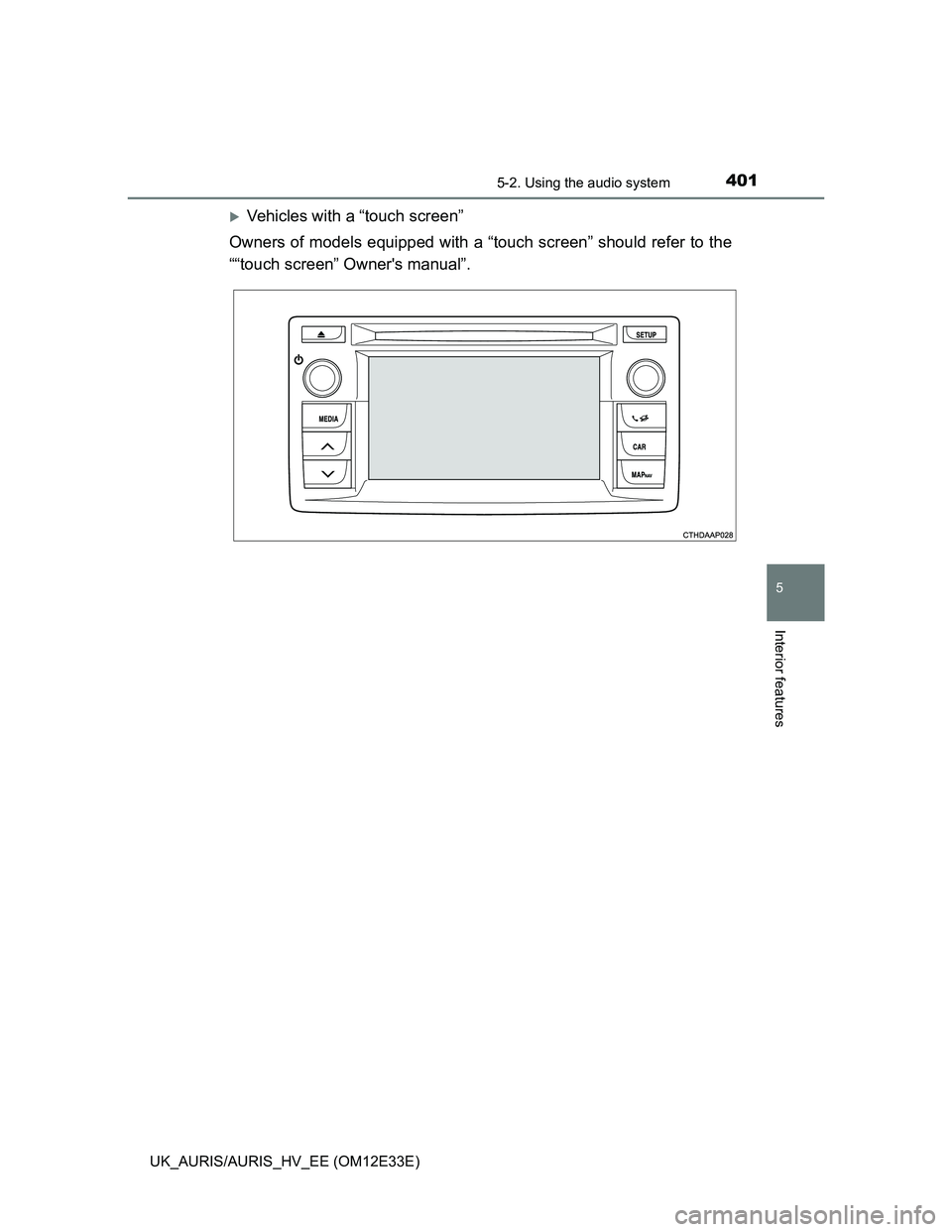
Owners of models equipped with a “touch screen” should refer to the
““touch screen” Owner's manual”.