Page 454 of 700
454
3-7. Other interior features
4RUNNER_U
Vanity mirrors
NOTICE
■To prevent battery discharge
Do not leave the vanity lights on for extended periods while the engine is off.
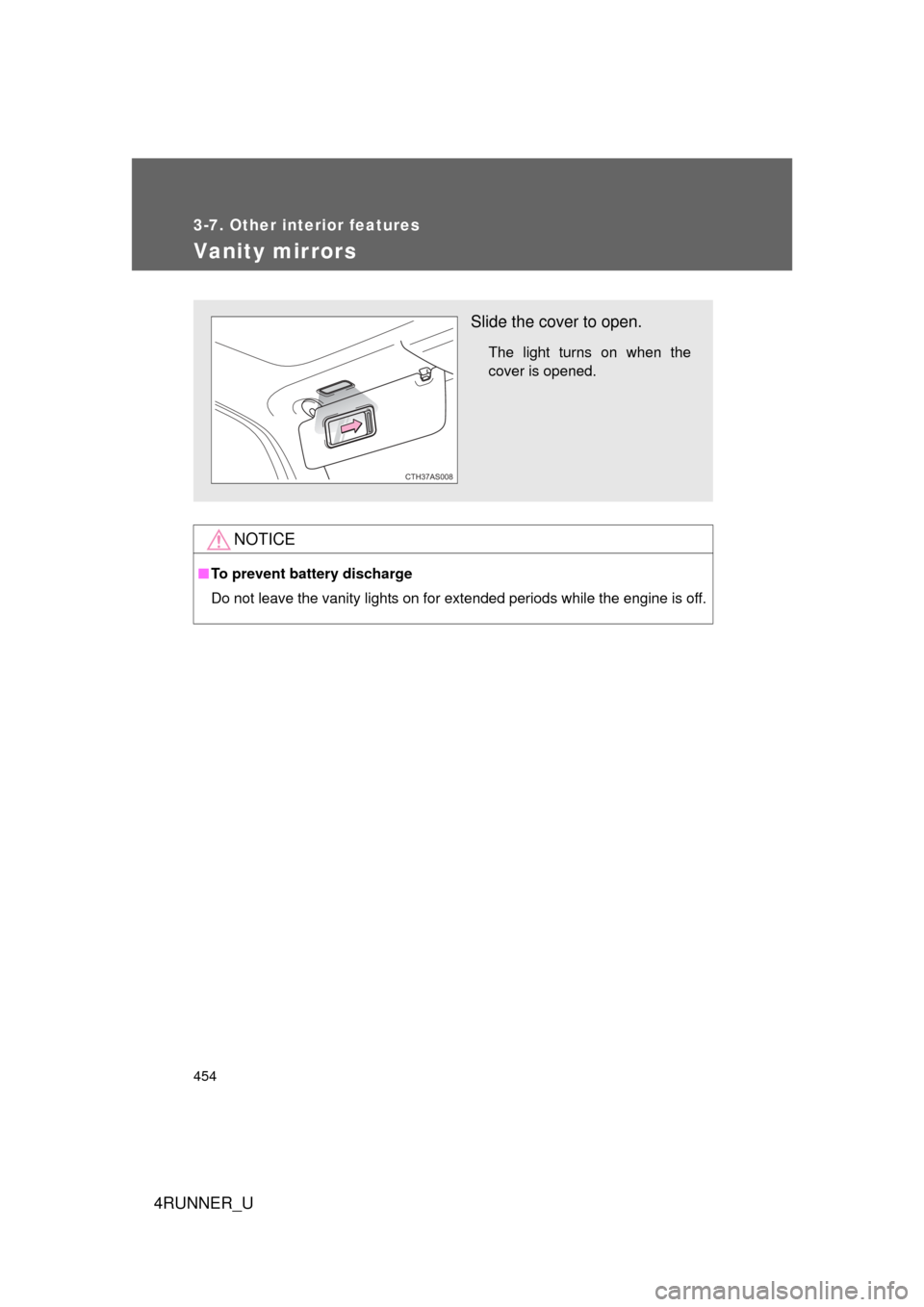
Slide the cover to open.
The light turns on when the
cover is opened.
CTH37AS008
Page 456 of 700
456 3-7. Other interior features
4RUNNER_U
■For quicker adjustment of the clock
To advance the minutes and hours quickly, press and hold the “M” or “H” but-
ton.
The time can be adjusted back or forth by following the procedure below:
■ The clock is displayed when
Vehicles without a smart key system
The engine switch is in the “ACC” or “ON” position.
Vehicles with a smart key system
The “ENGINE START STOP” switch is in ACCESSORY or IGNITION ON
mode.
■ When disconnecting and reco nnecting battery terminals
The clock data will be reset.
The hour or minute can be moved for-
ward or backward by pressing the
“MODE/ ” or “SET/ ” button while
pressing and holding the “H” or “M” but-
ton. If the “MODE/ ” or “SET/ ” but-
ton is also pressed and held in the above
operation, the hour or minute will move
faster.
Page 462 of 700
462 3-7. Other interior features
4RUNNER_U
■The power outlet can be used when
Vehicles without a smart key system
The engine switch is in the “ACC” or “ON” position.
Vehicles with a smart key system
The “ENGINE START STOP” switch is in ACCESSORY or IGNITION ON
mode.
NOTICE
■ To avoid damaging the power outlet
Close the power outlet lid when the power outlet is not in use.
Foreign objects or liquids that enter the power outlet may cause a short cir-
cuit.
■ To prevent blown fuse
Do not use an accessory that uses more than 12 V 10 A.
■ To prevent battery discharge
Do not use the power outlet longer than necessary when the engine is not\
running.
Luggage compartment (vehicles with the 120 V AC)
CTH37AS086
Page 468 of 700
468 3-7. Other interior features
4RUNNER_U
NOTICE
■To avoid damaging the power outlet and the plug
● Close the power outlet lid when not in use.
● Do not allow foreign objects or liquid s to enter the power outlet, as this
may cause a short circuit.
● Do not use plug adaptors to connect too many plugs to the power outlet.
● After removing a plug, gently close the power outlet lid.
■ To prevent the fuse from being blown
Do not use a 120 V AC appliance that requires more than the maximum
capacity of the power outlet. If a 120 V AC appliance that consumes more
than the maximum capacity is used, the protection circuit will cut the power
supply.
■ Appliances that may not ope rate properly (120 V AC)
The following 120 V AC appliances may not operate even if their power con-
sumption is under maximum capacity.
● Appliances with high initial peak wattage
● Measuring devices that process precise data.
● Other appliances that require an extremely stable power supply
■ To prevent battery discharge
Turn off all the vehicle's electronic equipment and accessories, such as the
headlights and air conditioning, when elec trical appliances that consume in
excess of 100 W are used continuously for long periods of time.
■ To prevent any damage caused by heat
● Do not use any electrical appliances that give off intense heat, such as
toasters, in any locations including the internal or external trim, seats and
deck.
● Do not use any electrical appliances that are easily affected by vibration or
heat inside the vehicle. Vibration while driving, or the heat of the sun while
parking, may result in damage to those electrical appliances.
Page 471 of 700
471
3-7. Other interior features
3
Interior features
4RUNNER_U
CAUTION
■
Burns
● Use caution when seating the following persons in a seat with the seat
heater on to avoid the possibility of burns:
• Babies, small children, the elderly, the sick and the physically chal-
lenged
• Persons with sensitive skin
• Persons who are fatigued
• Persons who have taken alcohol or drugs that induce sleep (sleeping drugs, cold remedies, etc.)
● Do not cover the seat with anything when using the seat heater.
Using the seat heater with a blanket or cushion increases the temperature
of the seat and may lead to overheating.
● Do not use the seat heater more than necessary. Doing so may cause
minor burns or overheating.
NOTICE
■To prevent seat heater damage
Do not put heavy objects that have an uneven surface on the seat and do
not stick sharp objects (needles, nails, etc.) into the seat.
■ To prevent battery discharge
Turn the seat heaters off when the engine is not running.
Page 478 of 700
478 3-7. Other interior features
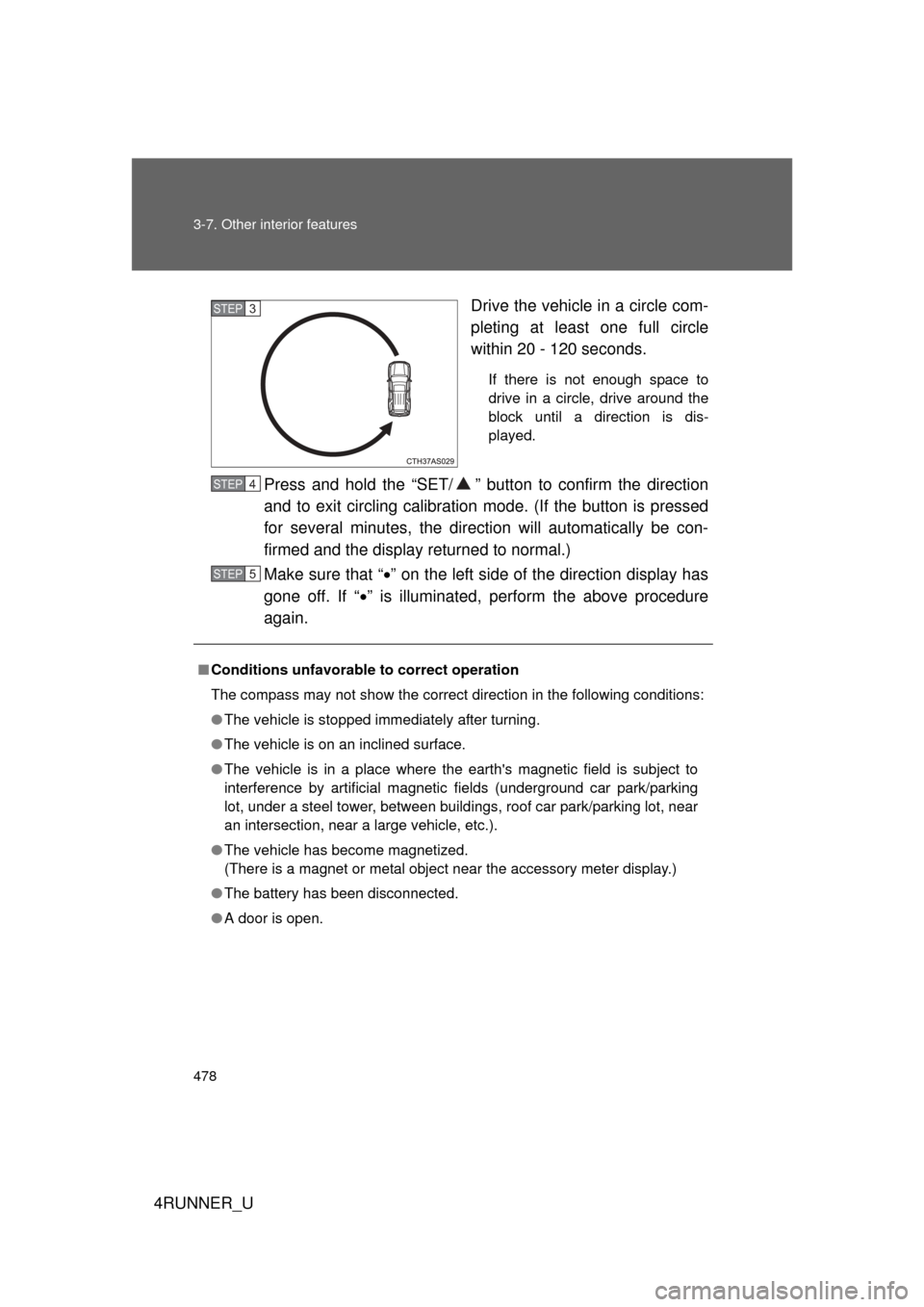
4RUNNER_UDrive the vehicle in a circle com-
pleting at least one full circle
within 20 - 120 seconds.
If there is not enough space to
drive in a circle, drive around the
block until a direction is dis-
played.
Press and hold the “SET/ ” butt
on to confirm the direction
and to exit circling calibration mode. (If the button is pressed
for several minutes, the direction will automatically be con-
firmed and the display returned to normal.)
Make sure that “ ” on the left side of the direction display has
gone off. If “ ” is illuminated, perform the above procedure
again.
STEP 3
■ Conditions unfavorable to correct operation
The compass may not show the correct direction in the following conditions:
● The vehicle is stopped immediately after turning.
● The vehicle is on an inclined surface.
● The vehicle is in a place where the earth's magnetic field is subject to
interference by artificial magnetic fields (underground car park/parking
lot, under a steel tower, between buildings, roof car park/parking lot, near
an intersection, near a large vehicle, etc.).
● The vehicle has become magnetized.
(There is a magnet or metal object near the accessory meter display.)
● The battery has been disconnected.
● A door is open.
STEP 4
STEP 5
Page 491 of 700
491
3-7. Other interior features
3
Interior features
4RUNNER_U
Operating HomeLink
Press the appropriate HomeLink button. The HomeLink indicator
light should come on.
The HomeLink compatible transceiver in your vehicle continues to send
a signal for up to 20 seconds as long as the button is pressed.
Erasing the entire HomeLink memory (all three programs)
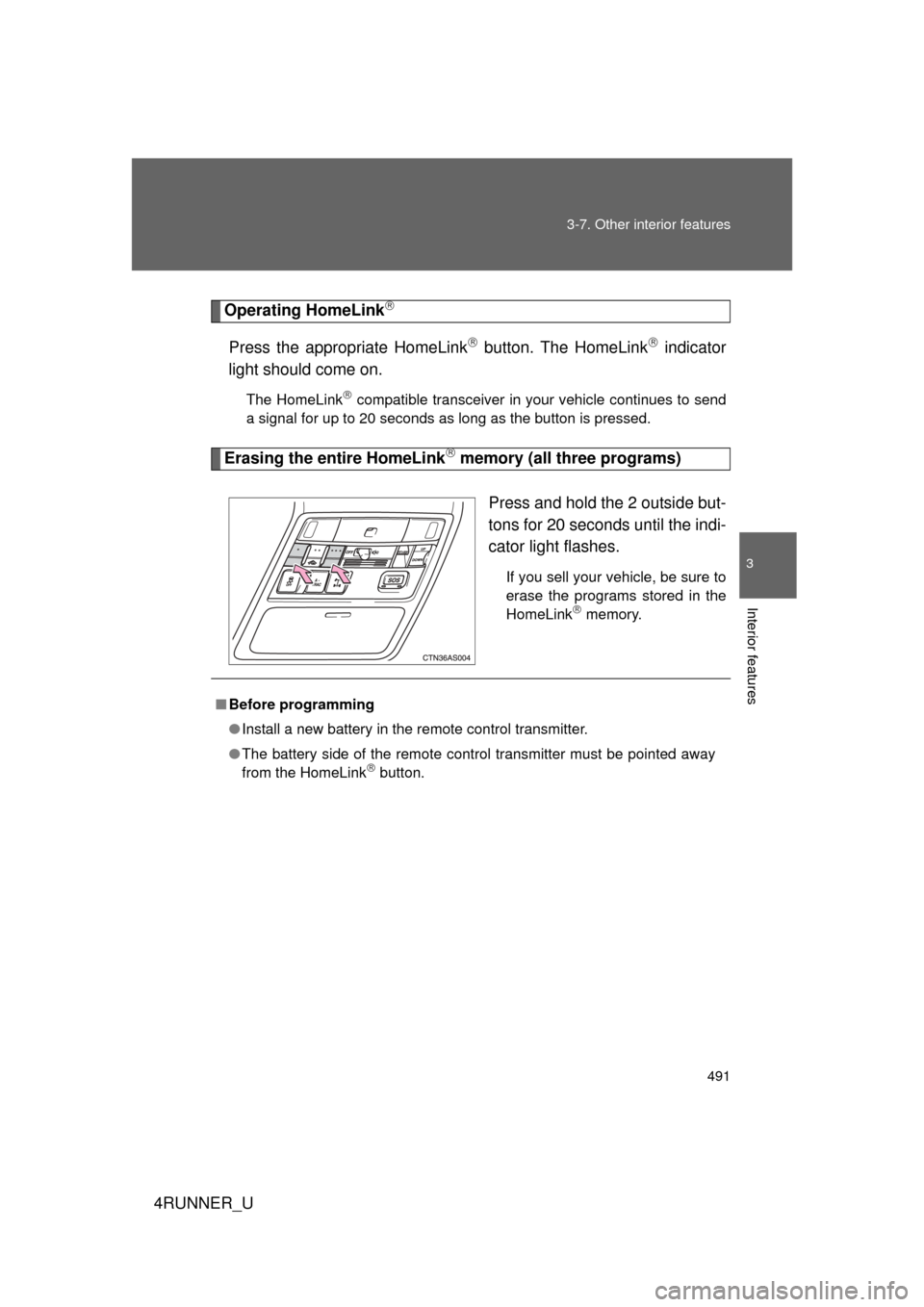
Press and hold the 2 outside but-
tons for 20 seconds until the indi-
cator light flashes.
If you sell your vehicle, be sure to
erase the programs stored in the
HomeLink
memory.
■Before programming
● Install a new battery in the remote control transmitter.
● The battery side of the remote control transmitter must be pointed away
from the HomeLink
button.
Page 501 of 700
Maintenance and care4
501
4RUNNER_U
4-1. Maintenance and careCleaning and protecting the vehicle exterior ......... 502
Cleaning and protecting the vehicle interior .......... 505
4-2. Maintenance Maintenance requirements .................. 508
General maintenance....... 511
Emission inspection and maintenance (I/M)
programs ........................ 515
4-3. Do-it-yourself maintenance
Do-it-yourself service precautions .................... 516
Hood ................................ 519
Engine compartment ........ 520
Tires ................................. 537
Tire inflation pressure ...... 543
Wheels ............................. 547
Air conditioning filter......... 550
Wireless remote control/ electronic key battery
....... 552
Checking and replacing fuses .............................. 555
Light bulbs........................ 565