2012 SKODA ROOMSTER Set time
[x] Cancel search: Set timePage 54 of 194

Example: In the event of a frontal collision at a speed of 50 km/h, an unsecured
object with a weight of 4.5 kg produces an energy, which corresponds to 20 times
its own weight. This means that it results in a weight of approx. 90 kg
“ ”. You can
imagine the injuries that can occur, if this “object” flies through the interior com-
partment and hits an occupant. WARNING
■ Store the objects in the boot and attach them to the lashing eyes.
■ Loose objects in the passenger compartment can be thrown forward during
a sudden manoeuvre or in case of an accident and can injure the occupants or
other oncoming traffic. This risk is still increased, if the objects which are fly-
ing around are hit by a deployed airbag. In this case, the objects which are
thrown back can injure the occupants - hazard. ■ Please note that the handling properties of the vehicle may be affected
when transporting heavy objects as the centre of gravity can be displaced -
risk of accident! The speed and style of driving must be adjusted accordingly.
■ If the items of luggage or objects are attached to the lashing eyes with un-
suitable or damaged lashing straps, injuries can occur in the event of braking
manoeuvres or accidents. To prevent items of luggage from being thrown for-
ward, always use suitable lashing straps which must be firmly attached to the
lashing eyes. ■ The items carried in the boot must be stored in such a way that no objects
are able to slip forward if any sudden driving or braking manoeuvres are un-
dertaken - risk of injury!
■ When transporting fastened objects which are sharp and dangerous in the
boot that has been enlarged by folding the rear seats forward, ensure the
safety of the passengers transported on the other rear seats » page 102, Cor-
rect seated position for the occupants on the rear seats .
■ If the rear seat next to the folded forward seat is occupied, ensure maxi-
mum safety, e.g. by placing the goods to be transported in such a way that the
seat is prevented from folding back in case of a rear collision.
■ Never drive with the boot lid fully opened or slightly ajar otherwise exhaust
gases may get into the interior of the vehicle - risk of poisoning!
■ Under no circumstances, should the permissible axle loads and permissible
gross weight of the vehicle be exceeded - risk of accident!
■ Never transport people in the boot! CAUTION
Please ensure that the heating elements for the rear window heater are not dam-
aged as a result of abrasive objects. Note
Tyre pressure must be adjusted to the load »
page 149, Service life of tyres. Ð Class N1 vehicles
First read and observe the introductory information and safety warn-
ings on page 51.
On class N1 vehicles, which are not fitted with a protective grille, a lashing set
which complies with the standard EN
12195 (1 - 4) must be used for fastening the
load. Ð Fastening elements
Fig. 44
Boot: Lashing eyes and fasten-
ing elements
First read and observe the introductory information and safety warn-
ings on page 51.
The boot provides the following fastening elements
»
Fig. 44.
Lashing eyes for fastening items of luggage and fixing nets.
Fastening elements for fastening fixing nets. CAUTION
The maximum permissible load of the lashing eyes is 3.5 kN (350 kg). Ð
ä
ä
A
B
52
Using the system
Page 72 of 194

WARNING
Do not leave recirculated air mode on over a longer period of time, as “stale”
air can cause fatigue of the driver and passengers, reduce attention levels and
also cause the windows to mist up. The risk of having an accident increases.
Switch off recirculated air mode as soon as the windows start to mist up. ÐAir conditioning system (manual air conditioning
system) Introductory information
The cooling system only operates if the button AC 2
» Fig. 76 on page
70 is
pressed, and the following conditions are met:
› engine running;
› outside temperature above approx. +2 °C;
› blower switch switched on (positions 1 to 4).
Under certain circumstances, air at a temperature of about 5 °C can flow out of
the vents when the cooling system is switched on. Lengthy and uneven distribu-
tion of the air flow out of the vents and large differences in temperature, for ex-
ample when getting out of the vehicle, can result in chills in sensitive persons. Note
We recommend that you have the air conditioning system cleaned by a ŠKODA
specialist garage once every year. Ð Using the system
Fig. 76
The air conditioning system: Control elements
Setting temperature
› Turn the control dial A
» Fig. 76 to the right to increase the temperature.
› Turn the control dial A
to the left to decrease the temperature.
Controlling blower
› Turn the blower switch B
» Fig. 76 into one of the positions, 1 to 4, to switch
the blower on.
› Turn the blower switch B
into position 0 to switch the blower off.
› Press the button
1
to close the fresh air supply
» Fig. 76.
Regulating the air distribution
› The direction of the inlet air flow is controlled with air distribution regulator C
» Fig. 76 » page 68
.
Switching the cooling system on and off
› Press the button
AC 2
» Fig. 76 and the warning light in the button illumi-
nates.
› Pressing the button
AC 2
again switches off the cooling system - the indica-
tor light in the button goes out. £
70 Using the system
Page 74 of 194

Setting the air conditioning system
Recommended basic settings of the control elements of the air conditioning sys-
tem for the respective operating modes:
Set-up Setting of the control dial
Button
Air outlet vents 4 A B C 1 2
Defrost/defog windscreen and
side windows
a) Desired tempera-
ture 3 or 4
Do not switch on Automatically switched
on Open and align with the side
window
The fastest heating To the right up to
the stop 3
Briefly switch on Switched off
Opening
Comfortable heating Desired tempera-
ture 2 or 3
Do not switch on Switched off
Opening
The fastest cooling To the left up to
the stop briefly 4, then
2 or 3 Briefly switch on
b)
Activated Opening
Optimal cooling Desired tempera-
ture 1, 2 or 3
Do not switch on Activated Open and align to the roof
Fresh air mode - ventilation To the left up to
the stop Desired position
Do not switch on Switched off
Openinga)
We recommend that you do not use this setting in countries with high humidity levels. This can result in heavy cooling of the window glass and the following fogging from outside.
b) Under certain conditions, recirculated air mode » page 72 may come on automatically; the warning light will then light up in the button.
Note
■ Controls A
» Fig. 76 on page 70, B
, C
and buttons 1
and 2
.
■ Air outlet vents 4 » page 68.
■ We recommend that you leave the air outlet vents 3 » page 68 in the opened
position. ÐRecirculated air mode
Recirculated air mode prevents polluted air outside the vehicle from getting into
the vehicle, for example when driving through a tunnel or when standing in a
traffic jam.
Switching on
› Press the button
1
» Fig. 76 on page 70 and the warning light in the button
illuminates. Switching off
›
Press the button
1
» Fig. 76 on page 70again - the warning light in the but-
ton goes out.
Recirculated air mode is switched off automatically if the air distribution control C
» Fig. 76 on page 70 is turned to position
. Recirculated air mode can be
switched on again from this setting by repeatedly pressing the button .
WARNING
Do not leave recirculated air mode on over a longer period of time, as “stale”
air can cause fatigue of the driver and passengers, reduce attention levels and
also cause the windows to mist up. The risk of having an accident increases.
Switch off recirculated air mode as soon as the windows start to mist up. Ð
72 Using the system
Page 75 of 194

Climatronic (automatic air conditioning system)
Introductory information
The Climatronic maintains fully automatically a convenience temperature. This is
achieved by automatically varying the temperature of the air flow, the blower
stages and air distribution. The system also takes sunlight into account, which
eliminates the need to alter the settings manually. The automatic
mode » page 74 ensures maximum well-being of the occupants at all times of
the year.
Description of Climatronic system
The cooling system only operates if the following conditions are met:
› engine running;
› outside temperature above approx. +2 °C;
› AC 18
» Fig. 77
on page 73 switched on.
The AC compressor is switched off at a high coolant temperature in order to pro-
vide cooling at a high load of the engine.
Recommended setting for all periods of the year.
› Set the desired temperature, we recommend 22 °C.
› Press the button
AUTO 12
» Fig. 77
on page 73.
› Move the air outlet vents
3 » page 68 and 4 so that the air flow is directed
slightly upwards.
Switching between Celsius and Fahrenheit
Press and hold the buttons AUTO and
AC » Fig. 77 on page
73 at the same time.
The information in the desired temperature measuring unit appears in the display. Note
We recommend that you have the Climatronic system cleaned by a ŠKODA spe-
cialist garage once every year. Ð Overview of the control elements
Fig. 77
Climatronic: Control elements
The buttons/control dial Setting the interior temperature
The displays Display of selected interior temperature
Degrees Celsius or Fahrenheit
Automatic air conditioning mode
De-mist or de-ice the windshield
Direction of air flow
Recirculated air mode
Cooling system on/off
Set blower speed
The buttons/control dial Setting the blower speed
Interior temperature sensor
Automatic mode
De-mist or de-ice the windshield
Air flow to the windows
Air flow to head
Air flow in the footwell £ 1
2
3
4
5
6
7
8
9
10
11
12
13
14
15
16
73
Heating and air conditioning system
Page 76 of 194

Recirculated air mode
Switch cooling system on/off
Note
The interior temperature sensor 11
» Fig. 77
is located in the bottom part of the
device. Do not stick anything on or cover the sensor, otherwise it could have an
unfavourable effect on the Climatronic. ÐAutomatic mode
The automatic mode is used in order to maintain a constant temperature and to
demist the windows in the interior of the car.
Switching on
› Set a temperature between +18 °C and +29
℃.
› Move the air outlet vents
3 » page 68 and 4 so that the air flow is directed
slightly upwards.
› Press the button
AUTO 12
» Fig. 77
on page 73
; AUTO is shown in the display.
Automatic mode is switched off by pressing one of the buttons for the air distri-
bution or by increasing/decreasing the blower speed. The temperature is never-
theless regulated. ÐSetting temperature
› The required interior temperature can be set with the control dial 1
» Fig. 77
on page 73
after switching on the ignition.
The interior temperature can be set between +18 °C and +29 ℃. The interior tem-
perature is regulated automatically within this range. If you select the tempera-
ture below +18 ℃, “LO” appears in the display. If you select the temperature high-
er than +29 ℃, “HI” appears in the display. In both limit positions the Climatronic
operates at maximum cooling or heating capacity, respectively. The temperature
is not controlled in this case.
Lengthy and uneven distribution of the air flow out of the vents (especially
around the feet) and large differences in temperature, for example, when getting
out of the vehicle, can cause susceptible individuals to catch a cold. Ð17
18 Recirculated air mode
Recirculated air mode prevents polluted air outside the vehicle from getting into
the vehicle, for example when driving through a tunnel or when standing in a
traffic jam.
Switching on
› Press the button
17
» Fig. 77
on page 73
; the symbol appears in the dis-
play.
Switching off
› Press the button
17
» Fig. 77
on page 73
again and the symbol disap-
pears from the display. WARNING
Do not leave recirculated air mode on over a longer period of time, as “stale”
air can cause fatigue of the driver and passengers, reduce attention levels and
also cause the windows to mist up. The risk of having an accident increases.
Switch off recirculated air mode as soon as the windows start to mist up. Note
If recirculated air mode is switched on for around 15 minutes, the symbol will
begin to flash in the display as a sign that the recirculated air mode is switched on
long-term. If the recirculated air mode is not switched off, the symbol flashes for
around 5 minutes. Ð Controlling blower
The Climatronic system controls the blower stages automatically in line with the
interior temperature. However, the blower stages can be manually adapted to
suit your particular needs.
› Turn the control dial 10
» Fig. 77
on page 73
to the left (reduce blower speed) or
right (increase blower speed).
If the blower is switched off, the Climatronic system is switched off. £
74 Using the system
Page 85 of 194

Activating/deactivating the parking aid
The parking aid is activated automatically when
reverse gear is engaged and the
ignition is turned on. This is confirmed by a brief audible signal.
The parking aid is deactivated by removing the reverse gear. WARNING
■ The parking aid is not a substitute for the driver paying proper attention and
it is always the driver's responsibility to take care when reversing the vehicle
or carrying out similar manoeuvres. Pay particular attention to small children
and animals as they are not recognised by the parking aid sensors.
■ Before reversing or parking, check that there is no small obstacle, such as a
rock, thin post, trailer drawbar etc., in front of or behind the vehicle. Such ob-
stacles may not be recognised by the parking aid sensors.
■ Under certain circumstances, surfaces of certain objects and types of cloth-
ing cannot reflect the signals from the parking aid. Thus, these objects or peo-
ple who wear such clothing are not recognised by the parking aid sensors.
■ External sound sources can have a detrimental effect on the parking aid.
Under unfavourable conditions, objects or people may not be recognised. Note
■ If a warning signal sounds for about 3 seconds after activating the system and
there is no obstacle close to your car, this indicates a system fault. Have the fault
rectified by a ŠKODA specialist garage. ■ The sensors must be kept clean (free of ice, etc.) to enable the parking aid to
operate properly.
■ If the parking aid is activated and the selector lever of the automatic gearbox is
in the position P, the warning signal is interrupted (the vehicle cannot move). ÐCruise control system (CCS)
ä
Introduction
This chapter contains information on the following subjects:
Storing a speed 84
Changing a stored speed 84
Switching off the cruise control system temporarily 84
Switching off the cruise control system completely 84The cruise control system (CCS) maintains a constant speed, more than 30 km/h,
once it has been set, without you having to depress the accelerator pedal. This is
only possible within the range which is permitted by the power output and brak-
ing power of the engine.
The warning light
illuminates in the instrument cluster when the cruise control
system is activated. WARNING
■ For safety reasons, the cruise control system must not be used in dense
traffic or on unfavourable road surfaces (such as icy roads, slippery roads,
loose gravel) - risk of accident!
■ The saved speed may only be resumed if it is not too high for the current
traffic conditions.
■ Always switch off the cruise control system after use to prevent uninten-
tional use of the system. CAUTION
■ Always depress the clutch pedal if switching to the neutral position (vehicle
with a manual gearbox) when the cruise control system is switched on! Otherwise
the engine can rev up unintentionally.
■ The cruise control system is not able to maintain a constant speed when driving
in areas with steeper gradients. The weight of the vehicle increases the speed at
which it travels. Therefore, shift to a lower gear in good time or slow the vehicle
down by applying the foot brake. Note
It is not possible on vehicles fitted with an automatic gearbox to switch on the
cruise control system if the selector lever is in the position P, N or R. Ð
83
Starting-off and Driving
Page 87 of 194
START/STOP
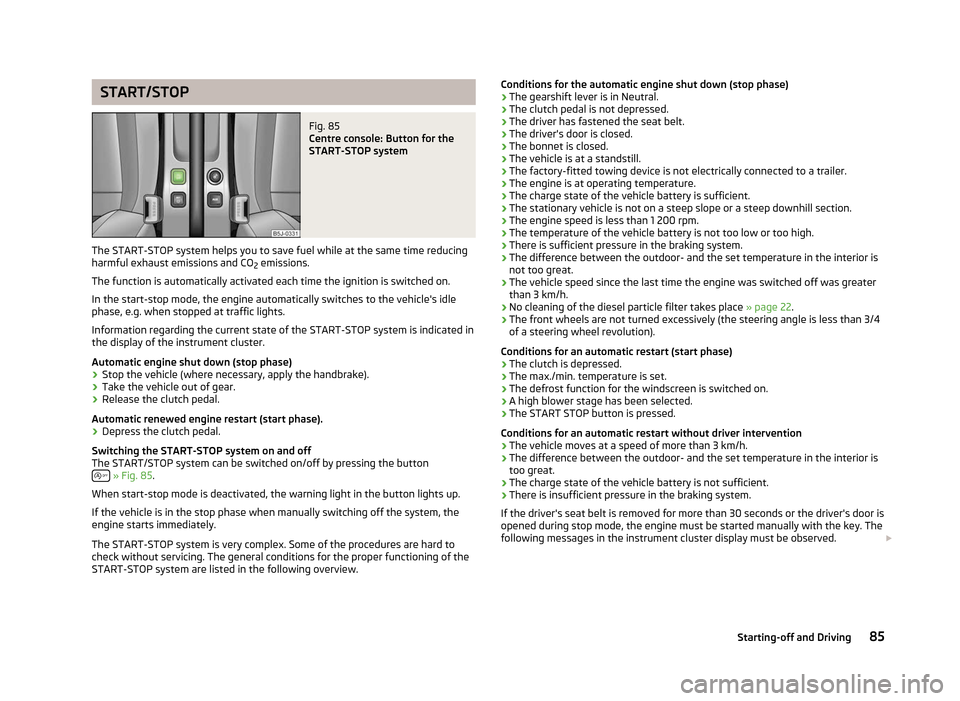
Fig. 85
Centre console: Button for the
START-STOP system
The START-STOP system helps you to save fuel while at the same time reducing
harmful exhaust emissions and CO 2 emissions.
The function is automatically activated each time the ignition is switched on.
In the start-stop mode, the engine automatically switches to the vehicle's idle
phase, e.g. when stopped at traffic lights.
Information regarding the current state of the
START-STOP system is indicated in
the display of the instrument cluster.
Automatic engine shut down (stop phase)
› Stop the vehicle (where necessary, apply the handbrake).
› Take the vehicle out of gear.
› Release the clutch pedal.
Automatic renewed engine restart (start phase).
› Depress the clutch pedal.
Switching the
START-STOP system on and off
The START/STOP system can be switched on/off by pressing the button » Fig. 85.
When start-stop mode is deactivated, the warning light in the button lights up.
If the vehicle is in the stop phase when manually switching off the system, the
engine starts immediately.
The
START-STOP system is very complex. Some of the procedures are hard to
check without servicing. The general conditions for the proper functioning of the
START-STOP system are listed in the following overview. Conditions for the automatic engine shut down (stop phase)
› The gearshift lever is in Neutral.
› The clutch pedal is not depressed.
› The driver has fastened the seat belt.
› The driver's door is closed.
› The bonnet is closed.
› The vehicle is at a standstill.
› The factory-fitted towing device is not electrically connected to a trailer.
› The engine is at operating temperature.
› The charge state of the vehicle battery is sufficient.
› The stationary vehicle is not on a steep slope or a steep downhill section.
› The engine speed is less than 1
200 rpm.
› The temperature of the vehicle battery is not too low or too high.
› There is sufficient pressure in the braking system.
› The difference between the outdoor- and the set temperature in the interior is
not too great.
› The vehicle speed since the last time the engine was switched off was greater
than 3 km/h.
› No cleaning of the diesel particle filter takes place
» page 22.
› The front wheels are not turned excessively (the steering angle is less than 3/4
of a steering wheel revolution).
Conditions for an automatic restart (start phase)
› The clutch is depressed.
› The max./min. temperature is set.
› The defrost function for the windscreen is switched on.
› A high blower stage has been selected.
› The START STOP button is pressed.
Conditions for an automatic restart without driver intervention
› The vehicle moves at a speed of more than 3 km/h.
› The difference between the outdoor- and the set temperature in the interior is
too great.
› The charge state of the vehicle battery is not sufficient.
› There is insufficient pressure in the braking system.
If the driver's seat belt is removed for more than 30 seconds or the driver's door is
opened during stop mode, the engine must be started manually with the key. The
following messages in the instrument cluster display must be observed. £
85
Starting-off and Driving
Page 95 of 194

Phone Phonebook
A phone phonebook is part of the hands-free system. This phone phonebook can
be used depending on the type of mobile phone.
After the first connection of the telephone, the system begins to load the phone
book from the phone and the SIM card into the memory of the control unit.
Each time the telephone has established a new connection with the hands-free
system, an update of the relevant phone book is performed. The updating can
take a few minutes. During this time the phone book, which was stored after the
last update was completed, is available. Newly stored telephone numbers are on-
ly shown after the updating has ended. The update is interrupted if a telephone event (e.g. incoming or outgoing call,
voice control dialogue) occurs during the updating procedure. After the telephone
event has ended, the updating starts anew.
The internal phonebook provides 2
500 free memory locations. Each contact can
contain up to 4 numbers.
If the number of contacts loaded exceeds 2 500, the phone book is not complete. ÐOperating the phone on the multifunction steering wheel
Fig. 89
Multifunction steering wheel:
Mobile phone operation The driver can set the basic functions of the telephone by simply operating the
buttons located on the steering wheel so that he can concentrate on the traffic
situation without being distracted as little as possible by operating the tele-
phone
» Fig. 89 .
This applies only if your vehicle has been equipped with the universal telephone
preinstallation (hands-free system) at the factory.
If the side lights are switched on, the buttons and the symbols and on the
multifunction steering wheel are illuminated.
Button Action Operation1
Press briefly
Accept call, terminate call, entry in the main menu of the telephone, list of selected numbers1 Press button for a long period
of time Reject call, last dialled number
a)
, switch on/off voice control b)2
Press briefly
Switch on/off voice control2
Turn upwards
Increase volume2
Turn downwards
Decrease volumea)
Valid for vehicles with the Amundsen+ navigation system.
b) Valid for vehicles without the Amundsen+ navigation system. Ð
93
Communication