2012 Seat Toledo ignition
[x] Cancel search: ignitionPage 58 of 249

57
Controls and displays
Trip counter*
Daily trip counter (trip)
The daily trip counter indicates the journey that has been covered since the
last time the function was reset in 100 metre sections.
In order to reset the daily distance covered keep the button 6
⇒ Fig. 31
⇒ page 55 pressed down.
Odometer
The odometer indicates the total number of kilometres (or mileage) that the
vehicle has covered until now.
Fault indication
In the event of a fault in the informative display the word Error will appear
permanently. Please take the vehicle to a specialised Technical Service to
solve this fault.
Note
In vehicles equipped with an informative display, if the indicator of the sec-
ond speed in mph or in kph are activated respectively, this speed will be
displayed in place of the odometer.
Service interval display*
Service interval display
Before reaching the service interval, when the ignition is switched on the
key symbol appears on the screen for several seconds together with the
indication of the number of kilometres (miles) remaining. The number of
days remaining until the service inspection is indicated simultaneously.
The informative display indicates:
Service in … km (miles) or… days. The indication of kilometres (miles) or time remaining until the inspection
reduces in intervals of 100km (miles) or 1 day.
If the service interval is reached, when the ignition is switched on the key
symbol
appears flashing on the screen together with the word Service.
The informative display indicates: Service now!
Indication of number of kilometres (miles) or time remaining until the
service inspection
The number of kilometres (miles) or time remaining until the service inspec-
tion can always be displayed when the ignition is switched on by pressing
the button 5
⇒ Fig. 31 ⇒
page 55.
The key symbol and indication of the number of kilometres (miles) re-
maining appear on the display for several seconds. The number of days re-
maining until the service inspection is indicated simultaneously.
In vehicles equipped with an informative display this information can be ac-
cessed from the menu, Settings ⇒ page 63.
Resetting service interval display
The service interval display can be reset only after a service message or pre-
warning has been displayed in the general instrument panel display.
It is advisable to visit a Technical Service to reset the display.
The specialised Technical Service:
● resets the display memory after performing the following inspection
● stores the information in the Maintenance Programme
● places a sticker on the side of the instrument panel in the driver area in-
dicating the date of the next inspection
The service intervals display can be reset by pressing the button, 6
⇒ Fig. 31 ⇒
page 55.
Safety FirstOperating instructionsPractical TipsTechnical specifications
Page 60 of 249

59
Controls and displays
Multi-function display* (on board computer)
Introduction
The multifunction display can only be operated when the ignition is switch-
ed on. When the ignition is switched on the last function selected before it
was switched off is displayed.
The multifunction display data is shown on the screen ⇒ Fig. 33
⇒ page 59.
In vehicles fitted with an informative display ⇒ page 62 the system can be
adjusted so that certain data is not shown.
WARNING
● Always keep your attention on driving! As the driver, you have the full
responsibility for the safety of traffic.
● Do not rely only on the outside temperature indicator to verify wheth-
er the road surface is frozen. This is because with an outside temperature
of +4 °C (+39 °F) ice can generate on the road - Warning of frozen road
surface!
Note
● Models for certain countries can show the values in imperial units.
● If the second speed in mph (km/h) is displayed, the current speed in
km/h (mph) is not displayed on the screen. Memory
Fig. 33 Multifunction
display
The multifunction display has two automatic memories. The selected mem-
ory is displayed on the screen ⇒ Fig. 33.
The current journey data (memory 1) is always displayed when the number
1 appears on the display. When number 2 appears on the display, the total
distance travelled is shown (memory 2).
The memory is selected by pressing button B
⇒ Fig. 34 ⇒
page 60.
Current journey memory (memory 1)
The current journey memory collects data from the moment the ignition is
switched on until it is switched off. If the journey is continued within two
hours of switching off the ignition, the new values will be added to the ex-
isting trip recorder memory. The memory will automatically be deleted if the
journey is interrupted for more than two hours.
Total distance travelled memory (memory 2)
The total distance travelled memory collects journey data from any number
of individual journeys up to a maximum of 19 hours and 59 minutes and
1999 km (miles) or until 99 hours and 59 minutes and 9999 km (miles) in
cars with an informative display. The memory will automatically be deleted
if one of the named values is reached, resetting the data collected.
Safety FirstOperating instructionsPractical TipsTechnical specifications
Page 61 of 249

60Controls and displays
Unlike the current journey memory, this memory is not deleted, even when
the ignition is switched off for more than two hours.
Note
After disconnecting the battery, all the values stored in the memories 1 and
2 are deleted.
Operation
Fig. 34 Multifunction
display: controls
The button to change the functions A
⇒ Fig. 34 and the button to
delete the memory B are located on the window wiper lever.
Selecting a memory
– Briefly press the station button, B
⇒ Fig. 34.
Selecting functions
– Briefly press the rocker switch A
⇒
Fig. 34 up or down. This
displays the multifunction display functions in consecutive or-
der on the screen. Resetting
–
Select the required memory.
– Keep the button B
⇒ Fig. 34 pressed.
The following values of the selected memory are reset using the B
button.
● the average fuel consumption
● journey distance covered
● average speed
● duration of the journey
Multifunction display data
Outside temperature
The display indicates the outside temperature.
At temperatures below +4 °C (+39 °F), the snowflake symbol is also dis-
played (frozen road surface warning symbol) and an audible warning is giv-
en. Pressing the rocker switch A
⇒ Fig. 34 ⇒
page 60 shows the last dis-
played function.
Journey duration
The display shows the time you have covered since the memory was last re-
set. If you wish to measure the duration of a journey from a specific mo-
ment, the memory must be deleted by pressing the button, B
⇒ Fig. 34
⇒ page 60.
The maximum time indicated by the two memories is 19 hours 59 minutes
or 99 hours and 59 minutes for vehicles fitted with an informative display.
The memory is reset if this value is exceeded.
Page 63 of 249

62Controls and displays
Speed warning
Adjust the speed limit while the vehicle is stopped
–Press the button, A
⇒ Fig. 34 ⇒
page 60 select Speed warning.
– Press the button, B
to activate the possibility of adjusting the
speed limit.
– Press the button, A
to select the required speed limit, i.e.
50 km/h (31 mph).
– Press the button, B
to confirm the selected speed or wait sev-
eral seconds until the adjustment is automatically stored.
The speed limit can be adjusted in 5 km/h (mph) intervals.
Adjust the speed limit while driving
– Press the button, A
⇒ Fig. 34 ⇒
page 60 select Speed warning.
– Drive to the required speed, i.e. 50 km/h (31 mph).
– Press the button B
to set the current driving speed as the
speed limit.
If you want to change the speed limit, this will be regulated in 5
km/h (mph) intervals (i.e. the speed set at 47 km/h increases to
50 km/h or decreases to 45 km/h).
– Press the button, B
to confirm the selected speed or wait sev-
eral seconds until the adjustment is automatically stored.
Changing or resetting the speed limit
– Press the button, A
⇒ Fig. 34 ⇒
page 60 select Speed warning.
– Press the button, B
to reset the speed limit. –
Press the button, B
again to activate the possibility of adjust-
ing the speed limit.
If the indicated speed is exceeded at any time, an audible warning is given.
The message Speed warning appears simultaneously on the display with
the imputed speed limit.
The speed limit stays in the memory even after switching the ignition off
and on.
MAXI DOT* (Informative display) Introduction
The informative display informs about the current operational status of your
vehicle. Additionally, the screen also displays the information for the radio,
the multifunction display, the telephone, the navigation system, the devices
connected to the MDI input and the automatic gearbox ⇒ page 143.
WARNING
Always keep your attention on driving! As the driver, you have the full re-
sponsibility for the safety of traffic.
Page 65 of 249
64Controls and displays
When exceeding the maximum speed the following is shown on the display: Winter tyres max speed … km/h … (mph)
Units
The units of measure for temperature, consumption and journey distances
can be set here.
Second speed
The second speed can be activated/deactivated in mph or km/h respective-
ly here.
Inspection Service
Here you can choose to display the kilometres (miles) and days remaining
until the next service, and reset the service interval display.
Factory settings
Select Factory setting to reset the values of the informative display to their
factory settings.
Door, rear lid or bonnet open indicator
If at least one of the doors, rear lid or bonnet is open, a symbol is shown on
the informative display indicating that the door, rear lid or bonnet con-
cerned is open.
An audible warning is also given simultaneously if the vehicle is being driv-
en at a speed of above 6 km/h (4 mph). Auto-check system
Vehicle status
When the ignition is switched on, some vehicle functions such as the condi-
tion of its systems are automatically checked.
The warning messages about eventual faults in addition to other informa-
tion is displayed on the informative display. This information is displayed
together with their respective symbols on the informative display or by
warning lamps that light up on the general instrument panel
⇒ page 65.
The option, Vehicle status, appears in the menu when at least one warning
message is present. The first of the warnings given is displayed upon se-
lecting this option. If there is more than one message present, this is dis-
played on the screen, i.e. 1/3. This means that the warning currently dis- played is the first of a total of three.
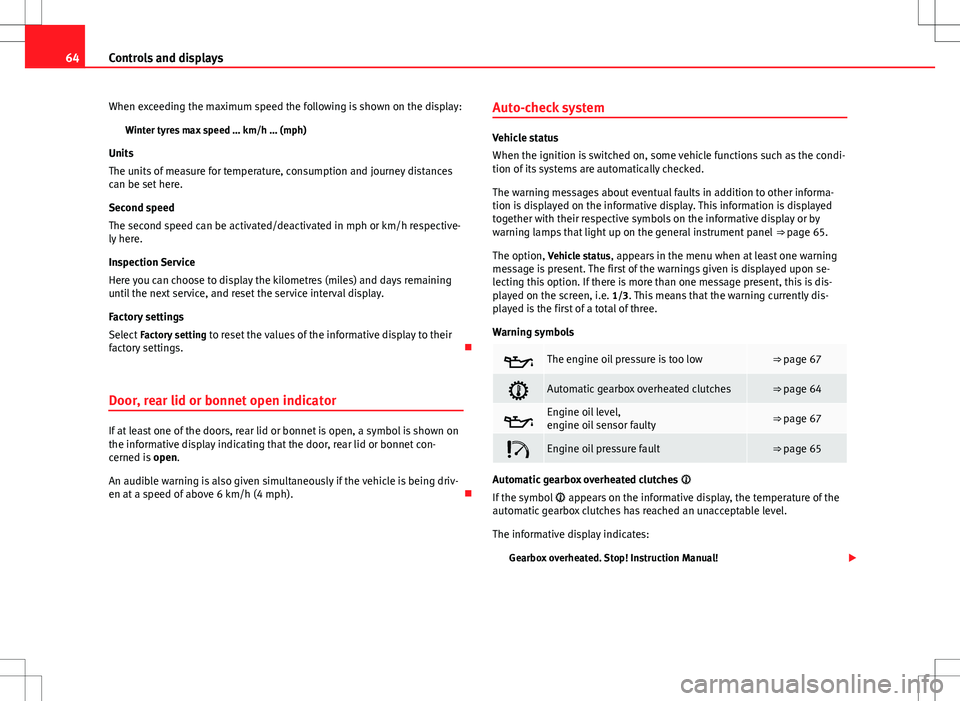
Warning symbols
The engine oil pressure is too low⇒ page 67
Automatic gearbox overheated clutches⇒ page 64
Engine oil level,
engine oil sensor faulty⇒ page 67
Engine oil pressure fault⇒ page 65
Automatic gearbox overheated clutches
If the symbol appears on the informative display, the temperature of the
automatic gearbox clutches has reached an unacceptable level.
The informative display indicates:
Gearbox overheated. Stop! Instruction Manual!
Page 66 of 249

65
Controls and displays
Stop the vehicle in this case, stop the engine and wait until the symbol
has switched off. Danger of damage to the gearbox! You can continue driv-
ing once the symbol is switched off.
Engine oil pressure fault
If the symbol appears on the informative display, the vehicle must be im-
mediately taken to a specialised service. Information regarding the maxi-
mum engine speed is displayed together with this symbol.
WARNING
If the vehicle has to be stopped for technical reasons, park it a safe dis-
tance away from moving traffic, switch off the engine and turn on the
hazard warning lights ⇒ page 98.
Note
● If a warning appears on the informative display it must be confirmed by
pressing the button, B
⇒ Fig. 35 ⇒
page 63 before proceeding to the main
menu.
● The symbols are displayed again until the fault is corrected. After the
first time a symbol is displayed they reappear, but without a message for
the driver.
Control lamps Summary
The control lamps indicate certain functions or faults accompanied by an
audible warning.
When the ignition is switched on some of the warning lamps light up for
several seconds for the purpose of the control systems of the vehicle. These warning lamps must switch off several seconds after the ignition is switched
on.
Handbrake⇒ page 66
Brake system⇒ page 66
Fasten your seat belt⇒ page 67
Alternator⇒ page 67
Door open⇒ page 67
Engine oil (red or yellow colour)⇒ page 67
Coolant temperature/level (red or blue colour)⇒ page 68
Power steering⇒ page 69
Electronic stability control (ESC)⇒ page 69
Traction control system (ASR)⇒ page 69
Anti-lock brake system (ABS)⇒ page 70
Rear fog light⇒ page 70
Bulb fault⇒ page 70
Emission control system⇒ page 70
Glow plug system (diesel engines)⇒ page 70
Safety FirstOperating instructionsPractical TipsTechnical specifications
Page 68 of 249

67
Controls and displays
WARNING (Continued)
● If the warning lamp lights up together with the warning lamp
⇒ page 70, Anti-lock system (ABS) , , Stop the vehicle! Seek pro-
fessional help.
● A fault in the brake system or in the Anti-lock brake system (ABS) can
lead to longer braking distances – Risk of accident!
Fastening seat belts
After switching on the ignition, the warning lamp lights up to instruct the
driver or front passenger to fasten their seat belt. The warning lamp switch-
ed off when the driver or front passenger fastens their seat belt.
While driving at a speed in excess of 20 km/h (12 mph), and if the driver or
front passenger does not have their seat belt fastened an audible warning
is given and the control lamp lights up.
If the driver or front passenger does not fasten their seat belt during the fol-
lowing 90 seconds the audible warning switches off while the warning lamp
will remain up.
Alternator
If the control lamp is lit up while the engine is running, the battery is not
charging.
Seek professional help. Have the car's electrical equipment inspected.
WARNING
If the vehicle has to be stopped for technical reasons, park it a safe dis-
tance away from moving traffic, switch off the engine and turn on the
hazard warning lights ⇒ page 98, Hazard warning light switch.
CAUTION
Additionally, if the warning lamp lights up while driving, the warning
lamp also lights up (cooling system fault). Stop the vehicle and switch off
the engine – Risk of engine damage!
Door open
If the control lamp, lights up, one of the doors, the rear lid or the bonnet
is open.
WARNING
If the vehicle has to be stopped for technical reasons, park it a safe dis-
tance away from moving traffic, switch off the engine and turn on the
hazard warning lights ⇒ page 98.
Engine oil
The control lamp
flashes red (oil pressure low)
The informative display indicates:
Oil pressure. Switch off the engine! Instruction Manual!
Stop the vehicle, switch off the engine and check the engine oil level
⇒ page 177
Safety FirstOperating instructionsPractical TipsTechnical specifications
Page 69 of 249

68Controls and displays
If the symbol flashes although the oil level is correct, do not drive on. Do
not even run the engine at idle speed!
Seek professional help.
The control lamp lights up yellow (insufficient oil level)
The informative display indicates:
Check the oil level!
Stop the vehicle, switch off the engine and check the engine oil level
⇒ page 177
If the bonnet remains open for more than 30 seconds, the warning lamp
switches off. If the engine oil is not refilled, the warning lamp lights up
again after 100 km (62 miles).
The control lamp flashes yellow (oil level sensor faulty)
The informative display indicates:
Oil sensor. Workshop!
If the engine oil level sensor is faulty, The warning lamp flashes various
times after the ignition is switched on and an audible warning is given.
Seek professional help.
WARNING
If the vehicle has to be stopped for technical reasons, park it a safe dis-
tance away from moving traffic, switch off the engine and turn on the
hazard warning lights ⇒ page 98.
Coolant level and temperature
If the warning lamp (blue) is lit up, the engine has not yet reached its op-
erating temperature 1)
. Avoid high engine speeds, hard acceleration and
submitting the engine to high loads.
If the warning lamp (red) is lit up or flashing, the coolant temperature is
too high or its level is too low.
The informative display indicates:
Check coolant! Instruction Manual!
Stop the vehicle, switch off the engine, check the coolant level ⇒ page 179
and refill if necessary ⇒ page 180.
If the coolant is situated in the prescribed area, the high temperature may
be due to a fault in the cooling system fan. Check the radiator fan fuse and
replace it if necessary ⇒ page 214, Changing fuses in the engine compart-
ment.
If the warning lamp (red) remains lit up, despite both the coolant level
and the radiator fan fuse being in correct condition, stop the vehicle!
Seek professional help.
1)
This does not apply to vehicles equipped with an informative display.