2012 RENAULT MEGANE RS driving position
[x] Cancel search: driving positionPage 52 of 239

driver’s position .................................... (up to the end of the DU)
controls ................................................. (up to the end of the DU)
dashboard ............................................. (up to the end of the DU)
1.46
ENG_UD6281_1
Poste de conduite direction à gauche (X95 - B95 - D95 - Renault)
ENG_NU_837-6_BDK95_Renault_1
Jaune NoirNoir texte
Driving position
dRIvINg pOsITION: LEfT -HANd dRIvE (1/2)
1234567891011
12131415
16
17
18
19
202122242523
Page 53 of 239
JauneNoirNoir texte
1.47
ENG_UD6281_1
Poste de conduite direction à gauche (X95 - B95 - D95 - Renault)
ENG_NU_837-6_BDK95_Renault_1
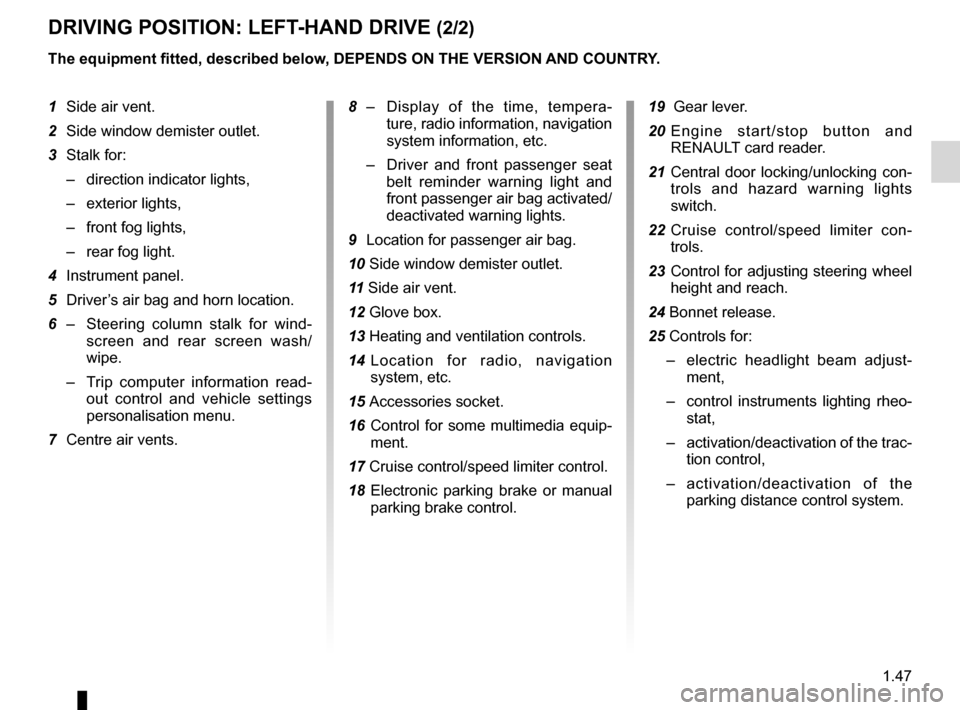
dRIvINg pOsITION: LEfT -HANd dRIvE (2/2)
1 Side air vent.
2 Side window demister outlet.
3 Stalk for:
– direction indicator lights,
– exterior lights,
– front fog lights,
– rear fog light.
4 Instrument panel.
5 Driver’s air bag and horn location.
6 – Steering column stalk for wind -
screen and rear screen wash/
wipe.
– Trip computer information read -
out control and vehicle settings
personalisation menu.
7 Centre air vents.
The equipment fitted, described below, dEpENds ON THE vERsION ANd cOUNTRY.
19 Gear lever.
20 E n g i n e s t a r t / s t o p b u t t o n a n d
RENAULT card reader.
21 Central door locking/unlocking con-
trols and hazard warning lights
switch.
22 Cruise control/speed limiter con -
trols.
23 Control for adjusting steering wheel
height and reach.
24 Bonnet release.
25 Controls for:
– electric headlight beam adjust -
ment,
– control instruments lighting rheo -
stat,
– activation/deactivation of the trac-
tion control,
– activation/deactivation of the
parking distance control system.
8
– Display of the time, tempera -
ture, radio information, navigation
system information, etc.
– Driver and front passenger seat
belt reminder warning light and
front passenger air bag activated/
deactivated warning lights.
9 Location for passenger air bag.
10 Side window demister outlet.
11 Side air vent.
12 Glove box.
13 Heating and ventilation controls.
14 Location for radio, navigation
system, etc.
15 Accessories socket.
16 Control for some multimedia equip -
ment.
17 Cruise control/speed limiter control.
18 Electronic parking brake or manual
parking brake control.
Page 54 of 239

driver’s position .................................... (up to the end of the DU)
controls ................................................. (up to the end of the DU)
dashboard ............................................. (up to the end of the DU)
1.48
ENG_UD6282_1
Poste de conduite direction à droite (X95 - B95 - D95 - Renault)
ENG_NU_837-6_BDK95_Renault_1
Jaune NoirNoir texte
dRIvINg pOsITION: RIgHT -HANd dRIvE (1/2)
2378
17
11
23
610
151612
25
20
9
24
13
54
14
22
1
21
18
19
17
Page 55 of 239

JauneNoirNoir texte
1.49
ENG_UD6282_1
Poste de conduite direction à droite (X95 - B95 - D95 - Renault)
ENG_NU_837-6_BDK95_Renault_1
dRIvINg pOsITION: RIgHT -HANd dRIvE (2/2)
The equipment fitted, described below, dEpENds ON THE vERsION ANd cOUNTRY.
1 Side air vent.
2 Side window demister outlet.
3 Location for passenger air bag.
4 – Display (depending on the vehi -
cle) for time, temperature, radio
information, navigation system in-
formation, etc.
– Driver and front passenger seat
belt unfastened and passenger
air bag deactivated warning lights
5 Centre air vents.
6 Stalk for:
– direction indicator lights,
– exterior lights,
– front fog lights,
– rear fog light.
7 Location for driver ’s air bag and
horn.
8 Instrument panel.
9 – Steering column stalk for wind -
screen and rear screen wash/
wipe,
– Trip computer information read -
out control and vehicle settings
customisation menu.
10 Side window demister outlet.
11 Side air vent.
12 Controls for:
– headlight beam height remote ad-
justment;
– lighting rheostat for control instru-
ments;
– activation/deactivation of the trac-
tion control;
– activation/deactivation of the
parking distance control system.
13 Cruise control/speed limiter controls
14 Control for adjusting steering wheel
height and reach. 15
Central door locking/unlocking con-
trols and hazard warning lights
switch.
16 Heating and ventilation controls.
17 Control for some multimedia equip -
ment.
18 Cruise control/speed limiter control.
19 Electronic parking brake or manual
parking brake control.
20 Gear lever.
21 Accessories socket.
22 E n g i n e s t a r t / s t o p c o n t r o l a n d
RENAULT card reader.
23 Location for radio, navigation
system, etc.
24 Glove box.
25 Bonnet release.
Page 73 of 239

steering wheeladjustment ...................................... (up to the end of the DU)
power-assisted steering ........................(up to the end of the DU)
power-assisted steering ........................(up to the end of the DU)
1.67
ENG_UD18894_3
Volant de direction (X95 - B95 - D95 - Renault)
ENG_NU_837-6_BDK95_Renault_1
Operating faults
The steering may become stiff when
driving or when the steering wheel is
turned repeatedly. This is due to the
power assistance overheating. In this
case, it must be allowed to cool down.power-assisted steering
v ariable power-assisted steering
The variable power-assisted steering
system is equipped with an electronic
control system which alters the level of
assistance to suit the vehicle speed.
Steering is made easier during parking
manoeuvres (for added comfort) whilst
the force needed to steer increases
progressively as the speed rises (for
enhanced safety at high speeds).
Steering wheel
Power-assisted steering
sTEERINg WHEEL/pOWER-AssIsTEd sTEERINg
Height and reach adjustment
Pull lever 1 and move the steering
wheel to the required position.
Then, push the lever back fully, beyond
the point of resistance to lock the steer-
ing wheel.
Make sure that the steering wheel is
correctly locked.
For safety reasons, only
adjust the steering wheel
when the vehicle is station-
ary.
Never leave the steering wheel at
full lock while stationary.
1
Never switch off the igni -
tion when travelling down -
hill, and avoid doing so in
normal driving (assistance
is not provided).
With the engine switched off, or if
there is a system fault, it is still pos-
sible to turn the steering wheel. The
force required will be greater.
Page 75 of 239

rear view mirrors ................................... (up to the end of the DU)
1.69
ENG_UD6288_1
Rétroviseurs (X95 - B95 - D95 - Renault)
ENG_NU_837-6_BDK95_Renault_1
Rear view mirrors
folding door mirrors
The door mirrors automatically fold in
when the vehicle is locked (switch 2 in
position B ). In this case, they will fold
out when the ignition is next switched
on.
In any case, you can make the door
mirrors fold in (switch 2 in position C) or
fold out (switch 2 in position A).
Automatic mode is then deactivated. To
reactivate it, position switch 2 to B.
REAR vIEW mIRRORs
door mirrors
Adjustment
Select the door mirror using switch 3 ,
then use button 1 to adjust it to the de-
sired position.
Heated door mirrors
Mirror de-icing is carried out at the
same time as rear screen de-icing.
The driver’s door mirror may
have two clearly defined
zones. Zone E shows what
can normally be seen in an
ordinary rear view mirror. Zone D in-
creases rear side visibility.
The objects in zone D look much
further away than they really are.
Interior rear view mirror
Its position can be adjusted.
Rear view mirror with lever 4
When driving at night, to avoid being
dazzled by the headlights of the vehicle
behind, depress the little lever located
behind rear view mirror 4.
Rear view mirror without lever 4
The rear view mirror darkens automati-
cally at night if you are being followed
by a vehicle with its lights on.
1
2
A
c
B
4
dE
3
Page 76 of 239

warning buzzer ..................................... (up to the end of the DU)
headlight flashers ................................. (up to the end of the DU)
indicators .............................................. (up to the end of the DU)
lights: hazard warning ............................... (up to the end of the DU)
lights: direction indicators .......................... (up to the end of the DU)
indicators: direction indicators .......................... (up to the end of the DU)
hazard warning lights signal ................. (up to the end of the DU)
hazard warning lights signal ................. (up to the end of the DU)
horn ...................................................... (up to the end of the DU)
horn: flash ................................................................. (current page)
horn: sounding the horn ............................................ (current page)
horn ....................................................................... (current page)
audible and visual signals .....................(up to the end of the DU)
1.70
ENG_UD6289_1
Avertisseurs sonore et lumineux (X95 - B95 - D95 - Renault)
ENG_NU_837-6_BDK95_Renault_1
Audible and visual signals
AUdIBLE ANd vIsUAL sIgNALs
Horn
Press on the sides of the steering wheel
boss A.
Headlight flasher
Pull stalk 1 towards you to flash the
headlights.
éHazard warning lights
Press switch 2. This switch ac-
tivates all four direction indicators and
the side indicator lights simultaneously.
It must only be used in an emergency to
warn drivers of other vehicles that you
have had to stop in an area where stop-
ping is prohibited or unexpected or that
you are obliged to drive under special
conditions.
Depending on the vehicle, the hazard
warning lights may come on automati -
cally under heavy deceleration. You can
switch them off by pressing switch 2.
direction indicators
Move stalk 1 parallel to the steering
wheel and in the direction you are going
to turn it.
When driving on the motorway, the
steering wheel is not often turned
enough to return the stalk automatically
to 0 . There is an intermediate position
in which the stalk may be held when
changing lanes.
When the stalk is released, it automati-
cally returns to 0.
A
2
1
0
Page 79 of 239

lights:fog lights .......................................................... (current page)
JauneNoirNoir texte
1.73
ENG_UD18905_2
Éclairages et signalisations extérieurs (X95 - B95 - Renault)
ENG_NU_837-6_BDK95_Renault_1
EXTERIOR LIgHTINg ANd sIgNALs (3/3)
When driving in fog or snow, or
when transporting objects which are
higher than the roof, the headlights
do not come on automatically.
Switching on the fog lights remains
the responsibility of the driver: the
indicator lights on the instrument
panel inform you whether the fog
lights are lit (indicator light on) or not
(indicator light not on).
5
6
1
gfront fog lights
Turn centre ring 5 on stalk 1
until the symbol faces mark 6, then re-
lease it.
Operation of the fog lights depends on
the exterior lighting position selected,
and an indicator light will light up on the
instrument panel.
fRear fog light
Turn centre ring 5 on the stalk
until the symbol faces mark 6, then re-
lease it.
Operation of the fog lights depends on
the exterior lighting selected, and an in-
dicator light will light up on the instru -
ment panel.
To avoid inconveniencing other road
users, remember to switch off the rear
fog light when it is no longer needed.
Lights-on reminder buzzer
If the lights are on after the engine is
switched off, a warning beep sounds
when the driver ’s door is opened to
warn you that the lights are still on.
switching off the lights
Turn ring 5 again until mark 6 is oppo -
site the symbol for the fog light that you
wish to switch off. The corresponding
indicator light on the instrument panel
goes out.
The front and rear fog lights switch off
when the exterior lights are switched
off.