Page 266 of 450
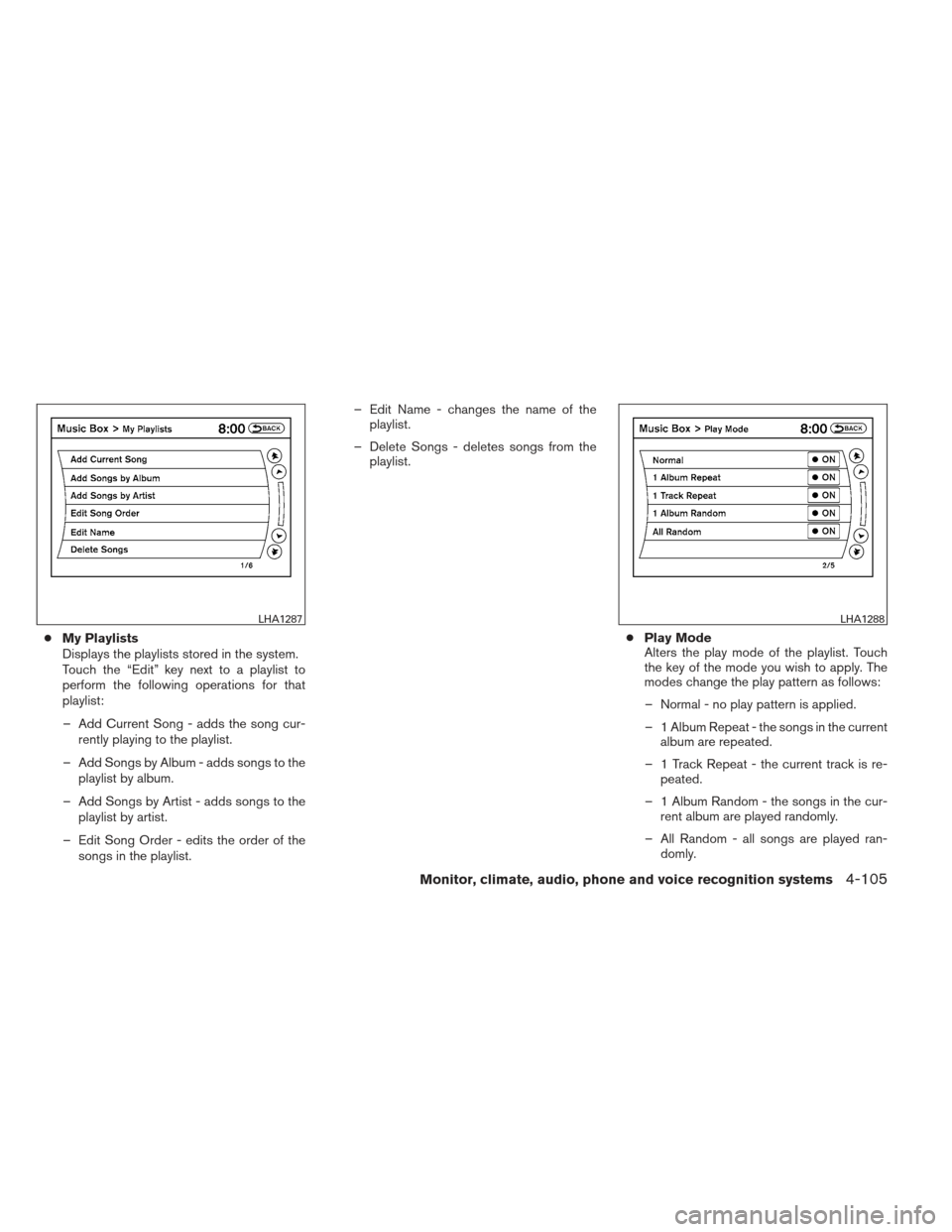
●My Playlists
Displays the playlists stored in the system.
Touch the “Edit” key next to a playlist to
perform the following operations for that
playlist:
– Add Current Song - adds the song cur- rently playing to the playlist.
– Add Songs by Album - adds songs to the playlist by album.
– Add Songs by Artist - adds songs to the playlist by artist.
– Edit Song Order - edits the order of the songs in the playlist. – Edit Name - changes the name of the
playlist.
– Delete Songs - deletes songs from the playlist.
●Play Mode
Alters the play mode of the playlist. Touch
the key of the mode you wish to apply. The
modes change the play pattern as follows:
– Normal - no play pattern is applied.
– 1 Album Repeat - the songs in the current album are repeated.
– 1 Track Repeat - the current track is re- peated.
– 1 Album Random - the songs in the cur- rent album are played randomly.
– All Random - all songs are played ran- domly.
LHA1287LHA1288
Monitor, climate, audio, phone and voice recognition systems4-105
Page 267 of 450
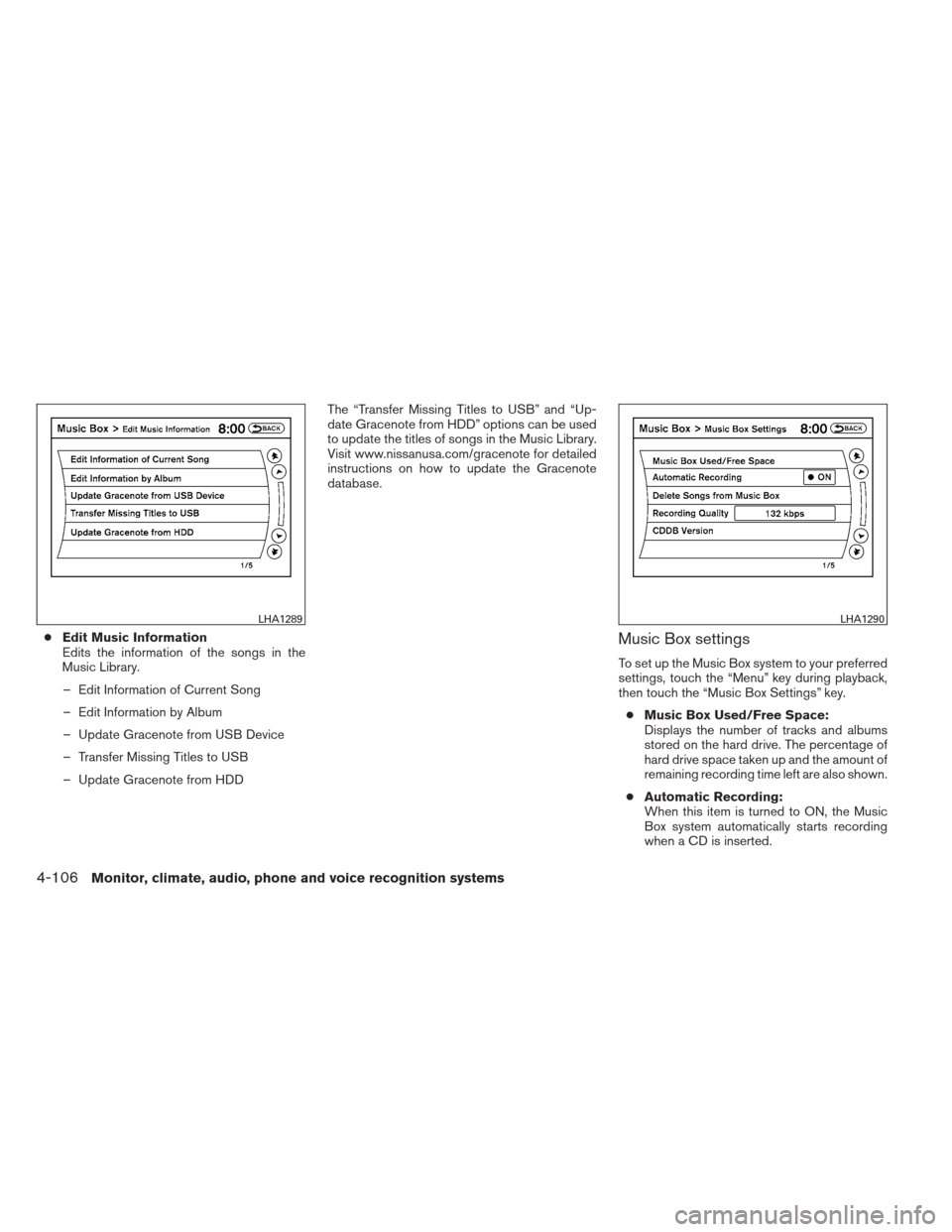
●Edit Music Information
Edits the information of the songs in the
Music Library.
– Edit Information of Current Song
– Edit Information by Album
– Update Gracenote from USB Device
– Transfer Missing Titles to USB
– Update Gracenote from HDD The “Transfer Missing Titles to USB” and “Up-
date Gracenote from HDD” options can be used
to update the titles of songs in the Music Library.
Visit www.nissanusa.com/gracenote for detailed
instructions on how to update the Gracenote
database.Music Box settings
To set up the Music Box system to your preferred
settings, touch the “Menu” key during playback,
then touch the “Music Box Settings” key.
● Music Box Used/Free Space:
Displays the number of tracks and albums
stored on the hard drive. The percentage of
hard drive space taken up and the amount of
remaining recording time left are also shown.
● Automatic Recording:
When this item is turned to ON, the Music
Box system automatically starts recording
when a CD is inserted.
LHA1289LHA1290
4-106Monitor, climate, audio, phone and voice recognition systems
Page 268 of 450
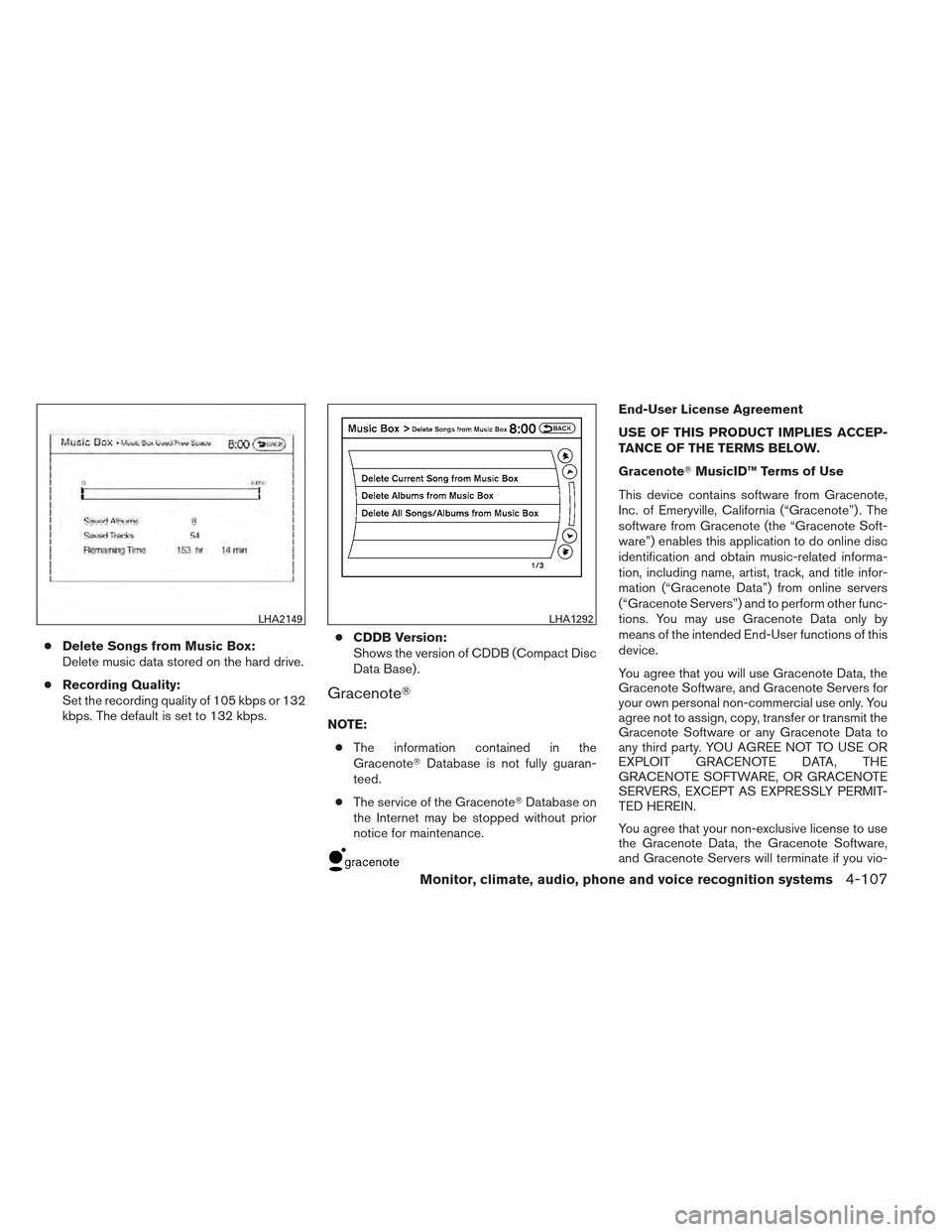
●Delete Songs from Music Box:
Delete music data stored on the hard drive.
● Recording Quality:
Set the recording quality of 105 kbps or 132
kbps. The default is set to 132 kbps. ●
CDDB Version:
Shows the version of CDDB (Compact Disc
Data Base) .
Gracenote�
NOTE:
● The information contained in the
Gracenote� Database is not fully guaran-
teed.
● The service of the Gracenote� Database on
the Internet may be stopped without prior
notice for maintenance.
End-User License Agreement
USE OF THIS PRODUCT IMPLIES ACCEP-
TANCE OF THE TERMS BELOW.
Gracenote� MusicID™ Terms of Use
This device contains software from Gracenote,
Inc. of Emeryville, California (“Gracenote”) . The
software from Gracenote (the “Gracenote Soft-
ware”) enables this application to do online disc
identification and obtain music-related informa-
tion, including name, artist, track, and title infor-
mation (“Gracenote Data”) from online servers
(“Gracenote Servers”) and to perform other func-
tions. You may use Gracenote Data only by
means of the intended End-User functions of this
device.
You agree that you will use Gracenote Data, the
Gracenote Software, and Gracenote Servers for
your own personal non-commercial use only. You
agree not to assign, copy, transfer or transmit the
Gracenote Software or any Gracenote Data to
any third party. YOU AGREE NOT TO USE OR
EXPLOIT GRACENOTE DATA, THE
GRACENOTE SOFTWARE, OR GRACENOTE
SERVERS, EXCEPT AS EXPRESSLY PERMIT-
TED HEREIN.
You agree that your non-exclusive license to use
the Gracenote Data, the Gracenote Software,
and Gracenote Servers will terminate if you vio-
LHA2149LHA1292
Monitor, climate, audio, phone and voice recognition systems4-107
Page 269 of 450
late these restrictions. If your license terminates,
you agree to cease any and all use of the
Gracenote Data, the Gracenote Software, and
Gracenote Servers. Gracenote reserves all rights
in Gracenote Data, the Gracenote Software, and
the Gracenote Servers, including all ownership
rights. Under no circumstances will Gracenote
become liable for any payment to you for any
information that you provide. You agree that
Gracenote, Inc. may enforce its rights under this
Agreement against you directly in its own name.
The Gracenote MusicID Service uses a unique
identifier to track queries for statistical purposes.
The purpose of a randomly assigned numeric
identifier is to allow the Gracenote MusicID ser-
vice to count queries without knowing anything
about who you are. For more information, see the
web page for the Gracenote Privacy Policy for
the Gracenote MusicID Service.
The Gracenote Software and each item of
Gracenote Data are licensed to you “AS IS.”
Gracenote makes no representations or warran-
ties, express or implied, regarding the accuracy
of any Gracenote Data from in the Gracenote
Servers. Gracenote reserves the right to delete
data from the Gracenote Servers or to change
data categories for any cause that Gracenote
deems sufficient. No warranty is made that the
Gracenote Software or Gracenote Servers are
error-free or that functioning of Gracenote Soft-ware or Gracenote Servers will be uninterrupted.
Gracenote is not obligated to provide you with
new enhanced or additional data types or cat-
egories that Gracenote may provide in the future
and is free to discontinue its online services at
any time.
GRACENOTE DISCLAIMS ALL WARRANTIES
EXPRESS OR IMPLIED, INCLUDING, BUT NOT
LIMITED TO, IMPLIED WARRANTIES OF MER-
CHANTABILITY, FITNESS FOR A PARTICULAR
PURPOSE, TITLE, AND NONINFRINGEMENT.
GRACENOTE DOES NOT WARRANT THE RE-
SULTS THAT WILL BE OBTAINED BY YOUR
USE OF THE GRACENOTE SOFTWARE OR
ANY GRACENOTE SERVER. IN NO CASE
WILL GRACENOTE BE LIABLE FOR ANY
CONSEQUENTIAL OR INCIDENTAL DAM-
AGES OR FOR ANY LOST PROFITS OR LOST
REVENUES.
Copyright:
Music recognition technology and related data
are provided by Gracenote�. Gracenote is the
industry standard in music recognition technol-
ogy and related content delivery. For more infor-
mation visit www.gracenote.com.
CD and music-related data from Gracenote, Inc.,
copyright © 2000-2007 Gracenote. Gracenote
Software, copyright © 2000-2007 Gracenote.
This product and service may practice one ormore of the following U.S. Patents: #5,987,525;
#6,061,680; #6,154,773, #6,161,132,
#6,230,192, #6,230,207, #6,240,459,
#6,330,593, and other patents issued or pend-
ing. Some services supplied under license from
Open Globe, Inc. for U.S. Patent: #6,304,523.
Gracenote and CDDB are registered trademarks
of Gracenote. The Gracenote logo and logotype,
and the “Powered by Gracenote” logo are trade-
marks of Gracenote.
BLUETOOTH�
STREAMING AUDIO
(if so equipped)
If you have a compatible Bluetooth� audio device
that is capable of playing audio files, the device
can be connected to the vehicle’s audio system
so that the audio files on the device play through
the vehicle’s speakers.
4-108Monitor, climate, audio, phone and voice recognition systems
Page 270 of 450
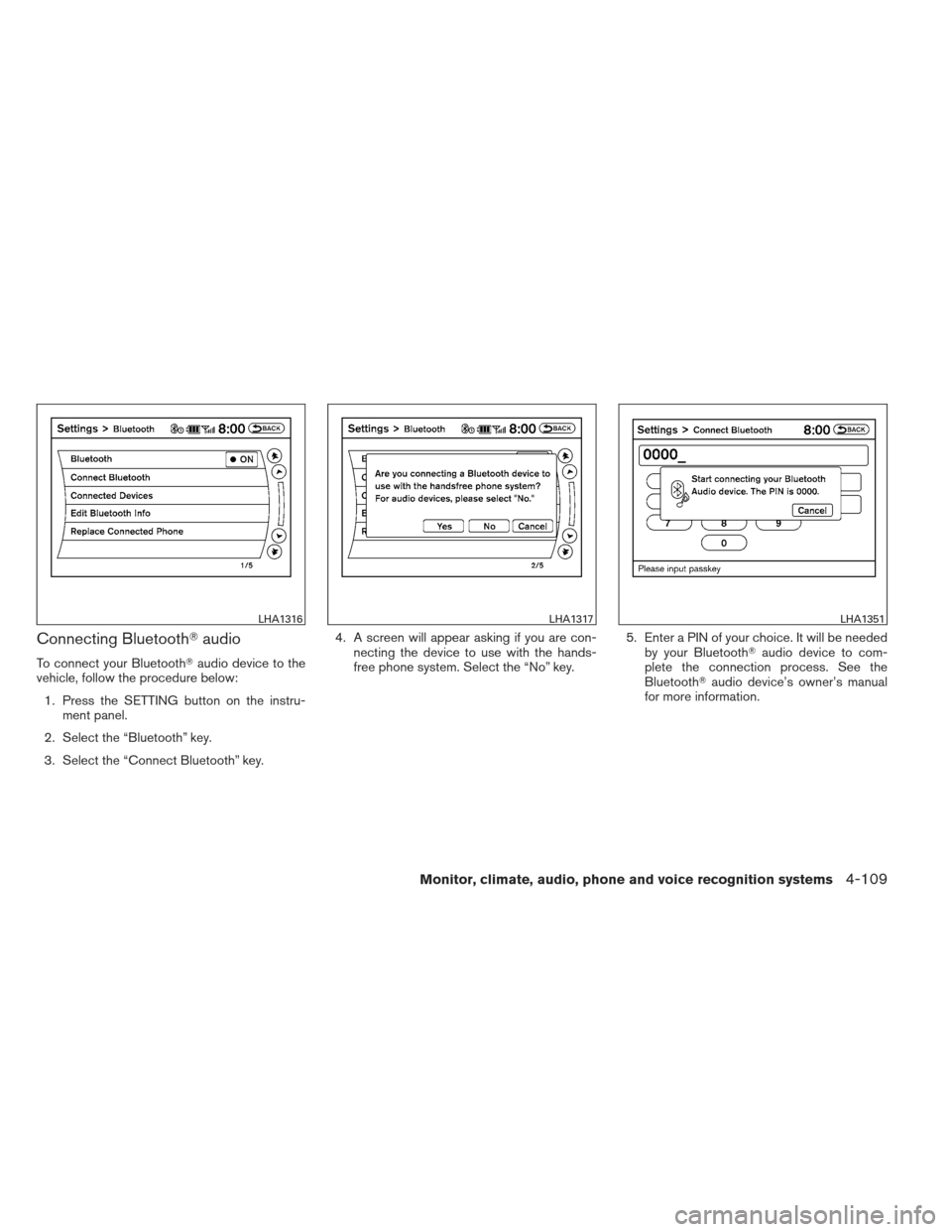
Connecting Bluetooth�audio
To connect your Bluetooth� audio device to the
vehicle, follow the procedure below:
1. Press the SETTING button on the instru- ment panel.
2. Select the “Bluetooth” key.
3. Select the “Connect Bluetooth” key. 4. A screen will appear asking if you are con-
necting the device to use with the hands-
free phone system. Select the “No” key. 5. Enter a PIN of your choice. It will be needed
by your Bluetooth� audio device to com-
plete the connection process. See the
Bluetooth� audio device’s owner’s manual
for more information.
LHA1316LHA1317LHA1351
Monitor, climate, audio, phone and voice recognition systems4-109
Page 271 of 450
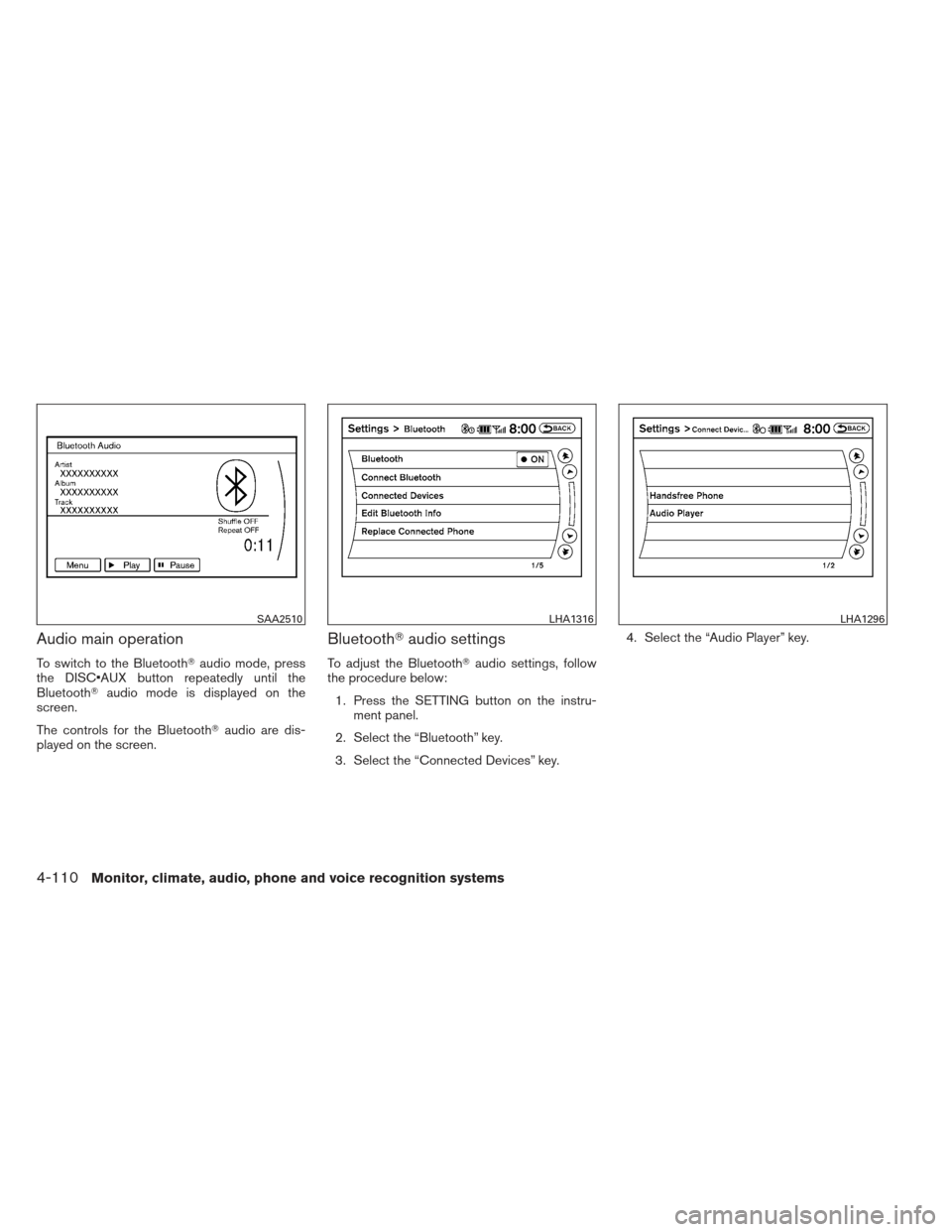
Audio main operation
To switch to the Bluetooth�audio mode, press
the DISC button repeatedly until the
Bluetooth� audio mode is displayed on the
screen.
The controls for the Bluetooth� audio are dis-
played on the screen.
Bluetooth� audio settings
To adjust the Bluetooth� audio settings, follow
the procedure below:
1. Press the SETTING button on the instru- ment panel.
2. Select the “Bluetooth” key.
3. Select the “Connected Devices” key. 4. Select the “Audio Player” key.
SAA2510LHA1316LHA1296
4-110Monitor, climate, audio, phone and voice recognition systems
Page 272 of 450
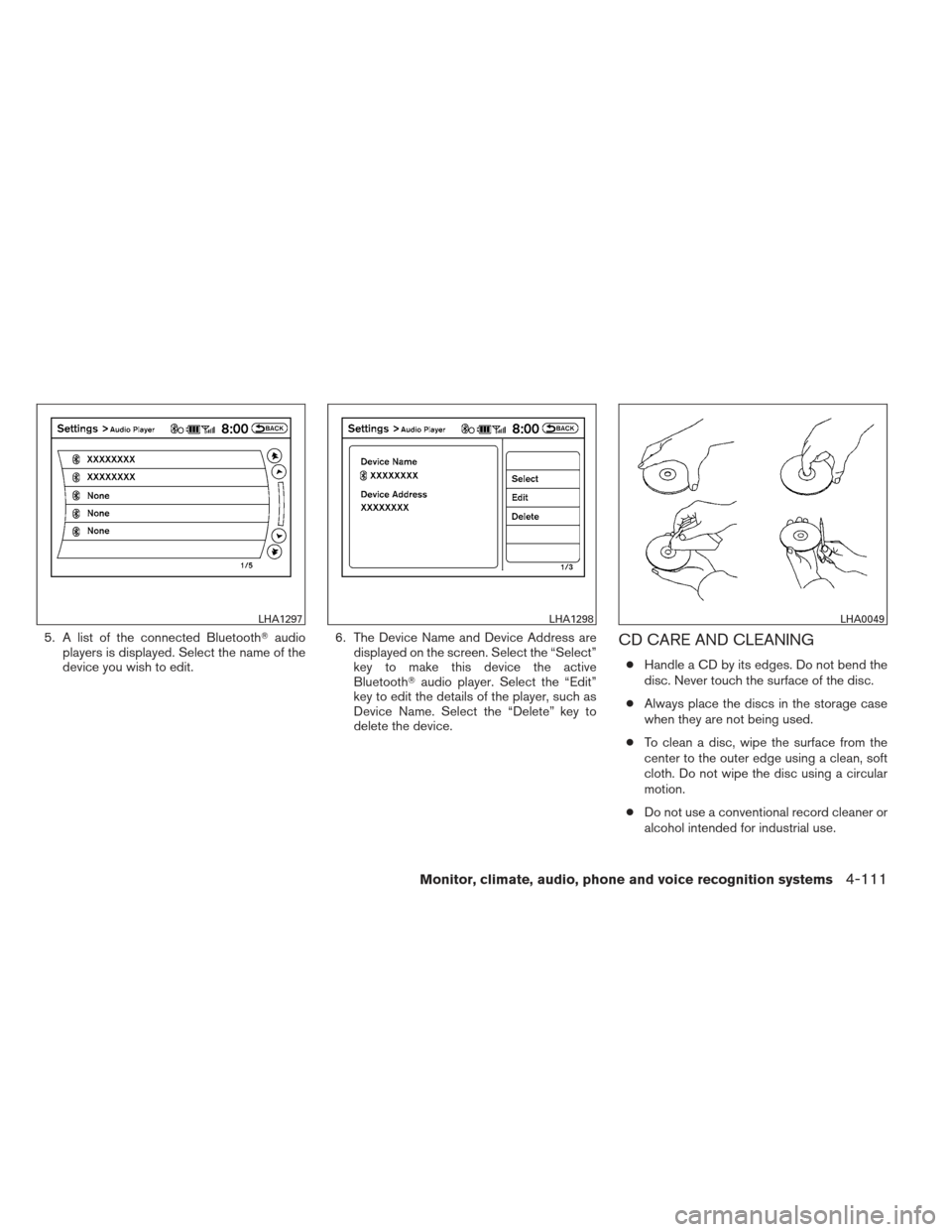
5. A list of the connected Bluetooth�audio
players is displayed. Select the name of the
device you wish to edit. 6. The Device Name and Device Address are
displayed on the screen. Select the “Select”
key to make this device the active
Bluetooth� audio player. Select the “Edit”
key to edit the details of the player, such as
Device Name. Select the “Delete” key to
delete the device.CD CARE AND CLEANING
● Handle a CD by its edges. Do not bend the
disc. Never touch the surface of the disc.
● Always place the discs in the storage case
when they are not being used.
● To clean a disc, wipe the surface from the
center to the outer edge using a clean, soft
cloth. Do not wipe the disc using a circular
motion.
● Do not use a conventional record cleaner or
alcohol intended for industrial use.
LHA1297LHA1298LHA0049
Monitor, climate, audio, phone and voice recognition systems4-111
Page 273 of 450
●A new disc may be rough on the inner and
outer edges. Remove the rough edges by
rubbing the inner and outer edges with the
side of a pen or pencil as illustrated.
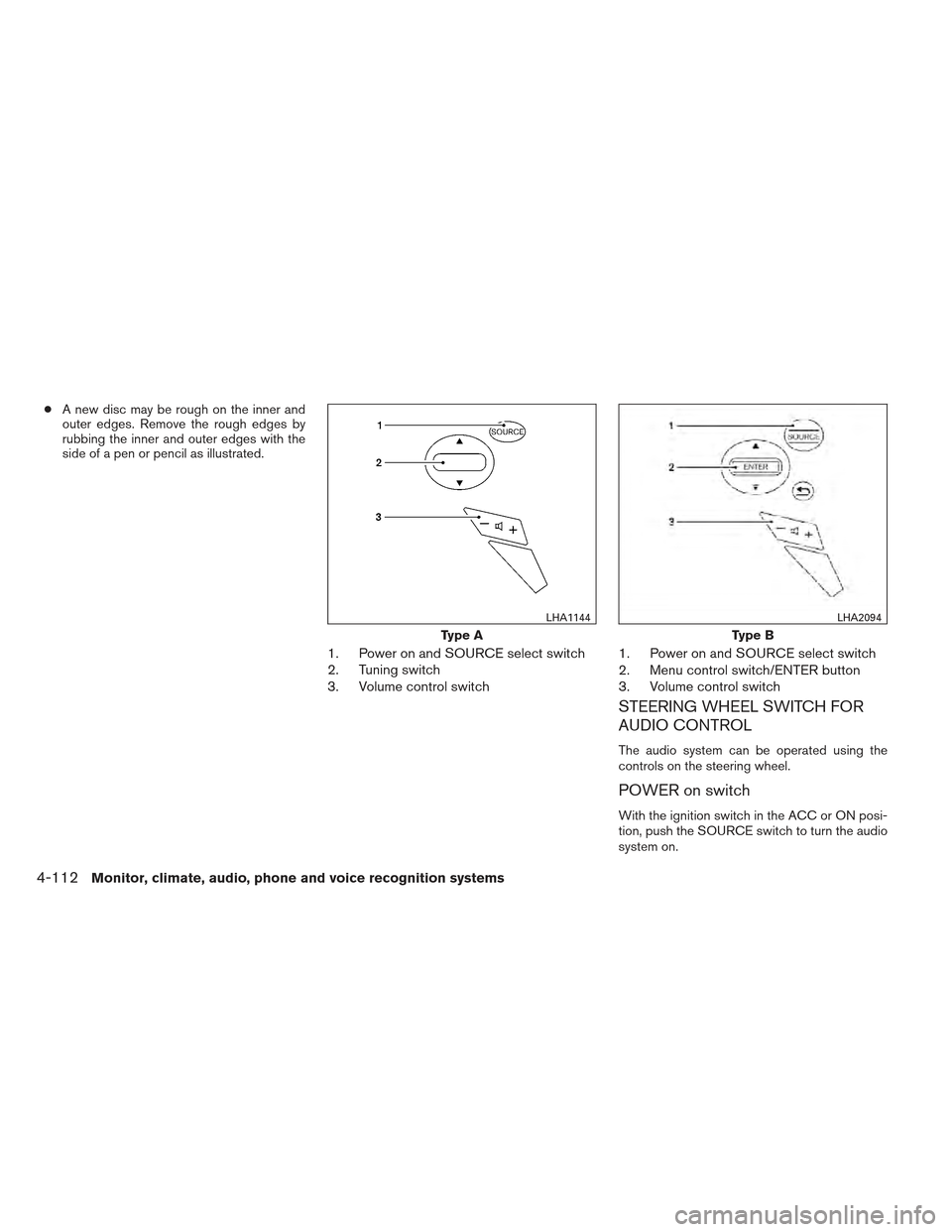
1. Power on and SOURCE select switch
2. Tuning switch
3. Volume control switch 1. Power on and SOURCE select switch
2. Menu control switch/ENTER button
3. Volume control switch
STEERING WHEEL SWITCH FOR
AUDIO CONTROL
The audio system can be operated using the
controls on the steering wheel.
POWER on switch
With the ignition switch in the ACC or ON posi-
tion, push the SOURCE switch to turn the audio
system on.
Type A
LHA1144
Type B
LHA2094
4-112Monitor, climate, audio, phone and voice recognition systems