Page 466 of 610
Comfort controls
5-89
5
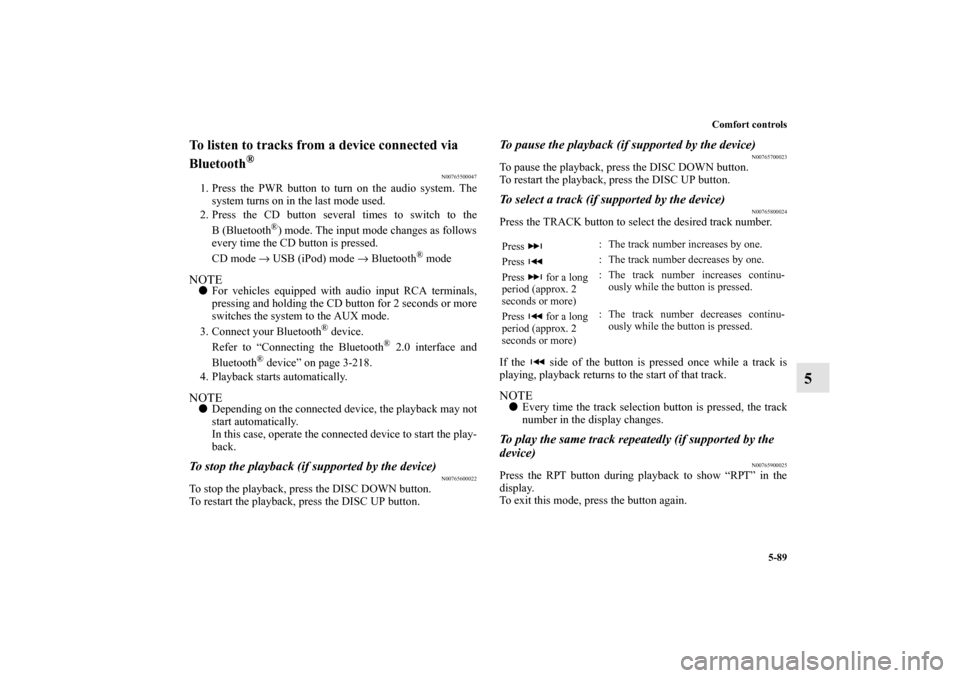
To listen to tracks from a device connected via
Bluetooth
®
N00765500047
1. Press the PWR button to turn on the audio system. The
system turns on in the last mode used.
2. Press the CD button several times to switch to the
B(Bluetooth
®) mode. The input mode changes as follows
every time the CD button is pressed.
CD mode → USB (iPod) mode → Bluetooth
® mode
NOTE�For vehicles equipped with audio input RCA terminals,
pressing and holding the CD button for 2 seconds or more
switches the system to the AUX mode.
3. Connect your Bluetooth
® device.
Refer to “Connecting the Bluetooth
® 2.0 interface and
Bluetooth
® device” on page 3-218.
4. Playback starts automatically.
NOTE�Depending on the connected device, the playback may not
start automatically.
In this case, operate the connected device to start the play-
back.To stop the playback (if supported by the device)
N00765600022
To stop the playback, press the DISC DOWN button.
To restart the playback, press the DISC UP button.
To pause the playback (if supported by the device)
N00765700023
To pause the playback, press the DISC DOWN button.
To restart the playback, press the DISC UP button.To select a track (if supported by the device)
N00765800024
Press the TRACK button to select the desired track number.
If the side of the button is pressed once while a track is
playing, playback returns to the start of that track.NOTE�Every time the track selection button is pressed, the track
number in the display changes.To play the same track repeatedly (if supported by the
device)
N00765900025
Press the RPT button during playback to show “RPT” in the
display.
To exit this mode, press the button again.Press : The track number increases by one.
Press : The track number decreases by one.
Press for a long
period (approx. 2
seconds or more): The track number increases continu-
ously while the button is pressed.
Press for a long
period (approx. 2
seconds or more): The track number decreases continu-
ously while the button is pressed.
BK0140300US.book 89 ページ 2011年6月28日 火曜日 午後5時18分
Page 470 of 610
Comfort controls
5-93
5
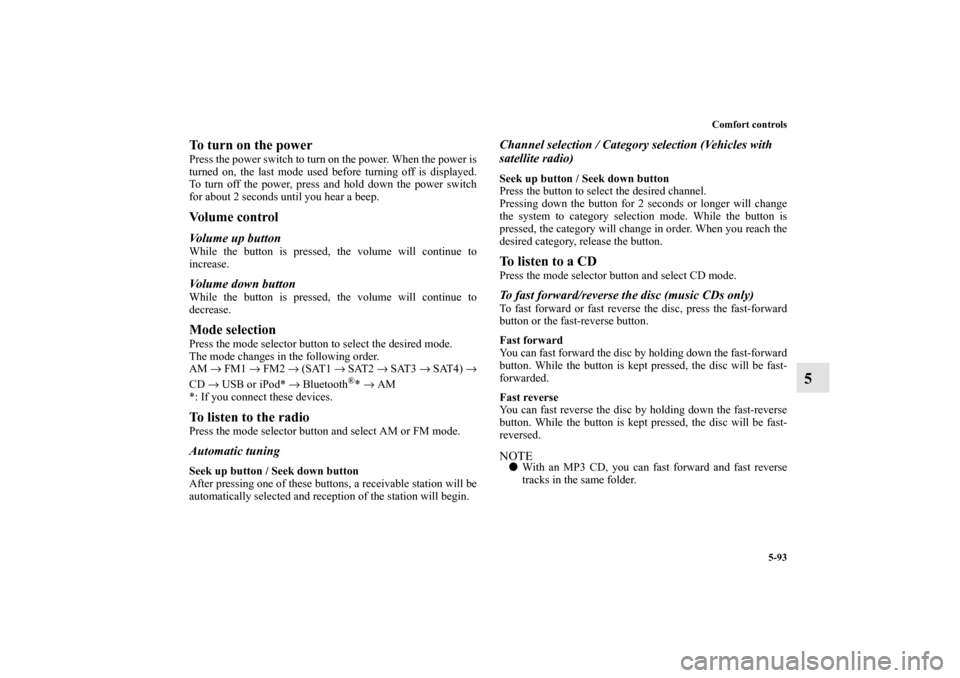
To turn on the powerPress the power switch to turn on the power. When the power is
turned on, the last mode used before turning off is displayed.
To turn off the power, press and hold down the power switch
for about 2 seconds until you hear a beep.Vo l u m e c o n t r o lVolume up buttonWhile the button is pressed, the volume will continue to
increase.Volume down buttonWhile the button is pressed, the volume will continue to
decrease.Mode selectionPress the mode selector button to select the desired mode.
The mode changes in the following order.
AM → FM1 → FM2 → (SAT1 → SAT2 → SAT3 → SAT4) →
CD → USB or iPod* → Bluetooth
®* → AM
*: If you connect these devices.
To listen to the radioPress the mode selector button and select AM or FM mode.Automatic tuningSeek up button / Seek down button
After pressing one of these buttons, a receivable station will be
automatically selected and reception of the station will begin.
Channel selection / Category selection (Vehicles with
satellite radio)Seek up button / Seek down button
Press the button to select the desired channel.
Pressing down the button for 2 seconds or longer will change
the system to category selection mode. While the button is
pressed, the category will change in order. When you reach the
desired category, release the button.To listen to a CDPress the mode selector button and select CD mode.To fast forward/reverse the disc (music CDs only)To fast forward or fast reverse the disc, press the fast-forward
button or the fast-reverse button.
Fast forward
You can fast forward the disc by holding down the fast-forward
button. While the button is kept pressed, the disc will be fast-
forwarded.
Fast reverse
You can fast reverse the disc by holding down the fast-reverse
button. While the button is kept pressed, the disc will be fast-
reversed.NOTE�With an MP3 CD, you can fast forward and fast reverse
tracks in the same folder.
BK0140300US.book 93 ページ 2011年6月28日 火曜日 午後5時18分
Page 471 of 610
5-94 Comfort controls
5
To select a desired trackYou can select your desired track by using the track up button
or the track down button.NOTE�Pressing the track down button once during the song will
cause the system to restart playing from the beginning of
the song.To listen to an iPodPress the mode selector button and select iPod mode.To select a desired trackTrack up button
Press the button repeatedly until the desired track number
appears on the display.NOTE�The track number continues to increase while the button is
pressed.
Track down button
Press the button repeatedly until the desired track number
appears on the display.NOTE�The track number continues to decrease while the button
is pressed.
To listen to a USB memory devicePress the mode selector button and select USB mode.To select a desired fileFile up button
Press the button repeatedly until the desired track number
appears on the display.NOTE�The track number continues to increase while the button is
pressed.
File down button
Press the button repeatedly until the desired track number
appears on the display.NOTE�The track number continues to decrease while the button
is pressed.
BK0140300US.book 94 ページ 2011年6月28日 火曜日 午後5時18分
Page 475 of 610
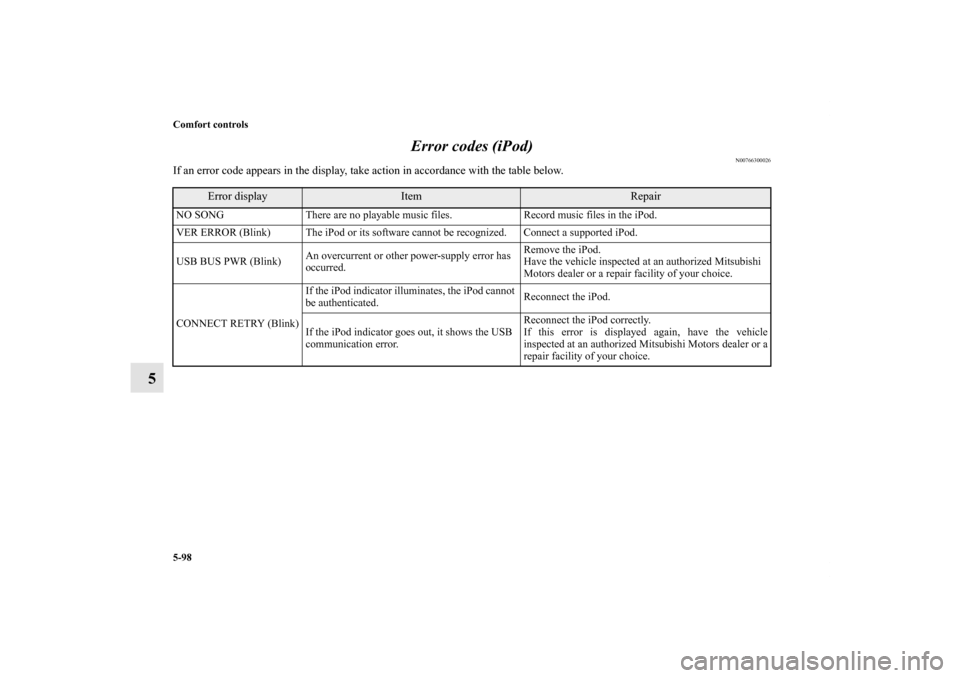
5-98 Comfort controls
5Error codes (iPod)
N00766300026
If an error code appears in the display, take action in accordance with the table below.
Error display
Item
Repair
NO SONG There are no playable music files. Record music files in the iPod.
VER ERROR (Blink) The iPod or its software cannot be recognized. Connect a supported iPod.
USB BUS PWR (Blink)An overcurrent or other power-supply error has
occurred.Remove the iPod.
Have the vehicle inspected at an authorized Mitsubishi
Motors dealer or a repair facility of your choice.
CONNECT RETRY (Blink)If the iPod indicator illuminates, the iPod cannot
be authenticated.Reconnect the iPod.
If the iPod indicator goes out, it shows the USB
communication error.Reconnect the iPod correctly.
If this error is displayed again, have the vehicle
inspected at an authorized Mitsubishi Motors dealer or a
repair facility of your choice.BK0140300US.book 98 ページ 2011年6月28日 火曜日 午後5時18分
Page 476 of 610
Comfort controls
5-99
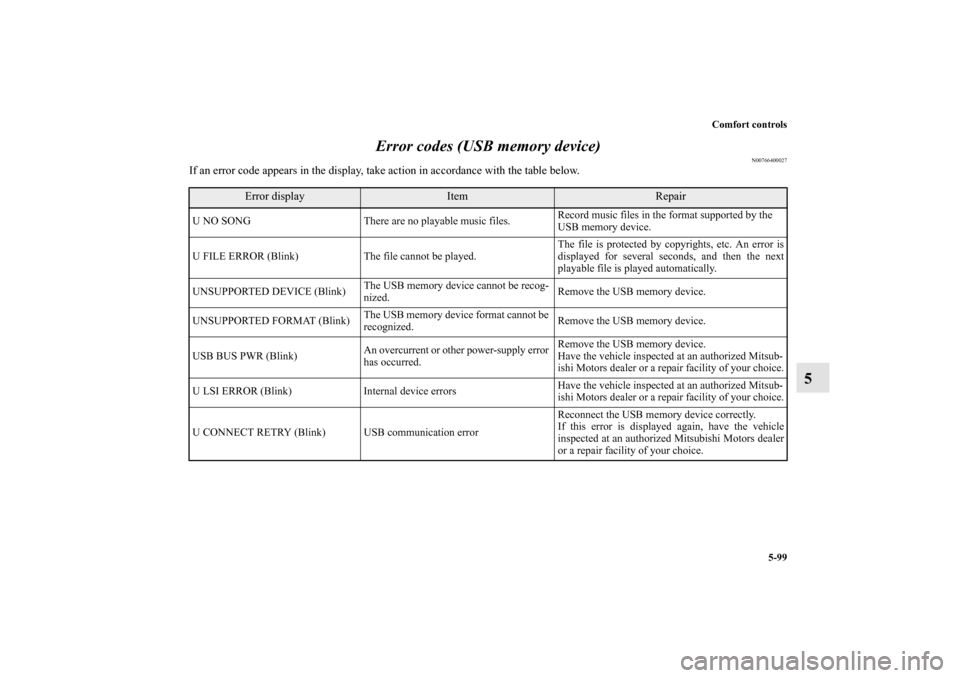
5 Error codes (USB memory device)
N00766400027
If an error code appears in the display, take action in accordance with the table below.
Error display
Item
Repair
U NO SONG There are no playable music files. Record music files in the format supported by the
USB memory device.
U FILE ERROR (Blink) The file cannot be played. The file is protected by copyrights, etc. An error is
displayed for several seconds, and then the next
playable file is played automatically.
UNSUPPORTED DEVICE (Blink)The USB memory device cannot be recog-
nized. Remove the USB memory device.
UNSUPPORTED FORMAT (Blink)The USB memory device format cannot be
recognized. Remove the USB memory device.
USB BUS PWR (Blink)An overcurrent or other power-supply error
has occurred.Remove the USB memory device.
Have the vehicle inspected at an authorized Mitsub-
ishi Motors dealer or a repair facility of your choice.
U LSI ERROR (Blink) Internal device errors Have the vehicle inspected at an authorized Mitsub-
ishi Motors dealer or a repair facility of your choice.
U CONNECT RETRY (Blink) USB communication error Reconnect the USB memory device correctly.
If this error is displayed again, have the vehicle
inspected at an authorized Mitsubishi Motors dealer
or a repair facility of your choice.
BK0140300US.book 99 ページ 2011年6月28日 火曜日 午後5時18分
Page 608 of 610
Alphabetical index
7
U
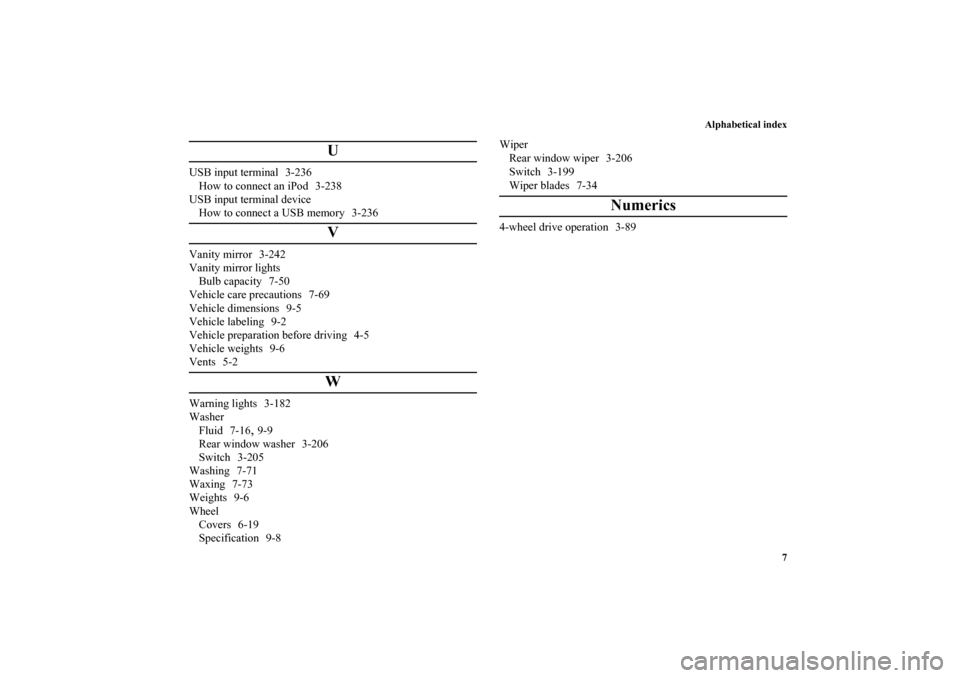
USB input terminal 3-236
How to connect an iPod 3-238
USB input terminal device
How to connect a USB memory 3-236
V
Vanity mirror 3-242
Vanity mirror lights
Bulb capacity 7-50
Vehicle care precautions 7-69
Vehicle dimensions 9-5
Vehicle labeling 9-2
Vehicle preparation before driving 4-5
Vehicle weights 9-6
Vents 5-2
W
Warning lights 3-182
Washer
Fluid 7-16
,9-9
Rear window washer 3-206
Switch 3-205
Washing 7-71
Waxing 7-73
Weights 9-6
Wheel
Covers 6-19
Specification 9-8Wiper
Rear window wiper 3-206
Switch 3-199
Wiper blades 7-34
Numerics
4-wheel drive operation 3-89
BK0140300US.book 7 ページ 2011年6月28日 火曜日 午後5時18分
Page:
< prev 1-8 9-16 17-24