Page 389 of 610
5-12 Comfort controls
5
Cooling
N00731200308
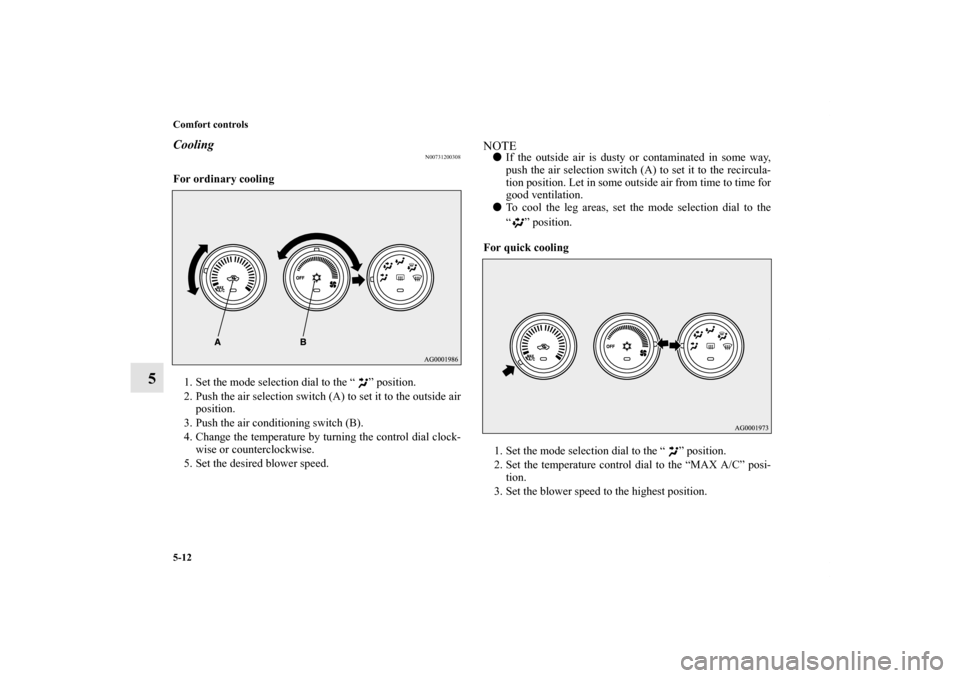
For ordinary cooling
1. Set the mode selection dial to the “ ” position.
2. Push the air selection switch (A) to set it to the outside air
position.
3. Push the air conditioning switch (B).
4. Change the temperature by turning the control dial clock-
wise or counterclockwise.
5. Set the desired blower speed.
NOTE�If the outside air is dusty or contaminated in some way,
push the air selection switch (A) to set it to the recircula-
tion position. Let in some outside air from time to time for
good ventilation.
�To cool the leg areas, set the mode selection dial to the
“ ” position.
For quick cooling
1. Set the mode selection dial to the “ ” position.
2. Set the temperature control dial to the “MAX A/C” posi-
tion.
3. Set the blower speed to the highest position.
BK0140300US.book 12 ページ 2011年6月28日 火曜日 午後5時18分
Page 393 of 610
5-16 Comfort controls
5Manual air conditioning-Type 2
(if so equipped)
N00730300298
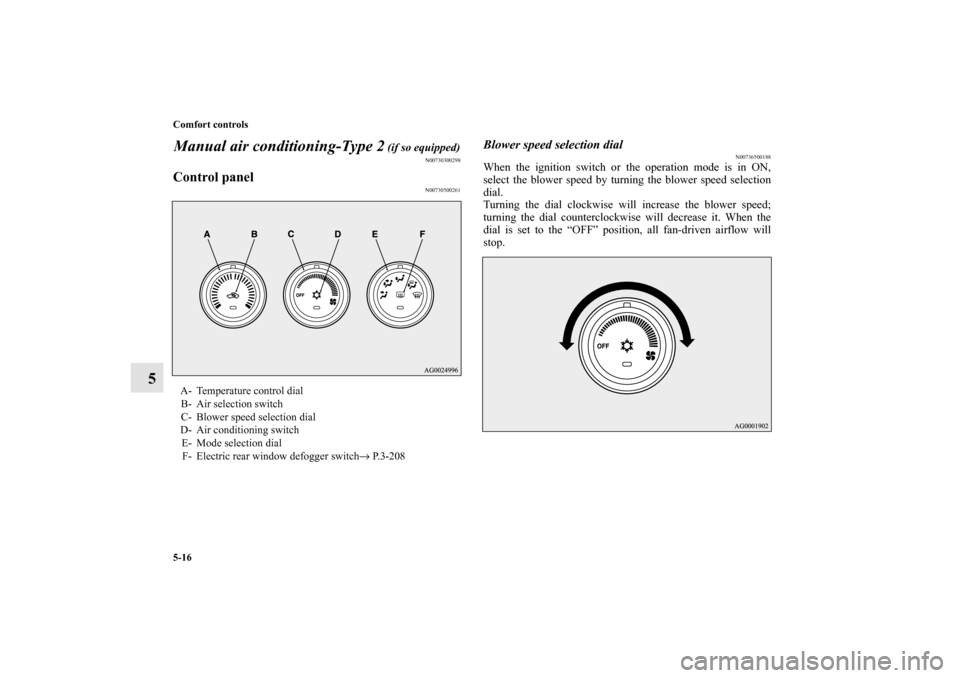
Control panel
N00730500261
Blower speed selection dial
N00736500188
When the ignition switch or the operation mode is in ON,
select the blower speed by turning the blower speed selection
dial.
Turning the dial clockwise will increase the blower speed;
turning the dial counterclockwise will decrease it. When the
dial is set to the “OFF” position, all fan-driven airflow will
stop.
A- Temperature control dial
B- Air selection switch
C- Blower speed selection dial
D- Air conditioning switch
E- Mode selection dial
F- Electric rear window defogger switch→ P. 3 - 2 0 8
BK0140300US.book 16 ページ 2011年6月28日 火曜日 午後5時18分
Page 394 of 610
Comfort controls
5-17
5
Temperature control dial
N00736600176
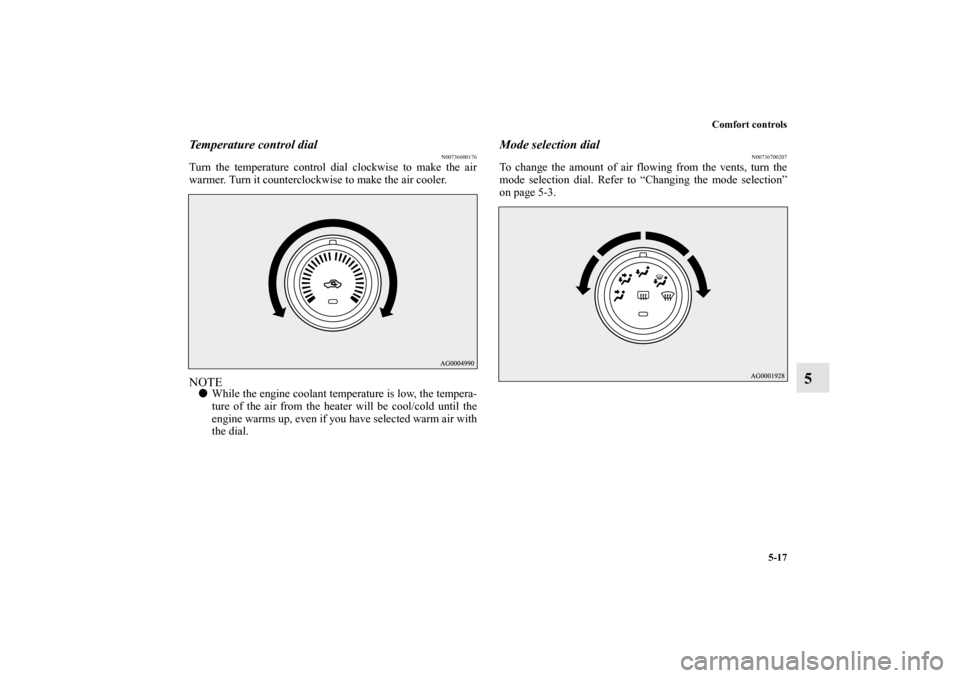
Turn the temperature control dial clockwise to make the air
warmer. Turn it counterclockwise to make the air cooler.NOTE�While the engine coolant temperature is low, the tempera-
ture of the air from the heater will be cool/cold until the
engine warms up, even if you have selected warm air with
the dial.
Mode selection dial
N00736700207
To change the amount of air flowing from the vents, turn the
mode selection dial. Refer to “Changing the mode selection”
on page 5-3.
BK0140300US.book 17 ページ 2011年6月28日 火曜日 午後5時18分
Page 397 of 610
5-20 Comfort controls
5
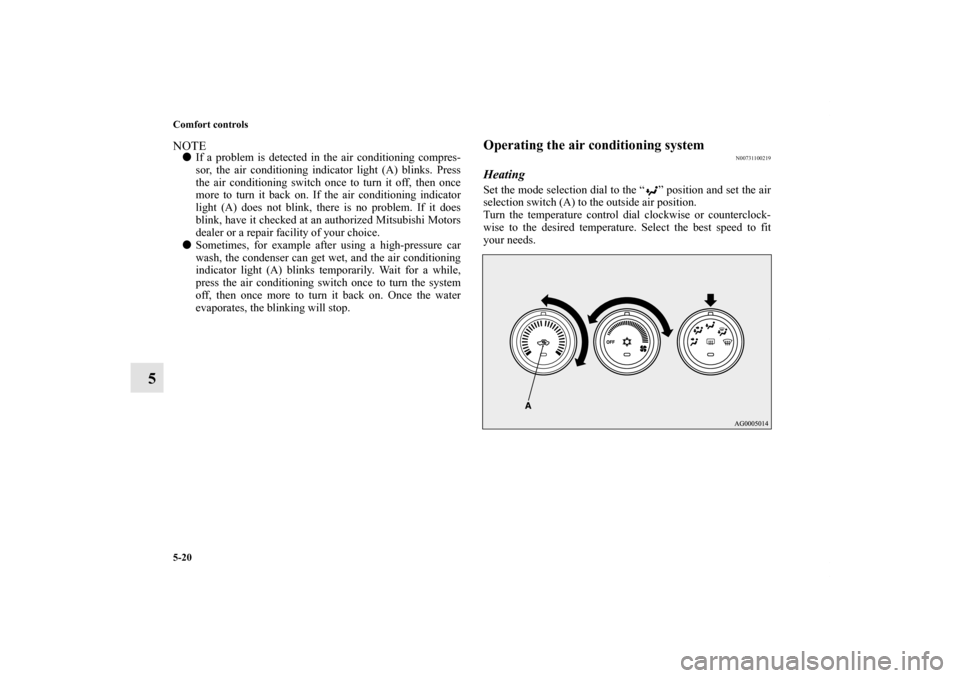
NOTE�If a problem is detected in the air conditioning compres-
sor, the air conditioning indicator light (A) blinks. Press
the air conditioning switch once to turn it off, then once
more to turn it back on. If the air conditioning indicator
light (A) does not blink, there is no problem. If it does
blink, have it checked at an authorized Mitsubishi Motors
dealer or a repair facility of your choice.
�Sometimes, for example after using a high-pressure car
wash, the condenser can get wet, and the air conditioning
indicator light (A) blinks temporarily. Wait for a while,
press the air conditioning switch once to turn the system
off, then once more to turn it back on. Once the water
evaporates, the blinking will stop.
Operating the air conditioning system
N00731100219
HeatingSet the mode selection dial to the “ ” position and set the air
selection switch (A) to the outside air position.
Turn the temperature control dial clockwise or counterclock-
wise to the desired temperature. Select the best speed to fit
your needs.
BK0140300US.book 20 ページ 2011年6月28日 火曜日 午後5時18分
Page 398 of 610
Comfort controls
5-21
5
NOTE�For quick heating, set the blower speed selection dial to
the position shown in the illustration.
Cooling
N00731200311
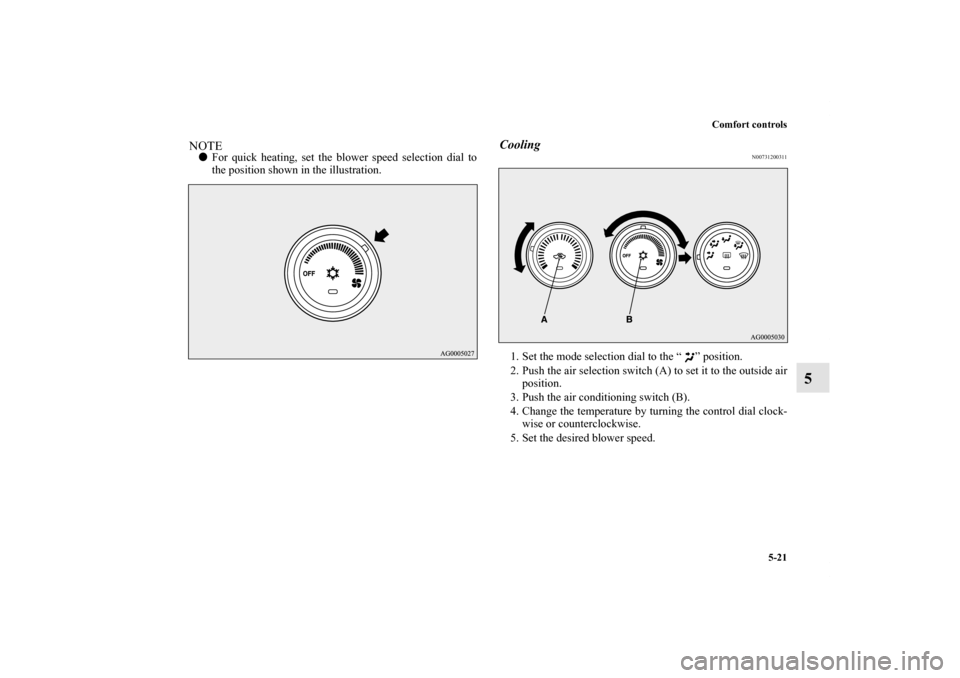
1. Set the mode selection dial to the “ ” position.
2. Push the air selection switch (A) to set it to the outside air
position.
3. Push the air conditioning switch (B).
4. Change the temperature by turning the control dial clock-
wise or counterclockwise.
5. Set the desired blower speed.
BK0140300US.book 21 ページ 2011年6月28日 火曜日 午後5時18分
Page 403 of 610
5-26 Comfort controls
5
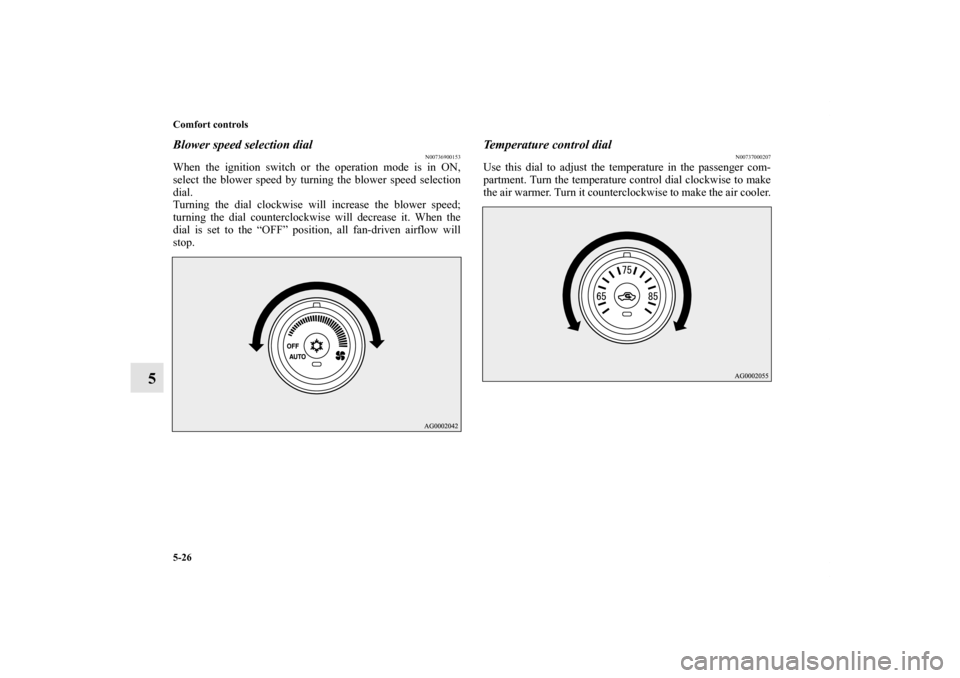
Blower speed selection dial
N00736900153
When the ignition switch or the operation mode is in ON,
select the blower speed by turning the blower speed selection
dial.
Turning the dial clockwise will increase the blower speed;
turning the dial counterclockwise will decrease it. When the
dial is set to the “OFF” position, all fan-driven airflow will
stop.
Temperature control dial
N00737000207
Use this dial to adjust the temperature in the passenger com-
partment. Turn the temperature control dial clockwise to make
the air warmer. Turn it counterclockwise to make the air cooler.
BK0140300US.book 26 ページ 2011年6月28日 火曜日 午後5時18分
Page 413 of 610
5-36 Comfort controls
5
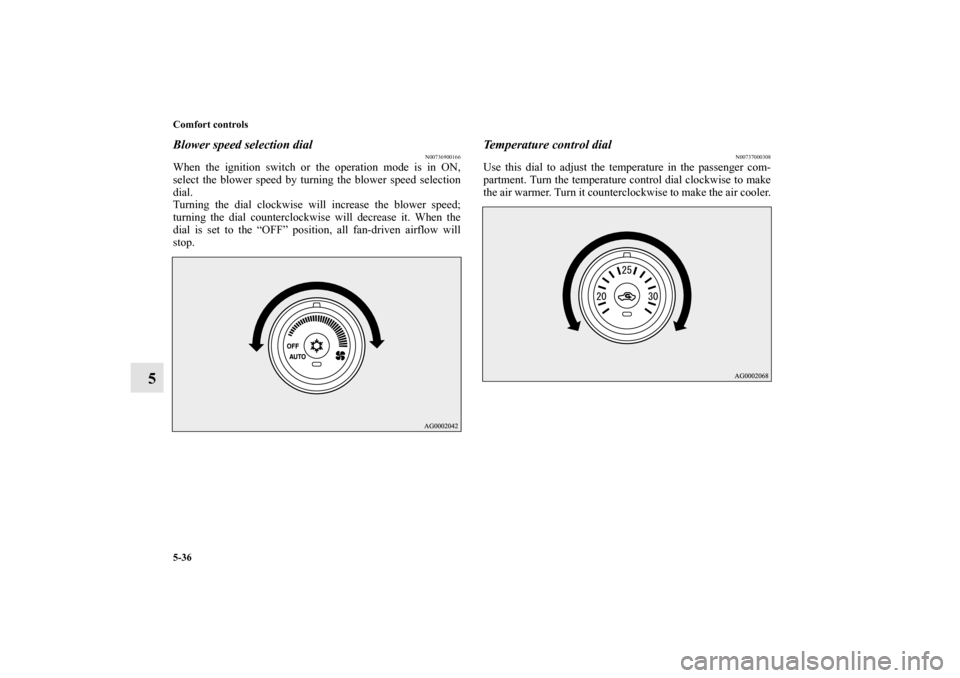
Blower speed selection dial
N00736900166
When the ignition switch or the operation mode is in ON,
select the blower speed by turning the blower speed selection
dial.
Turning the dial clockwise will increase the blower speed;
turning the dial counterclockwise will decrease it. When the
dial is set to the “OFF” position, all fan-driven airflow will
stop.
Temperature control dial
N00737000308
Use this dial to adjust the temperature in the passenger com-
partment. Turn the temperature control dial clockwise to make
the air warmer. Turn it counterclockwise to make the air cooler.
BK0140300US.book 36 ページ 2011年6月28日 火曜日 午後5時18分
Page 425 of 610
5-48 Comfort controls
5
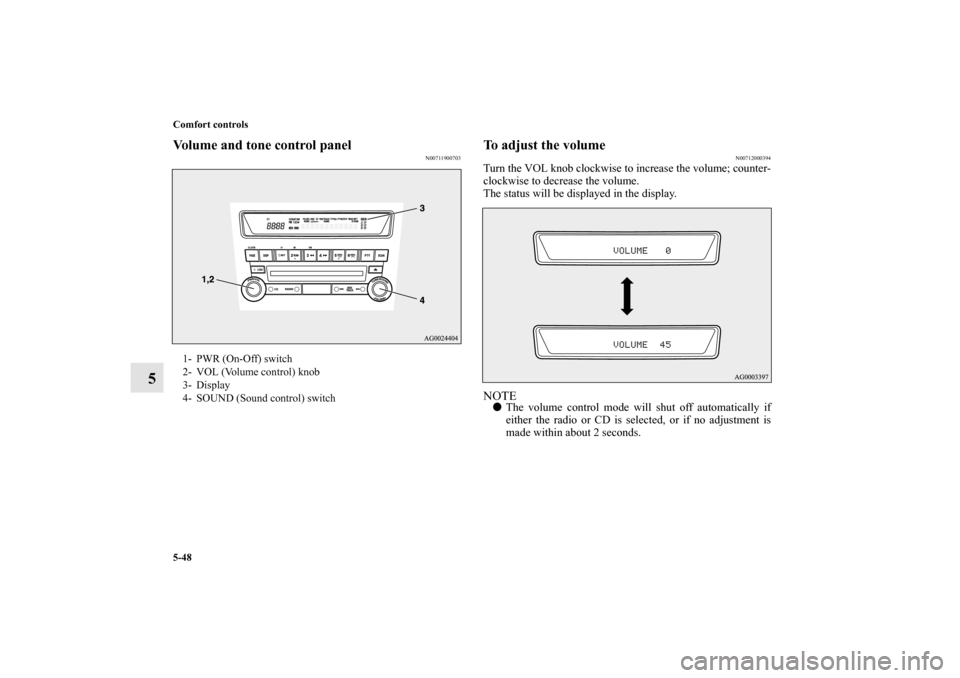
Volume and tone control panel
N00711900703
To adjust the volume
N00712000394
Turn the VOL knob clockwise to increase the volume; counter-
clockwise to decrease the volume.
The status will be displayed in the display.NOTE�The volume control mode will shut off automatically if
either the radio or CD is selected, or if no adjustment is
made within about 2 seconds.
1- PWR (On-Off) switch
2- VOL (Volume control) knob
3- Display
4- SOUND (Sound control) switch
BK0140300US.book 48 ページ 2011年6月28日 火曜日 午後5時18分