Page 486 of 714
Comfort controls
5-55
5
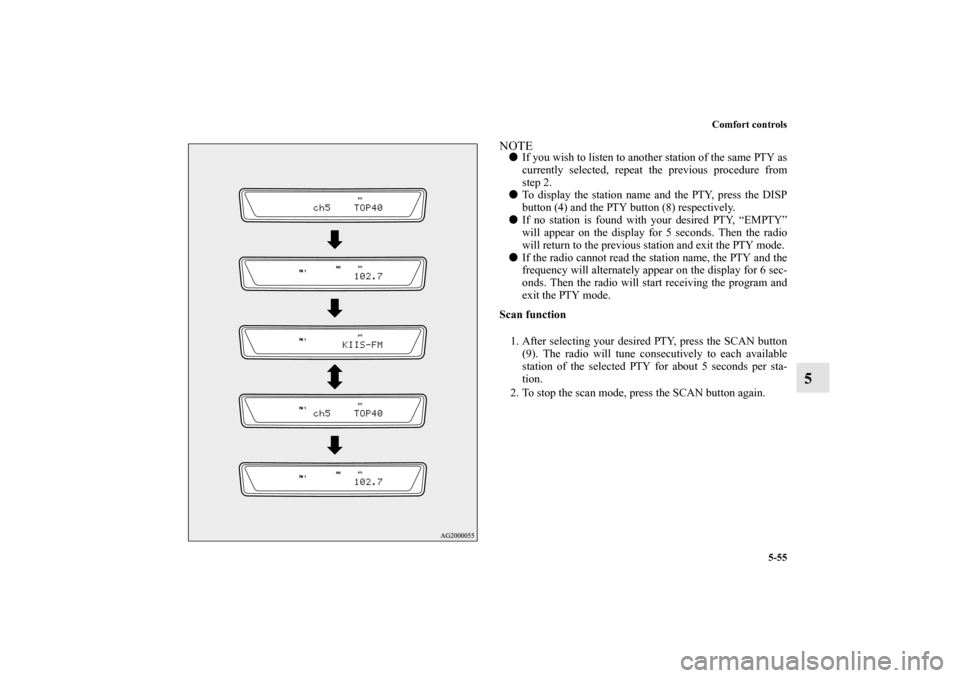
NOTE�If you wish to listen to another station of the same PTY as
currently selected, repeat the previous procedure from
step 2.
�To display the station name and the PTY, press the DISP
button (4) and the PTY button (8) respectively.
�If no station is found with your desired PTY, “EMPTY”
will appear on the display for 5 seconds. Then the radio
will return to the previous station and exit the PTY mode.
�If the radio cannot read the station name, the PTY and the
frequency will alternately appear on the display for 6 sec-
onds. Then the radio will start receiving the program and
exit the PTY mode.
Scan function
1. After selecting your desired PTY, press the SCAN button
(9). The radio will tune consecutively to each available
station of the selected PTY for about 5 seconds per sta-
tion.
2. To stop the scan mode, press the SCAN button again.
BK0138000US.book 55 ページ 2011年4月13日 水曜日 午前11時17分
Page 489 of 714
5-58 Comfort controls
5
To listen to a CD
N00735501061
To set discs1. Press the PWR switch (3) to turn the audio system ON and
OFF. The system turns on in the last mode used.
2. Insert the disc with the label facing up.
When a disc is inserted, the CD player will begin playing
even if the radio is being used. The CD player will also
begin playing when the CD button (2) is pressed with a
disc set in the CD player or in the disc loading slot (12),
even if the radio is being used.NOTE�For information concerning the adjustment of volume and
tone, refer to “To adjust the volume” on page 5-48 and
“To adjust the tone” on page 5-48.
�For information concerning the handing of the compact
discs, refer to “Handling of compact discs” on page 5-131.To eject discsWhen the eject button (11) is pressed, the disc automatically
stops and is ejected. The system automatically switches to
radio mode.NOTE�If you do not remove an ejected disc before 15 seconds
have elapsed, the disc will be reloaded.
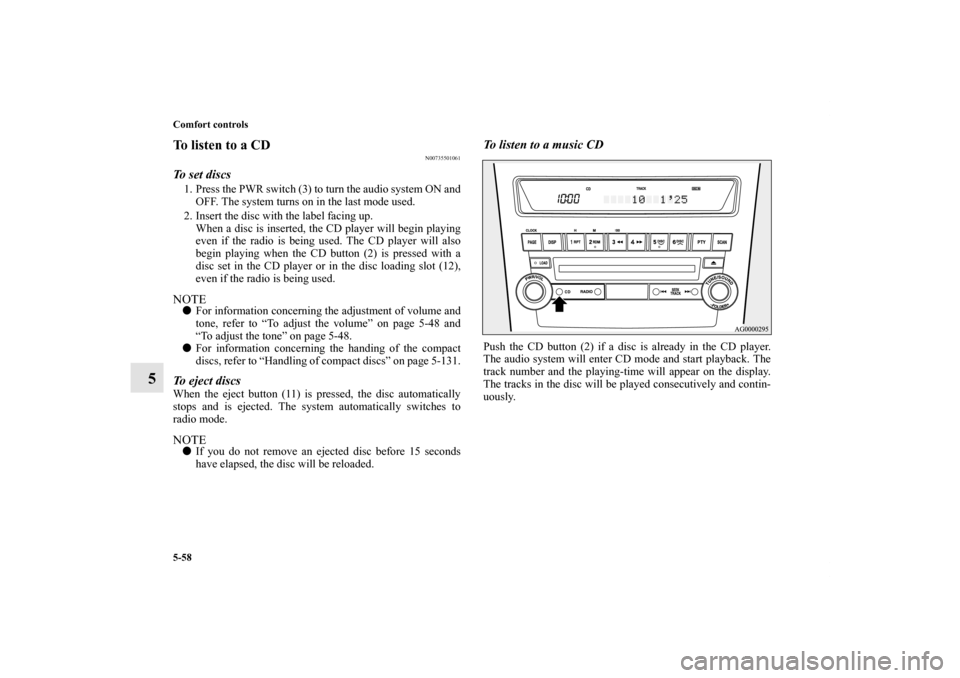
To listen to a music CDPush the CD button (2) if a disc is already in the CD player.
The audio system will enter CD mode and start playback. The
track number and the playing-time will appear on the display.
The tracks in the disc will be played consecutively and contin-
uously.
BK0138000US.book 58 ページ 2011年4月13日 水曜日 午前11時17分
Page 490 of 714
Comfort controls
5-59
5
To listen to an MP3 CDThis CD player allows you to play MP3 (MPEG Audio Layer-
3) files recorded on CD-ROMs, CD-Rs (recordable CDs), and
CD-RWs (rewritable CDs) in ISO9660 Level 1/ Level 2, Joliet,
and Romeo formats. Each disc may have a maximum of 16
trees, 100 folders and 255 files. During MP3 playback, the unit
can display ID3 tag information. For information concerning
ID3 tag, refer to “CD text and MP3 title display” on page 5-64.
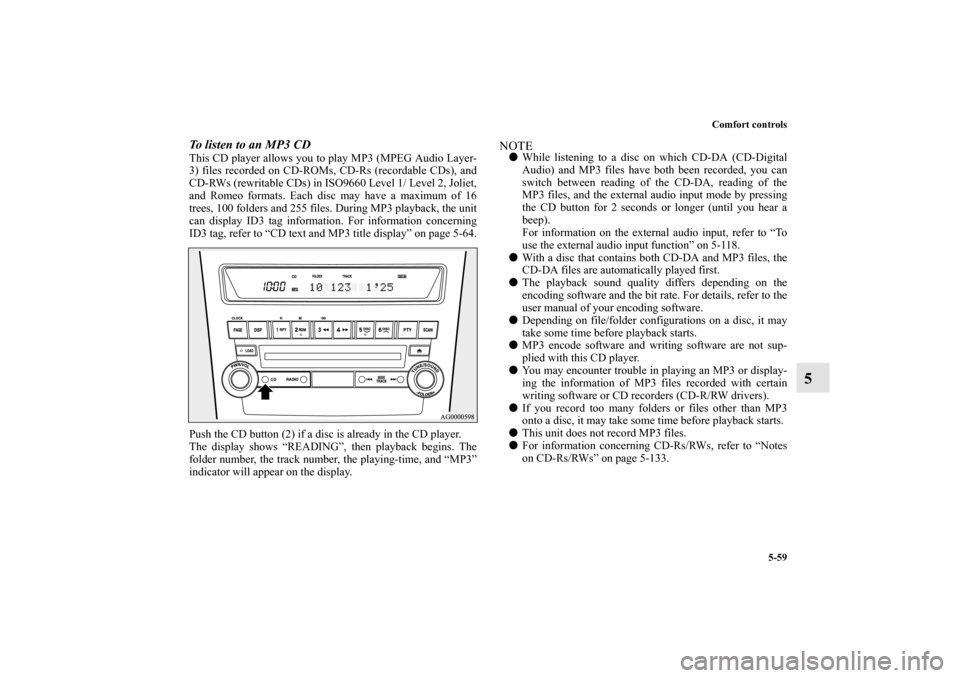
Push the CD button (2) if a disc is already in the CD player.
The display shows “READING”, then playback begins. The
folder number, the track number, the playing-time, and “MP3”
indicator will appear on the display.
NOTE�While listening to a disc on which CD-DA (CD-Digital
Audio) and MP3 files have both been recorded, you can
switch between reading of the CD-DA, reading of the
MP3 files, and the external audio input mode by pressing
the CD button for 2 seconds or longer (until you hear a
beep).
For information on the external audio input, refer to “To
use the external audio input function” on 5-118.
�With a disc that contains both CD-DA and MP3 files, the
CD-DA files are automatically played first.
�The playback sound quality differs depending on the
encoding software and the bit rate. For details, refer to the
user manual of your encoding software.
�Depending on file/folder configurations on a disc, it may
take some time before playback starts.
�MP3 encode software and writing software are not sup-
plied with this CD player.
�You may encounter trouble in playing an MP3 or display-
ing the information of MP3 files recorded with certain
writing software or CD recorders (CD-R/RW drivers).
�If you record too many folders or files other than MP3
onto a disc, it may take some time before playback starts.
�This unit does not record MP3 files.
�For information concerning CD-Rs/RWs, refer to “Notes
on CD-Rs/RWs” on page 5-133.
BK0138000US.book 59 ページ 2011年4月13日 水曜日 午前11時17分
Page 493 of 714
5-62 Comfort controls
5
To select a desired trackYou can select your desired track by using the TRACK button
(14).
Track up
Press the side of the TRACK button (14) repeatedly until
the desired track number appears on the display.
When listening to a MP3 CD, keep pressing the button to con-
tinue to move up tracks.
Track down
Press the side of the TRACK button (14) repeatedly until
the desired track number appears on the display.
When listening to a MP3 CD, keep pressing the button to con-
tinue to move down tracks.NOTE�Pressing the side of the TRACK button (14) once dur-
ing the song will cause the CD player to restart playback
from the beginning of the song.
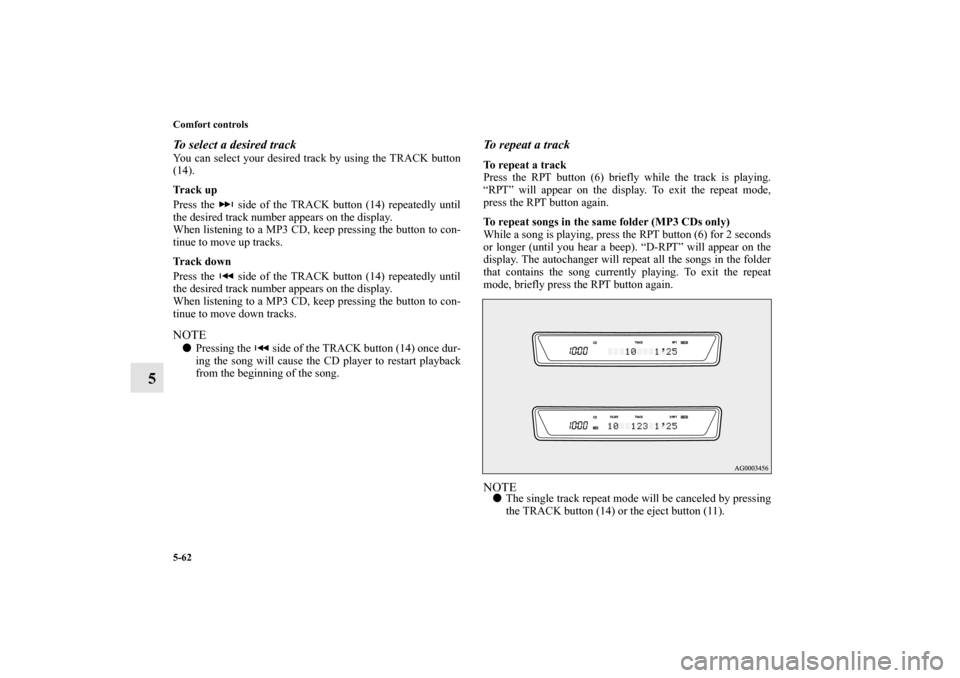
To repeat a trackTo repeat a track
Press the RPT button (6) briefly while the track is playing.
“RPT” will appear on the display. To exit the repeat mode,
press the RPT button again.
To repeat songs in the same folder (MP3 CDs only)
While a song is playing, press the RPT button (6) for 2 seconds
or longer (until you hear a beep). “D-RPT” will appear on the
display. The autochanger will repeat all the songs in the folder
that contains the song currently playing. To exit the repeat
mode, briefly press the RPT button again.NOTE�The single track repeat mode will be canceled by pressing
the TRACK button (14) or the eject button (11).
BK0138000US.book 62 ページ 2011年4月13日 水曜日 午前11時17分
Page 494 of 714
Comfort controls
5-63
5
�With a disc that contains both CD-DA and MP3 files, the
repeat mode causes only files of the same format (CD-DA
only or MP3 files only) to be repeated.To change the order of tracks for playbackRandom playback for a disc (music CDs only)
Press the RDM button (7) briefly. “RDM” will appear on the
display. Tracks on the currently selected disc will be played in
a random sequence.
To exit the random mode, press the RDM button again.
Random playback for a folder (MP3 CDs only)
Press the RDM button (7) briefly. “RDM” will appear on the
display. Tracks in the currently selected folder will be played in
a random sequence. To exit the random mode, press the RDM
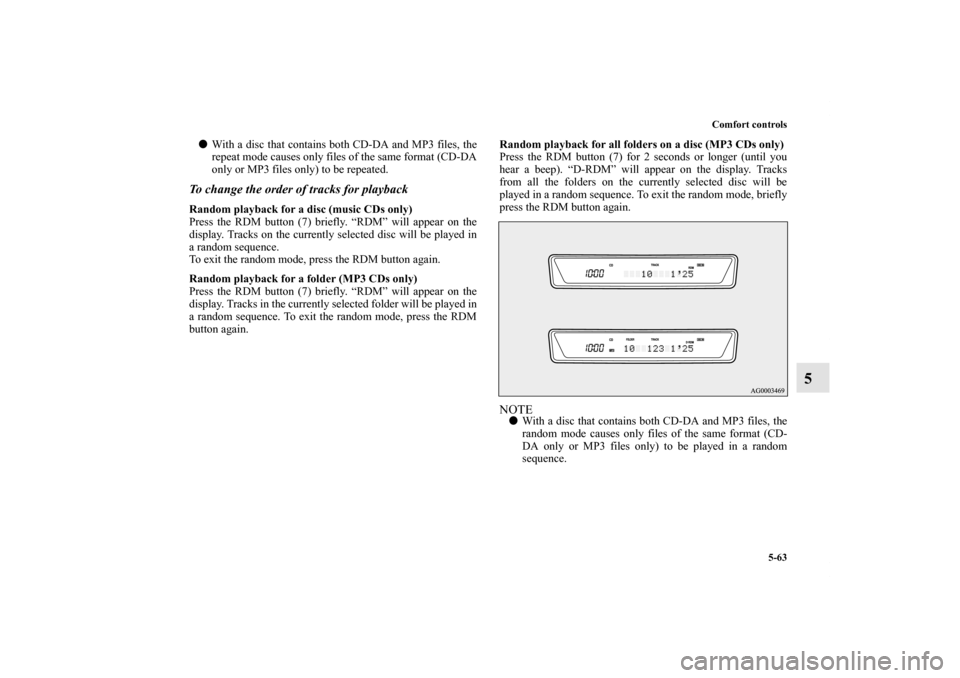
button again.Random playback for all folders on a disc (MP3 CDs only)
Press the RDM button (7) for 2 seconds or longer (until you
hear a beep). “D-RDM” will appear on the display. Tracks
from all the folders on the currently selected disc will be
played in a random sequence. To exit the random mode, briefly
press the RDM button again.
NOTE�With a disc that contains both CD-DA and MP3 files, the
random mode causes only files of the same format (CD-
DA only or MP3 files only) to be played in a random
sequence.
BK0138000US.book 63 ページ 2011年4月13日 水曜日 午前11時17分
Page 495 of 714
5-64 Comfort controls
5
To find the start of each track on a disc for playbackPress the SCAN button (10). “SCAN” will appear on the dis-
play and the CD player will play back the first 10 seconds of
each track on the selected disc.
The track number will blink while the scan mode is selected.
To stop the scan mode, press the SCAN button again.NOTE�Once all tracks on the disc have been scanned, playback
of the disc will restart from the beginning of the track that
was playing when scanning started.
�The scan mode will be canceled when radio or CD opera-
tion is selected.
�With a disc that contains both CD-DA and MP3 files, the
scan mode causes only files of the same format (CD-DA
only or MP3 files only) to be played.
CD text and MP3 title display
N00752100108
This CD player can display CD text and MP3 titles including
ID3 tag information.
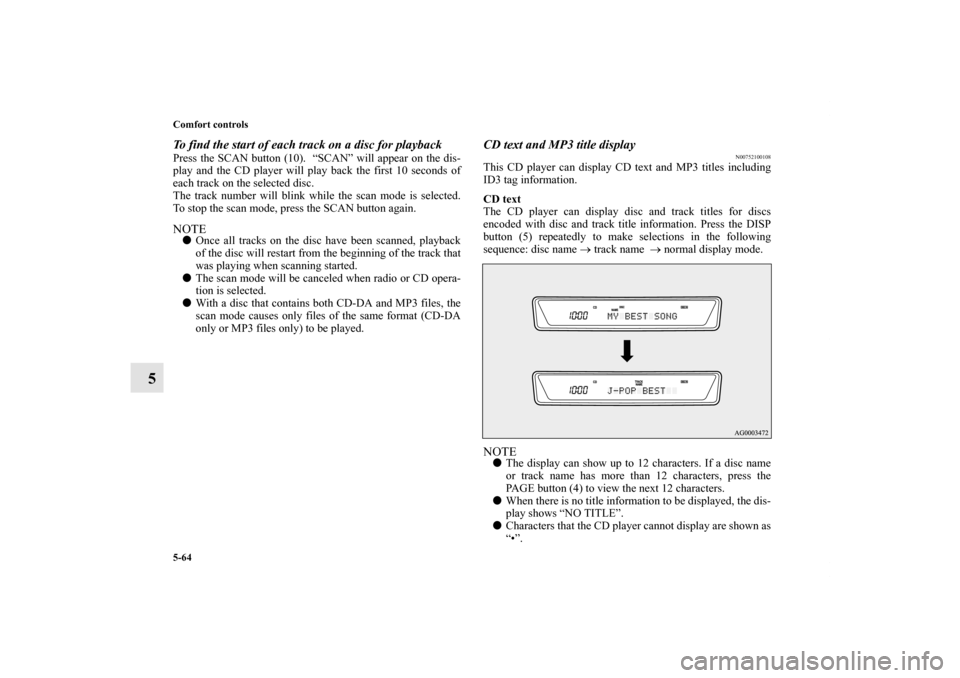
CD text
The CD player can display disc and track titles for discs
encoded with disc and track title information. Press the DISP
button (5) repeatedly to make selections in the following
sequence: disc name → track name → normal display mode.NOTE�The display can show up to 12 characters. If a disc name
or track name has more than 12 characters, press the
PAGE button (4) to view the next 12 characters.
�When there is no title information to be displayed, the dis-
play shows “NO TITLE”.
�Characters that the CD player cannot display are shown as
“•”.
BK0138000US.book 64 ページ 2011年4月13日 水曜日 午前11時17分
Page 496 of 714
Comfort controls
5-65
5
MP3 title
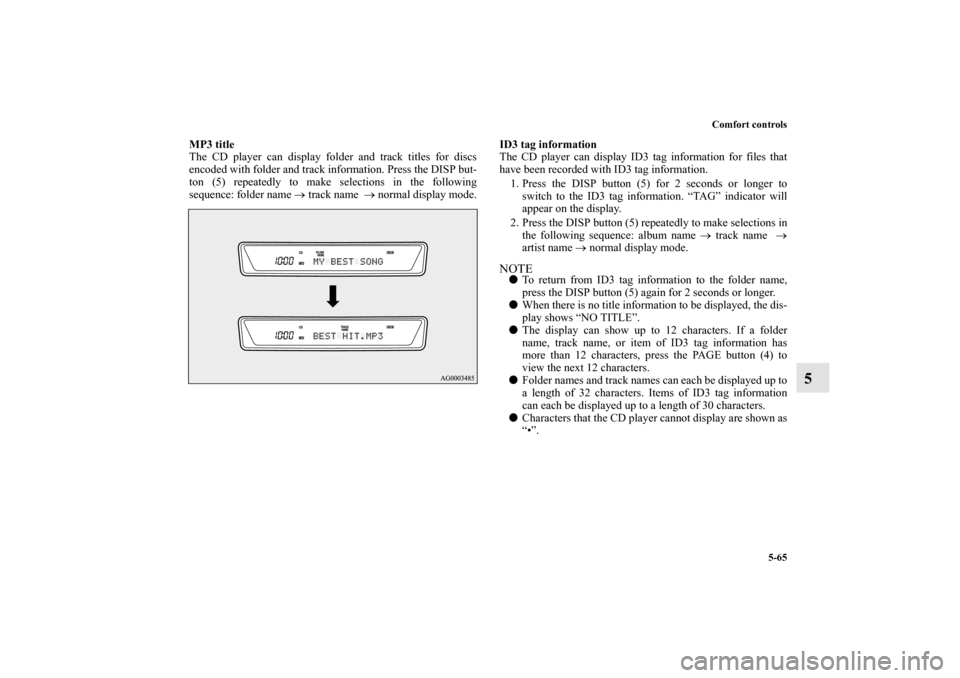
The CD player can display folder and track titles for discs
encoded with folder and track information. Press the DISP but-
ton (5) repeatedly to make selections in the following
sequence: folder name → track name → normal display mode.ID3 tag information
The CD player can display ID3 tag information for files that
have been recorded with ID3 tag information.
1. Press the DISP button (5) for 2 seconds or longer to
switch to the ID3 tag information. “TAG” indicator will
appear on the display.
2. Press the DISP button (5) repeatedly to make selections in
the following sequence: album name → track name →
artist name → normal display mode.
NOTE�To return from ID3 tag information to the folder name,
press the DISP button (5) again for 2 seconds or longer.
�When there is no title information to be displayed, the dis-
play shows “NO TITLE”.
�The display can show up to 12 characters. If a folder
name, track name, or item of ID3 tag information has
more than 12 characters, press the PAGE button (4) to
view the next 12 characters.
�Folder names and track names can each be displayed up to
a length of 32 characters. Items of ID3 tag information
can each be displayed up to a length of 30 characters.
�Characters that the CD player cannot display are shown as
“•”.
BK0138000US.book 65 ページ 2011年4月13日 水曜日 午前11時17分
Page 499 of 714

5-68 Comfort controls
5
To adjust the volume
N00712000307
Turn the VOL knob (2) clockwise to increase the volume;
counterclockwise to decrease the volume.
The status will be displayed in the display (3).NOTE�The volume control mode will shut off automatically if
either the radio or CD is selected, or if no adjustment is
made within about 2 seconds.
To adjust the tone
N00712100614
1. Press the SOUND switch (4) repeatedly to select the tone
or balance control to change. The order is: SUB PUNCH
→ TYPE → FIELD → BASS → MID → TREBLE →
FA D E R → BALANCE → Audio adjust mode OFFNOTE�SUB PUNCH can be adjusted only on vehicles with a pre-
mium sound system.
On vehicles without a premium sound system, TYPE will
display first (no SUB PUNCH display).
QUICK ACCESS MODE
To access the sound customization features quickly, push
and hold the SOUND switch (4), then turn the switch
clockwise or counterclockwise to access your desired
sound customization setting. Release the switch to adjust
the setting.
BK0138000US.book 68 ページ 2011年4月13日 水曜日 午前11時17分