Page 243 of 714

3-128 Features and controls
3
Jacking up a 4-wheel drive vehicle
Service brake
N00517500275
Brake pedalOveruse of the brake can cause weakening, resulting in poor
brake response and premature wear of the brake pads.
When driving down a long or steep hill, use engine braking by
downshifting.
�Even in “2WD” or “TARMAC” mode, the vehicle
cannot be towed with the front or the rear wheels on
the ground.
WA R N I N G
!�Do not crank the engine while jacking up the vehi-
cle.
The tire on the ground may turn and the vehicle
may roll off the jack.
CAUTION
!
WA R N I N G
!�Do not leave any objects near the brake pedal or let
a floor mat slide under it; doing so could prevent the
full pedal stroke that would be necessary in an emer-
gency. Make sure that the pedal can be operated
freely at all times. Make sure the floor mat is
securely held in place.
CAUTION
!�It is important not to drive the vehicle with your foot
resting on the brake pedal when braking is not
required. This practice can result in very high brake
temperatures, premature lining wear, and possible
damage to the brakes.
BK0138000US.book 128 ページ 2011年4月13日 水曜日 午前11時17分
Page 256 of 714
Features and controls
3-141
3
ASC warning display
N00546600089
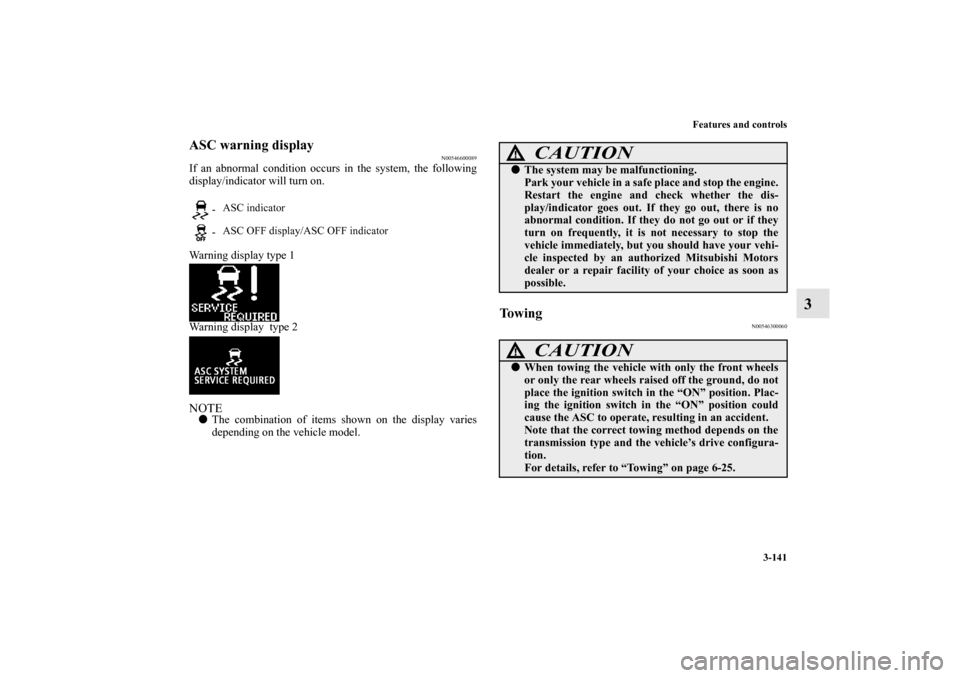
If an abnormal condition occurs in the system, the following
display/indicator will turn on.
Warning display type 1
Warning display type 2NOTE�The combination of items shown on the display varies
depending on the vehicle model.
To w i n g
N00546300060
- ASC indicator
- ASC OFF display/ASC OFF indicator
CAUTION
!�The system may be malfunctioning.
Park your vehicle in a safe place and stop the engine.
Restart the engine and check whether the dis-
play/indicator goes out. If they go out, there is no
abnormal condition. If they do not go out or if they
turn on frequently, it is not necessary to stop the
vehicle immediately, but you should have your vehi-
cle inspected by an authorized Mitsubishi Motors
dealer or a repair facility of your choice as soon as
possible.
CAUTION
!�When towing the vehicle with only the front wheels
or only the rear wheels raised off the ground, do not
place the ignition switch in the “ON” position. Plac-
ing the ignition switch in the “ON” position could
cause the ASC to operate, resulting in an accident.
Note that the correct towing method depends on the
transmission type and the vehicle’s drive configura-
tion.
For details, refer to “Towing” on page 6-25.
BK0138000US.book 141 ページ 2011年4月13日 水曜日 午前11時17分
Page 336 of 714
Features and controls
3-221
3
Headlight flasher
N00550000185
You can flash the high beams by pulling the lever gently
toward you (2). The lights will go back to normal when you let
go. While the high beam is on, you will see a blue light on the
instrument panel.NOTE�You can flash the high beams by pulling the lever toward
you, even if the light switch is off.
�If you turn the lights off with the head lights set to high-
beam illumination, the headlights are automatically
returned to their low-beam setting when the light switch is
next turned to the “ ” position.
Welcome light
N00563200077
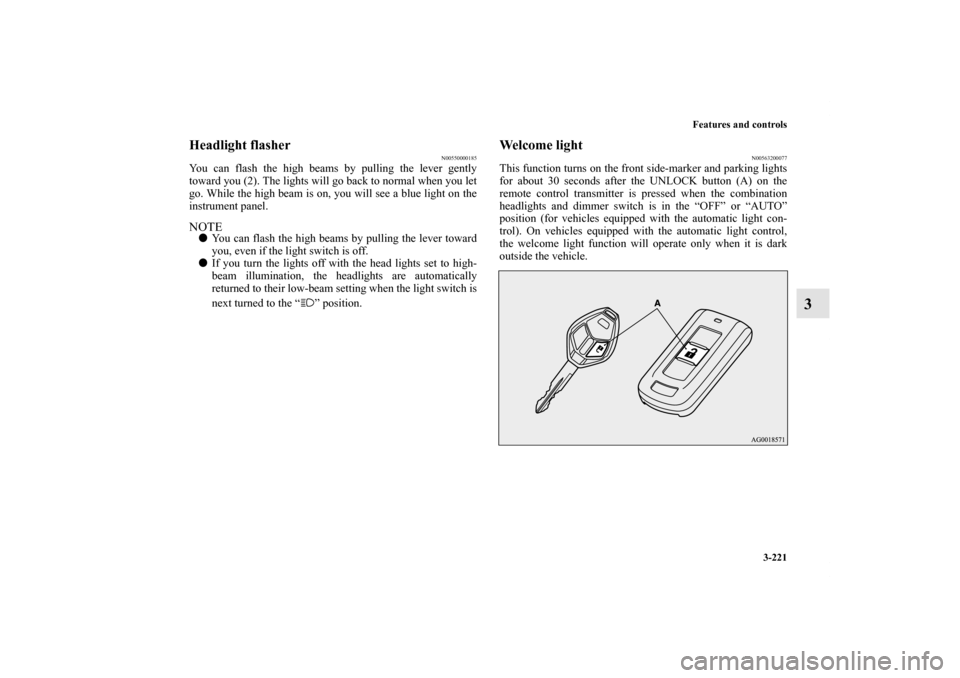
This function turns on the front side-marker and parking lights
for about 30 seconds after the UNLOCK button (A) on the
remote control transmitter is pressed when the combination
headlights and dimmer switch is in the “OFF” or “AUTO”
position (for vehicles equipped with the automatic light con-
trol). On vehicles equipped with the automatic light control,
the welcome light function will operate only when it is dark
outside the vehicle.
BK0138000US.book 221 ページ 2011年4月13日 水曜日 午前11時17分
Page 337 of 714
3-222 Features and controls
3
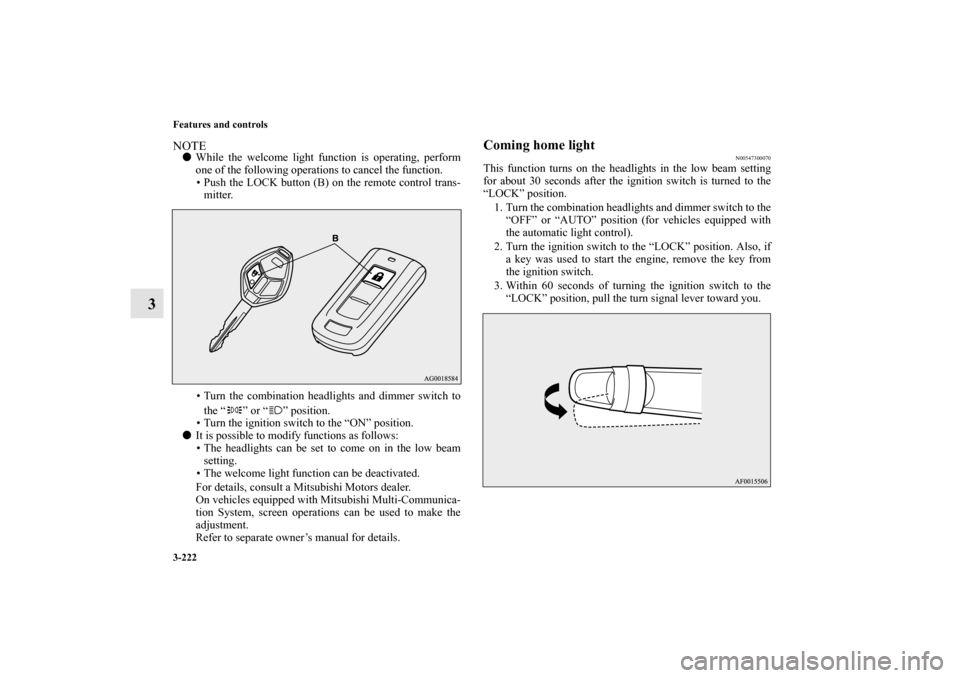
NOTE�While the welcome light function is operating, perform
one of the following operations to cancel the function.
• Push the LOCK button (B) on the remote control trans-
mitter.
• Turn the combination headlights and dimmer switch to
the “ ” or “ ” position.
• Turn the ignition switch to the “ON” position.
�It is possible to modify functions as follows:
• The headlights can be set to come on in the low beam
setting.
• The welcome light function can be deactivated.
For details, consult a Mitsubishi Motors dealer.
On vehicles equipped with Mitsubishi Multi-Communica-
tion System, screen operations can be used to make the
adjustment.
Refer to separate owner’s manual for details.
Coming home light
N00547300070
This function turns on the headlights in the low beam setting
for about 30 seconds after the ignition switch is turned to the
“LOCK” position.
1. Turn the combination headlights and dimmer switch to the
“OFF” or “AUTO” position (for vehicles equipped with
the automatic light control).
2. Turn the ignition switch to the “LOCK” position. Also, if
a key was used to start the engine, remove the key from
the ignition switch.
3. Within 60 seconds of turning the ignition switch to the
“LOCK” position, pull the turn signal lever toward you.
BK0138000US.book 222 ページ 2011年4月13日 水曜日 午前11時17分
Page 338 of 714
Features and controls
3-223
3
4. The headlights will come on in the low beam setting for
about 30 seconds. After the headlights go off, the head-
lights can be turned on again in the low beam setting for
about 30 seconds by pulling the turn signal lever toward
you within 60 seconds of turning the ignition switch to the
“LOCK” position. To turn on the headlights again after 60
seconds of turning the ignition switch to the “LOCK”
position, repeat the process from step 1.NOTE�While the coming home light function is operating, per-
form one of the following operations to cancel the func-
tion.
• Pull the turn signal lever toward you.
• Turn the combination headlights and dimmer switch to
the “ ” or “ ” position.
• Turn the ignition switch to the “ON” position.
�It is possible to modify functions as follows:
• The time that the headlights remain on can be changed.
• The coming home light function can be deactivated.
For details, consult a Mitsubishi Motors dealer.
On vehicles equipped with Mitsubishi Multi-Communica-
tion System, screen operations can be used to make the
adjustment.
Refer to separate owner’s manual for details.
Headlight leveling switch
(if so equipped)
N00537100075
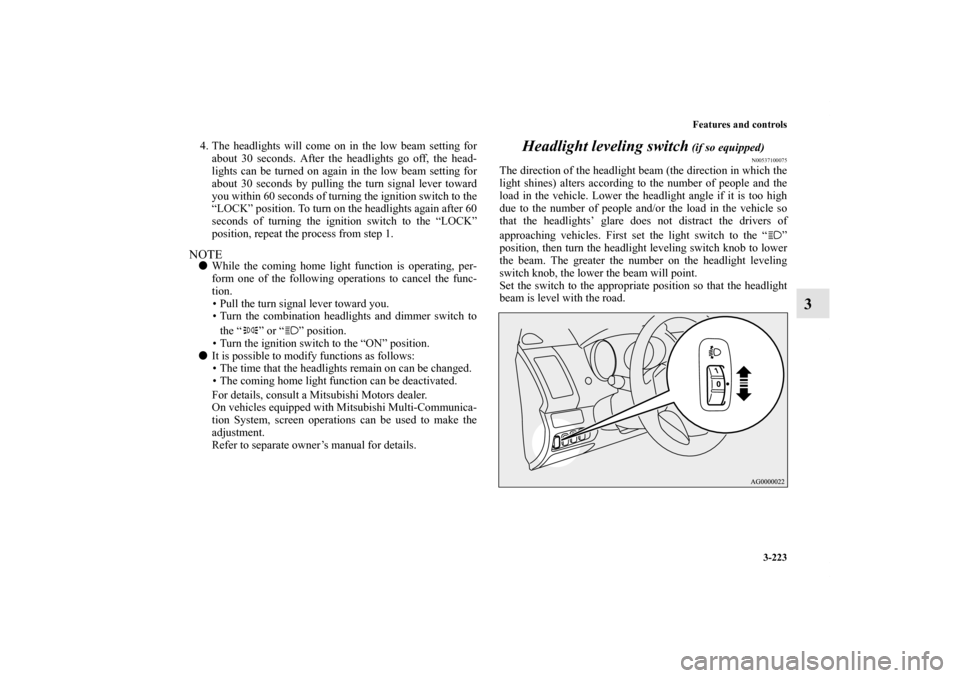
The direction of the headlight beam (the direction in which the
light shines) alters according to the number of people and the
load in the vehicle. Lower the headlight angle if it is too high
due to the number of people and/or the load in the vehicle so
that the headlights’ glare does not distract the drivers of
approaching vehicles. First set the light switch to the “ ”
position, then turn the headlight leveling switch knob to lower
the beam. The greater the number on the headlight leveling
switch knob, the lower the beam will point.
Set the switch to the appropriate position so that the headlight
beam is level with the road.
BK0138000US.book 223 ページ 2011年4月13日 水曜日 午前11時17分
Page 348 of 714
Features and controls
3-233
3
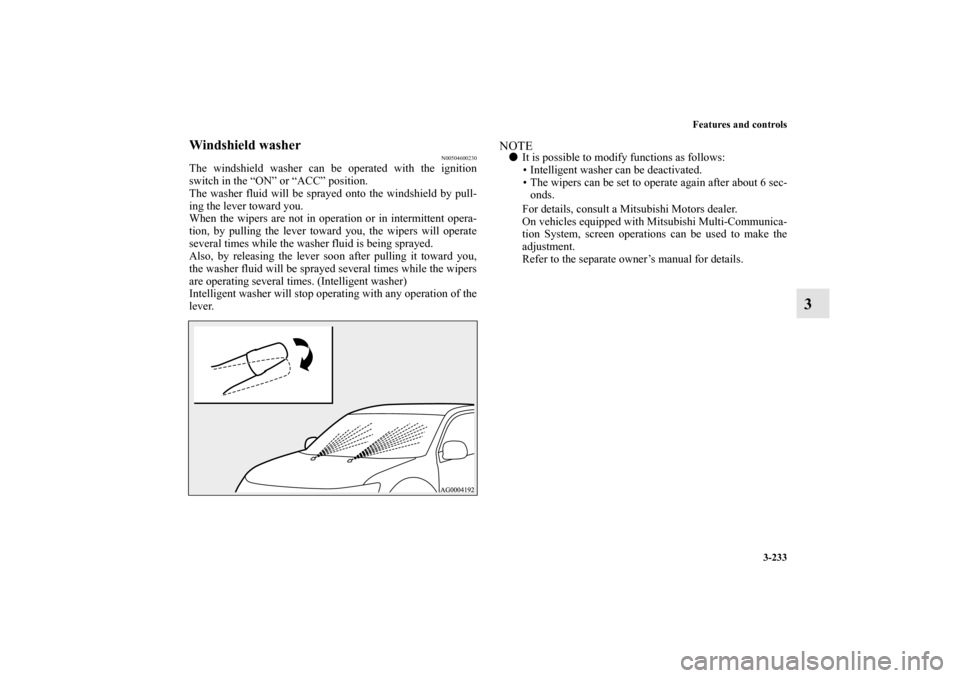
Windshield washer
N00504600230
The windshield washer can be operated with the ignition
switch in the “ON” or “ACC” position.
The washer fluid will be sprayed onto the windshield by pull-
ing the lever toward you.
When the wipers are not in operation or in intermittent opera-
tion, by pulling the lever toward you, the wipers will operate
several times while the washer fluid is being sprayed.
Also, by releasing the lever soon after pulling it toward you,
the washer fluid will be sprayed several times while the wipers
are operating several times. (Intelligent washer)
Intelligent washer will stop operating with any operation of the
lever.
NOTE�It is possible to modify functions as follows:
• Intelligent washer can be deactivated.
• The wipers can be set to operate again after about 6 sec-
onds.
For details, consult a Mitsubishi Motors dealer.
On vehicles equipped with Mitsubishi Multi-Communica-
tion System, screen operations can be used to make the
adjustment.
Refer to the separate owner’s manual for details.
BK0138000US.book 233 ページ 2011年4月13日 水曜日 午前11時17分
Page 394 of 714
Features and controls
3-279
3
Card holder
There is a card holder on the inside of the lower glove compart-
ment.NOTE�Up to 2 cards will fit in the card holder.
Personal compartment
N00552100050
Pull the lid toward you to open.
BK0138000US.book 279 ページ 2011年4月13日 水曜日 午前11時17分
Page 403 of 714
3-288 Features and controls
3
To change positionThere are 2 installation holes (B) for the cargo area cover.1. Move one of the sliders (C) toward the inside of the vehi-
cle, and fit the protruding portion (D) into the installation
hole that is to be used. Move the opposite slider in the
same fashion.
2. After changing the position, gently shake the entire cargo
area cover to make sure it is securely retained.
NOTE�If the second row seat touches the cargo area cover, move
the cargo area cover rearward.
The cargo area cover could be damaged if it supports the
seatback of the second row seats.
BK0138000US.book 288 ページ 2011年4月13日 水曜日 午前11時17分

