2012 MINI COOPER CONVERTIBLE Drive
[x] Cancel search: DrivePage 50 of 218

AdjustmentsCONTROLS
49
MINI Convertible: rear belt guide
Please ensure that the belt guide loop,
arrow, is locked when putting on the rear
safety belts. <
Safety Belt Reminder
Front seats
The indicator lamps come on and an
acoustic signal so unds. Check whether
the safety belt has been fastened cor-
rectly. The Safety Belt Reminder is
issued when the driver's safety belt has not been
fastened. The Safety Belt Reminder is also acti-
vated at road speeds above approx. 5 mph or
8 km/h if the front passenger's safety belt has
not been fastened, if objects are placed on the
front passenger se at, or if driver or front passen-
ger unfasten their safety belts.
Damage to safety belts
If the safety belts are damaged or stressed
in an accident: have the safety belt system
and its seat-belt tensio ners replaced and the
belt anchors checked. Have this work carried out
only by a MINI dealer or by a workshop that has
specially trained personnel working in accor-
dance with the specifications of the MINI manu-
facturer; otherwise, correct operation of these
safety systems is not ensured. <
Mirrors
Exterior mirrors
The front passenger's mirror is more con-
vex than the driver's mirror. The objects
seen in the mirror are closer than they appear.
Do not gauge your distance from traffic behind
you on the basis of what you see in the mirror;
otherwise, there is an increased risk of an acci-
dent. <
1 Adjusting the left or right exterior mirror
2 Tilting mirrors in and out
To adjust electrically
1.Choose a mirror, and also turn the button to
position 1.
2. To adjust the mirror, tilt the button in the
desired direction forwar d, backward, left or
right.
Manual adjustment
If there is, for example, an electrical failure, press
on the edges of the mirror glass.
Tilting mirrors in and out
Turn the knob beyond the pressure point in
direction 2. The mirrors can be folded in at road
speeds up to approx. 20 mph/30 km/h.
This can be beneficial in narrow streets, for
example, or for moving mirrors that were folded
in by hand back out into their correct positions.
Online Edition for Part no. 01 40 2 914 786 - \251 07/12 BMW AG
Page 57 of 218

CONTROLSDriving
56
Radio readiness and ignition off
All indicator and warning lamps in the displays
go out.
The ignition switches off automatically if the
driver's door is opened. Pressing the Start/Stop
button again switches the ignition back on.
The ignition is not switched off in situations such
as the following:
> The clutch or brake is depressed
> The low beams are switched on
Starting the engine
Do not allow the engine to run in enclosed
areas; otherwise, inha lation of the noxious
exhaust gases can lead to loss of consciousness
and death. Exhaust gases contain carbon
monoxide, an odorless and colorless, but highly
toxic gas. Never leave an unattended vehicle
with the engine running; otherwise, such a
vehicle represents a potential safety hazard.
Before leaving the car while the engine is run-
ning, place the transmission in neutral or move
the selector lever to position P and forcefully
apply the parking brake to prevent the car from
moving. <
Avoid frequent starting in quick succes-
sion or repeated start attempts in which
the engine does not start. Otherwise, the fuel is
not burned or inadequate ly burned and there is
a danger of overheating and damaging the
catalytic converter. <
Do not let the engine warm up with the vehicle
at a standstill. Move off immediately at a
moderate engine speed.
When starting the engi ne, do not depress the
accelerator pedal.
Manual transmission
Key in ignition lock or inside vehicle with
Comfort Access, refer to page 31.
1. Depress the brake.
2. Depress the clutch.
3. Press the Start/Stop button.
Automatic transmission
Key in ignition lock or inside vehicle with
Comfort Access, refer to page 31.
1. Depress the brake.
2. Shift the selector lever into position P or N.
3. Press the Start/Stop button.
The starter operates auto matically for a certain
time, and stops automati cally as soon as the
engine has started.
Switching off the engine
Always take the key with you when you
leave the vehicle.
When parking, apply the parking brake force-
fully; otherwise, the vehicle could begin to roll.
Secure the vehicle on steep upward and down-
ward slopes, for example, turn the steering
wheel towards the curb. <
Manual transmission
1.With the car at a standstill, press the Start/
Stop button.
2. Shift into first gear or reverse.
3. Forcefully apply the parking brake.
Online Edition for Part no. 01 40 2 914 786 - \251 07/12 BMW AG
Page 59 of 218

CONTROLSDriving
58
Selector lever positions
P R N D M/S + –
Displays in the tachometer
P R N D DS M1 to M6
The selector lever position is displayed, or the
current gear in the manual mode.
Changing selector lever positions
> The selector lever can only be moved out of
position P when the ignition is switched on
or the engine is running.
> Before moving the le ver away from P or N
with the vehicle stationary, first depress the
brake; otherwise, the selector lever will
refuse to move: shiftlock.
To prevent the vehicle from creeping
after you select a driving position,
depress the brake until you are ready to
start. <
A lock prevents accidental shifting into selector
lever positions R and P.
Overriding the selector lever lock
Press the button on the front of the selector
lever, arrow.
P Park
Select this only when the vehicle is stationary.
The front wheels are blocked.
R Reverse
Select this only when the vehicle is stationary.
N Neutral
Select this when you are in a car wash, for
example. The vehicle can roll.
D Drive, automatic position
Position for normal vehi cle operation. All for-
ward gears are selected automatically.
Under normal operation conditions, fuel con-
sumption is lowest when you drive in position D.
Kickdown
Kickdown enables you to achieve maximum
performance.
Depress the accelerator pedal beyond the full-
throttle resistance point.
Online Edition for Part no. 01 40 2 914 786 - \251 07/12 BMW AG
Page 60 of 218

DrivingCONTROLS
59
Sport program and manual mode M/S
Move the selector lever from position D to the
left into the M/S shifting slot:
The Sport program is activated and DS is
displayed. This position is recommended for
a performance-oriented driving style.
To deactivate the Sport program or manual
mode M/S, move the selector lever to the right
into position D.
Shifting with the selector lever
Push the selector lever forward or pull it back to
activate manual operation. Steptronic shifts the
gear.
> Pull the selector lever in the + direction.
Transmission shifts up.
> Push the selector leve r in the – direction.
Transmission shifts down.
The selected gear is displayed in the tacho-
meter, e.g. M1.
To use the automatic mode again, move the
selector lever to the right into position D.
Upshifts and downshifts are executed only when
they will result in a pl ausible combination of
engine and vehicle speed; thus, for example, a
downshift that would cause the engine to over-
rev will not be executed by the system. The
selected gear is displayed briefly, followed by
the current gear.
Shifting on the steering wheel
With the selector lever in position D, automatic
drive, you can shift gears using the shift paddles
on the steering wheel. The transmission auto-
matically switches to manual mode. If you do not shift gears with the shift paddles or
accelerate for a certai
n amount of time, the
transmission automatically returns to D, auto-
matic drive.
> Pull one of the shift paddles.
Transmission shifts up.
> Push one of th e shift paddles.
Transmission shifts down.
M1 through M6 are displayed in the tachometer.
Manually releasing the selector lever
lock
Should the selector lever refuse to move out of
position P even though the ignition is switched
on, the brake is depressed and the button on the
selector lever is pressed, the selector lever lock
can be overridden:
1. Unclip the sleeve of the selector lever.
2. Pull the sleeve up over the selector lever
until the sleeve is insi de out. Disconnect the
cable connector if necessary.
3. Insert extractor hook 1 from the toolkit into
the loop on the passenger's side.
4. Pull the loop up.
Online Edition for Part no. 01 40 2 914 786 - \251 07/12 BMW AG
Page 67 of 218
CONTROLSControls overview
66
The following information is displayed sequen-
tially:
>Trip odometer
> Time
> External temperature
Trip odometer
To display trip recorder:
Briefly press button 3.
Resetting the trip odometer:
While the trip recorder is displayed and the
ignition is switched on, press button 3.
Time
To set time, see page 73.
External temperature, external
temperature warning
When the displayed temperature sinks to
approx. +37 7/+3 6, a signal sounds and a
warning lamp lights up. There is an increased
risk of black ice.
Even at temperatures above +37 7/+3 6
ice can form. Therefore, drive carefully,
e.g. on bridges and sect ions of road in the
shade; otherwise, there is an increased accident
risk. <
Units of measure
Select the respective units of measure, miles or
km for the odometer as well as 7 or 6 for the
external temperature, page 70.
Computer
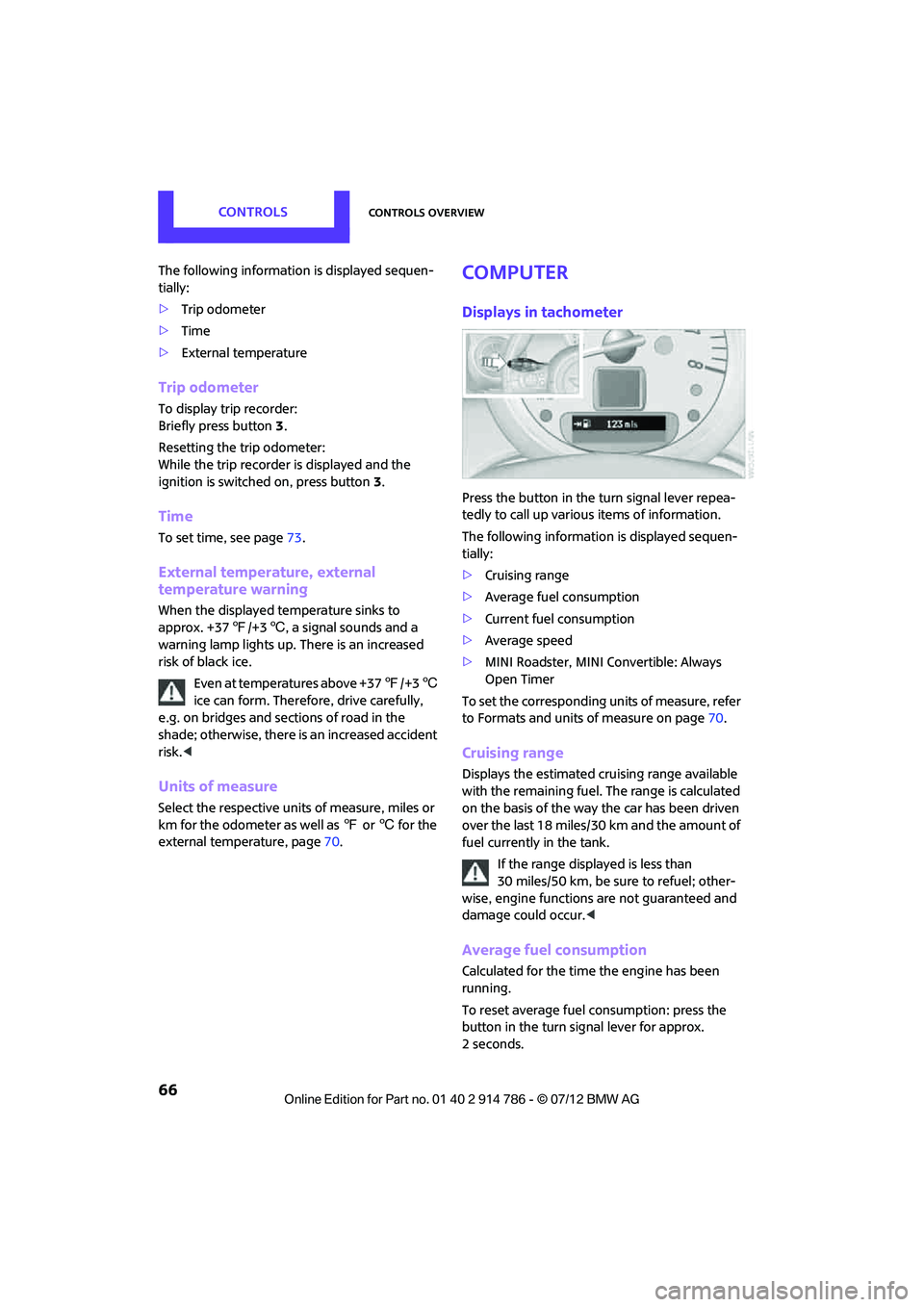
Displays in tachometer
Press the button in the turn signal lever repea-
tedly to call up variou s items of information.
The following information is displayed sequen-
tially:
> Cruising range
> Average fuel consumption
> Current fuel consumption
> Average speed
> MINI Roadster, MINI Convertible: Always
Open Timer
To set the corresponding units of measure, refer
to Formats and units of measure on page 70.
Cruising range
Displays the estimated cruising range available
with the remaining fuel. The range is calculated
on the basis of the way the car has been driven
over the last 18 miles/30 km and the amount of
fuel currently in the tank.
If the range displayed is less than
30 miles/50 km, be sure to refuel; other-
wise, engine functions are not guaranteed and
damage could occur. <
Average fuel consumption
Calculated for the time the engine has been
running.
To reset average fuel consumption: press the
button in the turn signal lever for approx.
2seconds.
Online Edition for Part no. 01 40 2 914 786 - \251 07/12 BMW AG
Page 68 of 218

Controls overviewCONTROLS
67
Current fuel consumption
Displays the current fuel consumption to allow
you to see whether your current driving style is
conducive to fuel economy with minimum
exhaust emissions.
Average speed
Periods with the vehicle parked and the engine
switched off are not included in the calculations
of average speed.
To reset average speed: press the button in the
turn signal lever for approx. 2 seconds.
Display in Radio MINI Boost CD
To call up information
1.Press the MENU button.
2. Press the button.
Fuel consumption
Displayed according to average consumption,
for example, for the entire trip, a portion of the
trip, or after every time that you fill the tank.
Average consumption for the time that the
engine is running.
To start the calculation for fuel consumption:
1. Press the button.
2. Press the button.
The previous display is reset to zero and the
system starts with th e new calculation for
average fuel consumption.
Average speed
The average speed for a trip can be displayed.
Average speed is determined for the time that
the engine is running. To start the calculation for average speed:
1.
Press the button.
2. Press the button.
The previous display is reset to zero and the
system starts with th e new calculation for
average speed.
Cruising range
By using the "RANGE" function, the distance is
displayed that can likely still be driven with the
available amount of fuel given the mode of
driving over the last 18 miles/30 km.
Always Open Timer
When driving the MINI Convertible or the MINI
Roadster with its convertible top down, the
driving times are displa yed digitally on the
tachometer.
The following driving times are displayed:
1 Total driving time
2 Current driving time
To reset the display 2:
Press and hold the button in the turn signal lever
or the "Reset trip odometer" button, page 12,
for approx. 2 seconds.
To reset the total driving time, contact your MINI
dealer.
Online Edition for Part no. 01 40 2 914 786 - \251 07/12 BMW AG
Page 75 of 218

CONTROLSControls overview
74
What to do in case of a malfunction
The meaning of each lamp in the event of a
malfunction and tips on how to respond are
listed starting on page181.
Hiding Check Control messages
Press the button in the turn signal lever.
> Some Check Control me ssages are displayed
until the malfunctions have been rectified.
They cannot be hidden. If several malfunc-
tions occur at the same time, they are dis-
played in succession.
> Other Check Control messages are auto-
matically hidden after approx. 20 seconds,
but remain stored.
The symbol indicates that Check Control
messages have been stored. Check Control
messages can be viewed whenever it is conve-
nient.
Viewing stored Check Control messages
Stored Check Control messages can only be
displayed if the driver's door is closed.
1. Press the button in the turn signal indicator
as often as necessary until "SET/INFO" is
displayed.
2. Press and hold the button until the display
changes.
3. Press the button repeatedly until the corre-
sponding symbol and "CHECK INFO" appear
in the display.
4. Press and hold the button.
If there are no Check Control messages, then
"CHECK OK" is displayed.
If a Check Control message has been stored,
the corresponding message is displayed.
5. Press the button to check for other
messages.
Online Edition for Part no. 01 40 2 914 786 - \251 07/12 BMW AG
Page 76 of 218

Technology for driving comfort and safetyCONTROLS
75
Technology for driving comfort and
safety
Vehicle equipment
In this chapter, all production, country, and
optional equipment that is offered in the model
range is described. Equipment is also described
that is not available because of, for example,
selected options or count ry version. This also
applies to safety related functions and systems.
Park Distance Control
PDC
The concept
PDC assists you with parking in reverse. Acoustic
signals warn you of the presence of an object
behind the vehicle. To measure the distance,
there are four ultrasonic sensors in either
bumper.
However, an acoustic warning does not sound
until an object is approx. 24 in/60 cm from the
corner sensors, or approx. 5 ft/1.50 m from the
center sensors.
PDC is a parking aid that can indicate
objects when they are approached slowly,
as is usually the case when parking. Avoid
approaching an object at high speed; otherwise,
physical circumstances ma y lead to the system
warning being issued too late.<
Automatic mode
With the engine running or the ignition switched
on, the system is activated automatically after
approx. 1 second when you engage reverse
gear or move the automatic transmission selec-
tor lever to position R. Wait this short period
before driving.
Acoustic signals
As the distance between vehicle and object
decreases, the intervals between the tones
become shorter. If the distance to the nearest
object falls to below roughly 1 ft/30 cm, then
a continuous tone sounds.
If the distance remains constant, e.g. when
driving parallel to a wall, the acoustic signal
stops after approx. 3 seconds.
Adjustments
The volume of the acoustic signals can be set,
refer to page 116.
Malfunction
Indicator lamp lights up. PDC has failed.
Have the system checked.
To avoid this problem, keep the sensors
clean and free of ice or snow in order to ensure
that they will continue to operate effectively.
When using a high-pressure cleaner, do not
direct the jet toward the sensors for lengthy
periods and only spray from a distance of at least
4in/10cm.
System limitations
Even with PDC, final re sponsibility for esti-
mating the distance between the vehicle
and any obstructions always remains with the
driver. Sensors, too, ha ve blind spots in which
objects cannot be detected. Moreover, ultra-
sonic detection can reach its physical limits with
objects such as trailer tow bars and couplings,
thin and wedge-shaped objects, etc. Low
objects already indicated, such as curbs, may
enter the sensors' blind spots before or after a
continuous audible signal is given. Higher, pro-
truding objects, such as wall ledges, may not be
detectable. Therefore, al ways drive cautiously;
otherwise, there is a risk of personal injury or
Online Edition for Part no. 01 40 2 914 786 - \251 07/12 BMW AG