2012 MERCEDES-BENZ SLK-CLASS ROADSTER CD changer
[x] Cancel search: CD changerPage 8 of 336
Wiper blades .................................. 268
Wooden trim .................................. 270
Car wash (care) ................................. 265
CD player/CD changer (on-board
computer) .......................................... 188
Center console Lower section .................................. 31
Upper section .................................. 30
Central locking
Automatic locking (on-board
computer) ...................................... 193
Locking/unlocking (SmartKey) ........68
Changing bulbs
High-beam headlamps ...................111
Important safety notes ..................109
Low-beam headlamps ....................111
Overview of bulb types ..................110
Parking lamps ................................ 112
Removing/replacing the cover
(front wheel arch) .......................... 111
Reversing lamps ............................ 112
Standing lamps (front) ...................112
Turn signals (front) ......................... 112
Children
In the vehicle ................................... 53
Restraint systems ............................ 53
Child seat
Special seat belt retractor ...............55
Cigarette lighter ................................ 247
Cleaning Mirror turn signal ........................... 268
Climate control
Air-conditioning system .................117
Automatic climate control (dual-
zone) .............................................. 119
Controlling automatically ...............122
Cooling with air dehumidification ..121
Defrosting the windshield ..............124
Important safety notes ..................116
Indicator lamp ................................ 122
Maximum cooling .......................... 124
Notes on using automatic climate
control ........................................... 120
Notes on using the air-
conditioning system ....................... 118
Overview of systems ......................116
Problems with cooling with air
dehumidification ............................ 122Problem with the rear window
defroster ........................................ 125
Setting the air distribution .............123
Setting the airflow .........................123
Setting the air vents ......................126
Setting the temperature ................122
Switching air-recirculation mode
on/off ............................................ 125
Switching on/off ........................... 121
Switching residual heat on/off ......125
Switching the rear window
defroster on/off ............................ 124
Switching the ZONE function on/
off .................................................. 123
Cockpit
Overview .......................................... 26
see Instrument cluster
Collapsible spare wheel
Inflating ......................................... 280
see Emergency spare wheel
COMAND
see separate operating instructions
Combination switch .......................... 107
Consumption statistics (on-board
computer) .......................................... 185
Convenience closing feature .............. 81
Convenience opening feature see Opening/closing the side
windows (all)
Coolant (engine)
Checking the level .........................262
Display message ............................ 216
Filling capacity ............................... 328
Notes ............................................. 327
Temperature (on-board computer) . 195
Temperature gauge ........................ 181
Warning lamp ................................. 235
Cooling
see Climate control
Cornering light (display message) ... 213
Cornering light function Function/notes ............................. 108
Crash-responsive emergency
lighting ............................................... 109
Cruise control Cruise control lever .......................156
Deactivating ................................... 158
Display message ............................ 2226Index
Page 190 of 336
Other status indicators of the
navigation system
R O : you have reached the destination or an
intermediate destination.
R New Route... or Calculating Route : a
new route is being calculated.
R Off Map or Off Mapped Road : the vehicle
position is outside the area of the digital
map (off-map position).
R No Route : no route could be calculated to
the selected destination.
Audio menu
Selecting a radio station
i SIRIUS XM satellite radio functions like a
normal radio.
For more information on satellite radio
operation, see the separate operating
instructions.
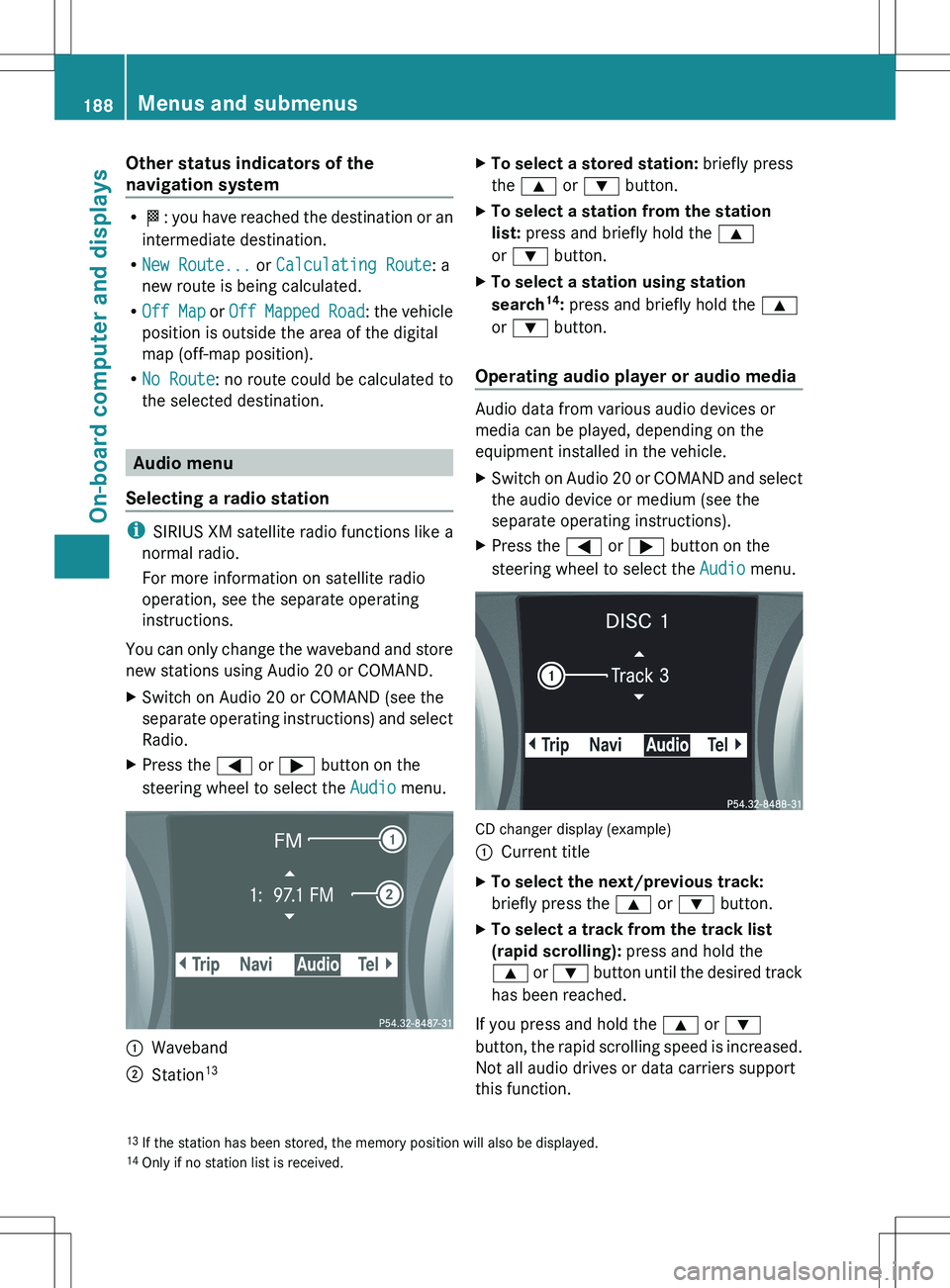
You can only change the waveband and store
new stations using Audio 20 or COMAND.
XSwitch on Audio 20 or COMAND (see the
separate operating instructions) and select
Radio.XPress the = or ; button on the
steering wheel to select the Audio menu.:Waveband;Station 13XTo select a stored station:
briefly press
the 9 or : button.XTo select a station from the station
list: press and briefly hold the 9
or : button.XTo select a station using station
search 14
: press and briefly hold the 9
or : button.
Operating audio player or audio media
Audio data from various audio devices or
media can be played, depending on the
equipment installed in the vehicle.
XSwitch on Audio 20 or COMAND and select
the audio device or medium (see the
separate operating instructions).XPress the = or ; button on the
steering wheel to select the Audio menu.
CD changer display (example)
:Current titleXTo select the next/previous track:
briefly press the 9 or : button.XTo select a track from the track list
(rapid scrolling): press and hold the
9 or : button until the desired track
has been reached.
If you press and hold the 9 or :
button, the rapid scrolling speed is increased.
Not all audio drives or data carriers support
this function.
13 If the station has been stored, the memory position will also be displayed.
14 Only if no station list is received.188Menus and submenusOn-board computer and displays
Page 191 of 336
If track information is stored on the audio
device or medium, the multifunction display
will show the number and name of the track.
The current track does not appear in audio
AUX mode ( Auxiliary audio mode: external
audio source connected).
Video DVD operationXSwitch on COMAND and select video DVD
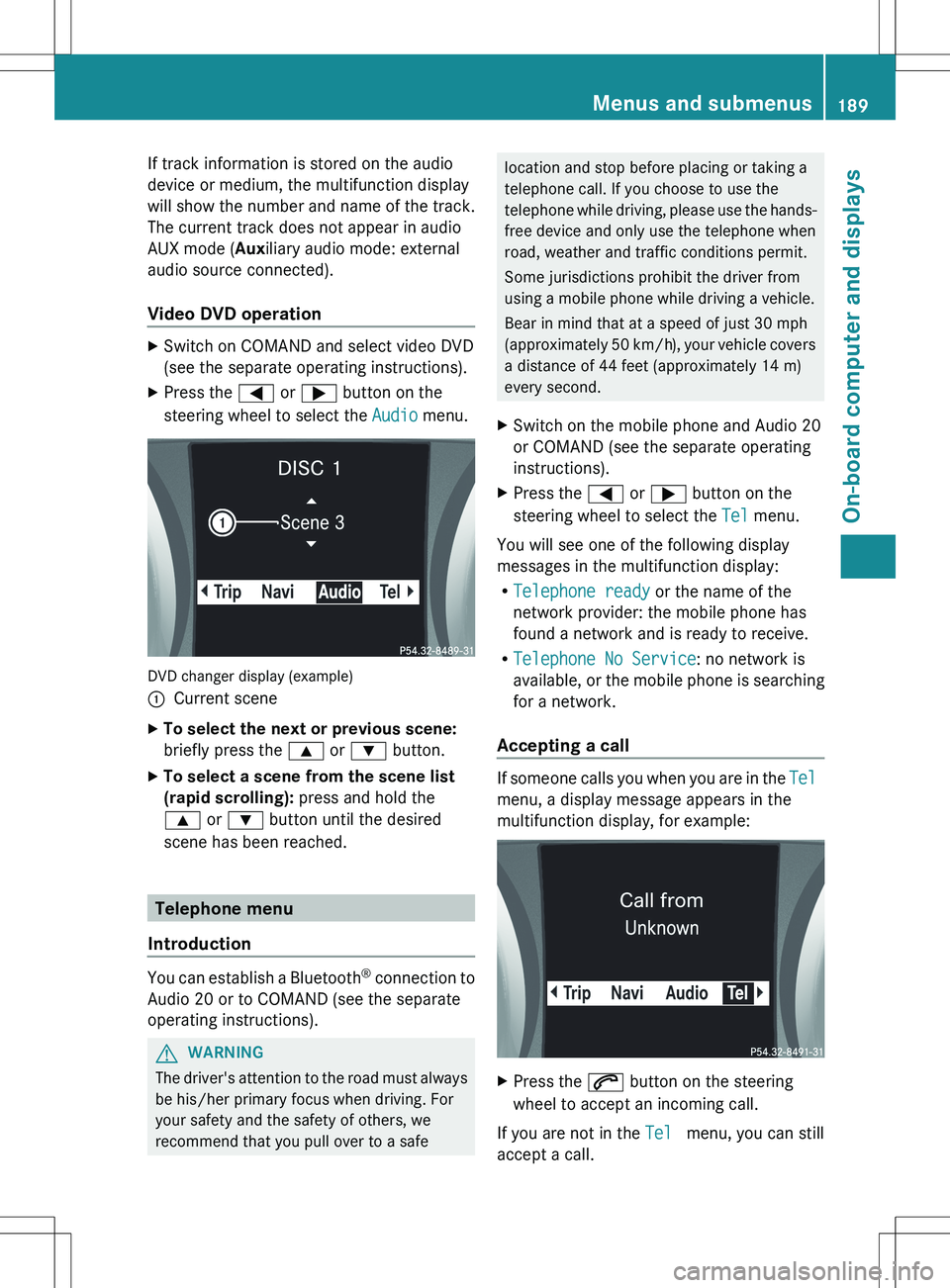
(see the separate operating instructions).XPress the = or ; button on the
steering wheel to select the Audio menu.
DVD changer display (example)
:Current sceneXTo select the next or previous scene:
briefly press the 9 or : button.XTo select a scene from the scene list
(rapid scrolling): press and hold the
9 or : button until the desired
scene has been reached.
Telephone menu
Introduction
You can establish a Bluetooth ®
connection to
Audio 20 or to COMAND (see the separate
operating instructions).
GWARNING
The driver's attention to the road must always
be his/her primary focus when driving. For
your safety and the safety of others, we
recommend that you pull over to a safe
location and stop before placing or taking a
telephone call. If you choose to use the
telephone while driving, please use the hands-
free device and only use the telephone when
road, weather and traffic conditions permit.
Some jurisdictions prohibit the driver from
using a mobile phone while driving a vehicle.
Bear in mind that at a speed of just 30 mph
(approximately 50 km/h), your vehicle covers
a distance of 44 feet (approximately 14 m)
every second.XSwitch on the mobile phone and Audio 20
or COMAND (see the separate operating
instructions).XPress the = or ; button on the
steering wheel to select the Tel menu.
You will see one of the following display
messages in the multifunction display:
R Telephone ready or the name of the
network provider: the mobile phone has
found a network and is ready to receive.
R Telephone No Service : no network is
available, or the mobile phone is searching
for a network.
Accepting a call
If someone calls you when you are in the Tel
menu, a display message appears in the
multifunction display, for example:
XPress the 6 button on the steering
wheel to accept an incoming call.
If you are not in the Tel menu, you can still
accept a call.
Menus and submenus189On-board computer and displaysZ