2012 MERCEDES-BENZ E-Class SEDAN assyst plus
[x] Cancel search: assyst plusPage 6 of 396

1, 2, 3 ...
115 V socket ...................................... 295
12 V socket see Sockets
4ETS
see ETS/4ETS (Electronic
Traction System)
4MATIC (permanent four-wheel
drive) .................................................. 192
4MATIC off-road system ................... 192
A
ABS (Anti-lock Braking System) Display message ............................ 235
Function/notes ................................ 64
Important safety notes ....................64
Warning lamp ................................. 264
Activating/deactivating cooling
with air dehumidification ................. 134
Active Blind Spot Assist Activating/deactivating (on-
board computer) ............................ 225
Function/information ....................207
Active Driving Assistance package . 206
Active Lane Keeping Assist Activating/deactivating (on-
board computer) ............................ 225
Display message ............................ 250
Function/information ....................210
Active Light System
Display message ............................ 244
Active multicontour seat .................. 102
Active service system PLUS see ASSYST PLUS service interval
display
ADAPTIVE BRAKE ................................. 69
Adaptive Highbeam Assist Display message ............................ 245
Function/notes ............................. 118
Switching on/off (on-board
computer) ...................................... 227
Additives (engine oil) ........................ 388
Air bags Display message ............................ 241
Front air bag (driver, front
passenger) ....................................... 41
Important safety notes ....................40
Knee bag .......................................... 42
PASSENGER AIRBAG OFF
indicator lamp .................................. 44
Pelvis air bag ................................... 43
Safety guidelines ............................. 39
Side impact air bag ..........................42
Window curtain air bag ....................44
Air-conditioning system
see Climate control
Air filter (display message) .............. 248
AIRMATIC Display message ............................ 249
Function/notes ............................. 189
Air pressure
see Tire pressure
Air vents
Glove box ....................................... 141
Important safety notes ..................140
Rear ............................................... 141
Setting ........................................... 140
Setting the center air vents ...........141
Setting the side air vents ...............141
Alarm system
see ATA (Anti-Theft Alarm system)
Alertness Assistant
see ATTENTION ASSIST
Ambient lighting (on-board
computer) .......................................... 227
AMG adaptive sport suspension
system ................................................ 190
AMG menu (on-board computer) ..... 230
Anti-lock Braking System see ABS (Anti-lock Braking System)
Anti-Theft Alarm system
see ATA (Anti-Theft Alarm system)
Anti-theft system
ATA (Anti-Theft Alarm system) .........72
Ashtray ............................................... 292
Assistance menu (on-board
computer) .......................................... 224
ASSYST PLUS see ASSYST PLUS service interval
display 4Index
Page 14 of 396

Key positionsKEYLESS-GO .................................. 145
SmartKey ....................................... 145
Kickdown
Driving tips .................................... 156
Manual drive program ....................159
Knee bag .............................................. 42
L
Lamps see Warning and indicator lamps
Lane-change assistant
see Blind Spot Assist
Lane detection (automatic)
see Lane Keeping Assist
Lane Keeping Assist
Activating/deactivating .................225
Display message ............................ 250
Function/information ....................205
Lane Tracking package ..................... 203
Lap time (RACETIMER) ...................... 231
LATCH-type (ISOFIX) child seat
anchors ................................................ 59
License plate lamp (display
message) ............................................ 243
Lighting see Lights
Lights
Activating/deactivating the
interior lighting delayed switch-off . 228
Automatic headlamp mode ............116
Cornering light function .................118
Display message ............................ 242
Driving abroad ............................... 114
Fog lamps ...................................... 116
Hazard warning lamps ...................118
High beam flasher .......................... 117
High-beam headlamps ...................117
Light switch ................................... 114
Low-beam headlamps ....................115
Parking lamps ................................ 114
Rear fog lamp ................................ 116
Setting the brightness of the
ambient lighting (on-board
computer) ...................................... 227
Switching Adaptive Highbeam
Assist on/off ................................. 227
Switching the daytime running
lamps on/off (on-board
computer) ...................................... 227
Switching the daytime running
lamps on/off (switch) ....................115
Switching the exterior lighting
delayed switch-off on/off (on-
board computer) ............................ 227
Switching the surround lighting
on/off (on-board computer) ..........227
Turn signals ................................... 117
see Changing bulbs
see Interior lighting
Light sensor (display message) ....... 245
LIM indicator lamp Cruise control ................................ 176
DISTRONIC PLUS ........................... 180
Loading guidelines ............................ 274
Locking see Central locking
Locking (doors)
Automatic ........................................ 83
Emergency locking ........................... 84
From inside (central locking
button) ............................................. 82
Locking centrally
see Central locking
Locking verification signal (on-
board computer) ............................... 228
Low-beam headlamps Changing bulbs .............................. 122
Display message ............................ 242
Setting for driving abroad
(symmetrical) ................................. 114
Switching on/off ........................... 115
Luggage holder (EASY-PACK load-
securing kit) ....................................... 285
Lumbar support Adjusting the 4-way lumbar
support .......................................... 103
Luxury head restraints ..................... 101
M
M+S tires ................................... 174, 348
Maintenance see ASSYST PLUS service interval
display
12Index
Page 18 of 396

Seat beltsAdjusting the driver's and front-
passenger seat belt .........................54
Adjusting the height ......................... 54
Belt force limiters ............................ 56
center rear-compartment seat .........55
Cleaning ......................................... 320
Correct usage .................................. 52
Emergency Tensioning Devices ........ 56
Fastening ......................................... 53
Important safety guidelines .............51
Releasing ......................................... 55
Safety guidelines ............................. 39
Special seat belt retractor ...............59
Switching belt adjustment on/off
(on-board computer) ......................229
Warning lamp ................................. 261
Warning lamp (function) ................... 55
Seats
Active multicontour seat ................102
Adjusting (electrically) ...................100
Adjusting the 4-way lumbar
support .......................................... 103
Adjusting the head restraint ..........100
Cleaning the cover .........................320
Correct driver's seat position ........... 98
Folding the backrest (rear
compartment) forwards/back .......280
Important safety notes ....................99
Seat heating problem ....................106
Seat ventilation problem ................106
Storing settings (memory
function) ........................................ 111
Switching seat heating on/off .......105
Switching seat ventilation on/off ..106
Sensors (cleaning instructions) ....... 317
Service see ASSYST PLUS service interval
display
Service interval display
Displaying service messages .........313
Hiding service messages ...............313
Notes ............................................. 313
Service messages ..........................312
Service menu (on-board computer) . 226
Service products Brake fluid ..................................... 388
Capacities ...................................... 384Coolant (engine) ............................ 389
DEF special additives .....................387
Engine oil ....................................... 387
Fuel ................................................ 385
Important safety notes ..................382
Refrigerant (air-conditioning
system) .......................................... 388
Washer fluid ................................... 389
Settings
Factory (on-board computer) .........230
On-board computer .......................226
Setting the air distribution ............... 137
Setting the airflow ............................ 137
SETUP (on-board computer) ............. 230
Side impact air bag ............................. 42
Side marker lamp (display
message) ............................................ 244
Side windows Convenience closing feature ............91
Convenience opening feature ..........91
Important safety information ...........90
Opening/closing .............................. 90
Problem (malfunction) .....................92
Resetting ......................................... 92
Skibag ................................................ 277
Sliding sunroof Important safety notes ....................93
Opening/closing .............................. 94
Problem (malfunction) .....................96
Resetting ......................................... 94
see Panorama roof with power
tilt/sliding panel
SmartKey
Changing the battery .......................78
Changing the programming .............77
Checking the battery .......................78
Convenience closing feature ............91
Convenience opening feature ..........91
Display message ............................ 259
Door central locking/unlocking .......74
Important safety notes ....................74
Loss ................................................. 80
Mechanical key ................................ 77
Positions (ignition lock) .................145
Problem (malfunction) .....................80
Starting the engine ........................147
Snow chains .............................. 174, 34916Index
Page 220 of 396
Menus and submenus
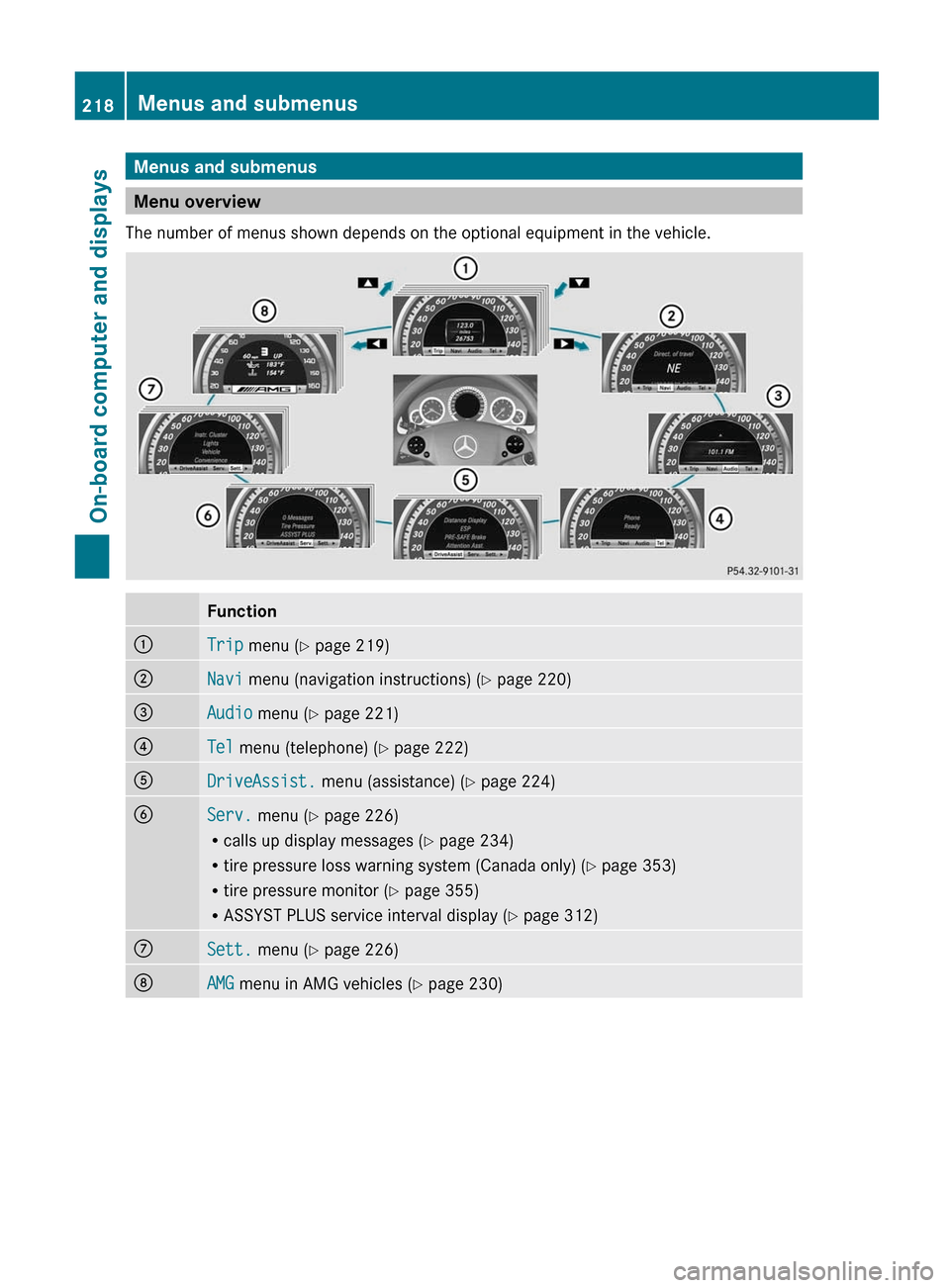
Menu overview
The number of menus shown depends on the optional equipment in the vehicle.
Function:Trip menu ( Y page 219);Navi menu (navigation instructions) ( Y page 220)=Audio menu ( Y page 221)?Tel menu (telephone) ( Y page 222)ADriveAssist. menu (assistance) ( Y page 224)BServ. menu ( Y page 226)
R calls up display messages ( Y page 234)
R tire pressure loss warning system (Canada only) ( Y page 353)
R tire pressure monitor ( Y page 355)
R ASSYST PLUS service interval display ( Y page 312)CSett. menu ( Y page 226)DAMG menu in AMG vehicles ( Y page 230)218Menus and submenusOn-board computer and displays
Page 228 of 396
Service menu
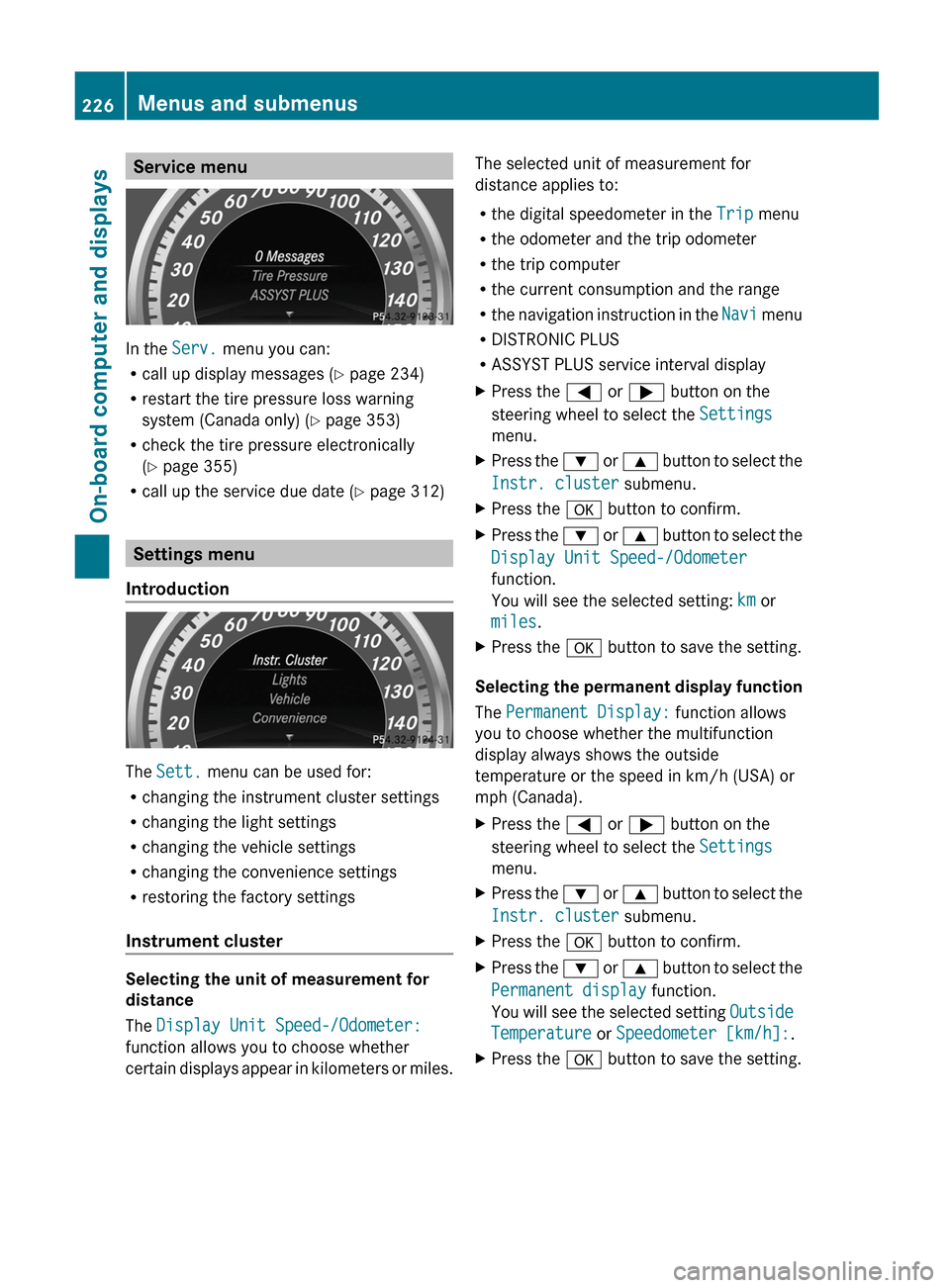
In the Serv. menu you can:
R call up display messages ( Y page 234)
R restart the tire pressure loss warning
system (Canada only) ( Y page 353)
R check the tire pressure electronically
( Y page 355)
R call up the service due date ( Y page 312)
Settings menu
Introduction
The Sett. menu can be used for:
R changing the instrument cluster settings
R changing the light settings
R changing the vehicle settings
R changing the convenience settings
R restoring the factory settings
Instrument cluster
Selecting the unit of measurement for
distance
The Display Unit Speed-/Odometer:
function allows you to choose whether
certain displays appear in kilometers or miles.
The selected unit of measurement for
distance applies to:
R the digital speedometer in the Trip menu
R the odometer and the trip odometer
R the trip computer
R the current consumption and the range
R the navigation instruction in the Navi menu
R DISTRONIC PLUS
R ASSYST PLUS service interval displayXPress the = or ; button on the
steering wheel to select the Settings
menu.XPress the : or 9 button to select the
Instr. cluster submenu.XPress the a button to confirm.XPress the : or 9 button to select the
Display Unit Speed-/Odometer
function.
You will see the selected setting: km or
miles .XPress the a button to save the setting.
Selecting the permanent display function
The Permanent Display: function allows
you to choose whether the multifunction
display always shows the outside
temperature or the speed in km/h (USA) or
mph (Canada).
XPress the = or ; button on the
steering wheel to select the Settings
menu.XPress the : or 9 button to select the
Instr. cluster submenu.XPress the a button to confirm.XPress the : or 9 button to select the
Permanent display function.
You will see the selected setting Outside
Temperature or Speedometer [km/h]: .XPress the a button to save the setting.226Menus and submenusOn-board computer and displays
Page 315 of 396

You can obtain further information from an
authorized Mercedes-Benz Center or at
http://www.mbusa.com (USA only).
The service interval message informs you of
the next service due date.
The multifunction display shows a service
message for several seconds, e.g.:
Next Service A in .. days
Service A Due
Service A Exceeded by ... days
The letter indicates which service is due. A
stands for a minor service and B for a major
service. A number or another letter may be
displayed after the letter. This figure indicates
any necessary additional maintenance work
to be performed.
You can obtain further information from an
authorized Mercedes-Benz Center.
The service interval display does not take into
account any periods of time during which the
battery is disconnected.
Maintaining the time-dependent service
schedule:XNote down the service due date displayed
in the multifunction display before
disconnecting the battery.
or
XSubtract the battery disconnection periods
from the service date shown on the display
after reconnecting the battery.
i The service interval display does not
provide any information regarding the
engine's oil level. Observe the notes on the
engine oil level ( Y page 309).
Hiding a service message
XPress the % or a button on the
steering wheel.Displaying service messagesXSwitch on the ignition.XPress = or ; on the steering wheel
to select the Serv. menu.XPress 9 or : to select the ASSYST
PLUS submenu and press a to confirm.
The service due date appears in the
multifunction display.
Please bear the following in mind
Resetting the service interval display
A qualified specialist workshop, e.g. an
authorized Mercedes-Benz Center, will reset
the service interval display after the
necessary service work has been carried out.
Further information, on maintenance for
example, can be obtained at an authorized
Mercedes-Benz Center or directly from
Mercedes-Benz.
! If the service interval display has been
reset unintentionally, have the setting
corrected at a Mercedes-Benz Center.
Have service work carried out as described
in the Service Booklet. This may otherwise
lead to increased wear and damage to the
major assemblies or the vehicle.
Driving abroad
An extensive Mercedes-Benz Service network
is also available in other countries. You can
obtain further information from any
authorized Mercedes-Benz Center.
Care
Notes on care
Regular care of your vehicle is a condition for
retaining the quality in the long term.
Use care products and cleaning agents
recommended and approved by Mercedes-
Benz.
Care313Maintenance and careZ