2012 MERCEDES-BENZ C-Class navi control
[x] Cancel search: navi controlPage 67 of 234

Selec
tion Step
From
POIs X
Ent erapoint of
interest
(Y page 66). From
Personal POIs X
Ent era
destination from
the personal
points ofinterest
(Y page 75). Using
Map X
Ent era
destination using
the map
(Y page 61). Using
Geo- Coordinates X
Ent era
destination using
the geo-
coordinates
(Y page 62). When
theentr yis complete, theway point
appea rs. X
To accept thewaypoint: confirmOK by
pressing W.
X To display thedetails: selectDetails by
turnin gcVd theCOMAND controller and
press Wtoconf irm.
X To make acall: select Call with
the
COMAND controller andpress Wto
conf irm. COMAND switchestotelephone
mode (Ypage 122). i
This menu itemisavaila bleifthe way point
has atelephone numberandamobile
phone isconn ected toCOMAND
(Y page 116).
X To call upthe map :select Map with
the
COMAND controller andpress Wto
conf irm.
X You canmove themap andselect the
destination.
X To store thewaypoint inthe destination
memory :select Presets with
the
COMAND controller andpress Wto
conf irm.
When youhave accepted theway point, itis
entered inthe way point menu. Theexample
shows themenu withtwoentered waypoints. Waypoi
ntmenu withtwowayp oints
Editing waypoints You
can:
R change waypoints
R change thesequence inthe way point menu
R delete waypoints
To change thesequence, bothwaypoints
must beentered.
X To change waypoints: selectthesymbol
for way point 1or 2in the way point menu
by turnin gcVd theCOMAND controller
and press Wtoconf irm.
X Select Edit and
press Wtoconf irm.
X Use oneofthe destination entryoptions
offered. Des
tinat ionentry
65Navigat ion Z
Page 68 of 234

X
To chang ethe seque nceof the
wa ypo ints: select Swap in
the waypoint
menu byturning cVd theCOMAND
contro ller and pressW toconfi rm.
The entri esaresw appe d.
X To del ete waypo ints: select the symbo l
for waypoint 1or 2in the waypoint menu
by turning cVd theCOMAND controller
and pressW toconfi rm.
X Sel ect Delete and
pressW toconfi rm.
i Youcan delete awa ypoint directl yaf ter
entry using thismenu item.
Ac ceptin gwa ypo ints forthe route X
Sel ect Start in
the waypoint menu by
tur ning cVd theCOMAND controller and
pre ssW toconfi rm.
The routeiscal cul ate dwi th the ente red
wa ypoints.
i Con t. is
displ ayed instea dof Sta rt wh
en
Cal culate AlternativeRoutes is
acti vated inthe navigati on menu
(Y page 82) ,op tio n2 . In
the exampl e,there areboth waypoints 1
and 2. Enterin
gap oint ofint eres t Callin
gup thepoint sof int eres tmenu
Poin tsof int eres tare prede fineddestina tions
withi ncate gor ies, e.g.ag asstatio nint he
AUTOMOTIVE category. You
canlook forpoints ofinterest :
R in the vicinity ofthe destination
R near thecurrent vehicleposition
R in the vicinity ofanother city
R using itsname
R using aphone number
You canalso select points ofinterest inthe
map thatareavaila bleonthe map view
shown.
X To switch onnavigation mode:pressthe
Ø functionbutton.
X To show themenu: pressWthe COMAND
cont roller.
X Select Destination in
the navigation
system menubarbyturning cVdthe
COMAND controller andpress Wto
confirm .
X Select From POIs and
press Wtoconfirm .
Am enu appears. Point
sof inter estmenu ("Search byname"
select ed) 66
Entering
apoint ofint eres tNavi gatio n
Page 70 of 234

Selec
tion Charact
eristic Instructions
Search
ByName You
cancallupallthe
points ofinterest inthe
digital maporfocus your
search onthe three
previously selected
positions. X
Select Search By Name in
the points of
interest menuandpress Wtoconf irm.
X Select AllPOIs or
one ofthe three
previously selectedpositions.
The point ofinterest listwith character
bar appea rs.
X Proceed asdescribed inthe "point of
interest listwith character bar"section
(Y page 71). Search By Phone
Number This
funct iongives you
access toall points of
interest thathave a
phone number. X
Select Search ByPhone Number and
press Wtoconf irm.
You willsee alist ofphone numbers.
X Proceed asdescribed inthe "point of
interest listwith character bar"section
(Y page 71). Searching
bypoint ofinterest
category
Aft erselecting themenu items, thepoint of
interest categories appear:
R Near Destination R
Current Position R
Other City (after
enterin gacity)
i Ifyou have selected Search By Name and
then defined theposition forthe search,
the point ofinterest listwith character bar
appea rs(Y page 71). X
Select apoint ofinterest category by
turnin gcVd theCOMAND controller and
press Wtoconf irm.
In the example, theAUTOMOTIVE category
has been selected. TheGarrow behind an
entr yshows thatother categories are
availa ble. X
Select acategory andpress Wtoconf irm.
In the example, theHighway RestStop
category hasbeen selected. Thesearch for
points ofinterest beginsinthe vicinity of
the selected position. 68
Entering
apoint ofint eres tNavi gatio n
Page 72 of 234

:
Point ofinter estwith address
; Tostart route calculation
= Tostore anaddress inthe destinat ion
memory
? Todisplay details
A Tomake acall (when availabl e)
B Tocanc elselection
C Toshow anaddress onthe map
X To star trout ecalculation: selectStart and
press Wtoconf irm.
X To store anadd ress inthe destinat ion
memor y:select Save and
press Wto
conf irm. Youcannow select storage
options (Ypage 96).
X To show thedeta iledview: select
Details and
press Wtoconf irm.
X To mak eacall: select Call and
press W
to conf irm. COMAND switchesto
telephone mode(Ypage 122).
i This menu itemisavailabl eif the point of
inter esthas atelephone numberanda
mobile phoneisconn ected toCOMAND
(Y page 116).
X To call upthe map :select Map and
press
W toconf irm.
X You canmove themap andselect the
destinat ion(Ypage 61).
ZAGAT ®
survey service En
tries withtheZicon containadditional
ZAGAT information.ZAGAT ratesrestaurant s,for
inst ance, inregard tothe quality ofthe
food, furnishin g,service, andprovides an
average pricinglevelaswell asageneral
descript ion. X
Select theentrywith theZicon byturn ing
cVd theCOMAND controller andpress
W toconf irm.
The ZAGAT evaluations appear. 1
ZAGAT ratings
2 Todisplay details
X To show adescri ption: selec tDet ails and
pres sW tocon firm. ZAGA
Texam pledesc ription 70
Enter
ingapoint ofint eres tNavi gatio n
Page 73 of 234
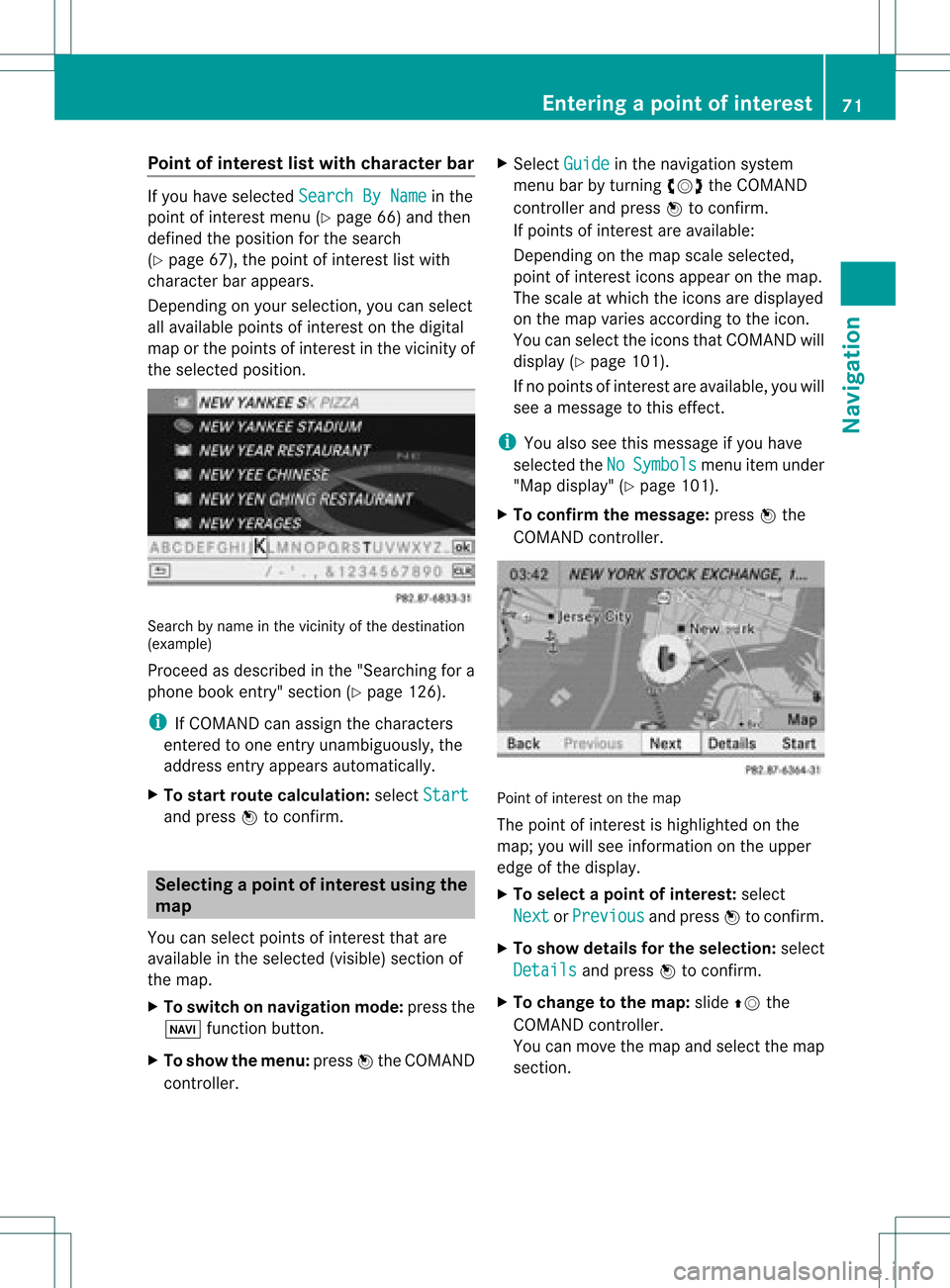
Point
ofinterest listwith charact erbar If
you have selected SearchByName in
the
point ofinterest menu(Ypage 66)and then
defined theposition forthe search
(Y page 67),thepoint ofinterest listwith
character barappears.
Depending onyour selection, youcan select
all availa blepoints ofinterest onthe digital
map orthe points ofinterest inthe vicinity of
the selected position. Search
byname inthe vicinity ofthe destination
(example)
Proceed asdescribed inthe "Searching fora
phone bookentry"section (Ypage 126).
i IfCOMAND canassign thecharacters
entered toone entryunambiguou sly,the
address entryappears automatically.
X To star troute calculation: selectStart and
press Wtoconf irm. Selec
tingapoint ofint eres tusing the
map
You canselect points ofinter estthat are
available inthe selected (visible)sectionof
the map.
X To switch onnavigat ionmode: pressthe
Ø function button .
X To show themenu: pressWthe COMAND
con troller. X
Select Guide in
the navigation system
menu barbyturn ingcVd theCOMAND
con troller andpress Wtocon firm.
If points ofinter estare available:
Depen dingonthe map scale selected,
point ofinter esticons appear onthe map.
The scale atwhich theicons aredisplayed
on the map varies accordin gto the icon.
You canselect theicons thatCOMAND will
display (Ypage 101).
If no points ofinter estare available, youwill
see amessage tothis effec t.
i You also seethis message ifyou have
selected theNo Symbols menu
itemunder
"Map display" (Ypage 101).
X To confirm themessage: pressWthe
COMAND controller. Point
ofinter estonthe map
The point ofinter estishighlighted onthe
map; youwillsee infor mation onthe upper
edge ofthe display.
X To select apoint ofint erest :selec t
Nex t or
Pre vious and
pres sW tocon firm.
X To show details fortheselecti on:selec t
Det ails and
pres sW tocon firm.
X To chan getothema p:slide ZVthe
COMA NDcontroller .
You canmov eth emap andselec tthe map
section. Entering
apoint ofint eres t
71Navi gatio n Z
Page 75 of 234
X
Sel ect acate goryand pressW toconfi rm.
The icond isplay isswitc hedonO oroff
ª, depen dingonthe prev ious status.
i The iconsare displayed onthe map at
scales of1/ 16 mi, 1/8mi and 1/4mi.
Visu alinfor mation forpersonal points
of inter est When
thevehic leisapproac hingaperso nal
point ofinterest andthedisplay ofthe
relev antcategory isswitc hedon,itis
highligh tedonthe map.
X Selec tVisu alWarn ingForPersonal POIs in
the men uand press Wtocon firm .
X Press Wtocon firm theentry.
This willswitc hthe visual inform ation for
the perso nalpoint sof interest ofthis
cat egory onO oroff ª, depen dingonthe
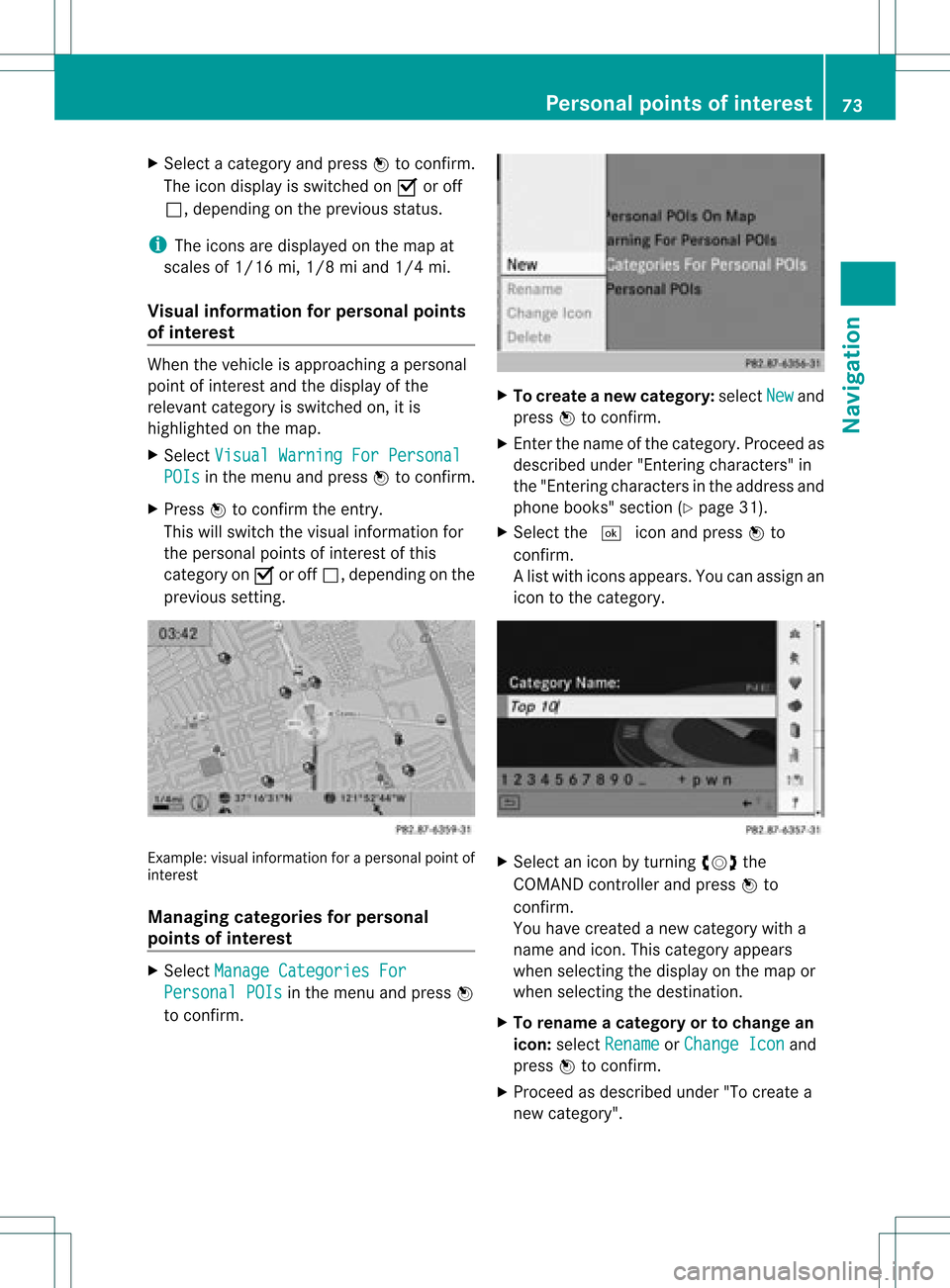
prev ious setting. Ex
ample: visualinform ation foraperso nalpoint of
int erest
Man aging categories forpersonal
point sof inter est X
Selec tMana geCate goriesFor Pers
onal POIs in
the men uand press W
to con firm . X
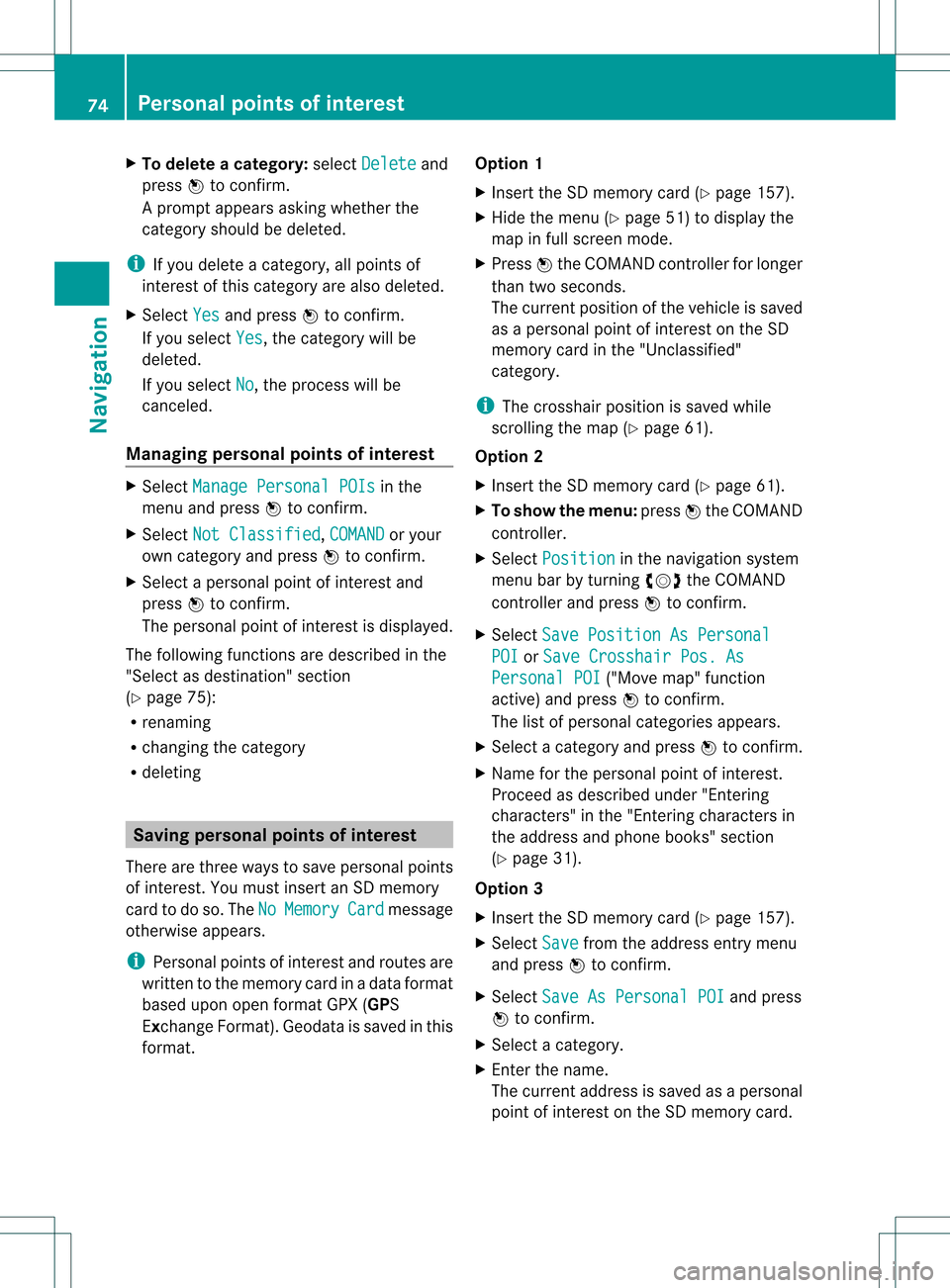
To crea tean ew category :selec tNew and
pres sW tocon firm.
X En ter thenam eof thecat egor y.Proc eedas
desc ribed under "Entering char acters" in
th e"En tering char acters intheaddres sand
phon ebook s"sec tion(Ypage 31).
X Select the¬ iconandpress Wto
con firm.
Al ist with iconsappears. Youcanassign an
icon tothe category. X
Selec tan icon byturnin gcVd the
COMA NDcontroller andpress Wto
con firm .
You have created anew category witha
name andicon.This category appears
when selecting thedispla yon the map or
when selecting thedestination.
X To rename acategory ortochange an
icon: select Rename or
Change Icon and
press Wtoconfirm .
X Proceed asdescribed under"Tocreate a
new category". Personal
pointsofinterest
73Navigation Z
Page 76 of 234
X
To del ete acate gory: select Delete and
pre ssW toconfi rm.
Ap rompt appears asking whethe rthe
category shouldbedeleted.
i Ifyou delete acategory, allpoints of
interest ofthis category arealso deleted.
X Select Yes and
press Wtoconfirm .
If you select Yes ,
the category willbe
deleted.
If you select No ,
the process willbe
canceled.
Managing personalpointsofinterest X
Select Manage Personal POIs in
the
menu andpress Wtoconfirm .
X Select NotClassified ,
COMAND or
your
own category andpress Wtoconfirm .
X Select apersonal pointofinterest and
press Wtoconfirm .
The personal pointofinterest isdispla yed.
The following functionsaredescribed inthe
"Select asdestination" section
(Y page 75):
R renaming
R changing thecategory
R deleting Saving
personal pointsofinterest
There arethree waysto save personal points
of interest .You must insert anSD memory
card todo so. The No Memory Card message
otherwise appears.
i Personal pointsofinterest androutes are
written tothe memory cardinadata format
based uponopenformat GPX(GPS
Exchange Format).Geodataissaved inthis
format. Option
1
X Insert theSDmemory card(Ypage 157).
X Hide themenu (Ypage 51)todispla ythe
map infull screen mode.
X Press Wthe COMAND controller forlonger
than twoseconds.
The current position ofthe vehicle issaved
as apersonal pointofinterest onthe SD
memory cardinthe "Unclassified"
category.
i The crosshair positionissaved while
scrolling themap (Ypage 61).
Option 2
X Insert theSDmemory card(Ypage 61).
X To show themenu: pressWthe COMAND
cont roller.
X Select Position in
the navigation system
menu barbyturning cVdtheCOMAND
cont roller andpress Wtoconfirm .
X Select SavePosition AsPersonal POI or
Save Crosshair Pos.As Personal
POI ("Move
map"function
active) andpress Wtoconfirm .
The listofpersonal categories appears.
X Select acategory andpress Wtoconfirm .
X Name forthe personal pointofinterest .
Proceed asdescribed under"Entering
characters" inthe "Ent ering characters in
the address andphone books" section
(Y page 31).
Option 3
X Insert theSDmemory card(Ypage 157).
X Select Save from
theaddress entrymenu
and press Wtoconfirm .
X Select SaveAsPersonal POI and
press
W toconfirm .
X Select acategory.
X Ent erthe name.
The current address issaved asapersonal
point ofinterest onthe SDmemory card. 74
Personal
pointsofinterestNavigat ion
Page 77 of 234
Selec
tingasthe destination
X Insert theSDmemory card(Ypage 157).
X To switch onnavigation mode:pressthe
Ø functionbutton.
X To show themenu: pressWthe COMAND
cont roller.
X Select Destination in
the navigation
system menubarbyturnin gcVd the
COMAND controller andpress Wto
conf irm.
X Select FromPersonal POIs and
press
W toconf irm.
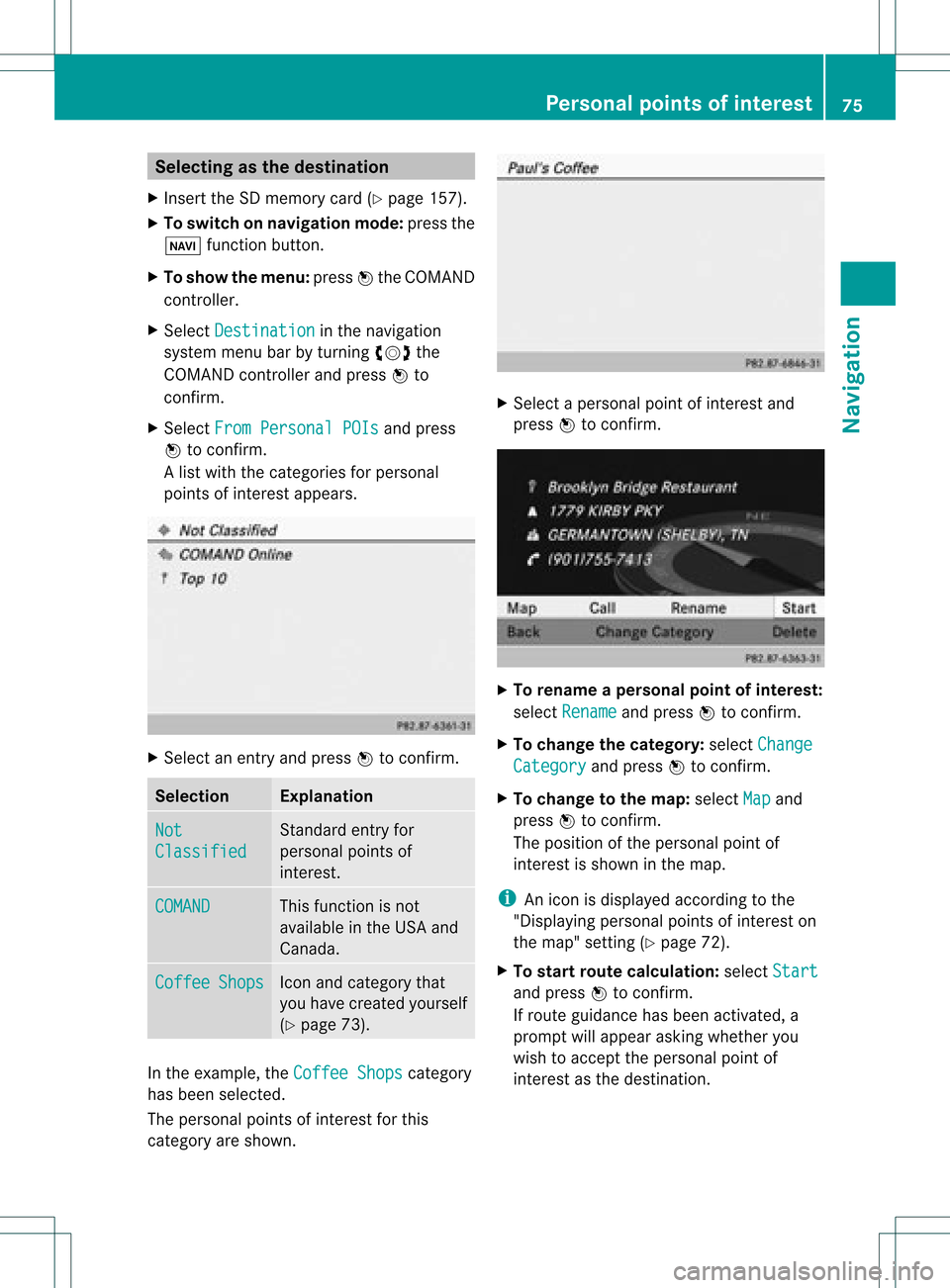
Al ist with thecategorie sfor perso nal
point sof interest appears. X
Selec tan ent ryand press Wtocon firm . Selection Expla
nation Not
Clas
sified St
andard entryfor
perso nalpoint sof
int erest . COMA
ND This
function isnot
available inthe USA and
Canada. Coff
ee Shop
s Ico
nand category that
you have created yourself
(Y page 73). In
the exam ple,theCoff eeShop s cat
egory
has been selected.
The perso nalpoint sof interest forthis
cat egory areshown . X
Selec tapersonal pointofinterest and
press Wtocon firm. X
To renam eapers onal point ofinter est:
select Rename and
press Wtocon firm.
X To change thecategor y:select Change Catego
ry and
press Wtocon firm.
X To change tothe map:select Map and
press Wtocon firm.
The position ofthe person alpoint of
int erest isshown inthe map.
i Anicon isdisplayed accordingtothe
"Displaying personalpoint sof interest on
the map" setting(Ypage 72).
X To star trout ecalculat ion:select Start and
press Wtocon firm.
If route guidance hasbeen activated, a
prompt willappear askingwhether you
wish toaccept theperson alpoint of
int erest asthe destin ation. Personal
pointsofinter est
75Navigat ion Z