2012 MERCEDES-BENZ C-Class video
[x] Cancel search: videoPage 27 of 234
Opera
tingvideo DVD X
Switc hon COMAND (Ypage 33).
X Switc hon DVD-Vid eo (Y
page 187).
X In the multifunc tiondisplay, selectthe
audio menu withthe= or; button .
X To select thenext/pr eviousscene:
briefly pressthe: or9 button . Telephone
menu G
WARN
ING
A driver's attentiontothe road must alway s
be his/her primary focuswhendriving. For
your safety andthesafety ofother s,we
recom mendthatyoupull over toasafe
location andstop before placing ortakin ga
telephon ecall. Ifyou choose touse themobile
phone whiledriving, pleaseusethehandsfr ee
device andonly usethemobile phonewhen
weather, road,andtrafficcon ditions permit.
Some jurisdict ionsprohibit thedriver from
using acellular mobilephonewhiledriving a
vehicle.
Bear inmind thatataspeed ofjust 30mph
(approximat ely50km/ h),your vehicle is
cover ingadistanc eof 44 feet (approximat ely
14 m)every second.
Opera tingthetelephone X
Switc hon COMAND (Ypage 33).
X Call upthe telephon ebasic menu
(Y page 119).
If the telephon ehas notyetbeen authorized,
the Bluetoo thReady message
appearsin
the multifunc tiondisplay.
If the telephon eis switched onand
authorized, thePhone Ready message
appears inthe multifunc tiondisplay.
Acce pting acall X
Press the6 button. Mul
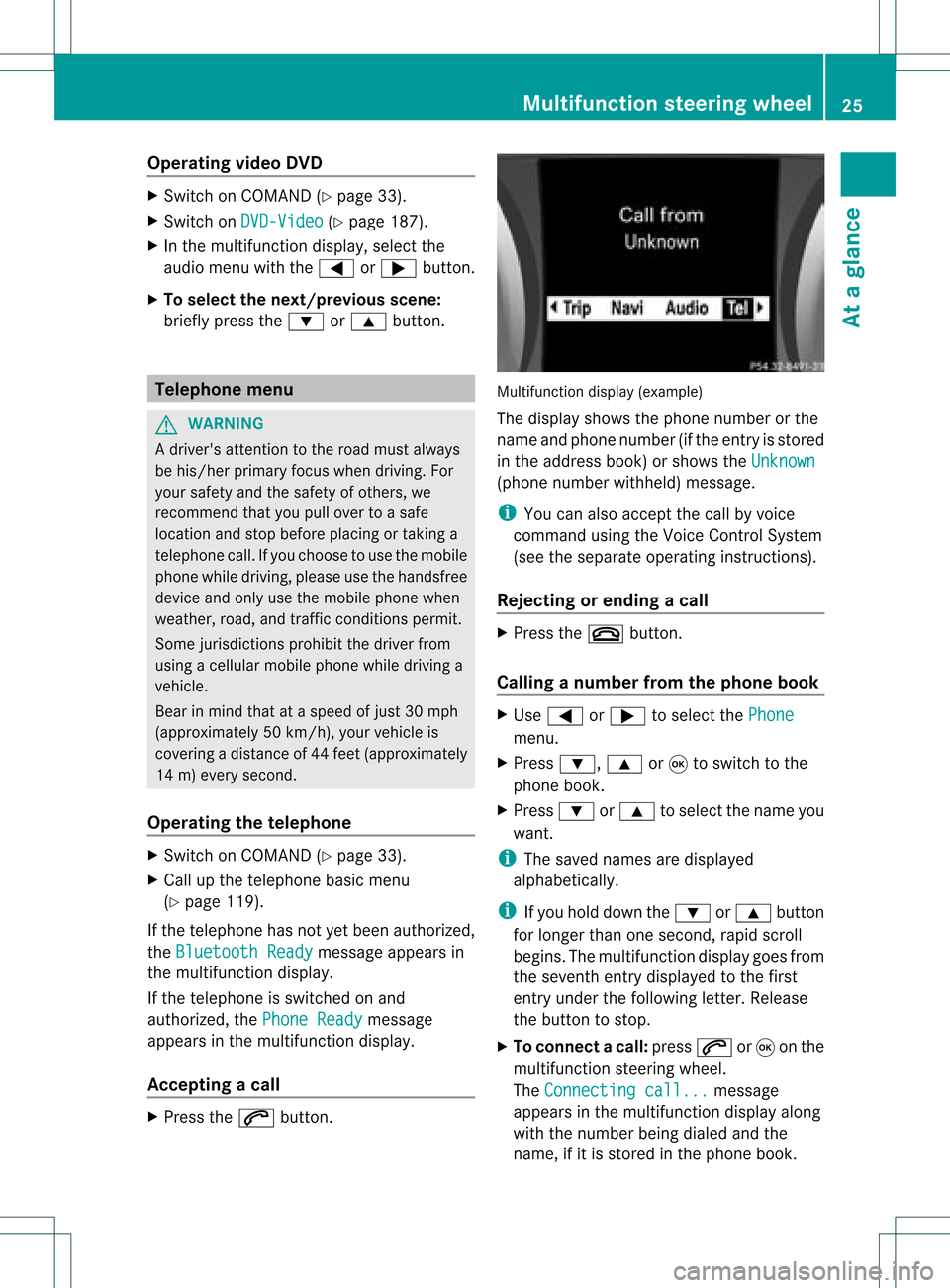
tifunctio ndisplay (example)
The display showsthephon enumbe rorthe
name andphone number (ifthe entr yis stored
in the address book)orshows theUnknown (phone
number withheld) message.
i You canalso accept thecall byvoice
command usingtheVoice Control System
(see theseparate operating instructions).
Rejecting orending acall X
Press the~ button.
Cal linganumbe rfrom thephone book X
Use = or; tosel ect the Phone menu.
X Press :, 9or9 toswi tch tothe
phone book.
X Press :or9 tosel ect the name you
wa nt.
i The save dnames aredispla yed
al pha betica lly.
i Ifyou holddow nthe : or9 button
for longer thanonesecond, rapidscroll
begins. Themultifunction displaygoes from
the seventh entrydispla yedtothe first
entr yunder thefollowing letter.Release
the button tostop.
X To conne ctac all: press 6or9 onthe
mul tifunctio nstee ring wheel.
Th eCon nectingcal l... mes
sage
ap pe arsin the multifu nctio ndisplay along
with thenumb erbeing dialed andthe
name ,if it is stored inthe phon ebook . Mult
ifunction steeringwheel
25Ataglance Z
Page 35 of 234
Basi
cfunc tions ofCO MA ND Sw
itchin gCO MA ND on/o ff
X Pre ssthe qcontro lknob.
Aw arning mes sage appear s.COMA ND
calls uptheprev iously selectedmen u.
i Ifyou switchoff COMA ND,playbac kof
the curre ntaudio or vide os ource willalso
be switched off. Switching
theCOMAND displayon/
off
X Press theW functionbutton .
or
X Select System in
the main functionbar by
sliding ZVandturnin gcVd theCOMAND
cont roller andpress Wtoconf irm.
In both cases, thesystem menuappears.
X To switch off:select Display Off and
press Wtoconf irm.
X To switch on:press oneofthe funct ion
button s,e.g. W, Øorthe % back
button . Mut
e
Sound fromanaudio/video source X
Press the8 button onCOMAND oron
the multifunct ionsteerin gwheel.
The sound fromtherespect iveaudio or
video source isswitched onormuted.
i When thesound isoff, thesystem
display sthe , icon inthe status line.
When youchange theaudio orvideo
source, oradjust thevolume, sound
automatically switchesonagain.
i Even ifthe sound isswitched off,you will
still hear navigation system
announc ements. Switching
offallnavigation
announcements X
Navigat ionannouncements: pressthe
8 button duringtheannounc ement.
Switching navigation announcements
back on X
Press 8again.
i The navigation announcementsare
swi tched onaga inifyou start anew route
gui dance orifCOMAND isswi tched offand
on with theqcontrol knob. Adjusting
thevolume
Adjusting thevolume forthe audio or
video source X
Turn theqcontrol knob.
or
X Press theW orX button onthe
multi function steeringwheel.
The volumeofthe currently selected audio
or vide osource changes.
You canalsoadju stthe volu meforthe
foll owi ng:
R naviga tionannouncements
R phone calls
R voice outputofthe Voice Control System
(see theseparate operating instructions)
Adjust ingthe volume fornavigation
announcements During
anavigation announcemen t:
X Turn qthe cont rolknob.
or
X Press theW orX button onthe
multifunction steeringwheel. Basic
functions ofCOMAND
33Ataglance Z
Page 37 of 234

X
Sel ect aba lance setti ngbysliding XVY the
CO MAND controllera nd pre ssW to
confi rm.
X Sel ect afa de rs ett ing bysliding ZVÆthe
COMAND controller andpress Wto
con firm.
The settingisstor edand youexit themenu. Sur
round sound
General information If
your vehicle isequipped withtheharman/
kardon ®
Logic7 ®
surround soundsystem,
you can setthe optimum surround soundin
the vehicle interior.
The harman/ kardon®
Logic7 ®
surround
sound system isavailable forthe following
operatin gmodes:
R radio (FMonly)
R satellite radio
R audio CD
R audio DVD(MLP, dts,PCM andDolby
Digit alaudio format s)
R MP3 (including SDmemory cardandUSB
stor age device)
R Media Interface
R Bluetoot h®
audio mode
R video DVD(PCM, dtsand Dolby Digital
audio format s)
R AUX
Because someDVDscon tain both stereoand
multichan nelaudio format s,itmay be
nec essary toset the audio format
(Y page 163).
i The Logic7 ®
On func
tion creat esa
surround soundexperien cefor every
passenger whenplaying, forexample,
ster eorecor dings. Itenables optimum
playback ofmusic andfilms onCD, audio
DVD orvideo DVDwithmultichan nelaudio
format s,such asMLP, dtsorDolby Digital.
This results insound charact eristicslike those
intended bythe sound engineer
when theoriginal wasrecor ded.
i Ifyou select Logic7 ®
Off ,
all permissible
format sare played asstor edon the
medium. Duetothe design ofthe
passenger compartment,an optimum
audio experien cecann otbe guaranteed for
all passengers .
i Disc swhich support theaudio format s
ment ioned havethefollowing logos: Dolby
Digital dts
MLP
Switching surround sound on/off The
example describes howtoset the
surround soundforradio mode.
X Press the$ function button .
The radio display appears. Youwillhear the
last stationplayed onthe last waveband. Ba
sic functions ofCOMAND
35Ataglance Z
Page 38 of 234

X
Sel ect Sound by
sliding VÆ andturni ng
cVd theCOMAND controllerand press
W toconfi rm.
X Sel ect surround and
pressW toconfi rm. Setting
surrou ndsou nd(examp le)
X Sel ect Logic7 ®
On or
Log ic7 ®
Off by
turni ngcVd theCOMAND controllerand
pre ssW toconfi rm.
Depe nding on your sel ecti on, surrou nd
sou ndissw itche don oroff and themenu
is exi ted.
X To exitthe men uwi thout saving:pre ss
the % back button orslide XVY the
CO MAND controller.
i Plea se note thefollowi ng: forthe
opti mum audio expe rience forall
pa sse nger swh en Log ic7®
is sw itche don,
the balance and fadersetti ngsshould be
set tothe center ofthe vehicleinter ior. Yo
uwi llach ieve the best sou ndresults by
pl ay ing high-q uality audio and video DVDs.
MP3 tracks shouldha ve ab itrat eof at least
128 kbit/s.
Surr ound- soundplayback doesnot
func tion formon osign alsourc es,such as
AM radio mode.
If radio receptio nispoor, e.g.inatunnel,
you should switchoffLogic7 ®
,as itmay
otherwise switchbetween stereoand
mono andcause temporary sound
distortions.
On some stereo recordings, thesound
characteristics maydiffer from
conven tionalstereo playback. Climate
controlstatusdisplay
If you change thesettings ofthe climate
cont rolsystem (seethevehicle Operator's
Manual ),the climate statusdisplayappea rs
for three seconds atthe bottom ofthe screen
in the COMAND display.Itdispla ysthe
current settings ofthe various climate control
function s.
The climate statusdisplayappea rswhen:
X Turn oneofthe two temperature controls
and setthe temperature forthe left or
right 1,
2
or turn thetemperature controland
set the temperature 3,
4
.
or
X Turn thecont roltoset the airflow 3,
4
.
or
X You press oneofthe followi ngbuttons:
K Increases airflow 1,
2
I Decreases airflow 1,
2
¿ Switches climatecontrolon/off 1,
2, 3
á Switches theZONE function on/
off 1,
2
1 Available for2-zon eautomatic climatecontrol.
2 Available for3-zon eautomatic climatecontrol.
3 Available forthe air-conditioning system.
4 Available forHeatmatic. 36
Cli
mat econ trol stat usdisplayAt aglanc e
Page 161 of 234

In
audio DVD modeonly X
To pause playba ck:swit chon audio DVD
mod e(Y page 157).
X Se lec tË byslidi ngVÆ andturnin g
cVd theCOMA NDcontrol ler and press
W toconfirm .
The Ë displaychang estoÌ.
X To cont inuepla yba ck:sele ctÌ and
pre ssW toconfirm .
Playbac kcont inues fromthepoint where it
was inter rupted. TheÌ display changes
to Ë. Stop
function
This funct ionisonly availa bleinaudio DVD
mode.
X Switch onaudio DVDmode (Ypage 157).
X To interr uptplayback: selectÉby
sliding VÆandturnin gcVd theCOMAND
cont roller andpress Wtoconf irm.
The Ë display changes toÌ. É
remains highlighted.
X To continue playback: selectÌand
press Wtoconf irm.
Playba ckcont inues fromthepoint where it
was inter rupted.
X To stop playback: whileplaybackis
inter rupted, selectÉagain andpress
W toconf irm.
or
X Select Éandconf irmbypressing W
twice inrapid succession.
Ì ishighlighted.
X To resta rtplayback: selectÌand
press Wtoconf irm.
Playba ckstart sat the beginning ofthe
DVD . Selecting
audioCD/DVD/MP3 discs
Selecting viathe media list X
In audio CD/DVDand MP3 mode: select
Media by
sliding VÆorturnin gcVd the
COMAND controller andpress Wto
conf irm.
The media listappears. The#dot
indicates thecurrent medium beingplayed. Media
listwhen equipped withaDVD changer
: Todisplay allmagazine trays
The media listshows thediscs current ly
availa ble. Media
list Magazine
trays,positions 1to6: readable
data media areaudio CDs,MP3CDsorMP3
DVD s,audio DVDsand video DVDs. Memory
card,position 7 MUSIC
REGISTER, position8 USB
storage device,position 9 Media
Interface, position 0 Bluetooth
®
audio i
Ifadisc cann otbe read, anentr yappears
next tothe correspon dingmagazine tray.
X To show allmagaz inetrays: press Wthe
COMAND controller when :is
highlighted. Audio
CD/DVD andMP3 mode
159Audio Z
Page 162 of 234

Media
listshowing allmagazine trays
X Select thedata medium byturning cVd
the COMAND controller andpress Wto
confirm .
i Ifyou select avideo DVD,the system
switches tovideo DVDmode
(Y page 186).
Selec tingatrac kusing thenumber
keypa d X
Press anumber key,e.g.n, whenthe
<0004000900130010000C0001001A002200130005000C0005000300140009000F
000EV windowisactive.
The medium atthe corr espondin gposition
in the media listisloaded andthen played. Selecting
atrac k
Se lecti ng byskippin gto atrac k X
To ski pfo rwa rdsorbac kto atrac k:tur n
cVd theCOMAND controllerwh en the
di sp lay/ selectio nwindow isact ive.
or
X Press theE orF button.
The skip forward function skipsto the next
tr ack .
The skip back function skipsto the
begin ningof the curr enttrack ifthe track
has been playing formor ethan
eight seconds.Ift he track hasbeen playing
for less than eight seconds, itskips tothe
start ofthe previous track. If
you have selected theplay back options
Random Tracks or
Random Folder ,
the
track order israndom.
Selec tingatrac kusing thenumber
keypa d X
Press the¯ button onthe number
keypad.
An umer icalentry fiel dappear s.The
num berofposi tion soff ere dcorresponds to
the number oftrack sonthe CD/DV D.Onl y
num bers tha tcorr espond toatrac k
num beron the CD/DV Dcan beente red.
X Enter thedesired trac knum berus ing the
num berk eys.
The trackplays afterthe last possible
numb erisent ered.
i Press ingand holdin ganumb erkey for
mor ethan twoseco ndscom plete sthe
ent ry,and thecorrespo ndingtrack is
played.
Selecting atrac kusing music search Select
musicviacategor ies(e.g. album,
artist )with themusic search function.
If you select acategor y,COMAND startsa
search fortrac kinfor mation ifthe following
con ditions arefulfilled:
R the data carriers areinsert edorcon nect ed
R the trac kinfor mation fromthese data
carriers isnot yetcontained inthe
COMAND musicdatabase
COMAND importstrackinfor mation fromthe
following datacarriers:
R disc (audio CD/DVD/MP3)
R memory card
R MUSIC REGISTE R
R USB storage device
The Track informat ioniscomplete message
appearsoncethe search is
complet ed.COMAND storesthe music data
in its own database. Youcannow select the
available musicdatawithin thedesired
categor y. 160
Audio
CD/DVD andMP3 modeAudio
Page 166 of 234

see
acorresponding displayin the displa y/
selection window.Seetheexample ofthe
displa yin audi oCD mode (Ypage 158).
i The "Normal tracksequence" optionis
automaticall yselected whenyouchange
the medium youarecurrently listeningto
or when youselect adifferent medium. If
an option isselected, itremains selected
after COMAND isswitched onoroff. Notes
onMP3 mode
General informat ion Depending
onthe volume andformat ofthe
MP3 data, thelength oftime required for
reading thedata mayincrease.
Permissible datacarriers R
CD-R andCD-RW
R DVD-R andDVD-RW
R DVD+R andDVD+RW
R SD memory card
R USB storag edevi ce
Permis siblefilesyste ms R
ISO 9660/Jol ietstanda rdfor CDs
R UDF foraudio and videoDVDs
R FAT16 orFAT32 forSD memory cardsand
USB storag emedi a
Multis ession CD s For
multises sionC Ds, theconte ntofthe first
se ssi on determ inesho wCO MAND will
pro ces sthe CD. COMAND play sonl yone
se ssi on and gives priorityto the audio CD
se ssi on.
If po ssi ble, useCO MAND toplay onl yCDs
wh ich have been writte nino neses sion.
Fi le struc tureofadata carrie r Whe
nyou create adisc with compressed
music files,thetrack scan beorganized infolders.
Afolder mayalsocontainsubfolders.
A disc cancont ainam axim umof25 5fold ers.
Eac hfold ercan contain amax imum of
25 5track sand 255subf older s.
The disc may contain nomor eth an eigh t
dire ctory leve ls.File sbeyon dth eeight hleve l
will notb erecogn izedbythe system.
Tr ack and filenames When
youcreat eadisc with compr essed
music files,youcan assign names tothe
trac ksand folders.
COMAND usesthese names accordingly for
the display. Folderswhichcontain data other
than MP3 orWMA tracksare not displayed by
COMAND .
If MP3 orWMA filesarestor edinthe root
direct oryitself, theroot direct orywill also be
treat edasafolder. COMAND willthen show
the name ofthe root direct oryasthe folder
name.
You must observe thefollowing when
assigning tracknames :
R track nam esmust haveatleast one
ch arac ter.
R track nam esmust havetheex tens ion
"mp3 "or "wma".
R there must beafull stop bet ween thetrack
nam eand theex tens ion .
Ex ample ofaco rrect track nam e:
"Trac k1.m p3".
Per missibl efor ma ts COMA
NDsuppo rts th efoll owin gfor mat s:
R MPE G1Audi oLayer 3(MP3)
R Microsoft WindowsMediaAudioV2,V7,V8
and V9(WMA)
R additional musicfilesinAAC format with
the fileexten sions .aac,.mp4, .m4a
and .m4b, butnot copy-protect ediTunes
music fileswith theexten sion.m4p.
i If,inaddition toMP3 files, there areother
music filesinthese audioformats storedon 164
Audio
CD/DVD andMP3 modeAudio
Page 174 of 234
X
To select opti ons:sw itch tothe MUSI C
REG ISTER (Ypage 168) .
X Sel ect Mus ic Reg
ister by
slid ing VÆ and
tur ning cVd theCOMAND controller and
pre ssW toconfi rm.
The optio ns list appe ars. The #dot
ind icates the optio ns elected.
X Select anoption andpress Wtocon firm.
The option isswitch edon. For alloption s
exc ept Normal TrackSequenc e ,
you will
see acorr espondin gdisplay inthe display/
select ionwindow.
i The Normal TrackSequenc e option
is
automatic allyselect edwhen youchange
the disc youarecurren tlylisten ingtoor
when youselect adifferen tmedium. Ifan
option isselect ed,itremains selectedafter
COMAND isswitch edon oroff. Bluet
ooth®
aud iomode Connecting
Bluetooth®
aud iodevices
Conditions Bluet
ooth®
aud iodevice
Bluetoot h®
audio mode requires a
Bluetoot h®
-c apable audiodevice.
i Not allBluetoot h®
audio devices available
on the market areequally suitable. For
more detailed information onsuitable
Bluetoot h®
audio devices andon
con nectingBluetoot h®
audio devices to
COMAND ,visit
htt p://ww w.mbu sa-mobile.com (for
USA ).Alt ernat ively, calltheMercedes- Benz
Customer AssistanceCenter at
1-8 00- FOR-ME RCedes (1-800-367 -6372)
(for USA )or Customer Relationsat
1-8 00- 387 -0100(for Canada). Befor
eusing Bluetoot h®
audio mode, you
should checkyour Bluetooth ®
audio device
for the following (seetheBluetooth ®
audio
device's operating instructions):
R Bluetooth ®
audio profile
The Bluetooth ®
audio device mustsupport
the A2D Pand AVRCP Bluetooth ®
audio
profiles.
R Bluetooth ®
visibility
On cert ainBluetooth ®
audio devices, as
well asactivatin gthe Bluetooth ®
funct ion,
the device itselfmust alsobemade
"visible" toother devices (seethe
Bluetooth ®
audio device's operating
instr uctions).
R Bluetooth ®
device name
This device nameispredetermin edbut can
usual lybe changed. Tomake aclear
selection ofthe Bluetooth ®
device
possible, Mercedes-B enzrecomm ends
that youcustomiz ethe device name(see
the Bluetooth ®
audio device's operating
instr uctions).
i A2D P(Advanced AudioDistribution
Profile): Bluetooth ®
audio profile foraudio
data trans mission
AVRCP (AudioVideoRemote Control
Profile): Bluetooth ®
audio profile foraudio
data playb ack
X Act ivate Bluetooth ®
and Bluetooth ®
visibility onthe Bluetooth ®
audio device.
On COMAND
X Act ivate theBluetooth ®
funct ionin
COMAND (Ypage 45).
General information Before
usingyourBluetooth ®
audio device
with COMAND forthe first time, youwillneed
to authorize it.
When youauthorize anew Bluetooth ®
audio
device, itis conn ected automatically.
Connect ioninvolves firstsearching fora 172
Bluetooth ®
aud iomodeAudio