SYNC�(IF EQUIPPED)
SYNC�is a hands-free communications and entertainment system that
literally ‘syncs up’ with all other multimedia systems in your vehicle.
SYNC�delivers convenience with voice activated calling and hands-free
conversations, digital media player command and control as well as easy
to use voice commands. The world outside your vehicle cabin may be
chaotic, but inside, with SYNC�, it’s always a smooth ride. All you have
to do is sync it and stow it. We’ll take care of the rest.
Welcome to the new world of ingenuity and passion - technology that is
both fun and functional. Welcome to SYNC�.
Please visit www.SyncMyRide.com.
SYNC�features
SYNC�offers a variety of phone and media features, such as:
•Send and receive hands-free calls
•Play your digital music through voice activated commands
•Use voice recognition to access your cell phone’s contact list
•Transfer an active phone conversation to a hands-free environment
•Play music stored on your digital media player
•Use your device while charging through the USB port
•
Listen to music streaming from yourBluetooth�enabled cellular phone
•Advanced voice recognition system fluent in English, French and Spanish
Introduction
7
2012 Centerstack(ng1)
Supplement, 3rd Printing
USA(fus)
Making a call using voice commands
1. Press
or VOICE. A tone will sound and the system will say “Main
menu”.
2. Say “Phone”.
3. When prompted, say, “Call or say “Dial”
and the desired number.
To erase the last spoken digit,say “Delete”.
To erase all spoken digits,say “Clear”.
4. Once the desired number/contact is on the screen, either say “Call” or
“Dial”. SYNC�will attempt to connect to the desired number.
Note:Once the call is placed, it will be logged into your outgoing call
history folder.
USING PHONE FEATURES WITH YOUR NAVIGATION SYSTEM
While SYNC�has a variety of features, many of them are dependent on
your phone’s functionality. To ensure that you have a compatible phone
or to check which features are compatible with SYNC�, please check
your phone’s user guide and also visit www.SyncMyRide.com.
Hands-free calling is one of the main features of SYNC�. SYNC�works in
conjunction with yourBluetoothenabled cellular phone and your
navigation system to offer many options. To access:
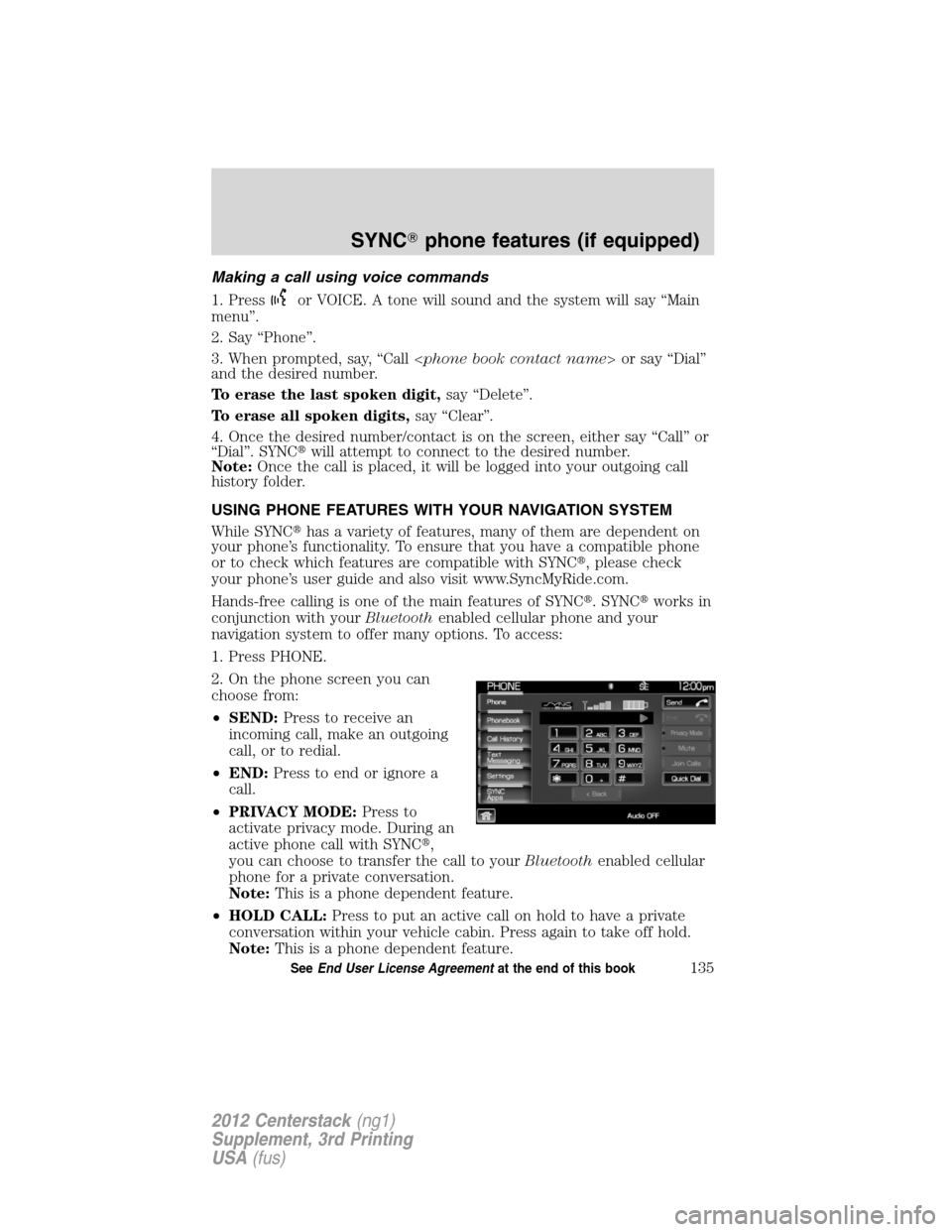
1. Press PHONE.
2. On the phone screen you can
choose from:
•SEND:Press to receive an
incoming call, make an outgoing
call, or to redial.
•END:Press to end or ignore a
call.
•PRIVACY MODE:Press to
activate privacy mode. During an
active phone call with SYNC�,
you can choose to transfer the call to yourBluetoothenabled cellular
phone for a private conversation.
Note:This is a phone dependent feature.
•HOLD CALL:Press to put an active call on hold to have a private
conversation within your vehicle cabin. Press again to take off hold.
Note:This is a phone dependent feature.
SYNC�phone features (if equipped)
135SeeEnd User License Agreementat the end of this book
2012 Centerstack(ng1)
Supplement, 3rd Printing
USA(fus)