Page 291 of 613
ELECTRONIC VEHICLE INFORMATION CENTER
(EVIC) — IF EQUIPPED
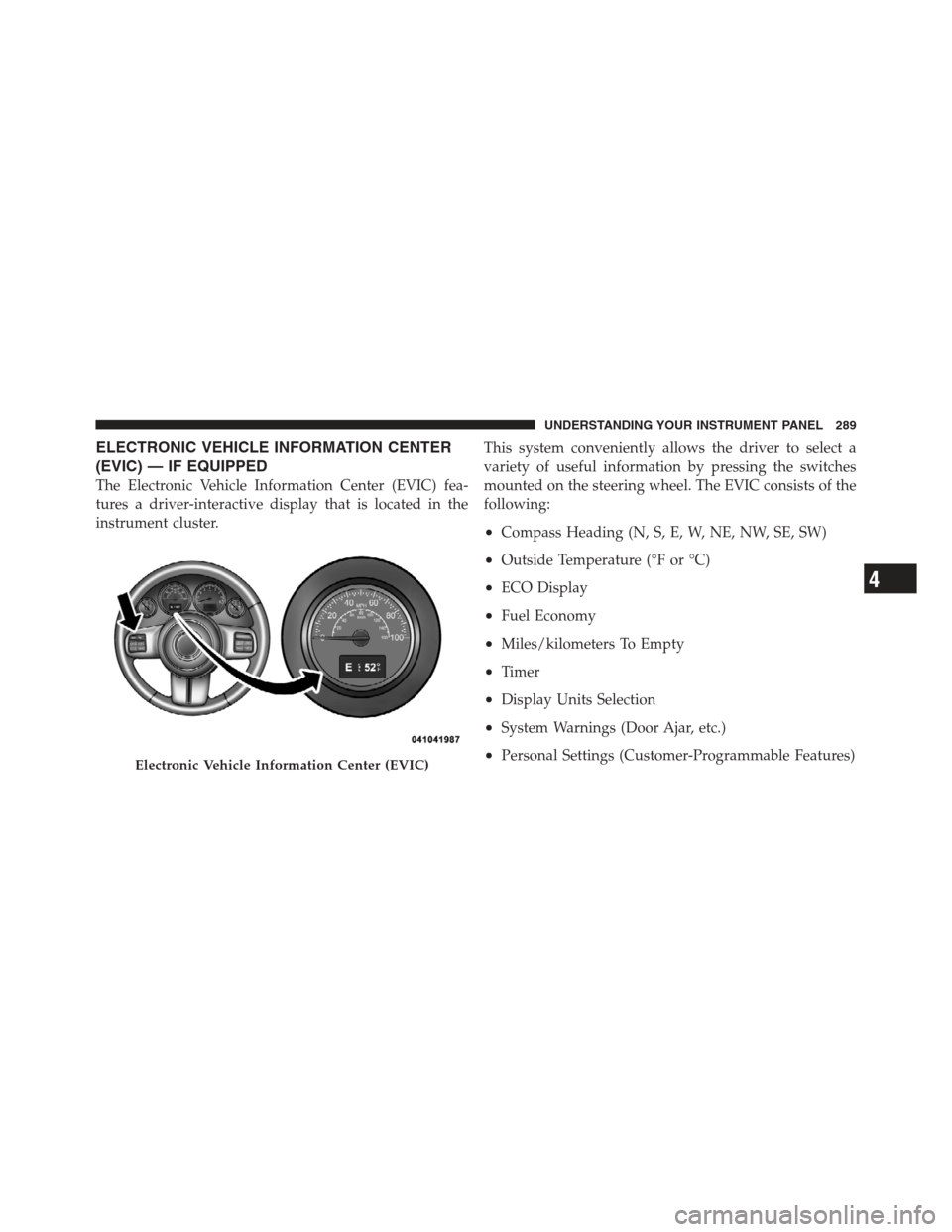
The Electronic Vehicle Information Center (EVIC) fea-
tures a driver-interactive display that is located in the
instrument cluster.This system conveniently allows the driver to select a
variety of useful information by pressing the switches
mounted on the steering wheel. The EVIC consists of the
following:
•Compass Heading (N, S, E, W, NE, NW, SE, SW)
•Outside Temperature (°F or °C)
•ECO Display
•Fuel Economy
•Miles/kilometers To Empty
•Timer
•Display Units Selection
•System Warnings (Door Ajar, etc.)
•Personal Settings (Customer-Programmable Features)Electronic Vehicle Information Center (EVIC)
4
UNDERSTANDING YOUR INSTRUMENT PANEL 289
Page 292 of 613
The system allows the driver to select information by
pressing the following buttons mounted on the steering
wheel:MENU Button
Press and release the MENU button to advance
the display to each of the EVIC Main Menu
features or to return to the Main Menu from a
sub-menu. Upon reaching the last item in the
Main Menu the EVIC will advance to the first item in the
Main Menu with the next MENU button press and release.
COMPASS Button Press and release the COMPASS button to
return to the Compass/Outside Temperature/
Audio Information/ECO screen whenever the
current display is not the Compass/Outside
Temperature/Audio Information/ECO screen.
SELECT Button Press and release the SELECT button when
prompted by the EVIC to Reset Main Menu
features with a reset capability or to change
Personal Settings.
EVIC Steering Wheel Buttons
290 UNDERSTANDING YOUR INSTRUMENT PANEL
Page 354 of 613

STEERING WHEEL AUDIO CONTROLS
The remote sound system controls are located on the rear
surface of the steering wheel. Reach behind the wheel to
access the switches.The right-hand control is a rocker-type switch with a
pushbutton in the center and controls the volume and
mode of the sound system. Pressing the top of the rocker
switch will increase the volume, and pressing the bottom
of the rocker switch will decrease the volume.
Pressing the center button will make the radio switch
between the various modes available.
The left-hand control is a rocker-type switch with a
pushbutton in the center. The function of the left-hand
control is different depending on which mode you are in.
The following describes the left-hand control operation in
each mode.
Radio Operation
Pressing the top of the switch will “Seek” up for the next
listenable station and pressing the bottom of the switch
will “Seek” down for the next listenable station.
Remote Sound System Controls
(Back View Of Steering Wheel)
352 UNDERSTANDING YOUR INSTRUMENT PANEL
Page 370 of 613

�Four–Wheel Drive Operation
(Command-Trac I� Or Rock-Trac�).......... 390
▫ Operating Instructions/Precautions ....... 390
▫ Shift Positions ...................... 392
▫ Shifting Procedure ................... 393
� Trac-Lok� Rear Axle — If Equipped ........ 394
� Axle Lock (Tru–Lok�) — Rubicon Models .... 395
� Electronic Sway Bar Disconnect —
If Equipped .......................... 396
� On-Road Driving Tips .................. 398
� Off-Road Driving Tips .................. 399
▫ Side Step Removal – If Equipped ......... 399
▫ The Basics Of Off-Road Driving .......... 400
▫ When To Use 4L (Low) Range ........... 401▫
Simultaneous Brake And Throttle
Operation .......................... 401
▫ Driving In Snow, Mud And Sand ......... 402
▫ Crossing Obstacles
(Rocks And Other High Points) .......... 403
▫ Hill Climbing ....................... 406
▫ Driving Through Water ................ 408
▫ After Driving Off-Road ................ 411
� Power Steering ....................... 412
▫ Power Steering Fluid Check ............. 413
� Parking Brake ........................ 414
� Anti-Lock Brake System ................. 417
� Electronic Brake Control System ........... 419
▫ Traction Control System (TCS) ........... 419
368 STARTING AND OPERATING
Page 397 of 613
WARNING!
On vehicles equipped with a limited-slip differen-
tial, never run the engine with one rear wheel off the
ground. The vehicle may drive through the rear
wheel remaining on the ground and cause you to lose
control of your vehicle.
AXLE LOCK (TRU–LOK�) — RUBICON MODELS
The AXLE LOCK switch is located on the instrument
panel (to the left of the steering column).
This feature will only activate when the following con-
ditions are met:
•Key in ignition, vehicle in 4L (Low) range.
•Vehicle speed should be 10 mph (16 km/h) or less.
Axle Lock Switch
5
STARTING AND OPERATING 395
Page 402 of 613

2. Remove one bolt from the underside of the vehicle.
3. Remove the side step assembly.
The Basics Of Off-Road Driving
You will encounter many types of terrain driving off-
road. You should be familiar with the terrain and area
before proceeding. There are many types of surface
conditions: hard-packed dirt, gravel, rocks, grass, sand,mud, snow and ice. Every surface has a different effect on
your vehicle’s steering, handling and traction. Control-
ling your vehicle is one of the keys to successful off-road
driving, so always keep a firm grip on the steering wheel
and maintain a good driving posture. Avoid sudden
accelerations, turns or braking. In most cases, there are no
road signs, posted speed limits or signal lights. Therefore,
you will need to use your own good judgment on what is
safe and what is not. When on a trail, you should always
be looking ahead for surface obstacles and changes in
terrain. The key is to plan your future driving route while
remembering what you are currently driving over.
CAUTION!
Never park your vehicle over dry grass or other
combustible materials. The heat from your vehicle
exhaust system could cause a fire.
400 STARTING AND OPERATING
Page 404 of 613

Driving In Snow, Mud And Sand
Snow
In heavy snow or for additional control and traction at
slower speeds, shift the transmission into a low gear and
the transfer case into 4L (Low) if necessary. Do not shift to
a lower gear than necessary to maintain headway. Over-
revving the engine can spin the wheels and traction will
be lost. If you start to slow to a stop, try turning your
steering wheel no more than a 1/4 turn quickly back and
forth, while still applying throttle. This will allow the
tires to get a fresh�bite�and help maintain your momen-
tum.
CAUTION!
On icy or slippery roads, do not downshift at high
engine RPM or vehicle speeds, because engine brak-
ing may cause skidding and loss of control.
Mud
Deep mud creates a great deal of suction around the tires
and is very difficult to get through. You should use
second gear (manual transmission), or DRIVE (automatic
transmission), with the transfer case in the 4L (Low)
position to maintain your momentum. If you start to slow
to a stop, try turning your steering wheel no more than a
1/4 turn quickly back and forth for additional traction.
Mud holes pose an increased threat of vehicle damage
and getting stuck. They are normally full of debris from
previous vehicles getting stuck. As a good practice before
entering any mud hole, get out and determine how deep
it is, if there are any hidden obstacles and if the vehicle
can be safely recovered if stuck.
Sand
Soft sand is very difficult to travel through with full tire
pressure. When crossing soft, sandy spots in a trail,
maintain your vehicle’s momentum and do not stop. The
key to driving in soft sand is using the appropriate tire
402 STARTING AND OPERATING
Page 405 of 613

pressure, accelerating slowly, avoiding abrupt maneu-
vers and maintaining the vehicle’s momentum. If you are
going to be driving on large soft sandy areas or dunes,
reduce your tire pressure to a minimum of 15 psi
(103 kPa) to allow for a greater tire surface area. Reduced
tire pressure will drastically improve your traction and
handling while driving on the soft sand, but you must
return the tires to normal air pressure before driving on
pavement or other hard surfaces. Be sure you have a way
to reinflate the tires prior to reducing the pressure.
CAUTION!
Reduced tire pressures may cause tire unseating and
total loss of air pressure. To reduce the risk of tire
unseating, while at a reduced tire pressure, reduce
your speed and avoid sharp turns or abrupt maneu-
vers.
Crossing Obstacles
(Rocks And Other High Points)
While driving off-road, you will encounter many types of
terrain. These varying types of terrain bring different
types of obstacles. Before proceeding, review the path
ahead to determine the correct approach and your ability
to safely recover the vehicle if something goes wrong.
Keeping a firm grip on the steering wheel, bring the
vehicle to a complete stop and then inch the vehicle
forward until it makes contact with the object. Apply the
throttle lightly while holding a light brake pressure and
ease the vehicle up and over the object.
WARNING!
Crossing obstacles can cause abrupt steering system
loading which could cause you to loose control of
your vehicle.
5
STARTING AND OPERATING 403