Page 287 of 613

NOTE:The system will display the last known outside
temperature when starting the vehicle and may need to
be driven several minutes before the updated tempera-
ture is displayed. Engine temperature can also affect the
displayed temperature; therefore, temperature readings
are not updated when the vehicle is not moving.
The following displays can be reset or changed:
•Compass/Temperature
•AVG ECO (changes to present fuel economy)
•ET (will reset display)
•DTE (distance to empty)
These messages can be cycled through by pressing the
STEP button on the steering wheel. To reset the AVG ECO
or ET, press and hold the STEP button for approximately
three seconds.
Compass/Temperature Display
NOTE: If the vehicle is equipped with a Chrysler
Uconnect™ gps (Navigation Radio), the NAV system will
provide the compass direction, and the variance and
calibration menus will be unavailable. The compass will
perform accurately, based on GPS signals instead of the
Earth’s magnetic field.
Compass Variance
Compass Variance is the difference between Magnetic
North and Geographic North. To compensate for the
differences, the variance should be set for the zone where
the vehicle is driven, per the zone map. Once properly set,
the compass will automatically compensate for the differ-
ences and provide the most accurate compass heading.
NOTE:
•A good calibration requires a level surface and an
environment free from large metallic objects such as
buildings, bridges, underground cables, railroad
tracks, etc.
4
UNDERSTANDING YOUR INSTRUMENT PANEL 285
Page 289 of 613

3. Release the RESET button, then press and hold again
for approximately 10 seconds, until the direction is
displayed, with the CAL indicator on continuously in the
display.
4. To complete the compass calibration, drive the vehicle
in one or more complete 360–degree circles, under 5 mph
(8 km/h) in an area free from power lines and large
metallic objects, until the CAL indicator turns off. The
compass will now function normally.
Average Fuel Economy / Distance To Empty (DTE)
/ Elapsed Time
•
Average Fuel Economy
Shows the average fuel economy since the last reset.
When the fuel economy is reset, the digits will go blank
while the history information is erased. The averaging
will restart when enough new distance and fuel data is
accumulated.
•Distance To Empty (DTE)
Shows the estimated distance that can be traveled with
the fuel remaining in the tank. This estimated distance is
determined by a weighted average of the instantaneous
and average fuel economy, according to the current fuel
tank level. DTE cannot be reset.
•Elapsed Time
Shows the total elapsed time of travel since the last reset.
Elapsed time will increment when the ignition switch is
in the RUN or START positions. The elapsed timer
displays minutes:seconds. After 59minutes:59seconds, it
displays hours:minutes:seconds.
Trip Conditions
Trip Odometer (ODO) / ECO (Fuel Saver Indicator)
— If Equipped
This display shows the distance traveled since the last
reset. Press and release the right button (on the instru-
ment cluster) to switch from odometer to Trip A or Trip B
4
UNDERSTANDING YOUR INSTRUMENT PANEL 287
Page 291 of 613
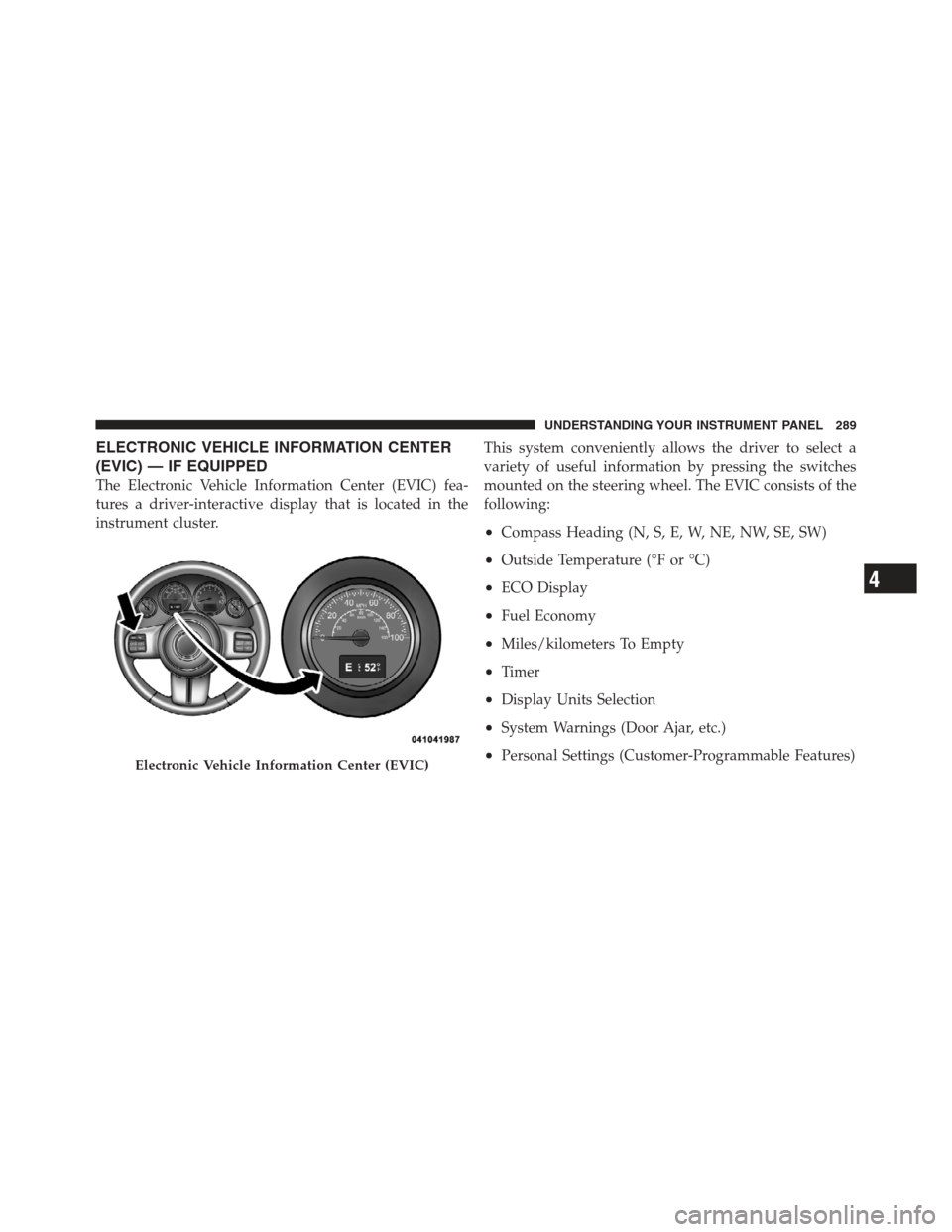
ELECTRONIC VEHICLE INFORMATION CENTER
(EVIC) — IF EQUIPPED
The Electronic Vehicle Information Center (EVIC) fea-
tures a driver-interactive display that is located in the
instrument cluster.This system conveniently allows the driver to select a
variety of useful information by pressing the switches
mounted on the steering wheel. The EVIC consists of the
following:
•Compass Heading (N, S, E, W, NE, NW, SE, SW)
•Outside Temperature (°F or °C)
•ECO Display
•Fuel Economy
•Miles/kilometers To Empty
•Timer
•Display Units Selection
•System Warnings (Door Ajar, etc.)
•Personal Settings (Customer-Programmable Features)Electronic Vehicle Information Center (EVIC)
4
UNDERSTANDING YOUR INSTRUMENT PANEL 289
Page 292 of 613
The system allows the driver to select information by
pressing the following buttons mounted on the steering
wheel:MENU Button
Press and release the MENU button to advance
the display to each of the EVIC Main Menu
features or to return to the Main Menu from a
sub-menu. Upon reaching the last item in the
Main Menu the EVIC will advance to the first item in the
Main Menu with the next MENU button press and release.
COMPASS Button Press and release the COMPASS button to
return to the Compass/Outside Temperature/
Audio Information/ECO screen whenever the
current display is not the Compass/Outside
Temperature/Audio Information/ECO screen.
SELECT Button Press and release the SELECT button when
prompted by the EVIC to Reset Main Menu
features with a reset capability or to change
Personal Settings.
EVIC Steering Wheel Buttons
290 UNDERSTANDING YOUR INSTRUMENT PANEL
Page 295 of 613

EVIC Main Menu
To step to each main menu feature press and release the
MENU button once for each step. A step from the last
item in the list will cause the first item in the feature list
to be displayed. The following features are in the Main
menu:
•Compass, Outside Temperature, and ECO display
•Average Fuel Economy
•Distance to Empty
•Elapsed Time
•EVIC Units Selection
•System Status
•Personal SettingsNOTE:
For features in the EVIC that can be reset
(Average Fuel Economy and Elapsed Time), the EVIC
prompts a reset with a SELECT button graphic and the
word RESET next to it.
When the SELECT button is pressed, the selected feature
will reset and RESET ALL will display next to the
SELECT button graphic. Pressing SELECT a second time
will reset both Average Fuel Economy and Elapsed Time.
After three seconds without pressing SELECT, RESET
ALL will return to RESET and only the selected feature
will have been reset.
Compass Display / ECO (Fuel Saver Mode) — If
Equipped
The compass readings indicate the direction the vehicle is
facing. Press and release the COMPASS button to display
one of eight compass headings, the outside temperature/
ECO if the EVIC display is not already displaying this
screen.
4
UNDERSTANDING YOUR INSTRUMENT PANEL 293
Page 296 of 613

NOTE:The system will display the last known outside
temperature when starting the vehicle and may need to
be driven several minutes before the updated tempera-
ture is displayed. Engine temperature can also affect the
displayed temperature; therefore, temperature readings
are not updated when the vehicle is not moving.
ECO (Fuel Saver Mode) — If Equipped
The ECO message will display below the outside tem-
perature in the EVIC display (if the audio system is on
the ECO indicator will override the audio information
display line if the �Display Fuel Saver� personal setting is
ON — see �Personal Settings� section). This message will
appear whenever you are driving in a fuel efficient
manner.
This feature allows you to monitor when you are driving
in a fuel efficient manner, and it can be used to modify
driving habits in order to increase fuel economy.
Automatic Compass Calibration
This compass is self-calibrating, which eliminates the
need to set the compass manually. When the vehicle is
new, the compass may appear erratic and the EVIC will
display “CAL” until the compass is calibrated. You may
also calibrate the compass by completing one or more
360–degree turns (in an area free from large metal or
metallic objects) until the “CAL” message displayed in
the EVIC turns off. The compass will now function
normally.
NOTE: A good calibration requires a level surface and
an environment free from large metallic objects such as
buildings, bridges, underground cables, railroad tracks,
etc.
294 UNDERSTANDING YOUR INSTRUMENT PANEL
Page 297 of 613

Manual Compass Calibration
If the compass appears erratic and the “CAL” indicator
does not appear in the EVIC display, you must put the
compass into the Calibration Mode manually as follows:
1. Start the engine. Leave the shift lever in PARK in order
to enter the EVIC Programming Menus.
2. Press the MENU button until Personal Settings
(Customer-Programmable Features) displays in the
EVIC.
3. Press the DOWN button until “Calibrate Compass”
displays in the EVIC.
4. Press and release the SELECT button to start the
calibration. The “CAL” indicator will display in the
EVIC.5. Complete one or more 360–degree turns (in an area
free from large metal or metallic objects) until the “CAL”
indicator turns off. The compass will now function
normally.
Compass Variance
Compass Variance is the difference between Magnetic
North and Geographic North. To compensate for the
differences, the variance should be set for the zone where
the vehicle is driven, per the zone map. Once properly
set, the compass will automatically compensate for the
differences and provide the most accurate compass head-
ing.
4
UNDERSTANDING YOUR INSTRUMENT PANEL 295
Page 299 of 613

Distance To Empty (DTE)
Shows the estimated distance that can be traveled with
the fuel remaining in the tank. This estimated distance is
determined by a weighted average of the instantaneous
and average fuel economy, according to the current fuel
tank level. DTE cannot be reset.
NOTE:Significant changes in driving style or vehicle
loading will greatly affect the actual drivable distance of
the vehicle, regardless of the DTE display value.
When the DTE value is less than 30 miles (48 km)
estimated driving distance, the DTE display will change
to a text display of �LOW FUEL”. This display will
continue until the vehicle runs out of fuel. Adding a
significant amount of fuel to the vehicle will turn off the
LOW FUEL text and a new DTE value will display.
Elapsed Time
Shows the total elapsed time of travel since the last reset.
Elapsed time will increment when the ignition switch is
in the RUN or START position.
Elapsed time is displayed as follows:
hours:minutes:seconds
Elapsed time can be reset by pressing and holding the
SELECT button (as prompted in the EVIC display). Upon
reset all digits will change to zeros and time will start
incrementing again if the ignition switch is in RUN or
START.
EVIC Units Selection (UNITS IN Display)
Displays the units used for the Outside Temperature,
Average Fuel Economy and Distance to Empty features.
Press and Release the SELECT button to toggle units
between �U.S.�and�METRIC�.
4
UNDERSTANDING YOUR INSTRUMENT PANEL 297