Page 134 of 558
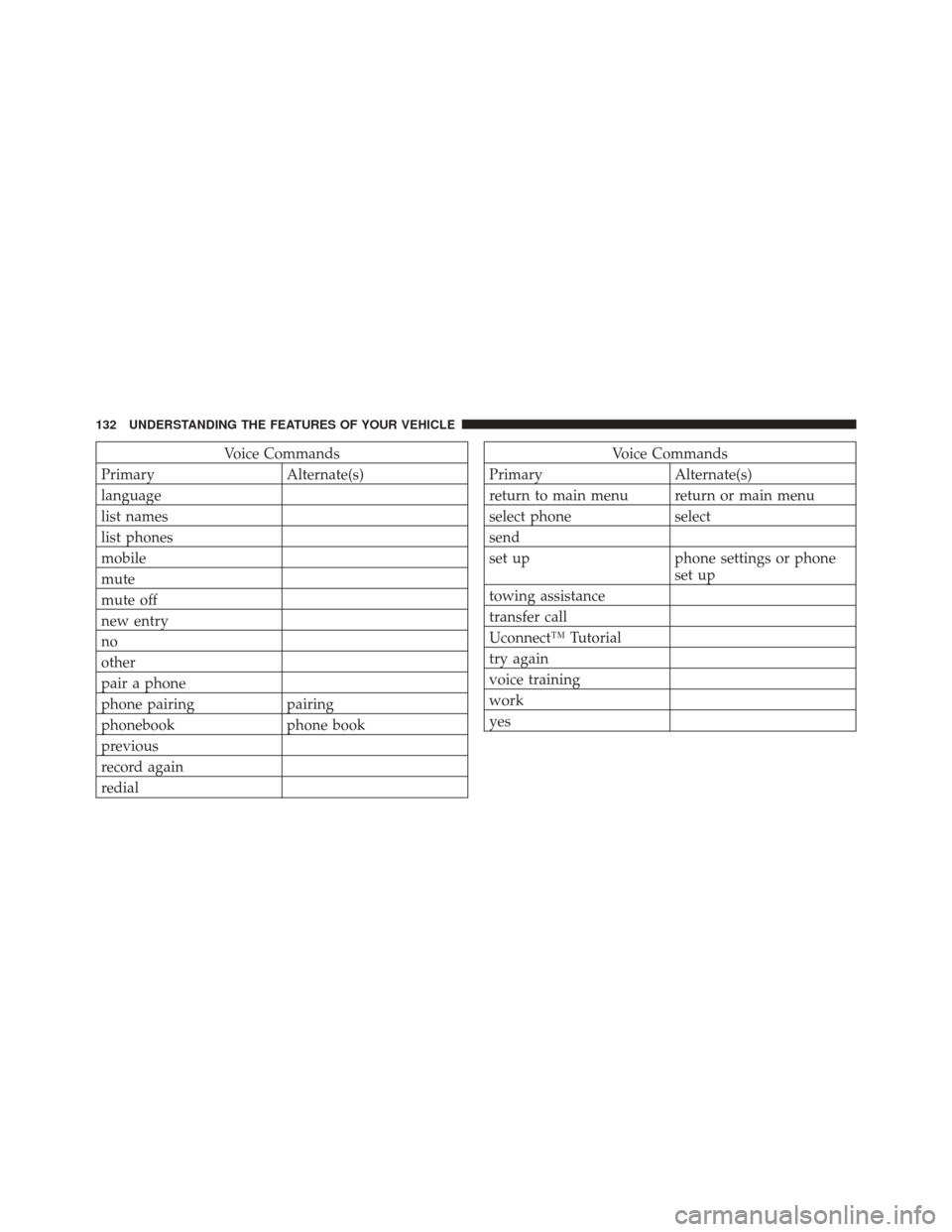
Voice Commands
Primary Alternate(s)
language
list names
list phones
mobile
mute
mute off
new entry
no
other
pair a phone
phone pairing pairing
phonebook phone book
previous
record again
redialVoice Commands
Primary Alternate(s)
return to main menu return or main menu
select phone select
send
set up phone settings or phone set up
towing assistance
transfer call
Uconnect™ Tutorial
try again
voice training
work
yes
132 UNDERSTANDING THE FEATURES OF YOUR VEHICLE
Page 152 of 558
2. Pull the release strap (toward the front of the vehicle).
3. Fold the rear seat completely forward.
4. If desired, push down on the seatback to lock it in the
folded position.To Raise The Rear Seat
NOTE:If interference from the cargo area prevents the
seatback from fully locking, you will have difficulty
returning the seat to its proper position.
1. If locked in the folded position, pull the release strap
(toward the front of the vehicle).
2. Raise the seatback and lock it into place.
WARNING!
Be certain that the seatback is securely locked into
position. If the seatback is not securely locked into
position the seat will not provide the proper stability
for child seats and/or passengers. An improperly
latched seat could cause serious injury.
Rear Seat Release Strap
150 UNDERSTANDING THE FEATURES OF YOUR VEHICLE
Page 164 of 558
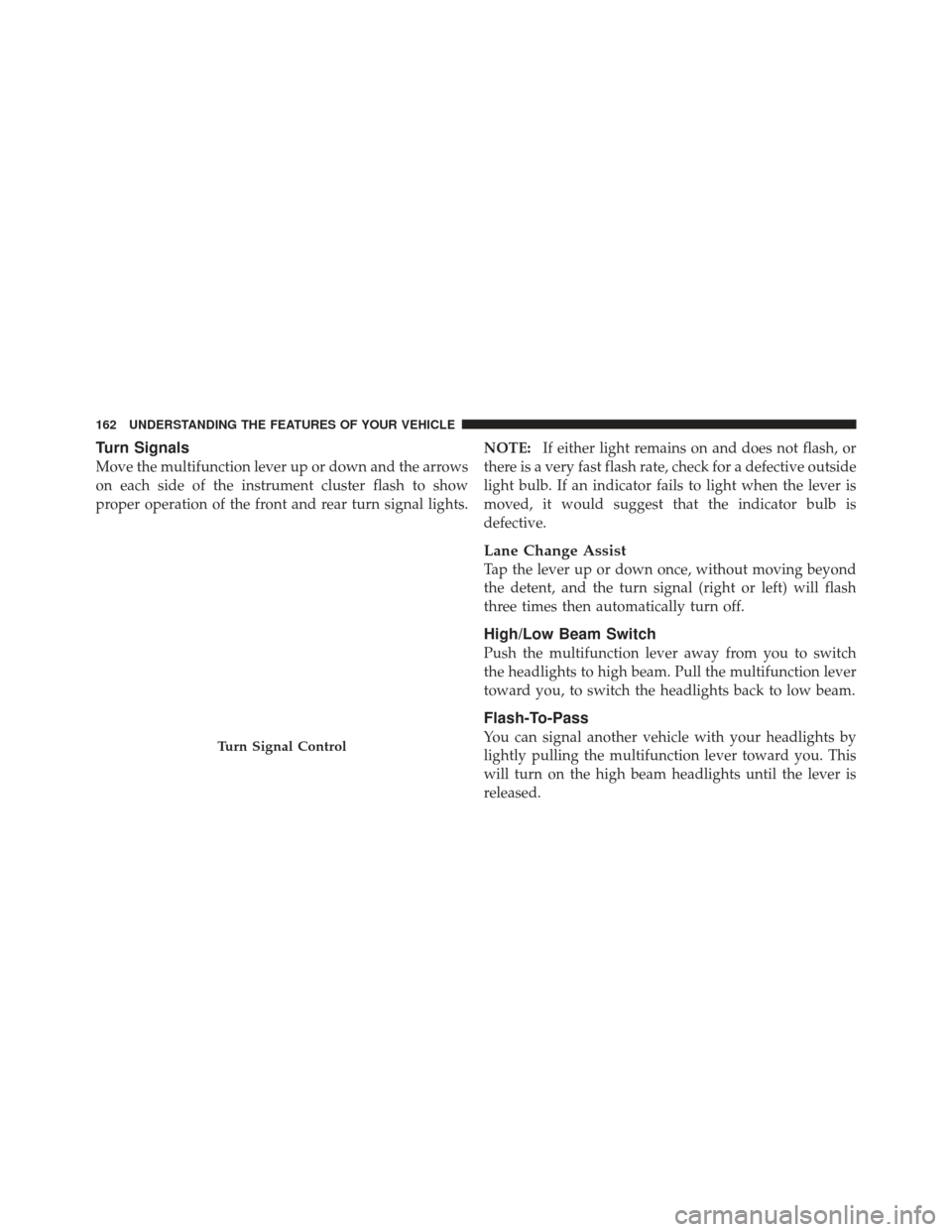
Turn Signals
Move the multifunction lever up or down and the arrows
on each side of the instrument cluster flash to show
proper operation of the front and rear turn signal lights.NOTE:
If either light remains on and does not flash, or
there is a very fast flash rate, check for a defective outside
light bulb. If an indicator fails to light when the lever is
moved, it would suggest that the indicator bulb is
defective.
Lane Change Assist
Tap the lever up or down once, without moving beyond
the detent, and the turn signal (right or left) will flash
three times then automatically turn off.
High/Low Beam Switch
Push the multifunction lever away from you to switch
the headlights to high beam. Pull the multifunction lever
toward you, to switch the headlights back to low beam.
Flash-To-Pass
You can signal another vehicle with your headlights by
lightly pulling the multifunction lever toward you. This
will turn on the high beam headlights until the lever is
released.Turn Signal Control
162 UNDERSTANDING THE FEATURES OF YOUR VEHICLE
Page 169 of 558
NOTE:The wiper delay times depend on vehicle speed.
If the vehicle is moving less than 10 mph (16 km/h),
delay times will be doubled.
Windshield Washers
To use the washer, pull the windshield wiper/washer
control lever toward you and hold it for as long as
washer spray is desired (for a maximum of 10 seconds).
If you activate the washer while the wiper control is in
the delay range, the wipers will operate in low-speed for
two or three wipe cycles after releasing the lever and then
resume the intermittent interval previously selected.
If you activate the washer while the wiper control is in
the off position, the wipers will operate for two or three
wipe cycles and then turn off.
WARNING!
Sudden loss of visibility through the windshield
could lead to a collision. You might not see other
vehicles or other obstacles. To avoid sudden icing of
the windshield during freezing weather, warm the
windshield with defroster before and during wind-
shield washer use.
Mist Feature
Push downward on the windshield wiper/washer con-
trol lever to activate a single wipe cycle to clear the
windshield of road mist or spray from a passing vehicle.
The wipers will continue to operate until you release the
lever.
3
UNDERSTANDING THE FEATURES OF YOUR VEHICLE 167
Page 186 of 558
WARNING! (Continued)
•Before using the ParkSense�Rear Park Assist
System, it is strongly recommended that the ball
mount and hitch ball assembly is disconnected
from the vehicle when the vehicle is not used for
towing. Failure to do so can result in injury or
damage to vehicles or obstacles because the hitch
ball will be much closer to the obstacle than the
rear fascia when the warning display turns on the
single flashing arc and sounds the continuous
tone. Also, the sensors could detect the ball mount
and hitch ball assembly, depending on its size and
shape, giving a false indication that an obstacle is
behind the vehicle.
GARAGE DOOR OPENER — IF EQUIPPED
HomeLink� replaces up to three hand-held transmitters
that operate devices such as garage door openers, motor-
ized gates, lighting or home security systems. The
HomeLink� unit is powered by your vehicles 12 Volt
battery.
The HomeLink� buttons, located on either the overhead
console, headliner or sunvisor, designate the three differ-
ent HomeLink� channels. The HomeLink� indicator is
located above the center button.
184 UNDERSTANDING THE FEATURES OF YOUR VEHICLE
Page 197 of 558
position. The sunroof will close fully and stop automati-
cally. This is called “Express Close”. During Express
Close operation, any movement of the switch will stop
the sunroof.
Closing Sunroof — Manual Mode
To close the sunroof, press and hold the switch in the
forward position. Any release of the switch will stop the
movement and the sunroof will remain in a partially
closed condition until the switch is pushed and held
forward again.
Pinch Protect Feature
This feature will detect an obstruction in the opening of
the sunroof during Express Close operation. If an ob-
struction in the path of the sunroof is detected, the
sunroof will automatically retract. Remove the obstruc-
tion if this occurs. Next, press the switch forward and
release to Express Close.
Pinch Protect Override
If a known obstruction (ice, debris, etc.) prevents closing
and moves the sunroof in the opposite direction, press
the switch forward and hold. This allows the sunroof to
move towards the closed position.
NOTE:Pinch protection is disabled while the switch is
pressed.
Venting Sunroof — Express
Press and release the �Vent�button within one-half sec-
ond and the sunroof will open to the vent position. This
is called “Express Vent”, and it will occur regardless of
sunroof position. During Express Vent operation, any
movement of the switch will stop the sunroof.
Sunshade Operation
The sunshade can be opened manually. However, the
sunshade will open automatically as the sunroof opens.
3
UNDERSTANDING THE FEATURES OF YOUR VEHICLE 195
Page 201 of 558
Sky Slider™ Control
The Sky Slider™ switch is located between the sun visors
on the overhead console.
NOTE:The Sky Slider™ switch will operate when the
ignition switch is turned to the ON or ACC position.
Opening The Sky Slider™
Using Automatic Mode
Press the switch rearward and release it within one-half
second and the Sky Slider™ will open from the front and
move automatically toward the rear of the vehicle.
Press the switch forward and release it within one-half
second and the Sky Slider™ will open from the rear and
move automatically toward the front of the vehicle.
NOTE:
•During operation, any movement of the Sky Slider™
switch will stop the Sky Slider™ roof.
•To resume the operation from a partially open posi-
tion, press and release the switch a second time.
•The Sky Slider™ will not open from the front and the
rear at the same time. The Sky Slider™ must close fully
before opening it from the opposite end.Sky Slider™ Switch
3
UNDERSTANDING THE FEATURES OF YOUR VEHICLE 199
Page 202 of 558
Using Operator Mode
Press the switch rearward and hold it, the Sky Slider™
will open from the front and move toward the rear of the
vehicle.
Press the switch forward and hold it, the Sky Slider™
will open from the rear and move toward the front of the
vehicle.
NOTE:During operation, any movement of the Sky
Slider™ switch will stop the Sky Slider™ roof.
Closing The Sky Slider™
Using Automatic Mode
Press and release the button in the center of the switch
and the Sky Slider™ will close automatically from any
position.
Using Operator Mode
If the Sky Slider™ is open from the front, press the switch
forward and hold it, the Sky Slider™ will move forward.
Release the switch to stop the Sky Slider™ travel at any
point.
If the Sky Slider™ is open from the rear, press the switch
rearward and hold it and the Sky Slider™ will move
rearward. Release the switch to stop the Sky Slider™
travel at any point.
Manual Override
The Sky Slider™ drive motors are mounted to the roof
above the cargo lamp. In the event that your vehicle
losses battery power, you can close the Sky Slider™ by
turning the drive gears in the appropriate motor with a
6 mm Allen wrench. To do so, you must first remove the
cargo lamp from the headliner. Then, insert the wrench
into the “Allen” shaped hole in the appropriate motor
and turn the wrench clockwise until the top closes
200 UNDERSTANDING THE FEATURES OF YOUR VEHICLE