Page 204 of 385
4125
Features of your vehicle
12. Right rotary (TUNE)
Rotate it clockwise/counterclockwise.
Searches the previous or next radio
frequency.
- Manual tuning
Skips a track/file up/down in all list
screen.
ZOOM IN/ ZOOM OUT
- Rotate to change the map scale on
the map screen.
Repeat voice guidance
Press to repeat the voice guidance.
13. PHONE ( )
Use to enable Bluetooth Hands-Free
Phone.
14. NAV
Press to enter a destination menu.
Various methods for entering a destina-
tion are available.
15. MAP
Press to display the current location map
screen.
16. CD indicator light (CD-IN)
When a disc is inserted, the indicator is
illuminated.
17. Clock ( )
Press to display the digital/analog
clock and outside temperature in
power on/off status.
Press and hold to move to the [Clock]
menu.
Page 207 of 385
![HYUNDAI VELOSTER 2012 Owners Manual Features of your vehicle
128 4
[Route] menu
[Traffic] menu
5. Touch the preferred setting method.
Understanding Bluetooth wire-
less technology
Bluetooth wireless technology establish-
es a wireless](/manual-img/35/56215/w960_56215-206.png "HYUNDAI VELOSTER 2012 Owners Manual Features of your vehicle
128 4
[Route] menu
[Traffic] menu
5. Touch the preferred setting method.
Understanding Bluetooth wire-
less technology
Bluetooth wireless technology establish-
es a wireless")
Features of your vehicle
128 4
[Route] menu
[Traffic] menu
5. Touch the preferred setting method.
Understanding Bluetooth wire-
less technology
Bluetooth wireless technology establish-
es a wireless link between two devices,
such as your phone and the unit. The first
time you use two devices together you
must connect them by establishing a
relationship using a PIN code. After the
initial connecting, the two devices can
connect automatically each time you turn
them on.
NOTE:
• There may be restrictions on using
Bluetooth technology in some loca-
tions.
Due to the variety of Bluetooth
phones and their firmware version,
your device may respond differently
when performing over Bluetooth.
As difference in functional opera-
tion by model is mainly resulted
from feature of a hands-free phone,
consult manufacturer of a phone if
you have any question.
You can check the Bluetooth phone
compatibility list on the web-site
(http://www.navigation.com/hyundai
).
Connecting your unit and blue-
tooth phone
To connect using the unit settings (1)
1. Press on the control panel.
2. Touch [Bluetooth].
3. Touch [Search for Bluetooth devices].
If you want to cancel, touch [Cancel].
Page 208 of 385
4129
Features of your vehicle
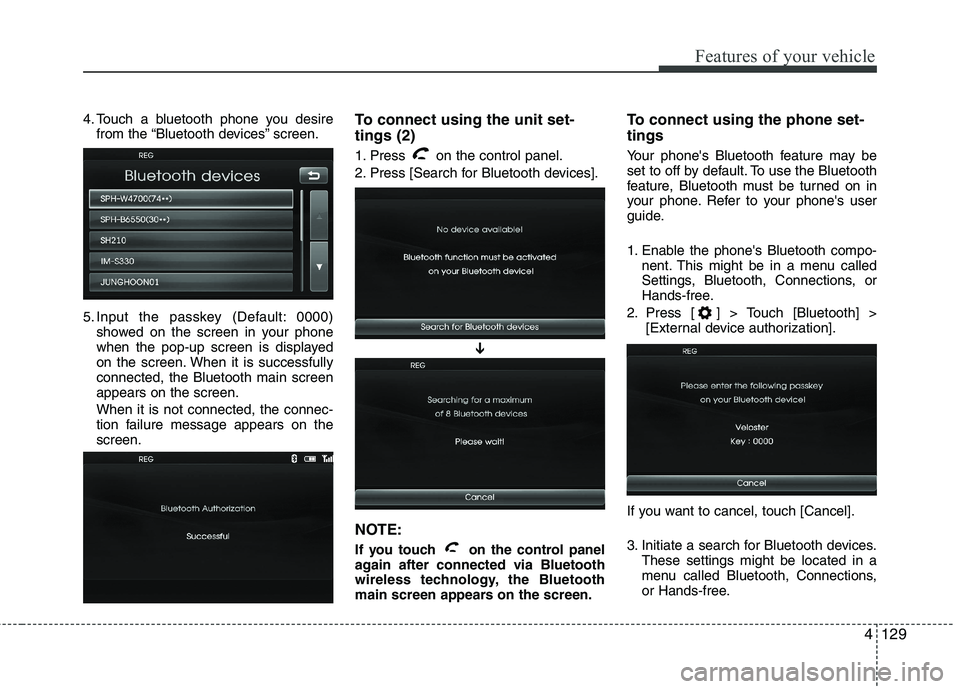
4. Touch a bluetooth phone you desire
from the “Bluetooth devices” screen.
5. Input the passkey (Default: 0000)
showed on the screen in your phone
when the pop-up screen is displayed
on the screen. When it is successfully
connected, the Bluetooth main screen
appears on the screen.
When it is not connected, the connec-
tion failure message appears on the
screen.To connect using the unit set-
tings (2)
1. Press on the control panel.
2. Press [Search for Bluetooth devices].
NOTE:
If you touch on the control panel
again after connected via Bluetooth
wireless technology, the Bluetooth
main screen appears on the screen.
To connect using the phone set-
tings
Your phone's Bluetooth feature may be
set to off by default. To use the Bluetooth
feature, Bluetooth must be turned on in
your phone. Refer to your phone's user
guide.
1. Enable the phone's Bluetooth compo-
nent. This might be in a menu called
Settings, Bluetooth, Connections, or
Hands-free.
2. Press [ ] > Touch [Bluetooth] >
[External device authorization].
If you want to cancel, touch [Cancel].
3. Initiate a search for Bluetooth devices.
These settings might be located in a
menu called Bluetooth, Connections,
or Hands-free.
➔
Page 209 of 385
Features of your vehicle
130 4
4. Select the your device from the list of
phone.
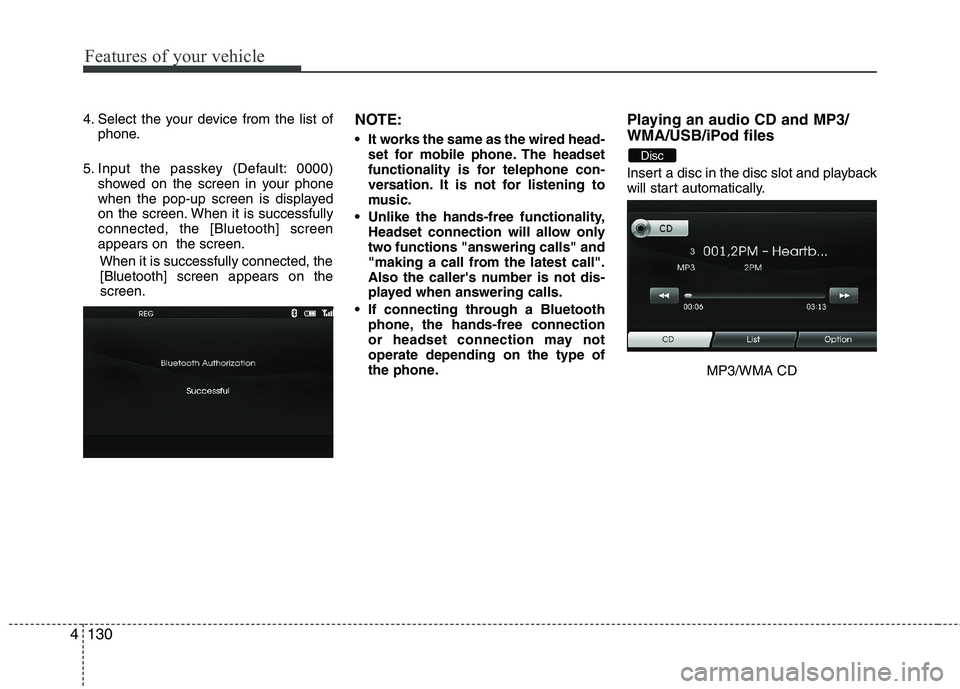
5. Input the passkey (Default: 0000)
showed on the screen in your phone
when the pop-up screen is displayed
on the screen. When it is successfully
connected, the [Bluetooth] screen
appears on the screen.
When it is successfully connected, the
[Bluetooth] screen appears on the
screen.NOTE:
It works the same as the wired head-
set for mobile phone. The headset
functionality is for telephone con-
versation. It is not for listening to
music.
Unlike the hands-free functionality,
Headset connection will allow only
two functions "answering calls" and
"making a call from the latest call".
Also the caller's number is not dis-
played when answering calls.
If connecting through a Bluetooth
phone, the hands-free connection
or headset connection may not
operate depending on the type of
the phone.
Playing an audio CD and MP3/
WMA/USB/iPod files
Insert a disc in the disc slot and playback
will start automatically.
MP3/WMA CD
Disc
Page 212 of 385
4133
Features of your vehicle
NOTE:
When a station is preset on the preset
station button number on which
another station of the same band has
already been preset, the previously
preset station is automatically erased.
Voice recognition
Voice recognition allows hands-free
operation of the AV system (RADIO, CD,
USB, iPod), navigation and other sys-
tems equipped on this vehicle, such as
the phone.
NOTE:
To get the best recognition perform-
ance out of voice recognition, observe
the following:
Keep the interior of the vehicle as
quiet as possible. Close the win-
dows to eliminate the surrounding
noises (traffic noises, vibration
sounds, etc.), which may prevent
the system from recognizing the
voice commands correctly.
Wait until a beep sounds before
speaking a command. Otherwise,
the command will not be recognized
properly.
Speak in a natural voice without
pausing between words.
Giving voice commands
1. Press ( ) on the steering wheel
remote control.
2. After the beep sounds, say "Help". All
commands shall be listed which are
presented in active fields.
NOTE:
If the command is not recognized,
the system announces, 1st time
"Pardon?", 2nd time "Please,
repeat", and 3rd time "Command is
not recognized".
If you want to cancel the voice
recognition, press () one more time
or press the any button or touch
screen say "Cancel".
If you want to adjust the volume of
the system feedback, press VOL+ or
VOL-on the steering wheel remote
control or use the volume knob
(VOLUME) on the control while the
voice recognition is active.
Page 213 of 385
Features of your vehicle
134 4
How to say numbers
Voice recognition requires a certain way
to say numbers in voice commands.
Refer to the following examples. (General
rule: Either "zero" or "oh" can be used for
"0".)
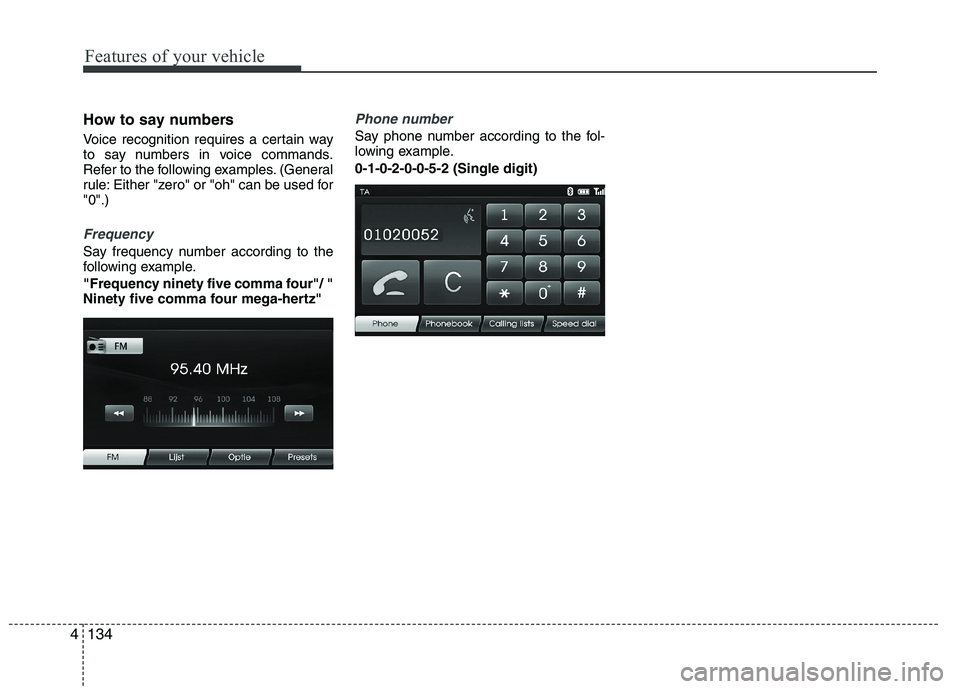
Frequency
Say frequency number according to the
following example.
"Frequency ninety five comma four"/ "
Ninety five comma four mega-hertz"
Phone number
Say phone number according to the fol-
lowing example.
0-1-0-2-0-0-5-2 (Single digit)