2012 Hyundai Sonata Hybrid Setting
[x] Cancel search: SettingPage 132 of 403
451
Features of your vehicle
✽
✽NOTICE
• If the vehicle is not on level ground or
the battery power has been interrupt-
ed, the “Distance to empty” function
may not operate correctly.
The trip computer may not register
additional fuel if less than 1.6 gallons (6
liters) of fuel are added to the vehicle.
• The fuel consumption and distance to empty values may vary significantly
based on driving conditions, driving
habits, and condition of the vehicle.
• The distance to empty value is an esti- mate of the available driving distance.
This value may differ from the actual
driving distance available.
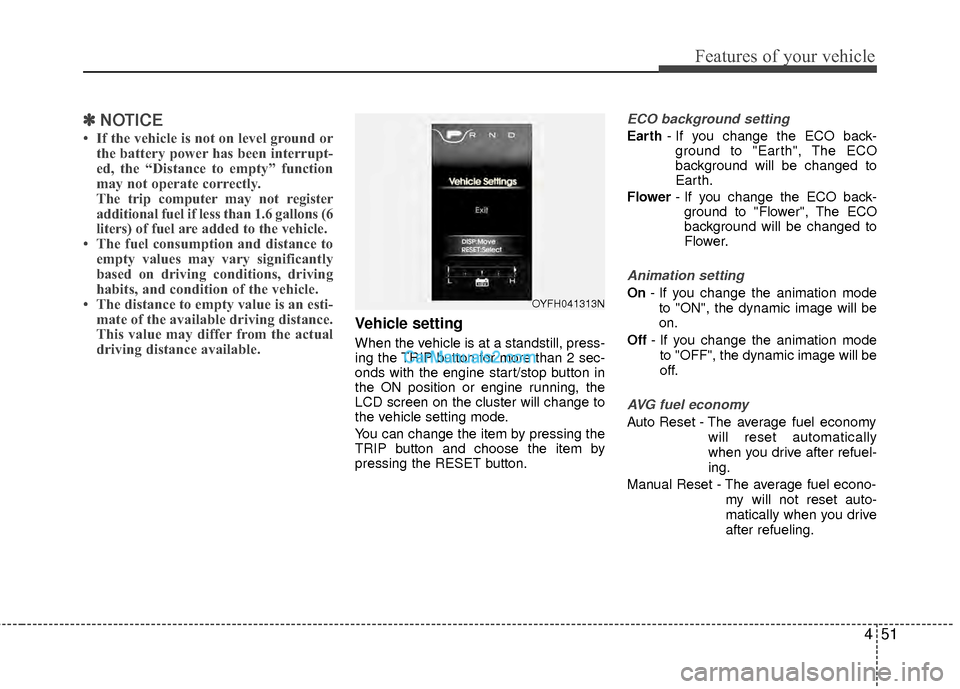
Vehicle setting
When the vehicle is at a standstill, press-
ing the TRIP button for more than 2 sec-
onds with the engine start/stop button in
the ON position or engine running, the
LCD screen on the cluster will change to
the vehicle setting mode.
You can change the item by pressing the
TRIP button and choose the item by
pressing the RESET button.
ECO background setting
Earth - If you change the ECO back-
ground to "Earth", The ECO
background will be changed to
Earth.
Flower - If you change the ECO back-
ground to "Flower", The ECO
background will be changed to
Flower.
Animation setting
On - If you change the animation mode
to "ON", the dynamic image will be
on.
Off - If you change the animation mode
to "OFF", the dynamic image will be
off.
AVG fuel economy
Auto Reset - The average fuel economy will reset automatically
when you drive after refuel-
ing.
Manual Reset - The average fuel econo- my will not reset auto-
matically when you drive
after refueling.
OYFH041313N
Page 155 of 403
Features of your vehicle
74
4
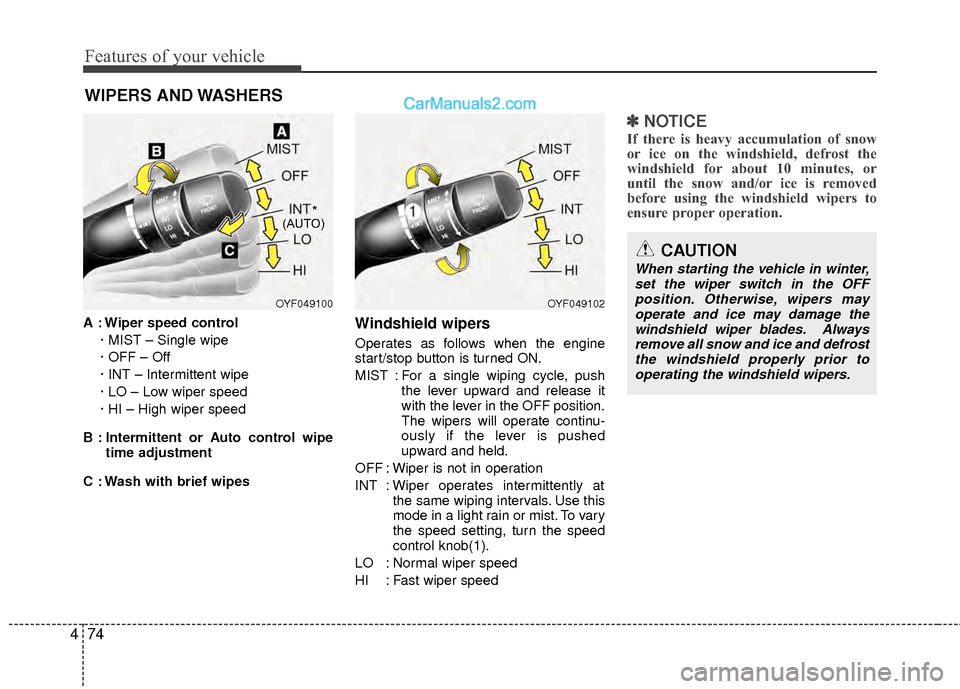
WIPERS AND WASHERS
A : Wiper speed control
· MIST – Single wipe
· OFF – Off
· INT – Intermittent wipe
· LO – Low wiper speed
· HI – High wiper speed
B : Intermittent or Auto control wipe time adjustment
C : Wash with brief wipesWindshield wipers
Operates as follows when the engine
start/stop button is turned ON.
MIST : For a single wiping cycle, push the lever upward and release it
with the lever in the OFF position.
The wipers will operate continu-
ously if the lever is pushed
upward and held.
OFF : Wiper is not in operation
INT : Wiper operates intermittently at the same wiping intervals. Use this
mode in a light rain or mist. To vary
the speed setting, turn the speed
control knob(1).
LO : Normal wiper speed
HI : Fast wiper speed
✽ ✽ NOTICE
If there is heavy accumulation of snow
or ice on the windshield, defrost the
windshield for about 10 minutes, or
until the snow and/or ice is removed
before using the windshield wipers to
ensure proper operation.
OYF049100OYF049102
CAUTION
When starting the vehicle in winter,
set the wiper switch in the OFFposition. Otherwise, wipers may operate and ice may damage thewindshield wiper blades. Alwaysremove all snow and ice and defrost the windshield properly prior tooperating the windshield wipers.
*(AUTO)
Page 162 of 403

481
Features of your vehicle
Automatic heating and air condi-
tioning
The automatic climate control system is
controlled by simply setting the desired
temperature.
The Full Automatic Temperature Control
(FATC) system automatically controls the
heating and cooling system as follows;
1. Push the AUTO button. The modes,fan speeds, air intake and air-condi-
tioning will be controlled automatically
by temperature setting. 2. Turn the temperature knob to set the
desired temperature.
If the temperature is set to the lowest
setting, the air conditioning system will
operate continuously.
3. To turn the automatic operation off, press any button except the tempera-
ture control knob. If you press the
mode selection button, air conditioning
button, defrost button or air intake con-
trol button, or the fan speed button, the
selected function will be controlled
manually while other functions operate
automatically.
For your convenience and to improve the
effectiveness of the climate control, use
the AUTO button and set the temperature
to 73°F (23°C).✽ ✽ NOTICE
Never place anything over the sensor
located on the instrument panel to
ensure better control of the heating and
cooling system.
OYF049122OYF049121
Page 173 of 403
Features of your vehicle
92
4
Automatic heating and air condi-
tioning
The automatic climate control system is
controlled by simply setting the desired
temperature.
The Full Automatic Temperature Control
(FATC) system automatically controls the
heating and cooling system as follows;
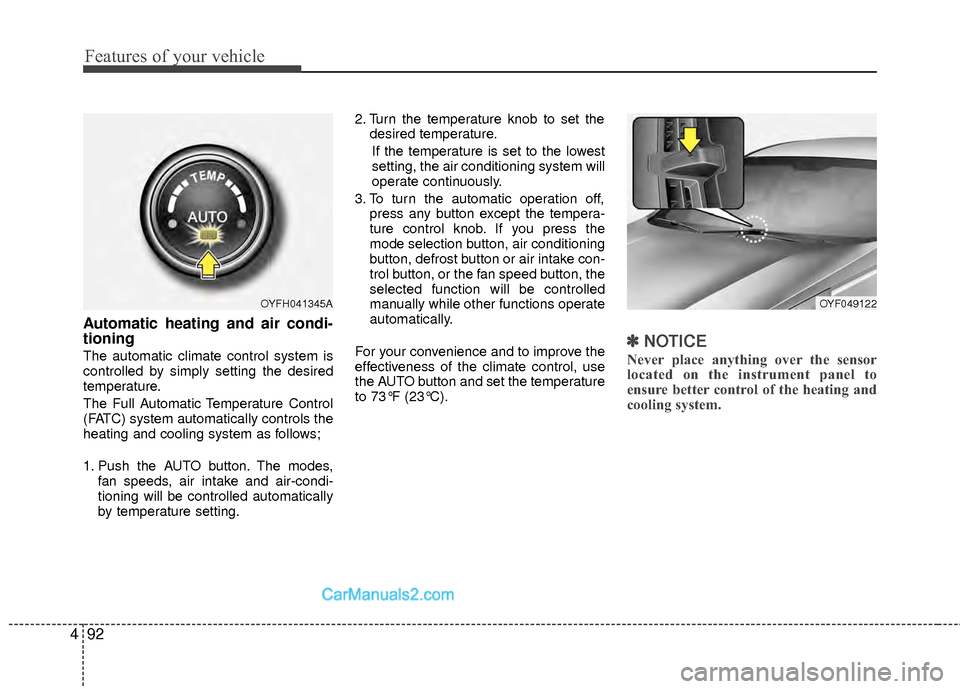
1. Push the AUTO button. The modes,
fan speeds, air intake and air-condi-
tioning will be controlled automatically
by temperature setting. 2. Turn the temperature knob to set the
desired temperature.
If the temperature is set to the lowest
setting, the air conditioning system will
operate continuously.
3. To turn the automatic operation off, press any button except the tempera-
ture control knob. If you press the
mode selection button, air conditioning
button, defrost button or air intake con-
trol button, or the fan speed button, the
selected function will be controlled
manually while other functions operate
automatically.
For your convenience and to improve the
effectiveness of the climate control, use
the AUTO button and set the temperature
to 73°F (23°C).✽ ✽ NOTICE
Never place anything over the sensor
located on the instrument panel to
ensure better control of the heating and
cooling system.
OYF049122OYFH041345A
Page 203 of 403

Features of your vehicle
122
4
CAUTION IN USING
USB DEVICE
To use an external USB device,
make sure the device is not con-nected when starting up the vehi-cle. Connect the device afterstarting up.
If you start the engine when the USB device is connected, it maydamage the USB device. (USBflashdrives are very sensitive toelectric shock.)
If the engine is started up or turned off while the external USBdevice is connected, the externalUSB device may not work.
It may not play inauthentic MP3 or WMA files.
1) It can only play MP3 files with the compression rate between8Kbps~320Kbps.
2) It can only play WMA music files with the compression ratebetween 8Kbps~320Kbps.
Take precautions for static electrici- ty when connecting or disconnect-ing the external USB device.
(Continued)
(Continued) An encrypted MP3 PLAYER is not recognizable.
Depending on the condition of the external USB device, the con-nected external USB device canbe unrecognizable.
When the formatted byte/sector setting of External USB device isnot either 512BYTE or 2048BYTE,then the device will not be recog- nized.
Use only a USB device formatted to FAT 12/16/32.
USB devices without USB I/F authentication may not be recog-nizable.
Make sure the USB connection terminal does not come in contactwith the human body or otherobjects.
If you repeatedly connect or dis- connect the USB device in a shortperiod of time, it may break thedevice.
You may hear a strange noise when connecting or disconnect-ing a USB device.
(Continued)(Continued) If you disconnect the external USB device during playback in USBmode, the external USB device canbe damaged or may malfunction. Therefore, disconnect the externalUSB device when the audio is turned off or in another mode. (e.g,Radio, XM or CD)
Depending on the type and capac- ity of the external USB device orthe type of the files stored in thedevice, there is a difference in the time taken for recognition of thedevice.
Do not use the USB device for pur- poses other than playing musicfiles.
Use of USB accessories such as rechargers or heaters using USBI/F may lower performance orcause trouble.
If you use devices such as a USB hub purchased separately, thevehicle’s audio system may not recognize the USB device. In thatcase, connect the USB devicedirectly to the multimedia termi- nal of the vehicle.
(Continued)
Page 212 of 403
4131
Features of your vehicle
CAUTION IN USING
BLUETOOTH®CELLULAR
PHONE
Do not use a cellular phone or
perform Bluetooth®settings (e.g.
pairing a phone) while driving.
Some Bluetooth
®-enabled phones
may not be recognized by the system or fully compatible withthe system.
Before using Bluetooth
®related
features of the audio system, refer your phone’s User’s Manual for phone-side Bluetooth
®opera-
tions.
The phone must be paired to the audio system to use Bluetooth®
related features.
You will not be able to use the hands-free feature when yourphone (in the car) is outside ofthe cellular service area (e.g. in atunnel, in a underground, in amountainous area, etc.).
If the cellular phone signal is poor or the vehicles interior noise istoo loud, it may be difficult to hearthe other person’s voice during a call.
(Continued)
(continued) Do not place the phone near or inside metallic objects, otherwise
communications with Bluetooth
®
system or cellular service sta-tions can be disturbed.
While a phone is connected through Bluetooth
®your phone
may discharge quicker than usual for additional Bluetooth
®-related
operations.
Some cellular phones or other devices may cause interferencenoise or malfunction to audiosystem. In this case, store thedevice in a different location mayresolve the situation.
Page 213 of 403

Features of your vehicle
132
4
BLUETOOTH®PHONE OPERATION
(if equipped)
1. button : Activates voice recognition.
2. button : Places and transfers calls.
3.button: Ends calls or cancels func- tions.
■What is Bluetooth®?
Bluetooth®is a wireless technology that
allows multiple devices to be connected
in a short range, low-powered devices
like hands-free, stereo headset, wireless
remocon, etc. For more information, visit
the
Bluetooth®website at www.Bluetooth.com
■General Features
®
hands-free and stereo-headset fea-
tures.
- HANDS-FREE feature: Making or receiving calls wirelessly through
voice recognition.
- STEREO-HEADSET feature: Playing music from cellular phones (that sup-
ports A2DP feature) wirelessly.
Bluetooth
®system supports 3 types of
languages:
English
Canadian French
US Spanish
✽ ✽ NOTICE
• The phone must be paired to the sys-
tem before using Bluetooth®features.
• Only one selected (linked) cellular phone can be used with the system at a time.
• Some phones are not fully compatible with this system.
• The Bluetooth
® word mark and logos
are registered trademarks owned by
Bluetooth
®SIG, Inc. and any use of
such marks by HYUNDAI is under
license. A Bluetooth enabled cell phone
is required to use Bluetooth
®wireless
technology.
■Bluetooth®Language Setting
The system language can be changed by
the following steps:
1. Power on the audio system with the
volume set to an audible level.
2. Press and hold button on the steering wheel until the audio displays
“Please Wait”.
- The Bluetooth
®system will reply in
currently selected language that it is
changing to the next language.
- System language cycles between English, Canadian French and US Spanish.
- Press and hold the button on the steering wheel for over 10 seconds.
3. When completed, the audio display returns to normal.
4. Repeat steps 2 and 3 for the next lan- guage selection.
NOTE:
The phone needs to be paired again
after changing system language.
- Avoid resting your thumb or fingeron the button as the language
could unintentionally change.
1
3
2
Page 217 of 403
Features of your vehicle
136
4
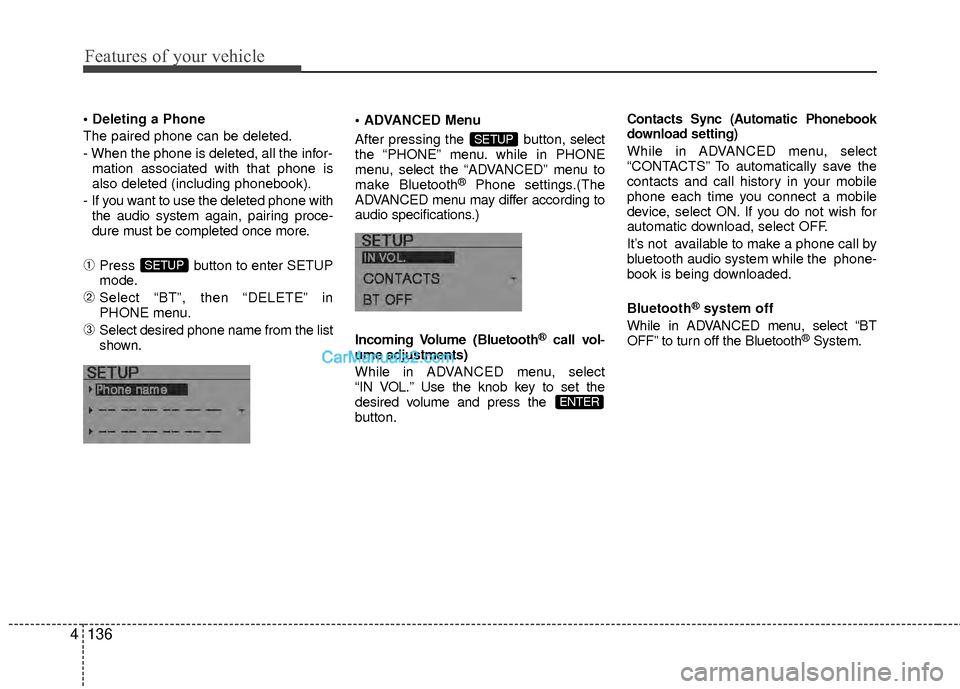
The paired phone can be deleted.
- When the phone is deleted, all the infor-
mation associated with that phone is
also deleted (including phonebook).
- If you want to use the deleted phone with the audio system again, pairing proce-
dure must be completed once more.
➀Press button to enter SETUP
mode.
➁Select “BT”, then “DELETE” in
PHONE menu.
\bSelect desired phone name from the list
shown. Menu
After pressing the button, select
the “PHONE” menu. while in PHONE
menu, select
the “ADVANCED” menu to
make Bluetooth
®Phone settings.(The
ADVANCED menu may differ according to
audio specifications.)
Incoming Volume (Bluetooth
®call vol-
ume adjustments)
While in ADV ANCED menu, select
“IN VOL.” Use the knob key to set the
desired volume and press the
button.
Contacts Sync (Automatic Phonebook
download setting)
While in ADVANCED menu, select
“CONTACTS” To automatically save the
contacts and call history in your mobile
phone each time you connect a mobile
device, select ON. If you do not wish for
automatic download, select OFF.
It’s not available to make a phone call by
bluetooth audio system while the phone-
book is being downloaded.
Bluetooth
®system off
While in ADVANCED menu, select “BT
OFF” to turn off the Bluetooth
®System.
ENTER
SETUP
SETUP