Page 92 of 681

�Û�Ý�Û�Ý
�Û�Ý
To change the display, press the
INFO( / )buttononthesteering
wheel repeatedly until the main
menu appears (see page ).With the ignition switch in the ON
(II) position, the multi-inf ormation
display changes as shown on the
next page each time you press the
INFO ( / ) button or the SEL/
RESET button.
When you turn the ignition switch to
the ON (II) position, your last
selection is displayed.
In the multi-information display, the
system message is also displayed
(see page ) and you can
customize your vehicle control
settings (see page ).
The multi-inf ormation display in the
instrument panel displays various
inf ormation and messages when the
ignition switch is in the ON (II)
position. Some of the messages help
you operate your vehicle more
comf ortably. Others help to keep
you aware of the periodic
maintenance your vehicle needs f or
continued trouble-f ree driving.
You can also change the display by
pressing the select/reset knob in the
instrument panel.
When you open the driver
Page 93 of 681
Mult i-Inf ormation Display
86
INFO buttonSEL/RESET button
U.S. model is shown. Main Menu
Go to Customize Menu (See page 95)
(See page 87)Trip Computer
(See page 90)
Tire Pressure for each tire (See page 89)
Main MenuTable of Contents
Page 95 of 681
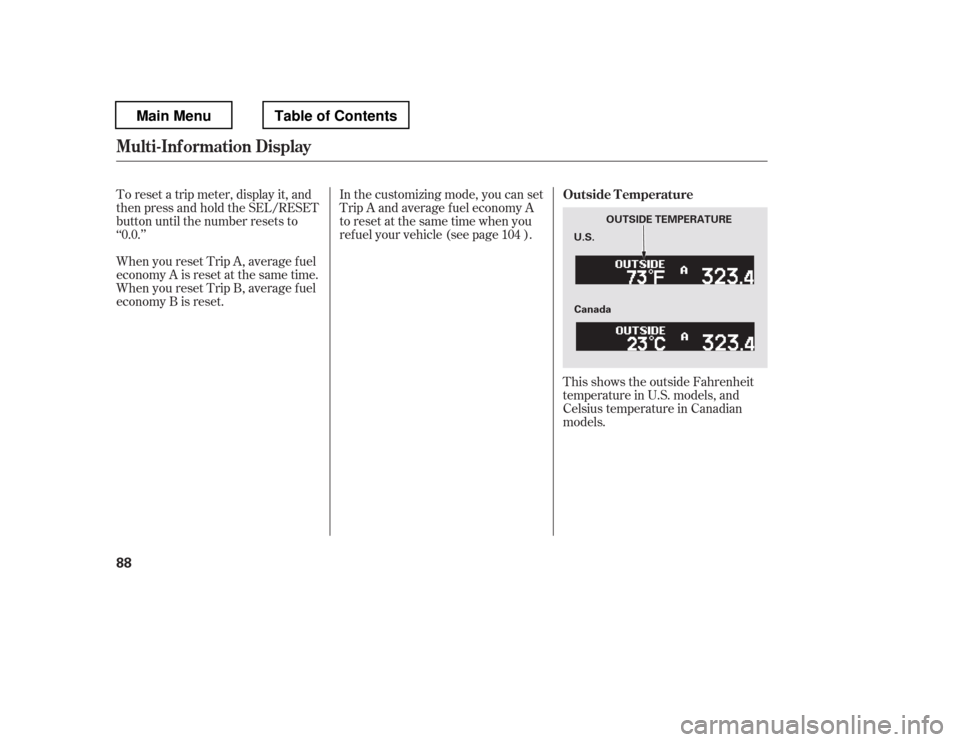
This shows the outside Fahrenheit
temperature in U.S. models, and
Celsius temperature in Canadian
models.
In the customizing mode, you can set
Trip A and average f uel economy A
to reset at the same time when you
ref uel your vehicle (see page ).
To reset a trip meter, display it, and
then press and hold the SEL/RESET
button until the number resets to‘‘0.0.
Page 96 of 681

Whenthetirepressuremonitoris
shown on the multi-inf ormation
display, press the SEL/RESET
button. The display changes as
shown.
You can see the pressure of each tire
in this monitor. If one or more tires
are low, inflate them to the correct
pressure. For more inf ormation, see
page .
This shows the remaining lif e of the
engine oil. It shows 100% af ter the
engine oil is replaced and the display
is reset. The engine oil lif e is
calculated based on engine operating
conditions and accumulated engine
revolutions. For more inf ormation,
see page .
The temperature sensor is in the
f ront bumper. The temperature
reading can be affected by heat
ref lection f rom the road surf ace,
engine heat, and the exhaust f rom
surrounding traf f ic. This can cause
an incorrect temperature reading
when your vehicle speed is under
19 mph (30 km/h). When you start
your trip, the sensor is not f ully
acclimatized, theref ore it may take
several minutes until the proper
temperature is displayed.
In certain weather conditions,
temperature readings near f reezing
(32°F, 0°C) could mean that ice is
f orming on the road surf ace.
You can adjust the outside
temperature display (see page ).
103
559 526
Tire Pressure Monitor
Engine Oil L if e
Mult i-Inf ormation Display
Inst rument s and Cont rols
89
U.S.
Canada
ENGINE OIL LIFE
Main MenuTable of Contents
Page 100 of 681
CONT INUED
See page13
See page 22
See page 22
See page 34
See page 34 See page
171 See page
626
See page 626
See page 625
See page 532
See page 533
See page 623
See page
627
See page 627
Mult i-Inf ormation Display
Inst rument s and Cont rols
93
U.S.
Canada U.S.
Canada
U.S.
Canada
U.S.
Canada
Main MenuTable of Contents
Page 101 of 681
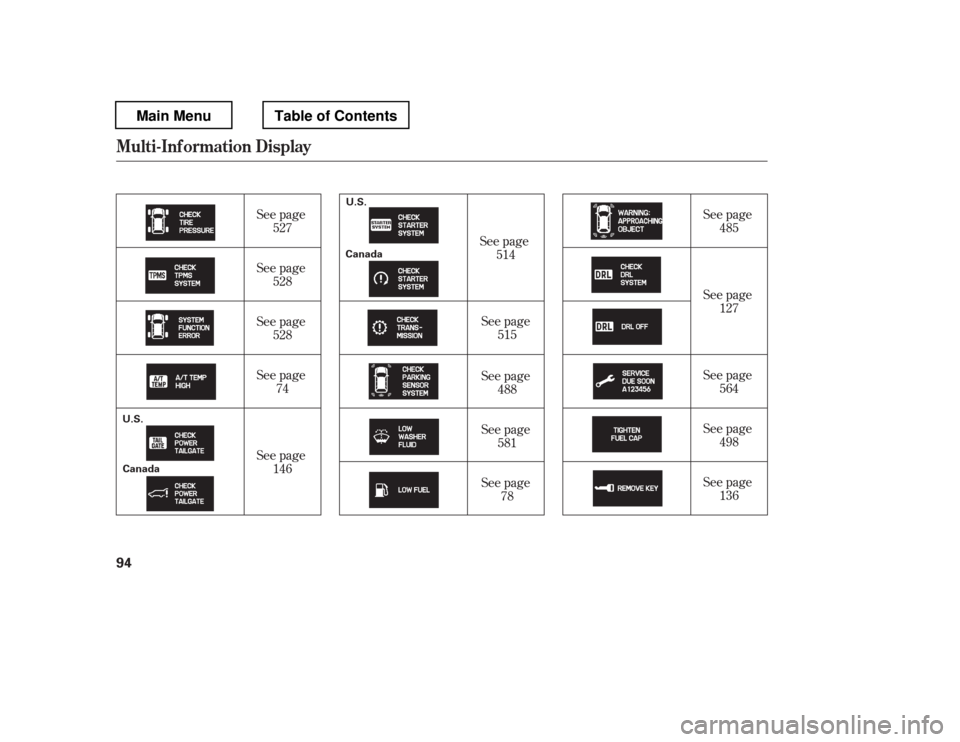
See page74
See page 146
See page78 See page
127
See page 136
See page
527
See page 528
See page 528 See page
514
See page 515
See page 488
See page 581 See page
485
See page 564
See page 498
Mult i-Inf ormation Display
94
U.S.
Canada
U.S. Canada
Main MenuTable of Contents
Page 102 of 681
To enter the customizing mode,
press the SEL/RESET button.If you turn the ignition switch to the
ACCESSORY (I) or the LOCK (0)
position, or move the shif t lever out
of Park, the display will change to
the normal screen.
If you want the settings as they were
when the vehicle lef t the f actory,
select DEFAULT ALL, as described
on page .
Ref er to the table on the f ollowing
pages about the settings you want to
customize.
If you want to change any vehicle
control settings, select CHG
SETTING, then press the SEL/
RESET button.
To change the settings, the ignition
switch must be in the ON (II)
position, and the vehicle must be
stopped with the transmission in
Park. You can customize some vehicle
control settings f or ‘‘DRIVER 1
Page 103 of 681
�Î�Î
�Î�Î
�Î
�Î
�Î �Î
�Î
�µ�™�¶ �™
�µ�™�¶ �™
�Î �Î
Group Setup Menu Item Description Page
Setting Option
MET ER SET UP
(P.101)
POSITION SETUP
(P.106)
LIGHTING SETUP
(P.108) LANGUAGE SELECT ION
ADJUST OUTSIDE
TEMP. DISPLAY
TRIP A INFO RESET
MEMORY POSIT ION LINK
INTERIOR LIGHT
DIMMING T IME
HEADLIGHT
AUTO OFF TIMER
AUTO LIGHT
SENSITIVITY Changes the language used in the display.
Changes the outside temperature reading above or
below its current reading.
Changes the setting of how to reset trip meter A,
average fuel A, elapsed time A, and average speed A.
Changes the driver