Page 259 of 681
To turn this feature off, press and
hold the SCAN button for more than
2 seconds, or press and release the
selector knob while in scan mode.
Each time you press and release the
SCAN button, the mode changes
from file scan to folder scan, then to
normal play.To take the system out of the disc
mode, press one of the other source
buttons than the CD button.
If you turn the system of f while a
disc is playing, either with the
power/volume knob or the ignition
switch, play will continue at the same
point when you turn it back on. For inf ormation on how to handle
and protect compact discs, see page
.
332
T o Stop Playing a Disc Protecting Discs
Playing a Disc (EX, EX-L, and Canadian LX models without navigation s
ystem)
252
Main MenuTable of Contents
Page 265 of 681
Each time you press and release the
selector knob, this f eature turns on
and off.
Youcanlistentotracksfromother
albumlists that have already been
recorded while recording. Press
the CD-L button and switch over
to CD Library Audio.
Recording settings cannot be
changed during recording.
If you don
Page 275 of 681
�µEach time you press and
releasethe sideof theSKIPbar,
the system skips forward to the
beginning of the next track. Press
and release the side of the bar
to skip backward to the beginning of
the current track. Press it again to
skip to the beginning of the previous
track.
Use the SKIP bar while an iPod is
playing to select passages and
change f iles.
To move rapidly within playing track,
press and hold either side ( or
) of the SKIP bar.
If the iPod indicator does not appear
in the audio display, check the
connections, and try to reconnect the
iPod a f ew times.
If the audio system still does not
recognize the iPod, the iPod may
need to be reset. Follow the
instructions that came with your
iPod, or you can f ind reset
instructions online at
Turning the selector knob to the
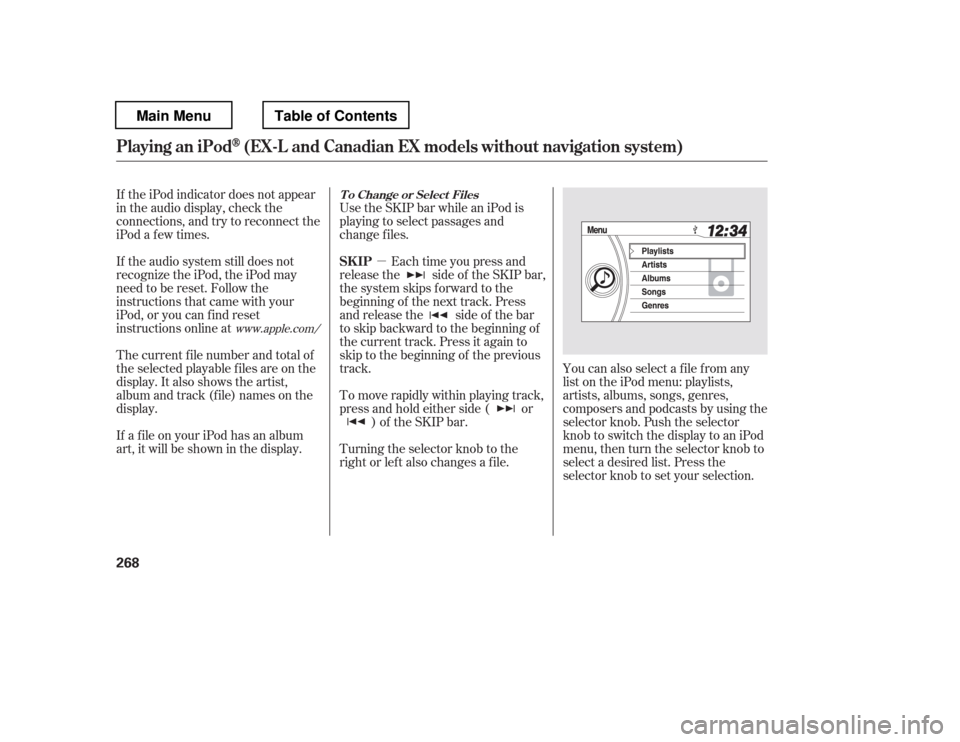
right or lef t also changes a f ile.You can also select a file from any
list on the iPod menu: playlists,
artists, albums, songs, genres,
composers and podcasts by using the
selector knob. Push the selector
knob to switch the display to an iPod
menu, then turn the selector knob to
select a desired list. Press the
selector knob to set your selection.
The current f ile number and total of
the selected playable f iles are on the
display. It also shows the artist,
album and track (file) names on the
display.
If a f ile on your iPod has an album
art, it will be shown in the display.
www.apple.com/ T o Change or Select Files
SK IP
Playing an iPod(EX-L and Canadian EX models without navigation system)
268
Main MenuTable of Contents
Page 285 of 681

�µYou can also select a file from any
list on the USB top menu: artists,
albums, songs, genres, by using the
selector knob. Push the selector
knob to switch the display to the
USB top menu, then turn the
selector knob to select a desired list.
Press the selector knob to set your
selection. The display shows items on the
selected list. Turn the selector knob
to select an item, then press the
selector knob to set your selection.
Use the SKIP bar while a USB f lash
memory device is playing to select
passages and change f iles.
Each time you press and
releasethe sideof theSKIPbar,
the system skips forward to the
beginning of the next f ile. Press and
releasethe sideof thebar,to
skip backward to the beginning of
the current f ile. Press it twice to skip
to the beginning of the previous file.
To move rapidly within a f ile, press
andholdeitherside( or )
of the SKIP bar.
Turning the selector knob to the
right or lef t also changes a f ile.
T o Change or Select Files
SK IP
Playing a USB Flash Memory Device (EX-L and Canadian EX models witho ut navigation system)
278
Main MenuTable of Contents
Page 302 of 681
CONT INUED
To set the time, press and release
the CLOCK button. The display
will change to the clock adjust
screen.
You can also set the time from the
setup menu.
Press the SETUP button to display
the setup menu. Turn the selector
knob to ‘‘CLOCK ADJUST
Page 303 of 681
�Ú
On vehicles with navigation system
The navigation system receives
signals f rom the global positioning
system (GPS), and the displayed
time is updated automatically by the
GPS. Ref er to the navigation system
manual f or how to adjust the time.
Turn the selector knob to change
the setting between 12H and 24H,
and count the numbers up or down.
To enter the clock setting, press
the selector knob repeatedly to
select ‘‘SET
Page 307 of 681

�µUse the TUNE knob to
tune the radio to a desired frequency.
Turn the knob right to tune to a
higher f requency, or lef t to tune to a
lower f requency. To tune with the
interf ace dial, push the selector
down, and turn the knob to TUNE.
Then press ENTER on the selector,
andturntheknobtothedesired
f requency. To exit the TUNE mode,
press ENTER on the selector.
The ignition switch must be in the
ACCESSORY (I) or the ON (II)
position. Press the AUDIO button to
view the audio control display. Turn
the system on by pressing the
power/volume knob, the AM, or FM
button. Adjust the volume by turning
the power/volume knob.
On the AM band, AM noise
reduction turns on automatically.
You can use any of f ive methods to
f ind radio stations on the selected
band: tune, skip (seek), scan, the
preset buttons, and auto select.
The band and f requency that the
radio was last tuned to are shown on
the display. To change bands, press
the AM/FM button. You can also
change bands by pushing the
interf ace selector up. Each time you
push it up, the band will change to
FM1, FM2 or AM. On the FM bands,
STEREO will be shown on the
navigation screen and ST on the
center display, if the station is
broadcasting in stereo. Stereo
reproduction on AM is not available.
TUNE
To Play the FM/AM Radio
To Select a Station
Playing the FM/A M Radio (Models with navigation syst em)
300
STEREO INDICATOR TUNE
BAND
Main MenuTable of Contents
Page 320 of 681

Your vehicle is capable of receiving XM
Radio anywhere in the United
States and Canada, except Hawaii,
Alaska,andPuertoRico.XMisa
registered trademark of Sirius XM
Radio
,Inc.andXMCANADAis a
registered business name of
Canadian Satellite Radio Inc.
XM Radio receives signals f rom two
satellites to produce clear, high-
quality digital reception. It of f ers
many channels in several categories.
Along with a large selection of
dif f erent types of music, XM Radio
also allows you to view channel and
category selections in the audio
display. To listen to XM Radio, turn the
ignition switch to the ACCESSORY
(I) or ON (II) position. Push the
power/volume knob to turn on the
audio system, and press the
button. The last channel you
listened to will show in the display.
Adjust the volume by turning the
power/volume knob. Each time you push the interface
selector up, the band will change to
XM1 or XM2. Push the AUDIO
button to display XM inf ormation on
the screen. You can operate the XM
radio system with the interf ace dial.
CONT INUED
Operating the XM Radio
Playing t he XMRadio (Models with navigation system)
Features
313
Main MenuTable of Contents


