Page 393 of 681
Onceadeviceislinked,thenameof
thedevicewillappearonthescreen.
Pressing the TITLE button switches
the center display between the
Audio and the device
name.
If more than one phone is paired to
the HFL system, there will be a
delay bef ore the system begins to
play. In the following conditions, the
display shows ‘‘NO CONNECT
Page 394 of 681
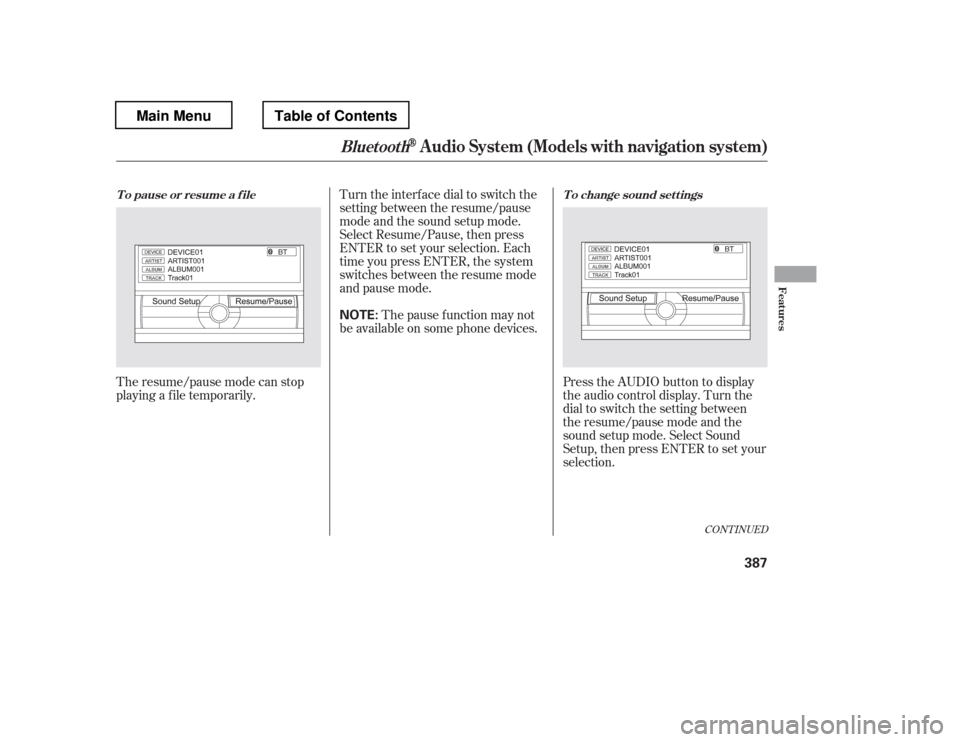
The resume/pause mode can stop
playing a f ile temporarily.Turn the interface dial to switch the
setting between the resume/pause
mode and the sound setup mode.
Select Resume/Pause, then press
ENTER to set your selection. Each
time you press ENTER, the system
switches between the resume mode
and pause mode.
Thepausefunctionmaynot
be available on some phone devices.
Press the AUDIO button to display
the audio control display. Turn the
dial to switch the setting between
theresume/pausemodeandthe
sound setup mode. Select Sound
Setup, then press ENTER to set your
selection.
CONT INUED
T o pause or resume a f ile T o change sound set t ings
BluetoothAudio System (Models with navigation system)
Features
387
NOTE:
Main MenuTable of Contents
Page 395 of 681

Turn the dial to select a sound setup
mode, then press ENTER to set your
selection. See page f or more
sound setting inf ormation.
If you receive a call when the
Audio is playing, press the
PICK-UPbuttononthesteering
wheel. The screen and the center
displayswitchtotheHFLmode(see
page ).
Af ter ending the call, press the
HANG-UP button to go back to the
Audio mode. To take the system out of the
Audio mode, press one of
the other source buttons than the
USB/AUX button. When a
compatible audio unit is connected to
the auxiliary input jack, press the
USB/AUX button to select it.
Switching to another mode pauses
the music playing f rom your phone.
309
463
As required by the FCC: This device complies with Part 15 of theFCC rules. Operation is subject to the
f ollowing two conditions: (1) This device may not cause harmf ul interf erence, and(2) this device must accept any
interf erence received, includinginterf erence that may cause undesiredoperation.
Changes or modif ications not expresslyapproved by the party responsible f or
compliance could void the user
Page 398 of 681
For more inf ormation, see page .
Auxiliary input jacks and headphone
connectors f or the rear
entertainment system are on the
back of the center console
compartment.
The auxiliary input jack is inside the
f ront console compartment. The
system will accept auxiliary input
f rom standard audio accessories.
When a compatible audio unit is
connected to the jack, press the AUX
or CD/AUX button to select it.
428
On vehicles with rear entertainment
system
Auxiliary Input Jack
Features
391
Touring model is shown.
Main MenuTable of Contents
Page 434 of 681

To use the headphones, pivot the
earpieces outward. This turns them
on. To adjust the volume, turn the
dial on the bottom of the right
earpiece. When you remove the
headphones, the earpieces
automatically pivot inward, and the
headphones turn of f . When not in
use, store the headphones in the
pocketof eitherfrontseat,orthe
rear door lining pockets.Each headphone uses one AAA
battery. The battery is under the
cover on the lef t earpiece. To
remove the cover, insert a coin in the
slot and twist it slightly to pry the
cover away f rom the earpiece. Pull
the cover outward, and pivot it out of
the way. Remove the battery. Install the new
battery in the earpiece as shown in
the diagram next to the battery slot.
Slide the cover back into place on the
earpiece, then press down on the
back edge to lock it in place.
An improperly disposed of battery
can hurt the environment.
Always conf irm local regulations f or
battery disposal.
Rear Entertainment System
Replacing Bat t eries
Features
427
COVER
COIN BATTERY
Main MenuTable of Contents
Page 435 of 681
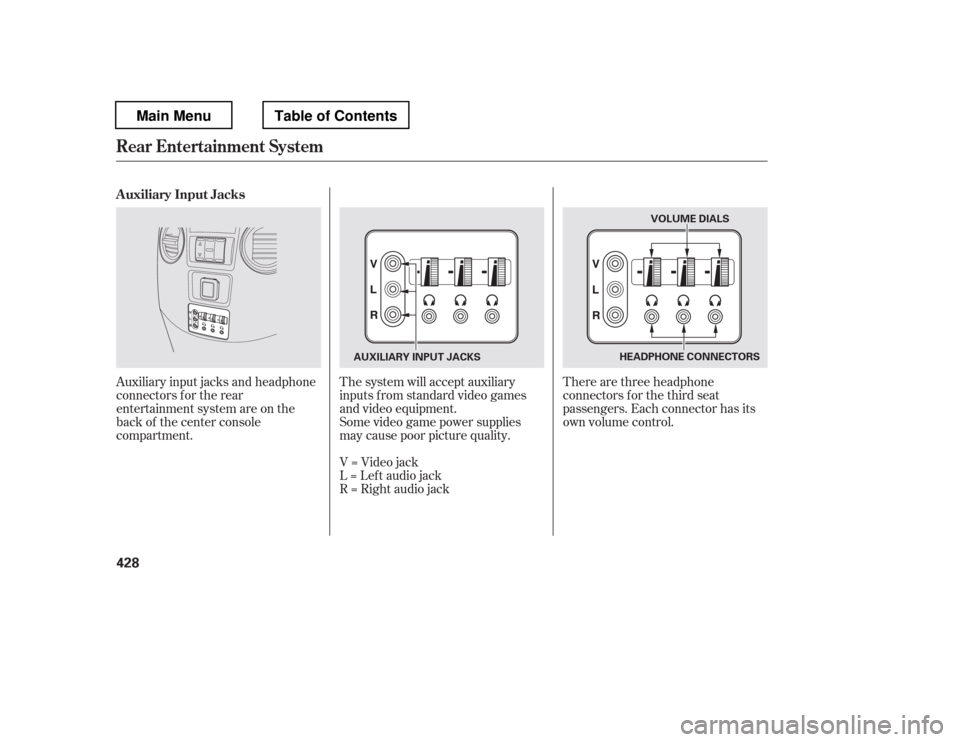
Auxiliary input jacks and headphone
connectors f or the rear
entertainment system are on the
back of the center console
compartment.The system will accept auxiliary
inputs f rom standard video games
and video equipment.
There are three headphone
connectors f or the third seat
passengers. Each connector has its
own volume control.
Some video game power supplies
may cause poor picture quality.
V=Videojack
L = Lef t audio jack
R = Right audio jack
Auxiliary Input Jacks
Rear Entertainment System
428
HEADPHONE CONNECTORS
AUXILIARY INPUT JACKS VOLUME DIALS
Main MenuTable of Contents
Page 448 of 681

Bluetoothhandsf reelink.honda.
com
www.handsfreelink.ca,HandsFreeLink(HFL)
allows you to place and receive
phone calls using voice commands,
without handling your cell phone.
To use HFL, you need a Bluetooth-
compatible cell phone. For a list of
compatible phones, pairing
procedures, and special f eature
capabilities:
In the U.S., visit or call (888) 528-7876.
Use the selector knob to make menu
or list selections. Press the PHONE button or PICK-
UPbuttontogotothePhonescreen.
Press the RETURN button to go
back to the previous screen.
To select an item on the screen, turn
the selector knob lef t or right to
highlight it, and then push the
selector knob.
In Canada, visit
or call (888) 528-7876.
CONT INUED
Using HFL
Select or K nob
BluetoothHandsFreeL ink(Models without navigation syst em)
Features
441
Without rear entertainment system
With rear entertainment system
SELECTOR KNOB
SELECTOR KNOB
RETURN
BUTTON PHONE BUTTON
RETURN BUTTON
PHONE BUTTON
EX-L and Canadian EX models
U.S. EX and Canadian LX models
Main MenuTable of Contents
Page 449 of 681

�µ�µ
�µ
�µ To change the volume level of
HFL, use the audio system volume
knob or the steering wheel volume
controls.
Try to reduce all background
noise. If the microphone picks up
voices other than yours,
commands may be misinterpreted.
Press and
release to answer a call, or press to
go directly to the Phone screen. Press and
release to end or decline a call. Airorwindnoisefromthe
dashboard and side vents and all
windows may interfere with the
microphone. Adjust or close them
as necessary.You can change the system language
to English, French, or Spanish (see
page ).
Press and release
to call a number with a stored voice
tag. Press and release
to cancel a command. Press and release the Talk button
when you want to call a number
using a stored voice tag. Af ter the
beep, speak in a clear, natural tone. 297
Voice Cont rol T ips
HFL Buttons
L anguage Select ion
BluetoothHandsFreeL ink(Models without navigation syst em)
PICK -UP Button
HANG-UP Button
TALK Button
BACK Button
442
BACK BUTTON
TALK BUTTON PICK-UP BUTTON
HANG-UP BUTTON MICROPHONE
EX-L model shown.
Main MenuTable of Contents