Page 73 of 441

72Instrument Panel
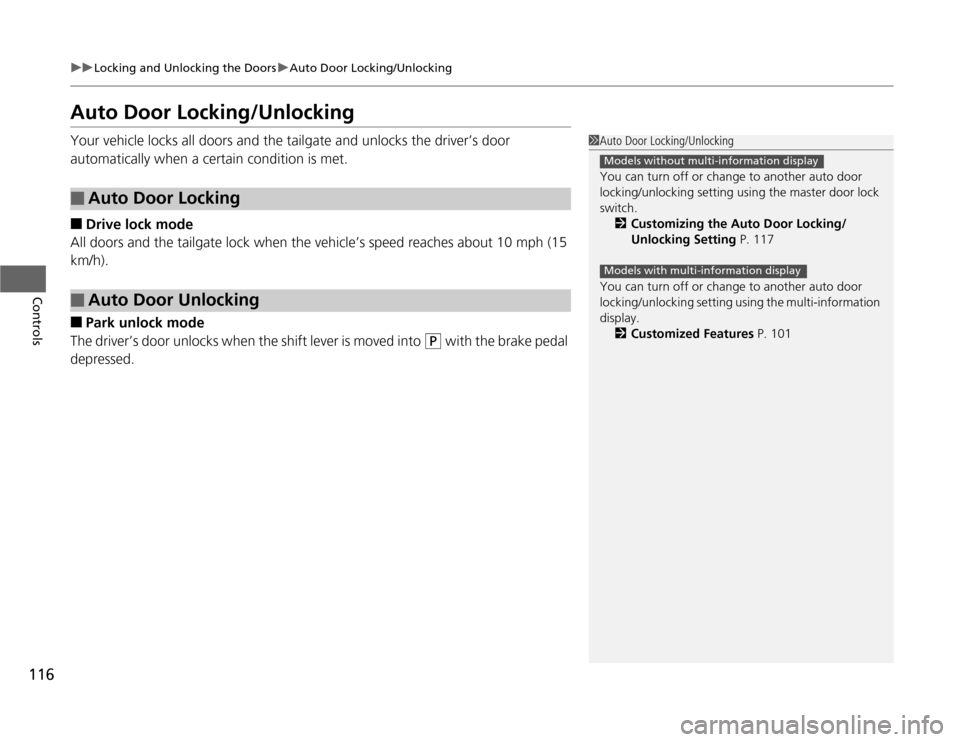
IndicatorsIndicator
Name
On/Blinking
Explanation
Message
*
Parking Brake
and Brake
System Indicator
●
Comes on for a few seconds when
you turn the ignition switch to ON (w
, then goes off.
●
Comes on when the parking brake
is applied, and goes off when it is
released.
●
Comes on when the brake fluid
level is low.
●
Comes on if there is a problem
with the brake system.
●
The beeper sounds and the
indicator comes on if you drive
with the parking brake not fully
released.
●
Comes on while driving - Make sure
the parking brake is released. Check the
brake fluid level.
2What to do when the indicator
comes on while driving P. 408
●
Comes on along with the ABS
indicator - Have the vehicle checked by
a dealer.
2If the Brake System Indicator Comes
On P. 408
Low Oil Pressure
Indicator
●
Comes on when you turn the
ignition switch to ON
(w
, and goes
off when the engine starts.
●
Comes on when the engine oil
pressure is low.
●
Comes on while driving - Immediately
stop in a safe place.
2If the Low Oil Pressure Indicator
Comes On P. 406
U.S.
Canada
U.S. Canada
* Not available on all models
Page 76 of 441

75
uuIndicatorsu
Instrument Panel
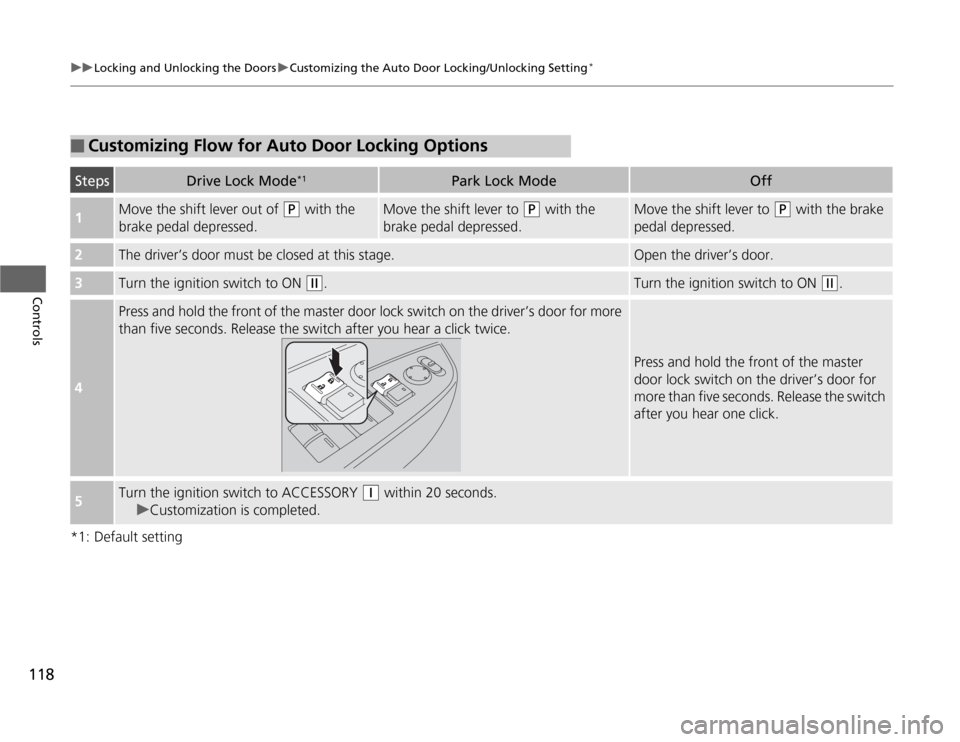
Seat Belt
Reminder
Indicator
●
Comes on and the beeper sounds if
you are not wearing a seat belt when
you turn the ignition switch to ON (w
. If the front passenger is not
wearing a seat belt, the indicator
comes on about a few seconds later.
●
Blinks while driving if either you or
the front passenger has not fastened
a seat belt. The beeper sounds and
the indicator blinks at regular
intervals.
●
The beeper stops and the indicator goes
off when you and the front passenger
fasten their seat belts.
●
Stays on after you or the front
passenger has fastened the seat
belt - A detection error may have
occurred in the sensor. Have the vehicle
checked by a dealer.
2Seat Belt Reminder P. 31
Low Fuel
Indicator
●
Comes on when the fuel reserve is
running low (approximately 3.0 U.S.
gal./11.4 Liter left).
●
Blinks if there is a problem with the
fuel gauge.
●
Comes on - Refuel your vehicle as soon
as possible.
●
Blinks - Have the vehicle checked by a
dealer.
ABS (Anti-lock
Brake System)
Indicator
●
Comes on for a few seconds when
you turn the ignition switch to ON (w
, then goes off.
●
If it comes on at any other time,
there is a problem with the ABS.
●
Stays on constantly - Have the vehicle
checked by a dealer. With this indicator
on, your vehicle still has normal braking
ability but no anti-lock function.
2ABS (Anti-lock Brake System)
P. 316
Indicator
Name
On/Blinking
Explanation
Message
*
Indicator
Page 117 of 441
116
uuLocking and Unlocking the DoorsuAuto Door Locking/Unlocking
Controls
Auto Door Locking/UnlockingYour vehicle locks all doors and the tailgate and unlocks the driver’s door
automatically when a certain condition is met.■
Drive lock mode
All doors and the tailgate lock when the vehicle’s speed reaches about 10 mph (15
km/h).
■
Park unlock mode
The driver’s door unlocks when the shift lever is moved into
(P
with the brake pedal
depressed.
■
Auto Door Locking
■
Auto Door Unlocking
1Auto Door Locking/Unlocking
You can turn off or change to another auto door
locking/unlocking setting using the master door lock
switch.
2Customizing the Auto Door Locking/
Unlocking Setting P. 117
You can turn off or change to another auto door
locking/unlocking setting using the multi-information
display.
2Customized Features P. 101
Models without multi-information displayModels with multi-information display
Page 118 of 441
117
uuLocking and Unlocking the DoorsuCustomizing the Auto Door Locking/Unlocking Setting
*
Continued
Controls
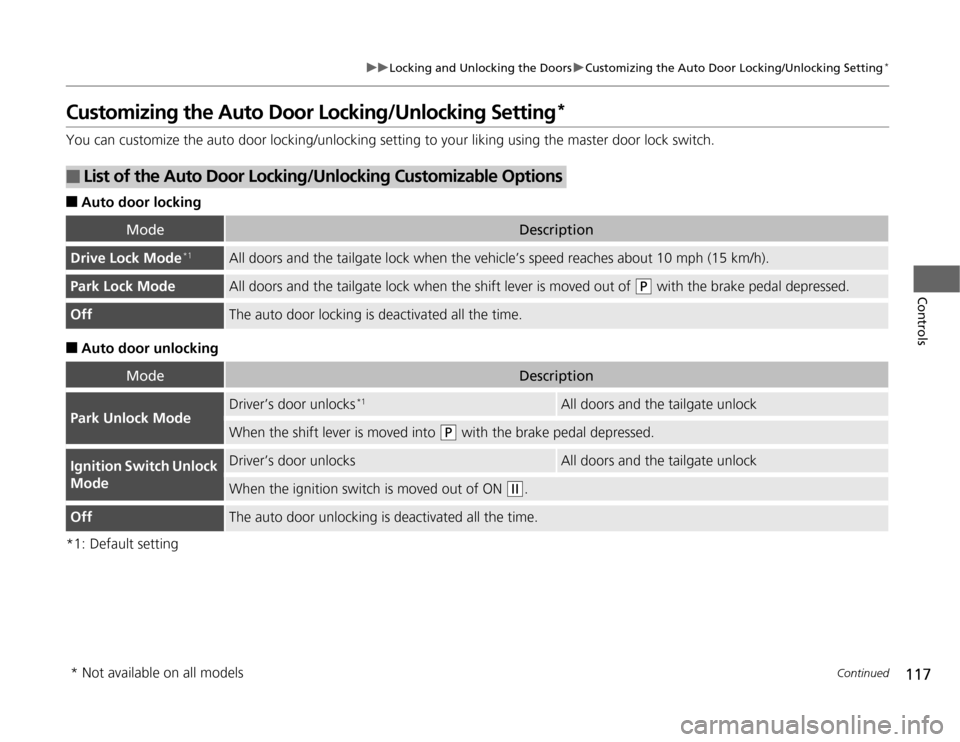
Customizing the Auto Door Locking/Unlocking Setting
*
You can customize the auto door locking/unlocking setting to your liking using the master door lock switch.■
Auto door locking
■
Auto door unlocking
*1: Default setting
■
List of the Auto Door Locking/Unlocking Customizable Options
Mode
Description
Drive Lock Mode
*1
All doors and the tailgate lock when the vehicle’s speed reaches about 10 mph (15 km/h).
Park Lock Mode
All doors and the tailgate lock when the shift lever is moved out of
(P
with the brake pedal depressed.
Off
The auto door locking is deactivated all the time.
Mode
Description
Park Unlock Mode
Driver’s door unlocks
*1
All doors and the tailgate unlock
When the shift lever is moved into
(P
with the brake pedal depressed.
Ignition Switch Unlock
Mode
Driver’s door unlocks
All doors and the tailgate unlock
When the ignition switch is moved out of ON
(w
.
Off
The auto door unlocking is deactivated all the time.
* Not available on all models
Page 119 of 441
118
uuLocking and Unlocking the DoorsuCustomizing the Auto Door Locking/Unlocking Setting
*
Controls
*1: Default setting■
Customizing Flow for Auto Door Locking Options
Steps
Drive Lock Mode
*1
Park Lock Mode
Off
1
Move the shift lever out of
(P
with the
brake pedal depressed.
Move the shift lever to
(P
with the
brake pedal depressed.
Move the shift lever to
(P
with the brake
pedal depressed.
2
The driver’s door must be closed at this stage.
Open the driver’s door.
3
Turn the ignition switch to ON
(w
.
Turn the ignition switch to ON
(w
.
4
Press and hold the front of the master door lock switch on the driver’s door for more
than five seconds. Release the switch after you hear a click twice.
Press and hold the front of the master
door lock switch on the driver’s door for
more than five seconds. Release the switch
after you hear one click.
5
Turn the ignition switch to ACCESSORY
(q
within 20 seconds.
uCustomization is completed.
Page 120 of 441
119
uuLocking and Unlocking the DoorsuCustomizing the Auto Door Locking/Unlocking Setting
*
Controls
*1: Default setting■
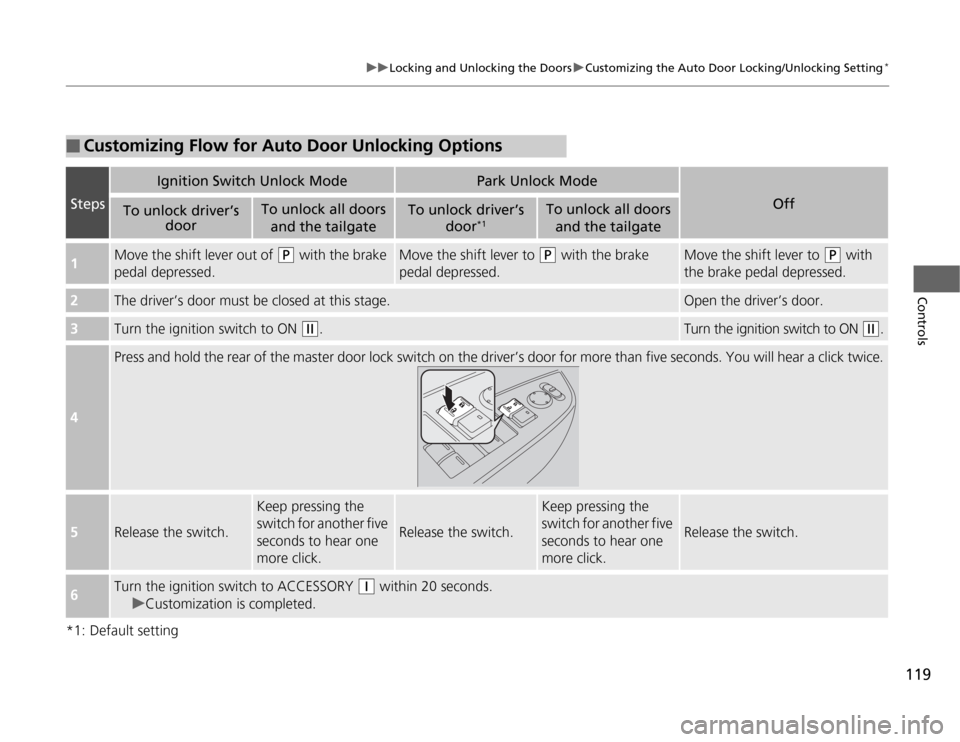
Customizing Flow for Auto Door Unlocking Options
Steps
Ignition Switch Unlock Mode
Park Unlock Mode
Off
To unlock driver’s
door
To unlock all doors
and the tailgate
To unlock driver’s
door
*1
To unlock all doors
and the tailgate
1
Move the shift lever out of
(P
with the brake
pedal depressed.
Move the shift lever to
(P
with the brake
pedal depressed.
Move the shift lever to
(P
with
the brake pedal depressed.
2
The driver’s door must be closed at this stage.
Open the driver’s door.
3
Turn the ignition switch to ON
(w
.
Turn the ignition switch to ON
(w
.
4
Press and hold the rear of the master door lock switch on the driver’s door for more than five seconds. You will hear a click twice.
5
Release the switch.
Keep pressing the
switch for another five
seconds to hear one
more click.
Release the switch.
Keep pressing the
switch for another five
seconds to hear one
more click.
Release the switch.
6
Turn the ignition switch to ACCESSORY
(q
within 20 seconds.
uCustomization is completed.
Page 124 of 441

Continued
123
uuOpening and Closing the TailgateuOpening/Closing the Power Tailgate
*
Controls
Press the power tailgate button for more than
one second to operate.
To reverse direction while the power tailgate is
in operation, press the button again. The
beeper sounds three times and the tailgate
reverses direction.
■
Customizing when to open the tailgate
ANYTIME: The power tailgate unlocks and opens at the same time. This is the
default setting.
WHEN UNLOCKED: The tailgate opens unless the door is unlocked.2Customized Features P. 101
To change the setting, do the following:
1.Apply the parking brake.
2.Turn the ignition switch to ON
(w
.
3.Press and hold the power tailgate button on the dashboard until you hear a beep.
4.Turn the ignition switch to OFF
(0
.
uWhen Anytime is set, you hear one long beep.
uWhen When Unlocked is set, you hear three short beeps.
■
Remote Transmitter
1Opening/Closing the Power Tailgate
If the power tailgate meets resistance while opening
or closing, the auto reverse feature reverses the
direction. Three beeps sound.
The auto reverse function stops sensing when the
tailgate is almost closed to make sure that it fully
closes.
Do not touch the sensors located on both sides of the
tailgate. The power tailgate does not close if you
touch either sensor when you are trying to close the
tailgate.
Be careful not to scratch the sensors with a sharp
object. If scratched, they can be damaged, and the
power tailgate closing feature malfunctions.
Power
Tailgate
Button
Models with multi-information displayModels without multi-information display
Page 129 of 441
128
uuOpening and Closing the Sliding DoorsuOpening/Closing the Power Sliding Doors
*
Controls
Opening/Closing the Power Sliding Doors
*
The power sliding doors can be operated by pressing the power sliding door button
on the remote transmitter, pressing the power sliding door switches on the
dashboard or door pillars, or using the door handle.
The power sliding doors can be operated when:
•The sliding door main switch is in the ON position.
•The power sliding door is unlocked.
•The fuel fill door is closed (on the driver side sliding door only).
•The key is not in the ignition switch when using the remote transmitter.
•The shift lever is in
(P
, the brake pedal is depressed, or the parking brake is
applied (with the ignition switch in ON
(w
) when using the power sliding door
switches on the dashboard.
1Opening/Closing the Power Sliding Doors
If you move the shift lever out of P, and release the
brake pedal and the parking brake:
While opening – The sliding door stops and is left
ajar.
While closing – The beeper sounds until the door
closes.
Check that passengers, especially children, do not
have their hands on the sliding doors or on the door
pillars before its operation. If someone is caught in
the opening or closing sliding door, it can cause
serious injury.
Before replacing a rear tire, turn the power sliding
door main switch to OFF.
Operate the power sliding doors only when the
vehicle is at a complete stop. Make sure you apply the
brake when rear passengers are boarding or exiting.
* Not available on all models